Running a small business without a reliable accounting system can quickly turn routine bookkeeping into a time-consuming process. Sales invoices, supplier bills, bank transactions, expenses, accounts receivable, accounts payable, and financial reports all need to remain synchronized if a business owner wants accurate financial information.
If you are a small business owner looking to automate your accounting but are unsure which software to choose, what features you need, or how much it will cost, this guide is for you. The right accounting software can reduce manual work, simplify invoicing, track business expenses, reconcile bank transactions, and help you understand your company's financial position without managing every task yourself.
However, choosing the right tool is not just about finding software with the most features. Your requirements and budget matter, too. A freelancer may only need invoicing and payment tracking, while a retail business might require inventory management, purchase orders, and detailed financial reports. Paying for features your business does not use can add unnecessary costs.
To help you make an informed decision, we have compared seven of the best accounting software options for small businesses in a simplified format. This guide breaks down their key features, pricing, reporting capabilities, integrations, and ideal use cases, so you can understand what you are paying for and choose the software that best fits your business needs.
Quick Comparison of the Best Accounting Software for Small Business
The table below compares seven leading accounting platforms based on their starting prices, overall capabilities, and suitability for different types of small businesses. The ratings are editorial scores based on accounting functionality, ease of use, automation, reporting, integrations, scalability, and overall value for a small business.
Accounting Software | Our Rating | Starting Price (US) | Best Feature | Key Strength |
QuickBooks Online | 4.8/5 | $38/month | Bank transaction matching | Connects bank activity with recorded transactions and supports detailed financial reporting. |
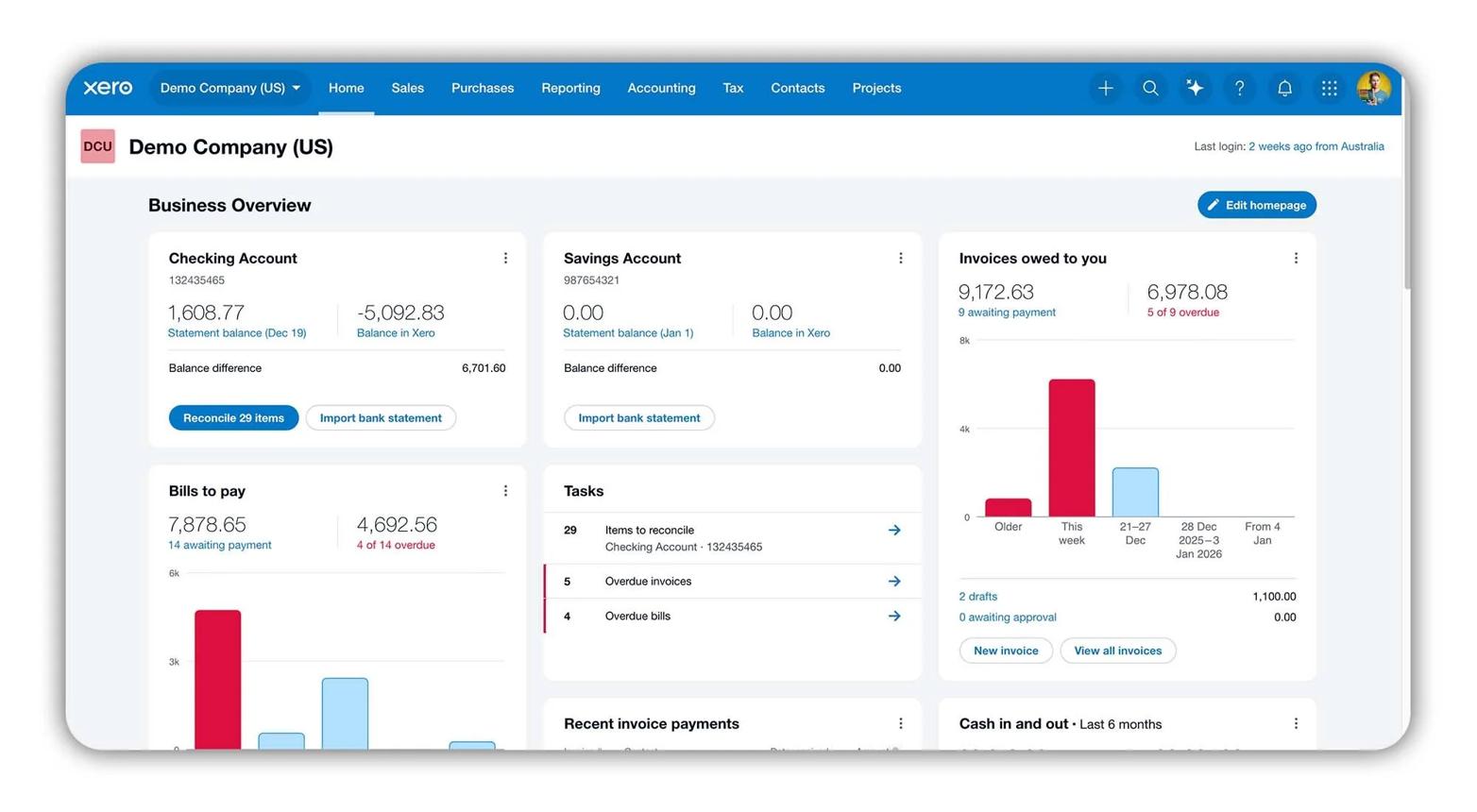
Xero | 4.7/5 | $25/month | Multi-user access | Allows business owners, employees, and accountants to collaborate on bookkeeping, subject to plan permissions. |
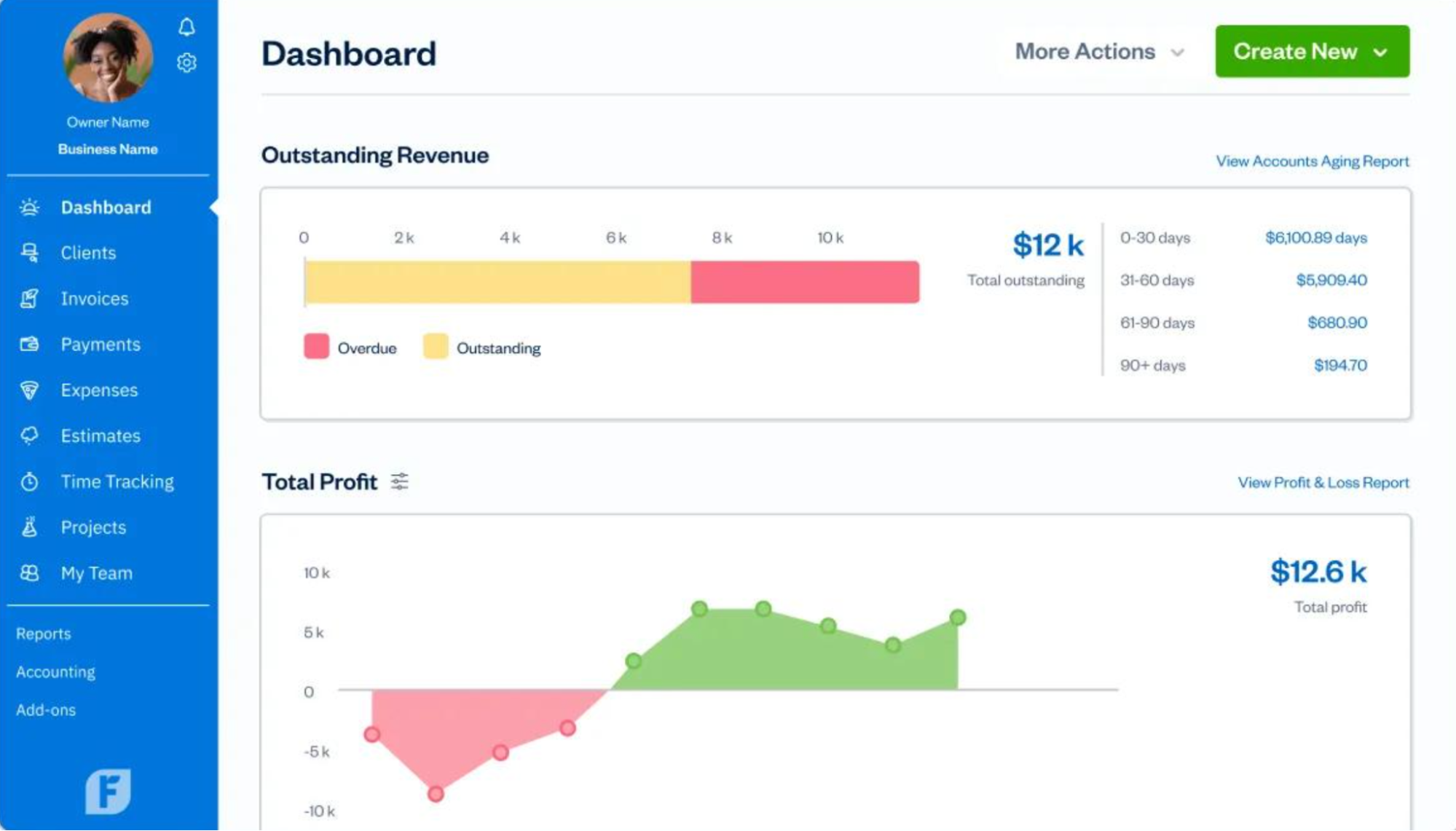
FreshBooks | 4.6/5 | $23/month | Time tracking and project billing | Helps service businesses convert tracked billable hours into client invoices. |
Zoho Books | 4.6/5 | Free | Automated bank feeds and reconciliation | Imports eligible bank transactions and helps match them with accounting records. |
Wave | 4.4/5 | Free | Invoice creation and income tracking | Combines basic invoicing with income and expense bookkeeping. |
Sage 50 | 4.3/5 | $128.67/month | Inventory and job costing | Supports inventory-related accounting and job-cost tracking, depending on the plan. |
Patriot Accounting | 4.3/5 | $20/month | Bank imports and reconciliation | Helps small businesses import banking activity and reconcile their accounting records. |
Prices are indicative U.S. starting-price references and should be verified against current standard rates, introductory offers, and plan-specific features before publication. Ratings are editorial assessments.
How the Ratings Were Determined
Our overall ratings combine these criteria rather than relying on a single feature or third-party score. Accounting functionality and reliability receive greater weight than cosmetic features, while pricing and ease of use help determine the overall value for a small business.
This approach allows us to identify the best accounting software for small business based on practical accounting requirements, not simply which platform has the largest user base or the lowest advertised monthly price.
How We Evaluated the Best Accounting Software
To identify the best accounting software for small businesses, we evaluated five platforms, QuickBooks Online, Xero, FreshBooks, Takkada, and Sage 50—based on their actual accounting capabilities, workflow automation, and suitability for different small-business operations. Rather than comparing only pricing or general features, we examined how each platform handles specific tasks such as bank reconciliation, supplier bill management, project costing, inventory accounting, and accounting data synchronization.
I. Bank Reconciliation and Transaction Matching
We assessed how each platform imports bank transactions, matches payments against existing accounting entries, categorizes recurring transactions, and identifies discrepancies during reconciliation. These features help small businesses reduce manual data entry and maintain accurate financial records. We also considered whether users can create bank rules, process multiple transactions efficiently, and review unmatched entries before finalizing their accounts.
II. Accounts Payable and Supplier Bill Management
We evaluated the tools available for recording supplier invoices, tracking payment due dates, managing outstanding liabilities, and reconciling supplier payments. For businesses that purchase stock or materials regularly, we also considered purchase-order tracking and the ability to convert purchase orders into supplier bills. These functions help small businesses monitor upcoming cash obligations and maintain a clear record of purchases.
III. Invoicing, Billable Time, and Project Profitability
We examined how the software connects customer billing with the underlying work or costs that generate revenue. This included recurring invoices, time tracking, billable expenses, project-level income and costs, and project profitability reports where available. These capabilities are particularly relevant to freelancers, consultants, and agencies that need to track unbilled work and determine whether individual projects generate sufficient profit.
IV. Inventory Valuation and Cost of Goods Sold
For platforms serving product-based businesses, we assessed inventory quantity tracking, stock adjustments, purchase records, inventory valuation, and cost-of-goods-sold calculations where supported. We also considered job costing and related purchasing controls when available. These features are important for retailers, distributors, and businesses that need to understand the cost of stock sold rather than recording every purchase as an ordinary operating expense.
V. Accounting Data Synchronization and Integration
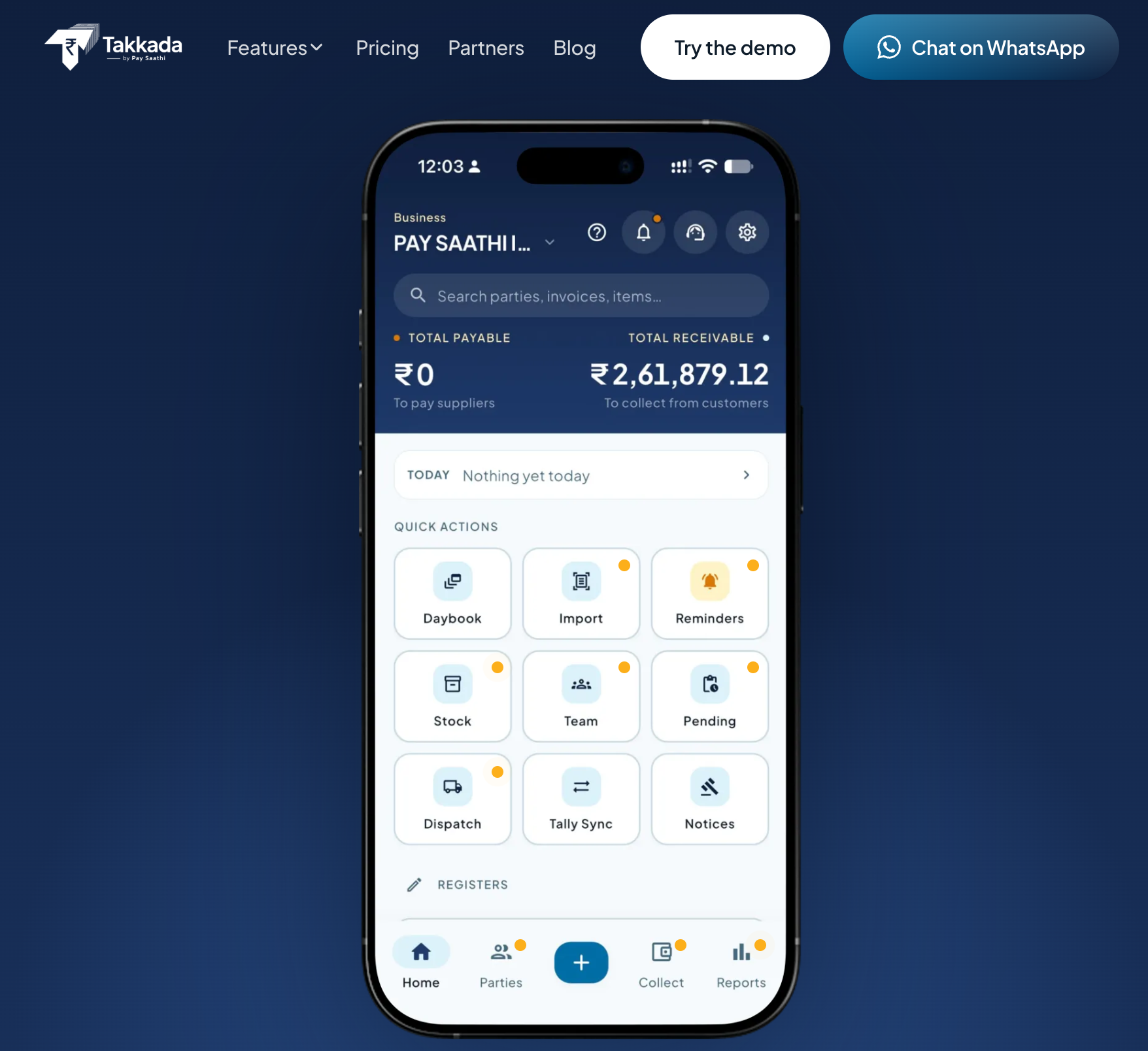
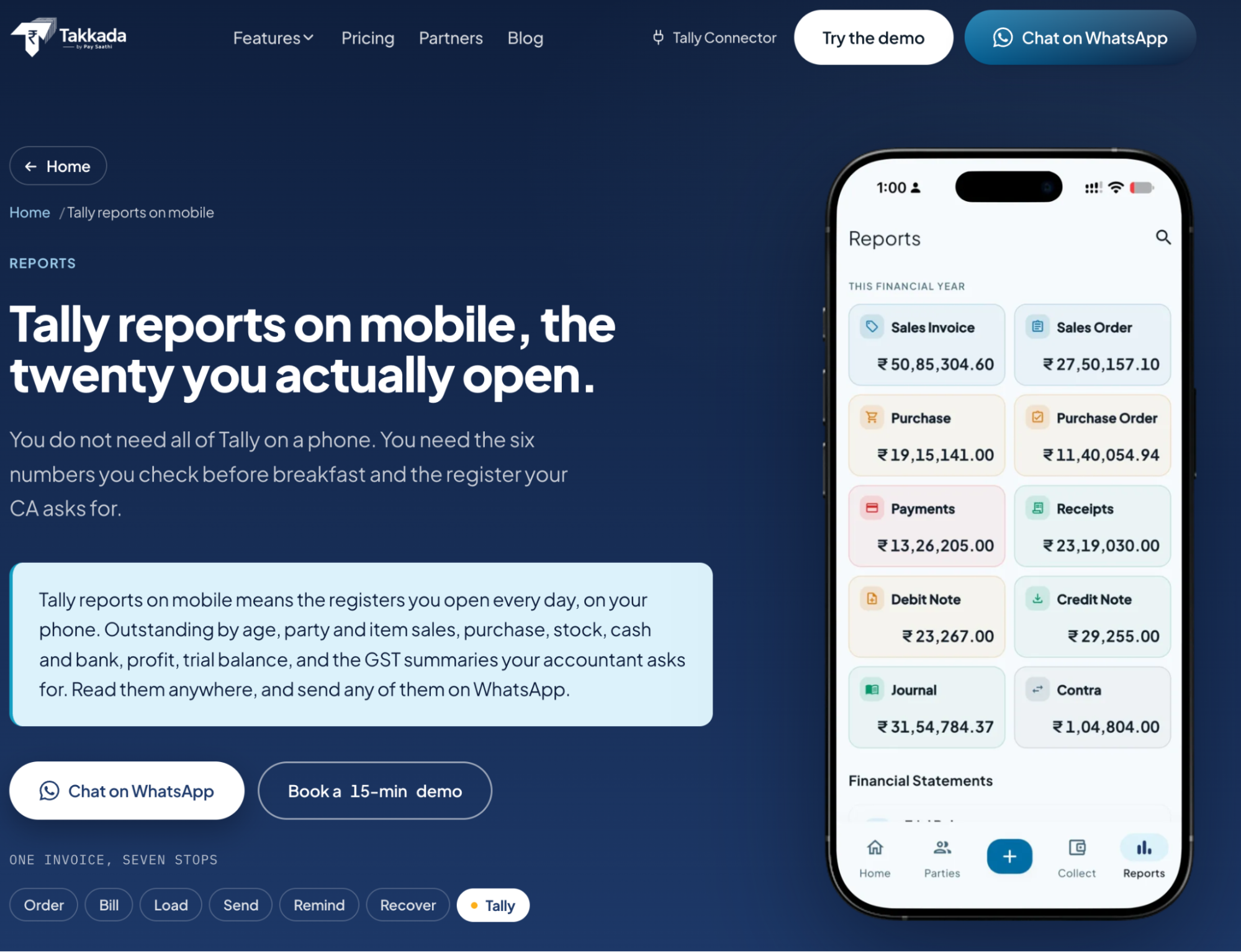
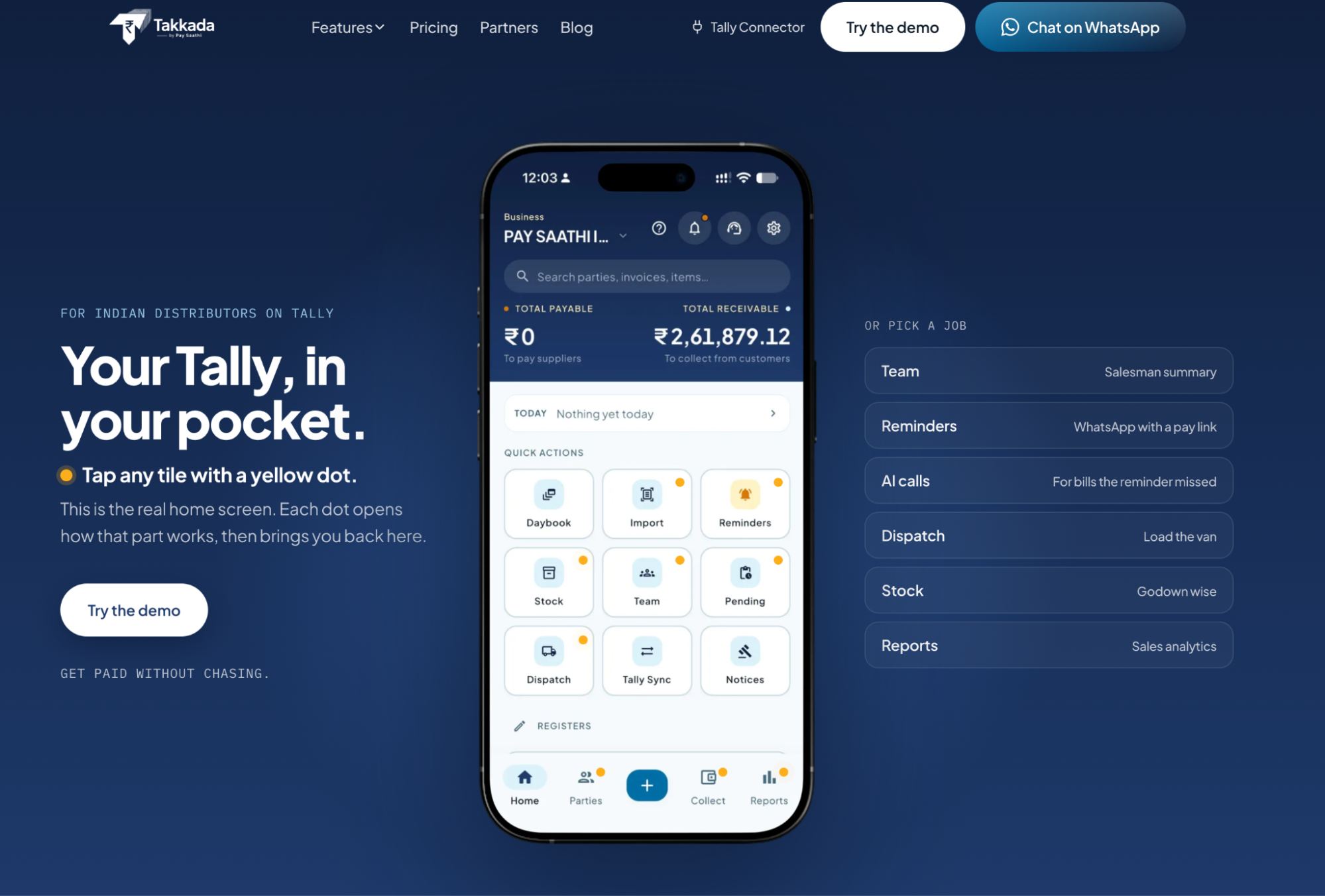
We evaluated how each platform connects accounting records with relevant business systems. Depending on the product, this included bank connections, payment systems, inventory or sales applications, and integration with other accounting software. For Takkada, we considered its Tally-connected workflow and how it supports distributors who need mobile access to accounting-related business information while retaining their existing Tally-based processes.
VI. Financial Reporting and Cash-Flow Visibility
We compared the availability of profit-and-loss statements, balance sheets, cash-flow reports, general ledger details, outstanding receivables, and outstanding payables. Where supported, we also considered cash-flow forecasting and project-level profitability reporting. These capabilities help small-business owners understand financial performance, monitor unpaid invoices, anticipate upcoming expenses, and identify changes in operating costs.
VII. Automation and Accounting Controls
We assessed specific automation capabilities rather than treating all platforms as equally automated. These included recurring transactions, bank rules, transaction-matching suggestions, receipt or bill data extraction, and supported workflow automation. We also considered whether users could review and correct automated entries, retain supporting documents, and trace transactions through available accounting records.
VIII. Pricing and Feature Availability by Plan
Finally, we compared each platform's pricing with the accounting functions available at the relevant subscription level. We considered whether businesses would need a higher-tier plan or additional integration to access features such as advanced inventory, project profitability, multi-user collaboration, or specialized reporting. This helped us assess the practical value of each platform for its intended small-business users rather than relying solely on the advertised starting price.
Our evaluation prioritizes the accounting functions that each platform actually supports, how well those functions address small-business requirements, and the additional costs or limitations that may affect their usefulness. We distinguish between native features, plan-dependent capabilities, and integrations so that the comparison reflects the practical accounting workflows each business can implement. Comparing subscription costs against the accounting functions a business actually needs supports a more strategic financial approach, helping owners avoid unnecessary software expenses while planning for growth.
1. QuickBooks Online — Best Overall Accounting Software for Small Business
QuickBooks Online is our top choice for small businesses that need more than basic invoicing and expense tracking. It brings together double-entry bookkeeping, bank reconciliation, customer invoicing, supplier bill management, financial reporting, and, on eligible plans, inventory and project profitability tracking.
What makes QuickBooks particularly useful for small businesses is the way these functions connect. For example, a business can record a supplier bill, track when payment is due, record the eventual payment, and reconcile the corresponding bank transaction within its accounting workflow. This reduces reliance on separate spreadsheets and helps the owner maintain a clearer picture of outstanding obligations and available cash.
QuickBooks also supports businesses as their accounting requirements become more complex. A sole proprietor can start with basic bookkeeping, while a growing retailer, agency, or contractor can move to a plan with additional users, inventory management, or project accounting when those features become necessary.
Its AI-assisted accounting and automation features provide another advantage by helping with repetitive tasks such as transaction categorization, invoice creation, and bill processing. These features can reduce administrative work, although users still need to review exceptions and verify important accounting entries.
QuickBooks Online Pricing in 2026
QuickBooks' plan structure allows small businesses to choose a subscription based on the complexity of their accounting operations rather than paying for every available feature from the beginning.
Plan | Standard Monthly Price | User Limit | Suitable for a Small Business That Needs |
Simple Start | $38/month | 1 | Basic income and expense tracking, invoicing, and financial reporting |
Essentials | $75/month | 3 | Multiple users, bill management, and time-tracking functionality |
Plus | $140/month | 5 | Inventory tracking, purchase orders, and project profitability |
Advanced | $340/month | 25 | More extensive reporting, custom permissions, and advanced workflows |
These are the standard U.S. prices in your supplied draft, not independently confirmed current checkout prices. Verify pricing, user limits, and feature availability on the official pricing page before publication. QuickBooks also runs promotional offers, and payroll or other add-on services may cost extra.
Which QuickBooks plan makes sense for a small business?
- Simple Start: Suitable for a one-person service business that needs to record income and expenses, issue invoices, and review basic financial reports. It may be sufficient when inventory and multiple regular users are not required.
- Essentials: Worth considering when several people need access to the books and the business needs more extensive bill-management and time-tracking workflows. Check the precise user and feature limits before subscribing.
- Plus: A stronger fit for a small retailer or contractor that needs inventory tracking or project profitability alongside standard bookkeeping.
- Advanced: Better suited to a more operationally complex small business that needs expanded user access, custom permissions, and more sophisticated reporting or workflow automation.
The key consideration is not simply the monthly price. A business should compare the cost of the required plan with the time saved, accounting controls gained, and additional subscriptions it might otherwise need.
Core Accounting Features and Their Benefits for Small Businesses
Income and Expense Tracking
QuickBooks Online lets small businesses record income and expenses, connect supported financial accounts, and organize transactions within the accounting system. Instead of manually entering every bank transaction, users can import eligible transactions and review them before adding or matching them to the books.
This is useful for a small business where the owner handles bookkeeping alongside sales, purchasing, and customer service. For example, a local retailer can categorize rent, packaging, utilities, and supplier costs separately from sales revenue. Reviewing these categories helps the owner identify which operating expenses are increasing and whether higher sales are translating into better financial results.
QuickBooks also supports a structured chart of accounts, which organizes financial activity into categories such as revenue, operating expenses, assets, liabilities, and equity. This structure is important because accurate categorization affects the reliability of financial statements.
Bank Feeds and Bank Reconciliation
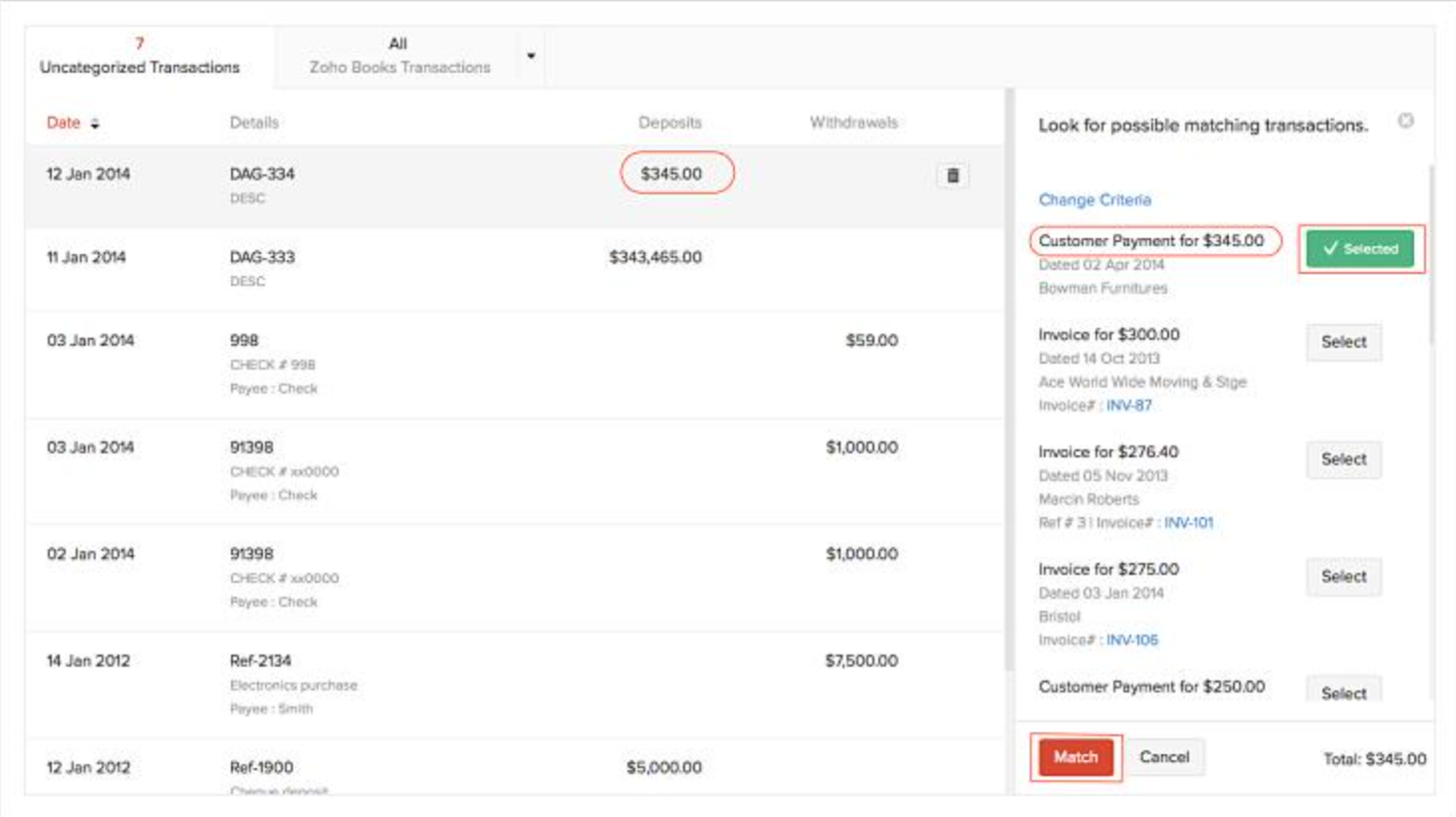
QuickBooks connects to supported bank and credit-card accounts to import transactions into its banking workflow. Users can review imported entries, match them against existing records, apply categorization rules where appropriate, and reconcile the account against a bank statement.
For a small business with regular customer deposits, card settlements, and supplier payments, this reduces repetitive data entry and makes it easier to identify discrepancies. For instance, if a customer pays an outstanding invoice, the imported bank transaction can be matched to the recorded payment rather than entered as new income a second time.
The distinction between importing and reconciling is important: bank feeds bring transaction data into QuickBooks, but the business must still resolve unmatched entries and investigate differences before considering the account reconciled.
QuickBooks' bank-feed enhancements and automation features should be evaluated according to the specific plan and availability of the relevant functionality. They are particularly valuable when a business processes enough transactions for manual matching to become time-consuming.
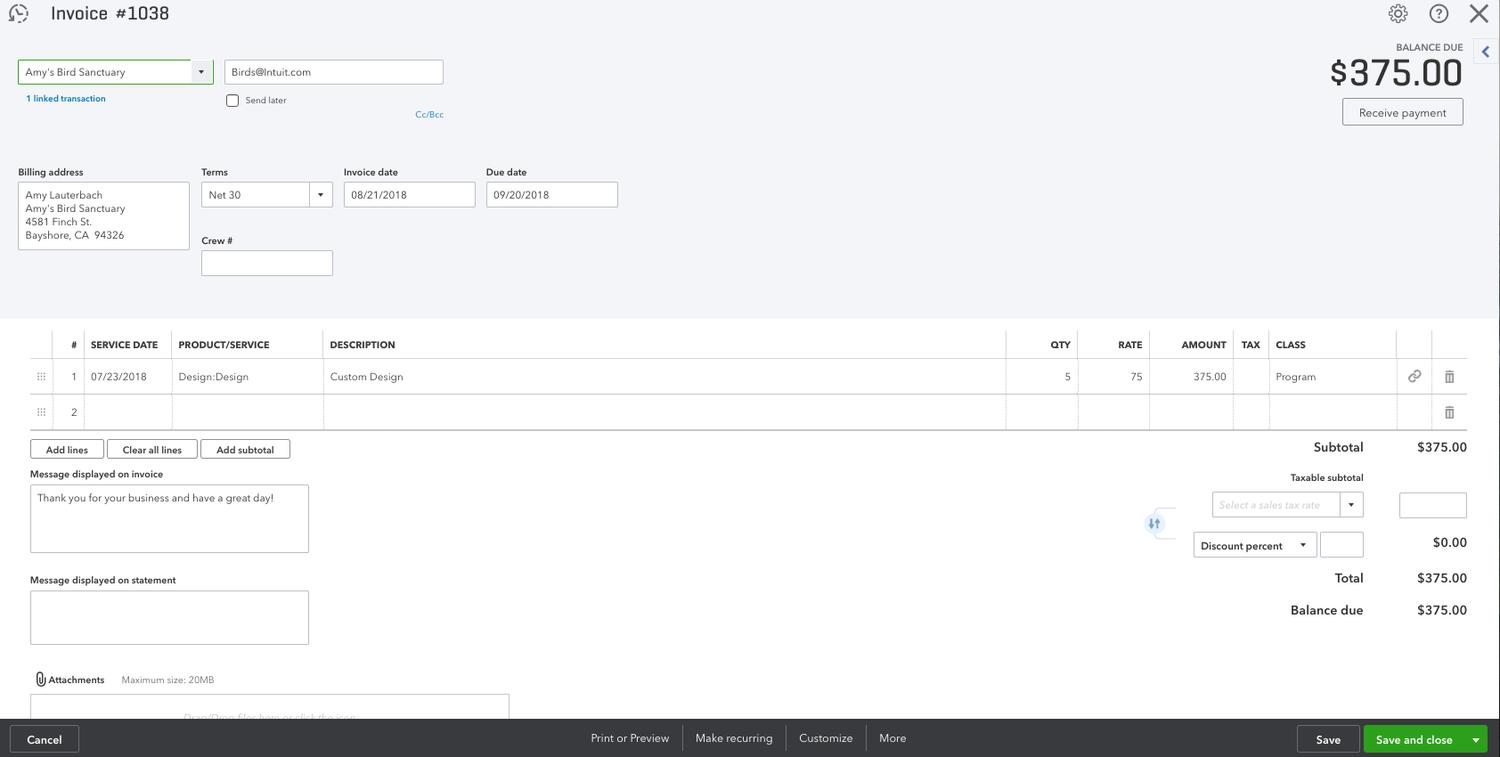
Accounts Receivable and Invoicing
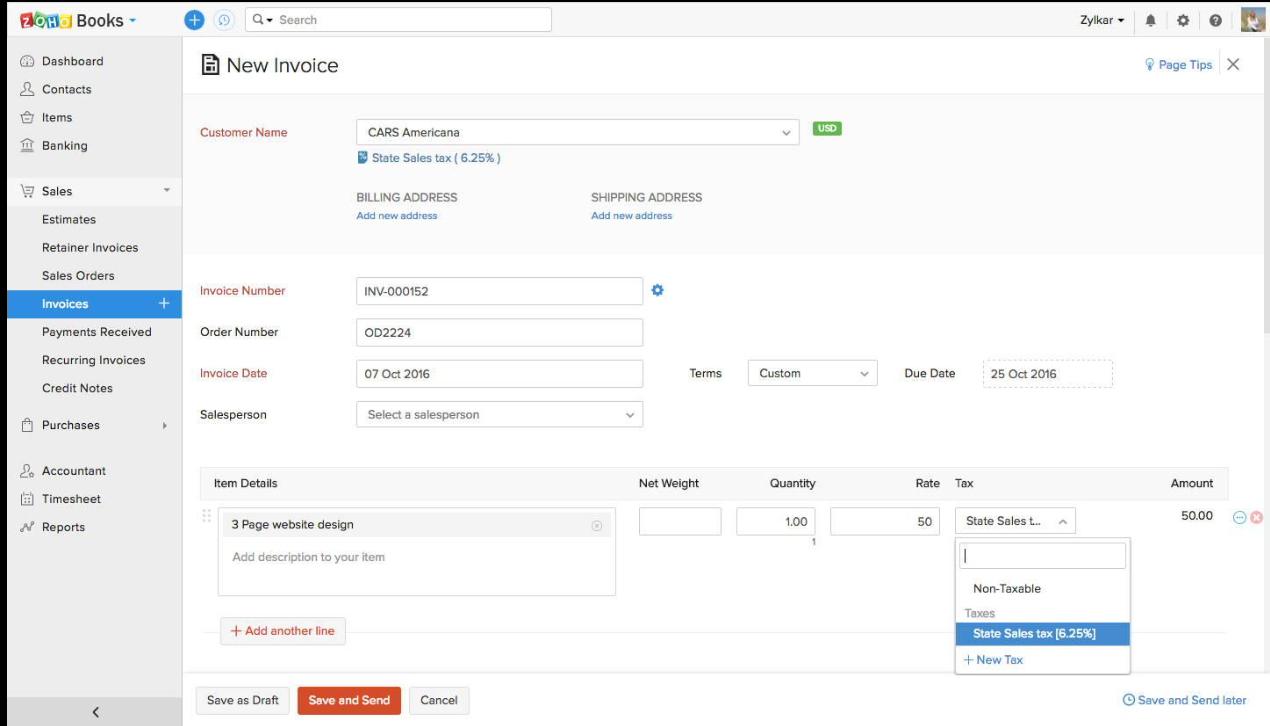
QuickBooks supports a connected customer billing workflow, from preparing estimates to issuing invoices, recording payments, and monitoring outstanding balances.
A small business can use this workflow to manage customer billing without maintaining a separate invoice register. For example, a marketing agency can send monthly retainer invoices, track which clients have paid, and follow up on overdue balances before they affect its ability to pay operating expenses.
Relevant capabilities include:
- Estimates and invoicing: Prepare estimates and create customer invoices, with supported workflows for converting estimates into invoices.
- Recurring invoices: Schedule repeat billing for retainers and ongoing services where supported.
- Payment tracking: Monitor invoice status and record payments against outstanding customer balances.
- Payment reminders: Configure reminders to help follow up on overdue invoices.
- Accounts receivable reporting: Review outstanding balances and, where available, aging information to identify overdue customers.
- Online payment options: Accept payments through supported payment services, subject to eligibility and processing fees.
QuickBooks also offers AI-assisted invoice workflows, including features that can help prepare invoices from supplied information. The exact automation available should be verified against the current product and plan.
Why this matters for small businesses: Faster invoice preparation is only part of the benefit. Tracking unpaid invoices helps owners understand how much revenue remains uncollected and prioritize customer follow-ups. That makes the invoicing workflow useful for cash management, not just billing administration.
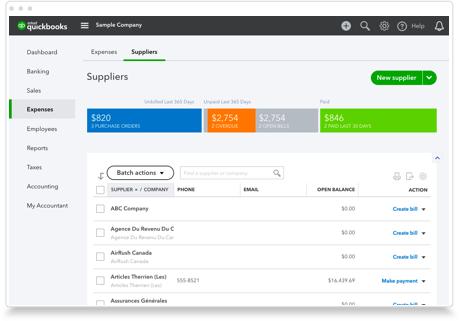
Accounts Payable and Supplier Bill Management
QuickBooks also helps small businesses manage money owed to suppliers. Users can record bills, track due dates, maintain supplier balances, and record payments, allowing them to distinguish expenses already paid from obligations that remain outstanding.
This distinction is important for businesses that purchase inventory, raw materials, packaging, or professional services on credit. For example, a small distributor might receive several supplier invoices during the month but pay them on different dates. A bill-management workflow helps the owner see which obligations are due and plan payments around expected customer receipts.
QuickBooks' document-processing capabilities can also help extract information from supported bills or forwarded documents, where the relevant feature is available. The resulting information should be reviewed before the bill is finalized.
Why this matters for small businesses: Tracking supplier liabilities helps prevent missed due dates, duplicate payments, and inaccurate cash estimates. It also gives the owner a clearer view of upcoming expenses before committing to additional purchases.
QuickBooks Automation and AI in 2026
QuickBooks combines traditional accounting automation with newer AI-assisted workflows. For small businesses without a dedicated bookkeeping team, the value lies in reducing repetitive work while keeping financial records reviewable.
Automated Transaction Categorization
QuickBooks can suggest or apply transaction categories using available transaction information and configured rules. This helps businesses process recurring costs, such as software subscriptions or utility payments, without classifying every similar transaction from scratch.
The practical benefit is a faster bookkeeping workflow. However, the business should still review unusual transactions and confirm that categories are correct, especially when a transaction could be treated as an asset, expense, loan repayment, or owner transaction.
AI-Assisted Invoice and Bill Processing
QuickBooks offers AI-assisted workflows intended to reduce manual entry in invoice and bill-related tasks, with availability depending on the feature and plan.
For example, a small business receiving digital supplier bills may be able to use supported document-processing functionality to extract information such as supplier details, dates, and amounts. The user can then verify the extracted information before recording the bill.
This workflow is more useful than automation that simply copies text: it connects the source document to a proposed accounting record that can be reviewed before posting.
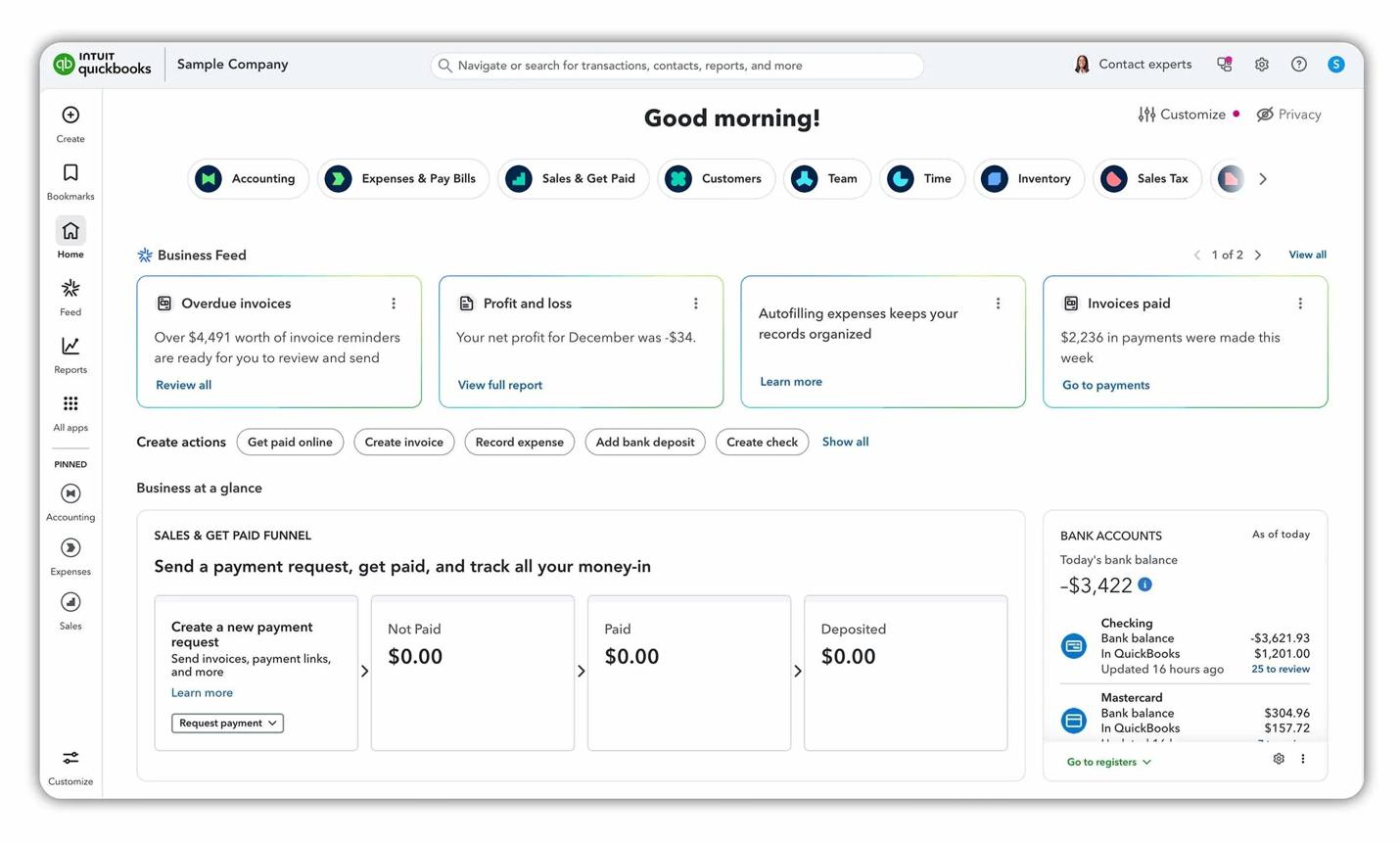
Business Feed and Suggested Actions
QuickBooks' Business Feed is designed to bring relevant business activity and suggested tasks into a central workflow. Depending on the current product configuration, this may include completed automated work, suggested actions, and items requiring attention.
For a small-business owner, the advantage is easier visibility into bookkeeping tasks that still need review. Rather than treating automation as a replacement for financial oversight, the business can use it to prioritize unresolved transactions and other actions.
AI-Assisted Financial Insights
QuickBooks has been expanding its AI capabilities through Intuit's AI-assisted accounting and financial workflows. The usefulness of these capabilities depends on what the specific feature actually does and whether it is available to the user's subscription.
When evaluating these features, we consider whether they help users interpret financial information, identify unusual changes, or complete a defined bookkeeping task. We do not treat a feature's AI label alone as proof of greater accuracy or better accounting results.
Why this matters for small businesses: Automation is most valuable when it reduces repetitive administration without removing the ability to review and correct accounting entries. A small business still needs to verify financial records, investigate exceptions, and retain appropriate documentation.
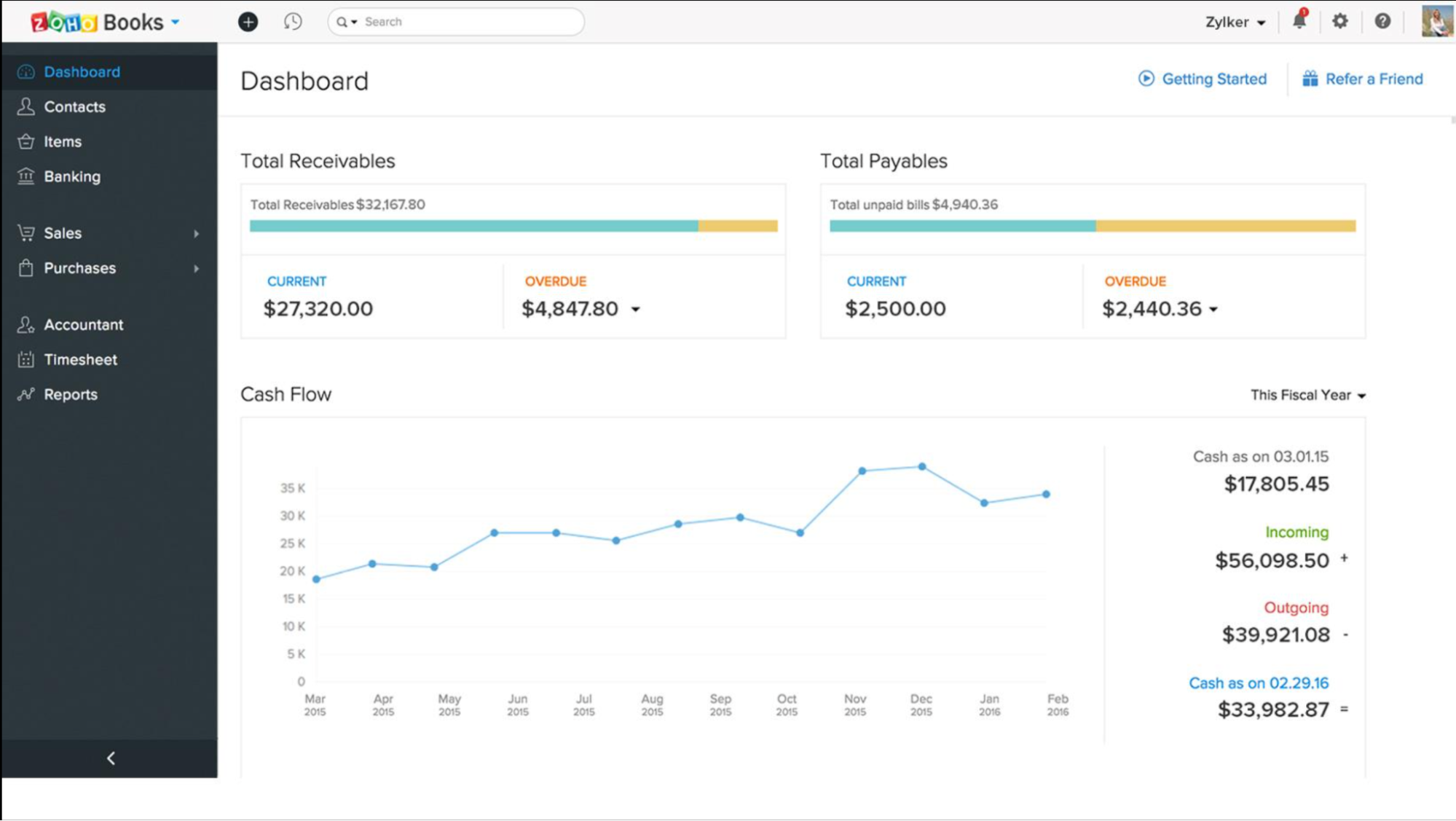
Financial Reporting and Cash-Flow Visibility
QuickBooks Online provides financial reports that help small-business owners understand profitability, outstanding obligations, and the overall financial position of their business.
The most relevant reports include:
- Profit and loss statement: Shows revenue, expenses, and net profit or loss over a selected period. A small business can use it to identify rising operating costs and determine whether increased sales are improving profitability.
- Balance sheet: Summarizes assets, liabilities, and equity at a particular date. This helps owners review cash balances, outstanding customer payments, supplier liabilities, and other financial obligations.
- Cash-flow statement: Reports cash movements across operating, investing, and financing activities. It helps owners understand how cash has moved through the business, although it is not the same as a forecast.
- Accounts receivable reports: Help identify outstanding customer balances and overdue invoices, supporting collection follow-ups.
- Accounts payable reports: Show outstanding supplier obligations, helping businesses plan upcoming payments.
- Budgeting and forecasting: Available reporting and planning capabilities vary by plan and can help eligible businesses compare actual performance with budgets or assess expected financial conditions.
For example, a small business might report higher sales but still experience cash pressure because customers are paying late and supplier costs have increased. Reviewing its profit-and-loss statement alongside receivables and payables helps the owner distinguish a profitability problem from a cash-collection problem.
Why this matters for small businesses: These reports turn bookkeeping records into information owners can use when deciding whether to reduce expenses, follow up on overdue invoices, delay a discretionary purchase, or plan for growth. By using these reports to understand revenue, expenses, and cash flow, small-business owners can make better budgeting decisions and create a financial plan that reflects their actual financial position.
Inventory and Project Accounting
QuickBooks becomes more useful to certain product-based and project-based small businesses when they need more than standard income and expense tracking. Inventory and project features are particularly important when the business needs to understand the cost of what it sells or the profitability of individual jobs.
Inventory Tracking
QuickBooks Online Plus and Advanced support inventory-related functionality, subject to the current product configuration. Relevant capabilities can include tracking inventory items, recording purchases, managing purchase orders, and accounting for inventory sold.
For example, a small retailer selling home accessories needs to distinguish money spent purchasing stock from the cost of inventory sold during a reporting period. Inventory tracking helps maintain stock records and supports the accounting entries needed to calculate gross profit.
Businesses should verify whether their required inventory features, stock workflows, and reporting capabilities are included in the selected plan.
Project Profitability
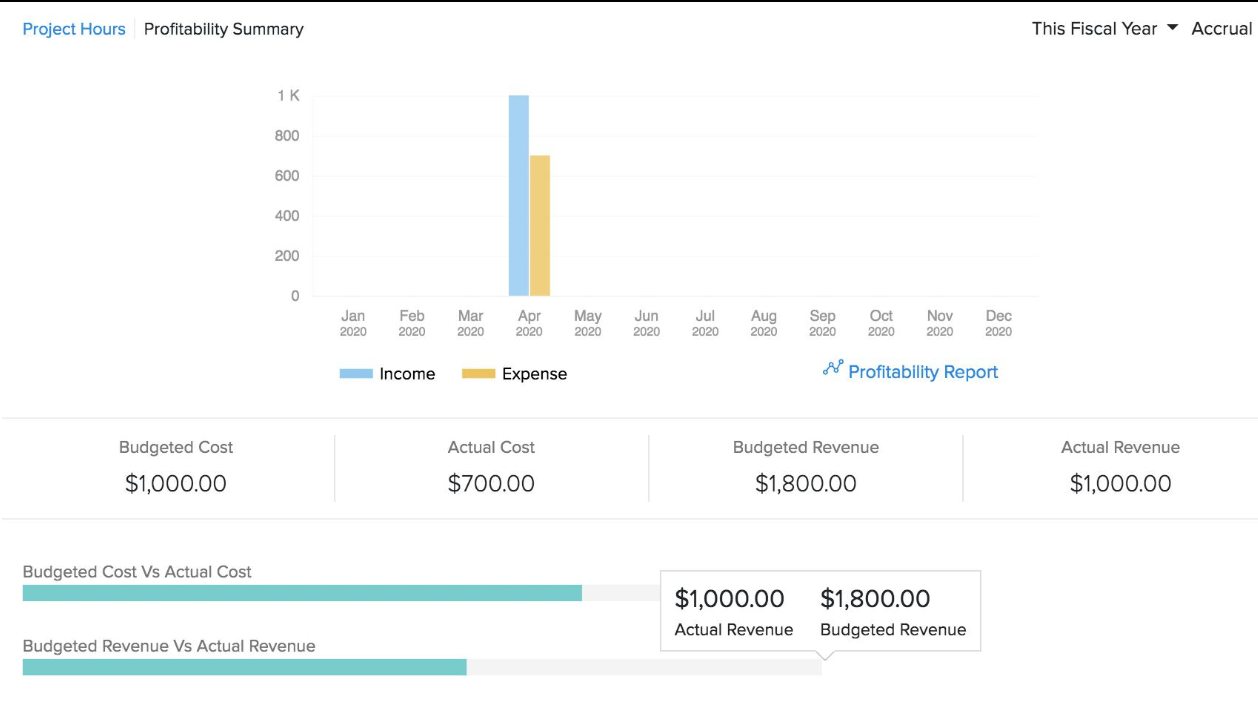
QuickBooks Plus and Advanced also offer project-related accounting capabilities. These help eligible businesses associate income and costs with individual projects and assess the financial performance of each job.
A small contractor, for instance, may need to compare the revenue from a renovation project against materials, subcontractor expenses, and other project costs. Company-wide profit alone may not reveal that one project is underpriced or consuming more resources than expected.
Why this matters for small businesses: Inventory accounting helps product-based businesses understand stock costs and gross margins, while project profitability helps service providers and contractors identify which jobs generate sufficient returns. These are specialized capabilities, so a business that does not need them may be better served by a less expensive plan.
Sales Tax Management
QuickBooks provides sales-tax tools for eligible U.S. businesses, helping them calculate tax on applicable transactions and review sales-tax liabilities. The exact automation and reporting options depend on the business's configuration and subscription.
Relevant capabilities may include:
- Applying appropriate sales-tax rates to eligible transactions.
- Recording tax collected on customer sales.
- Reviewing sales-tax liability reports.
- Supporting sales-tax workflows and filing preparation.
- Providing tax-related alerts or assistance where available.
For example, a small retailer selling taxable products needs to distinguish the sales revenue it earns from the sales tax it collects on behalf of the relevant tax authorities. Properly recorded tax liabilities help prevent those amounts from being mistaken for business income.
Why this matters for small businesses: Organized sales-tax records reduce manual calculations and help businesses prepare for reporting deadlines. Owners should still confirm applicable tax rules and filing obligations; accounting software does not automatically guarantee compliance in every jurisdiction.
User Management and Accountant Access
QuickBooks supports collaboration between business owners, employees, and external accountants, with regular-user limits determined by the subscription.
The plan structure in your draft provides one user for Simple Start, three for Essentials, five for Plus, and up to 25 for Advanced. Confirm these limits against the current official pricing information before publishing, and distinguish regular users from any separately provided accountant access.
For a small business, this arrangement can allow the owner to record everyday transactions while an external accountant reviews the books, makes appropriate adjustments, and prepares financial reports.
Advanced user permissions can also help businesses restrict access according to employees' responsibilities.
Why this matters for small businesses: As a business grows, bookkeeping may move from the owner to an administrative employee or bookkeeper. Appropriate permissions and accountant collaboration help maintain oversight without requiring every person to have unrestricted access to financial records.
QuickBooks can connect with supported third-party applications and other business systems, helping small businesses bring financial activity into their accounting workflow.
Relevant integration categories include:
- Payment processors: Help record customer payments, processing fees, and settlement transactions.
- E-commerce platforms: Transfer supported sales and transaction information into accounting records.
- Payroll services: Help record payroll expenses and related liabilities through supported services or integrations.
- Expense applications: Connect expense records and supporting documents.
- Spreadsheet tools: Support data analysis and exports where available.
- Project and inventory applications: Extend workflows for businesses that need specialized operational tracking.
For example, an online retailer may receive customer payments through a payment processor that deducts fees before transferring the remaining balance to its bank account. A suitable integration or reconciliation workflow helps the business record gross sales, fees, refunds, and the net settlement correctly rather than treating the bank deposit as the full amount of revenue.
Why this matters for small businesses: Integrations reduce duplicate data entry and make it easier to keep sales, payments, and accounting records consistent. Businesses should check whether each connection is native, requires a third-party application, or involves additional charges.
What Makes QuickBooks the Best Overall Accounting Software for Small Businesses in 2026?
QuickBooks earns our Best Overall position because it combines core accounting controls with customer billing, supplier bill management, financial reporting, and additional inventory and project-accounting capabilities on eligible plans.
Its main advantage is the breadth of the accounting workflow it supports. A small business can use one platform to track income and expenses, reconcile bank transactions, manage unpaid customer invoices, record supplier liabilities, and produce financial statements. As its needs grow, it can consider higher-tier features for inventory, project profitability, expanded user access, and more advanced reporting.
Automation adds value by helping reduce repetitive bookkeeping tasks, including transaction categorization and supported invoice or bill processing. However, the overall recommendation is not based on AI features alone. Reliable accounting records, useful reporting, and the ability to manage both incoming and outgoing payments remain central to the decision.
QuickBooks is not automatically the best option for every small business. Its higher-tier plans may be unnecessary for a freelancer who only needs basic invoicing, and its subscription cost may be difficult to justify for a business with very limited bookkeeping requirements.
Its strongest case is for small businesses that want a broad accounting system they can continue using as their financial workflows become more complex.
QuickBooks Online: Pros and Cons
Pros
- Combines double-entry bookkeeping with bank feeds and reconciliation.
- Supports customer invoicing, payment tracking, and supplier bill management.
- Provides financial statements and reports for business decision-making.
- Offers inventory tracking and project profitability on eligible plans.
- Supports collaboration with external accountants.
- Provides automation for selected bookkeeping and transaction-processing tasks.
- Offers a broad ecosystem of supported third-party integrations.
- Provides more advanced user permissions and reporting on higher-tier plans.
Cons
- Higher-tier subscriptions can be expensive for small businesses.
- Inventory and project-accounting capabilities require eligible plans.
- Payroll and certain other services may involve additional costs.
- Some AI-assisted features have plan, regional, or beta-availability restrictions.
- Businesses with very simple bookkeeping needs may not use enough of the functionality to justify the subscription.
Who Should Use QuickBooks Online?
QuickBooks is a strong option for small businesses that:
- Need full bookkeeping rather than an invoicing-only application.
- Regularly reconcile bank transactions and credit-card activity.
- Manage customer invoices and outstanding supplier bills.
- Need financial statements to monitor profitability and business performance.
- Sell physical products and require supported inventory tracking.
- Manage projects and need to compare job revenue with associated costs.
- Work with an external accountant or multiple authorized users.
- Want accounting software that can accommodate more complex requirements as the business grows.
Who Should Choose Something Else?
A freelancer who primarily needs simple invoicing and expense tracking may prefer a less expensive product with fewer features. A very small business on a strict budget may also prefer a suitable free accounting plan, provided it meets the business's bookkeeping, reporting, and transaction-volume requirements.
Businesses that rely on specialized distribution workflows or existing accounting systems should also assess whether a more specialized application offers a better fit.
Our Verdict: 4.8/5
Best for small businesses needing comprehensive accounting and room to grow.
QuickBooks Online stands out for combining bookkeeping, bank reconciliation, customer and supplier workflows, financial reporting, and optional inventory and project-accounting capabilities. Its automation can reduce repetitive administration, while its broader feature set makes it suitable for businesses whose needs extend beyond basic invoicing.
Our reason for ranking it first: It offers a strong balance of accounting functionality, operational coverage, reporting, integrations, and scalability. The right plan depends on the business's actual requirements, since not every small business needs its advanced features.
2. Xero Accounting Software — Best for Growing Businesses and Multi-User Teams
Xero is a strong accounting software option for small businesses that need more than basic bookkeeping and expect their financial operations to become more complex over time. It is particularly useful for businesses where the owner, bookkeeper, external accountant, and other authorized team members need access to the same financial records. Unlike accounting platforms that charge extra for each additional user, Xero does not charge per-user license fees on its business plans.
For a small business, this matters because accounting work rarely stays with one person as the company grows. An owner may need to review cash flow, a bookkeeper may reconcile transactions, and an accountant may prepare month-end reports. Xero brings these activities into one cloud-based system, reducing the need to exchange spreadsheets and manually updated financial files.
Its core features include bank reconciliation, invoicing, accounts payable, inventory tracking, purchase orders, financial reporting, and integrations with other business applications. Higher-tier plans add tools such as customizable dashboards, extended cash-flow forecasting, multi-currency accounting, project tracking, and employee expense management. Xero is also developing AI-assisted accounting through JAX, which can help automate routine reconciliation tasks and provide financial insights.
Xero Pricing in 2026
Xero offers three main accounting plans for U.S. small businesses. The right choice depends on the volume of invoices and supplier bills the business processes, the level of automation it needs, and whether it requires advanced financial analysis or project accounting.
Plan | Regular Price | Key Features and Limits |
Early | $27/month | Up to 20 invoices and 5 bills, bank reconciliation, basic reporting, and a 30-day cash-flow forecast |
Growing | $59/month | Unlimited invoices and bills, automated bill entry, auto-reconciliation, customizable dashboards, and a 60-day cash-flow forecast |
Established | $97/month | Growing features plus multi-currency accounting, project tracking, employee expense and mileage claims, advanced KPI analysis, and a 180-day cash-flow forecast |
These are the regular U.S. subscription prices effective October 1, 2026. Promotional offers may reduce the initial cost, but businesses should compare the regular renewal price when estimating their ongoing accounting expenses. Prices exclude applicable taxes and optional add-ons.Source: Xero's official pricing update.
What should a small business choose?
- Early: Suitable for a small operation with limited monthly billing activity and straightforward bookkeeping. The invoice and bill limits can become restrictive as transaction volume increases.
- Growing: A practical option for businesses processing regular customer invoices and supplier bills that want more automation without needing multi-currency or project accounting.
- Established: Better suited to businesses that need project profitability tracking, employee expense claims, international transactions, or more advanced financial analysis.
One important advantage is that Xero does not charge a separate license fee for each authorized user. However, businesses should still check the cost of optional services, payment fees, and any third-party integrations they need.
Core Accounting Features
Xero combines everyday bookkeeping with the workflows small businesses use to collect customer payments, pay suppliers, track transactions, and understand financial performance. Instead of treating each activity as a separate task, it connects them to the company's accounting records.
Bank Feeds and Reconciliation
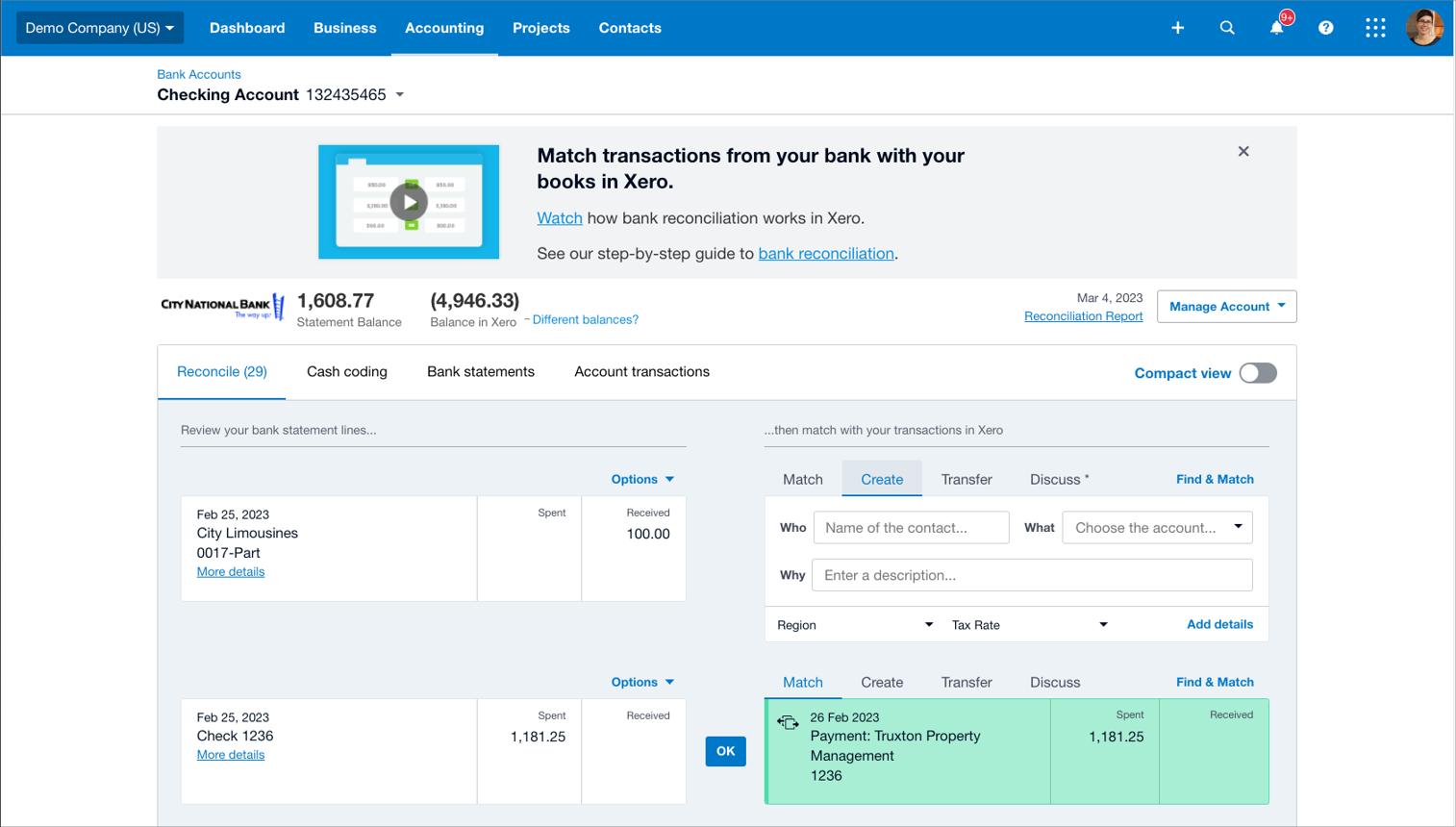
Xero connects supported bank accounts to import transactions into the accounting system. Users can then match imported transactions with recorded invoices, bills, payments, or other entries, or categorize transactions that have not yet been recorded.
A typical workflow looks like this:
Bank transaction imported → existing entry matched or new transaction categorized → reconciliation reviewed → accounting records updated
For a small business, this reduces the need to manually enter every bank transaction into a spreadsheet and compare it with the bank statement at month-end. It also helps the bookkeeper identify unmatched payments, duplicate entries, and transactions that need further investigation.
Xero's newer automatic bank reconciliation feature, powered by JAX, can automatically categorize and match eligible bank statement lines when confidence is sufficiently high. The business can review what has been reconciled and correct errors when necessary. The feature is documented as being in beta, so its availability and suitability should be checked before relying on it for a particular workflow.
Why it matters for small businesses: A company processing frequent card payments, customer deposits, software subscriptions, and supplier transfers can spend considerable time reconciling its accounts. Xero's bank feeds and reconciliation tools help reduce this routine workload while keeping the underlying transactions visible for review.
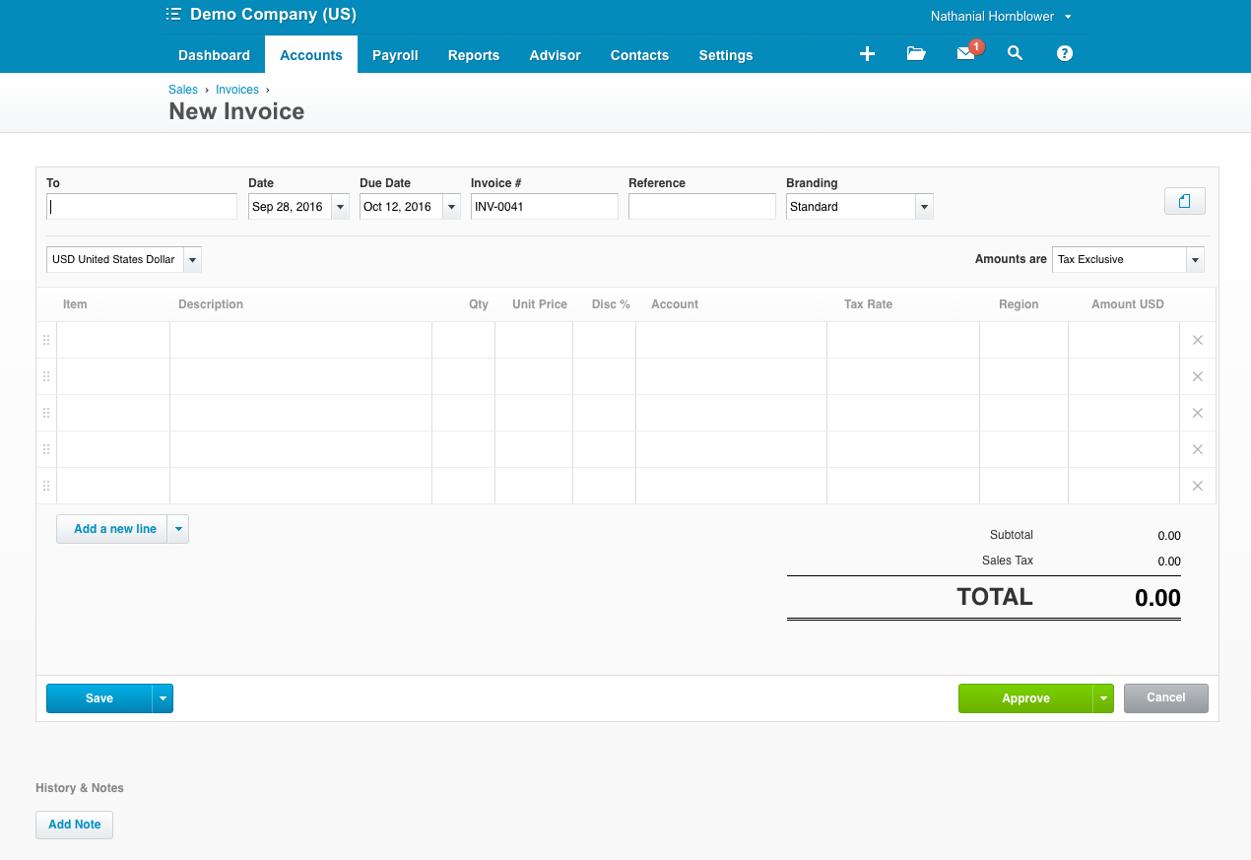
Invoicing and Accounts Receivable
Xero supports the customer billing process, from preparing quotes to issuing invoices and tracking payments.
Businesses can:
- Create and send customer quotes.
- Convert quotes into invoices.
- Send invoices online and track their status.
- Set up recurring invoices where appropriate.
- Accept online invoice payments through supported payment services.
- Monitor overdue invoices and customer balances.
- Reconcile payments against outstanding invoices.
For example, a small marketing agency can prepare a quote for a new project, convert it into an invoice when the work is approved, and monitor whether the client has paid. The owner can then review outstanding customer balances rather than contacting every client to ask the bookkeeper for an update.
The Early plan allows up to 20 invoices and five bills, while Growing and Established remove those limits. This difference is important for businesses with a growing customer base: they may outgrow Early because of transaction volume, even if they do not need advanced accounting features.
Why it matters for small businesses: Better invoice tracking helps owners identify delayed payments and follow up sooner. That is particularly useful when the business depends on a small number of customers or has to cover payroll, rent, and supplier costs while waiting for invoices to be paid.
Accounts Payable and Supplier Bill Management
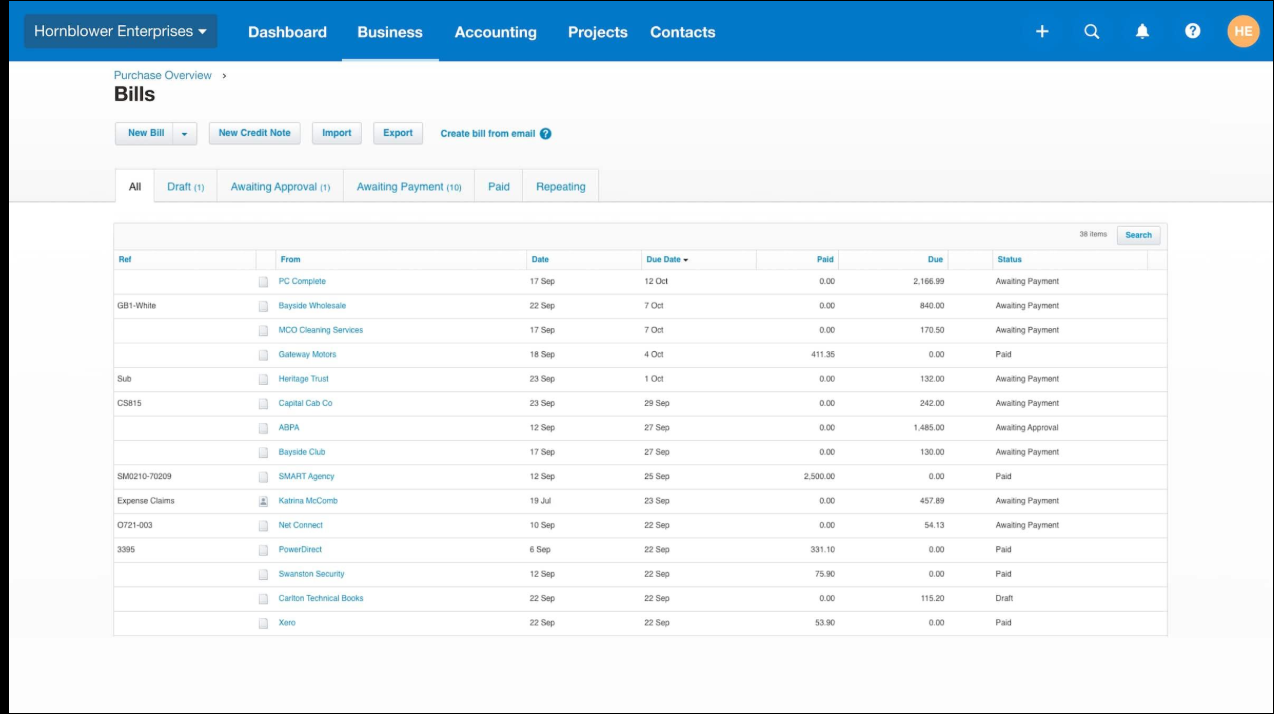
Xero helps businesses record supplier bills, monitor amounts due, schedule payments, and maintain a record of money owed. Growing and Established include automated bill entry alongside bill tracking and payment workflows.
Its Smart Document Capture functionality can bring bills and receipts into Xero, reducing the need to retype information from every document. Users should still check extracted details, account classifications, and payment information before approving transactions.
The process can look like this:
Supplier invoice received → document captured → bill details reviewed → payment scheduled or approved → payment recorded and reconciled
Consider a small retailer that receives regular invoices from several suppliers. Instead of keeping supplier bills in email folders and manually updating a separate payment spreadsheet, the business can record the bills in Xero and use the accounting system to monitor upcoming obligations.
Why it matters for small businesses: Tracking bills helps prevent missed due dates and gives owners a clearer view of upcoming cash requirements. Automated document capture also reduces repetitive data entry, particularly for businesses handling many similar supplier invoices each month.
Xero's AI and Automation Features in 2026
Xero is expanding its use of AI through JAX, its AI finance partner. Rather than treating AI solely as a general-purpose chatbot, Xero is incorporating it into accounting workflows and financial insights.
For small businesses, the practical value lies in reducing repetitive administrative work and making financial information easier to interpret. AI-generated matches and recommendations should still be reviewed when accuracy, tax treatment, or business judgment matters.
JAX for Bank Reconciliation
JAX-powered automatic bank reconciliation can use transaction information, matching logic, bank rules, and predictions to categorize or match eligible bank statement lines. The system aims to automate transactions when it has sufficient confidence in the proposed result.
This can help with recurring transactions such as:
- Monthly software subscriptions.
- Rent and utility payments.
- Regular supplier transfers.
- Card transactions.
- Customer deposits and invoice payments.
- Transfers between business bank accounts.
For example, a small consultancy may have dozens of recurring transactions every month. Rather than manually examining each transaction, the bookkeeper can use eligible automated matches and focus on exceptions, unfamiliar payments, or entries that need clarification.
Small-business benefit: Less time spent on routine reconciliation can free up time for checking overdue invoices, reviewing expenses, and preparing financial reports. Since automatic reconciliation is a beta feature, businesses should confirm access and review its results rather than assume every transaction will be processed automatically.
Xero's bill-entry and document-capture tools help transfer information from supplier bills and receipts into the accounting system. Instead of manually typing each document's details, users can capture the document and use the extracted information as the starting point for a transaction.
For example, a small business that buys materials from several suppliers can capture incoming invoices, review the extracted supplier and transaction details, and record the bills for payment.
Smart Document Capture also keeps supporting documents connected to the relevant accounting workflow, making it easier to locate the source of a transaction later.
Small-business benefit: This is especially useful when one employee handles purchasing, bookkeeping, and administrative work. Reducing manual data entry can make bill processing faster, but the business should still verify amounts, tax details, supplier information, and account codes.
Financial Insights Through JAX
Xero is also developing AI-assisted financial insights that help users explore business performance and understand financial information. These capabilities are intended to make financial data more accessible to business owners who may not have an in-house finance team.
For example, a business owner reviewing a decline in cash reserves needs to understand whether the cause is lower sales, delayed customer payments, higher supplier costs, or a combination of factors. AI-assisted analysis can help surface relevant information, while the owner or accountant interprets the results in context.
Small-business benefit: AI can make it easier to investigate financial questions without building every analysis from scratch. However, it should support—not replace—checking the underlying accounting records and seeking professional advice for important financial or tax decisions.
Financial Reporting, Dashboards, and Cash-Flow Forecasting
Xero gives business owners access to financial reports and dashboards based on the accounting data recorded in the platform. Depending on the feature and plan, these tools help users monitor income, expenses, invoices, bills, and financial performance.
Useful reporting areas include:
- Profit and loss.
- Balance sheet.
- Cash position and cash-flow information.
- Customer invoices and outstanding balances.
- Supplier bills and amounts due.
- Sales-tax information.
- Financial trends and performance indicators.
For a small business, this reduces reliance on manually assembled spreadsheets. The owner can review financial information using the same accounting records the bookkeeper and accountant work with.
Cash-Flow Forecasting
Cash-flow forecasting helps businesses estimate whether expected incoming and outgoing payments will leave enough cash available to cover upcoming obligations. Xero's U.S. plans advertise different forecast periods:
- Early: 30-day cash-flow forecast.
- Growing: 60-day cash-flow forecast.
- Established: 180-day cash-flow forecast.
The longer forecasting period in Established can be useful for businesses planning large purchases, seasonal inventory orders, hiring, or other significant expenses. Growing also adds customizable dashboards and financial health scorecards, while Established includes more advanced KPI and ratio analysis.
For example, a small distributor may expect a large supplier payment next month but have several customer invoices that remain unpaid. Reviewing expected receipts alongside upcoming payments can help the owner decide whether to follow up on overdue accounts, delay a discretionary purchase, or arrange funding.
Small-business benefit: A profit figure alone does not tell an owner whether enough cash will be available on a particular date. Forecasting helps the business look ahead and identify potential shortfalls before they become urgent. Forecasts remain estimates, however, and depend on the quality of the underlying records and assumptions.
Inventory Tracking and Purchase Orders
Xero includes basic inventory functionality and purchase orders across its accounting plans. Businesses can track supported stock items, use products in invoices and purchasing workflows, and maintain related accounting records.
For example, a small retailer can record products it buys from suppliers, use those products on sales invoices, and maintain a view of stock-related transactions alongside its financial accounts.
Xero's standard inventory features are not necessarily sufficient for every stock-intensive operation. Businesses that require more advanced inventory management should evaluate whether an additional product such as Xero Inventory Plus or a connected inventory application is appropriate.
Small-business benefit: Connecting inventory-related transactions with accounting reduces the need to maintain separate records for every purchase and sale. It is useful for businesses with straightforward stock requirements, but companies managing complex warehouses, multiple locations, assemblies, or advanced fulfilment workflows should check the specific capabilities they need before choosing Xero.
Project Accounting and Job Profitability
Xero's Established plan includes project-tracking functionality for businesses that need to monitor project costs, time, quotes, invoices, and profitability. This is especially relevant to agencies, consultants, contractors, and professional service firms that deliver work for multiple clients.
For example, a small design agency may invoice a client $8,000 for a project but spend more than expected on employee time and external contractors. Looking only at the invoice amount would not reveal whether the work was profitable. Project tracking can help the business compare revenue with recorded project costs.
A simplified calculation is:
Project revenue − project costs = project profit before any unallocated overheads
The result depends on which costs are recorded and how the business allocates them.
Small-business benefit: Project-level visibility helps owners identify work that consistently exceeds budget, improve future quotes, and decide which services are worth prioritizing. It is more useful for project-based businesses than relying exclusively on the company's overall profit and loss statement.
Employee Expense Management
Xero's Established plan includes employee expense and mileage claim functionality. Employees can submit expenses, attach supporting information, and send claims for review. Authorized users can approve eligible claims and process reimbursement.
A typical workflow is:
Employee incurs an expense → submits claim and receipt → manager reviews → claim is approved → reimbursement and accounting records are processed
For example, a small consulting firm may have employees travelling to client sites and paying for eligible transport, accommodation, or supplies. A structured claims process helps the firm collect receipts and review expenses without relying entirely on email and spreadsheets.
Small-business benefit: This gives the owner or finance manager better visibility into employee spending and creates a clearer record of why a business expense was incurred. Businesses should check plan eligibility and any additional fees before adopting the feature.
Sales Tax and U.S. Tax Workflows
Xero's U.S. offering includes sales-tax functionality, as well as tools for collecting W-9 information and preparing 1099 reports. These capabilities can help businesses organize tax-related records and handle routine reporting workflows.
For example, a small business working with independent contractors can use the relevant tools to collect contractor tax documentation and prepare information needed for reporting. Sales-tax functionality can also help with calculating and reporting tax on eligible transactions.
Small-business benefit: Keeping tax-related information connected to accounting records can reduce the need to gather information from multiple spreadsheets at filing time. However, businesses with complex multi-state sales-tax obligations or specialized tax requirements should confirm jurisdiction coverage, eligibility, and filing responsibilities before relying on the software.
Multi-Currency Accounting
Multi-currency accounting is available with Xero's Established plan. It supports businesses that invoice customers, purchase goods, or receive payments in different currencies.
For example, a U.S.-based consultancy may invoice a client in another country, while a product business may purchase inventory from an overseas supplier. Multi-currency functionality helps the business record these transactions in the relevant currencies and account for exchange-rate gains or losses.
Small-business benefit: Businesses with international customers or suppliers can manage foreign-currency transactions within their accounting system instead of calculating every conversion in a separate spreadsheet. Companies that operate entirely in one currency may not need to pay for this higher-tier capability.
Fixed Asset Management
Businesses that own equipment, vehicles, machinery, or other long-term assets need to maintain records that support accurate accounting and depreciation.
Xero provides fixed-asset management functionality that can help businesses maintain asset records and work with their accountants on related accounting entries. The precise workflow should be checked against the company's reporting and depreciation requirements.
Small-business benefit: Keeping asset information organized makes it easier to maintain accounting records for business equipment and other long-term purchases. This is more relevant to companies with significant depreciable assets than to freelancers or businesses with few physical assets.
Online Bill Payments
Xero supports online bill-payment workflows, including domestic ACH payments in its U.S. business plans. Other payment methods may involve fees or additional conditions.
The connected workflow can look like this:
Supplier bill recorded → payment reviewed or approved → payment initiated → transaction recorded and reconciled
For example, a business that pays several suppliers each week can use its accounts-payable records to see which bills are due and coordinate eligible payments without managing every obligation in a separate spreadsheet.
Small-business benefit: Connecting bill records and payment workflows helps owners keep track of supplier obligations and reconcile outgoing payments. Businesses should review the payment methods supported, processing times, fees, and approval controls before relying on the feature for routine payments.
Integrations With Other Business Applications
Xero offers an app ecosystem that allows businesses to connect accounting with other operational tools. Its App Store lists applications across categories such as payroll, payments, e-commerce, customer management, expense tracking, time tracking, and inventory.
For example, a small online retailer may use a dedicated e-commerce platform to process orders, a payment service to collect money, and an inventory application to manage stock. Appropriate integrations can help transfer relevant transaction data into the accounting workflow and reduce duplicate entry.
Small-business benefit: The business can keep using tools suited to its operations while maintaining accounting records in Xero. Before selecting an integration, check its subscription cost, supported features, synchronization frequency, and how it handles refunds, fees, tax, and duplicate transactions.
User Access and Accountant Collaboration
Xero's no-per-user-license approach is one of its strongest advantages for growing small businesses. It allows businesses to give appropriate users access without paying a separate Xero business-plan license fee for every person.
This can support a workflow in which:
- The owner reviews financial reports and cash flow.
- A bookkeeper records transactions and reconciles bank accounts.
- An external accountant reviews records and supports reporting.
- Relevant employees submit expense claims.
- Managers monitor financial information needed for their roles.
For example, a small company can let its bookkeeper handle daily accounting while its external accountant reviews the records at month-end. Both can work from the same accounting system rather than exchanging separate files that may become outdated.
Small-business benefit: This is particularly useful as accounting responsibilities become distributed across a team. It can reduce the software cost associated with adding users and make collaboration easier. Businesses should still configure permissions carefully so that each user has access appropriate to their responsibilities.
What Makes Xero One of the Best Accounting Software Options for Small Businesses in 2026?
Xero's main advantage is that it combines core accounting with flexible user access and a path to more advanced workflows as a business grows.
A company can begin with bank connections, reconciliation, invoicing, bills, and financial reporting. As its needs expand, it can consider automated bill entry, customizable dashboards, longer cash-flow forecasts, project tracking, employee expense claims, multi-currency accounting, and more advanced analysis.
That progression matters because switching accounting systems can involve moving historical records, reconnecting bank accounts, configuring tax settings, and retraining staff. Xero can reduce the need to change platforms simply because the business has added employees, clients, suppliers, or more complex financial workflows—provided the selected plan continues to meet its needs.
Its automation features also strengthen the case for small businesses with regular transaction volumes. Bank feeds, document capture, bill workflows, and eligible JAX-powered reconciliation can reduce repetitive administrative work. The benefit is not that bookkeeping becomes completely automatic; it is that staff can spend less time entering routine data and more time reviewing exceptions and understanding the business's finances.
Xero is therefore particularly compelling for small businesses that value collaboration, want to connect accounting with other applications, and expect their reporting needs to grow.
Xero Accounting Software: Pros and Cons
Pros
- No separate Xero business-plan license fee for each user.
- Bank feeds and bank reconciliation.
- Automated bill entry and Smart Document Capture.
- Invoice creation, payment tracking, and online payment options.
- Financial reports and dashboards.
- Cash-flow forecasts that vary by plan.
- Purchase orders and basic inventory functionality.
- Project tracking on Established.
- Employee expense and mileage claims on Established.
- Multi-currency accounting on Established.
- W-9 and 1099 management for U.S. businesses.
- Integration options for other business applications.
- AI-assisted features through JAX, including beta automatic bank reconciliation.
Cons
- The Early plan limits users to 20 invoices and five bills.
- Growing and Established cost more than the entry-level plan.
- Multi-currency accounting, project tracking, employee expense claims, and advanced KPI analysis require Established.
- Advanced inventory operations may require additional software or an add-on.
- Payroll may require a separate service or integration.
- Optional services, integrations, and some payment methods can increase the total cost.
- Some newer AI automation capabilities remain in beta and may not suit every workflow.
Who Should Use Xero?
Xero is a strong fit for:
- Growing small businesses with increasing transaction volumes.
- Companies where owners, bookkeepers, and accountants share accounting responsibilities.
- Businesses that need bank reconciliation and supplier-bill workflows.
- Agencies and consultancies that track project costs and profitability.
- Businesses that want cash-flow forecasting.
- Companies that need basic inventory and purchase-order functionality.
- Businesses using several connected operational applications.
- Companies that invoice or purchase in multiple currencies.
- Small businesses that want cloud accounting software with room to expand.
It may be less suitable for a business that sends very few invoices, needs only basic bookkeeping, or requires specialized inventory and operational features that Xero does not provide through its core accounting functionality.
Our Verdict
Rating: 4.7/5
Best for: Growing small businesses, multi-user accounting teams, accountant collaboration, bank reconciliation, cash-flow forecasting, and connected cloud accounting.
Why we rank it #2: Xero earns its place on this list by combining core accounting functions with flexible user access, useful integrations, and features that support more complex workflows as a business grows. Its no-per-user-license approach is particularly attractive for companies that need several people to work with the same financial records. Although plan limits, higher-tier costs, and the need for add-ons can affect its value, Xero is a compelling choice for small businesses that want to reduce repetitive bookkeeping and build a more connected accounting process without immediately outgrowing their software.
3. FreshBooks — Best Accounting Software for Freelancers and Service Businesses
FreshBooks is a strong choice for freelancers, consultants, marketing agencies, designers, contractors, and other service-based businesses that need to connect client work with billing and accounting. Its main advantage is that it brings together the activities that generate revenue—tracking time, recording project expenses, preparing invoices, collecting payments, and reviewing financial results—within one system.
This makes FreshBooks particularly useful for businesses that sell their time or expertise rather than physical products. For example, a freelance designer may need to bill clients for 15 hours of work, recover the cost of purchased assets, and track whether the project was profitable. Instead of recording these details in separate spreadsheets and manually preparing an invoice, the freelancer can manage much of that workflow within FreshBooks.
Its accounting tools also extend beyond invoicing to include double-entry accounting, bank reconciliation, expense tracking, financial reports, and accountant access on eligible plans. However, plan limits and add-on charges matter, particularly when a solo freelancer starts hiring employees or needs more advanced accounting controls.
The key difference: FreshBooks is especially attractive when client billing and billable work drive the business. QuickBooks Online is a stronger candidate for businesses needing a broader range of general accounting and operational workflows, while Xero is particularly appealing to companies prioritizing collaboration across multiple accounting users.
FreshBooks Pricing
FreshBooks offers four main U.S. plans. The appropriate plan depends on the number of clients a business bills, whether it needs advanced accounting, and whether project profitability or additional team access is important.
Plan | Regular Price | Best For Small Businesses |
Lite | $23/month | Freelancers billing a small number of clients and tracking basic expenses |
Plus | $43/month | Growing freelancers and service businesses needing accounting reports and bank reconciliation |
Premium | $70/month | Agencies and service businesses with more clients, project profitability needs, and bill management |
Select | Custom | Larger service businesses needing customized support and additional payment-related benefits |
These are the regular monthly U.S. prices. FreshBooks may display promotional offers for new subscribers, so businesses should distinguish discounted introductory pricing from the standard renewal cost. Annual billing is also available at a 10% discount.
Additional costs can affect the total subscription. FreshBooks lists team-member access at $11 per user per month, Advanced Payments at $20 per month on eligible plans, and FreshBooks Payroll at $40 per month plus $6 per user per month. Select includes two team-member accounts and Advanced Payments, subject to the plan's terms.
Which plan makes sense for a small business?
- Lite: A reasonable starting point for a freelancer who primarily needs estimates, invoices, and expense tracking. Its limit of five clients can become restrictive if the freelancer serves more customers.
- Plus: Worth considering when the business needs more client capacity, accounting reports, receipt scanning, and bank reconciliation.
- Premium: Better suited to service businesses with larger client volumes that need project-profitability reporting and accounts-payable functionality.
- Select: Relevant for businesses that need a customized package, dedicated support, or specific payment-processing benefits.
The important consideration is not simply the lowest subscription price. A freelancer who needs only invoicing may be comfortable on Lite, while an agency that needs project profitability, bill management, and multiple team members may face a significantly higher total cost.
Core Accounting Features
FreshBooks combines client-facing billing tools with accounting functionality. This allows service businesses to manage everyday financial activity while maintaining the records needed to review business performance and work with an accountant.
Its accounting features include a chart of accounts, double-entry bookkeeping, a general ledger, journal entries, bank reconciliation, and financial reporting. However, some accounting functions are restricted to higher-tier plans: FreshBooks lists bank reconciliation and double-entry accounting among the features available on Plus, Premium, and Select.
For a small service business, this distinction matters because invoicing and expense tracking alone do not provide the complete financial picture. The business also needs to understand what it earned, what it spent, what customers still owe, and how transactions affect its accounts.
Why it matters for small businesses: FreshBooks can support both day-to-day client billing and the accounting records behind it. A freelancer can begin with basic billing needs and consider a higher plan when formal accounting workflows become necessary, rather than paying for every advanced feature from the outset.
Bank Connections and Reconciliation
FreshBooks can connect to supported bank accounts or accept bank transactions through manual file uploads. Users can import transactions, categorize expenses, match bank activity against entries already recorded in FreshBooks, and reconcile the account.
The workflow is:
Connect or import bank activity → review transactions → categorize or match entries → reconcile the account → review financial records
For example, a freelance consultant may receive client payments, pay for software subscriptions, purchase travel tickets, and transfer money between accounts throughout the month. Bank reconciliation helps check whether those transactions are correctly represented in FreshBooks and whether the recorded balance agrees with the bank account.
FreshBooks also provides a Bank Reconciliation Summary report that helps identify unmatched entries on either side. This gives the user a way to investigate differences rather than assuming that imported transactions automatically make the books accurate.
Why it matters for small businesses: Owners who handle their own bookkeeping can use reconciliation to identify missing transactions, misclassified expenses, and payments that have not been matched correctly. It is particularly useful when business and client payments occur frequently. Bank reconciliation is available on Plus, Premium, and Select, so Lite users who need this feature may have to upgrade.
Invoicing and Accounts Receivable
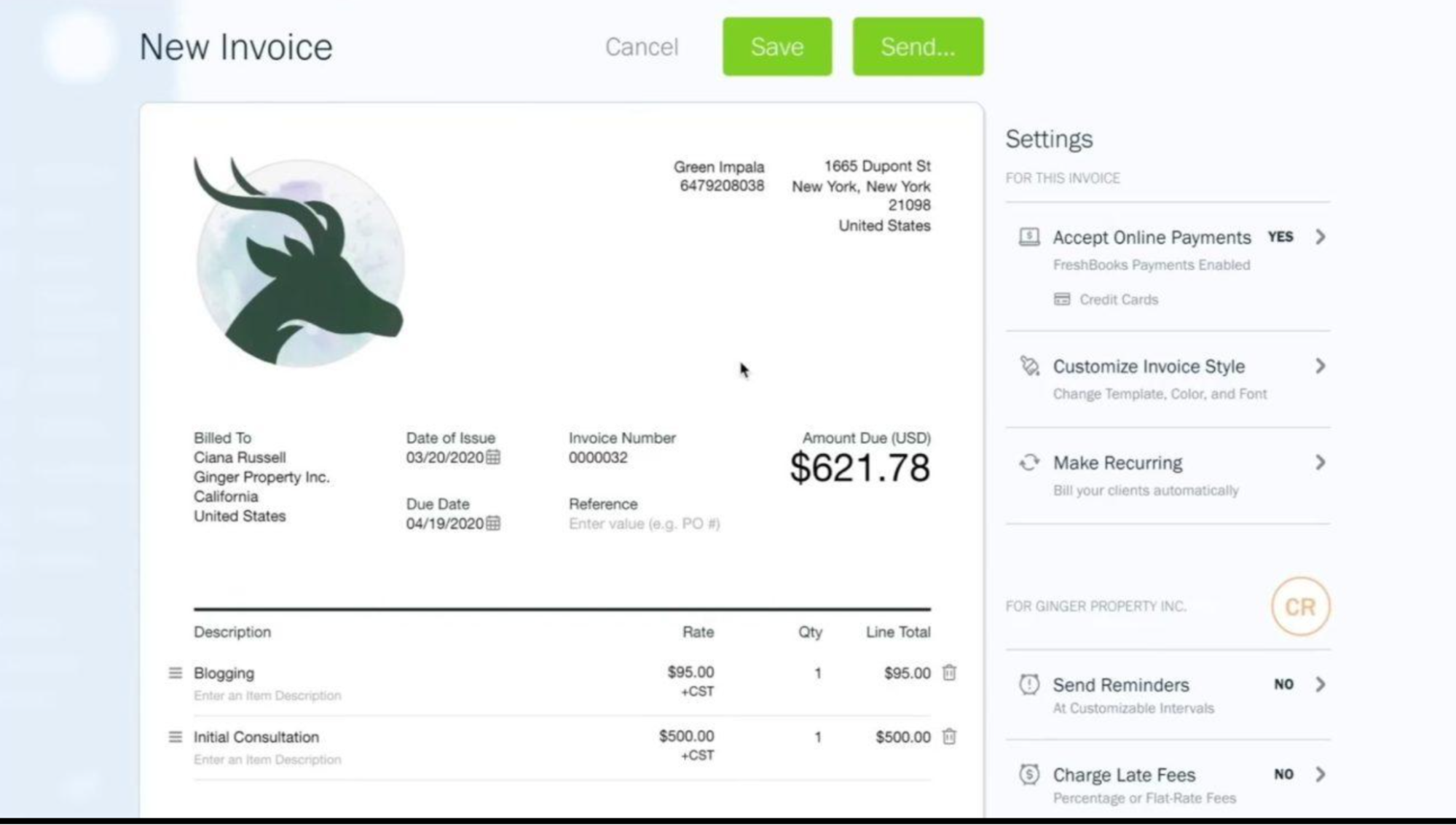
Invoicing is one of FreshBooks' strongest features. Businesses can create estimates, proposals, invoices, recurring invoices, and client payment workflows from the same platform.
More importantly, FreshBooks can connect invoices to the work and expenses recorded for a client. This reduces the need to reconstruct billable amounts from timesheets, emails, and expense spreadsheets at the end of a project.
For example, a consulting business could:
- Create a client profile and project.
- Track 12 hours of billable work at $100 per hour.
- Record $150 in eligible reimbursable expenses.
- Generate an invoice using the tracked time and billable expenses.
- Send the invoice and monitor its payment status.
- Record and reconcile the resulting payment.
The invoice would include $1,200 in labor and $150 in expenses, giving a subtotal of $1,350 before any applicable taxes or other adjustments.
FreshBooks also supports recurring invoices and online payment options. Available payment methods depend on the account and configuration.
Why it matters for small businesses: The biggest risk for a freelancer is not always failing to send an invoice; it can be forgetting to bill for time or expenses already incurred. Linking work to billing helps reduce missed billable amounts and makes it easier to follow up on outstanding customer payments. Lite's five-client limit should be considered carefully by freelancers who work with many clients over a year.
Time Tracking and Project Accounting
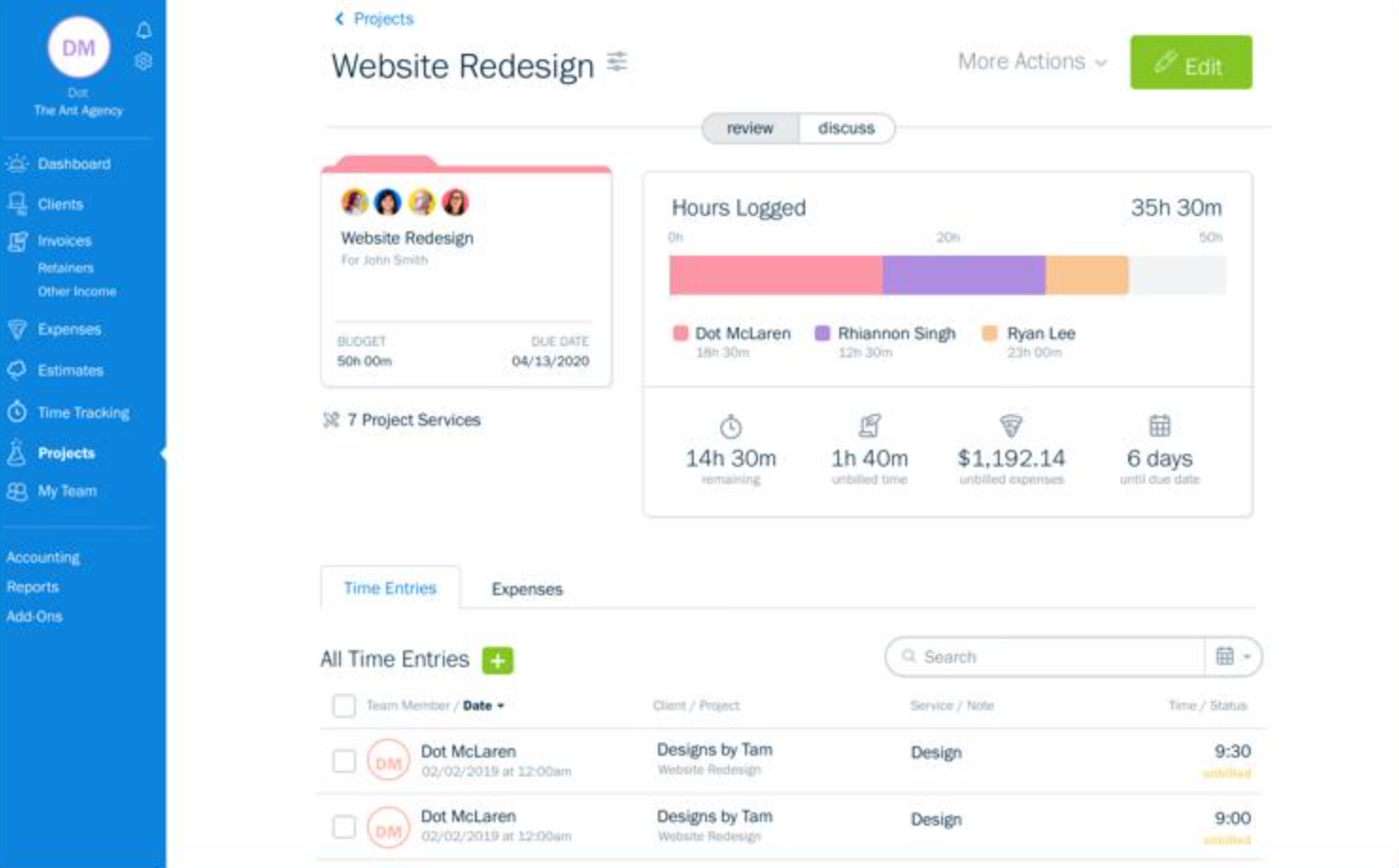
FreshBooks allows users to record time using a timer or manual time entries and assign that time to clients and projects. Entries can be marked as billable or non-billable, helping businesses distinguish chargeable client work from internal administration.
Project functionality can bring together tracked time, invoices, expenses, and related information. Depending on the selected project setup and plan, businesses can also use project-profitability reports to compare income with recorded costs.
This is especially relevant for:
- Freelance designers billing by the hour.
- Consultants charging for client meetings and research.
- Developers tracking work against project budgets.
- Marketing agencies managing campaigns for multiple clients.
- Contractors recording project time and eligible expenses.
- Coaches and other professionals billing for sessions.
Consider a small design agency working on a website redesign. The project may involve 20 hours of design, eight hours of development, and $250 in third-party assets. If the agency tracks these items against the project, it can use the recorded billable time and expenses to prepare an invoice and review the project's financial performance.
Why it matters for small businesses: Time tracking helps businesses bill for work accurately, while project-level information helps them understand which clients or projects are consuming more resources than expected. That can improve future quotes, pricing decisions, and project budgets. Project-profitability functionality is particularly relevant to businesses that need more than a basic invoice and is included in FreshBooks' Premium and Select offerings.
Expense Tracking
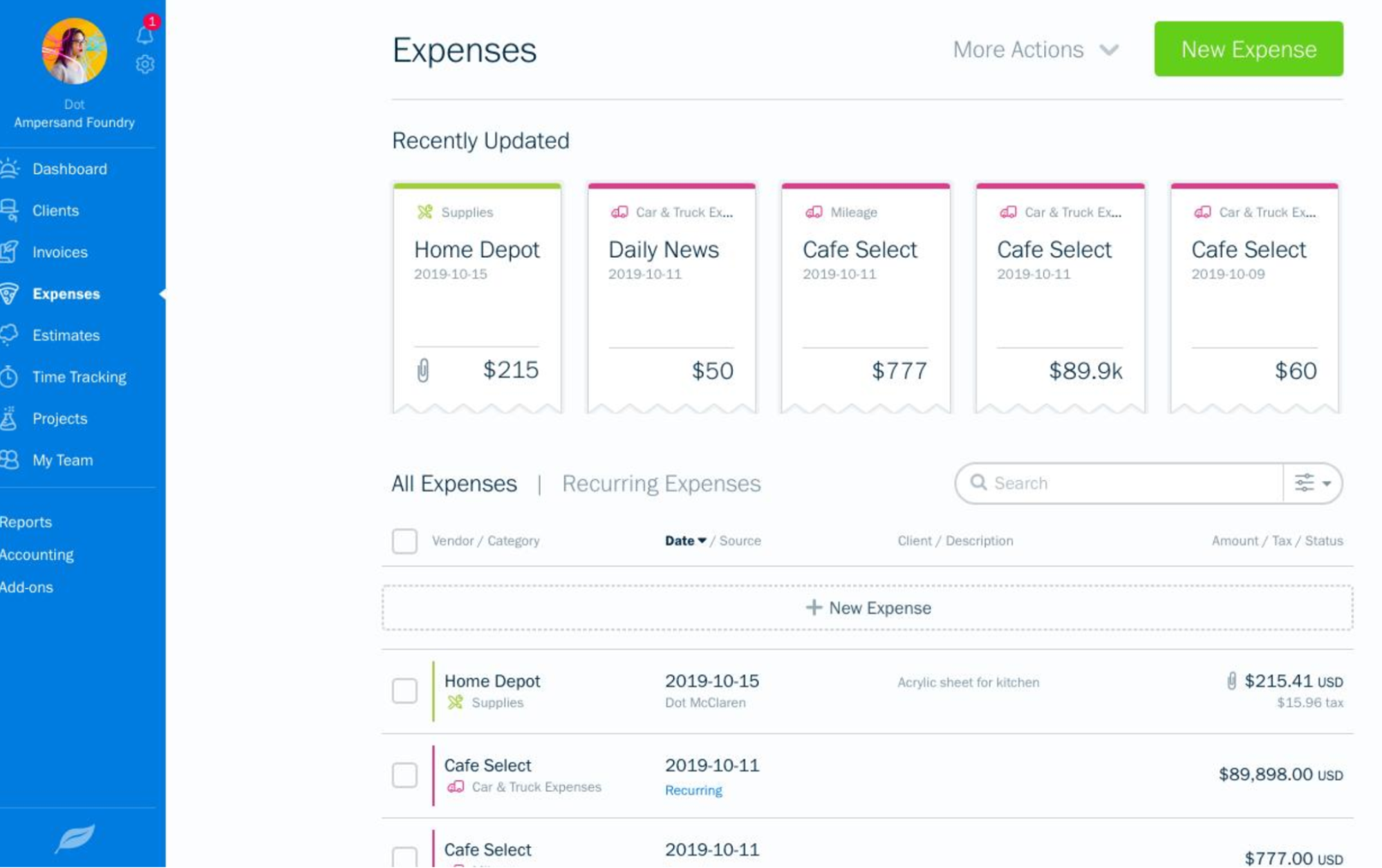
FreshBooks supports expense recording through manual entries, bank imports, and receipt capture. Users can organize business spending and, where supported, associate expenses with clients or projects.
This is especially useful when the business needs to recover an expense from a customer. For example, a marketing consultant may purchase $300 in advertising materials specifically for a client campaign. Recording that expense against the appropriate project makes it easier to identify the cost and include it on the client's invoice when the agreement permits reimbursement.
FreshBooks also offers mobile receipt scanning, helping users capture expense documentation without saving every receipt in a paper folder.
Why it matters for small businesses: Proper expense records help owners understand where money is going, prepare reports, and keep supporting documentation organized. For client-based businesses, associating eligible expenses with projects also reduces the chance of overlooking reimbursable costs. Receipt-scanning and advanced capture capabilities vary by plan, so businesses should verify which features are included before subscribing.
Accounts Payable and Bill Management
FreshBooks supports accounts payable workflows, although access depends on the plan.
Its Accounts Payable functionality allows eligible users to create and manage bills and vendors and run Accounts Payable Aging reports. FreshBooks currently lists Accounts Payable as a Premium and Select feature.
This distinction is important for businesses comparing the best accounting software because a low-cost plan may provide excellent invoicing while still requiring an upgrade for more advanced accounting workflows.
Why it matters for small businesses: Tracking supplier bills helps owners avoid missed due dates and understand upcoming cash requirements. However, a freelancer who only needs basic expense tracking may not need the full accounts-payable workflow, while an agency handling many supplier invoices should check whether the Premium or Select plan is justified.
Financial Reporting
FreshBooks provides financial reports that help owners review revenue, spending, and accounting balances. Depending on plan eligibility, reports include Profit and Loss, Balance Sheet, Trial Balance, General Ledger, expense reports, accounts-aging information, and sales-tax reports.
These reports answer different business questions:
- Profit and Loss: Is the business earning more than it spends over the selected period?
- Balance Sheet: What does the business own and owe at a particular point in time?
- General Ledger: Which transactions affected a particular account?
- Expense reports: Where is the business spending its money?
- Accounts-aging reports: Which customer balances remain outstanding, or which supplier amounts are overdue?
For example, a freelancer might have sent $12,000 in invoices during a month but still have several unpaid bills. Reviewing invoiced revenue alone does not reveal how much cash has actually arrived or whether the business can cover upcoming expenses. Financial reports, combined with bank records and invoice status, help provide a more complete view.
Why it matters for small businesses: Reports help owners make decisions about pricing, spending, overdue accounts, and business performance without manually combining several spreadsheets. Businesses that need formal accounting reports should confirm the relevant plan requirements before selecting Lite.
Automation and Connected Workflows
FreshBooks' automation strengths center on connecting everyday service-business tasks. Rather than focusing only on AI, it helps reduce manual work through recurring invoices, payment reminders, bank imports, receipt capture, and workflows that turn tracked time and expenses into invoices.
For example, a consultant who bills the same client every month can use a recurring invoice template instead of creating each invoice from scratch. A designer who records billable time during a project can generate an invoice using eligible unbilled time rather than re-entering every hour manually.
Useful automation and workflow features include:
- Recurring invoices.
- Automatic invoice reminders.
- Recurring expenses where supported.
- Bank transaction imports.
- Receipt capture and expense categorization.
- Tracked-time-to-invoice workflows.
- Client payment processing.
- Integrations with other business applications.
Why it matters for small businesses: Small teams often do not have a dedicated finance department. Reducing repeated billing and data-entry tasks allows owners to spend more time delivering client work and following up on payments. Automation still needs review: users should check invoice amounts, transaction categories, payment status, and billable expenses before finalizing important records.
Accountant Collaboration
FreshBooks allows businesses to give their accountant access to relevant accounting information. Accountants can review records and reports and, where their permissions allow, work with journal entries and the chart of accounts.
This arrangement suits a freelancer who wants a straightforward interface for creating invoices and recording expenses but still relies on an accountant for year-end reporting, tax preparation, or more technical accounting work.
Why it matters for small businesses: The owner does not need to perform every accounting task personally. The accountant can work with the underlying records rather than relying entirely on manually prepared spreadsheets, while the owner continues to manage client billing and day-to-day transactions. Businesses should still set appropriate access permissions and agree on which accounting responsibilities each person will handle.
Integrations
FreshBooks advertises more than 100 integrations and automations. These can connect accounting workflows with other applications for payments, payroll, time tracking, project management, and related business tasks.
For example, a small agency may use a separate project-management application to organize client work. An integration can help connect that workflow with time tracking or accounting, depending on the applications and features supported.
Why it matters for small businesses: A business can keep using specialized tools for its work while reducing duplicate data entry across its systems. Before choosing an integration, check whether it synchronizes the data you actually need, how frequently it updates, and whether it carries an additional subscription fee. FreshBooks Payroll and certain other services also involve additional costs.
What Makes FreshBooks One of the Best Accounting Software Options for Small Businesses in 2026?
FreshBooks stands out because it connects the work that creates revenue with the accounting records used to manage that revenue. For freelancers and service businesses, that connection can be more valuable than simply having a long list of accounting features.
Its strongest workflow is:
Client → Project → Time and expenses → Invoice → Payment → Accounting records → Financial reports
Each stage supports a specific business need. Client and project records organize work, time tracking captures billable hours, expense tracking records costs, invoicing converts eligible work into charges, and accounting reports help the owner assess financial performance.
This makes FreshBooks particularly useful for businesses where underbilling, delayed invoicing, or unclear project costs can directly affect profitability. A freelancer can reduce manual invoice preparation, while an agency can connect client work with recorded expenses and project-profitability information.
However, FreshBooks is not automatically the best choice for every small business. Its client limits on Lite, additional team-member charges, and plan restrictions can affect the total cost as the company grows. Businesses with sophisticated inventory, manufacturing, or more complex accounting requirements should compare it carefully with QuickBooks Online, Xero, or Sage 50.
FreshBooks: Pros and Cons
Pros
- Strong invoicing and client-billing workflows.
- Time tracking that can feed into invoices.
- Project-based expense tracking and profitability tools.
- Estimates, proposals, and recurring invoices.
- Expense tracking and receipt capture.
- Double-entry accounting and bank reconciliation on eligible plans.
- Financial reports for business owners and accountants.
- Accountant access and collaboration.
- More than 100 advertised integrations and automations.
- A workflow designed around freelancers and service businesses.
Cons
- Lite limits invoicing to five clients.
- Double-entry accounting and bank reconciliation require Plus or a higher plan.
- Accounts Payable is limited to Premium and Select.
- Project-profitability features require an eligible plan.
- Team-member access can increase the monthly cost.
- Payroll and some payment-related capabilities cost extra.
- Less suitable for businesses that need sophisticated inventory or manufacturing accounting.
Who Should Use FreshBooks?
FreshBooks is a strong fit for:
- Freelancers who bill clients for time or completed work.
- Consultants who need estimates, invoices, and expense records.
- Designers and developers managing several client projects.
- Marketing agencies tracking billable time and project costs.
- Contractors who need to connect eligible project expenses with billing.
- Service businesses that send recurring invoices.
- Small businesses that want accountant collaboration without managing all accounting tasks themselves.
It may be less suitable for product-based companies that need advanced inventory management, manufacturers with specialized costing requirements, or businesses that need extensive accounting controls beyond the features included in their selected plan.
Our Verdict
Rating: 4.6/5
Best for: Freelancers, consultants, agencies, contractors, and service businesses that need invoicing, billable-time tracking, expense management, and project-related accounting.
Why we rank it #3: FreshBooks earns its place because its core workflow is closely aligned with how service businesses earn money. It connects client projects, tracked hours, eligible expenses, invoices, and financial records, helping reduce manual billing work and making project costs easier to review. Its main trade-offs are plan restrictions, additional team-member costs, and less suitability for complex inventory operations. For a freelancer or service-based small business that wants accounting built around client work, FreshBooks is a compelling option.
4. Zoho Books — Best Value Accounting Software for Small Business
Zoho Books is a strong option for small businesses that want comprehensive accounting features at a relatively affordable subscription price. It is particularly appealing to solopreneurs, small service companies, retailers, distributors, and growing businesses that need to manage invoices, expenses, bank transactions, and financial reports without immediately investing in a more expensive accounting platform.
Its biggest advantage is the combination of a free entry-level plan, flexible paid tiers, and features that extend beyond basic bookkeeping. A freelancer can start by recording expenses and sending invoices, while a product-based business can move to a plan that supports inventory, purchase orders, and stock-related reporting. Businesses with more advanced requirements can also access project profitability, cash-flow forecasting, workflow customization, and business intelligence features through eligible plans.
For example, a small distributor may need to track customer payments, supplier purchases, inventory levels, and outstanding bills. Zoho Books can connect many of these activities to the same accounting records, reducing the need to maintain separate spreadsheets for purchasing, sales, and bookkeeping.
What makes Zoho Books different? Its main selling point is not simply that it costs less. It gives small businesses a way to start with basic accounting and add more specialized capabilities as their operations become more demanding. However, businesses should compare plan limits carefully because advanced inventory, automation, reporting, and user access are not identical across every tier.
Zoho Books Pricing
Zoho Books offers six main U.S. plans. The right option depends on transaction volume, the number of people who need access, and whether the business requires inventory tracking, project accounting, advanced customization, or analytics.
Plan | Monthly Price | Annual-Billing Price | Best For Small Businesses |
Free | $0 | $0 | Solopreneurs and micro-businesses with straightforward accounting needs |
Standard | $20/month | $15/month | Small businesses that need bank feeds, recurring expenses, and additional reporting |
Professional | $50/month | $40/month | Businesses that need inventory tracking, purchase orders, projects, and profitability reports |
Premium | $70/month | $60/month | Growing companies that need cash-flow forecasting, fixed assets, budgets, and greater customization |
Elite | $150/month | $120/month | Product businesses requiring advanced inventory and warehouse management |
Ultimate | $275/month | $240/month | Businesses needing advanced analytics, KPI tracking, and business intelligence |
These are Zoho Books' listed U.S. prices per organization per month, excluding applicable taxes. Annual billing is cheaper than monthly billing. The Free plan includes one user and one accountant; the paid plans include different user allowances, ranging from three users on Standard to 15 on Ultimate. Additional users can incur a separate charge.
Which plan should a small business choose?
- Free: A practical starting point for a solopreneur who needs basic accounting, invoicing, expense tracking, and financial reports. Its annual transaction limits still matter as the business grows.
- Standard: A useful step up for businesses that need connected bank feeds, recurring expenses, custom fields, and additional reporting.
- Professional: A stronger fit for companies selling products or services that need purchase orders, inventory tracking, billable timesheets, or project-profitability reporting.
- Premium: Better suited to growing businesses that need cash-flow forecasting, budgeting, fixed-asset management, and more extensive customization.
- Elite: Worth considering when inventory complexity justifies advanced controls such as warehouse management, batch tracking, serial numbers, or shipment-related workflows.
- Ultimate: Designed for businesses that need deeper analysis through advanced analytics, data visualizations, and KPI tracking.
The Free plan supports up to 1,000 invoices annually, while the paid plans offer higher annual invoice limits. Businesses should also check the limits for expenses, bills, users, and scheduled reports before selecting a plan.
Core Accounting Features
Zoho Books provides the core accounting functions expected from modern small-business accounting software, including double-entry bookkeeping, a chart of accounts, invoices, bills, expenses, journal entries, bank reconciliation, and financial reporting.
The benefit is that these functions work together. When a business issues an invoice, records a payment, or enters a supplier bill, the transaction contributes to the relevant accounting records and reports. Owners can therefore use the same system to manage day-to-day financial activity and review the business's overall financial position.
For example, a small consulting firm can record client invoices, enter software and travel expenses, reconcile payments, and review its Profit and Loss report without maintaining separate files for each activity.
Why it matters for small businesses: Owners need more than a record of money received and spent. They also need to understand outstanding customer balances, supplier obligations, expenses, and profitability. Zoho Books connects these activities while allowing businesses to select a plan based on their actual accounting requirements.
Zoho Books supports bank reconciliation by importing bank transactions, matching them against accounting entries, and helping users categorize transactions that have not yet been recorded. Supported bank feeds can import transactions automatically, while statement imports provide another way to bring bank activity into the system.
The workflow looks like this:
Bank transaction imported → existing entry matched or new transaction categorized → discrepancies reviewed → account reconciled → financial records updated
For example, a small retailer may receive payments from several customers while making regular supplier payments, paying rent, and purchasing business supplies. Zoho Books helps the bookkeeper compare these transactions with recorded invoices, bills, and expenses instead of checking every entry manually against a spreadsheet.
The platform also supports matching bank transactions against multiple accounting entries where appropriate. This is useful when a single bank payment covers several invoices or when a transaction needs to be matched to multiple related records.
Why it matters for small businesses: Bank reconciliation helps identify missing entries, unmatched payments, and discrepancies between accounting records and the bank statement. It is particularly valuable when the owner is also responsible for bookkeeping and cannot afford to spend hours checking transactions individually.
Bank Rules and Automated Categorization
Zoho Books allows users to create bank transaction rules for repetitive transactions such as software subscriptions, utility payments, bank charges, and recurring transfers. Depending on the rule and configuration, the system can apply consistent categorization or create accounting entries from matching bank activity.
For example, a business that pays the same monthly software subscription can configure a rule to recognize the transaction and apply the appropriate expense category. The bookkeeper does not have to make the same categorization decision from scratch every month.
Why it matters for small businesses: Repetitive transactions consume time without necessarily requiring a new accounting decision each time. Rules help standardize the process, reduce manual entry, and make bookkeeping more consistent. Users should still review unusual transactions and verify that rules do not misclassify payments that only resemble recurring expenses.
Invoicing and Accounts Receivable
Zoho Books supports the sales and invoicing process through quotes, estimates, invoices, recurring invoices, credit notes, sales receipts, and payment reminders. Depending on the configuration, businesses can also use customer portals and supported online payment services.
The workflow can look like this:
Quote → customer approval → invoice → payment → bank matching → reconciliation → financial reporting
For example, a small maintenance company can prepare a quote for a customer, convert it into an invoice when the work is approved, and monitor whether the payment has arrived. If the customer has not paid by the due date, the business can use payment reminders and its accounts-receivable records to follow up.
Zoho Books also supports recurring invoices, which are useful for businesses that bill clients monthly for maintenance, retainers, subscriptions, or ongoing services.
Why it matters for small businesses: Invoicing is directly connected to cash flow. When invoices are delayed, overlooked, or left unpaid, a business may struggle to cover payroll, rent, or supplier costs even if it has completed the work. Zoho Books helps owners track what they have billed and what customers still owe.
Its annual invoice limits also affect plan selection: the Free plan allows up to 1,000 invoices, Standard up to 5,000, Professional up to 10,000, Premium up to 25,000, and Elite and Ultimate up to 100,000. A business should choose a plan based on both its current needs and its expected growth.
Expenses, Bills, and Accounts Payable
Zoho Books lets businesses record expenses, manage vendors, attach supporting documents, and organize financial transactions. More advanced purchasing and accounts-payable workflows are available on higher-tier plans.
Depending on the plan, businesses can access features such as recurring bills, vendor credits, purchase orders, purchase approvals, and additional bill-management capabilities. Receipt scanning can also help capture information from expense documents, reducing the need to type every detail manually.
A typical expense workflow is:
Receipt or transaction → expense recorded → category assigned → supporting document attached → bank transaction matched → expense included in reports
For example, a small agency may receive supplier bills for software, subcontractors, advertising, and office services. Recording those obligations in Zoho Books helps the owner see which payments are due and how much money needs to be reserved for them.
Why it matters for small businesses: Expense tracking helps owners understand where money is going, while accounts payable gives them better visibility into upcoming obligations. However, the distinction between recording expenses and managing a full supplier-bill workflow matters. A business that needs approvals, recurring bills, or more advanced purchasing controls should check which plan includes those features before subscribing.
Inventory Management
Inventory is one of Zoho Books' advantages for small businesses that sell physical products. Its inventory functionality can track stock quantities, item costs, reorder points, purchases, sales, and inventory valuation through supported workflows.
For example, a small distributor selling electronic accessories can maintain item records, track stock received from suppliers, record sales, and monitor available quantities. Inventory reports can show stock on hand, quantities ordered, goods received, and inventory value.
Zoho Books also supports more advanced inventory capabilities through eligible plans and connected inventory functionality. Elite is positioned around advanced inventory control, including features such as warehouse management, serial-number tracking, batch tracking, and shipment-related workflows.
The overall process can look like this:
Purchase order → goods received → inventory updated → customer order → sales invoice → stock and accounting records updated
Why it matters for small businesses: Without connected inventory records, a business may sell products it does not have in stock, reorder items unnecessarily, or struggle to understand how much money is tied up in unsold goods. Linking stock activity to purchasing and accounting helps owners make better replenishment and cash-flow decisions.
However, a business should not assume every inventory feature is included in every plan. Companies that need multiple warehouses, batch tracking, serial numbers, or advanced fulfilment workflows should evaluate Elite and any applicable inventory add-ons or integrations.
Project Accounting and Time Tracking
Zoho Books includes project-related accounting functionality for businesses that need to connect customer work with billable hours, expenses, invoices, and project profitability. The Professional plan adds project profitability, billable timesheets, and related capabilities.
For example, a small digital marketing agency may create a project for a client, record employee time, enter campaign expenses, invoice the customer, and compare project revenue with its recorded costs.
A simplified calculation is:
Project revenue − recorded project costs = project profit before unallocated overheads
This is more informative than looking only at the invoice value. A project with high revenue may still be less profitable than expected if it requires too many hours or incurs substantial external costs.
Why it matters for small businesses: Project-based businesses need to understand whether their work is priced correctly. Zoho Books can help them identify projects that exceed budgets, compare the costs of different client engagements, and improve future estimates. This is particularly useful for agencies, consultants, contractors, and professional service firms that bill by time or project.
Financial Reporting
Zoho Books offers financial and operational reports that help owners review the business's financial position and day-to-day performance. Depending on the plan and feature, these can include:
- Profit and Loss.
- Balance Sheet.
- Cash Flow.
- Accounts Receivable and Accounts Payable.
- Expense and sales reports.
- Tax reports.
- General accounting reports.
- Inventory and inventory-valuation reports.
- Project-profitability reports.
For example, a small retailer can use inventory reports to see which products are selling and how much stock remains, then compare that information with its financial results. A service business can use receivables reports to identify overdue invoices and understand where collections need attention.
Zoho Books also supports scheduled reports, with different limits by plan. Higher tiers add more customization and advanced analysis, while Ultimate focuses on business intelligence, data visualizations, and KPI tracking.
Why it matters for small businesses: Reports turn recorded transactions into information that owners can use to make decisions. Instead of only asking how much money came in last month, they can investigate profitability, unpaid invoices, expenses, stock value, and upcoming cash requirements.
Cash-Flow Forecasting and Budgeting
Zoho Books' Premium plan adds cash-flow forecasting and budgeting features. These tools help businesses look beyond historical results and estimate whether available cash will cover expected obligations.
For example, a small distributor may need to pay a supplier before several customers settle their invoices. Reviewing cash-flow projections can help the owner identify a potential shortfall and follow up on collections or adjust purchasing plans before the payment deadline arrives.
Why it matters for small businesses: A profitable business can still face a cash shortage when customers pay late or expenses arrive before revenue is collected. Forecasting helps owners plan around the timing of money moving in and out, while budgets provide a way to compare actual results against spending targets.
Businesses that need these capabilities should consider Premium or a higher plan and confirm the forecast options available for their organization.
AI Accounting Features Through Zia
Zoho Books includes AI-assisted features through Zia, its built-in AI assistant. Its official documentation describes Ask Zia as a conversational assistant that can retrieve information from the accounting system and perform certain actions. The CoCreate Agent can help create sales transactions such as quotes, sales orders, invoices, and credit notes from natural-language prompts.
For example, a business owner could ask how many invoices are overdue or request a list of invoices that have been outstanding for 60 days. Instead of navigating multiple reports manually, the owner can use the assistant to retrieve relevant information.
The CoCreate Agent supports a different workflow: the user describes a transaction, and the agent fills in the transaction screen so the user can review the process and make changes where necessary.
These features should be distinguished from general-purpose AI writing tools. Their purpose is to help users interact with accounting data and carry out supported accounting tasks.
Why it matters for small businesses: Owners who do not have a dedicated finance team often need quick answers about overdue invoices, customer records, or financial performance. Natural-language assistance can make those tasks easier to access, while transaction creation can reduce repetitive field entry.
However, availability can depend on the feature, organization settings, and plan. AI-generated results and transactions should be checked before they are relied on for financial decisions or finalized in the accounting records.
AI Insights, Anomaly Detection, and Automation
Zoho Books also offers automation through bank rules, recurring transactions, reminders, approvals, document processing, and workflow customization. Higher-tier plans include additional customization and reporting capabilities, while the platform's AI features include Zia Insights and other tools described in its current product documentation.
For example, a business can configure recurring invoices for regular clients, establish rules for familiar bank transactions, and use approval workflows for selected purchases. This makes routine accounting tasks more consistent as the business grows.
Zia Insights is designed to analyze business reports and highlight trends, patterns, and projections. Such insights can help owners decide where to investigate further, but they should be treated as a starting point rather than proof that a transaction or trend is correct.
Why it matters for small businesses: The objective of automation is not simply to reduce clicks. It is to reduce repeated data entry, apply consistent accounting rules, and help staff identify exceptions. Businesses can save time on routine work while retaining review and approval controls over important financial decisions.
Integrations and the Zoho Ecosystem
Zoho Books connects with other applications in the broader Zoho ecosystem and supports integrations for payments, customer management, business operations, and related workflows.
For example, a company using Zoho CRM to manage prospects and customers may benefit from connecting its customer-facing workflow with accounting. This can help reduce duplicate data entry and make it easier to coordinate customer records and financial activity.
Businesses can also evaluate integrations for inventory, payroll, payments, and other operational needs.
Why it matters for small businesses: As a company grows, accounting becomes connected to more activities than invoicing and expense recording. Integrations help the business retain specialized tools while reducing isolated spreadsheets and repeated data entry. The value is greatest when the company already uses compatible Zoho applications or can identify integrations that solve a specific workflow problem.
Before choosing an integration, verify the supported data fields, synchronization frequency, additional subscription costs, and how it handles refunds, fees, and tax details.
User Access and Accountant Collaboration
Zoho Books supports collaboration by allowing businesses to give their accountants access to the accounting organization without sharing the owner's login credentials.
Its current U.S. plan comparison lists the following default user allowances:
- Free: One user plus one accountant.
- Standard: Three users.
- Professional: Five users.
- Premium: Ten users.
- Elite: Ten users.
- Ultimate: Fifteen users.
Additional users are available for an extra charge, so businesses should include those costs when estimating their total subscription expense.
For example, the owner of a small retail business may handle invoices and customer payments, while a bookkeeper records expenses and reconciles transactions. An external accountant can then review the accounting records and help with financial reporting.
Why it matters for small businesses: Giving each person appropriate access helps distribute accounting responsibilities without relying on one employee to manage every transaction. It also supports collaboration with an external accountant while keeping the business's financial records in a central system.
What Makes Zoho Books One of the Best Value Accounting Software Options for Small Businesses in 2026?
Zoho Books stands out because its pricing structure gives businesses several ways to match accounting capabilities to their current needs. A solopreneur can start with the Free plan, a small company can move to Standard for connected bank feeds and more reporting, and a product-based or project-driven business can consider Professional for inventory and project profitability.
As requirements become more complex, Premium adds tools such as cash-flow forecasting, budgeting, and fixed-asset management. Elite extends inventory control, while Ultimate adds advanced analytics and business intelligence.
That progression is useful because small businesses do not all need the same accounting functions. A freelancer may prioritize invoices and expenses, a retailer may need stock tracking, and a growing service company may need project profitability and better cash-flow visibility.
Zoho Books also combines core accounting with transaction rules, recurring workflows, integrations, and AI-assisted tools. These capabilities can reduce repetitive work and make financial information easier to access, although users still need to verify transactions and select the right plan for their workflow.
Its main trade-off is that the lowest-priced plan does not include every advanced capability, and extra users or integrations can increase the total cost. Nevertheless, for businesses that want to start small and expand their accounting setup over time, Zoho Books offers a compelling balance of affordability and feature depth.
Zoho Books: Pros and Cons
Pros
- Free plan for eligible solopreneurs and micro-businesses.
- Six plans covering different business sizes and needs.
- Double-entry accounting and financial reports.
- Invoicing, recurring billing, and payment reminders.
- Bank reconciliation and transaction rules.
- Expense tracking and receipt capture.
- Inventory and purchasing functionality on eligible plans.
- Project profitability and billable timesheets.
- Cash-flow forecasting and budgeting on higher tiers.
- Advanced inventory management through eligible features.
- AI-assisted accounting through Zia.
- Integrations with other Zoho applications and external services.
- Accountant access and configurable user roles.
Cons
- The Free plan has annual transaction and user limits.
- Advanced purchasing and accounts-payable workflows require higher plans.
- Project profitability and inventory features are not included in every tier.
- Advanced inventory and warehouse functionality may require Elite or additional inventory capabilities.
- Cash-flow forecasting, budgeting, and deeper analytics require higher-tier plans.
- Additional users can increase the subscription cost.
- Some AI features may require configuration or have specific availability conditions.
- Businesses using few Zoho applications may gain less from the broader ecosystem.
Who Should Use Zoho Books?
Zoho Books is particularly suitable for:
- Solopreneurs and micro-businesses seeking free accounting software.
- Small businesses that need invoicing, expenses, and bank reconciliation.
- Retailers and distributors that need inventory and purchase-order workflows.
- Service businesses that track billable time and project profitability.
- Growing companies that need budgeting and cash-flow forecasting.
- Businesses that want automation without moving immediately to a high-cost accounting platform.
- Companies already using Zoho CRM or other compatible Zoho applications.
- Teams that need accountant access and role-based collaboration.
It may be less suitable for businesses that need advanced accounting or operational capabilities not covered by their selected plan, or for companies that depend on specialized systems that do not integrate well with Zoho Books.
Our Verdict
Rating: 4.6/5
Best for: Solopreneurs, small businesses, retailers, service companies, and growing teams that want affordable cloud accounting with room to expand.
Why we rank it #4: Zoho Books earns its place by offering a broad accounting feature set across six pricing tiers, including a Free plan for eligible small businesses. Its main advantage is the ability to start with everyday accounting and move into inventory management, project profitability, automation, cash-flow forecasting, and advanced analytics as requirements grow. Businesses should still compare plan restrictions and additional costs before choosing it, but Zoho Books is a strong value option for companies that want capable accounting software without committing to the most expensive platform from the outset.
5. Takkada — Best Tally-Connected Accounting App for Indian Distributors
Takkada is a mobile accounting and business-management app built for Indian distributors, wholesalers, manufacturers, and dealers that already use Tally Prime or Tally ERP 9. Instead of asking a small business to replace its existing accounting system, Takkada extends Tally's data to the people who need it outside the office, including business owners, field salespeople, collection agents, and dispatch teams.
This distinction matters for small businesses that have already invested time and money in Tally. Their accounting records, customer ledgers, invoices, and outstanding balances can remain in Tally, while Takkada adds mobile access, payment reminders, supported voucher creation, sales workflows, and collection tools. For example, a distributor's salesperson can check a retailer's outstanding balance before accepting another order, while the accounts team can continue using Tally for its core bookkeeping.
Takkada is particularly relevant when a business's biggest accounting challenge is not recording transactions but getting paid on time, coordinating field sales, and reducing the manual work between customer orders and accounting entries.
Its core workflow is:
Tally → Takkada mobile access → Sales and collections → Payment and transaction updates → Tally
Takkada Pricing: Plans and Costs for Small Businesses
Takkada uses annual subscription pricing rather than the monthly pricing common among many standalone cloud accounting platforms. This can make budgeting straightforward for a small business, particularly one that wants to add mobile capabilities without migrating its existing accounts.
Plan | Annual price | Best suited for |
Clarity | ₹2,900/year | Businesses that primarily need mobile visibility into Tally data and receivables |
Momentum | ₹4,500/year | Businesses that need mobile and web voucher creation |
Assurance | ₹6,480/year | Distributors that need supported E-Invoice and E-Way Bill workflows |
Copilot | ₹9,000/year | Businesses seeking bill imports, bank statement imports, automation, and advanced reporting |
Enterprise | ₹24,000/year | Businesses with more advanced operational requirements |
Prices are based on the supplied plan details and published Takkada pricing information. Confirm the current price, GST, plan inclusions, and any promotional terms before purchasing.
Takkada offers a seven-day free trial, so a business can test its Tally-connected workflow before committing to an annual subscription. It also lists optional services, including Payment Collection and extra-user access. Payment Collection is listed at ₹1,500 per year, while AI collection calls are charged separately based on connected calling minutes and require activation. These costs should be included when comparing the total price of the setup. For a small distributor, the right plan depends on the work it needs to move onto mobile devices. A business that only wants to check outstanding balances may not need the same plan as one that creates sales vouchers in the field, generates dispatch documents, or imports supplier bills. This tiered structure lets businesses choose based on their daily workflow rather than paying for a complete accounting platform they may not need.
1. Tally Prime and Tally ERP 9 Integration
Takkada's main differentiator is its connection with Tally Prime and Tally ERP 9. It is designed to work alongside the accounting system a business already uses, rather than requiring the business to move its books to a new platform.
Through supported synchronization workflows, users can access relevant Tally information in Takkada and send supported transactions back to the accounting system. This helps reduce the gap between work performed in the field and the records maintained by the accounts team.
Why this matters for small businesses: A distributor may already have years of customer ledgers, supplier accounts, stock records, and accounting procedures in Tally. Switching systems can require data migration, employee training, and workflow changes. Takkada offers an alternative for businesses whose main requirement is mobile access and operational automation rather than a replacement ledger.
For example, when a salesperson visits a retailer, they can check the customer's available information before discussing a new order. Supported entries can then be synchronized with Tally, reducing the need for the office employee to re-enter the same information manually.
2. Mobile Access to Accounting and Customer Data
In many Tally-based businesses, important accounting information is easiest to access from the office computer. This becomes inconvenient when the owner is travelling, a salesperson is visiting customers, or a collection agent needs to verify an outstanding amount.
Takkada brings supported business information to mobile devices, including customer balances, invoices, sales details, payment history, stock information, and business reports.
Why small businesses need it: A business owner does not always have a dedicated finance manager available to answer routine questions. Mobile access allows the owner or field team to check relevant information without repeatedly calling the office.
Consider a wholesaler whose salesperson is visiting a retailer that already has two overdue invoices. By checking the customer's outstanding balance before booking another order, the salesperson can make a more informed decision and coordinate with the accounts team if credit approval is needed.
The practical benefit is quicker access to information—not a replacement for accounting controls or credit policies.
3. Receivables and Collection Management
For distributors that sell on credit, making a sale does not immediately mean the money is available to pay suppliers, employees, or transport costs. Outstanding invoices can tie up working capital, particularly when a business supplies many retailers on different payment terms.
Takkada connects customer outstanding information with collection-related workflows. Businesses can review overdue amounts and ageing information to identify which customers need follow-up.
A typical workflow is:
Invoice issued → Payment due → Reminder sent → Customer contacted → Payment received → Receipt matched and recorded
Why this matters for small businesses: A small accounts team may be responsible for invoicing, bookkeeping, supplier payments, GST-related work, and customer follow-ups at the same time. A collection workflow connected to accounting data can help employees prioritize overdue accounts instead of manually compiling separate lists.
For example, a distributor can identify customers with long-overdue invoices and assign follow-ups rather than contacting every customer in the same order. This makes collection activity more organized and gives managers a clearer view of where payment delays are occurring.
4. WhatsApp Payment Reminders and Invoice Communication
Takkada supports WhatsApp-based payment reminders, helping businesses communicate outstanding amounts through a channel many Indian retailers and distributors already use.
Instead of exporting an ageing report, finding the customer’s number, and manually composing each reminder, the business can use the supported reminder workflow to follow up on pending payments. Depending on the setup and plan, invoice communication can also be automated.
Why small businesses need it: When one employee is responsible for following up with dozens or hundreds of retailers, manual messaging takes time and makes it easier to miss a customer. A structured reminder process can help the business maintain a more consistent collection schedule.
For instance, an electrical-goods wholesaler can remind a retailer about an overdue invoice without asking the accounts team to prepare and send a separate message each time.
WhatsApp reminders do not guarantee that a customer will pay, but they can make it easier to communicate what is outstanding and prompt the next step in the collection process. Businesses should also confirm which message allowances, WhatsApp configurations, and automation features are included in their selected plan.
5. UPI Payment Collection
Takkada offers a Payment Collection add-on that connects invoice-related collection workflows with UPI payments. Its published information states that the add-on supports UPI collection with 0% merchant discount rate (MDR), subject to the service's terms.
Why this matters for small businesses: When customers are ready to pay, the process should be straightforward. If a business has to send bank details separately and then investigate which invoice a payment relates to, the collection process can create additional administrative work.
A connected workflow can help the business move from identifying an outstanding invoice to requesting payment. Once payment is received, the related receipt can be handled through the supported matching and synchronization process.
For example, a distributor can send a retailer an invoice-related payment request instead of relying entirely on a manual bank transfer followed by a phone call to confirm the payment.
The important pricing distinction is that 0% MDR does not mean the entire service is free. The Payment Collection add-on has its own subscription price, and businesses should check the applicable service terms before activating it.
6. Automatic Payment-to-Invoice Matching
Receiving money is only one part of collection management. The business also needs to identify the customer, determine which invoice the payment covers, and update the outstanding balance correctly.
Takkada provides payment-matching functionality intended to connect collection activity with customer invoices and accounting records.
Why small businesses need it: Distributors can receive numerous payments in a day, sometimes from customers with multiple open invoices. If staff must manually compare every payment with the ledger, reconciliation can consume time that could otherwise be spent on customer service or sales.
For example, if a retailer pays against an outstanding invoice, the business needs the payment applied to the appropriate record. A supported matching workflow can reduce repetitive work, although exceptions and ambiguous payments may still require human review.
A typical process is:
Payment received → Customer and invoice identified → Receipt matched → Outstanding balance updated → Accounting records synchronized
This is particularly useful for businesses that want to reduce the delay between collecting money and updating their receivables records.
7. Mobile Sales and Order Booking
Takkada extends supported Tally workflows to mobile sales activity. Depending on the features enabled, field staff can access customer information and create supported sales transactions or orders while visiting customers.
This is relevant to distributors whose salespeople collect orders through paper notes, phone calls, WhatsApp messages, or spreadsheets and then send them to the office for entry.
Why small businesses need it: Manual re-entry creates extra work and can introduce errors in product details, quantities, customer information, or order values. A connected mobile workflow can shorten the path from a customer visit to an order recorded in the business system.
For example, a salesperson visiting a neighbourhood grocery store can review the retailer's account, record an order through a supported workflow, and synchronize the entry for the office team to process.
A typical flow is:
Customer visit → Order entry → Synchronization → Invoice and dispatch workflow
Takkada is particularly useful here because it connects sales activity to an existing Tally environment. It should not, however, be assumed that every order, approval, or fulfilment step is automated on every plan.
8. Mobile Voucher Creation
Takkada supports the creation of selected Tally vouchers and business transactions through its mobile environment. This allows eligible users to record transactions while away from the main accounting workstation.
Why small businesses need it: When a business relies on a small accounts team, transactions recorded only at the end of the day can create a backlog. Mobile voucher creation can help eligible transactions reach the accounting system sooner.
For instance, a collection agent may need to record a payment while visiting a retailer. Rather than sending the information to the office and waiting for someone to enter it, the agent can use a supported mobile workflow, after which the transaction can be synchronized with Tally.
The benefit is a shorter delay between field activity and accounting entry. Businesses should still establish permissions and review procedures so that the right employees create or approve the right transactions.
9. E-Invoice and E-Way Bill Workflows
Takkada supports E-Invoice and E-Way Bill workflows on applicable plans. These capabilities are relevant to eligible Indian businesses that need to manage invoicing and goods movement as part of their sales and dispatch processes.
Why small businesses need it: When dispatch documents must be prepared before goods leave a warehouse, waiting for someone to return to the office computer can delay an order. Mobile access can make it easier for authorized employees to complete supported steps while coordinating with dispatch teams.
For example, a distributor processing a qualifying sale may need to generate the relevant invoice documentation and arrange an E-Way Bill before dispatch. A connected workflow can reduce the need to switch between disconnected records and devices.
The exact workflow depends on the transaction, applicable GST requirements, and the plan. Businesses should verify their compliance obligations separately rather than treating software availability as a guarantee that every transaction is compliant.
10. Supplier Bill and Bank Statement Imports
Takkada's higher-tier Copilot functionality includes tools for importing supplier bills from PDFs and importing bank statements with matching support. These features aim to reduce repetitive data entry in businesses that process many supplier documents or bank transactions.
Why small businesses need it: A distributor may receive supplier invoices from multiple vendors while also processing frequent bank transactions. Manually entering each document can create a daily backlog for a small accounting team.
With a supported supplier-bill import workflow, the process can begin with a PDF, followed by data extraction and review before the entry is finalized. Bank statement imports can similarly help reduce the work involved in matching statement transactions with accounting records.
For example, a wholesaler receiving multiple supplier bills each morning can use the import workflow to reduce typing, while the accounts employee checks the extracted details before posting or synchronizing the transaction.
Automation should be treated as assistance, not a reason to skip verification. Incorrect invoice details, duplicate entries, and unmatched bank transactions still need appropriate review.
11. Inventory and Godown Visibility
Inventory is closely tied to sales and cash flow for distributors. Sales staff need to know whether products are available, while managers need visibility into stock held across warehouses or godowns.
Takkada provides mobile access to supported stock and inventory information from the Tally-connected environment.
Why small businesses need it: If salespeople cannot check stock before confirming an order, they may promise items that are unavailable or need to call the warehouse repeatedly. Mobile visibility helps them make better-informed commitments.
For example, a salesperson visiting a retailer can check available stock before recording an order, reducing avoidable back-and-forth with the warehouse team.
This can be particularly helpful for businesses with multiple storage locations. However, businesses should confirm which stock, godown, and inventory actions are supported by their Tally configuration and selected Takkada plan.
12. Delivery Challans and Dispatch Coordination
Takkada supports delivery-related workflows, including delivery challans. These can help businesses manage documentation associated with the movement of goods when a delivery challan is appropriate for the transaction.
Why small businesses need it: In distribution, sales, warehouse handling, delivery, and invoicing do not always happen at the same moment. When documents are maintained separately, staff may have to contact the office to confirm dispatch details or recreate paperwork.
A connected workflow can help reduce that administrative friction by keeping supported delivery documentation linked to the broader business process.
For example, a distributor preparing a goods movement can create the required supported document and coordinate with the dispatch team without relying entirely on handwritten notes or separate spreadsheets.
The exact document required depends on the transaction and applicable rules, so businesses should not treat a delivery challan as a universal substitute for an invoice or other required documentation.
13. Business Reports for Owners and Managers
Takkada provides mobile access to business information and reports, including relevant receivables, ageing, sales, collection, payment, and inventory data. Advanced reporting is available through applicable plan features.
Why small businesses need it: Owners of growing distribution businesses often spend less time at the accounting desk and more time managing customers, suppliers, salespeople, and inventory. They need timely information without asking the accounts team to prepare a new report for every decision.
For example, a business owner can review overdue receivables before deciding which customers require follow-up or use available sales information to discuss performance with the sales team.
The main benefit is access to existing business information in a more convenient format. Takkada's reports complement the accounting system; they do not remove the need for accurate bookkeeping or careful interpretation of financial data.
14. AI Collection Calls
Takkada's AI collection-call feature is designed to help businesses follow up with selected overdue customers when reminders have not resulted in payment. The business can select overdue parties, initiate calls through the feature, and receive logged follow-up outcomes such as a payment promise, a dispute, or a callback request. The feature requires activation and is charged according to connected calling minutes.
Why small businesses need it: A distributor may have hundreds of retailer accounts but only a small collection team. Employees may send reminders and still lack time to call every overdue customer individually. AI-assisted calls can help handle routine first-level follow-ups, leaving staff to focus on disputed invoices, important accounts, and customers who need personal attention.
For example, after WhatsApp reminders have been sent, a distributor can select overdue accounts for AI calls. The outcome can be logged so the collection team can see who promised to pay, who disputed an amount, and who needs another follow-up.
This makes Takkada's AI focus different from tools that primarily use AI to categorize transactions, explain reports, or generate accounting insights. Its emphasis is on the collection process and the operational work needed to recover overdue payments.
AI calls should not be treated as a guarantee of collection or a complete replacement for human follow-up. Businesses should review calling costs, activation requirements, customer-contact permissions, and the escalation process before using the feature.
How Takkada Works With Tally in a Small Business
Takkada's value becomes clearer when its features are viewed as one connected workflow rather than a collection of individual tools.
- Maintain the books in Tally: The business continues using its existing accounting system and records.
- Access relevant data on mobile: Owners and field staff check supported customer, invoice, outstanding, and stock information.
- Record sales and operational activity: Authorized users create supported orders, vouchers, or delivery-related documents.
- Follow up on receivables: The business sends reminders and uses supported collection workflows to request payments.
- Record and match payments: Received payments are connected to the appropriate customer and invoice where the workflow supports it.
- Synchronize transactions: Supported entries flow back into Tally, keeping the accounting system central to the process.
This workflow is especially useful when a business has outgrown manual coordination but does not want to replace its existing accounting setup. The value comes from reducing the distance between what happens in the field and what is recorded in the books.
Takkada vs. Standalone Accounting Software
Takkada should be evaluated differently from QuickBooks Online, Xero, FreshBooks, and Zoho Books because the products address different primary needs.
Software | Best fit for a small business | Main reason to choose it |
Takkada | Indian distributors and wholesalers already using Tally | Mobile Tally access, collections, and field-sales workflows |
QuickBooks Online | Small businesses seeking a broad accounting platform | Core bookkeeping, invoicing, expenses, and financial reporting |
Xero | Growing businesses needing collaborative cloud accounting | Shared accounting access and connected financial workflows |
FreshBooks | Freelancers and service businesses | Client invoicing, billable time, and project-related workflows |
Zoho Books | Businesses seeking standalone accounting with tiered plans | Accounting workflows, reporting, and features that expand by plan |
The practical difference is that a business choosing Takkada is usually choosing to extend an existing Tally workflow, not replace its core accounting system. A business starting from scratch or looking for a complete standalone cloud accounting platform may find QuickBooks, Xero, FreshBooks, or Zoho Books a better starting point.
Who Should Use Takkada?
Takkada is a strong fit for:
- Indian distributors and wholesalers that manage many retailer accounts and sell on credit.
- Manufacturers and dealers that already maintain accounting records in Tally and need mobile access.
- Businesses with field-sales teams that need to check customer details, stock, or supported order workflows during visits.
- Businesses with overdue receivables that want more structured reminders and collection follow-ups.
- Companies managing multiple godowns that need supported stock information available to field staff.
- Tally Prime and Tally ERP 9 users who want to reduce manual handoffs between sales, collections, dispatch, and accounts.
It may not be the best choice for a business that does not use Tally, has little need for field operations, or simply wants a standalone cloud accounting platform. In those cases, the business should compare full accounting products based on bookkeeping, invoicing, expenses, reporting, integrations, and the need for an accountant or finance team.
Takkada Pros and Cons
Pros
- Extends existing Tally workflows instead of requiring a complete accounting-system replacement.
- Provides mobile access to relevant accounting and customer information.
- Supports receivables visibility and WhatsApp payment reminders.
- Offers UPI collection functionality through an add-on.
- Supports selected mobile voucher, sales, and delivery workflows.
- Provides E-Invoice and E-Way Bill functionality on applicable plans.
- Offers supplier-bill and bank-statement import tools on higher-tier plans.
- Includes AI-assisted collection calls as an optional, separately charged capability.
Cons
- Its value is much lower for businesses that do not already use Tally.
- It is not designed to replace a complete standalone accounting ledger.
- Some capabilities require specific plans, add-ons, activation, or extra charges.
- AI calling has usage-based costs and should be evaluated against the business's collection needs.
- Businesses must confirm compatibility with their Tally setup and verify the availability of specific workflows before subscribing.
Our Rating: 4.5/5
Takkada is a compelling option for Indian small businesses whose accounting system is already built around Tally but whose sales and collection operations still depend heavily on phone calls, manual reminders, spreadsheets, or repeated office coordination.
Its biggest strength is connecting accounting information with the work that happens beyond the accounting desk. Mobile access, receivables management, WhatsApp reminders, UPI collection, supported sales workflows, and AI-assisted collection calls can help distributors organize the path from issuing an invoice to following up on payment.
The best reason to choose Takkada is therefore not simply that it is affordable. It is that the business can add mobile access and operational automation around a familiar Tally setup instead of changing its entire accounting workflow. Whether it delivers value depends on how much time the business currently spends on collections, field sales, dispatch coordination, and manual data entry.
Best for: Indian distributors, wholesalers, manufacturers, dealers, and other Tally users who need mobile accounting access, better receivables follow-up, payment collection, and field-sales support.
6. Sage 50 — Best Accounting Software for Advanced Accounting and Inventory
Sage 50 is a strong choice for small and midsize businesses that need more accounting depth than a basic invoicing platform provides. Unlike lightweight cloud accounting tools that primarily focus on invoicing and expense tracking, Sage 50 combines core accounting with inventory management, job costing, budgeting, purchase orders, reporting, and multi-company capabilities.
Sage offers both Sage 50 Cloud and a traditional desktop version. The cloud edition provides access from anywhere, automatic updates and backups, and real-time collaboration, while the desktop edition is designed for businesses that prefer locally installed accounting software.
This makes Sage 50 particularly relevant for businesses with inventory, purchasing, project costs, or more structured accounting workflows.
Sage 50 Pricing
Sage 50's current U.S. pricing is divided into three main plans:
Plan | Current Price | Users | Best For |
Pro Accounting | $128.67/month | 1 | Small businesses needing core accounting |
Premium Accounting | $182.50/month | 1–5 | Businesses needing advanced accounting and inventory |
Quantum Accounting | $271.17/month | 1–40 | Larger teams requiring permissions and workflow management |
Sage states that these subscriptions require a minimum one-year commitment. Pricing can also change, so businesses should verify the current amount before purchasing.
The Pro plan includes invoicing, bill tracking, expenses, automated bank reconciliation, reporting, inventory, cash-flow management, and job management. Premium adds advanced budgeting, multiple companies, serialized inventory, advanced reporting, advanced job costing, and audit trails. Quantum adds role-based permissions, workflow management, project management, and support for up to 40 users.
Core Accounting Features
Sage 50 covers the traditional accounting workflow rather than treating bookkeeping as simply an invoicing function.
The platform supports:
- General ledger accounting
- Accounts receivable
- Accounts payable
- Income and expense tracking
- Customer invoicing
- Vendor bills
- Purchase orders
- Payments
- Bank reconciliation
- Cash-flow management
- Financial reporting
- Budgeting
- Inventory accounting
- Job costing
- Payroll integration
The result is a more structured business accounting software environment where transactions can flow from purchasing and inventory through accounting and reporting.
Bank Feeds and Automated Reconciliation
Bank reconciliation is one of Sage 50's stronger automation areas.
Sage can connect bank feeds and automatically match received payments against customer invoices. The reconciliation workflow identifies cleared accounts and unreconciled differences, reducing the amount of manual transaction matching required during bookkeeping.
This is especially useful for businesses processing a high volume of payments where manually comparing bank transactions against invoices would otherwise consume significant accounting time.
Cash-Flow Management
Sage 50 includes a Cash Flow Manager that provides visibility into money coming into and leaving the business.
Businesses can review:
- Cash available in accounts
- Expected incoming payments
- Expected outgoing payments
- Invoices and purchases
- Cash-flow projections
- Transaction activity by date or type
Sage also supports what-if scenarios, allowing businesses to evaluate potential cash-flow outcomes before making financial decisions.
This makes Sage 50 useful for businesses that need more than historical accounting reports and want to monitor future cash requirements.
Invoicing and Accounts Receivable
Sage 50 provides customer-level invoicing and accounts receivable management.
Businesses can:
- Create and send invoices
- Track invoices by customer
- Send invoices to multiple customers
- Create recurring invoices
- Monitor customer balances
- Accept online payments through supported payment services
- Track receivables
- Match customer payments during reconciliation
The platform also includes a Pay Now option for supported invoice-payment workflows, helping businesses reduce the gap between sending an invoice and receiving payment.
Accounts Payable and Purchasing
Sage 50 also connects purchasing activity with accounting.
Users can manage:
- Vendor bills
- Purchase orders
- Purchase approvals
- Payments
- Expenses
- Supplier transactions
- Purchase-related inventory activity
Premium and Quantum plans add more sophisticated purchasing capabilities, including purchase orders and change orders. This becomes particularly useful when a business needs accounting software to track purchasing commitments rather than simply recording expenses after they occur.
Advanced Inventory Management
Inventory is one of the major reasons to consider Sage 50 over simpler small business accounting software.
The platform can track:
- Quantities on hand
- Items on order
- Inventory movement
- Purchase orders
- Item assemblies
- Units of measure
- Serialized inventory
- Inventory costs
- Different costing methods
Sage supports costing methods including FIFO, Average, and Specific Unit, while higher-tier plans provide serialized inventory tracking.
For inventory-heavy businesses, this gives Sage 50 an advantage over accounting platforms that require separate inventory applications.
Job Costing and Project Accounting
Sage 50 also supports detailed job costing, making it particularly relevant for contractors and project-based businesses.
Businesses can assign costs to:
- Jobs
- Phases
- Cost codes
- Labor
- Materials
- Purchasing
- Inventory adjustments
- Payroll
Users can then compare project costs against revenue and identify jobs that are approaching or exceeding budget.
Sage specifically positions its job-costing functionality for businesses that need to understand how much individual projects are costing and how much revenue they generate.
This is why Sage 50 can also work well as construction accounting software for smaller construction and contracting companies that need accounting and job costing in the same system.
Financial Reporting
Sage 50 provides more than basic profit-and-loss reporting.
Sage says the platform includes more than 150 reports, covering areas such as:
- Accounts payable
- Accounts receivable
- Sales tax
- Expenses
- Profitability
- Inventory
- Payroll
- Jobs
- Cash flow
- Financial statements
Reports can be customized, filtered, grouped, exported, and drilled down to underlying transactions. Sage also provides industry-specific reporting capabilities for areas such as construction, manufacturing, and distribution.
For businesses where financial reporting needs to move beyond a simple monthly P&L, this depth is one of Sage 50's strongest advantages.
Budgeting and Forecasting
Budgeting becomes more advanced as you move from Pro to Premium and Quantum.
Premium includes advanced budgeting tools, while Sage's cash-flow functionality can be used to evaluate expected financial scenarios.
This allows businesses to compare planned spending against actual performance and use accounting data for operational planning rather than relying solely on historical financial statements.
2026 Automation and AI Features
Sage 50 has also been adding more automation to its accounting workflow.
The 2026 release includes AR Automation, which can help businesses share invoices, send payment reminders, and collect customer payments. The automation is designed to reduce manual accounts-receivable administration and accelerate collections.
Sage also offers AutoEntry as an add-on for automatically pulling data and documents such as receipts into accounting workflows, alongside live bank feeds.
These capabilities make Sage 50 increasingly relevant to businesses evaluating automated accounting software, although its primary strength remains its structured accounting and operational controls rather than AI-first bookkeeping.
Payroll and HR
Sage 50 can be extended with a payroll subscription.
The payroll functionality can handle:
- Employee payroll
- Federal and state tax calculations
- Vacation and sick time
- Payroll tax expenses
- W-2s
- State and federal forms
Payroll is available as an additional subscription rather than being included as a standard feature in every Sage 50 plan.
Microsoft 365 and Integrations
Sage 50 integrates with Microsoft 365 and supports additional third-party integrations through the Sage Marketplace.
Microsoft 365 integration can connect Sage 50 with business productivity workflows, while the broader marketplace provides integrations for payments, payroll, accounts payable automation, and industry-specific requirements.
Sage also provides migration assistance for businesses moving from many QuickBooks versions, which can reduce some of the friction involved in switching accounting platforms.
User Access and Accounting Controls
User management becomes increasingly sophisticated across Sage 50's higher tiers.
- Pro: 1 user
- Premium: 1–5 users
- Quantum: 1–40 users
Quantum adds role-based user permissions and workflow management, making it better suited to businesses where accounting responsibilities need to be separated across multiple employees.
This is important for businesses that need stronger internal controls than a single-user bookkeeping application provides.
Sage 50 Pros
- Strong double-entry accounting capabilities
- Advanced inventory management
- Job costing and project tracking
- Automated bank reconciliation
- More than 150 financial and operational reports
- Advanced budgeting on Premium+
- Multi-company support on Premium+
- Serialized inventory on higher plans
- Role-based permissions on Quantum
- Cloud and desktop deployment options
- Payroll available as an integrated add-on
- Suitable for construction, manufacturing, distribution, and inventory-heavy businesses
Sage 50 Cons
- More expensive than many entry-level cloud accounting platforms
- Pro is limited to one user
- Some advanced functionality requires Premium or Quantum
- Payroll is an additional subscription
- Can be more complex for freelancers or very small service businesses
- The extensive accounting functionality may be unnecessary for businesses that primarily need invoicing and expense tracking
Our Rating: 4.3/5
Sage 50 earns 4.3/5 in our evaluation.
Its biggest advantage is depth: inventory, job costing, purchasing, budgeting, reconciliation, financial reporting, and user controls are all handled within the same accounting environment. Sage's 2026 releases also add more automated accounts-receivable capabilities.
However, the higher subscription cost and steeper learning curve make it less attractive for freelancers and micro-businesses looking for cheap accounting software.
Who Should Use Sage 50?
Sage 50 is best suited to small and midsize businesses with inventory, purchasing, projects, or more complex accounting requirements.
It is particularly worth considering for:
- Construction companies
- Distributors
- Manufacturers
- Inventory-based retailers
- Contractors
- Project-based businesses
- Businesses with in-house bookkeepers
- Companies needing detailed financial reporting
For a freelancer who only needs invoices, expenses, and basic bookkeeping, FreshBooks or Wave may be simpler. But when a business needs advanced accounting, inventory, job costing, budgeting, and operational reporting, Sage 50 becomes a much stronger option.
7. Patriot Accounting — Best Simple Accounting Software for U.S. Small Businesses
Patriot Accounting is designed for small U.S. businesses that want straightforward bookkeeping without paying for the extensive feature set of larger accounting platforms. Its focus is on the accounting fundamentals most small businesses actually use: income and expense tracking, invoicing, bank imports, reconciliation, financial reports, customer payments, and payroll integration.
Unlike more complex platforms, Patriot keeps its accounting product relatively compact. This makes it particularly attractive to businesses looking for simple accounting software, affordable monthly pricing, and human customer support rather than a large ecosystem of advanced third-party applications.
Patriot currently offers two accounting plans: Accounting Basic at $20/month and Accounting Premium at $30/month. Both plans include unlimited users, customers, invoices, vendors, contractors, and payments. Patriot also currently advertises a 30-day free trial followed by 50% off for three months for new customers.
Patriot Accounting Pricing
Plan | Regular Price | Best For | Main Difference |
Accounting Basic | $20/month | Small businesses needing core bookkeeping | Accounting, invoicing, bank imports and reconciliation |
Accounting Premium | $30/month | Businesses needing more invoicing and document controls | Estimates, recurring invoices, reminders, permissions and receipt management |
Patriot's pricing is flat monthly pricing rather than per-user pricing, which is one of its biggest advantages for small businesses with multiple people who need accounting access.
Both plans support unlimited users, while Premium adds user-based permissions. Patriot also provides free U.S.-based customer support.
The company currently advertises 30 days free plus 50% off for three months for new customers, although promotional pricing can change.
Core Accounting Features
Patriot Accounting covers the fundamental bookkeeping workflow without requiring users to configure a highly complex accounting environment.
The platform supports:
- Chart of accounts
- Income tracking
- Expense tracking
- Accounts receivable
- Accounts payable
- Customer invoicing
- Vendor management
- Contractor payments
- Bank transaction imports
- Account reconciliation
- Journal entries
- Financial statements
- Sales tax tracking
- Customer payments
- Payroll integration
- 1099 contractor management
The system also supports both cash-basis and accrual accounting through Patriot's Dual-Ledger Accounting functionality. Users can switch between the two accounting views without manually converting their books.
Bank Imports and Account Reconciliation
Bank transaction automation is one of the core features that makes Patriot practical for day-to-day bookkeeping.
Businesses can connect supported bank accounts through Plaid or upload banking activity using a spreadsheet. Imported transactions can then be reviewed and categorized inside Patriot Accounting.
The platform also provides formal account reconciliation.
During reconciliation, users compare the transactions recorded in Patriot against the external account statement and identify transactions that have not cleared or require adjustment. Patriot supports reconciliation for asset, liability, and equity accounts.
A separate Account Reconciliations Report provides a history of completed reconciliations and allows users to review cleared and outstanding entries.
This is important because bank imports and bank reconciliation are not the same process: imported transactions bring activity into the accounting system, while reconciliation verifies that the accounting records agree with the actual statement balance.
Invoicing and Accounts Receivable
Patriot Accounting supports unlimited customers and invoices, allowing small businesses to create, send, and track invoices without an invoice-volume limit on the accounting plans.
Businesses can monitor invoice activity by customer and payment status, while Premium users get additional automation for recurring invoices and payment reminders.
Patriot's invoice reporting also provides detailed invoice-level information, including invoice date, due date, payment status, customer, and invoice activity. Reports can be downloaded as spreadsheets for further analysis.
This makes Patriot suitable for businesses that need straightforward accounts receivable management without a dedicated enterprise receivables platform.
Estimates and Recurring Invoices
Accounting Premium expands Patriot's invoicing functionality.
Users can:
- Create estimates
- Send estimates to customers
- Convert estimates into invoices
- Create recurring invoices
- Define invoice frequency
- Set start and end dates
- Send automatic payment reminders
- Customize invoice templates
The estimate-to-invoice workflow is particularly useful for contractors, consultants, agencies, and other service businesses where a customer approves a quoted amount before the final invoice is issued.
Customer Payments
Patriot integrates with Stripe for online customer payments.
Depending on the payment method and Stripe setup, customers can pay invoices using:
- Credit cards
- ACH
- Apple Pay
- Google Pay
This creates a relatively direct workflow from invoice → online payment → accounting record, reducing the need for businesses to manually record every customer payment.
Payment processing fees are separate from Patriot's accounting subscription.
Customer Statements
One of Patriot's newer 2026 features is Customer Statements, introduced for Accounting Premium in September 2026.
Businesses can generate three statement types:
- Open Items — shows unpaid invoices and outstanding amounts
- Balance Forward — shows beginning balance, activity, and ending balance
- All Activity — shows the customer's complete account history
Statements can include invoices, payments, credits, and aging information. They can be emailed as PDFs or downloaded as PDF or spreadsheet files. Patriot also maintains statement history so previously generated statements can be accessed again.
For businesses that regularly need to answer "what does this customer still owe?", this is a useful addition to Patriot's accounts-receivable workflow.
Accounts Payable and Vendor Management
Patriot also supports vendor-side bookkeeping.
Businesses can maintain vendor records, track expenses, manage bills, and record vendor payments.
There are three supported approaches to paying vendor bills:
- Pay Bills — for bills that have already been entered.
- Enter and Pay a Bill — for immediate one-time payments.
- Record Past Vendor Payments — for payments that were already made outside Patriot.
All three workflows are available in both Accounting Basic and Accounting Premium.
This gives businesses flexibility when recording both planned accounts-payable transactions and payments that have already occurred.
Expense Tracking and Chart of Accounts
Patriot uses the Chart of Accounts as the underlying structure for classifying business transactions.
Users can manage:
- Assets
- Liabilities
- Equity
- Income
- Expenses
- Subaccounts
Premium users can create up to eight levels of subaccounts, allowing businesses to create more detailed classifications for transactions.
For example, a business could separate advertising expenses into subcategories such as:
Marketing → Advertising → Google Ads
instead of recording every marketing-related transaction under one broad expense account.
Financial Reporting
Patriot provides the core financial reports required for routine bookkeeping and financial review.
These include:
- General Ledger
- Check Register
- Profit & Loss Statement
- Balance Sheet
- Modified Transactions Report
- Payroll Ledger Report
- Account Reconciliations Report
The Profit & Loss Statement summarizes income and expenses, while the Balance Sheet shows what the business owns and owes. The General Ledger provides transaction-level activity by account.
Reports can also be downloaded as PDFs or spreadsheets, making it easier to share financial information with accountants or retain records for internal analysis.
Smart Suggestion and Accounting Automation
Patriot has also introduced automation into transaction categorization through its Smart Suggestion functionality.
The system can use previous transaction categorization patterns to suggest how new transactions should be classified, reducing repetitive bookkeeping decisions.
This is a practical form of automated accounting software: instead of attempting to replace the entire bookkeeping process with AI, Patriot focuses automation on repetitive transaction-classification work.
For small businesses with relatively predictable expenses, this can reduce the amount of manual categorization required each month.
Payroll Integration
One of Patriot Accounting's strongest advantages is its integration with Patriot Payroll.
Payroll transactions can flow into the accounting system automatically, reducing the need to manually recreate payroll-related journal entries.
Patriot offers both Basic Payroll and Full Service Payroll, allowing businesses to add payroll only when they need it rather than purchasing an accounting-and-payroll bundle by default.
This modular approach can be useful for businesses that want to start with accounting and add payroll later.
1099 Contractor Management
Patriot also supports 1099 contractor workflows.
Businesses can provide contractors with secure portal access where contractors can manage relevant personal and banking information, payment history, and electronic 1099 forms. Optional 1099 e-filing is also available through Patriot.
This is particularly useful for small businesses that work with independent contractors rather than maintaining a large employee workforce.
User Access and Permissions
One unusual advantage of Patriot's pricing model is that unlimited users are included with the accounting software rather than charging separately for every additional accounting user.
Accounting Premium adds user-based permissions, allowing administrators to control which accounting functions different users can access.
This can work well when a business owner, bookkeeper, accountant, and administrative employee all need access to the same books but should not necessarily have identical permissions.
Accountant and Bookkeeper Support
Patriot also has an Accountant Partner Program designed for accounting firms and bookkeepers managing multiple client accounts.
The program provides discounted pricing based on the number of active clients. Discounts range from 5% for 1–5 clients to 30% for 100+ clients.
Accountants can also use a centralized dashboard to manage multiple client relationships, making Patriot more suitable for accounting practices than its simple interface might initially suggest.
Bookkeeping Service
Businesses that do not want to manage their own books can also use Patriot's separate bookkeeping service.
The service can handle:
- Account organization
- Transaction categorization
- Monthly reconciliation
- Month-end book closing
However, the bookkeeping service requires Accounting Premium, and its service fees are separate from the $30/month software subscription.
This gives Patriot an interesting option for owners who want accounting software and professional bookkeeping within the same product ecosystem.
What Patriot Accounting Does Not Do
Patriot's simplicity comes with trade-offs.
The platform is not designed to be an all-in-one enterprise accounting system.
For example, businesses with sophisticated inventory requirements may find Patriot limiting because it does not provide the inventory-management depth found in platforms such as Sage 50.
It is also primarily designed for U.S. businesses, so companies operating internationally or requiring extensive multi-currency and international tax functionality may need another platform.
Patriot also has a smaller third-party integration ecosystem than larger platforms such as QuickBooks Online or Xero.
Patriot Accounting Pros
- Affordable $20/month starting price
- $30/month Premium plan
- Unlimited users
- Unlimited customers and invoices
- Automatic bank imports
- Account reconciliation
- Cash and accrual accounting
- Stripe payment integration
- Strong basic financial reporting
- Recurring invoices on Premium
- Automatic invoice reminders on Premium
- Estimates on Premium
- Customer statements on Premium
- Receipt and document management
- Payroll integration
- 1099 contractor support
- Free U.S.-based customer support
- Accountant Partner Program
- Optional bookkeeping service
Patriot Accounting Cons
- Designed primarily for U.S. businesses
- No advanced inventory management
- Smaller integration ecosystem than QuickBooks or Xero
- Fewer advanced project-accounting capabilities
- Some automation is limited compared with AI-heavy accounting platforms
- Payroll, bookkeeping services, and payment processing can create additional costs
- Advanced permissions and invoicing automation require Premium
Our Rating: 4.3/5
Patriot Accounting earns 4.3/5 in our evaluation.
Its biggest strength is value without unnecessary complexity. At $20/month for the Basic plan, a small business gets core bookkeeping, unlimited invoices, automatic bank imports, reconciliation, financial reporting, and unlimited users. Premium adds estimates, recurring invoices, payment reminders, receipt management, and permissions for just $30/month.
The main limitation is scope. Patriot is not the best choice for companies that need advanced inventory, sophisticated project accounting, extensive international functionality, or a large third-party integration ecosystem.
Who Should Use Patriot Accounting?
Patriot is best suited to U.S.-based small businesses that want affordable, uncomplicated accounting software.
It is particularly useful for:
- Freelancers
- Consultants
- Small service businesses
- Contractors
- Small agencies
- Businesses using independent contractors
- Small employers already using Patriot Payroll
- Owner-managed businesses
- Businesses working with an external accountant
If your priority is low-cost accounting software with straightforward bookkeeping, unlimited users, bank reconciliation, invoicing, and strong U.S.-based support, Patriot is one of the better-value options in this comparison.
If you need advanced inventory, construction job costing, extensive integrations, or international accounting, a platform such as Sage 50, QuickBooks Online, or Xero will generally be a better fit.
Conclusion
Choosing the best accounting software for small business depends less on finding the platform with the longest feature list and more on matching the software to your business size, accounting workflow, budget, and growth plans. The right accounting software should make everyday bookkeeping easier while giving you reliable financial data for invoices, expenses, bank reconciliation, reporting, taxes, and cash-flow decisions.
For most businesses, QuickBooks Online remains the strongest all-round option because it combines comprehensive accounting, invoicing, reporting, automation, integrations, and scalability in one platform. Xero is an excellent alternative for growing businesses and teams that need collaborative cloud accounting software, while FreshBooks is particularly well suited to freelancers, consultants, and service-based businesses focused on time tracking, projects, and client billing.
If affordability is the priority, Zoho Books offers an impressive range of accounting features at a competitive price, while Wave is a practical choice for freelancers and very small businesses looking for free accounting software for small business. Businesses that need deeper inventory, job costing, budgeting, and reporting capabilities can consider Sage 50, while Patriot Accounting works well for U.S.-based small businesses that want simple bookkeeping at a predictable monthly cost.
For Indian distributors already operating on Tally, Takkada is a different type of solution. Rather than replacing Tally, it extends Tally's accounting data to mobile workflows for receivables, sales, collections, WhatsApp reminders, UPI payments, reporting, and field teams.
Ultimately, the best accounting software is the one that reduces manual bookkeeping, keeps your financial records accurate, and can continue supporting your business as transaction volume and accounting requirements grow. Before choosing a platform, compare its total cost, automation, integrations, reporting, user limits, industry-specific features, and scalability—not just its monthly subscription price.
Read More Blogs On: