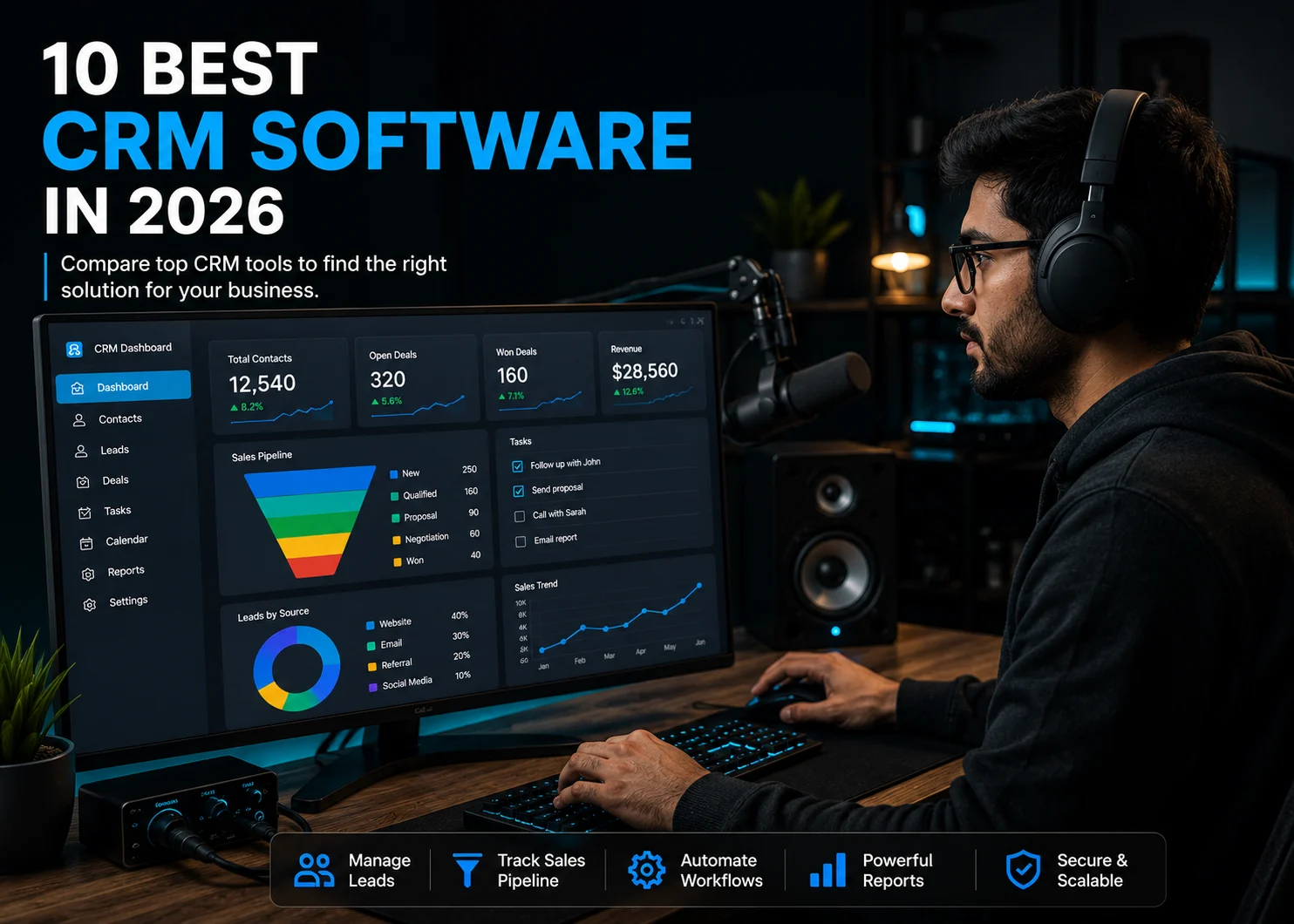
Choosing the right CRM can help businesses manage leads, organize customer data, improve sales processes, and build stronger customer relationships. However, with hundreds of CRM platforms and CRM tools available, finding the right solution can be challenging.
The best CRM software depends on what your business actually needs. A startup may prioritize affordability and ease of use, while an enterprise may need advanced customization, automation, security, and scalability. Similarly, a sales team may need a dedicated sales CRM, while a marketing-focused business may prioritize customer journeys and marketing automation.
In this guide, we have compared the 10 best CRM software based on features, pricing, ease of use, integrations, AI capabilities, automation, reporting, security, scalability, and customer support. Whether you're looking for CRM tools for small business, sales CRM software, or a scalable platform for a growing organization, this list will help you compare your options and find the right fit.
How We Selected the Best CRM Software
There isn't one CRM that works perfectly for every business. Our selection focuses on how well each platform performs in the areas that matter when choosing CRM software tools for real-world business use.
Features and Functionality
We looked at the core capabilities businesses expect from modern CRM systems, including contact management, lead management, sales pipeline management, task management, workflow automation, marketing capabilities, customer service, reporting, and customization.
Pricing and Overall Value
Pricing is an important part of any CRM tools comparison. We considered free plans, entry-level pricing, per-user costs, available trials, higher-tier plans, and the limitations businesses may encounter as they require more advanced features.
Since CRM pricing and plan structures can change, pricing should always be verified on the provider's official website before making a final purchase decision.
Ease of Use
A CRM platform needs to be practical for the people who use it every day. We considered interface design, setup requirements, learning curve, navigation, and whether users without technical expertise can manage everyday CRM activities.
Sales and Marketing Capabilities
For businesses searching for sales CRM tools or CRM tools for marketing, we evaluated capabilities such as lead management, pipeline management, sales automation, email functionality, lead nurturing, campaign management, and marketing automation.
AI and Automation
AI has become an increasingly important part of modern CRM software. We looked at practical AI capabilities such as AI-generated emails, lead scoring, sales forecasting, meeting summaries, predictive insights, AI assistants, and AI agents where available.
We also examined automation features, including lead assignment, follow-up emails, task creation, notifications, workflow triggers, and automated updates.
Integrations
A CRM rarely works in isolation. We considered integrations with commonly used business applications such as Gmail, Outlook, Slack, Microsoft Teams, accounting platforms, e-commerce tools, marketing software, Zapier, and other third-party applications.
Reporting and Analytics
We evaluated how effectively each CRM helps businesses track sales performance, lead conversion, revenue, team productivity, customer activity, and other important metrics through reports and dashboards.
Security and Scalability
Security becomes increasingly important as a company stores more customer and business data. We considered features such as user permissions, authentication, encryption, compliance certifications where applicable, APIs, customization, and administrative controls. We also looked at scalability, whether a CRM can support a business as it adds users, teams, pipelines, data, integrations, and more complex processes.
Business Size and Industry Fit
Finally, we considered which businesses each CRM is best suited for. The list includes options for startups, small businesses, mid-sized organizations, and enterprises.
We also considered industry scalability, including how suitable each CRM is for sectors such as technology, real estate, e-commerce, professional services, financial services, education, healthcare, agencies, and manufacturing.
Quick Comparison: Best CRM Software at a Glance
The following CRM tools list provides a quick overview of the platforms covered in this guide.
CRM Software | Best For | Key Strength | Ideal Business Size | CRM Type |
HubSpot CRM | Growing businesses | All-in-one sales, marketing & service | Small to Enterprise | All-in-one CRM |
Salesforce | Enterprises | Customization & scalability | Mid-size to Enterprise | Enterprise CRM |
Zoho CRM | Small & mid-sized businesses | Value & broad functionality | Small to Enterprise | Sales CRM |
Pipedrive | Sales teams | Visual sales pipeline | Small to Mid-size | Sales CRM |
Freshsales | Growing sales teams | AI & sales automation | Small to Mid-size | Sales CRM |
BIGContacts | Small businesses and contact-focused teams | Contact management and email marketing automation | Small to Mid-size | Contact Management CRM |
Close | Inside sales teams | Built-in calling & sales engagement | Small to Mid-size | Sales CRM |
Copper CRM | Google Workspace users | Google Workspace integration | Small to Mid-size | Relationship CRM |
Insightly | Project-based businesses | CRM + project management | Small to Mid-size | CRM & Project Management |
ActiveCampaign | Marketing-focused businesses | Marketing automation | Small to Mid-size | Marketing CRM |
1. HubSpot CRM — Best Overall CRM for Growing Businesses
Quick Overview
HubSpot CRM is an all-in-one customer relationship management software platform that brings sales, marketing, customer service, content, and customer data together. It is particularly well suited to startups, small businesses, and growing companies that want a CRM platform they can start with relatively easily and expand as their needs become more sophisticated.
Its biggest strength is the breadth of its ecosystem. Instead of using separate CRM tools for sales, marketing, and customer service, businesses can connect these functions within the HubSpot platform.
Best For
Best for: Startups, small businesses, growing companies, sales and marketing teams
Best feature: All-in-one CRM ecosystem and ease of use
Best alternative: Zoho CRM
CRM type: Sales, marketing, service and customer relationship management
HubSpot is particularly attractive for businesses that want to begin with free CRM tools and add more advanced capabilities as they grow.
Key Features
HubSpot's CRM functionality includes:
- Contact and company management
- Lead management
- Deal and sales pipeline management
- Email tracking and templates
- Task management
- Workflow automation
- Marketing automation
- Customer service tools
- Reporting and analytics
- Forms and lead capture
- AI-powered tools
- Custom properties and CRM records
- Third-party integrations
- Mobile CRM
Its free CRM includes contact, company and deal management, pipeline organization, and data synchronization. Paid tiers add more advanced CRM configuration, permissions, automation and AI functionality.
Pricing
HubSpot offers a free CRM option, making it one of the more accessible choices for businesses searching for free CRM software.
Current Smart CRM pricing shown by HubSpot includes:
- Free: $0/month
- Starter: Starts at $10/month per seat
- Professional: Starts at $50/month per seat
- Enterprise: Starts at $75/month per seat
HubSpot also sells CRM functionality as part of its broader sales, marketing, service and other product subscriptions. The exact cost can therefore depend on which products and features a business needs.
The main consideration is that businesses may start inexpensively but spend more as they require advanced automation, reporting, permissions, AI, or other premium capabilities.
Pros and Cons
Pros
- Strong free CRM
- Easy-to-use interface
- Sales, marketing and service tools in one ecosystem
- Good automation capabilities
- Large integration ecosystem
- Strong AI direction
- Suitable for businesses that want to scale
Cons
- Advanced functionality can become expensive
- Some capabilities are tied to higher-tier products or subscriptions
- The broader ecosystem can feel complex for businesses that only need basic sales CRM tools
Ease of Use: 4.5/5
HubSpot is generally one of the easier CRM platforms for new users. Its interface is designed around familiar concepts such as contacts, companies, deals, tasks and pipelines.
The basic CRM can be adopted without extensive technical knowledge. However, implementing advanced automation, custom objects, complex reporting or multiple HubSpot products can require more training and administration.
Integrations
HubSpot is designed to work with a broad range of business applications through its integration ecosystem.
Common integration categories include:
- Gmail and Outlook
- Google Calendar
- Microsoft tools
- Slack
- Zoom
- Shopify
- Accounting applications
- Marketing platforms
- Customer service applications
- Zapier
- Business APIs
This makes HubSpot suitable for companies that want their CRM to act as a central source of customer information rather than operating as an isolated application.
AI Capabilities
AI is increasingly integrated into HubSpot's CRM experience. Its AI capabilities include Breeze Assistant and AI agents, with functionality that can analyze CRM data and help users with tasks such as researching accounts, preparing information, generating content and identifying what needs attention.
HubSpot's mobile CRM also integrates Breeze Assistant, allowing users to ask questions about deals, contacts and customers, generate follow-up emails and access account information from mobile devices.
Automation Capabilities
HubSpot can automate a wide range of CRM processes. For example, a business can create workflows that:
- Assign new leads to sales representatives
- Send follow-up emails
- Update CRM properties
- Notify sales managers
- Move records through defined processes
- Trigger marketing activities
- Create tasks for sales representatives
- Respond to specific customer actions
This makes it useful for businesses that want to reduce manual CRM administration and standardize their sales and marketing processes.
Reporting & Analytics
HubSpot provides reporting and dashboard capabilities for monitoring:
- Sales performance
- Pipeline activity
- Lead conversion
- Revenue
- Marketing performance
- Customer activity
- Team performance
- Campaign results
The depth of reporting and customization depends on the products and subscription level being used.
Security & Compliance
HubSpot provides administrative controls, permissions and security features designed for organizations managing customer and business data.
For businesses evaluating HubSpot for regulated or enterprise use, the specific security, privacy and compliance capabilities should be checked against the current requirements of the organization and the selected subscription.
Scalability
HubSpot can scale from a small business using a basic CRM to a larger organization using sales, marketing and service products together.
It supports:
- Multiple users
- Teams
- Sales pipelines
- Custom properties
- Advanced CRM configuration
- Automation
- Integrations
- APIs
- Enterprise functionality
The main scalability consideration is cost and complexity as more advanced products and functionality are added.
Customer Support
HubSpot provides customer education through its knowledge base, documentation, community resources and training ecosystem. Support availability can vary according to the product and subscription level. Businesses should check the support options included with their specific plan before purchasing.
Mobile App
HubSpot provides mobile CRM applications that allow users to manage customer information and sales activities while away from their desktops. The mobile experience includes CRM access and AI functionality through Breeze Assistant. Users can review account information, manage contacts and prepare follow-up communications from their phones.
Ideal Customer / Business Size
HubSpot is particularly suitable for:
- Startups
- Small businesses
- Growing companies
- B2B businesses
- SaaS companies
- Sales teams
- Marketing teams
- Companies combining sales and marketing
It can also support larger organizations, although enterprise buyers should carefully evaluate pricing, governance and implementation requirements.
Industry Scalability
HubSpot can be adapted to many industries, including:
- SaaS and technology
- Professional services
- Agencies
- E-commerce
- Education
- Real estate
- Financial services
- Healthcare
- B2B services
Its broad ecosystem makes it more flexible than a CRM designed exclusively around sales pipeline management.
Who Should Choose This CRM?
Choose HubSpot if you want an easy-to-adopt CRM that can bring sales, marketing and customer service together. It is particularly attractive if you want to start with free CRM tools and gradually add more functionality as your business grows.
Why Choose HubSpot in 2026?
HubSpot remains a strong CRM choice in 2026 because businesses increasingly need more than a tool for storing contacts and tracking deals. They need a connected platform that can bring together sales, marketing, customer service, automation, analytics, and AI—and HubSpot continues to build around this all-in-one approach.
One of the biggest reasons to consider HubSpot in 2026 is its growing focus on AI. HubSpot's Breeze AI capabilities can help teams research prospects, generate content, summarize customer information, support sales activities, and automate repetitive tasks. For smaller teams, these capabilities can help reduce manual work without requiring a large operations or technical team.
HubSpot is also a good choice for businesses that want to start small and scale gradually. Companies can begin with the free CRM and add paid features when they need more advanced automation, reporting, marketing, sales, or customer service capabilities. This makes the platform suitable for businesses at different stages of growth.
Another reason to choose HubSpot in 2026 is its connected ecosystem. Instead of managing separate systems for customer records, sales pipelines, marketing campaigns and support interactions, businesses can bring these activities together within one platform. This can give teams a more complete view of the customer journey and reduce the need to move information between disconnected tools.
HubSpot's extensive integration ecosystem is another advantage. Businesses can connect the CRM with email platforms, calendars, communication tools, e-commerce systems, accounting applications and other business software. This flexibility is particularly useful for growing companies that are building a larger technology stack.
Finally, HubSpot is worth considering in 2026 if ease of use is a priority. While advanced configurations can become complex, the core CRM remains relatively approachable for teams that do not have dedicated CRM administrators or extensive technical resources.
In short, choose HubSpot in 2026 if you want a CRM that combines ease of adoption with AI, automation, integrations and room to scale. It is especially compelling for startups and growing businesses that want to avoid replacing their CRM as their sales and customer-management needs become more sophisticated.
Final Verdict
HubSpot is one of the strongest choices for businesses looking for an all-in-one CRM platform rather than a simple sales database. Its free entry point, user-friendly interface, broad ecosystem and growing AI capabilities make it a strong option for startups and growing businesses. The main consideration is the potential increase in cost as you move into more advanced products and features.
2. Salesforce CRM — Best Enterprise CRM for Customization and Scalability
Quick Overview
Salesforce CRM is an enterprise-grade customer relationship management software platform designed to help businesses manage sales, customer service, marketing, and customer data from a centralized system. It is particularly suited to medium-sized businesses and large enterprises that need extensive customization, automation, reporting, and integration capabilities.
Its biggest strength is flexibility. Salesforce can be customized around complex sales processes, multiple teams, departments, territories, and industry-specific requirements, making it one of the most scalable CRM systems available.
Best For
Best for: Enterprises, large organizations, complex sales teams
Best feature: Customization and scalability
Best alternative: HubSpot CRM
CRM type: Enterprise CRM and customer relationship management platform
Salesforce is a strong choice for organizations that need more than basic contact and pipeline management and want a CRM that can support complex business processes.
Key Features
Salesforce offers a broad range of CRM tools, including:
- Lead management
- Contact and account management
- Opportunity management
- Sales pipeline management
- Sales forecasting
- Email integration
- Sales engagement
- Workflow automation
- Marketing capabilities
- Customer service tools
- Reporting and analytics
- AI-powered CRM features
- Custom fields and objects
- User permissions and roles
- Mobile CRM
- APIs and developer tools
- Third-party integrations
The platform can be configured extensively, allowing businesses to create CRM processes around their specific sales and customer-management requirements.
Pricing
Salesforce offers several pricing options depending on the functionality and level of customization required.
Current Sales Cloud pricing includes:
- Starter Suite: $25/user/month
- Pro Suite: $100/user/month
- Enterprise: $175/user/month
- Unlimited: $350/user/month
- Agentforce 1 Sales: $550/user/month
Salesforce notes that pricing and availability can vary, and some plans are billed annually.
The entry-level plan provides core CRM functionality, while higher plans add more advanced customization, automation, forecasting, analytics, and AI capabilities.
Businesses should also consider the potential cost of implementation, administration, additional products, integrations, and AI usage when calculating the total cost of Salesforce.
Pros and Cons
Pros
- Highly customizable
- Excellent scalability
- Strong enterprise functionality
- Advanced sales forecasting and reporting
- Extensive automation
- Large integration ecosystem
- Powerful AI capabilities
- Strong developer and API capabilities
Cons
- More expensive than many CRM tools
- Steeper learning curve
- Implementation can require specialist expertise
- Administration can become complex
- May be excessive for very small businesses
Ease of Use: 3.5/5
Salesforce offers a powerful interface, but its extensive functionality can make it more difficult to learn than simpler CRM applications. Basic tasks such as managing contacts, leads, and opportunities are relatively straightforward. However, configuring complex workflows, custom objects, permissions, dashboards, and integrations can require training or assistance from a Salesforce administrator.
For large organizations, this additional complexity can be worthwhile because it allows the CRM to be configured around detailed business processes.
Integrations
Salesforce is designed to connect with a wide range of business applications and enterprise systems. Common integration categories include:
- Gmail and Outlook
- Slack
- Microsoft tools
- Marketing platforms
- Accounting software
- E-commerce platforms
- Customer service applications
- Communication and calling tools
- Analytics platforms
- Data platforms
- Automation tools
- Custom APIs
Its extensive API and developer ecosystem also allows businesses to build custom integrations when an existing connector is not sufficient.
AI Capabilities
AI is now a major component of Salesforce's CRM strategy. Salesforce provides AI capabilities through its Einstein and Agentforce technologies. Depending on the product and plan, businesses can use AI for activities such as:
- Sales recommendations
- Predictive insights
- Sales forecasting
- AI-generated content
- Email assistance
- Conversation intelligence
- Customer service assistance
- Automated record-related tasks
- AI assistants
- AI agents
Agentforce expands the role of AI beyond simply generating recommendations by enabling AI agents to work with CRM data and perform actions within business workflows.
Because AI functionality and pricing can differ between Salesforce products and plans, businesses should evaluate the specific AI capabilities included in the edition they intend to purchase.
Automation Capabilities
Salesforce provides extensive automation capabilities for organizations with complex CRM processes. Businesses can automate:
- Lead assignment
- Lead routing
- Follow-up activities
- Email notifications
- Task creation
- Record updates
- Approval processes
- Sales workflows
- Customer service processes
- Marketing activities
- Internal notifications
- AI-powered actions
For example, when a new lead enters the CRM, Salesforce can automatically assign it to the appropriate sales representative based on factors such as territory, customer type, or other predefined rules.
Reporting & Analytics
Reporting and analytics are major strengths of Salesforce. Businesses can use CRM data to monitor:
- Sales performance
- Pipeline value
- Revenue
- Lead conversion
- Opportunity stages
- Sales forecasts
- Individual representative performance
- Team performance
- Customer activity
- Service performance
Organizations can create dashboards for different teams and management levels, allowing sales leaders to monitor business performance from a centralized system.
Security & Compliance
Salesforce provides extensive security and administrative capabilities for organizations handling sensitive customer and business information.
These can include:
- User permissions
- Role-based access
- Authentication controls
- Data encryption
- Audit capabilities
- Administrative controls
- Data protection features
- Compliance and privacy capabilities
Salesforce supports organizations across highly regulated industries, but businesses should verify the specific compliance certifications, controls, and contractual requirements relevant to their region and industry before implementation.
Scalability
Scalability is one of Salesforce's biggest advantages. The platform can support:
- Large numbers of users
- Multiple teams
- Multiple sales pipelines
- Different business units
- Complex organizational structures
- Custom objects
- Custom fields
- Advanced workflows
- APIs
- Enterprise integrations
- Large customer databases
This makes Salesforce suitable for organizations whose CRM management requirements are expected to become more complex over time.
Customer Support
Salesforce provides several support and learning resources, including:
- Documentation
- Knowledge resources
- Trailhead training
- Salesforce community
- Technical resources
- Customer support
- Paid support options
Support availability and response levels can vary depending on the products and support package purchased.
Businesses implementing Salesforce at scale may also use Salesforce-certified consultants or implementation partners for configuration, migration, training, and ongoing administration.
Mobile App
Salesforce provides mobile CRM applications that allow sales and customer-facing teams to access CRM information while working away from their desktops.
Users can perform important CRM activities such as:
- Viewing customer records
- Managing leads
- Updating opportunities
- Accessing account information
- Reviewing sales activities
- Managing tasks
- Working with CRM data
This makes Salesforce useful for field sales teams and organizations with employees who frequently work remotely or travel.
Ideal Customer / Business Size
Salesforce is particularly suitable for:
- Mid-sized businesses
- Large enterprises
- Global organizations
- B2B companies
- Large sales organizations
- Financial services companies
- Technology businesses
- Manufacturing companies
- Healthcare organizations
- Businesses with complex CRM requirements
Small businesses can use Salesforce, but companies with simple sales processes may find a more lightweight CRM tool easier and more cost-effective.
Industry Scalability
Salesforce can be adapted to a wide range of industries and business models, including:
- Financial services
- Healthcare
- Technology
- Manufacturing
- Retail
- E-commerce
- Education
- Automotive
- Professional services
- Telecommunications
- Public sector
Its customization capabilities allow organizations to create workflows and data structures around industry-specific requirements rather than relying only on standard CRM processes.
Who Should Choose This CRM?
Choose Salesforce if your organization needs a highly customizable CRM platform capable of supporting multiple teams, complex sales processes, extensive automation, enterprise integrations, and large amounts of customer data.
It is particularly suitable for businesses that have dedicated CRM administrators or technical teams and are prepared to invest in implementation and customization.
Why Choose Salesforce in 2026?
Salesforce remains a compelling CRM choice in 2026 because the role of CRM software has expanded beyond storing customer records and tracking sales opportunities. Businesses increasingly need AI, automation, advanced analytics, data integration, and scalable workflows, and Salesforce continues to build these capabilities into its broader CRM ecosystem.
One of the biggest reasons to consider Salesforce in 2026 is its focus on AI-powered CRM and autonomous AI agents. Salesforce's Einstein and Agentforce technologies can help businesses analyze customer and sales data, generate content, provide recommendations, assist employees, and perform actions within defined workflows. For organizations managing large sales or service operations, this can help teams reduce repetitive work and make better use of customer data.
Salesforce is also a strong choice for businesses with complex or highly customized processes. Instead of forcing every department to follow the same standard workflow, organizations can configure objects, fields, permissions, automation, dashboards, and business processes around their specific requirements. This flexibility becomes particularly valuable as a company expands across teams, regions, products, or business units.
Another reason to choose Salesforce in 2026 is its ability to connect data across the organization. Modern businesses often use dozens of applications for communication, marketing, customer service, finance, analytics, and operations. Salesforce's integration capabilities and API ecosystem allow organizations to connect these systems and create a more unified view of customer and business data.
Data-driven decision-making is another major advantage. Salesforce provides advanced reporting, analytics, forecasting, and AI-powered insights that can help sales leaders understand pipeline health, revenue opportunities, customer activity, and team performance. As businesses become more dependent on real-time data, having these capabilities within the CRM can be a significant advantage.
Salesforce also makes sense in 2026 for organizations planning for long-term scalability. A small or mid-sized team may begin with relatively straightforward CRM requirements, but expanding organizations often need multiple sales teams, territories, business units, approval processes, integrations, and increasingly sophisticated automation. Salesforce is designed to accommodate this level of complexity.
However, Salesforce is not automatically the best choice for every business. Its extensive functionality can introduce higher costs, implementation requirements, and administrative complexity. If your business has simple CRM needs, a more lightweight platform may provide better value. But if customization, enterprise scalability, AI, automation, and complex integrations are priorities, Salesforce remains one of the strongest CRM options to consider in 2026.
In short, choose Salesforce in 2026 if your organization needs a highly customizable, AI-enabled CRM that can support complex operations today and scale with your business tomorrow.
Final Verdict
Salesforce is one of the most powerful CRM solutions for organizations that need enterprise-level customization, automation, analytics, integrations, and scalability. Its biggest drawbacks are cost and complexity, but those same capabilities make it a strong choice for large businesses with sophisticated customer relationship management requirements.
3. Zoho CRM — Best Value CRM for Small and Mid-Sized Businesses
Quick Overview
Zoho CRM is a flexible customer relationship management software platform that helps businesses manage leads, contacts, sales opportunities, customer interactions, and business workflows. It is particularly well suited to small and mid-sized businesses that want a feature-rich CRM without the complexity and cost often associated with enterprise platforms.
Its biggest strength is its combination of functionality, customization, automation, and value. Zoho CRM also works closely with the wider Zoho ecosystem, making it a practical choice for businesses already using other Zoho applications.
Best For
Best for: Small businesses, mid-sized businesses, startups, and growing sales teams
Best feature: Feature-to-price value and customization
Best alternative: HubSpot CRM
CRM type: Sales CRM and customer relationship management platform
Zoho CRM is particularly useful for businesses looking for CRM software for small business that can continue supporting them as they grow.
Key Features
Zoho CRM provides a broad selection of CRM tools, including:
- Contact and account management
- Lead management
- Deal and opportunity management
- Sales pipeline management
- Email integration
- Task and activity management
- Workflow automation
- Sales forecasting
- Reporting and analytics
- Marketing automation
- AI-powered features
- Custom fields and modules
- Customer segmentation
- Mobile CRM
- Third-party integrations
- API access
- Zoho ecosystem integrations
Businesses can customize the CRM around their own sales processes, fields, workflows, and reporting requirements.
Pricing
Zoho CRM offers multiple pricing plans designed for businesses with different requirements. The exact pricing can vary based on the edition, billing frequency, region, and features included.
When evaluating Zoho CRM, businesses should compare:
- Free or entry-level availability
- Per-user pricing
- Monthly versus annual billing
- Automation limits
- AI functionality
- Reporting capabilities
- Customization options
- Storage limits
- Advanced integrations
- Enterprise features
One of Zoho's major advantages is that businesses can access a substantial range of CRM functionality without immediately moving to an enterprise-level platform.
However, some advanced automation, analytics, customization, and AI capabilities may be limited to higher-tier plans. Businesses should therefore compare the features they actually need rather than choosing a plan based only on the starting price.
Pros and Cons
Pros
- Strong feature set
- Competitive value
- Good customization options
- Suitable for small and mid-sized businesses
- Strong workflow automation
- AI capabilities through Zia
- Extensive Zoho ecosystem
- Good reporting and analytics
- Can scale with growing businesses
Cons
- Large number of features can create a learning curve
- Interface may feel less intuitive than simpler CRM tools
- Some advanced features require higher-tier plans
- Businesses may need time to configure the platform properly
Ease of Use: 4/5
Zoho CRM provides a structured interface with a wide range of customization options. Basic activities such as adding contacts, managing leads, and updating deals are relatively straightforward.
The learning curve becomes higher when businesses begin configuring advanced workflows, custom modules, automation, reports, and integrations.
For businesses that want flexibility and are willing to spend some time setting up their CRM, this trade-off can be worthwhile.
Integrations
Zoho CRM works with a wide range of applications, including other Zoho products and external business tools.
Common integration categories include:
- Gmail
- Microsoft Outlook
- Google Calendar
- Microsoft tools
- Slack
- Accounting applications
- E-commerce platforms
- Marketing tools
- Customer support software
- Automation platforms
- Analytics tools
- Third-party applications
- APIs
Its connection with the wider Zoho ecosystem is particularly useful for companies already using products such as Zoho Books, Zoho Campaigns, Zoho Desk, or other Zoho business applications.
AI Capabilities
Zoho CRM uses Zia, its AI-powered assistant, to provide intelligent features across CRM activities.
Depending on the plan and configuration, AI capabilities can help with:
- Lead and deal predictions
- Sales insights
- Data analysis
- Recommendations
- Content generation
- Record-related assistance
- Workflow support
- Customer information analysis
- Sales intelligence
The value of Zia is that AI is incorporated into CRM activities rather than being offered only as a separate chatbot or writing assistant.
Businesses should check the current Zoho CRM edition to determine which AI capabilities are included in their chosen plan.
Automation Capabilities
Zoho CRM provides workflow automation designed to reduce repetitive manual work.
Businesses can automate processes such as:
- Lead assignment
- Follow-up tasks
- Email notifications
- Record updates
- Deal-stage actions
- Task creation
- Approval processes
- Sales workflows
- Customer communication
- Internal notifications
For example, when a new lead enters the CRM, an automated workflow can assign it to the appropriate salesperson, create a follow-up task, and trigger an email notification.
This makes Zoho useful for companies that want to standardize their CRM process as their sales team grows.
Reporting & Analytics
Zoho CRM includes reporting and analytics features that allow businesses to monitor:
- Sales performance
- Lead conversion
- Deal performance
- Revenue
- Sales pipeline
- Team productivity
- Sales forecasts
- Customer activity
- Marketing performance
Businesses can also create dashboards and reports around their specific KPIs.
This is particularly useful for managers who want to move beyond basic CRM management and use customer and sales data to make business decisions.
Security & Compliance
Zoho provides security and administrative controls for businesses managing customer and sales data.
Depending on the configuration and applicable services, these can include:
- User access controls
- Role-based permissions
- Authentication
- Encryption
- Administrative controls
- Data protection
- Compliance-related capabilities
Businesses operating in regulated industries should review Zoho's current security documentation and applicable certifications to ensure that the platform meets their specific compliance requirements.
Scalability
Zoho CRM is designed to support businesses as they expand from small teams to larger organizations.
It supports:
- Multiple users
- Multiple teams
- Multiple sales pipelines
- Custom fields
- Custom modules
- Workflow automation
- Advanced reporting
- APIs
- Third-party integrations
- Enterprise functionality
This makes Zoho a strong option for businesses that don't want to migrate to another CRM every time their sales operation becomes more complex.
Customer Support
Zoho provides several customer support and learning resources, including:
- Help documentation
- Knowledge base
- Online resources
- Community forums
- Customer support
- Training resources
Support options and availability can vary depending on the plan and region, so businesses should review the support package associated with their chosen edition.
Mobile App
Zoho CRM offers mobile applications for sales teams that need access to customer information while working away from their computers.
Users can perform important activities such as:
- View customer records
- Manage leads
- Update deals
- Track sales activities
- Access contact information
- Manage tasks
- Review customer interactions
This makes the platform useful for field sales representatives and teams that regularly work outside the office.
Ideal Customer / Business Size
Zoho CRM is particularly suitable for:
- Startups
- Small businesses
- Mid-sized businesses
- Growing sales teams
- Agencies
- Professional services companies
- Technology companies
- E-commerce businesses
- Businesses already using Zoho applications
It can also support larger organizations, particularly when the business requires extensive customization but doesn't necessarily need the complexity of a platform such as Salesforce.
Industry Scalability
Zoho CRM can be adapted to a variety of industries, including:
- Technology and SaaS
- Real estate
- E-commerce
- Retail
- Financial services
- Healthcare
- Education
- Professional services
- Marketing agencies
- Manufacturing
Its customization options allow businesses to configure fields, pipelines, workflows, and processes according to their industry and business model.
For example, a real estate company can structure pipelines around property inquiries and deals, while a SaaS company can configure stages around demos, trials, subscriptions, and renewals.
Who Should Choose This CRM?
Choose Zoho CRM if you want a flexible CRM platform with a strong feature set, customization options, automation, AI capabilities, and competitive value. It is especially suitable for small and mid-sized businesses looking for CRM tools for small business that can grow alongside their operations.
Why Choose Zoho CRM in 2026?
Zoho CRM is a strong choice in 2026 for businesses that want a capable CRM without immediately taking on the cost and complexity of a large enterprise platform. As businesses increasingly rely on AI, automation, analytics, and connected business applications, Zoho CRM offers these capabilities while maintaining a strong focus on value for small and mid-sized organizations.
One of the biggest reasons to consider Zoho CRM in 2026 is its balance of features and affordability. Businesses can access contact management, sales pipelines, workflow automation, reporting, integrations, and AI-powered functionality without necessarily needing the extensive implementation resources associated with enterprise CRM platforms. This makes it particularly appealing to startups and growing businesses with limited CRM budgets.
Zoho's Zia AI assistant is another reason to consider the platform in 2026. AI can assist with sales predictions, insights, recommendations, data analysis, content generation, and other CRM activities. For smaller teams, these capabilities can help reduce repetitive work and provide useful insights without requiring a dedicated data or operations team.
The broader Zoho ecosystem is also a major advantage. Businesses already using applications such as Zoho Books, Zoho Desk, Zoho Campaigns, or other Zoho products can connect their CRM with these tools to create a more integrated business environment. This can reduce the need to manage multiple disconnected systems and make customer information easier to access across departments.
Zoho CRM is also worth considering in 2026 because of its customization and automation capabilities. Businesses can create custom fields, modules, workflows, pipelines, reports, and processes around their specific requirements. This gives growing companies more flexibility than basic CRM tools while avoiding some of the complexity associated with highly enterprise-focused platforms.
Another important advantage is scalability. A business can start with relatively simple CRM requirements and gradually introduce more automation, users, integrations, reporting, and customization as its operations expand. This makes Zoho CRM suitable for companies that want to avoid switching platforms when their sales processes become more sophisticated.
Finally, Zoho CRM can be a particularly good choice in 2026 for businesses that want to maximize CRM functionality without overpaying for enterprise-level capabilities they may not need. While some advanced features require higher-tier plans and the platform can take time to configure, its overall feature-to-price balance remains one of its strongest selling points.
In short, choose Zoho CRM in 2026 if you want a flexible, AI-enabled and scalable CRM with strong automation and a competitive value proposition. It is especially well suited to startups, small businesses, and mid-sized companies that need more functionality than a basic CRM but don't necessarily require the complexity of an enterprise platform like Salesforce.
Final Verdict
Zoho CRM is one of the strongest options for businesses looking for a balance between functionality, customization, and affordability. Its broad range of CRM tools, automation capabilities, AI features, and integration with the wider Zoho ecosystem make it particularly attractive to growing businesses. The main trade-off is that its extensive functionality can require more time to learn and configure than simpler CRM platforms.
4. Pipedrive CRM — Best CRM for Sales Teams
Quick Overview
Pipedrive is a sales-focused CRM platform designed to help businesses manage leads, deals, sales activities, and customer relationships through a visual pipeline. It is particularly suited to small and mid-sized sales teams that want a straightforward way to see where every deal stands and what action needs to happen next.
Its biggest strength is its visual sales pipeline. Rather than overwhelming users with a large collection of business applications, Pipedrive focuses heavily on helping sales teams organize opportunities, automate repetitive tasks, and move deals toward closing.
Best For
Best for: Sales teams, startups, small businesses, and growing companies
Best feature: Visual sales pipeline and sales activity management
Best alternative: HubSpot CRM
CRM type: Sales CRM
Pipedrive is a strong choice for businesses specifically looking for sales CRM tools rather than an extensive all-in-one marketing and customer service platform.
Key Features
Pipedrive offers a range of CRM tools designed around sales management, including:
- Contact management
- Lead management
- Deal management
- Visual sales pipelines
- Sales activity tracking
- Task management
- Email integration
- Calendar management
- Workflow automation
- Sales forecasting
- Reporting and analytics
- AI-powered sales assistance
- Custom fields
- Custom pipelines
- Lead nurturing
- Third-party integrations
- Mobile CRM
Its interface is built around the sales pipeline, allowing sales representatives to quickly identify active deals, stalled opportunities, upcoming activities, and potential revenue.
Pricing
Pipedrive offers several paid plans, with pricing generally structured on a per-user basis. The exact price can vary depending on the billing cycle, region, promotions, and selected plan.
When comparing Pipedrive pricing, businesses should look at:
- Entry-level plan pricing
- Per-user cost
- Monthly versus annual billing
- Available free trial
- Automation limits
- Reporting functionality
- AI features
- Email and communication features
- Advanced customization
- Lead generation add-ons
Pipedrive does not position itself primarily as a permanently free CRM, so businesses specifically searching for free CRM tools may find HubSpot or other alternatives more suitable.
The important consideration is that some advanced features and add-ons can increase the overall cost beyond the basic subscription.
Pros and Cons
Pros
- Excellent visual sales pipeline
- Easy for sales teams to understand
- Strong activity management
- Good automation capabilities
- Useful sales reporting
- Extensive integrations
- AI-powered sales features
- Mobile applications
- Highly focused on sales
Cons
- Less comprehensive than some all-in-one CRM platforms
- Advanced functionality can require higher plans
- Marketing and customer service capabilities are not as broad as dedicated all-in-one platforms
- Additional tools and add-ons can increase the overall cost
Ease of Use: 4.5/5
Ease of use is one of Pipedrive's strongest advantages. The platform is built around a visual pipeline where sales representatives can move deals between stages and immediately see their current sales workload.
New users can generally understand the basic workflow quickly, without needing extensive technical knowledge. More advanced customization, automation, reporting, and integrations may require additional setup.
For businesses that want a CRM system focused primarily on sales, Pipedrive has a relatively low learning curve.
Integrations
Pipedrive integrates with a broad selection of business applications and productivity tools.
Common integration categories include:
- Gmail
- Outlook
- Google Calendar
- Microsoft tools
- Slack
- Zoom
- Google Drive
- Accounting applications
- Marketing platforms
- Lead-generation tools
- E-commerce applications
- Zapier
- Communication tools
- Third-party business applications
These integrations allow businesses to connect Pipedrive with the tools their sales teams already use instead of entering the same information manually across multiple platforms.
AI Capabilities
Pipedrive has incorporated AI into several areas of its CRM experience. Depending on the available plan and features, AI can assist with activities such as:
- Sales recommendations
- Email generation
- Email summarization
- Deal insights
- Sales activity suggestions
- Identifying opportunities that may need attention
- Improving sales productivity
AI can be particularly useful for sales representatives who spend significant time writing emails, reviewing deals, or deciding which opportunities to prioritize.
As with other CRM applications, businesses should verify the current AI features included in their chosen plan because availability can change.
Automation Capabilities
Pipedrive provides workflow automation to help sales teams reduce repetitive administrative work. Businesses can automate processes such as:
- Assigning leads
- Creating follow-up activities
- Sending emails
- Updating deal fields
- Moving deals between stages
- Creating tasks
- Sending notifications
- Triggering actions when a deal changes
- Managing repetitive sales workflows
For example, when a new lead is added, a workflow can automatically assign the lead to a salesperson and create a follow-up activity.
This helps sales teams maintain a consistent CRM process without manually managing every step.
Reporting & Analytics
Pipedrive provides reporting and analytics focused heavily on sales performance.
Businesses can monitor:
- Deal performance
- Sales pipeline
- Revenue
- Conversion rates
- Sales activities
- Win and loss rates
- Individual sales representative performance
- Team performance
- Sales forecasting
- Lead sources
Sales managers can use these insights to identify bottlenecks in the pipeline and determine where sales representatives should focus their efforts.
Security & Compliance
Pipedrive provides security features designed to protect customer and business data.
These can include:
- User access controls
- Permission management
- Authentication features
- Data protection
- Encryption
- Security monitoring
- Administrative controls
- Compliance-related measures
Businesses with specific regulatory requirements should review Pipedrive's current security and compliance documentation before deployment.
Scalability
Pipedrive can scale effectively for small and mid-sized sales organizations.
It supports:
- Multiple users
- Teams
- Multiple sales pipelines
- Custom fields
- Custom activities
- Automation
- Reporting
- Integrations
- API access
It is particularly strong when a company is growing its sales operation but does not yet require the highly complex enterprise infrastructure of platforms such as Salesforce.
For very large organizations with extensive departmental requirements, however, an enterprise-focused CRM may offer greater flexibility.
Customer Support
Pipedrive provides customer support and self-service resources, including:
- Help center
- Knowledge resources
- Tutorials
- Community resources
- Customer support
- Learning materials
Support availability can depend on the subscription and region, so businesses should verify the support options included with their chosen plan.
Mobile App
Pipedrive offers mobile applications that allow sales representatives to manage CRM activities while working away from their desktops.
Mobile users can perform tasks such as:
- View contacts
- Manage leads
- Update deals
- Track sales activities
- Add notes
- Manage tasks
- Access customer information
- Follow up on opportunities
This is particularly useful for field sales teams and representatives who frequently meet customers away from the office.
Ideal Customer / Business Size
Pipedrive is particularly suitable for:
- Startups
- Small businesses
- Mid-sized businesses
- Sales teams
- B2B companies
- Agencies
- Professional services firms
- Consulting businesses
- Field sales teams
- Companies with structured sales processes
It is best suited to organizations where sales pipeline management is a central requirement.
Industry Scalability
Pipedrive can be used across a variety of industries, including:
- Technology and SaaS
- Real estate
- Professional services
- Consulting
- Marketing agencies
- Financial services
- Manufacturing
- Education
- Recruitment
- E-commerce
Its flexible pipeline system allows businesses to create stages around their own sales process.
For example, a real estate business can create stages around inquiries, property viewings, offers, negotiations, and closing, while a SaaS company can build a pipeline around demos, trials, proposals, and subscriptions.
Who Should Choose This CRM?
Choose Pipedrive if your primary requirement is a simple, visual, sales-focused CRM that helps your team manage leads, deals, activities, and follow-ups.
It is particularly useful for businesses that want their sales representatives to spend less time navigating complicated CRM systems and more time managing opportunities.
Why Choose Pipedrive in 2026?
Pipedrive is worth considering in 2026 because many sales teams want a CRM that helps them manage and close deals without unnecessary complexity. While modern CRM platforms are increasingly adding AI, automation, analytics, and broader business tools, Pipedrive continues to focus heavily on its core purpose: helping sales teams organize their pipelines and take the right action at the right time.
One of the biggest reasons to choose Pipedrive in 2026 is its sales-first approach. The visual pipeline makes it easy for representatives and managers to understand which deals are active, which opportunities are stalled, and what follow-up activities need attention. For teams that primarily need sales pipeline management rather than a complete marketing and service suite, this focused approach can be a major advantage.
Pipedrive's growing AI capabilities are another reason to consider it in 2026. AI can assist sales representatives with tasks such as generating and summarizing emails, providing deal insights, recommending activities, and identifying opportunities that may require attention. These features can help salespeople spend less time on administrative work and more time engaging with prospects and customers.
Automation is also increasingly important for sales teams. Pipedrive allows businesses to automate repetitive activities such as lead assignment, follow-ups, task creation, notifications, and deal updates. In 2026, these capabilities can help smaller sales teams operate more efficiently without needing a large sales-operations department.
Another advantage is Pipedrive's ease of adoption. Businesses can often introduce the platform to sales representatives without extensive technical training. Its straightforward interface and pipeline-centered design make it particularly useful for teams where CRM adoption has previously been a challenge.
Pipedrive also provides the integrations needed to fit into a modern sales technology stack. Teams can connect their CRM with email, calendars, communication platforms, lead-generation tools, accounting software, and other applications. This helps reduce manual data entry while allowing sales representatives to continue using the tools they already rely on.
Finally, Pipedrive makes sense in 2026 for small and mid-sized sales organizations that want a focused CRM rather than an oversized enterprise platform. It provides room for growth through additional pipelines, automation, reporting, integrations, and customization while keeping the primary sales workflow relatively easy to understand.
In short, choose Pipedrive in 2026 if your priority is a simple, visual, AI-enhanced CRM built around sales pipeline management and productivity. It is particularly well suited to sales-focused businesses that want to improve deal visibility, automate repetitive tasks, and help representatives stay focused on closing opportunities rather than navigating a complicated CRM system.
Final Verdict
Pipedrive is one of the strongest CRM tools for sales because it keeps the sales pipeline at the center of the experience. Its clean interface, activity management, automation, reporting, integrations, and sales-focused AI make it a strong choice for small and mid-sized sales teams.
However, businesses looking for extensive marketing automation, customer service, or broader business-management functionality may find an all-in-one CRM such as HubSpot or a more customizable platform such as Salesforce a better fit.
Quick Overview
BIGContacts is a CRM designed for small and medium-sized businesses that need to organize customer information, manage sales pipelines, automate follow-ups, and run email campaigns from one platform. It combines contact management with sales tracking, task management, workflow automation, email marketing, reporting, and AI-powered features.
Best For
Best for easily managing contacts, email marketing & deal tracking
Key Features
BIGContacts includes:
- Contact and customer relationship management
- Customizable sales pipelines with List and Kanban views
- Automated follow-ups, reminders, tasks, and workflows
- Email campaigns, drip campaigns, templates, and email analytics
- Web forms for capturing leads
- Calendar and task management
- Reports, dashboards, saved views, and custom reporting
- Mobile-responsive CRM access
- Integrations with business, accounting, marketing, email, and support tools
Pricing
BIGContacts offers a free plan for up to 100 contacts. The paid plan starts at $9.99 per month per 1,000 contacts when billed annually, with a minimum contact level applying. Pricing is based on contact volume rather than the number of users.
Pros and Cons
Pros
- Contact, sales, email marketing, and task management in one CRM
- AI-assisted marketing, search, reporting, pipeline tracking, and contact importing
- Unlimited users on the paid offering
- Free plan available for up to 100 contacts
Cons
- No downloadable or on-premise version
- Dark user interface option is unavailable
- No dedicated account manager on the free plan
AI Capabilities
BIGContacts includes several AI-powered capabilities, including an AI Marketing Campaign Designer for creating email campaigns, an AI Email Writing Assistant for drafting and refining messages, AI Search for finding contact and relationship information, and AI Contact Import & Summary for organizing imported records. It also provides AI-powered dashboards, pipeline tracking, and report summaries.
Automation Capabilities
The platform supports automated emails, follow-ups, reminders, tasks, and cross-module workflows. Teams can trigger actions based on contact, deal, or activity conditions to keep recurring sales and customer-management processes organized.
Reporting & Analytics
BIGContacts provides prebuilt reports, dashboards, saved views, exports, and a custom report builder. Its AI Report Summary feature can highlight key information from reports for quicker review.
Integrations
BIGContacts connects with tools including ActiveCampaign, Mailchimp, HubSpot, Salesforce, Zendesk, QuickBooks, FreshBooks, Outlook, Google Contacts, Shopify, and other services through APIs and custom integrations.
Security & Compliance
The platform supports two-factor authentication, role-based access, account lockout, backups, and encryption.
Ideal Customer / Business Size
BIGContacts is suited to small businesses, sales teams, service businesses, consultants, and other relationship-driven organizations.
Who Should Choose This CRM?
BIGContacts is a practical option for businesses that want contact management, sales pipeline tracking, email marketing, and follow-up automation in one CRM, particularly when pricing based on contact volume is preferable to per-user pricing.
Final Verdict
BIGContacts is worth considering for small and medium-sized businesses that want a CRM centered on contact organization, deal tracking, email marketing, and automated follow-ups, with AI features available across several everyday CRM workflows.
6. Close CRM — Best CRM for Inside Sales Teams
Quick Overview
Close CRM is a sales-focused customer relationship management software platform built primarily for inside sales teams that spend a significant amount of time calling, emailing, and following up with leads. Instead of relying heavily on separate communication applications, Close brings CRM management, calling, email, SMS, and sales activities into one platform.
Its biggest strength is sales communication. It is particularly useful for startups, agencies, and small to mid-sized sales teams that want to manage customer relationships while keeping calling and follow-up activities closely connected to their CRM.
Best For
Best for: Inside sales teams, startups, agencies, small and mid-sized businesses
Best feature: Built-in calling, email, SMS, and sales workflows
Best alternative: Pipedrive
CRM type: Sales CRM
Close is especially suitable for businesses looking for sales CRM tools where phone and email communication are central to the sales process.
Key Features
Close provides a focused set of CRM tools designed around sales engagement, including:
- Lead management
- Contact management
- Opportunity management
- Sales pipeline management
- Email integration
- Email sequences
- Built-in calling
- SMS
- Call recording
- Call tracking
- Task management
- Workflow automation
- Sales reporting
- Custom fields
- Lead filtering
- AI-powered features
- Integrations
- Mobile access
The platform is designed to keep sales communication connected to customer records, reducing the need for representatives to move between multiple applications.
Pricing
Close uses paid subscription plans with pricing generally based on the number of users and selected plan.
When evaluating Close, businesses should compare:
- Entry-level pricing
- Per-user cost
- Monthly versus annual billing
- Calling and SMS allowances
- Automation features
- Email sequences
- AI capabilities
- Reporting
- User and team management
- Available integrations
Close is primarily designed as a paid sales CRM rather than a permanently free CRM, so businesses specifically searching for free CRM tools may want to consider alternatives such as HubSpot.
The total cost should also take communication usage into account, particularly for teams making a high volume of calls or sending SMS messages.
Pros and Cons
Pros
- Strong inside-sales focus
- Built-in calling
- Email and SMS capabilities
- Good sales automation
- Sales sequences
- Useful reporting
- Designed for sales productivity
- Easy access to communication history
Cons
- Less suitable for businesses needing extensive marketing functionality
- Not as broad as an all-in-one CRM platform
- Can be less suitable for complex enterprise organizations
- Communication usage can affect overall costs
- Smaller ecosystem than major platforms such as Salesforce
Ease of Use: 4.5/5
Close is designed around the day-to-day workflow of sales representatives, which makes the platform relatively easy to understand for sales teams.
Users can access leads, communication history, tasks, calls, emails, and opportunities from a centralized interface.
The learning curve is generally lower for sales teams because the platform focuses on core sales activities rather than offering a large collection of unrelated business applications.
Integrations
Close can connect with several business applications and productivity tools.
Integration categories include:
- Email
- Calendar
- Communication tools
- Video conferencing
- Lead-generation applications
- Marketing tools
- Automation platforms
- Zapier
- Business applications
- APIs
Its native communication capabilities mean that teams may not need as many external applications for basic sales engagement.
AI Capabilities
Close has incorporated AI into its sales workflow to help representatives work more efficiently.
Depending on the available functionality and plan, AI capabilities can assist with:
- Call summaries
- Email assistance
- Conversation insights
- Sales-related content
- Lead and opportunity analysis
- Identifying important information from customer interactions
AI can be particularly valuable for teams handling a large number of calls and conversations because sales representatives can spend less time manually documenting every interaction.
Businesses evaluating CRM AI tools should check the current AI capabilities and plan limitations before selecting Close.
Automation Capabilities
Close provides automation features designed specifically around sales engagement.
Teams can automate:
- Follow-up emails
- Email sequences
- Sales tasks
- Lead follow-ups
- Notifications
- Communication workflows
- Deal-related activities
- Repetitive sales processes
For example, a salesperson can create a sequence that automatically sends a series of follow-up emails while creating tasks for the representative to make calls at specific points.
This can help sales teams maintain a consistent CRM process without manually scheduling every follow-up.
Reporting & Analytics
Close provides reporting capabilities focused on sales activity and performance.
Businesses can track:
- Calls
- Emails
- Sales activities
- Leads
- Opportunities
- Pipeline value
- Conversion
- Team performance
- Representative activity
- Sales outcomes
These reports can help managers understand how actively their teams are engaging with prospects and where opportunities may be getting stuck.
Security & Compliance
Close provides security measures designed to protect customer and business information.
Depending on the account configuration and current offering, businesses can evaluate areas such as:
- User permissions
- Access management
- Authentication
- Data protection
- Encryption
- Administrative controls
- Compliance requirements
Businesses operating in regulated industries should review Close's current security and compliance documentation to ensure it meets their organization's requirements.
Scalability
Close is capable of scaling for growing sales teams, particularly within the small and mid-sized business segment.
It supports:
- Multiple users
- Sales teams
- Pipelines
- Custom fields
- Sales sequences
- Automation
- Reporting
- Integrations
- APIs
However, Close is more specialized than broad enterprise CRM platforms. Organizations with many departments, highly complex data structures, extensive customization requirements, or sophisticated industry-specific workflows may eventually need a larger enterprise CRM.
Customer Support
Close provides customer support and self-service resources for users.
These include:
- Help documentation
- Knowledge resources
- Guides
- Customer support
- Educational content
The exact support options and availability can depend on the selected plan.
Mobile App
Close provides mobile access for sales representatives who need to manage customer relationships while away from their desktops.
Mobile CRM functionality can allow users to:
- Access leads
- Review customer information
- Manage opportunities
- Track activities
- Make calls
- Communicate with prospects
- Manage follow-ups
This makes Close particularly useful for sales representatives who need their CRM and communication tools available while working remotely or traveling.
Ideal Customer / Business Size
Close is particularly suitable for:
- Startups
- Small businesses
- Mid-sized businesses
- Inside sales teams
- Sales development teams
- Agencies
- Consulting companies
- B2B businesses
- High-volume sales teams
It is most effective when sales representatives spend a significant portion of their working day communicating with prospects by phone and email.
Industry Scalability
Close can be used across industries where outbound or inside sales play an important role, including:
- SaaS
- Technology
- Marketing agencies
- Consulting
- Professional services
- Recruitment
- Real estate
- Financial services
- B2B services
- Business development
For example, a SaaS sales team can use Close to manage demo requests, cold outreach, follow-up sequences, calls, and opportunities from one system.
Who Should Choose This CRM?
Choose Close if your sales team depends heavily on calling, emailing, SMS, and structured follow-up sequences. It is particularly useful for companies that want CRM tools for sales combined with built-in communication rather than using a separate CRM, calling platform, and sales engagement system.
Why Choose Close CRM in 2026?
Close CRM is worth considering in 2026 because inside sales teams are increasingly looking for ways to combine CRM management with sales communication and automation. Rather than requiring representatives to switch between separate CRM, calling, email, SMS, and sales-engagement tools, Close brings many of these activities into one sales-focused platform.
One of the biggest reasons to choose Close in 2026 is its built-in communication capabilities. Sales representatives can manage calls, emails, SMS conversations, follow-ups, and customer information from a centralized environment. This can reduce the friction of switching between multiple applications and make it easier to keep communication history connected to each lead or opportunity.
Close's growing AI capabilities are another reason to consider it. AI can help sales teams summarize calls and conversations, assist with sales-related content, and extract useful information from customer interactions. For high-volume sales teams, these capabilities can reduce the amount of time representatives spend manually documenting conversations and reviewing customer information.
Sales automation is particularly valuable in 2026. Close allows teams to create email sequences, automate follow-ups, schedule activities, and trigger sales actions based on specific events. This can help representatives maintain consistent communication with prospects while reducing the risk of leads being forgotten or follow-ups being delayed.
Close is also a strong option for businesses that prioritize sales productivity over broad business functionality. Its interface is designed around the daily activities of sales representatives, including calling, emailing, managing leads, tracking opportunities, and completing follow-up tasks. This focused approach can make adoption easier for teams that don't need an extensive marketing, service, or enterprise-management platform.
Another reason to choose Close in 2026 is its suitability for high-activity inside sales environments. SaaS companies, agencies, recruiters, consultants, and B2B sales teams often need to manage large numbers of prospects and frequent interactions. Close's communication and sequencing features are designed around this type of workflow, making it easier for teams to manage outreach at scale.
The platform can also help businesses reduce the number of separate sales tools they need to maintain. When calling, email, SMS, CRM records, and sales activities are managed in one environment, teams can potentially simplify their technology stack and keep more customer interaction data connected.
However, Close is not designed to replace every type of CRM. Businesses that need extensive marketing automation, complex enterprise structures, advanced industry-specific customization, or CRM functionality across many departments may find Salesforce, HubSpot, or Zoho CRM more appropriate.
In short, choose Close CRM in 2026 if your sales team relies heavily on calls, emails, SMS, sequences, and frequent follow-ups. Its sales-first design, built-in communication, automation, and AI capabilities make it particularly well suited to inside sales teams that want to improve productivity without managing several disconnected sales tools.
Final Verdict
Close CRM is a strong choice for inside sales teams that prioritize communication and sales engagement. Its combination of CRM management, calling, email, SMS, sequences, automation, and sales reporting makes it particularly effective for high-activity sales environments.
However, businesses looking for extensive marketing automation, advanced enterprise customization, or a broader all-in-one business platform may find HubSpot, Salesforce, or Zoho CRM better suited to their needs.
7. Keap CRM — Best CRM for Small Businesses and Automated Follow-Ups
Quick Overview
Keap is a customer relationship management software platform designed primarily for small businesses that want to combine CRM management, sales automation, marketing automation, and customer communication in one system.
Its biggest strength is automation. Keap is particularly useful for businesses that rely on consistent follow-ups, lead nurturing, appointment management, and repeat customer relationships rather than simply tracking deals through a sales pipeline.
Best For
Best for: Small businesses, entrepreneurs, service businesses, and growing teams
Best feature: Sales and marketing automation
Best alternative: HubSpot CRM
CRM type: Small-business CRM, sales CRM, and marketing automation platform
Keap is a good option for businesses looking for CRM tools for small business that can automate customer follow-ups and repetitive sales activities.
Key Features
Keap includes a range of CRM tools, including:
- Contact management
- Lead management
- Customer management
- Sales pipeline
- Email marketing
- Marketing automation
- Follow-up automation
- Appointment scheduling
- Task management
- Invoicing and payments
- Sales reporting
- Customer segmentation
- Landing pages and forms
- Custom fields
- Integrations
- Mobile CRM
The platform focuses heavily on helping small businesses manage the entire customer journey, from capturing a lead to nurturing the relationship and encouraging repeat business.
Pricing
Keap is positioned as a premium small-business CRM, with pricing generally based on the number of users, contacts, and selected functionality.
When evaluating Keap pricing, businesses should compare:
- Starting subscription price
- Number of users included
- Contact limits
- Monthly versus annual billing
- Marketing automation
- Sales automation
- Payment functionality
- Reporting
- Integrations
- Additional users or contacts
Keap is not primarily positioned as a free CRM, so businesses specifically searching for free CRM software may find platforms such as HubSpot more suitable.
The overall cost should be evaluated based on the number of contacts and automation capabilities a business needs.
Pros and Cons
Pros
- Strong automation
- Designed specifically for small businesses
- Combines CRM and marketing automation
- Good lead nurturing capabilities
- Appointment management
- Customer follow-up automation
- Useful payment and invoicing functionality
Cons
- More expensive than many entry-level CRM tools
- Can be more complex than a basic CRM
- May not be ideal for large enterprises
- Advanced functionality can require configuration
- Less suitable for businesses looking for a purely sales-focused CRM
Ease of Use: 4/5
Keap is designed for small businesses, so its core CRM functionality is relatively approachable. Users can manage contacts, create sales pipelines, schedule appointments, and build automated follow-ups from the platform.
However, businesses that want to take full advantage of Keap's automation capabilities may need some time to understand campaigns, triggers, segmentation, and workflows.
Integrations
Keap supports integrations with a variety of business applications and productivity tools.
Integration options include:
- Gmail
- Outlook
- Google Calendar
- Accounting tools
- Payment applications
- E-commerce platforms
- Marketing applications
- Lead-generation tools
- Zapier
- Business applications
- APIs
These integrations allow businesses to connect their CRM with other systems used for sales, marketing, payments, and customer management.
AI Capabilities
Keap has been incorporating AI and intelligent automation into its platform to help small businesses reduce repetitive work. Depending on the current plan and available functionality, AI-related capabilities can assist with areas such as:
- Content creation
- Email assistance
- Customer communication
- Lead management
- Sales productivity
- Marketing activities
- Automated follow-ups
Businesses specifically comparing CRM AI tools should verify which AI capabilities are currently available with their selected Keap plan.
Automation Capabilities
Automation is one of Keap's strongest areas.
Businesses can automate:
- Lead follow-ups
- Email campaigns
- Customer onboarding
- Appointment reminders
- Sales tasks
- Lead nurturing
- Customer segmentation
- Notifications
- Re-engagement campaigns
- Repetitive administrative activities
For example, when a prospect fills out a form, Keap can add the contact to the CRM, trigger a follow-up campaign, assign a task, and continue communicating with the prospect based on their actions.
This can significantly reduce manual work for small teams.
Reporting & Analytics
Keap provides reporting capabilities that can help businesses monitor:
- Sales activity
- Leads
- Customers
- Campaign performance
- Email engagement
- Revenue
- Sales pipeline
- Conversion
- Customer activity
These reports can help small-business owners understand which marketing and sales activities are producing results.
The level of reporting and customization available depends on the plan and functionality being used.
Security & Compliance
Keap provides security and administrative measures designed to protect customer and business data.
Businesses should evaluate areas such as:
- User access controls
- Authentication
- Data protection
- Encryption
- Administrative permissions
- Privacy controls
- Compliance requirements
Organizations operating in regulated industries should review Keap's current security and compliance documentation to ensure that it meets their specific requirements.
Scalability
Keap can scale with small businesses as they increase their number of customers, leads, campaigns, and automated workflows.
It supports:
- Multiple users
- Customer databases
- Sales pipelines
- Custom fields
- Automated campaigns
- Customer segmentation
- Integrations
- Reporting
However, businesses that grow into large enterprises with highly complex sales structures and extensive departmental requirements may eventually need a more enterprise-focused CRM such as Salesforce.
Customer Support
Keap provides customer support and educational resources for its users.
These can include:
- Help center
- Knowledge resources
- Training materials
- Guides
- Customer support
- Educational content
Support availability can vary according to the plan and current service offering.
Mobile App
Keap provides mobile access that allows business owners and sales teams to manage customer information and sales activities while away from their desktops.
Users can use mobile functionality for activities such as:
- Accessing customer records
- Managing contacts
- Reviewing leads
- Managing appointments
- Tracking sales activities
- Communicating with customers
- Following up with prospects
This can be particularly useful for entrepreneurs and service businesses that frequently work outside the office.
Ideal Customer / Business Size
Keap is particularly suitable for:
- Small businesses
- Entrepreneurs
- Service businesses
- Consultants
- Agencies
- Coaches
- Professional services
- Home-service businesses
- Appointment-based businesses
- Businesses with repeat customers
It is especially useful when customer follow-up and marketing automation are important parts of the sales process.
Industry Scalability
Keap can be adapted to industries such as:
- Professional services
- Consulting
- Coaching
- Marketing agencies
- Real estate
- Home services
- Health and wellness businesses
- Education and training
- E-commerce
- Appointment-based businesses
For example, a consulting business can use Keap to capture leads, schedule consultations, automate follow-up emails, send appointment reminders, and nurture prospects until they become customers.
Who Should Choose This CRM?
Choose Keap if you run a small business and want your CRM management, marketing, sales follow-ups, and customer communication to work together through automation.
It is particularly useful for businesses where leads require multiple follow-ups before converting and where maintaining long-term customer relationships is important.
Why Choose Keap CRM in 2026?
Keap is worth considering in 2026 for small businesses that want to go beyond basic contact and deal management and focus on automated follow-ups, lead nurturing, marketing, and customer retention. Instead of treating CRM as simply a database, Keap is designed to help small businesses automate much of the customer journey.
One of the biggest reasons to choose Keap in 2026 is its strong sales and marketing automation. Small businesses often have limited staff and cannot manually follow up with every prospect or customer. Keap can automate activities such as lead nurturing, email follow-ups, appointment reminders, customer onboarding, and re-engagement campaigns, helping businesses stay connected with customers without adding significant administrative work.
Keap is also particularly useful for businesses with longer or relationship-driven sales cycles. A prospect may need several emails, calls, appointments, or follow-ups before making a purchase. Keap can help businesses create structured campaigns that continue engaging prospects based on their actions, reducing the likelihood of leads being forgotten.
Another reason to consider Keap in 2026 is its ability to bring CRM, marketing, appointments, payments, and customer communication together. For service businesses, consultants, agencies, coaches, and other appointment-based businesses, having these activities connected can simplify day-to-day operations and reduce reliance on multiple separate applications.
Keap's continued use of AI and intelligent automation also makes it relevant for businesses looking to improve productivity. AI-assisted content and communication capabilities can help businesses create customer-facing content and manage repetitive activities more efficiently. For small teams, even modest reductions in manual work can make a meaningful difference.
Customer retention and repeat business are another area where Keap can provide value. Businesses can use automated campaigns to stay in touch with existing customers, encourage repeat purchases, request follow-ups, and re-engage customers who have become inactive. This makes Keap particularly attractive to businesses where long-term customer relationships are an important source of revenue.
Keap can also be a good choice in 2026 for entrepreneurs who want to centralize their customer-management processes. Rather than maintaining separate systems for contacts, email campaigns, appointments, follow-ups, and payments, businesses can connect many of these activities within one platform.
However, Keap may not be the best fit for every organization. Its pricing can be higher than basic CRM platforms, and businesses that only need simple contact and sales-pipeline management may find Pipedrive or other sales-focused CRMs more appropriate. Similarly, large enterprises with highly complex organizational structures may benefit more from platforms such as Salesforce.
In short, choose Keap in 2026 if your small business depends on automated follow-ups, lead nurturing, appointments, marketing, and long-term customer relationships. Its combination of CRM functionality and automation can help small teams save time, maintain consistent communication, and build a more organized customer journey.
Final Verdict
Keap is a strong CRM tool for small businesses that want more than basic contact and deal management. Its biggest advantage is the combination of CRM functionality with marketing and customer follow-up automation.
It may not be the best choice for large enterprises or sales teams looking for a highly specialized pipeline-focused CRM, but for small businesses that want to automate lead nurturing and customer communication, Keap can be a valuable option.
8. ActiveCampaign CRM — Best CRM for Marketing Automation and Customer Engagement
Quick Overview
ActiveCampaign is a customer relationship management and marketing automation platform designed for businesses that want to combine customer management, email marketing, sales automation, and customer engagement in one system. Unlike traditional CRM tools that focus mainly on sales pipelines, ActiveCampaign puts strong emphasis on automated customer journeys, lead nurturing, segmentation, and personalized communication.
It is particularly useful for businesses that want their CRM system to do more than store contact information. Its automation capabilities can help businesses manage leads, follow up with prospects, segment customers, and create personalized marketing experiences based on customer behavior.
Best For
ActiveCampaign is best for:
- Small and medium-sized businesses
- Marketing-focused teams
- Agencies and service businesses
- E-commerce businesses
- Businesses focused on lead nurturing
- Companies running email marketing campaigns
- Sales teams that need automated follow-ups
- Businesses with complex customer journeys
It is especially valuable for companies looking for CRM tools for marketing rather than a CRM platform focused only on traditional sales management.
Key Features
ActiveCampaign offers a broad range of CRM and marketing features, including:
- Contact and customer management
- Sales pipelines
- Lead scoring
- Email marketing
- Marketing automation
- Customer segmentation
- Automated follow-ups
- Deal management
- Landing pages and forms
- Customer journey automation
- Sales automation
- Campaign management
- Reporting and analytics
- Mobile access
- Integrations with third-party applications
These features make ActiveCampaign a strong option among CRM software tools for businesses that rely heavily on automated customer communication.
Pricing
ActiveCampaign uses plan-based pricing that varies according to factors such as the selected product, number of contacts, and business requirements. Its offerings are centered around marketing automation, sales, customer engagement, and related capabilities.
Because pricing can change based on contact volume and selected features, businesses should check the current ActiveCampaign pricing page before making a purchasing decision.
Pros and Cons
Pros
- Powerful marketing automation
- Strong email marketing capabilities
- Advanced customer segmentation
- Excellent lead nurturing features
- Flexible automation workflows
- Useful sales CRM functionality
- Large ecosystem of integrations
- Good option for customer engagement
Cons
- Can feel complex for beginners
- Pricing can increase as contact volume grows
- Some advanced capabilities require higher-tier plans or add-ons
- May be more marketing-focused than businesses needing a traditional sales-only CRM
Ease of Use
ActiveCampaign offers a visual approach to creating campaigns and automation workflows, but its extensive functionality can create a learning curve for new users.
Basic contact management and campaign creation are relatively straightforward. However, building sophisticated automation sequences, conditional workflows, segmentation rules, and customer journeys requires more time and familiarity with the platform.
For marketing teams already familiar with CRM automation tools, the learning curve is generally worthwhile.
Integrations
ActiveCampaign supports integrations with a wide range of business applications and services. These integrations allow businesses to connect their CRM data with e-commerce platforms, communication tools, websites, lead-generation systems, payment platforms, and other business software.
This makes it easier to connect customer data across the business and create a more complete customer relationship management process.
AI Capabilities
ActiveCampaign incorporates AI capabilities into its platform to help businesses improve content creation, customer engagement, and marketing workflows.
AI can be useful for generating or improving marketing content, supporting personalization, and helping teams create more efficient customer communication.
For businesses exploring CRM AI tools, ActiveCampaign is particularly relevant when AI is combined with marketing automation rather than used only for sales forecasting.
Automation Capabilities
Automation is one of ActiveCampaign's biggest strengths. Businesses can create workflows based on customer actions, lead activity, form submissions, email engagement, sales activity, and other triggers. These workflows can automatically send communications, update customer records, assign tasks, move deals, segment contacts, and trigger additional actions.
For example, a company could create an automated CRM process where a new lead enters the database, receives a personalized email sequence, gets scored based on engagement, and is moved to a sales pipeline when they demonstrate buying intent.
This makes ActiveCampaign one of the stronger CRM automation tools for businesses with repeatable customer journeys.
Reporting & Analytics
ActiveCampaign provides reporting and analytics designed to help businesses understand marketing and sales performance. Teams can monitor campaign engagement, customer activity, automation performance, sales activity, and other important metrics. These insights can help businesses identify which campaigns generate engagement and where prospects are moving through the customer journey.
For organizations that prioritize CRM analytics tools and marketing performance, this reporting can be more useful than basic contact and pipeline reporting.
Security & Compliance
ActiveCampaign provides security and compliance features designed to protect customer and business data. Businesses should review the platform's current security documentation and plan-specific capabilities when handling sensitive customer information or operating under specific regulatory requirements.
Organizations with strict compliance requirements should also confirm that their selected plan and configuration meet their particular legal and industry obligations.
Scalability
ActiveCampaign can scale effectively as a business develops more sophisticated marketing and customer engagement processes. It can support businesses moving from simple email campaigns to advanced segmentation, automated customer journeys, lead nurturing, and sales automation.
However, companies with very complex enterprise sales structures may prefer a CRM platform such as Salesforce that offers deeper enterprise customization and large-scale sales management capabilities.
Customer Support
ActiveCampaign provides customer support and educational resources to help users understand the platform and build campaigns and automations. Because the platform has many advanced features, documentation, tutorials, and training resources can be particularly useful for teams that are new to marketing automation.
Mobile App
ActiveCampaign provides mobile access that allows users to manage important customer and sales activities while away from their desktop. Mobile functionality is useful for salespeople, marketers, and business owners who need access to customer information and CRM activities while working remotely or traveling.
Ideal Customer / Business Size
ActiveCampaign is particularly suitable for:
- Small businesses
- Growing businesses
- Mid-sized companies
- Marketing agencies
- E-commerce companies
- Online businesses
- Service-based businesses
- Businesses with recurring customer communication
It can be especially effective for companies where marketing automation is an important part of the sales process.
Industry Scalability
ActiveCampaign can be used across industries such as:
- E-commerce
- SaaS
- Professional services
- Marketing agencies
- Education
- Consulting
- Real estate
- Financial services
- Health and wellness businesses
- Online businesses
Its flexible automation system allows businesses to create workflows based on their own customer acquisition and retention processes.
Who Should Choose This CRM?
ActiveCampaign is a strong choice for businesses that want their CRM software to combine customer management, sales CRM software, email marketing, and automation.
Choose ActiveCampaign if your business depends on lead nurturing, automated follow-ups, segmentation, personalized marketing, or customer lifecycle automation.
It may not be the best choice if you only need a simple CRM database for storing contacts and tracking a small number of sales opportunities.
Why Choose ActiveCampaign CRM in 2026?
ActiveCampaign is worth considering in 2026 for businesses that want their CRM to go beyond basic contact and sales pipeline management. Its strong combination of CRM functionality, email marketing, customer segmentation, and automation makes it particularly useful for companies that rely on ongoing customer communication and lead nurturing.
One of the biggest reasons to choose ActiveCampaign is its marketing automation capabilities. Businesses can build automated workflows based on customer behavior, email engagement, website activity, lead scores, form submissions, and sales interactions. This can reduce repetitive manual work while helping teams maintain consistent communication throughout the customer journey.
ActiveCampaign is also a strong option for businesses with complex customer journeys. Instead of sending the same message to every contact, teams can create segmented experiences based on customer interests, behavior, engagement levels, or position in the sales funnel. This makes the platform especially valuable for businesses that depend on personalized marketing and long-term lead nurturing.
Another advantage is the way ActiveCampaign connects marketing and sales activities. Leads can be nurtured through automated email campaigns, scored based on engagement, and moved toward sales follow-up when they show stronger buying intent. This connection can help marketing and sales teams work from a more coordinated customer journey.
The platform is also relevant in 2026 because businesses increasingly expect AI to support everyday marketing and customer engagement. ActiveCampaign's AI capabilities can assist with content, personalization, campaign workflows, and other marketing activities, helping teams work more efficiently while maintaining relevant customer communication.
For small and medium-sized businesses, ActiveCampaign can also help reduce the need for multiple disconnected tools. CRM management, email marketing, segmentation, automation, and sales activities can be managed within a connected platform, making it easier to centralize customer information and automate important processes.
Its scalability is another reason businesses may choose ActiveCampaign. Companies can begin with straightforward campaigns and follow-ups and gradually introduce more advanced segmentation, lead scoring, customer journeys, and automation as their marketing strategy becomes more sophisticated. However, organizations with highly complex enterprise sales structures may find a traditional enterprise CRM more suitable.
Overall, choose ActiveCampaign in 2026 if marketing automation, customer engagement, personalized communication, and lead nurturing are central to your growth strategy. It is particularly well suited to businesses that want a CRM that actively helps manage customer relationships rather than simply storing customer records.
In short, ActiveCampaign is a strong choice in 2026 for businesses seeking a marketing-focused CRM that combines automation, customer engagement, sales functionality, and personalized customer journeys in one platform.
Final Verdict
ActiveCampaign is one of the strongest CRM tools for businesses that place marketing automation and customer engagement at the center of their customer relationship management strategy.
Its biggest advantage is the ability to connect CRM data with automated marketing and sales workflows. Instead of simply tracking customers, businesses can use the platform to automatically communicate with leads, nurture prospects, manage customer journeys, and improve engagement.
For marketing-driven small and medium-sized businesses, ActiveCampaign can be a powerful CRM platform. For companies looking for highly customized enterprise sales management, however, a more traditional enterprise CRM may be a better fit.
9. Copper CRM — Best CRM for Google Workspace Users
Quick Overview
Copper CRM is a customer relationship management platform designed specifically for businesses that rely heavily on Google Workspace. It integrates closely with tools such as Gmail, Google Calendar, Google Contacts, and Google Drive, allowing teams to manage customer relationships without constantly switching between different applications.
Copper combines contact management, sales pipelines, project management, workflow automation, reporting, and customer relationship management in one CRM system. Its Google Workspace-focused approach makes it particularly attractive to small and medium-sized businesses that already use Google's productivity tools.
Best For
Copper CRM is best for:
- Small and medium-sized businesses
- Google Workspace users
- Sales teams
- Consulting companies
- Agencies
- Professional services businesses
- Relationship-focused businesses
- Teams that want CRM inside their existing workflow
It is especially useful for businesses searching for CRM tools that work naturally with Gmail and other Google applications.
Key Features
Copper provides a range of CRM software features, including:
- Contact management
- Lead management
- Sales pipeline management
- Deal tracking
- Task management
- Project management
- Workflow automation
- Email tracking
- Calendar integration
- Customer activity tracking
- Reporting and analytics
- Custom fields
- Custom pipelines
- Google Workspace integration
- Mobile CRM access
- API and third-party integrations
These capabilities allow businesses to manage their customer data, sales activities, and relationship management processes from one central CRM platform.
Pricing
Copper offers several paid plans designed for different business requirements. Its pricing structure generally includes entry-level, professional, and business tiers, with pricing varying depending on whether businesses choose monthly or annual billing.
Copper also provides a free trial, allowing businesses to evaluate the platform before committing to a paid plan.
Because CRM pricing and included features can change, businesses should check Copper's current pricing before purchasing.
Pros and Cons
Pros
- Excellent Google Workspace integration
- Familiar interface for Gmail users
- Easy customer and contact management
- Strong relationship-focused CRM features
- Sales pipeline management
- Workflow automation
- Project management capabilities
- Mobile apps available
Cons
- Less suitable for businesses outside the Google ecosystem
- Advanced features may require higher-tier plans
- May not offer the same depth of enterprise customization as Salesforce
- Can be more expensive than basic CRM tools for very small teams
Ease of Use
Copper is designed to feel familiar to users who already work with Google Workspace. Its integration with Gmail, Google Calendar, and Google Contacts reduces the need to learn an entirely separate workflow. Sales teams can manage contacts, track conversations, and work with customer information within an environment that feels similar to the applications they already use. This makes Copper a good option for companies where ease of adoption is a major consideration when selecting CRM software.
Integrations
Integrations are one of Copper's strongest areas. The platform is built around Google Workspace and connects with applications such as Gmail, Google Calendar, Google Contacts, and Google Drive. It also supports additional third-party integrations and provides API capabilities for businesses that need to connect CRM data with other systems.
This allows companies to build a connected CRM process instead of maintaining customer information across disconnected applications.
AI Capabilities
Copper includes AI-powered capabilities designed to help users work more efficiently with customer communication and sales activities. AI features can assist with tasks such as creating or improving email content, helping users respond more efficiently, and reducing repetitive communication work.
For businesses exploring CRM AI tools, Copper's AI functionality is particularly useful when combined with its Google Workspace integration.
Automation Capabilities
Copper includes workflow automation that can reduce repetitive administrative work. Teams can automate CRM activities such as task creation, notifications, follow-ups, record updates, and other workflow actions based on defined conditions.
For example, a business could create an automated workflow that assigns a task when a new deal reaches a particular stage or triggers an internal notification when an important customer activity occurs.
These features make Copper useful for teams looking for CRM automation tools without adopting an overly complex enterprise CRM system.
Reporting & Analytics
Copper provides reporting and analytics capabilities for monitoring sales pipelines, deals, activities, and customer relationships. Managers can use CRM reports to understand pipeline performance, track sales activities, and identify opportunities that require attention.
Its reporting functionality is well suited to small and medium-sized businesses that need practical sales and customer management insights rather than highly complex enterprise analytics.
Security & Compliance
Copper provides security measures designed to protect customer and business information stored within the platform. Businesses should review Copper's current security and compliance documentation when evaluating the platform for sensitive or regulated customer data. Companies with specific regulatory requirements should confirm that the selected plan and configuration meet their compliance needs.
Scalability
Copper can scale well for growing small and medium-sized businesses, particularly those already using Google Workspace. As teams grow, businesses can add users, create additional pipelines, introduce workflow automation, and expand their CRM processes.
However, organizations requiring extremely complex enterprise structures, extensive customization, or highly advanced sales operations may eventually need a more enterprise-focused CRM platform.
Customer Support
Copper provides customer support and educational resources to help users implement and manage the CRM. Its documentation and learning resources can help teams understand features such as pipelines, automation, integrations, and reporting.
For businesses adopting CRM software for the first time, these resources can make the transition easier.
Mobile App
Copper offers mobile CRM applications that allow users to access customer and sales information while working away from their computers. Mobile access is useful for sales professionals, consultants, business owners, and other users who frequently work outside the office.
Users can stay connected with customer information and sales activities without relying entirely on the desktop CRM.
Ideal Customer / Business Size
Copper is particularly suitable for:
- Small businesses
- Growing businesses
- Medium-sized companies
- Agencies
- Consulting firms
- Professional services companies
- Relationship-driven sales teams
- Google Workspace-based organizations
It is particularly attractive when Gmail and Google Calendar are already central to the company's daily workflow.
Industry Scalability
Copper can be used across a range of industries, including:
- Consulting
- Professional services
- Marketing agencies
- Real estate
- Technology
- Financial services
- Education
- Creative agencies
- Business services
Its relationship-focused approach makes it especially useful for industries where maintaining long-term customer relationships is as important as tracking individual sales opportunities.
Who Should Choose This CRM?
Copper CRM is a strong choice for businesses that already use Google Workspace and want their CRM tools to fit naturally into their existing work environment.
Choose Copper if your team wants straightforward contact management, sales pipelines, relationship tracking, workflow automation, and project management without moving away from Gmail and Google's productivity ecosystem.
It may not be the ideal option for organizations that require extensive enterprise customization, highly complex reporting, or large-scale sales operations.
Why Choose Copper CRM in 2026?
Copper CRM is a strong choice in 2026 for businesses that already rely heavily on Google Workspace and want their CRM to fit naturally into their existing workflow. Instead of forcing teams to work across completely separate systems, Copper connects customer management with familiar tools such as Gmail, Google Calendar, Google Contacts, and Google Drive.
One of the biggest reasons to choose Copper is its native Google Workspace-focused approach. Sales teams can manage customer information, track conversations, organize activities, and monitor deals while staying closely connected to the tools they already use every day. This can reduce workflow disruption and make CRM adoption easier for employees who are already comfortable with Google's ecosystem.
Copper is also well suited to relationship-driven businesses. Consulting firms, agencies, professional services companies, and similar organizations often need to manage ongoing customer relationships rather than simply move prospects through a sales funnel. Copper combines contact management, deal tracking, project management, and customer activity tracking to support these longer-term relationships.
Another advantage is its balance between CRM functionality and ease of use. Businesses can manage sales pipelines, tasks, projects, follow-ups, and customer information without necessarily adopting the complexity associated with larger enterprise CRM platforms. This makes Copper particularly appealing to small and medium-sized teams that want useful CRM capabilities without an unnecessarily complicated implementation.
Automation is another reason to consider Copper in 2026. Teams can automate repetitive activities such as task creation, notifications, record updates, and follow-ups based on specific conditions or customer activity. These workflows can help sales and service teams spend less time on administrative tasks and more time engaging with customers.
Copper's AI capabilities also add value for modern teams. AI-assisted communication and productivity features can help users create or improve emails and reduce repetitive work. Combined with Google's productivity tools, these capabilities can make everyday customer communication more efficient.
For growing businesses, Copper offers a practical path to scalability. Teams can expand users, pipelines, workflows, integrations, and CRM processes as their operations develop. However, businesses with highly complex enterprise structures, extensive customization requirements, or advanced large-scale analytics may eventually benefit more from a platform such as Salesforce.
Overall, choose Copper CRM in 2026 if your business already depends on Google Workspace and wants a CRM that integrates naturally with the way your team works. It is particularly valuable for organizations that prioritize relationship management, ease of adoption, sales productivity, and connected workflows.
In short, Copper CRM is a compelling 2026 option for Google Workspace users seeking a user-friendly CRM that brings customer relationships, sales pipelines, project management, automation, and everyday productivity tools together in one connected environment.
Final Verdict
Copper CRM stands out because it is designed around the way Google Workspace users already work. Its combination of customer relationship management, sales pipeline tracking, project management, automation, and Google integrations makes it a practical option for small and medium-sized businesses.
For teams that live in Gmail and Google Calendar and want a CRM system that fits into that workflow, Copper is a strong choice. Businesses looking for the deepest enterprise customization or advanced CRM analytics may find platforms such as Salesforce better suited to their requirements.
10. Insightly CRM — Best CRM for Project Management and Growing Businesses
Quick Overview
Insightly is a customer relationship management platform that combines sales management, contact management, project management, workflow automation, and reporting in one system. It is designed for businesses that want to manage the entire customer lifecycle while also keeping track of projects and post-sale activities.
Unlike CRM tools that focus mainly on sales pipelines, Insightly connects sales opportunities with projects, tasks, milestones, and customer information. This makes it useful for companies where winning a customer is only the beginning of a longer service or project relationship.
Best For
Insightly is best for:
- Small and medium-sized businesses
- Growing companies
- Professional services
- Consulting businesses
- Agencies
- Project-based organizations
- Sales and project management teams
- Businesses that need CRM and project management together
It is particularly useful for companies looking for CRM tools that can manage both customer relationships and the work that follows a successful sale.
Key Features
Insightly provides a broad range of CRM software features, including:
- Contact management
- Lead management
- Opportunity management
- Sales pipeline management
- Project management
- Task and milestone tracking
- Workflow automation
- Email integration
- Custom fields
- Custom dashboards
- Reports and analytics
- Relationship linking
- Product and pricebook management
- Quotes
- Mobile CRM access
- API and third-party integrations
These features allow businesses to connect sales activities with project delivery and ongoing customer management.
Pricing
Insightly offers multiple paid plans designed for different business sizes and requirements. Its main plans include Plus, Professional, and Enterprise, with pricing depending on the selected plan and billing arrangement.
The Professional plan adds more advanced capabilities such as workflow automation and AI-powered assistance, while Enterprise is designed for organizations requiring more advanced administration, customization, and enterprise functionality.
Insightly also offers a free trial for businesses that want to evaluate the CRM before purchasing.
Since CRM pricing and included features can change, businesses should check the current Insightly pricing information before making a final decision.
Pros and Cons
Pros
- Combines CRM and project management
- Good contact and relationship management
- Strong workflow automation
- Useful for project-based businesses
- Customizable sales pipelines
- AI-powered capabilities on higher plans
- Mobile applications available
- Suitable for growing businesses
Cons
- Can require time to configure properly
- Some advanced features are limited to higher plans
- May be more functionality than a very small business needs
- Not as sales-focused as some dedicated sales CRM software
Ease of Use
Insightly offers a structured interface for managing customers, opportunities, projects, and tasks.
The basic CRM functions are relatively easy to understand, but the platform becomes more complex when businesses begin using advanced automation, customization, reporting, and project management features.
For businesses that need CRM management and project management in the same system, this additional functionality can be valuable. However, companies looking for only a basic CRM database may prefer a simpler CRM tool.
Integrations
Insightly supports integrations with a variety of business applications and provides API capabilities for organizations that need to connect their CRM with other systems.
Integrations can help businesses synchronize customer information, communication, productivity tools, and other operational data.
This allows Insightly to function as part of a wider CRM system rather than as an isolated customer database.
AI Capabilities
Insightly has introduced AI-powered capabilities, including Insightly Copilot, to help users work more efficiently with their CRM data and business processes.
AI capabilities can assist with tasks such as generating insights, working with CRM information, and reducing repetitive work. For companies evaluating CRM AI tools, Insightly is worth considering when AI assistance needs to be combined with sales, customer management, and project workflows.
Automation Capabilities
Workflow automation is an important part of Insightly.
Businesses can automate repetitive CRM processes, notifications, tasks, and record updates based on specific conditions or events.
For example, when a deal is won, an organization can use automation to initiate the next stage of the customer process, create project-related tasks, notify team members, or update relevant records.
This helps reduce manual data entry and creates a more consistent CRM process.
Reporting & Analytics
Insightly provides reporting and analytics tools that allow businesses to monitor sales activity, opportunities, projects, and customer information.
Managers can use CRM reports and dashboards to understand pipeline performance, track business activities, and identify areas that need attention.
The combination of sales and project data can also help businesses understand what happens after a deal is closed, giving them a broader view of the customer lifecycle.
Security & Compliance
Insightly provides security and compliance capabilities designed for businesses managing customer and organizational data.
Its security offerings include features such as encryption, two-factor authentication, single sign-on capabilities, and enterprise-level administrative controls. Insightly also provides compliance support for frameworks and regulations relevant to business data protection.
Organizations handling sensitive or regulated information should review the latest security and compliance documentation and confirm that their selected plan meets their specific requirements.
Scalability
Insightly is designed to support businesses as they grow from basic CRM management into more sophisticated sales and project workflows.
Companies can expand their use of pipelines, automation, dashboards, project management, and administrative controls as their requirements become more complex.
Its higher-tier capabilities make it suitable for organizations that need more advanced CRM functionality without immediately moving to a highly complex enterprise CRM platform.
Customer Support
Insightly provides customer support resources and educational materials to help businesses implement and manage the platform.
Documentation and learning resources can help users understand CRM features, workflow automation, reporting, integrations, and project management.
For businesses implementing CRM software across multiple teams, having structured support and learning resources can help improve adoption.
Mobile App
Insightly provides mobile applications for both iOS and Android, allowing users to access important CRM and business information while working away from a computer. Mobile access can be useful for sales representatives, consultants, project managers, and business owners who need to view customer information, manage tasks, and stay updated on opportunities while traveling or working remotely.
Ideal Customer / Business Size
Insightly is particularly suitable for:
- Small businesses
- Medium-sized businesses
- Growing companies
- Consulting firms
- Marketing agencies
- Professional services
- Project-based businesses
- Organizations with sales and delivery teams
It is a particularly strong fit when a company wants customer relationship management software that continues into project delivery after a sale.
Industry Scalability
Insightly can be used across industries such as:
- Consulting
- Professional services
- Marketing
- Software and technology
- Construction
- Education
- Healthcare
- Manufacturing
- Real estate
- Nonprofit organizations
Its combination of CRM and project management makes it flexible for industries where sales activities and customer projects need to be closely connected.
Who Should Choose This CRM?
Insightly is a strong choice for businesses that want more than traditional sales CRM software. Choose Insightly if your business needs to manage leads and opportunities while also tracking projects, tasks, milestones, and customer relationships after the sale.
It is particularly useful for agencies, consultants, professional service companies, and project-based organizations where sales and project delivery are closely connected.
If your company only needs a simple sales pipeline, a more specialized CRM tool such as Pipedrive may be easier to manage.
Why Choose Insightly CRM in 2026?
Insightly is worth considering in 2026 for businesses that want their CRM to manage more than just leads and sales opportunities. Its combination of customer relationship management and project management makes it particularly useful for organizations where closing a deal is followed by ongoing projects, tasks, milestones, and customer delivery.
One of the biggest reasons to choose Insightly is its ability to connect the sales-to-project lifecycle. Once a deal is won, teams can continue managing customer information, projects, tasks, and milestones within the same platform. This reduces the need to move customer data between separate CRM and project management systems and can create a more connected workflow.
Insightly is also a strong option for project-based businesses such as consulting firms, agencies, professional service providers, and other organizations that manage customer work after the sale. Instead of treating sales and delivery as completely separate processes, businesses can use Insightly to maintain visibility across both stages of the customer relationship.
Another advantage is its workflow automation. Businesses can automate repetitive tasks, notifications, record updates, and other actions based on specific events or conditions. For example, winning a deal can automatically trigger project tasks or notify the appropriate team members, helping organizations create a more consistent handoff between sales and delivery teams. Insightly's AI capabilities also make it relevant for businesses evaluating modern CRM platforms in 2026. AI automation and AI-powered assistance can help teams work with CRM information, generate useful insights, and reduce repetitive activities.
Insightly's AI capabilities also make it relevant for businesses evaluating modern CRM platforms in 2026. Generative AI and AI-powered assistance can help teams work with CRM information, generate useful insights, and reduce repetitive activities. When combined with automation and reporting, these capabilities can help growing businesses improve productivity without requiring every process to be managed manually.
The platform also provides useful reporting and analytics for businesses that want visibility beyond the sales pipeline. Teams can evaluate opportunities, sales activities, projects, and customer information, giving managers a broader understanding of how customers progress from initial contact through project delivery.
Scalability is another reason to consider Insightly. Growing organizations can expand their use of automation, custom pipelines, dashboards, project management, and administrative features as their requirements become more sophisticated. At the same time, businesses with extremely complex enterprise sales operations may eventually require a more specialized enterprise CRM such as Salesforce.
Overall, choose Insightly in 2026 if your business needs CRM and project management capabilities within the same platform. It is particularly valuable when sales teams and delivery teams need to share customer information and maintain continuity after a deal is closed.
In short, Insightly is a strong 2026 choice for growing and project-based businesses that want to connect sales, customer relationships, project delivery, automation, and reporting in one CRM system.
Final Verdict
Insightly is a versatile CRM platform that combines customer relationship management, sales management, project management, and automation.
Its biggest advantage is the ability to connect the sales process with the work that happens after a customer signs a deal. This makes it more than just a CRM database and gives project-oriented businesses a single place to manage customer relationships and delivery activities.
For small and growing businesses that need CRM tools with project management capabilities, Insightly is a strong option. However, companies focused primarily on advanced enterprise sales operations may find platforms such as Salesforce more suitable, while businesses looking for a simpler sales CRM may prefer Pipedrive.
Conclusion
Choosing the right CRM software depends on your business size, sales process, budget, industry, and customer management needs. The best CRM is not necessarily the one with the most features—it is the one that helps your team manage customer relationships, automate repetitive tasks, improve sales processes, and make better decisions from reliable CRM data. Businesses can also explore how AI in Business is transforming automation and decision-making.
From HubSpot and Salesforce to Zoho CRM, Pipedrive, Freshsales, Close, Keap, ActiveCampaign, Copper, and Insightly, each platform offers different strengths. Some are ideal for small businesses, while others are better suited for marketing automation, sales teams, project management, or growing enterprises.
Before choosing from the available CRM tools, consider important factors such as ease of use, integrations, automation, AI capabilities, reporting, security, scalability, and customer support. If you're new to AI-powered business tools, an AI guide can also help you understand how AI can support business workflows. Also evaluate whether you need a free CRM, a specialized sales CRM, or a complete customer relationship management software solution.
Ultimately, investing in the right CRM platform can help your business organize customer information, strengthen relationships, streamline the CRM process, and create a more efficient path from lead generation to long-term customer retention.
Read More Blogs