AI image generators have changed how marketers, bloggers, designers, and businesses create visual content. Instead of spending hours designing an image from scratch, you can now describe what you want and generate everything from realistic photos and illustrations to product visuals, social media graphics, and marketing creatives in seconds.
But with so many AI tools to generate images available, finding the right one can be challenging. Some platforms focus on photorealism, while others are better for typography, character consistency, graphic design, editing, or creating scalable brand assets.
As we all know, artificial intelligence (AI) has experienced tremendous growth in recent years, transforming the way we work, communicate, learn, and make decisions. In this guide, we compare the 8 best AI image generator tools in 2026 based on image quality, realism, editing capabilities, reference-image support, ease of use, pricing, and overall value. Whether you're looking for the most realistic AI image generator, a high quality AI image generator, or a free option for experimenting with AI-generated visuals, you'll find a suitable choice here.
We'll also look at what each platform does best, its key features, limitations, pricing, and ideal use cases so you can decide what AI is best for image generation based on your specific needs.
Compare the top AI image generation tools based on pricing, features, image quality, ease of use, and ideal use cases to find the best option for your needs.
Generator | Best Known For | Text in Images | Reference Images | Editing | Vector/SVG | Best For | Pricing |
ChatGPT Images | Conversational generation & editing | Yes | Yes | Yes | No | Blogs, marketing, custom visuals | Free & paid plans |
Google Imagen 4 | 2K generation & typography | Yes | Yes | Limited | No | Photorealistic & text-based visuals | Paid / usage-based |
Ideogram | Typography & graphic design | Yes – Strong | Yes | Yes – Magic Fill | No | Posters, ads, thumbnails | Free & paid plans |
Leonardo.ai | Character & style consistency | Limited | Yes – Strong | Yes | No | Characters, game art, concepts | Free & paid plans |
FLUX | Controlled generation & references | Yes | Yes – Multi-reference | Yes | No | Product & photorealistic visuals | Free & paid options |
Canva AI | AI generation inside design workflow | Yes | Limited | Yes – Magic Edit | No | Social media & marketing designs | Free & paid plans |
Recraft AI | Vector & brand graphics | Yes | Yes | Yes | Yes – SVG | Logos, icons, branding | Free & paid plans |
Krea AI | Real-time generation & enhancement | Limited | Yes | Yes | No | Experimentation & enhancement | Free & paid plans |
Note: Pricing and free plan limits are subject to change. Visit each tool's official website for the latest plans, features, and regional pricing.
The best AI image generator depends on what you're trying to create. The tools below cover a range of use cases, from realistic photography and marketing visuals to typography, branding, character design, and image enhancement. Let's explore the top options and see what each AI image generator does best.
ChatGPT's image generation feature, powered by GPT Image, is designed for creating and editing visuals directly through ChatGPT. Rather than evaluating it with a generic list of features, the following five factors show where it performs well and where its limitations matter. It is also one of the best AI tools for HR professionals, AI in HR particularly helping for creating engaging visual content for employee training, recruitment campaigns, internal communications, presentations, and employer branding.
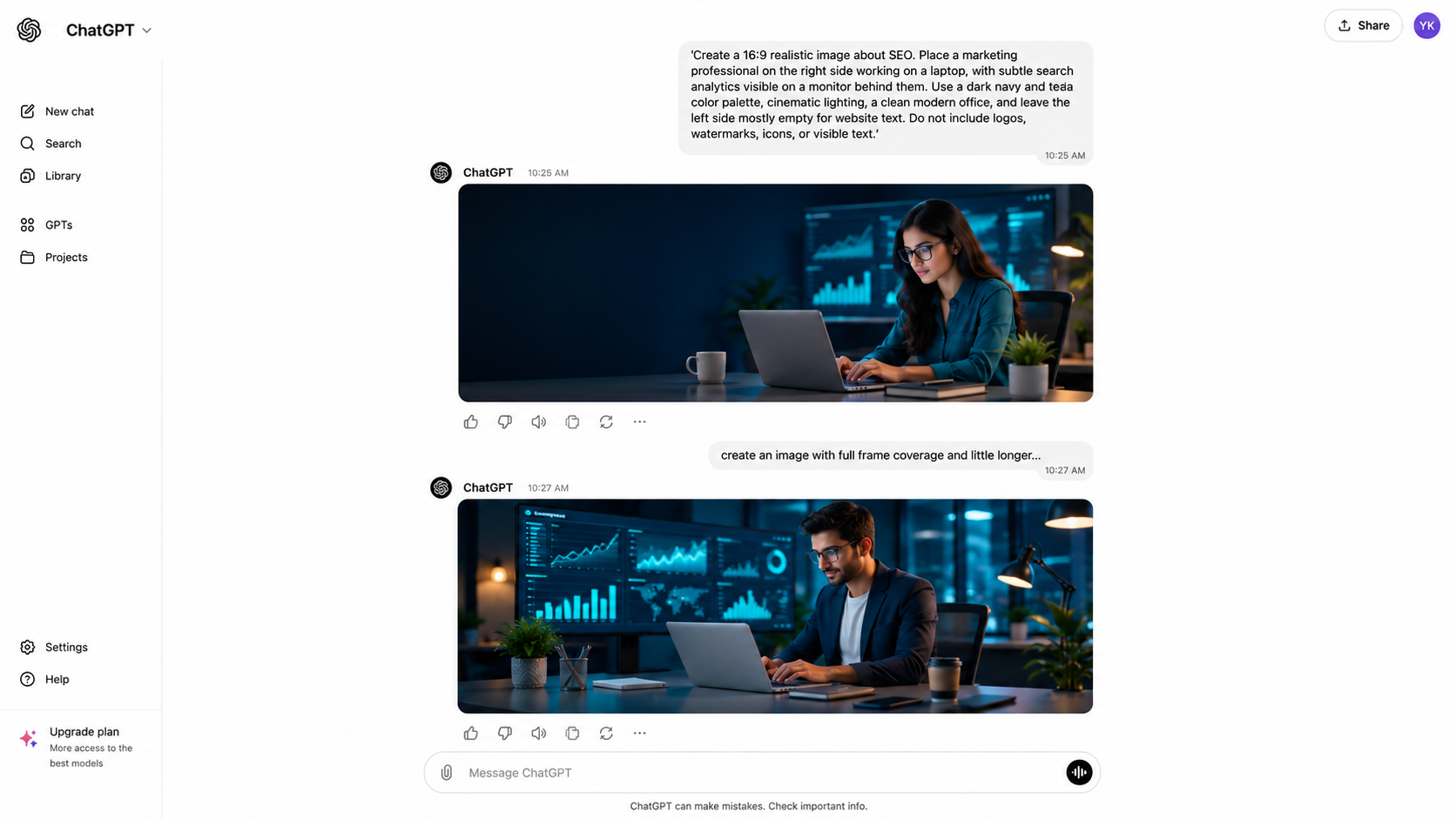
As shown in the screenshot above that chatGpt image has given the exact image what I asked for and even changed and made the updates which I asked for. Lets see its features:
1. Image Quality & Resolution
ChatGPT Images can create detailed visuals with realistic people, skin textures, objects, lighting, shadows, and backgrounds. For professional content, specify the quality you need directly in the prompt. For example: “Create a photorealistic SEO professional working in a modern office, with sharp facial details, realistic lighting, and detailed background elements.” This is useful for blog banners and website graphics where image clarity matters.
2. Image Size & Aspect Ratio
You can specify the size according to where the image will be published. For example: request 700 × 500 px for a blog featured image, 16:9 for a website banner, 1080 × 1080 px for a social media post, or 500 × 700 px for a vertical design. You can also ask for a wider composition when you need additional space for website text.
3. Color Theme
You can control the visual identity by providing exact HEX colors. For example: “Use #4EBBA9 as the primary accent color, combined with dark navy and charcoal.” This is more precise than simply asking for a “teal theme” and helps maintain consistent branding across multiple images.
4. Composition & Element Placement
You can tell ChatGPT exactly where objects should appear in the frame. For example: “Place the SEO professional on the right side, keep the left side mostly empty for the H1, and show a monitor with analytics in the background.” You can also request full-frame coverage, more negative space, a centered subject, or a specific camera angle.
5. Editing & Customization
You can continue refining an image after it is generated instead of starting over. For example: “Make the image wider, increase the empty space on the left, change the lighting to cinematic teal, remove the visible text, and keep the person unchanged.” This makes it practical for creating several versions of the same visual for blogs, ads, and social media.
6. Formats
ChatGPT Images can be used for common image outputs such as PNG and JPEG/JPG, depending on the image and workflow. PNG is useful when you need sharper graphics or transparency, while JPG/JPEG is generally better when you want a smaller file for websites and online publishing. For example, a blog featured image can be saved as JPG for faster loading, while a graphic with a transparent background can be kept as PNG.
7. Best Use For
ChatGPT Images is particularly useful for blog featured images, SEO graphics, website banners, marketing visuals, social media creatives, product concepts, editorial illustrations, and branded content. It is especially practical when the same visual needs several revisions. For example, a blog image can first be generated in a 16:9 layout and then adjusted to create a wider version with more negative space for the headline.
8. Plugins & Integrations
ChatGPT's image generation works directly within the ChatGPT workflow, so a separate image-generation plugin is not required for creating or editing images. Its biggest practical advantage is the ability to combine content creation and visual generation in one conversation. For example, after writing an SEO article, the same workflow can be used to create its featured image, change the brand colors, adjust the composition, and produce another version for social media.
Overall Verdict
ChatGPT Images is one of the strongest all-round best AI tool for generation as per my analysis if you want an AI image generator that combines high-quality image creation with conversational editing. It is particularly useful for marketers, bloggers, and businesses that need to generate an image, review it, and make several changes without starting over. If you're wondering what AI is best for image generation, ChatGPT Images is a strong option for everyday creative and professional use. It is also a good choice when you need a high quality AI image generator that can follow detailed instructions for composition, colors, dimensions, and visual style.
Google Imagen 4 is Google’s dedicated text-to-image generation model, available through products and platforms such as Gemini, Google AI Studio, and Vertex AI. It focuses strongly on photorealistic image quality, fine visual details, typography, creative styles, and high-resolution output. Let’s look at its practical features:
1. Advanced Text & Typography
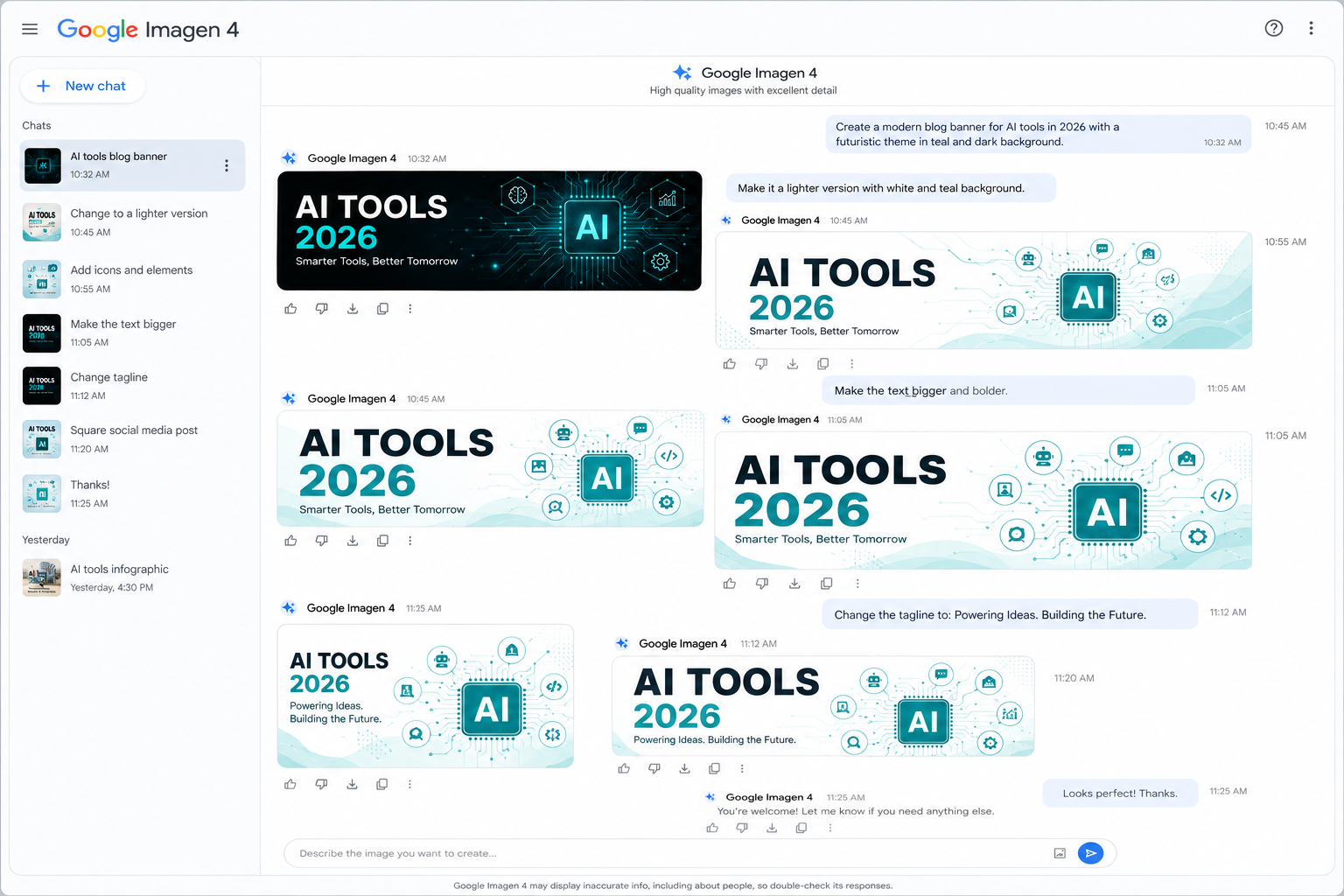
Imagen 4 is particularly useful when the image itself needs readable text. Its improved spelling, longer text strings, and typography make it suitable for posters, packaging, comics, advertisements, signs, and promotional graphics. For example, a prompt can request a product poster with a specific headline and supporting copy placed within the design.
2. Fine Texture & Close-Up Detail
You can push Imagen 4 toward extremely detailed close-ups where textures, gradients, surfaces, and tiny visual elements matter. For example, a prompt describing the close-up of leather, fabric, jewelry, food, skin, or a product surface can focus specifically on realistic texture and material detail.
3. Diverse Artistic Styles
Imagen 4 is designed to handle a broad range of visual styles, from photorealism and impressionism to abstract artwork and illustration. This makes it useful when the same AI image tool needs to produce very different creative treatments. For example, a single concept can be described as a realistic photograph, editorial illustration, or stylized poster.
4. Ultra-Fast Generation
Imagen 4 includes an ultra-fast mode designed for rapid creative experimentation. Google says this mode can be up to 10× faster than the previous model, making it useful when several visual concepts need to be tested before choosing a final direction. For example, a marketing team can quickly generate multiple campaign concepts and select the strongest one for further development.
5. AI Content Identification with SynthID
Imagen 4-generated images include SynthID, Google's invisible watermarking technology. The watermark is embedded into the image without visibly changing it and is designed to remain detectable after common modifications such as cropping, filtering, and compression. This gives AI-generated visuals an additional layer of provenance and transparency.
6. Formats
Imagen-generated images can be returned in common image formats such as JPEG and PNG, depending on the Google product or API being used. PNG is useful when image quality and lossless output matter, while JPEG is more suitable for smaller website and marketing files. For example, a website banner can be exported as JPEG for a lighter file size, while a graphic requiring sharper details can use PNG. Always check the specific Google interface or API configuration because available output formats can vary.
7. Best Use For
Imagen 4 is particularly strong for advertising creatives, posters, packaging, product visuals, photorealistic scenes, illustrations, comics, and images containing substantial text. Its combination of typography, fine-detail rendering, diverse styles, and fast generation makes it especially useful for creative campaigns.
8. Plugins & Integrations
Imagen 4 is available through Google's broader AI ecosystem, including Gemini, Google AI Studio, and Vertex AI. Developers can therefore use Imagen through Google's AI infrastructure rather than relying only on a standalone image-generation interface. Vertex AI also provides Imagen capabilities for production applications and workflows.
Overall Verdict
Google Imagen 4 is a strong choice when image realism, fine details, typography, and high-resolution output are the priority. It performs particularly well for photorealistic scenes, detailed objects, advertising visuals, and images that contain readable text. If you're searching for the most realistic AI image generator or an AI image generator for realistic photos, Imagen 4 is worth considering. Its different access options also make it useful for both casual experimentation and professional creative workflows.
Ideogram is an AI image generator built with a strong focus on text, typography, graphic design, and image editing. It is particularly useful when the visual contains headlines, labels, posters, or other written elements. Here are the features that make Ideogram different:
1. Text Rendering
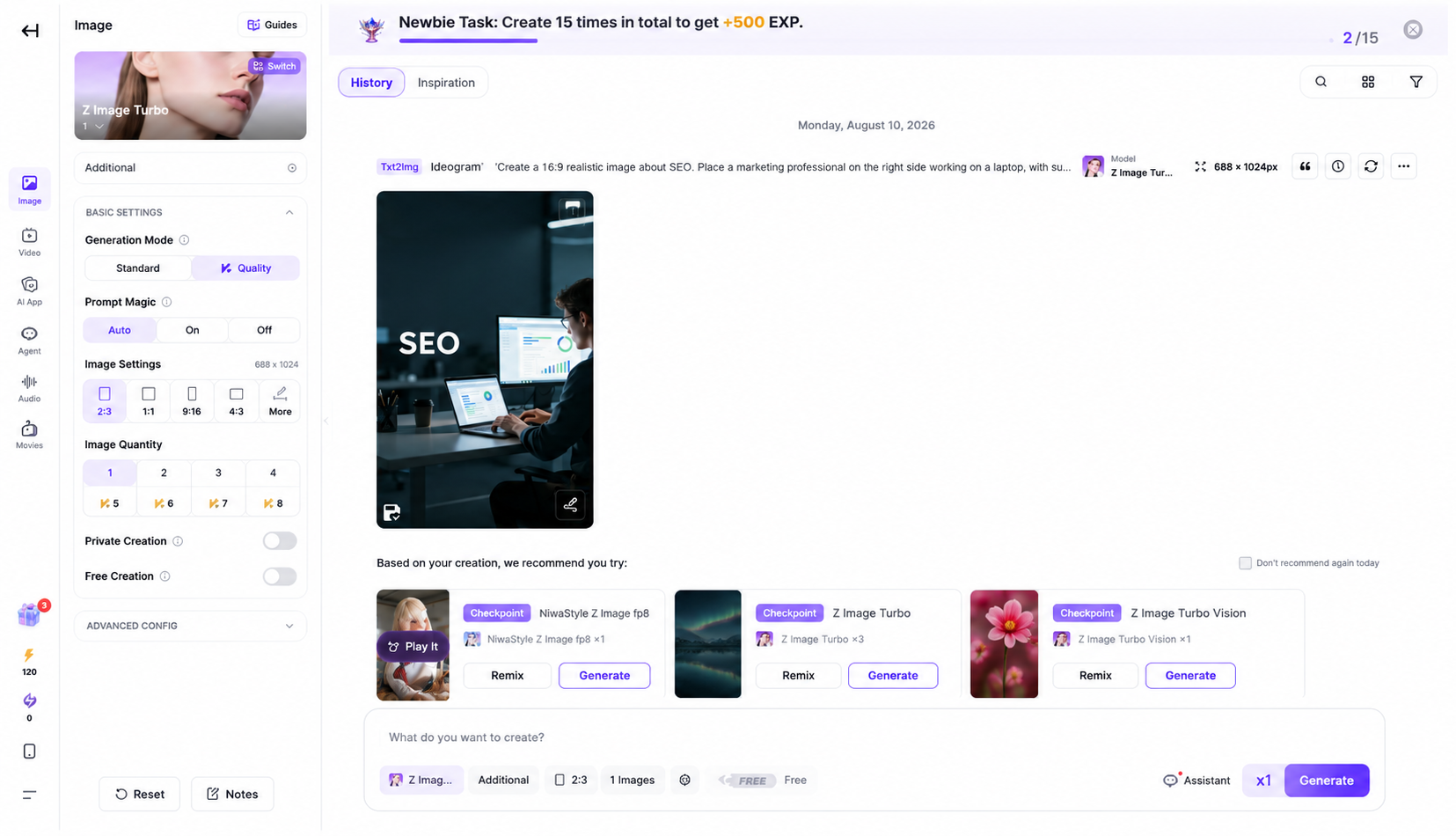
You can add specific words and phrases directly into your image and control how they appear within the design. For example, you can prompt: “Create a black and teal SEO poster with the headline ‘SEO in 2026’ in large bold typography.” This makes Ideogram useful for posters, advertisements, thumbnails, and social media graphics where readable text is essential.
2. Canvas & Outpainting
You can use Ideogram's Canvas to work beyond the original image boundaries and extend a visual into additional space. For example, if a generated image is too narrow for a website banner, you can extend the sides to create a wider composition instead of generating the entire image again.
3. Magic Fill
You can select a specific area of an image and use Magic Fill to replace or add content in that area. For example, you can select a product's background and replace it with a modern office, studio, or outdoor setting while keeping the main product intact.
4. Remix
You can use Remix to create a new version of an existing image while keeping its original concept as a reference. For example, a generated coffee advertisement can be remixed into different versions by changing the background, product appearance, lighting, or overall design while maintaining the same campaign idea.
5. Style Reference
You can provide a reference image to guide the visual style of a new generation. For example, if you have an existing brand visual with a specific illustration style, lighting, or design language, you can use it as a reference when creating another image so the new visual follows a similar aesthetic.
6. Formats
Ideogram provides downloadable image outputs in common formats such as JPEG and PNG, depending on the platform and workflow. PNG is useful for graphics requiring higher-quality edges or transparency, while JPEG is convenient for standard website and social media use.
7. Best Use For
Ideogram is particularly useful for posters, advertisements, YouTube thumbnails, social media creatives, typography-based graphics, stickers, logos and branding concepts, product packaging, and promotional designs. Its biggest advantage appears when accurate text needs to be part of the actual image rather than added later in a separate design tool.
8. Plugins & Integrations
Ideogram primarily provides its generation and editing features through its own platform. Its workflow brings generation, Remix, Magic Fill, Canvas editing, and style references together, allowing a visual to be generated and refined without moving between multiple image-editing applications.
Overall Verdict
Ideogram is one of the best options when your generated image needs accurate and readable text. Its strong typography capabilities, combined with tools such as Magic Fill, Remix, and Canvas, make it especially useful for posters, advertisements, thumbnails, and social media graphics. If you're looking for AI tools to generate images containing headlines, labels, or promotional copy, Ideogram is one of the strongest choices. It may not be the first pick for every photorealistic image, but it stands out when text and graphic design are central to the project.
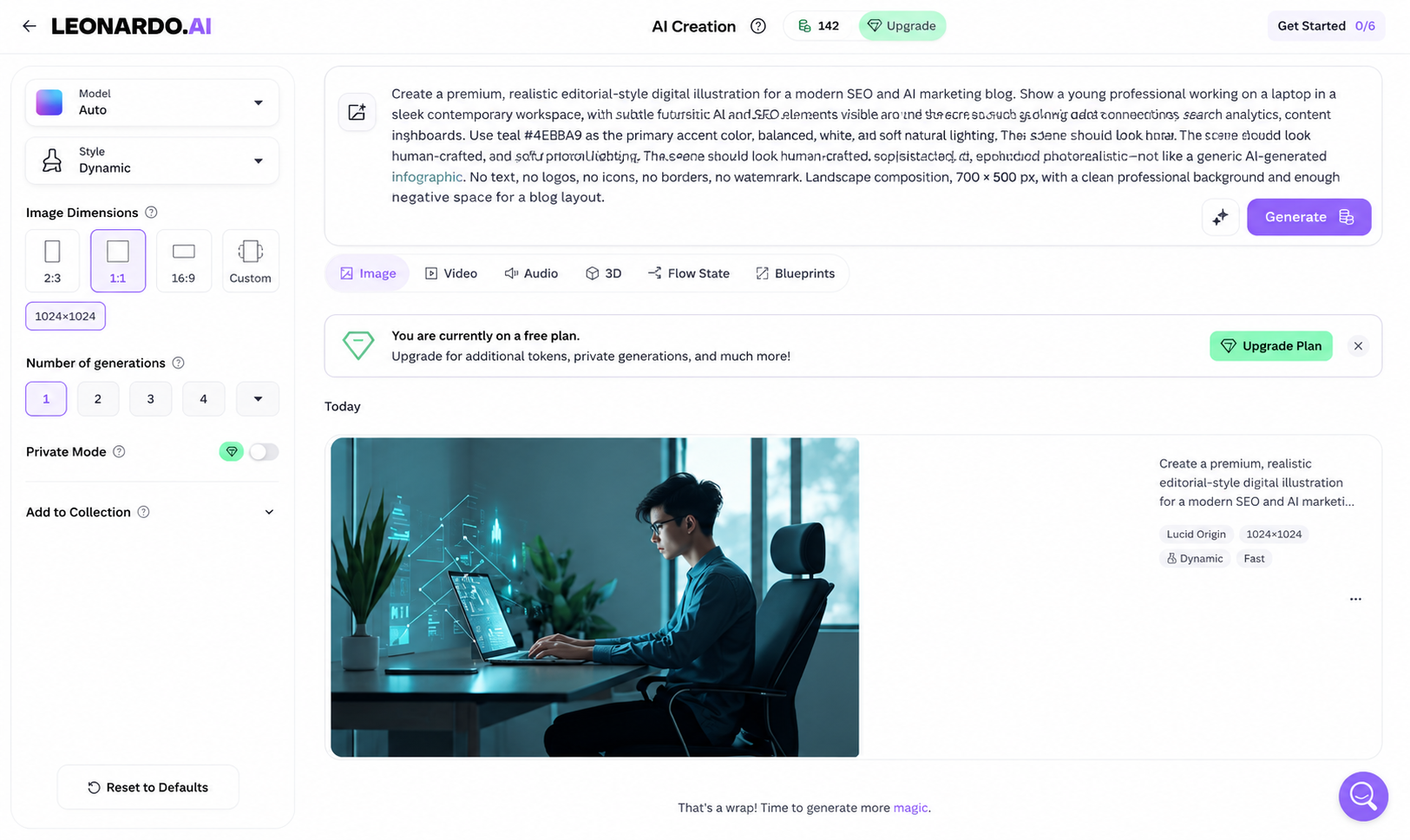
4. Leonardo.ai: Free daily token & Paid
Leonardo.ai gives you more direct control over how an image is generated and refined, particularly through reference images, character consistency, transparency, and real-time generation. Here are the image-generation features that stand out:
1. Character Reference
You can provide a reference image of a person or character and use it to guide new generations. For example, if you create a fictional brand character once, you can use the character reference to generate the same person in different poses, locations, or outfits while maintaining their appearance.
2. Style Reference
You can upload an image and use it specifically as a style reference. This means you can ask Leonardo to create a new subject while borrowing the visual characteristics of the reference, such as its artistic treatment, lighting, or overall aesthetic. Phoenix supports multiple style references, allowing more control over the final look.
3. Content & Image Guidance
You can use an existing image to guide the content, structure, or overall appearance of a new generation. For example, you can provide a rough product image and ask Leonardo to turn it into a polished studio advertisement while retaining the important visual elements from the reference.
4. Transparent Background Generation
You can generate an image with the background removed during generation, rather than generating a normal image and removing the background afterward. This is particularly useful for product shots, characters, stickers, and website assets. Leonardo's transparency feature can produce a PNG with no background.
5. Realtime Canvas
You can sketch or make visual changes in Realtime Canvas and see the generated result develop immediately. For example, you can roughly draw the position of a person, building, or object and use that structure to guide the AI toward the composition you want.
6. Formats
For transparent-image generation, Leonardo can produce PNG output, while standard generation workflows can provide common image outputs such as JPEG. PNG is particularly useful when the generated subject needs to be placed over another background.
7. Best Use For
Leonardo.ai is particularly useful for consistent characters, reference-based image generation, transparent assets, concept art, product visuals, game artwork, and images that need to follow an existing visual style.
8. Plugins & Integrations
For image generation specifically, Leonardo's strength is its collection of built-in generation and guidance tools rather than requiring separate plugins. You can move from text-to-image generation to reference-guided generation, transparency, and refinement within the same creative workflow.
Overall Verdict
Leonardo.ai is a versatile option for creators who need more control over characters, styles, references, and visual consistency. Its character and style reference features make it particularly useful for developing recurring characters, concept art, game visuals, and branded creative assets. If you're looking for an AI image generator for realistic photos, Leonardo is best AI tool for generation as per my analysis produce realistic results, but its broader strength is creative control rather than realism alone. Its free tier also makes it worth trying before committing to a paid plan.
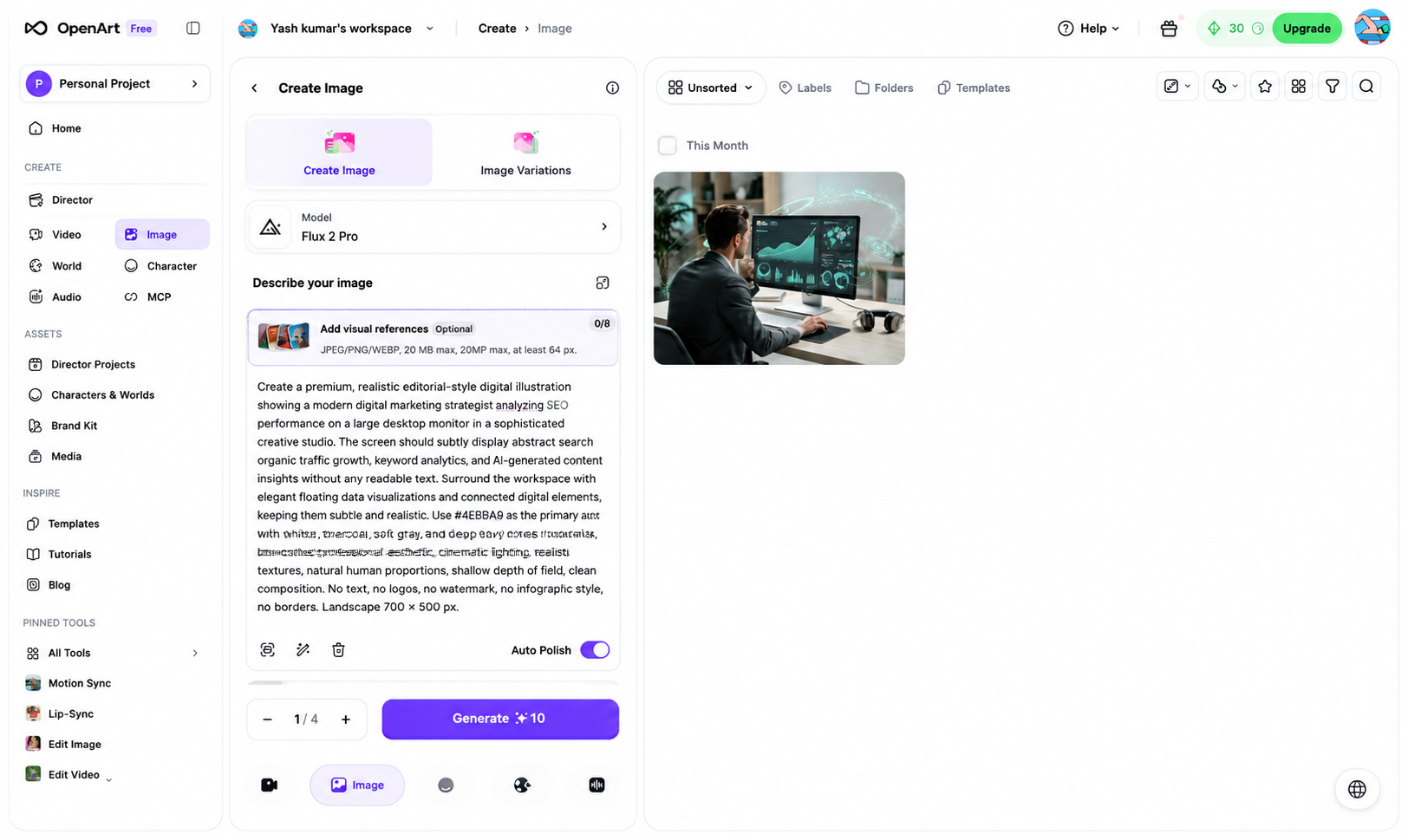
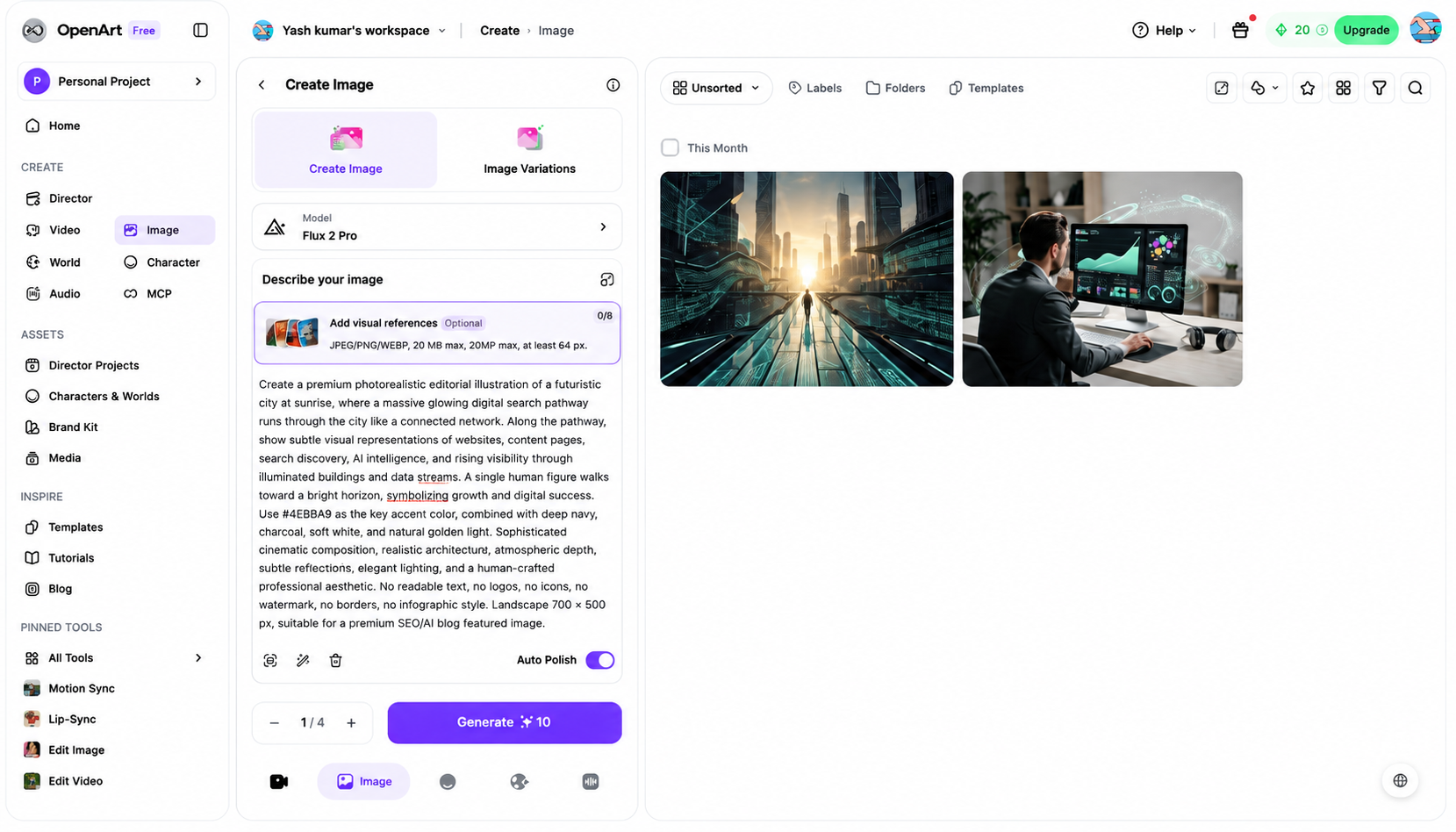
5. FLUX: Free & Paid
FLUX stands out for giving image generation unusually strong control over references, colors, poses, composition, and repeatable results. The newer FLUX.2 family supports up to 10 reference images and up to 4MP output.
1. Multi-Reference Generation
You can provide multiple images in a single generation and tell FLUX what role each reference should play. For example, you can provide one image for a person's face, another for clothing, another for the background, and another for the pose, then ask FLUX to combine them into one image. FLUX.2 supports up to 10 reference images in supported workflows.
2. Exact HEX Color Control
You can specify an exact HEX color and ask FLUX to reproduce it in the generated image. This is particularly useful for brand-focused visuals. For example: “Use #4EBBA9 for the neon lighting and accent elements.” FLUX.2 specifically lists exact color control among its advanced generation capabilities.
3. Pose & Layout Guidance
You can use a reference image to control the pose, body position, spatial arrangement, or overall layout of the generated scene. For example, you can provide a reference showing a person standing beside a laptop and ask FLUX to preserve that pose while changing the person, clothing, and environment.
4. Raw Photography Mode
With FLUX1.1 [pro] Ultra, you can enable Raw mode to produce a more natural, candid photographic appearance rather than an overly polished AI look. It is designed for realistic photography-style generations and works with up to 4MP output.
5. Reproducible Generations
You can use a seed value to reproduce or closely recreate a generation. This is useful when you want to experiment with prompts while keeping the underlying random starting point consistent. For example, you can keep the same seed while changing the lighting or clothing prompt to compare variations of the same concept.
6. Formats
FLUX image-generation APIs can provide JPEG or PNG output. You can select the output format according to the project, for example, JPEG for lightweight website images or PNG when you need a lossless image file.
7. Best Use For
FLUX is particularly useful for photorealistic advertising, product composites, fashion imagery, character consistency, reference-based generation, brand-color visuals, and scenes where exact pose or composition matters.
8. Plugins & Integrations
For image generation, FLUX is available through Black Forest Labs' own generation workflows and APIs, as well as supported creative platforms. The important advantage is that the model can be used for both text-to-image generation and controlled image generation from multiple references, rather than being limited to a simple text prompt.
Overall Verdict
FLUX is a strong choice for users who want detailed control over references, colors, poses, composition, and photorealistic results. Its ability to work with multiple reference images makes it especially useful for product photography, advertising, fashion, and controlled creative production. For users asking what AI can create images with a high level of visual control, FLUX is a powerful option. It is also a contender for the most realistic AI image generator, particularly when the prompt and reference images are carefully controlled.
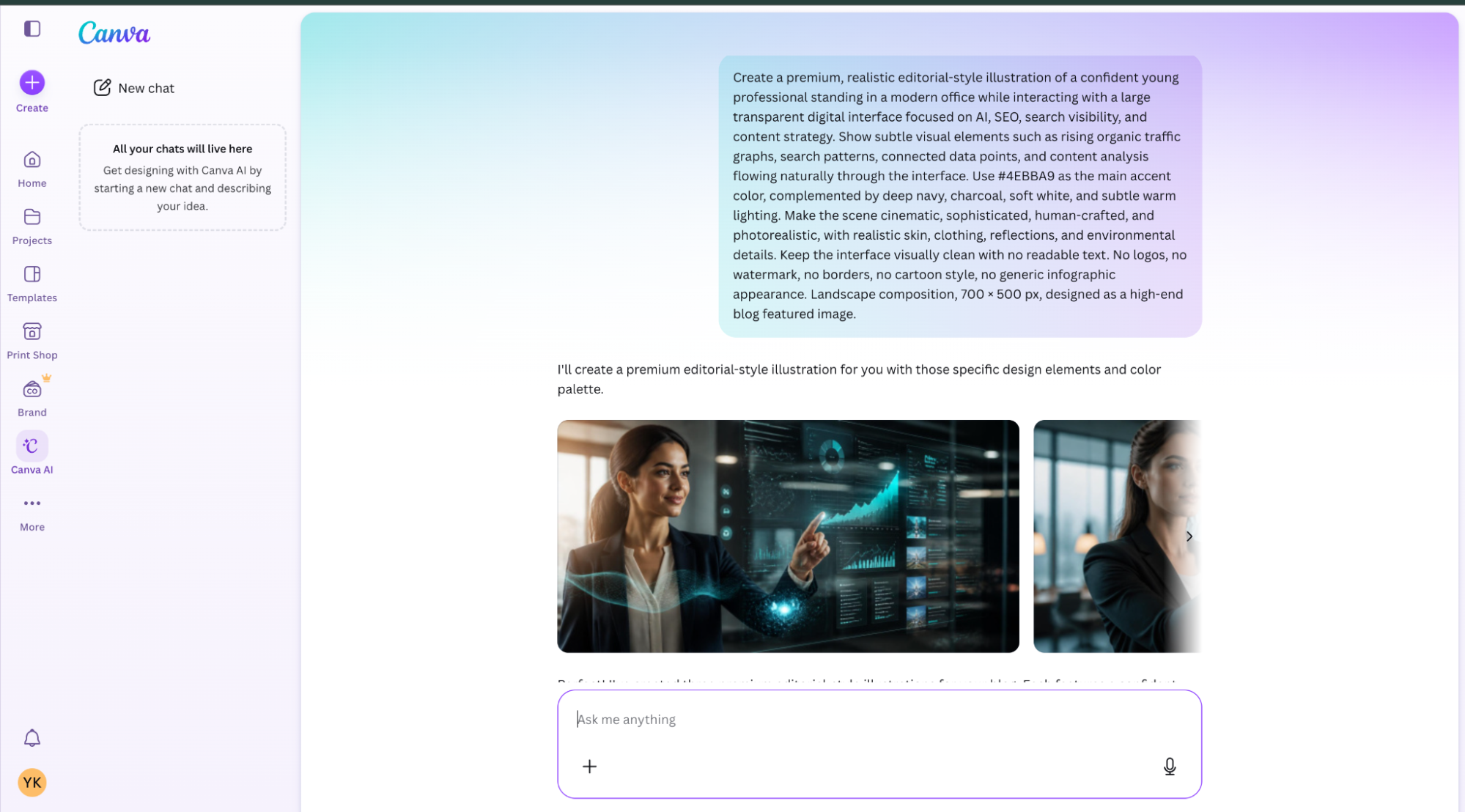
Canva AI combines AI image generation with Canva’s existing design editor, so the main advantage is not just creating an image but generating, editing, and placing it directly into a finished design. Here are its most practical image-generation features:
1. Magic Media – Text-to-Image
You can describe an image in Magic Media and generate it directly inside a Canva design. For example, you can enter “A realistic digital marketer analysing SEO data on a laptop in a modern office, cinematic lighting” and use the generated image immediately in a blog banner or social media design.
2. Magic Edit
You can select a specific part of an image and describe what should replace or appear in that area. For example, you can select a person's laptop and prompt “replace the laptop with a tablet” without changing the rest of the scene. This is useful when only one element of an image needs to change.
3. Magic Eraser
You can remove unwanted objects directly from an image by brushing over them. For example, if a generated office scene contains an unwanted chair, person, or background object, you can erase that element without opening a separate photo-editing application.
4. AI Background Generation & Removal
You can remove an existing background or generate a new background around a subject. For example, a product photographed on a plain background can be placed into an office, studio, luxury showroom, or outdoor environment without manually creating the entire scene.
5. AI-Powered Design Integration
You can generate an image and immediately use it inside Canva's templates, presentations, social posts, posters, documents, and marketing designs. For example, after generating an AI product image, you can place it directly into an Instagram post, add your headline, logo, buttons, and other design elements within the same Canva workspace.
6. Formats
Canva allows designs containing AI-generated images to be exported in several formats, including PNG, JPG/JPEG, and PDF, depending on the design and export settings. PNG works well for high-quality graphics, JPG is useful for lightweight web images, and PDF is useful when the completed visual is part of a document or print design.
7. Best Use For
Canva AI is particularly useful for social media graphics, blog images, presentations, advertisements, posters, thumbnails, product visuals, marketing materials, and branded content where the generated image needs to become part of a complete design.
8. Plugins & Integrations
Canva AI is built directly into Canva's design ecosystem, so you can generate an image and continue editing it using Canva's other design tools. Its practical advantage is the generation-to-design workflow: create an image, remove or replace elements, add text and branding, resize the design, and export the finished asset from the same platform.
Overall Verdict
Canva AI is a practical choice for marketers, content creators, and beginners who want to generate images and immediately turn them into finished designs. Its biggest advantage is the combination of AI generation with templates, editing tools, brand assets, and social media formats. If you are looking for AI tools to generate images for marketing campaigns, presentations, blog graphics, or social posts, Canva AI is particularly convenient. It is less focused on maximum photorealism than specialized image-generation models, but it excels as an all-in-one creative workflow.
Recraft AI is designed particularly for graphic design and brand-focused image generation, rather than only producing realistic AI artwork. Its ability to generate editable vector graphics, maintain design styles, and create production-ready visual assets makes it useful for designers and marketers.
1. AI Vector Generation
You can generate editable vector graphics instead of receiving only a flattened raster image. For example, you can ask Recraft to create a minimalist coffee-shop icon or an illustrated marketing graphic and receive a vector-based result that can be edited and scaled without losing quality.
2. SVG Output
You can generate designs in SVG format, which is particularly useful for logos, icons, illustrations, web graphics, and other assets that need to remain sharp at different sizes. For example, an SVG logo can be enlarged for a billboard or reduced for a website without becoming pixelated.
3. Brand Style Control
You can create and reuse a custom visual style so that generated images follow a consistent brand appearance. For example, a company using a particular color palette, illustration style, and visual language can apply that style to multiple generated graphics instead of creating every design from scratch.
4. Vector & Raster Generation
You can choose between vector-style graphics and raster images depending on the project. Vector generation is useful for logos, icons, illustrations, and scalable graphics, while raster generation is better suited to photographs, detailed scenes, and web imagery.
5. Mockup Generation
You can create visual mockups that show how a design could appear on real-world products or surfaces. For example, a logo can be visualized on packaging, clothing, signage, stationery, or other branded materials, helping you preview the design before production.
6. Formats
Recraft supports several useful image formats, including PNG and JPG/JPEG, depending on the generation workflow and output type. SVG is particularly valuable for scalable graphics, while PNG and JPG are practical for websites, social media, and standard digital content.
7. Best Use For
Recraft AI is particularly useful for logos, icons, illustrations, vector graphics, packaging concepts, advertisements, brand assets, product mockups, and website graphics. It is especially valuable when the generated image needs to function as an actual design asset rather than simply an AI-generated picture.
8. Plugins & Integrations
Recraft is primarily built as a dedicated AI design-generation platform, with its generation and editing capabilities available within the same creative workflow. Its strongest advantage is the ability to move from AI generation to usable vector or raster design assets without relying entirely on a separate vector-design application.
Overall Verdict
Recraft AI is an excellent choice when you need more than a standard AI-generated picture. Its focus on vector graphics, SVG output, branding, illustrations, and design assets makes it particularly valuable for designers and businesses. If you're searching for what AI can create images for logos, icons, packaging, or scalable brand graphics, Recraft is a strong option. It is not necessarily the first choice for the most realistic AI image generator, but it stands out for turning AI-generated concepts into practical design assets.
8. Krea AI: Free & Paid
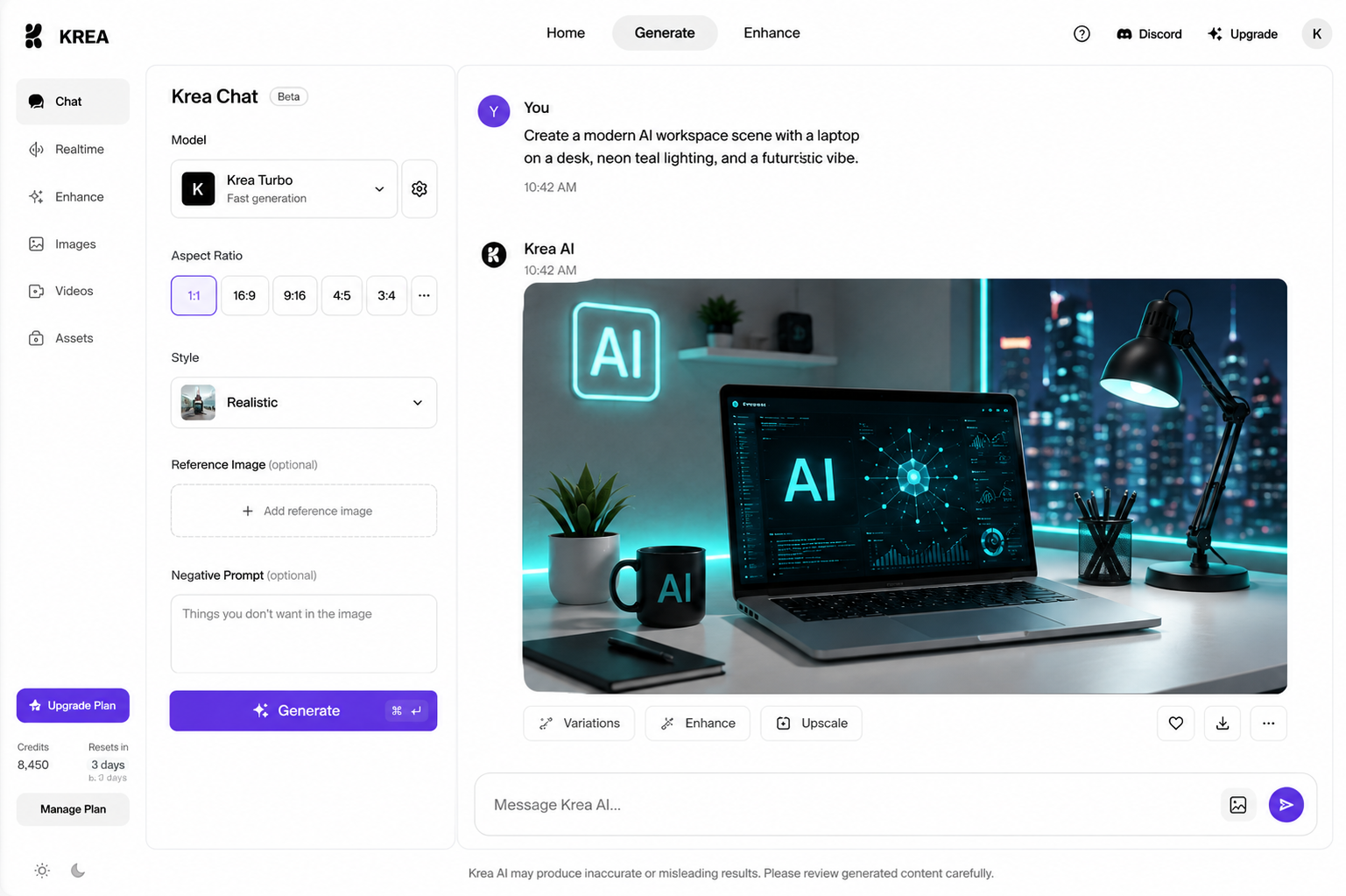
Krea AI is different from most image generators because it combines multiple image models with reference images, real-time generation, variations, style transfer, and high-resolution enhancement. These features make it particularly useful when you want to experiment with an image and refine it visually.
1. Image Prompts with Reference Images
You can upload one or more reference images alongside your text prompt and use them to guide the generated image. Krea can follow the reference's content, colors, and composition while still creating a new visual. For example, you can upload a product photo and ask for the same product in a luxury studio setting.
2. Real-Time Image Generation
You can see the image develop while you change your visual input, rather than repeatedly generating separate images. Krea's real-time tools can turn simple shapes and sketches into rendered visuals almost instantly. For example, draw a rough circle for a sun, a few lines for mountains, and a short prompt, and Krea can turn that rough structure into a finished landscape.
3. Generate Multiple Variations
You can create dozens of variations from an existing generation and explore changes in composition, poses, or visual details. This is useful when you have a basic concept but need several alternatives for an advertisement, blog banner, or social media campaign.
4. AI Style Transfer
You can provide an existing image as a style reference and transfer its visual appearance to a new generation. For example, you can take a normal product photograph and apply a cinematic, illustrated, minimalist, or other visual treatment while generating a new version. Krea provides style-transfer controls directly within its image-generation workflow.
5. Native 4K & AI Upscaling
Krea's image tools include native 4K generation on supported models, while its enhancement tools can upscale images far beyond their original resolution. Krea currently advertises enhancement up to 22K, with smart detail reconstruction that adds and restores fine details. For example, a low-resolution product image can be enhanced before being used in a large marketing banner.
6. Formats
Krea's image editor accepts formats including JPG, PNG, WebP, and AVIF, along with image URLs. Generated and enhanced images can then be downloaded for use in digital content.
7. Best Use For
Krea AI is particularly useful for rapid image variations, reference-based generation, style transfer, product visuals, concept art, advertising creatives, image enhancement, and high-resolution marketing assets. Its combination of real-time generation and multiple reference controls makes it especially useful when you want to visually experiment rather than rely on one prompt-result cycle.
8. Plugins & Integrations
Krea's image-generation environment brings multiple models and image tools into one workspace. You can access models such as Krea, Flux, Imagen, and other supported models from the same platform, allowing you to compare different generation approaches without moving between separate image-generation websites.
Overall Verdict
Krea AI is a strong option for creators who like to experiment, generate variations, use references, and enhance images after generation. Its real-time generation, style controls, model selection, and upscaling capabilities make it useful for both ideation and final visual refinement. For users searching for a realistic AI image generator free option, Krea's free tier provides an accessible way to experiment, although usage limits apply. It is particularly useful when image enhancement and rapid experimentation are just as important as the initial generation.
Final Thoughts
AI image generators have become much more than simple text-to-image tools. In 2026, the right tool depends on what you actually need to create. ChatGPT Images is a strong all-rounder for conversational generation and editing, while Google Imagen 4 stands out for high-resolution visuals and text rendering. Ideogram is particularly useful for typography-focused designs, Leonardo.ai for character and style consistency, and FLUX for reference-based and highly controlled image generation.
For design-focused work, Canva AI makes it easy to generate and place visuals directly into finished designs, while Recraft AI is a better choice for vector graphics and brand assets. Krea AI is worth considering when real-time generation, image variations, and AI upscaling are important.
There is no single AI image generator that is best for everyone. The better approach is to match the tool to the project, whether you need a blog banner, product visual, social media creative, poster, character, illustration, or scalable brand graphic. Comparing features such as text rendering, reference control, editing, vector output, generation speed, and image enhancement can help you choose the tool that fits your workflow best.