Choosing the best blog platform in 2026 involves more than finding a place to publish articles. The right platform affects your SEO performance, content ownership, website authority, monetization opportunities, and ability to grow from a beginner into a professional publisher. With entity-based SEO and parasite SEO becoming increasingly important, it is also worth considering how well a platform supports topical authority, recognizable brand entities, and content distribution across established websites. Entity-based SEO helps search engines understand the relationships between your brand, topics, and content, while parasite SEO involves publishing content on established third-party websites to leverage their existing authority and visibility. However, these approaches serve different purposes: entity-based SEO supports long-term brand and topical relevance, whereas parasite SEO depends on the host platform’s policies, editorial standards, and ability to retain visibility. Therefore, a platform that works well for educational content may not be the best choice for an AI-focused blog, a technology publication, or a food and recipe website. With so many blogging platforms available, understanding their features, limitations, and costs is essential before making a decision. Some offer free publishing and beginner-friendly editors, while others provide advanced SEO controls, technical customization, niche-specific features, and monetization options for established websites. This guide compares platforms across four blogging niches to help you find the right solution for your goals, budget, and experience level.
What This Blog Will Deliver
- Four niche-specific categories: Explore platforms for education, artificial intelligence (AI), technology, and food and recipe blogging.
- Four recommended tools per niche: Compare 16 tools based on their features, strengths, limitations, and ideal users.
- SEO and indexing insights: Understand technical SEO, search engine indexing, URL structures, metadata, and internal linking.
- Do-follow vs. no-follow links: Learn how link attributes work and when to use them for affiliate links, sponsored content, and user-generated links.
- Beginner-to-advanced growth stages: Identify which platforms suit new bloggers and which can support established publications and growing businesses.
- Niche-specific features: Discover tools for educational resources, AI tutorials and reviews, technical articles and code examples, and recipe publishing.
- Monetization opportunities: Explore affiliate marketing, display advertising, sponsored content, digital products, and paid subscriptions.
- Publishing schedules and authority building: Learn how consistent publishing, useful content, internal linking, and topical coverage can support long-term growth.
- Free vs. paid options: Compare free blog sites, hosting requirements, custom domains, pricing, and long-term scalability.
- Practical publishing tips: Discover what to check before publishing a blog post to improve usability, discoverability, and reader engagement.
How We Evaluated the Best Blogging Platforms
To identify the best blog platform for different blogging needs, we evaluated each option based on its SEO capabilities, ease of publishing, monetization flexibility, and ability to support long-term growth. Rather than ranking platforms by popularity alone, we considered how well each one serves specific niches, from SEO and affiliate marketing to food blogging, ecommerce, technology, and lifestyle publishing. Building a clear website structure and connecting related content through relevant internal links can help search engines understand the relationship between your articles and improve content discoverability.
Our evaluation focused on the following factors:
- SEO Features and Indexing: We assessed control over URL structures, meta titles, meta descriptions, XML sitemaps, canonical tags, redirects, and structured data. We also considered how easily bloggers can connect Google Search Console and monitor indexing issues.
- Do-Follow and No-Follow Link Management: We examined whether platforms allow bloggers to add and manage link attributes, including nofollow, sponsored, and ugc, where relevant. This is particularly important for affiliate content, sponsored posts, and user-generated links.
- Ease of Use and Content Management: We compared writing editors, media uploads, categories, tags, scheduled publishing, content updates, and multi-author support to determine which platforms suit beginners and professional publishers.
- Niche-Specific Features: We considered the tools each platform offers for particular blogging needs, such as recipe formatting for food blogs, product integration for ecommerce, code formatting for technology blogs, and newsletters for lifestyle publications.
- Monetization Options: We evaluated support for affiliate links, display advertising, sponsored content, digital products, ecommerce, and paid subscriptions, including relevant platform restrictions and transaction fees.
- Customization and Content Ownership: We examined custom domain support, design flexibility, content exports, migration options, URL preservation, and the ability to maintain control as a blog grows.
- Scalability and Publishing Workflow: We considered whether each platform can support a growing content library, regular publishing schedules, multiple contributors, and more advanced editorial requirements.
- Pricing and Total Cost: We looked beyond free entry plans to consider hosting, domain registration, premium features, extensions, maintenance, and other expenses that may arise as a blog develops.
Based on these factors, we matched each platform to its most suitable niche and growth stage. Our recommendations are editorial assessments of platform capabilities and practical trade-offs, not results from controlled SEO performance tests. Actual rankings and indexing outcomes depend on content quality, technical implementation, competition, and other factors beyond the platform itself. Understanding backlinks and link attributes is important when evaluating blogging platforms, particularly if you plan to use affiliate links, sponsored content, or third-party publishing to build online visibility.
4 Best Blog Platforms for Education
Choosing the best blog platform for education depends on what you want to teach, publish, or share. Teachers may need a classroom blogging system, students may want a digital portfolio, and education professionals may need a website for tutorials, lesson plans, research, or online courses.
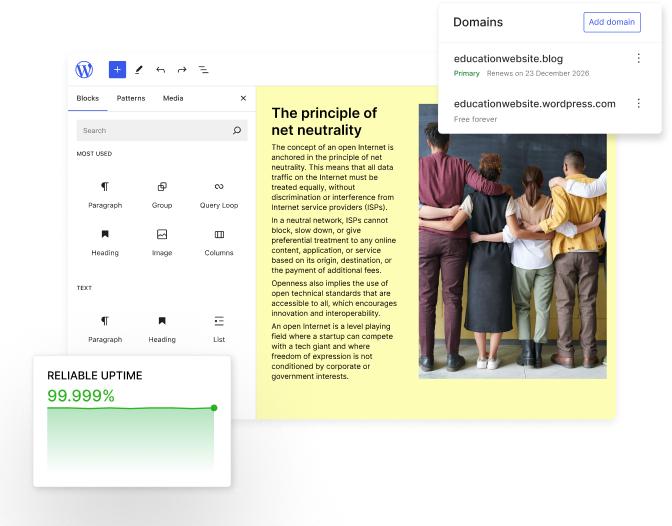
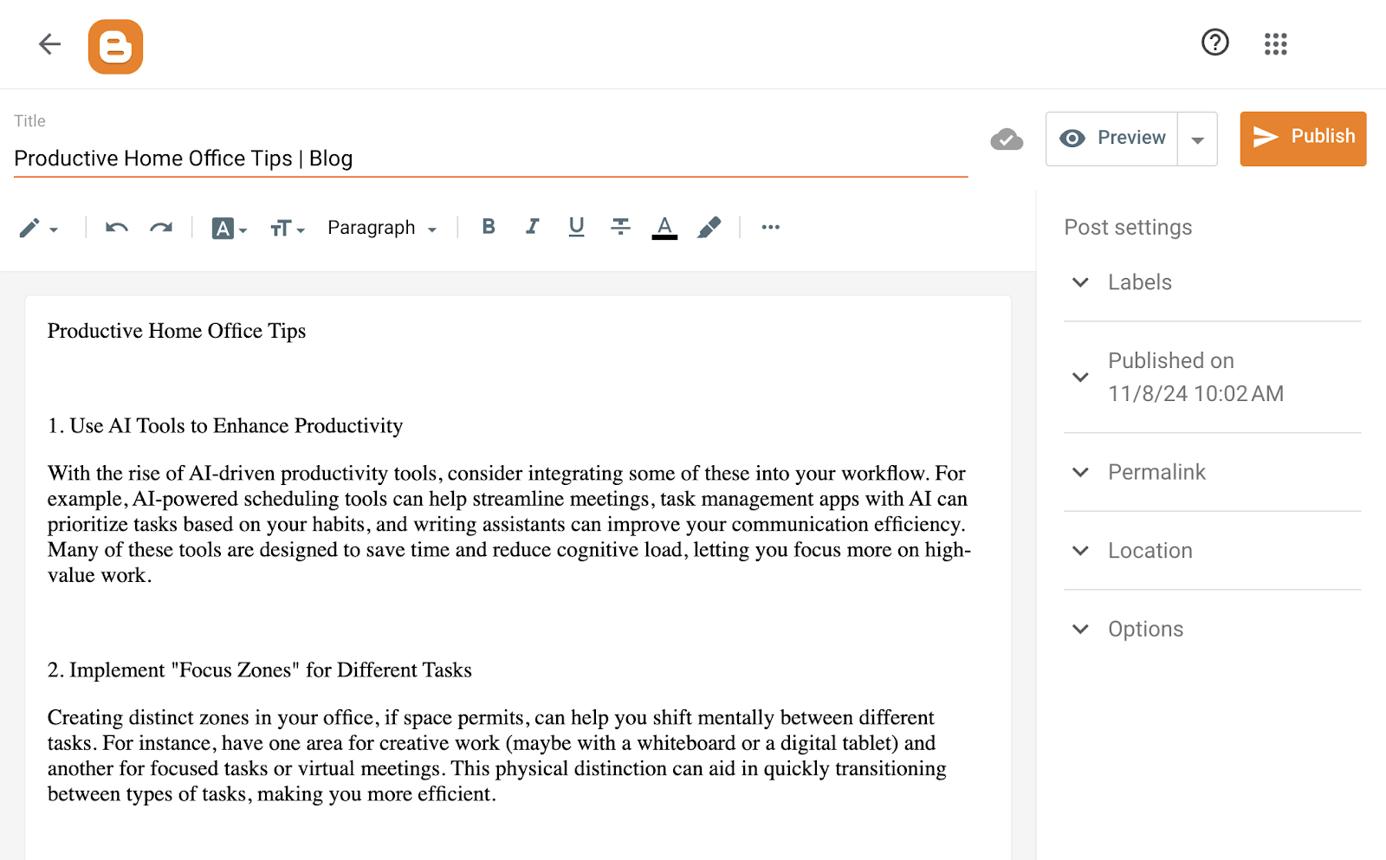
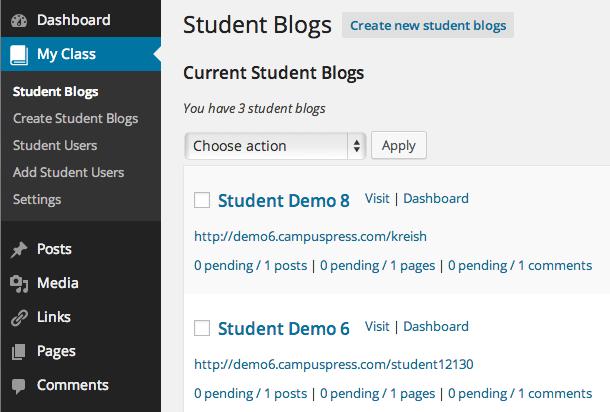
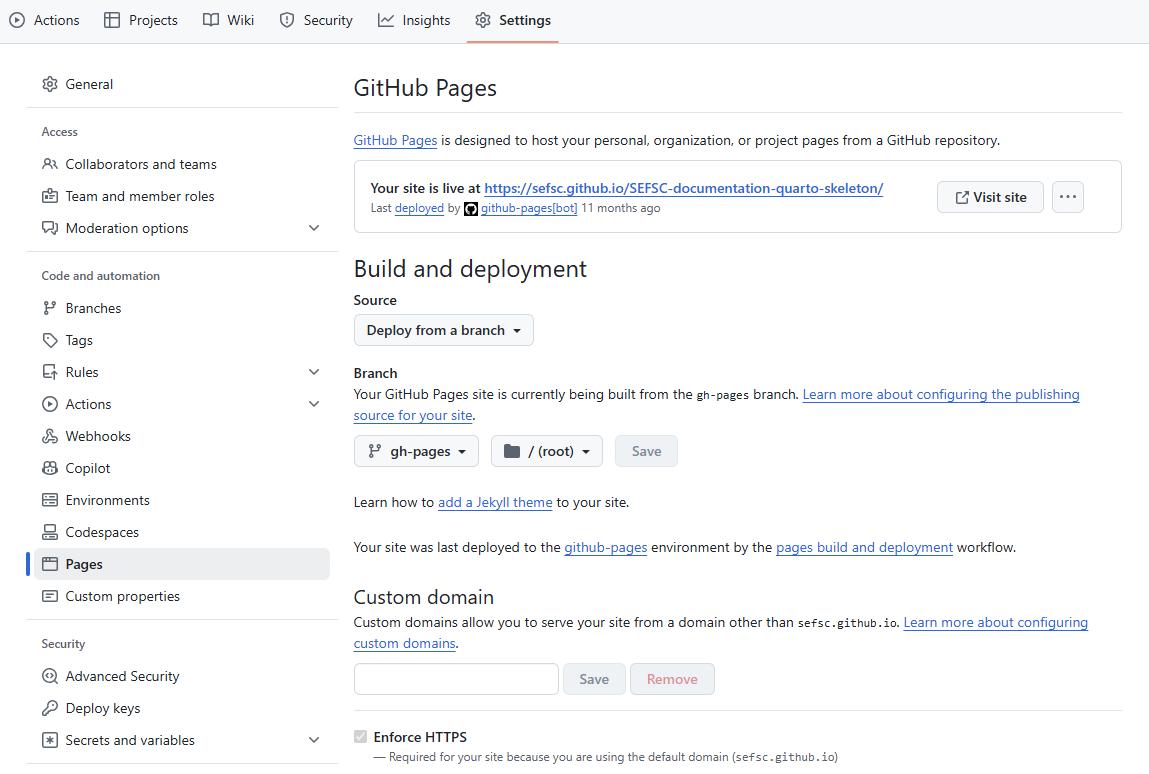
The four platforms below serve different needs. WordPress.com offers an accessible way to create an educational website, Blogger provides simple free publishing with custom-domain support, Edublogs focuses on classroom and student blogging, and GitHub Pages suits technically confident educators who want to publish learning resources using files stored in GitHub.
WordPress.com — Free and Paid Plans
Best for teachers, tutors, and educators who want to publish lessons, educational resources, and articles using a hosted blogging platform.
Blogger — Free Publishing with Custom-Domain Support
Best for beginners who want to create a free educational blog, publish study materials, and connect a separately registered custom domain.
Edublogs — Education-Focused Blogging for Teachers and Students
Best for classroom blogging, student writing projects, educational collaboration, and teacher-managed publishing with privacy controls.
GitHub Pages — Free Static Website Hosting for Technical Educators
Best for computer science teachers and technical educators who publish coding tutorials, documentation, and learning resources using Markdown and version control.
Which is the best education blogging platform?
Winner: WordPress.com
WordPress.com is the strongest general-purpose option for educational publishing because it combines accessible editing, flexible pages, and room to grow. Edublogs is the better specialist option for classroom blogging, while GitHub Pages suits technically confident educators.
Understand each platform’s strengths, weaknesses, and unique capabilities to make informed decisions.
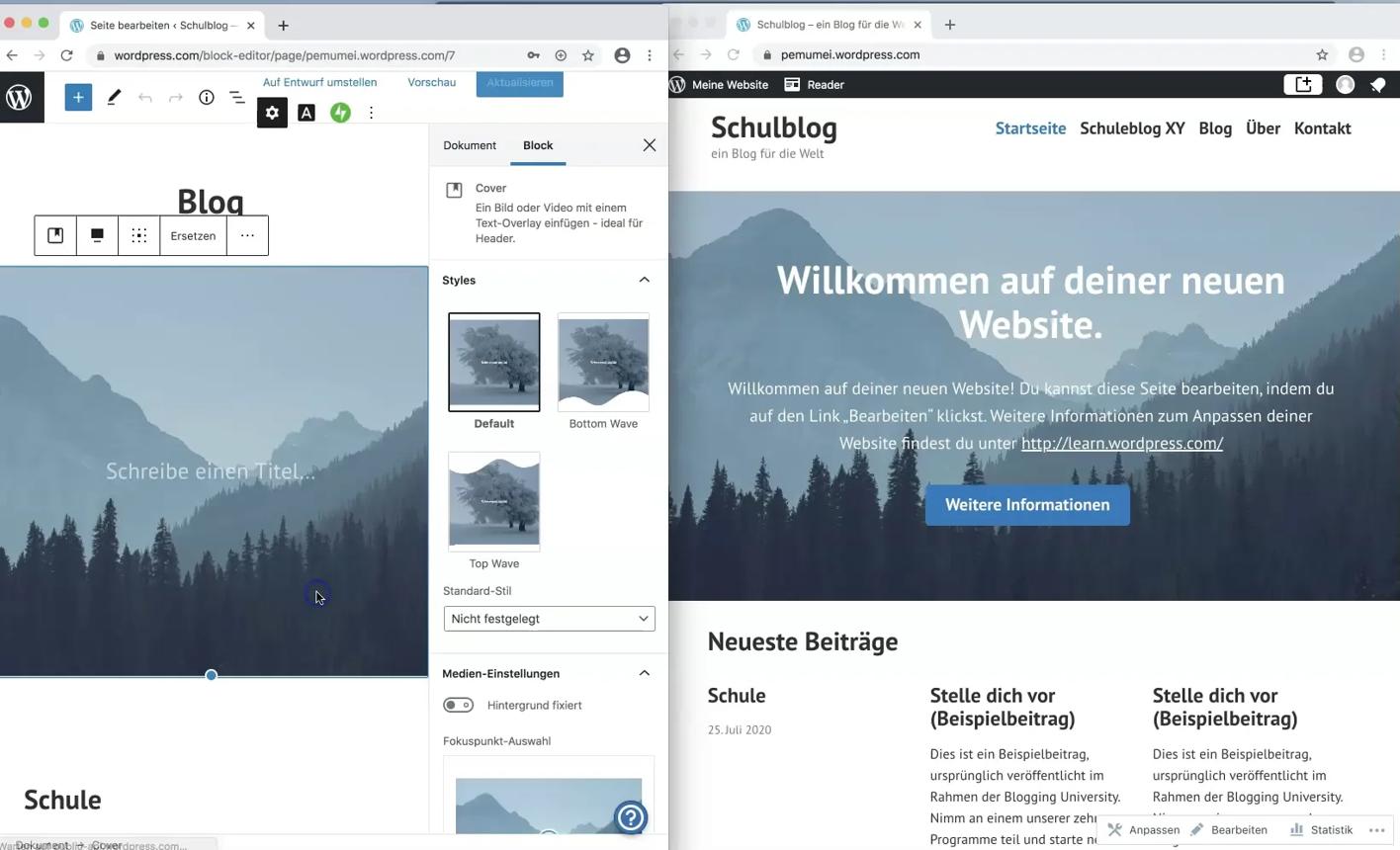
My verdict: Choose WordPress.com if you want to make a blog for teaching resources, study guides, educational articles, or a professional teaching portfolio without managing your own server. It combines hosted publishing with themes, pages, posts, and options for expanding your website as your educational content grows. WordPress.com includes hosting and automatic updates, while additional features depend on your plan.
- Simple setup: Start publishing educational articles without arranging separate web hosting.
- Flexible content: Create lesson plans, subject guides, classroom updates, and resource pages.
- Themes and customization: Give your educational website a consistent, professional appearance.
- SEO controls: Organize posts, titles, URLs, and internal links to support search visibility.
- Content export: Export posts, pages, and comments when preparing to move your content.
- Room to grow: Expand from a personal teaching blog into a broader education website.
- Plan-based features: Customization, plugins, and advanced capabilities depend on the plan you select.
1. Is WordPress.com SEO-friendly for education blogging?
Yes. WordPress.com is a practical option for publishing educational content that students, parents, teachers, and lifelong learners can discover through search engines.
You can create focused articles such as “How to Prepare for a Biology Exam,” “Simple Fractions Worksheets for Beginners,” or “Classroom Activities for Teaching Grammar.” Use descriptive titles, meaningful headings, readable URLs, and relevant internal links to make each article useful and easy to navigate.
For a subject-based website, organize posts into categories such as mathematics, science, language learning, and exam preparation. This structure helps readers explore related resources rather than encountering disconnected articles.
If you are comparing the best blog platform for SEO, WordPress.com is a strong option because it lets you build a growing library of educational content. More advanced SEO customization and plugins depend on your plan, and good rankings still require useful content, clear site structure, and ongoing maintenance.
2. Is WordPress.com hosted or self-hosted, and what does that mean for an education blogger?
WordPress.com is a hosted blogging service. It provides the hosting environment, so you do not need to configure a separate server or independently maintain the WordPress installation.
This is useful for teachers who want to focus on lesson planning, student support, and publishing rather than website administration. You can create a blog, add educational pages, publish resources, and invite other contributors according to the permissions available on your plan.
The trade-off is that you do not have the same direct server-level control as you would with a self-hosted WordPress installation.
Choose WordPress.com if you want an accessible blog hosting service with a relatively simple setup. Consider self-hosted WordPress if your institution needs deeper infrastructure control, custom integrations, or specialized website functionality.
3. Can you export your WordPress.com blog and move it to another platform?
Yes. WordPress.com provides an export tool for content such as posts, pages, and comments. Its support documentation explains how to prepare an export and transfer content to another WordPress site or compatible platform.
This is helpful if you build a teaching blog and later decide to move to a different blog website or create an independent education portal.
Keep in mind that content export is not the same as copying the entire website. Themes, widgets, plugin settings, memberships, and other platform-specific features may need to be recreated.
To make future migration easier:
- Keep original copies of worksheets, PDFs, presentations, and images.
- Use clear titles and consistent categories.
- Maintain a list of important page URLs.
- Save custom lesson materials separately.
- Plan redirects if you change established URLs.
- Review which features depend on your current plan.
WordPress.com is a sensible option for educators who want a manageable start while keeping a route open for future growth.
Yes. WordPress.com offers themes and design options that can support personal teaching blogs, educational resource libraries, school-related websites, and professional portfolios. The available customization depends on your plan.
For example, a mathematics teacher could create a homepage featuring recent lessons, separate pages for algebra and geometry, and a resource section containing downloadable worksheets.
A language teacher could organize vocabulary lessons, grammar explanations, reading lists, and writing exercises into clearly labeled categories.
Choose a layout that makes educational content easy to find. Use readable typography, consistent headings, visible navigation, and mobile-friendly page layouts. Avoid adding decorative elements that make it harder for students to reach the actual learning material.
WordPress.com supports adding hyperlinks to articles and pages. You can link to textbooks, official education websites, research sources, related lessons, and downloadable learning materials.
A standard editorial link may pass link signals unless it uses an attribute that changes how search engines interpret it. Paid or affiliate links should be disclosed and marked appropriately.
For example, a post explaining a physics concept could link to a relevant educational video, an official curriculum resource, and a related explanation on your own website.
Use links to improve the learning experience, not simply to influence search rankings. Relevant internal links also help students move from introductory material to more advanced lessons.
6. How long does it take for a WordPress.com education blog to get indexed by Google?
There is no guaranteed indexing timeline. Search engines need to discover, crawl, and assess each page before deciding whether to include it in search results.
To help your educational content get discovered:
- Publish useful, original articles.
- Use descriptive titles and clear page URLs.
- Link new articles from relevant existing pages.
- Keep important pages accessible to search engines.
- Avoid accidentally setting public educational content to private.
- Use Google Search Console to monitor indexing and search performance where appropriate.
For example, a complete guide to fractions could include definitions, worked examples, practice questions, and links to related arithmetic lessons. This is more useful than publishing a short page containing only a few definitions.
Remember that publishing a post does not guarantee immediate indexing or high rankings. Focus on creating resources that genuinely help learners.
7. Can WordPress.com support an education blogger from beginner to advanced stages?
Yes. WordPress.com can support a teaching blog from its first article to a more established educational resource website.
- Beginner: Publish class updates, learning notes, and simple educational articles.
- Growing blogger: Organize resources by subject, age group, course, or learning level.
- Established educator: Develop a searchable library of lesson plans, worksheets, and detailed guides.
- Advanced publisher: Use eligible plans and integrations to expand functionality, branding, and publishing workflows.
For example, a science teacher could begin by publishing classroom experiments and gradually develop a resource library with safety guidance, experiment instructions, downloadable worksheets, and revision guides.
If you later want to build a large learning portal, WordPress.com gives you a foundation to expand, although the most suitable plan will depend on the required features.
8. Can you use a custom domain and build a long-term education brand with WordPress.com?
Yes. WordPress.com supports custom domains through eligible plans and offers domain-related options that help educators establish a recognizable online identity.
A domain such as learnwithscience.com can make your resources easier to share with students, parents, schools, and professional networks.
Choose a domain that can accommodate your future plans. A website initially focused on science revision might later expand into experiment guides, teacher resources, online workshops, or subject-specific courses.
A custom domain strengthens your branding, but it does not mean you own the hosting infrastructure. WordPress.com remains a hosted service. Keep independent copies of important educational materials so you can preserve your work if your website strategy changes.
Yes. WordPress.com can support a content strategy built around educational questions that people regularly search for.
For example, a language-learning blog could publish separate guides to verb tenses, pronunciation, vocabulary practice, and common grammar mistakes. Each guide can link to related lessons and provide exercises that help readers apply what they learn.
To improve organic visibility:
- Answer specific questions with clear explanations.
- Include worked examples and original learning materials.
- Link related articles together.
- Use descriptive titles and headings.
- Keep outdated lessons accurate.
- Publish consistently at a manageable pace.
- Monitor search queries and performance.
WordPress.com gives you the publishing tools to develop a useful content library, but rankings depend on content quality, competition, technical accessibility, and other factors.
Yes. WordPress.com supports images and media, making it useful for publishing diagrams, lesson illustrations, classroom photographs, charts, and visual explanations. File availability and limits depend on your plan and the file type.
For example, a biology article can include a labeled cell diagram, while a mathematics guide can use images to illustrate worked examples.
Follow these practices:
- Compress images to reduce loading time.
- Add meaningful alt text to informative images.
- Use clear captions for diagrams and charts.
- Provide downloadable worksheets in accessible formats.
- Check that images and files are suitable for the intended audience.
- Obtain permission before publishing student photographs or identifiable student work.
These practices improve accessibility and help learners use your materials across different devices.
11. Can you monetize a WordPress.com education blog and support business goals?
Yes. WordPress.com can support educational businesses and professional goals, although the available monetization methods depend on your plan, integrations, and applicable policies.
Possible options include:
- Online courses: Promote courses or workshops that you create.
- Digital products: Sell educational worksheets, study guides, templates, or ebooks using compatible tools.
- Tutoring services: Publish subject guides that help potential students understand your teaching approach.
- Memberships: Offer premium learning resources if your plan and chosen tools support them.
- Affiliate links: Recommend relevant books, learning software, or educational resources with proper disclosure.
- Professional portfolio: Showcase teaching expertise and attract consulting, training, or speaking opportunities.
For example, a mathematics educator could publish free algebra lessons and offer a paid collection of practice worksheets or a structured revision course.
Build trust first by providing accurate, useful free material. Monetization works best when paid resources offer clear additional value.
WordPress.com offers a free plan and paid plans with different combinations of hosting, customization, branding, and advanced features. Its current plan documentation lists hosting, automatic updates, and unlimited posts and pages among the features included across plans.
When comparing costs, consider:
- Whether you need a custom domain.
- Whether you want to remove platform branding.
- Whether you need plugins or advanced customization.
- How much storage your learning materials require.
- Whether your website needs additional contributors.
- Whether you plan to sell courses or digital resources.
You control the educational content you create, subject to the service's terms, but WordPress.com operates the hosted environment. Exporting content provides a route to move your work, although some settings and features will not transfer automatically.
Final Verdict
WordPress.com is a strong choice for teachers, tutors, and education writers who want a straightforward start with room to grow.
2. Blogger — Free Publishing with Custom-Domain Support
My verdict: Blogger is a good option for teachers, students, tutors, and education writers who want to publish articles without paying for a separate hosting service. You can start with a Blogspot address and connect a custom domain that you register separately. Blogger also includes settings for search visibility and blog privacy.
Key features of Blogger
1. Is Blogger SEO-friendly for education blogging?
Blogger can support educational SEO through public posts, descriptive titles, organized content, and search-engine visibility settings. It is suitable for articles such as study tips, subject explanations, reading recommendations, and exam-preparation guides.
For example, a teacher could publish a guide to basic algebra, followed by separate articles on equations, fractions, and word problems. Linking these articles together helps learners explore the subject in a logical order.
Blogger also provides a setting that allows search engines to find your blog. Make sure your intended public content is not inadvertently restricted from search engines.
2. Is Blogger hosted or self-hosted, and what does that mean for education bloggers?
Blogger is a hosted platform. Google provides the publishing service, so you do not need to purchase a separate web-hosting package or maintain a server.
This makes Blogger practical for teachers and students who want to publish learning resources with minimal technical setup. You can write posts, upload supported media, and manage basic settings without configuring a full website stack.
The trade-off is that you have less control over the underlying infrastructure and advanced website functionality than with a self-hosted system.
Choose Blogger if you want a straightforward free blogging platform. If you need advanced course features, complex content types, or extensive customization, consider a more flexible CMS.
3. Can you export your Blogger content and move to another platform?
Blogger provides a content export function that allows you to download a copy of your blog's content. This can help if you later decide to move your educational resources to another platform.
However, exporting content does not automatically reproduce your theme, layout, widgets, comments, and other platform-specific details on the new website.
To protect your work:
- Keep copies of important articles.
- Store original worksheets and images separately.
- Maintain a list of key URLs.
- Organize posts by subject and learning level.
- Plan redirects if you move to a new domain or platform.
- Review how images and embedded content transfer.
Blogger is a reasonable starting point for a personal education blog, but maintaining separate copies of important resources makes future changes easier.
4. Are Blogger themes and templates suitable for education websites?
Blogger offers themes that work for simple educational websites and personal blogs. You can use a straightforward layout for subject guides, lesson notes, teaching reflections, or classroom announcements.
For example, an English teacher could publish grammar lessons, vocabulary lists, reading recommendations, and writing exercises. A science tutor could organize posts around physics, chemistry, and biology.
The platform is less suitable for elaborate educational portals that require complex navigation, specialized learning dashboards, or extensive custom design.
Choose a clean, readable theme with clear navigation. Keep the most useful learning resources easy to find, and avoid overloading the layout with unnecessary widgets.
5. Does Blogger support do-follow or no-follow links?
Blogger supports hyperlinks in posts and pages, so you can direct readers to educational resources, official curriculum pages, related articles, and reference materials.
A normal editorial link may pass link signals unless an attribute changes how search engines interpret it. Paid or affiliate links should be disclosed and marked appropriately.
For example, a post about learning English can link to a relevant dictionary, an official language-learning resource, and your own grammar lessons.
Use links to help readers access trustworthy information. Do not add irrelevant links simply to influence search rankings.
6. How long does it take for a Blogger education blog to get indexed by Google?
There is no guaranteed indexing timeline. Blogger allows you to control whether your blog is visible to search engines, but enabling visibility does not guarantee that every post will be indexed immediately.
To improve discoverability:
- Make sure your public blog is visible to search engines.
- Write useful, original educational content.
- Use descriptive titles.
- Link related posts together.
- Avoid publishing many repetitive or very thin articles.
- Monitor indexing and search performance using Google Search Console where appropriate.
For example, a complete guide to fractions with worked examples and practice questions is more useful to learners than a short post that merely repeats a definition.
Treat indexing and ranking as separate outcomes. Your aim should be to create resources that answer a real question clearly.
7. Can Blogger support an education blogger from beginner to advanced stages?
Yes, especially if your publishing needs remain focused on articles and simple learning resources.
- Beginner: Publish teaching notes, study tips, and educational reflections.
- Growing blogger: Organize content by subject and create a connected collection of learning articles.
- Established educator: Use a custom domain and build a recognizable educational blog.
- Advanced publisher: Integrate suitable external services or move to a more flexible platform if your website needs become more complex.
For example, a tutor could begin with free exam-preparation tips and gradually build a library of subject guides, revision strategies, and practice activities.
Blogger is best when you value simplicity and low operating costs. If you eventually need sophisticated course delivery, advanced membership tools, or a large educational portal, you may outgrow its feature set.
8. Can you use a custom domain and build a long-term education brand with Blogger?
Yes. Blogger supports custom domains, but you need to register and own the domain separately. Google's documentation explains how to connect a registered domain to a Blogger blog.
For example, a tutor could use a domain such as learnwithme.com instead of relying exclusively on a Blogspot address.
A custom domain can make your educational resources easier to remember and share with students, parents, and schools. It also gives your blog a more professional identity.
The domain is yours to manage, but Blogger still controls the hosted publishing environment. If your website needs become more advanced, you can consider migrating to another platform while keeping your domain.
9. Can Blogger help you gain organic traffic and build website authority?
Yes. Blogger can support a search-focused educational blog if you publish helpful articles that match what learners want to know.
For example, a study-skills blog could publish separate guides to revision schedules, note-taking, exam preparation, and managing study time. Each post can link to related advice and practical resources.
To build organic visibility:
- Focus each article on a clear topic.
- Use informative titles and headings.
- Provide original examples and useful explanations.
- Link related posts together.
- Update outdated educational information.
- Share resources with relevant learning communities.
- Keep the blog publicly accessible when search visibility is a goal.
A custom domain can strengthen your brand, but it does not automatically produce authority or rankings. Useful content and consistent organization remain essential.
10. Does Blogger support uploading images and educational files?
Yes. Blogger supports adding images to posts, making it useful for diagrams, charts, lesson illustrations, and visual learning materials. You can also link to files hosted through suitable external services when needed.
For example, a mathematics post can use diagrams to explain geometry, while a geography lesson can include maps and labeled illustrations.
Follow these practices:
- Compress images for faster loading.
- Add meaningful alt text where supported.
- Use clear captions.
- Check image permissions.
- Keep downloadable resources clearly labeled.
- Avoid publishing student information without appropriate consent.
If you regularly share large collections of worksheets or presentations, maintain an organized file library so learners can find the correct materials easily.
11. Can you monetize a Blogger education blog and support business goals?
Blogger can support educational monetization, although the options and eligibility requirements depend on the services you connect and the relevant policies.
Possible approaches include:
- Advertising: Use an eligible advertising service where permitted.
- Tutoring: Promote lessons and educational services.
- Affiliate links: Recommend relevant books or learning tools with proper disclosure.
- Digital downloads: Link to worksheets, revision packs, and study guides hosted through suitable services.
- Courses: Direct readers to your courses or workshops.
- Professional branding: Use your blog to demonstrate teaching expertise and attract opportunities.
For example, a tutor could publish free explanations of mathematics concepts and use the blog to introduce paid tutoring sessions or structured revision materials.
Start with useful educational content and build trust before introducing commercial offers. Ensure advertisements and promotions do not make learning resources difficult to use.
12. How do Blogger pricing and website ownership work?
Blogger is free to use for standard blog publishing, so you do not need to pay for a separate hosting plan. A custom domain, however, must be registered separately and usually involves an annual cost.
When planning your budget, consider:
- Domain registration and renewal.
- Any third-party tools you use.
- External file storage, if required.
- Optional design or technical assistance.
- The cost of moving to another platform if your needs change.
You control the content you publish, subject to Google's terms, while Google operates the hosted service. Keep independent copies of important educational material and remember that a free service does not provide full control over its infrastructure.
Final Verdict
Blogger is a good choice for teachers, tutors, and students who want to start publishing without paying for separate hosting.
3. Edublogs — Education-Focused Blogging for Teachers and Students
My verdict: Edublogs is designed for educational publishing, making it a strong option for teachers, classrooms, and students who need a structured blogging environment. It offers education-specific features such as student blog management, privacy controls, and classroom-oriented publishing tools. Edublogs also provides a free option, while its Pro offering adds features such as more themes and plugins, custom domains, and expanded management tools.
Key features of Edublogs
- Education-first design: Built for teachers, students, and classroom blogging.
- Class and student management: Connect student blogs to a class environment.
- Privacy controls: Manage whether student work is private, public, or visible to search engines.
- Educational publishing: Publish reflections, project reports, assignments, and learning portfolios.
- Themes and plugins: Access additional options through eligible plans.
- Media support: Add images and other supported learning materials.
- Paid upgrades: Use Edublogs Pro for additional functionality, including custom domains and more management tools.
1. Is Edublogs SEO-friendly for education blogging?
Edublogs can support public educational blogging, but search visibility depends on the privacy settings applied to each blog.
This distinction matters in schools. A teacher may want a public blog of lesson resources to appear in search engines, while student assignment blogs may need to remain private or accessible only to approved readers.
Edublogs provides settings for controlling whether blogs can be indexed. Its documentation explains that a public student blog can be configured either to allow search-engine indexing or to remain visible to visitors who know the URL while blocking search engines.
For a public teaching resource blog, use clear titles, organized categories, relevant links, and useful explanations. For student work, choose privacy settings according to school policy and parental consent requirements.
If you want the best blog platform for SEO in an education context, Edublogs is especially valuable when classroom organization and student privacy matter alongside public content.
2. Is Edublogs hosted or self-hosted, and what does that mean for teachers?
Edublogs is a hosted WordPress-based education blogging service. Its provider manages the hosting environment, so teachers do not need to set up their own web server.
This makes it useful for educators who want to concentrate on classroom activities, student writing, and learning projects instead of technical maintenance.
Teachers can create class blogs and manage connected student blogs through the available classroom tools. Privacy settings help educators decide how student work should be shared.
The trade-off is that Edublogs operates within its own service and plan structure. Some features, including custom domains and additional plugins, require a paid upgrade.
Choose Edublogs if your main need is education-focused publishing with classroom controls. Choose a general-purpose CMS if you need a highly customized school website or features outside Edublogs' scope.
3. Can you export your Edublogs content and move to another platform?
Edublogs is based on WordPress technology, so its content-management approach is familiar to users of WordPress-style blogging. However, a complete migration depends on the export options available to your account and the destination platform.
Before planning a move, consider the types of material you need to preserve:
- Teacher posts and class announcements.
- Student articles and project reflections.
- Uploaded images and learning files.
- Comments and feedback.
- Class organization and privacy settings.
- Themes, plugins, and custom configurations.
Keep copies of essential learning materials and check how student content will be handled before moving it to a different service.
Privacy is especially important. Do not automatically migrate student work to a public website if it was originally created in a restricted classroom environment. Follow your institution's policies and obtain the necessary permissions.
4. Are Edublogs themes and templates suitable for education websites?
Yes. Edublogs provides themes and customization options designed for educational publishing, with additional themes and plugins available through Edublogs Pro.
Teachers can use a class blog to post announcements, assignments, reading lists, and project updates. Students can publish reflections, research summaries, and portfolios when the classroom setup permits it.
For example, a history teacher could organize the blog around historical periods, source analysis, project reports, and revision resources.
The main advantage is the education-focused workflow rather than elaborate visual design. If you need a full school website with advanced admissions pages, institutional systems, or complex integrations, a school-oriented enterprise service or broader CMS may be more appropriate.
5. Does Edublogs support do-follow or no-follow links?
Edublogs supports hyperlinks in educational posts, allowing teachers and students to reference learning materials, official curriculum documents, research, and related classroom resources.
A standard editorial link may pass link signals unless an attribute changes how search engines interpret it. Paid or affiliate links should be disclosed and marked appropriately.
For classroom use, links are especially valuable for teaching students how to reference sources and distinguish reliable information from unsupported claims.
For example, a student writing about climate science could link to a scientific institution, a relevant dataset, and a teacher-provided reading resource.
Teach students to cite sources clearly and avoid copying material without attribution. The educational value of a link matters more than its potential SEO effect.
6. How long does it take for an Edublogs post to get indexed by Google?
There is no guaranteed indexing timeline. The first factor to consider is whether the blog is configured to allow search engines to access its content.
Edublogs offers privacy options that can restrict search-engine indexing even when a blog is visible to people who know its URL. This can be useful for classroom work that should not be publicly discoverable.
For public educational resources:
- Set the intended blog visibility appropriately.
- Publish original lessons and explanations.
- Use clear titles and organized categories.
- Link related posts together.
- Avoid duplicate or incomplete content.
- Monitor indexing when public search visibility is part of the goal.
For student blogs, do not enable indexing simply to gain traffic. Choose settings based on the age of the students, school policy, consent, and the purpose of the assignment.
7. Can Edublogs support an educator from beginner to advanced stages?
Yes. Edublogs is especially suitable for educators who want to introduce blogging gradually into teaching and learning.
- Beginner: Start a teacher blog with announcements, reading lists, and classroom updates.
- Growing classroom: Give students opportunities to publish reflections and project work.
- Established educator: Organize class blogs and use privacy settings to manage different audiences.
- Advanced education program: Use eligible plans and additional tools for expanded management, themes, plugins, and custom domains.
For example, a language teacher could start with a public resource blog and later use connected student blogs for writing exercises, peer feedback, and project portfolios.
Edublogs is less focused on building a commercial content business than on education-specific publishing. If your main goal is selling courses or creating a large independent educational brand, compare its capabilities with WordPress.com or another general-purpose CMS.
8. Can you use a custom domain and build a long-term education brand with Edublogs?
Yes, custom-domain support is available through Edublogs Pro.
A domain such as classroomscience.org can help a teacher build a recognizable professional resource site. A school or teaching group can use a consistent address to share lesson materials, announcements, and student projects where appropriate.
The custom domain is especially useful for a public teacher resource library. For student blogs, privacy and school requirements should take priority over branding.
Edublogs remains a hosted service, so the provider manages the publishing environment. If you later move to another platform, plan how to preserve educational materials, URLs, and privacy settings.
9. Can Edublogs help you gain organic traffic and build website authority?
Yes, for educational content that is intentionally public and accessible to search engines.
A teacher can publish useful subject guides, revision notes, lesson plans, and learning resources. For example, a chemistry blog could cover laboratory safety, basic reactions, key definitions, and practice questions.
To improve discoverability:
- Make public resource pages accessible to search engines.
- Write specific, descriptive titles.
- Organize articles by subject and level.
- Link related resources together.
- Include accurate examples and references.
- Keep learning materials updated.
Edublogs' privacy controls are a key distinction: not every blog should be public or indexed. Its documentation explains how to allow search engines for public student blogs or block indexing when appropriate.
Use SEO for public educational resources, but keep private student work restricted according to classroom needs.
10. Does Edublogs support uploading images and educational files?
Yes. Edublogs includes media-related publishing features, allowing educators to use images and supported files in educational posts. Its help documentation includes a dedicated section for media, images, and files.
This is useful for science diagrams, student project illustrations, classroom displays, maps, and visual learning activities.
For best results:
- Use clear images that support the lesson.
- Add descriptive alt text where available.
- Compress large files.
- Use captions to explain important details.
- Check copyright and permission requirements.
- Avoid uploading identifiable student images without appropriate permission.
- Review storage and file-size limits for your plan.
A teacher can use these features to make lessons more engaging without turning the blog into an unstructured collection of files.
11. Can Edublogs be monetized, and does it support educational business goals?
Edublogs is primarily designed for education and classroom blogging, rather than as a dedicated online store or course-commerce platform.
It can still support professional goals by helping educators publish teaching resources, demonstrate expertise, share a portfolio, and direct interested readers to appropriate services.
Potential uses include:
- Tutoring visibility: Publish subject guides that demonstrate your teaching approach.
- Professional portfolio: Showcase lesson plans and teaching projects.
- Educational resources: Share worksheets and learning materials.
- Workshop promotion: Use public posts to explain training sessions or events.
- External courses: Link to a compatible course platform where appropriate.
If monetization is central to your plan, evaluate the service's current policies and the tools available to your account before building your business around it.
For a commercial education website selling courses, subscriptions, or digital products, WordPress.com or a dedicated course platform may provide a more suitable foundation.
12. How do Edublogs pricing and website ownership work?
Edublogs offers free blogging and paid upgrades. Its Pro plan adds features such as custom domains, additional themes and plugins, visitor statistics, email subscriptions, and expanded student-management tools.
When choosing a plan, consider:
- How many teachers and students will use the service.
- Whether you need class and student management.
- How much media storage your projects require.
- Whether public search indexing is important.
- Whether you need a custom domain.
- Whether you need additional themes or plugins.
Edublogs' privacy policy states that users have the right to request copies of their content and data and can request deletion or anonymization, subject to the service's procedures.
You control the content you contribute under the applicable terms, while Edublogs operates the hosted service. For classroom content, keep privacy, school policies, and appropriate permissions central to your publishing decisions.
Final Verdict
Edublogs is a strong choice for teachers and schools that want students to publish and reflect in a more structured educational environment.
4. GitHub Pages — Free Static Website Hosting for Technical Educators
My verdict: GitHub Pages is best for educators, students, researchers, and technical writers who want to publish a portfolio, documentation website, course notes, or educational resource library using GitHub. It hosts static websites from repository files and supports custom domains. You can write content in Markdown and use a static-site generator such as Jekyll, making it useful for structured technical and academic publishing.
Key features of GitHub Pages
- Free static hosting: Publish supported sites from GitHub repositories.
- Custom domains: Connect a domain you own.
- Markdown support through compatible workflows: Maintain educational articles and documentation as files.
- Version control: Track changes to lesson notes, documentation, and course materials.
- Static-site generation: Use Jekyll or a compatible build workflow.
- Developer portfolio: Showcase projects, tutorials, research notes, and teaching resources.
- Technical flexibility: Customize the site through code and repository workflows.
GitHub Pages is not a conventional drag-and-drop blogging service. It is most suitable if you are comfortable working with repositories, Markdown, configuration files, and static website concepts.
1. Is GitHub Pages SEO-friendly for education blogging?
Yes. GitHub Pages can host a public educational website that search engines can crawl, provided you configure the site and its pages appropriately.
You can publish structured course notes, programming tutorials, research summaries, documentation, and study guides. Static pages can be fast and straightforward to maintain, while a static-site generator can help organize articles and create consistent layouts.
For example, a computer science lecturer could publish lessons on algorithms, data structures, and programming exercises, with each topic available at a stable URL.
GitHub Pages does not automatically provide every SEO feature of a conventional CMS. You may need to configure titles, descriptions, canonical URLs, sitemap generation, and other metadata through your static-site generator or theme.
If you are looking for the best blog platform for SEO, choose GitHub Pages when you value technical control and versioned educational content. If you prefer to publish without managing code or site configuration, WordPress.com or Blogger will be easier to start with.
2. Is GitHub Pages hosted or self-hosted, and what does that mean for an educator?
GitHub Pages is a hosted static-site service. GitHub serves your published website, so you do not need to operate your own web server.
However, creating and maintaining the site often requires more technical involvement than a conventional hosted blogging platform. You may need to work with repository files, Markdown, a theme, and a build process.
GitHub's documentation explains that Pages can publish static files directly or generate a site through a supported static-site workflow. It does not support server-side languages such as PHP, Ruby, or Python as live server-side application code.
This is a good fit for educators who teach programming, computer science, mathematics, or technical subjects. For a nontechnical teacher who simply wants to publish lesson notes, a conventional blogging website may be more convenient.
3. Can you export GitHub Pages content and move it to another platform?
Yes, because your website source files are stored in a GitHub repository. You can clone or download the repository and preserve Markdown files, HTML, stylesheets, images, configuration files, and other committed content.
This gives GitHub Pages an important advantage for long-term content control: your source materials can remain in a version-controlled repository rather than existing only inside a hosted editor.
However, moving the website to another platform may still require changes. A different host may use another static-site generator, content format, URL structure, or build process.
To preserve portability:
- Keep source content in Markdown or other reusable formats.
- Store original images and downloadable materials in the repository or an organized external location.
- Document build instructions and dependencies.
- Track changes through Git.
- Keep important URLs stable where possible.
- Test the site after migrating to another generator or hosting provider.
GitHub Pages is particularly suitable for technical educators who want their learning resources to remain close to the source files and version history.
4. Are GitHub Pages themes and templates suitable for education websites?
Yes, but the workflow differs from a visual website builder. GitHub Pages supports themes and static-site workflows, including Jekyll-based sites, while more advanced layouts can be created through code or compatible build processes.
You can create a structured website for course notes, research projects, tutorials, lecture slides, documentation, and a teaching portfolio.
For example, a programming educator could organize a site into sections for introductory Python, algorithms, data structures, and project exercises.
The benefit is customization and version control. The drawback is that changing a theme or navigation system may require editing files and understanding how the site is generated.
Choose GitHub Pages if you value control and technical learning. If you want to design pages visually without working with code, WordPress.com or Blogger is a more accessible starting point.
5. Does GitHub Pages support do-follow or no-follow links?
Yes. GitHub Pages websites support ordinary HTML hyperlinks, so you can link to research papers, educational resources, course notes, repositories, and official documentation.
You can control link markup in your source files. A standard editorial link may pass link signals unless you add attributes that change how search engines interpret it. Paid or affiliate links should be disclosed and marked appropriately.
For example, a programming tutorial can link to its example repository, the official language documentation, and related lessons hosted on your site.
This flexibility is useful for teaching students how to reference sources and build a connected knowledge base. Use links to improve learning and make technical claims easier to verify.
6. How long does it take for a GitHub Pages education website to get indexed by Google?
There is no guaranteed indexing timeline. A published site must be discovered and crawled, and individual pages must be processed before they can appear in search results.
GitHub Pages hosting alone does not guarantee that Google will index every page. Your site structure, internal links, accessible pages, and content quality still matter.
To help search engines discover your educational resources:
- Publish the site publicly if search visibility is your goal.
- Use clear page titles and URLs.
- Create useful navigation and internal links.
- Generate and maintain a sitemap where appropriate.
- Add relevant metadata through your static-site workflow.
- Connect Google Search Console when suitable.
- Avoid publishing incomplete or duplicate pages.
For example, a course website should give each major topic a clear page rather than placing all notes into one very long document with no navigation.
7. Can GitHub Pages support an education blogger from beginner to advanced stages?
Yes, especially if your educational work involves technology, documentation, or learning projects.
- Beginner: Publish a simple portfolio or a small collection of Markdown-based study notes.
- Growing creator: Organize course material into pages and sections, using version control to track revisions.
- Established educator: Build a structured resource library with a static-site generator.
- Advanced publisher: Customize build workflows, themes, and site structure through code.
For example, a computer science student could start with programming notes and later create a portfolio featuring projects, tutorials, documentation, and research summaries.
The main learning curve is technical. GitHub Pages is not the easiest option for someone who wants to write and publish immediately without understanding repositories or website configuration.
8. Can you use a custom domain and build a long-term education brand with GitHub Pages?
Yes. GitHub Pages supports custom domains, including subdomains and root domains, when configured correctly. You must own the domain separately and configure the required DNS records.
A custom domain such as computinglessons.org can make your educational portfolio easier to remember and share with students, employers, and professional networks.
GitHub Pages is particularly useful for educators who want their public teaching portfolio to include source files, code examples, and project documentation.
You still rely on GitHub for hosting, but your domain can help preserve a consistent public address if you later move the site elsewhere. Keep your repository and deployment instructions organized to make migration easier.
9. Can GitHub Pages help you gain organic traffic and build website authority?
Yes. A properly configured GitHub Pages site can host public educational resources that search engines may discover and rank.
For example, a computer science educator could publish detailed tutorials about algorithms, data structures, command-line tools, and programming exercises. Each topic can link to examples, related notes, and project repositories.
To improve organic visibility:
- Create original, useful explanations.
- Use clear titles and descriptive URLs.
- Add relevant internal links.
- Provide examples that readers can follow.
- Keep documentation and code samples current.
- Create a logical hierarchy for course content.
- Use metadata and sitemap generation where appropriate.
GitHub Pages provides a place to publish the content, but it does not automatically confer search authority or guarantee rankings. Educational usefulness and a clear website structure remain important.
10. Does GitHub Pages support uploading images and educational files?
Yes. You can store and publish images and supported static files through your repository and site workflow.
This makes GitHub Pages useful for diagrams, course illustrations, code screenshots, project documentation, lecture notes, and static downloads.
For example, a statistics lesson could include charts and explanatory diagrams alongside Markdown notes and example datasets.
Follow these practices:
- Compress images to keep pages lightweight.
- Use descriptive filenames and alt text.
- Keep repository folders organized.
- Avoid committing private or sensitive student data.
- Check repository and hosting limits before adding large files.
- Use a suitable external storage service if your materials are too large for the intended workflow.
GitHub Pages works best when the educational content can be served as static files. It is not a substitute for a dynamic file-upload system or a learning management system.
11. Can GitHub Pages be monetized, and does it support educational business goals?
GitHub Pages can support an educational business website, but it does not include a built-in course marketplace, membership system, or payment processor.
You can use it to publish free learning resources, display your teaching portfolio, showcase technical expertise, and link to external services that handle sales or subscriptions.
Potential uses include:
- Course promotion: Publish a course overview and link to an external course platform.
- Digital products: Provide information about paid study guides or downloadable resources hosted through a suitable service.
- Tutoring: Use your website as a portfolio and contact point.
- Consulting: Demonstrate expertise through tutorials, documentation, and projects.
- Open educational resources: Share free lessons and build a professional reputation.
- Sponsored resources: Publish appropriate sponsored content only where it fits your audience and relevant policies.
For example, a programming tutor could publish free coding tutorials and use a separate service to manage paid classes.
If you need user accounts, private course areas, subscription billing, or interactive assessments, choose a compatible external platform or a more dynamic website system.
12. How do GitHub Pages pricing and website ownership work?
GitHub Pages is available with GitHub Free for public repositories, and GitHub documents custom-domain support for eligible repositories and plans. A custom domain must be registered separately, so domain registration and renewal may involve additional costs.
When planning your budget, consider:
- Domain registration and renewal.
- Any paid GitHub plan required for your intended repository setup.
- Theme or development costs.
- External services for forms, payments, or course delivery.
- The time required to maintain the site and its build workflow.
Your source files live in your repository, which gives you direct access to the content and its history. GitHub still operates the hosting service, so hosting is not the same as owning the underlying infrastructure.
Final Verdict
GitHub Pages is a strong option for technical educators, computer science teachers, and students who want to publish documentation, course notes, and project portfolios with direct access to their source files.
4 Best Blog Platforms for Artificial Intelligence and Tech
Choosing the best blog platform for artificial intelligence and technology content depends on what you plan to publish, how you want to reach readers, and how you intend to earn from your expertise. For this category, four platforms stand out for different reasons: Hashnode for developer-focused publishing, Medium for built-in distribution, Substack for newsletters and paid subscriptions, and Ghost for independent publishing with greater control over the website and audience.
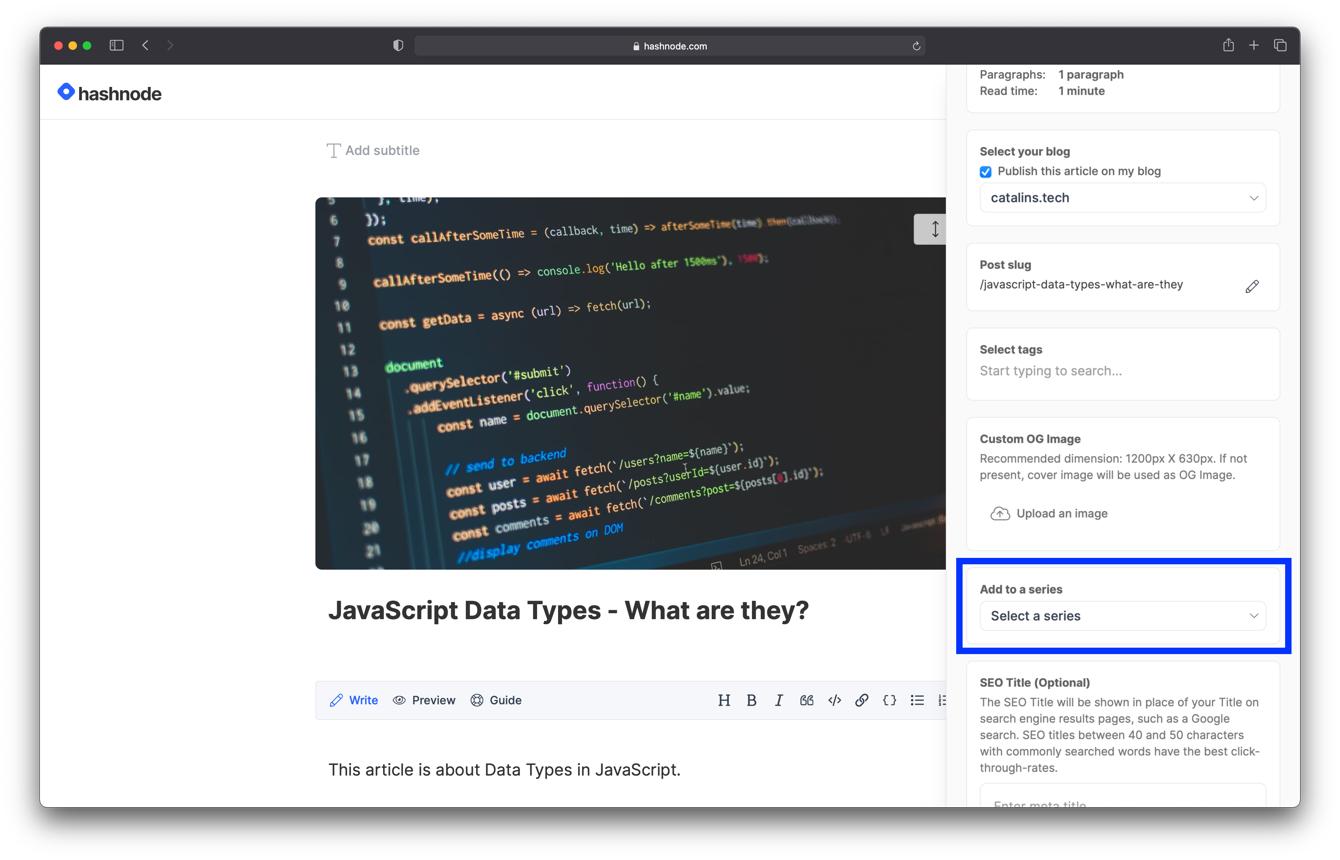
1. Hashnode — Free Entry-Level Publishing and Paid Pro Features
Hashnode is a strong choice for developers, AI engineers, and technology writers who want to publish technical content. You can start with a free blog and use features designed for developer-focused publishing. Paid Pro features offer additional flexibility for writers who want to build a professional brand. Hashnode is particularly useful for coding tutorials, AI development guides, programming tips, and software documentation. Its developer-oriented features make it easier to connect your writing with your technical work.
Best for: AI developers, programmers, and technical bloggers who want to build an audience around their expertise.
2. Medium — Free Publishing with Built-In Distribution
Medium makes it easy to publish articles without managing hosting or complicated website settings. Its existing reader community can help technology writers reach people interested in artificial intelligence, emerging technologies, productivity tools, and industry trends. You can start publishing for free, making it a convenient option for beginners who want to focus on writing. However, you have less control over your website's design, branding, and overall publishing environment than you would with an independent blog.
Best for: Beginners and technology writers who want a simple way to publish articles and reach an existing audience.
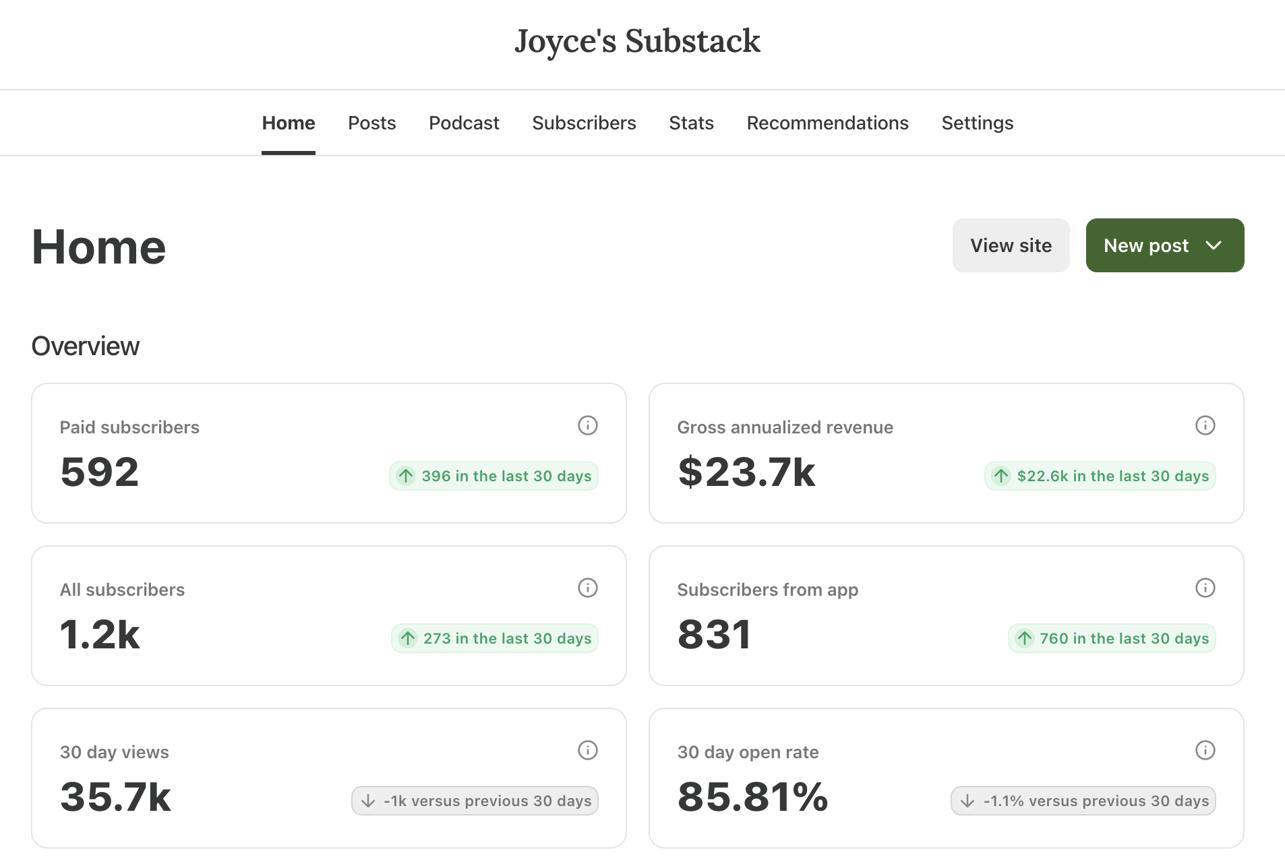
3. Substack — Free Publishing with Paid Newsletter Monetization
Substack is a useful option for AI and technology writers who want to build a newsletter alongside their blog. You can publish free articles and offer paid subscriptions to readers who want exclusive analysis, research, tutorials, or industry insights. This model works well for writers who regularly cover AI developments, technology trends, and software news. Substack is free to start, but it takes a share of paid subscription revenue and payment processing fees apply when you monetize.
Best for: Technology analysts, AI newsletter creators, and writers who want to earn through paid subscriptions.
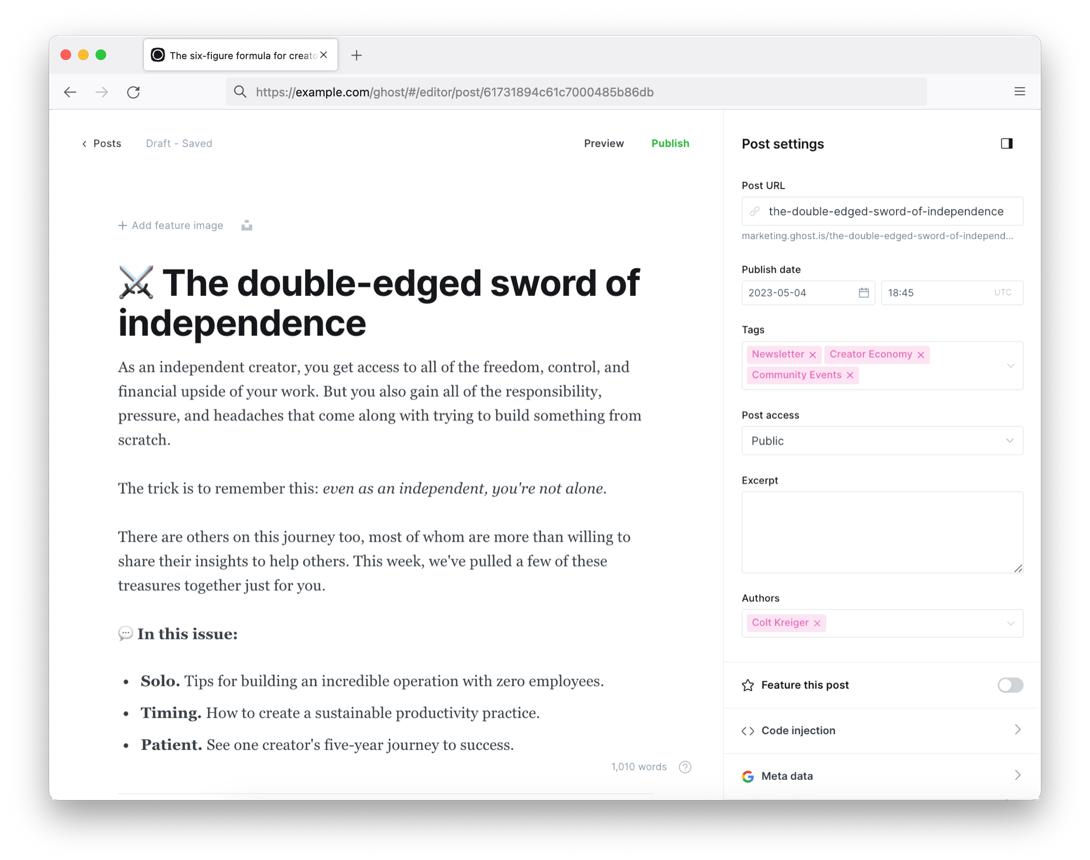
4. Ghost — Paid Managed Hosting or Self-Hosted Publishing
Ghost is designed for professional publications, blogs, and newsletters. It offers tools for publishing, audience management, memberships, and paid subscriptions. It also provides SEO-friendly features such as metadata controls, XML sitemaps, canonical URLs, and structured data. You can choose managed hosting through Ghost(Pro) or self-host the software if you have the technical knowledge and infrastructure. Managed hosting requires a paid plan, while self-hosting can involve server, maintenance, and setup costs.
Best for: Professional AI publications, technology businesses, and writers who want greater control over their brand and audience.
Which Is the Best Blog Platform for Artificial Intelligence and Technology?
Hashnode is my top recommendation for technical bloggers, especially developers writing about AI, programming, and software engineering. It is designed around technical publishing and offers a straightforward way to get started.
However, the best choice depends on your goals:
- Hashnode: Best for developer-focused technical content.
- Medium: Best for straightforward publishing and access to an existing reader community.
- Substack: Best for building a newsletter and monetizing through subscriptions.
- Ghost: Best for creating a professional publication with greater control over branding and membership features.
Before choosing, consider your long-term content strategy, monetization plans, and how much control you want over your blog website.
Get a closer look at the services, tools, and functionalities that make each platform stand out.
1. Hashnode — Free Entry-Level Publishing and Paid Pro Features
My verdict: Hashnode is a strong choice for developers, AI engineers, software professionals, and technical writers who want to publish tutorials, document projects, and connect with a community of builders. Its Markdown editor, developer-oriented publishing workflow, and community discovery features make it especially useful for technical content. Advanced capabilities such as custom domains, GitHub backups, API access, and headless CMS features are included in Hashnode Pro rather than being guaranteed on every free account.
Evaluation of Hashnode:
1. Is Hashnode SEO-friendly for AI and technology blogging?
Yes. Hashnode is designed for technical publishing and supports a blog structure that works well for search-focused content, including tutorials, programming guides, and AI tool comparisons.
For example, an article titled “How to Build an AI Chatbot with Python” can target a specific technical query while providing code examples, implementation steps, and troubleshooting guidance. Use descriptive titles, clear headings, useful internal links, and focused URLs to help readers and search engines understand the article.
Hashnode's domain and publication setup can also support your branding strategy. However, the precise domain, GitHub backup, and advanced publishing capabilities available depend on your plan.
If you are comparing the best blog platform for SEO, Hashnode is particularly relevant when your content answers technical questions that developers search for. Search visibility still depends on the depth of your explanation, competition, backlinks, and whether your content solves the reader's problem.
2. Is Hashnode hosted or self-hosted, and what does that mean for a technology blogger?
Hashnode is a hosted publishing platform. You can write and publish articles without setting up your own web server or maintaining a separate blogging installation.
This is useful if you want to spend your time building AI projects, testing software, or explaining programming concepts rather than managing infrastructure. Hashnode handles the publishing environment, while you focus on content.
Eligible plans support custom domains, and its headless CMS capabilities offer a more technical route for developers who want to use Hashnode's publishing system with a custom frontend.
Choose hosted Hashnode publishing if you want a developer-friendly workflow without managing a full website stack. Choose a self-hosted solution if you need direct control over the server, database, deployment process, and broader website architecture.
3. Can you export your Hashnode blog and move it to another platform?
Hashnode offers developer-oriented content management and migration-related features, including bulk Markdown import and GitHub backups on Pro. These capabilities can make it easier to maintain content outside a conventional visual website editor.
For a technical writer, portable Markdown and code examples are valuable because they can be reused in documentation, a personal website, or another publishing system.
However, a content backup is not necessarily a complete migration of the entire website. Theme settings, publication configuration, integrations, comments, analytics, and other platform-specific features may require separate handling.
To protect your work:
- Keep original code examples in version control where appropriate.
- Maintain copies of important articles and technical diagrams.
- Preserve source links, references, and article metadata.
- Record established URLs before redesigning your site.
- Plan redirects if an article moves to another domain.
Hashnode is a good option for developers who value structured technical content, but long-term portability should include both the articles and the surrounding publishing setup.
4. Are Hashnode themes and templates suitable for AI and tech blogs?
Yes. Hashnode provides a developer-oriented publication experience, with branding and customization options that help technical writers create a recognizable publication.
You can organize content around AI agents, machine learning, software engineering, cloud tools, APIs, and programming tutorials. A consistent format for code samples, diagrams, headings, and project walkthroughs makes technical articles easier to follow.
For example, a publication focused on generative AI could separate beginner guides, model comparisons, API tutorials, and advanced implementation notes.
Hashnode is less suited to someone who wants the full visual freedom of a general-purpose website builder. If you require a highly customized product directory, interactive tool database, or complex landing pages, its advanced capabilities or an external frontend may be more appropriate.
5. Does Hashnode support do-follow or no-follow links?
Hashnode supports links in articles, so you can connect technical tutorials to official documentation, GitHub repositories, research papers, and related posts.
A normal editorial hyperlink can pass link signals unless it is marked with an attribute that changes how search engines interpret it. Paid or affiliate relationships should be disclosed and marked appropriately, such as with rel="sponsored" where applicable.
For example, a tutorial about an AI API can link to the official API documentation, a sample repository, and a related article explaining authentication. These links help readers verify implementation details and explore the topic further.
Do not use links simply to manipulate rankings. Prioritize official references, relevant internal links, and sources that improve the technical accuracy of your article.
6. How long does it take for a Hashnode article to get indexed by Google?
There is no guaranteed indexing timeline. A new article may be discovered and indexed relatively quickly, but indexing can take longer depending on crawl discovery, the site's history, content quality, and search-engine processing.
Hashnode provides community discovery and publishing tools, but publication alone does not guarantee Google indexing or high rankings.
To improve discovery:
- Publish original, useful technical explanations.
- Link new tutorials from relevant existing articles.
- Use descriptive titles and focused headings.
- Include working examples and helpful code snippets.
- Avoid publishing thin articles that merely rephrase documentation.
- Monitor indexing and performance through Google Search Console where applicable.
For example, a detailed article about running a local language model should explain system requirements, installation, configuration, errors, and practical use cases rather than simply listing commands.
7. Can Hashnode support a technology blogger from beginner to advanced stages?
Yes. Hashnode can support a technical publishing journey from a first programming tutorial to a more established developer publication.
- Beginner: Publish coding notes, AI experiments, software walkthroughs, and lessons learned.
- Growing writer: Build topic clusters around machine learning, AI tools, APIs, and developer workflows.
- Established technical author: Use a custom domain and eligible advanced features to strengthen your publication's identity.
- Advanced publisher: Explore API access, webhooks, GitHub backups, or headless CMS functionality through Hashnode Pro.
The platform is particularly useful when your writing is closely connected to software development. If you later need a highly customized technology directory or a complex product website, you may need an external frontend or another website platform.
8. Can you use a custom domain and build a long-term technology brand with Hashnode?
Yes, through an eligible plan. A custom domain such as aiengineeringnotes.com can make your technical publication more recognizable and easier to share across developer communities, professional profiles, and newsletters.
A custom domain is particularly valuable if you plan to build a reputation around AI engineering, developer tools, or software architecture over several years.
Choose a name broad enough to accommodate new subjects. A publication that begins with prompt engineering may eventually cover AI agents, automation, cloud infrastructure, and model evaluation.
Keep in mind that owning a domain and owning the underlying publishing infrastructure are different things. You can build a recognizable brand on Hashnode while still relying on its hosted service.
9. Can Hashnode help you gain organic traffic and build website authority?
Yes. Hashnode is suitable for publishing technical material that can attract search traffic, particularly when articles answer specific implementation questions.
For example, rather than writing a generic article about AI agents, create detailed tutorials covering tool calling, memory design, API integration, evaluation, deployment, and common errors. Each article should answer a distinct question and link to relevant supporting tutorials.
To strengthen organic visibility:
- Target specific technical search queries.
- Include original examples and tested code.
- Explain why an approach works, not just how to copy it.
- Link to related articles and authoritative documentation.
- Keep tutorials updated when APIs or software versions change.
- Earn relevant links through genuinely useful technical contributions.
Hashnode's developer community can help readers discover your writing, but community visibility and Google rankings are different sources of traffic. Build both without relying entirely on one distribution channel.
10. Does Hashnode support uploading images for AI and technical articles?
Yes. Technical articles can include images and visual explanations, which are especially useful for complex AI workflows and software concepts.
You can use screenshots, architecture diagrams, output examples, charts, and interface walkthroughs to support your explanations.
For better results:
- Use clear screenshots that show the relevant interface or error.
- Add diagrams for system architecture and data flow.
- Compress large images to reduce loading time.
- Write meaningful alt text.
- Include captions that explain what a diagram or screenshot demonstrates.
- Avoid publishing screenshots containing API keys, access tokens, or private user information.
For example, an article about a retrieval-augmented generation system can use a diagram showing document ingestion, embedding generation, vector search, and response generation.
11. Can you monetize a Hashnode blog and support business goals?
Yes, although Hashnode is primarily a technical publishing platform rather than an all-in-one commerce system.
Potential business opportunities include:
- Sponsorships: Partner with relevant AI software companies and developer-tool providers.
- Affiliate marketing: Recommend tools or services using disclosed affiliate links.
- Consulting: Use technical articles to demonstrate expertise and attract clients.
- Courses and ebooks: Link to paid learning resources or technical guides.
- Product promotion: Publish tutorials that demonstrate your own software or developer product.
- Newsletter growth: Build a subscriber audience for future product launches and technical updates.
- Paid services: Use your publication as a portfolio for implementation, training, or engineering services.
The best monetization approach depends on your audience. A blog about enterprise AI infrastructure may attract consulting opportunities, while a publication about beginner coding tools may be better suited to educational products.
12. How do Hashnode pricing and website ownership work?
Hashnode offers free entry-level publishing, while Hashnode Pro provides additional features for advanced publishing and team workflows. Its 2026 Pro announcement lists custom domains, GitHub backups, API and headless CMS capabilities, AI writing assistance, webhooks, scheduled publishing, and other features.
Before choosing a plan, consider whether you need:
- A custom domain.
- GitHub backups.
- Advanced publication branding.
- API access or a headless CMS.
- Team publishing workflows.
- Advanced automation or integrations.
Check the officialHashnode website for current pricing and feature availability.
You control the content you create, subject to the service's terms, but Hashnode operates the hosted publishing environment. For long-term ownership, keep copies of important content and understand which capabilities depend on your subscription.
Final Verdict
Hashnode is a strong option for developers and AI writers who want a focused publishing workflow, a technical community, and the option to expand into more advanced developer features.
2. Medium — Free Publishing with Built-In Distribution
My verdict: Medium is ideal for AI writers, technology commentators, product reviewers, and professionals who want to publish ideas without building and maintaining a separate website. Its recommendation feeds, publications, and reader network can help articles reach people beyond your existing followers. Medium also offers a Partner Program for eligible writers, with earnings based on member engagement and other program rules.
Evaluation of Medium:
1. Is Medium SEO-friendly for AI and technology blogging?
Medium can support search visibility, and published stories can be discovered through search engines. However, its primary advantage is the combination of public publishing and Medium's internal distribution system.
For example, a detailed article explaining the limitations of an AI coding assistant can reach readers through search, direct sharing, recommendations, or a relevant publication.
Use specific headlines, informative subheadings, useful examples, and original analysis. Explain technical claims clearly and link to credible documentation or research where appropriate.
Medium does not provide the same level of control over the entire website structure as a self-hosted CMS. If your strategy requires a highly customized technology website with advanced SEO architecture, landing pages, and a large product directory, another platform may be more suitable.
Medium is a reasonable option when you want to publish quickly and focus on the quality of your writing rather than managing technical SEO infrastructure.
2. Is Medium hosted or self-hosted, and what does that mean for a technology blogger?
Medium is a hosted publishing platform. You create an account, write your articles, and publish them within Medium's environment without managing a separate server or hosting provider.
This makes it attractive for AI researchers, software professionals, startup founders, and technology writers who want to share insights without maintaining a website.
The trade-off is that you have less control over the underlying platform, its layout, features, and distribution policies. You also rely on Medium's rules and product decisions for the experience readers receive.
Choose Medium if you want a straightforward writing and distribution environment. Consider a platform you control more directly if your long-term plan requires a customized website, extensive technical integrations, or a dedicated brand experience.
3. Can you export your Medium articles and move to another platform?
Medium provides export options for account content, but an export is not the same as a complete copy of a customized website.
Your writing may be reusable elsewhere, but the presentation, publication structure, comments, followers, and Medium-specific distribution do not automatically transfer to another platform.
If you want to preserve long-term flexibility:
- Keep original copies of important articles.
- Store images and diagrams separately.
- Maintain a list of article titles and URLs.
- Save references and code examples in reusable formats.
- Consider publishing important evergreen articles on a website you control as well.
Medium can be a useful distribution channel, but it is sensible to keep your most valuable content backed up independently.
4. Are Medium themes and templates suitable for AI and technology blogging?
Medium offers a standardized, reading-focused presentation rather than the extensive template selection found in traditional website builders.
Its clean article layout works well for long-form AI explainers, industry analysis, software reviews, engineering lessons, and technology opinion pieces. Readers can focus on the argument, examples, and evidence without navigating a complicated website.
For example, a story explaining how AI agents differ from conventional chatbots can use headings, diagrams, screenshots, and code snippets within a familiar article format.
The limitation is branding flexibility. You have fewer options for creating a fully customized homepage, tool directory, interactive demo library, or complex navigation system.
Choose Medium when the article itself is the main product. Choose a more customizable platform when your website's structure and branding are central to your business.
5. Does Medium support do-follow or no-follow links?
Medium supports hyperlinks within stories, so you can link to research papers, official documentation, GitHub repositories, software products, and related articles.
However, writers do not have complete control over every technical link attribute applied by the platform. Do not assume that every external link will behave like a link on a website you fully control.
Use links to support your claims and help readers continue their research. If you include affiliate or sponsored links, follow the relevant disclosure requirements and Medium's policies.
For example, a comparison of AI coding tools should link to official product documentation and clearly identify any commercial relationship that may influence a recommendation.
Medium's value is not that it guarantees do-follow links. It is that you can publish useful technical analysis and potentially reach readers through its distribution network.
6. How long does it take for a Medium article to get indexed by Google?
There is no fixed timeline. Published Medium stories are publicly accessible, and Medium explains that stories may begin appearing in search engines after publication. Indexing and ranking still depend on search-engine discovery and processing.
A story may gain readership through Medium's own network before it attracts search traffic. Conversely, an article may appear in search results even if it receives limited internal recommendations.
To improve your chances of discovery:
- Write an informative, specific headline.
- Answer a clear question or offer a distinctive perspective.
- Use headings that organize the discussion.
- Include original examples and supporting references.
- Share the story through relevant professional channels.
- Keep evergreen technical explanations accurate and useful.
Do not confuse a story being published with a story being indexed, or indexing with ranking. Medium's internal distribution and Google search are separate discovery mechanisms.
7. Can Medium support a technology blogger from beginner to advanced stages?
Yes, particularly for writers whose main objective is to develop an audience through articles rather than build a complex website.
- Beginner: Publish learning notes, AI tool reviews, and explanations of technologies you are exploring.
- Growing writer: Develop a consistent topic focus and submit suitable articles to relevant publications.
- Established expert: Publish original analysis, engineering lessons, and thoughtful commentary on AI developments.
- Monetizing writer: Apply for the Medium Partner Program if eligible and create stories that readers find valuable.
Medium's distribution system includes follower networks, recommendations, publications, and Boost for selected stories. These features can help strong writing reach readers who have not previously encountered the author.
However, Medium is not a substitute for every kind of technology business website. If you want a software product homepage, interactive documentation, or a large searchable library, consider combining Medium with a dedicated website.
8. Can you use a custom domain and build a long-term technology brand on Medium?
Medium supports a strong author identity and recognizable profile, but it offers less website-level domain and design flexibility than a dedicated publishing system.
For a long-term technology brand, your name, writing focus, profile, and article quality can help build recognition. You can share your profile across professional networks, conference presentations, and social channels.
The main limitation is that Medium's publication environment remains the central home for your articles. You do not control the full website architecture in the way you would with a self-hosted CMS.
If domain ownership and brand independence are priorities, maintain a personal website alongside Medium. You can use the website as your central portfolio and publish selected articles on Medium to reach its readership.
9. Can Medium help you gain organic traffic and build website authority?
Medium can help your writing reach readers through search engines, social sharing, publications, and its internal recommendation system. Its official documentation explains that stories may be distributed through followers, topic recommendations, email digests, and other discovery channels.
For example, an original analysis of how a new AI model performs on real-world coding tasks may attract readers interested in that technology. A well-structured tutorial may also remain useful through search over time.
To build visibility:
- Publish original analysis rather than generic summaries.
- Explain technical concepts with clear examples.
- Cite credible sources and official documentation.
- Use specific headlines that reflect the article's content.
- Share work with relevant professional communities.
- Link readers to your broader portfolio when appropriate.
Medium can support author visibility and article discovery, but it does not give you complete control over the authority of an independent website. If building a separate domain's SEO strength is central to your strategy, publish on a website you control as well.
10. Does Medium support uploading images for AI and technical articles?
Yes. Medium supports adding images to stories, making it suitable for tutorials, software reviews, AI explainers, and technology analysis.
Useful visuals include screenshots of a software interface, architecture diagrams, charts, code output, and comparisons between tools. Medium's distribution guidelines also emphasize that images should add value and that alt text helps accessibility.
For better articles:
- Use screenshots that show the relevant feature.
- Add diagrams when explaining architecture or data flow.
- Provide alt text for meaningful images.
- Credit images when required.
- Avoid using visuals that do not support the explanation.
- Remove sensitive information from screenshots.
For example, an AI model comparison can include a clear chart of test results, provided the methodology and limitations are explained in the article.
11. Can you monetize a Medium technology blog and support business goals?
Yes. Medium offers a Partner Program for eligible writers, allowing them to earn based on member engagement and program rules. Eligibility and participation requirements apply, and the program may change over time.
Other business opportunities include:
- Thought leadership: Publish analysis that demonstrates your knowledge to potential clients or employers.
- Consulting: Use technical articles to showcase expertise in AI adoption, software architecture, or developer tools.
- Affiliate marketing: Recommend relevant products with appropriate disclosures and in accordance with platform policies.
- Courses and ebooks: Direct interested readers to learning resources you offer elsewhere.
- Product promotion: Explain how your own software solves a genuine problem.
- Audience development: Use articles to grow your professional reputation and attract newsletter subscribers on channels you control.
Medium works especially well when your content is informative and insight-driven. Do not assume that publishing alone guarantees Partner Program earnings; revenue depends on eligibility, reader engagement, and the program's current rules.
12. How do Medium pricing and website ownership work?
Publishing articles on Medium is generally free. The platform also offers paid membership options for readers, while eligible writers can apply for the Partner Program.
You do not need to purchase a separate hosting plan or install a CMS to begin publishing. This makes Medium accessible to writers who want to test a topic before investing in a standalone website.
However, your article presentation, distribution, and publishing experience depend on Medium's platform. You have less control over site architecture, branding, and technical integrations than with a self-hosted website.
If your long-term goal is to create a technology publication, SaaS resource hub, or AI tools directory, consider the value of owning a separate domain and website.
Final Verdict
Medium is a strong option for AI writers, technology professionals, and software commentators who want a simple publishing experience and the possibility of reaching readers through an established distribution network.
3. Substack — Free Publishing with Paid Newsletter Monetization
My verdict: Substack is particularly useful for AI analysts, technology journalists, independent researchers, and tool reviewers who want to combine public articles with an email newsletter. Publishing is free, while Substack charges a percentage of paid subscription revenue if you enable paid subscriptions, in addition to payment-processing fees.
Evaluation of Substack:
1. Is Substack SEO-friendly for AI and technology blogging?
Substack supports public articles that can be discovered through search engines, making it suitable for AI explainers, software analysis, product reviews, and technology newsletters.
Substack states that it manages several SEO elements behind the scenes and that features such as sitemap access and Google Search Console verification may become available as a publication grows.
For example, a newsletter focused on AI agents could publish public articles explaining agent architectures, tool use, evaluation methods, and new product releases. Each article should have a clear title, a specific focus, and useful links to relevant earlier posts.
Substack's main advantage is combining publishing with email distribution. However, it provides less control over website architecture and technical customization than a fully managed independent CMS.
If your primary goal is the best blog platform for SEO, Substack can work for a publication built around written analysis and a loyal audience. If you need a large technical resource hub, advanced content types, or extensive SEO customization, compare it with Ghost.
2. Is Substack hosted or self-hosted, and what does that mean for a technology blogger?
Substack is a hosted publishing and newsletter platform. You can create a publication and start sending articles to subscribers without setting up your own server, installing a CMS, or configuring an independent email delivery system.
This is useful for AI writers who want to publish consistently and communicate directly with readers. For example, an analyst could send a weekly roundup of AI research, model releases, and tool evaluations to subscribers.
The trade-off is that your publishing workflow and many audience features depend on Substack's service. You have less technical control than with a self-hosted Ghost installation.
Choose Substack if you want a simple combination of public posts and newsletters. Choose a more customizable system if you need advanced website architecture or greater control over your publishing infrastructure.
3. Can you export your Substack articles and subscribers to another platform?
Substack provides export options for publication content and subscriber data, making it possible to move important information to another service. However, exporting content and transferring an entire publication are not the same thing.
Your articles and subscriber list may be transferable, but the publication's design, recommendations, reader relationships, payment configuration, and other platform-specific features may require additional work.
Before publishing extensively:
- Keep copies of important articles and images.
- Maintain a record of article URLs and titles.
- Export subscriber data periodically where appropriate.
- Understand how paid subscriptions and billing would be handled if you migrate.
- Plan redirects and communication with readers before changing platforms.
Substack can be a practical starting point for a newsletter-led publication, but a long-term migration plan should account for both content and recurring subscriptions.
4. Are Substack themes and templates suitable for AI and technology blogging?
Substack uses a streamlined publication design rather than the extensive theme ecosystem of a general-purpose website builder.
This works well for long-form AI analysis, product commentary, technical essays, research summaries, and newsletters. The familiar reading experience lets readers focus on the writing and receive new posts by email.
For example, a publication about practical AI tools could feature weekly tool reviews, implementation guides, and a recurring roundup of important model releases.
The limitation is customization. If you want a complex technology homepage with interactive demos, software directories, detailed navigation, or highly customized landing pages, Substack may not provide enough design flexibility.
Choose Substack if the written publication and email relationship are the core of your business. Choose Ghost if you want a more customizable independent publication with integrated membership and newsletter functionality.
5. Does Substack support do-follow or no-follow links?
Substack lets you insert links into posts and newsletters, including links to research papers, documentation, product websites, GitHub repositories, and other articles.
The platform controls some technical details of how links are rendered, so you should not assume that every link behaves exactly as it would on a fully controlled website.
For a technology newsletter, link to original sources and clearly distinguish independent analysis from sponsored recommendations. If you use affiliate links, disclose the commercial relationship and follow applicable rules.
For example, a weekly AI tools roundup should link to official product pages and documentation, explain what each tool does, and identify any paid relationship that influences the recommendation.
The key benefit is helping readers explore useful resources. Link attributes alone do not guarantee rankings or authority.
6. How long does it take for a Substack article to get indexed by Google?
There is no guaranteed indexing timeline. Public Substack posts may be discovered and indexed, but new publications and individual articles can take time to appear in search results.
Substack's SEO documentation notes that certain tools, including sitemap access and Google Search Console verification, may become available as the publication grows. It also recommends consistent publishing and audience development.
To improve discoverability:
- Use clear publication and article titles.
- Publish original, useful content.
- Link new posts to related articles in your archive.
- Share public posts through relevant channels.
- Monitor indexing when Search Console features are available.
- Avoid relying exclusively on subscriber email distribution for discovery.
A newsletter can reach subscribers immediately after sending, while search indexing operates on a separate timeline. Use both channels to make your content discoverable.
7. Can Substack support an AI or technology blogger from beginner to advanced stages?
Yes. Substack is especially suitable for writers who want to grow an audience around recurring analysis or insights.
- Beginner: Publish free articles and a regular newsletter about AI tools, programming, or technology trends.
- Growing writer: Develop recurring topics and encourage readers to subscribe.
- Established analyst: Build a recognizable publication with regular research, product evaluations, or industry commentary.
- Advanced creator: Introduce paid subscriptions for premium research or specialized analysis.
For example, an AI newsletter could publish a free weekly roundup while reserving in-depth model evaluations, implementation notes, or research briefings for paying subscribers.
The main constraint is that Substack is designed around publishing and audience relationships rather than complex website functionality. If you need an interactive AI tools database or software product portal, a dedicated website may be necessary.
8. Can you use a custom domain and build a long-term technology brand on Substack?
Yes. Substack supports custom domains, but its current documentation specifies a one-time fee of $50 USD, and you must already own the domain. The publication is typically configured on a subdomain such as www.example.com, with the root domain redirected if desired.
A custom domain can make your AI newsletter easier to recognize and share across professional networks, conference presentations, and social profiles.
Choose a name that can grow with your interests. A publication initially focused on AI writing tools may eventually cover AI agents, software engineering, research, and automation.
However, the custom domain does not give you full control over the platform's hosting or publication design. If complete website independence is a priority, consider an independent CMS while using Substack for newsletter distribution.
9. Can Substack help you gain organic traffic and build website authority?
Yes. Public articles can attract search traffic, while email newsletters help maintain an ongoing relationship with readers.
For example, a publication about AI automation could publish searchable tutorials on workflow design and API integration, then send subscribers a weekly summary of new articles and relevant industry developments.
To build organic visibility:
- Publish original analysis and useful technical guides.
- Answer specific reader questions in individual posts.
- Link to related articles in your archive.
- Cite credible research and official documentation.
- Keep important evergreen articles accurate.
- Share content through professional communities.
- Encourage subscriptions without making every article a sales pitch.
Substack's internal recommendations can help readers discover publications, but email reach and Google rankings are different channels. If building an independent domain's search authority is your main objective, consider whether Substack's customization options meet your needs.
10. Does Substack support uploading images for AI and technical articles?
Yes. Substack supports images and other rich content in posts, making it suitable for AI explainers, research commentary, software walkthroughs, and product comparisons.
You can use screenshots, diagrams, charts, and visual examples to clarify difficult concepts.
For better technical articles:
- Use screenshots that demonstrate the actual feature being discussed.
- Add diagrams for model architecture, data flow, or system design.
- Provide clear captions and alternative descriptions where available.
- Compress large images when practical.
- Credit third-party visuals when required.
- Avoid screenshots that expose credentials or private information.
For example, an article comparing AI model performance can include a chart showing test results, with an explanation of the methodology and the limitations of the comparison.
11. Can Substack monetize an AI and technology publication?
Yes. Substack allows writers to publish free content and enable paid subscriptions. According to its current pricing guidance, publishing is free, while Substack takes 10% of paid subscription revenue and payment-processing fees also apply.
Potential revenue models include:
- Paid newsletters: Offer premium AI analysis, research summaries, or detailed product evaluations.
- Free-to-paid publishing: Share introductory articles publicly and reserve selected deep dives for subscribers.
- Consulting: Use your writing to demonstrate expertise in AI strategy, automation, or software development.
- Affiliate marketing: Recommend relevant software and tools with appropriate disclosures.
- Courses and guides: Promote educational products or workshops through your publication.
- Sponsorships: Work with relevant technology companies when the partnership fits your audience.
- Community building: Use a recurring newsletter to build relationships with readers and potential clients.
For example, a newsletter about enterprise AI could provide free weekly industry updates and offer paid subscribers deeper implementation analysis and practical evaluation frameworks.
Before choosing a paid model, estimate payment fees, the time required to produce premium content, and the number of subscribers needed to make the publication worthwhile.
12. How do Substack pricing and website ownership work?
Substack is free to use for publishing, including when you have a large number of free subscribers. If you enable paid subscriptions, Substack takes 10% of subscription revenue, with payment-processing fees charged separately. A custom domain currently requires a one-time $50 fee, excluding the domain's own registration cost.
Your budget should account for:
- Domain registration and renewal.
- Substack's revenue share on paid subscriptions.
- Payment-processing fees.
- Any external tools you use for research, design, or marketing.
- The time needed to create recurring premium content.
Substack gives you a simple way to publish and maintain a newsletter, but you rely on its platform for the publishing and subscription experience.
If your business depends on a large technical resource library, extensive customization, or more direct control over the website, compare the long-term trade-offs with Ghost.
Final Verdict
Substack is an excellent option for AI analysts, independent researchers, technology writers, and creators who want to build a newsletter audience and potentially earn recurring subscription revenue.
4. Ghost — Paid Managed Hosting or Self-Hosted Publishing
My verdict: Ghost is a strong choice for independent AI publications, technology newsletters, and professional writers who want a branded website, built-in email newsletters, and membership tools. You can use managed Ghost(Pro) hosting or self-host the open-source software if you are comfortable managing infrastructure. Its built-in SEO features include metadata, structured data, XML sitemaps, and canonical URLs.
Evaluation of Ghost:
1. Is Ghost SEO-friendly for AI and technology blogging?
Yes. Ghost includes SEO features designed to help independent publications manage how their content appears in search engines.
Its built-in capabilities include metadata, structured data, XML sitemaps, and canonical URLs. These features are useful for a technical publication that publishes AI tutorials, software comparisons, product reviews, and evergreen guides.
For example, a guide titled “How to Evaluate an AI Coding Assistant” can use a descriptive title, clear headings, relevant links, and a focused URL. A publication covering AI tools can also organize its content around related subjects, such as model comparisons, automation workflows, and developer APIs.
Ghost gives you a more independent website environment than Medium or Substack, making it attractive if search traffic and brand ownership are central to your strategy.
However, technical SEO features do not automatically produce rankings. Your content still needs to answer real questions, provide original value, and earn reader trust.
2. Is Ghost hosted or self-hosted, and what does that mean for a technology blogger?
Ghost supports both managed hosting and self-hosting.
With Ghost(Pro), Ghost manages the hosting environment, allowing you to focus on writing and publishing. With self-hosted Ghost, you run the open-source software on your own server or hosting provider and manage the associated infrastructure.
This flexibility is valuable for technical writers. A solo AI analyst can choose managed hosting to reduce maintenance, while a developer or technically capable team can self-host for more direct infrastructure control.
Self-hosting also creates additional responsibilities, including server maintenance, backups, updates, security, and email delivery configuration.
Choose Ghost(Pro) if you want an independent publication without managing the server. Choose self-hosted Ghost if you have the skills and resources to maintain the environment.
3. Can you export your Ghost blog and move it to another platform?
Ghost provides content export and import tools, making it suitable for publishers who value portability and want more control over their publishing system.
You can export content in a structured format and use it as part of a migration workflow. However, a content export does not necessarily transfer every theme, integration, membership setting, email configuration, or design detail to another platform.
To prepare for a future migration:
- Keep copies of original images and downloadable files.
- Maintain your source articles and technical diagrams.
- Record important URLs and redirects.
- Export content and member data where appropriate.
- Document custom theme changes and integrations.
- Plan how paid memberships and email subscriptions will be handled.
For an AI publication with hundreds of tutorials, research notes, and software reviews, these practices make it easier to maintain the archive if your publishing needs change.
4. Are Ghost themes and templates suitable for AI and technology blogging?
Yes. Ghost supports publication themes designed for editorial websites, newsletters, and independent creators. Ghost(Pro) plans include design settings, while higher plans offer additional theme customization features.
You can create a professional homepage, topic archives, author pages, and article layouts suited to AI explainers, tool reviews, engineering guides, and research commentary.
For example, an AI publication could feature the latest articles on the homepage, create separate sections for AI agents and developer tools, and offer a clear subscription option to readers.
Ghost's theme ecosystem provides more website control than Medium or Substack, though the level of customization depends on the theme and your technical skills.
If you want a highly interactive software directory or product comparison database, you may need custom development or external services beyond a standard publishing theme.
5. Does Ghost support do-follow or no-follow links?
Ghost supports hyperlinks in articles and pages, allowing you to connect tutorials to documentation, repositories, research papers, and related posts.
A normal editorial link can pass link signals unless it is marked with an attribute that changes how search engines interpret it. Paid or affiliate links should be disclosed and marked appropriately.
For example, a review of AI coding tools can link to official documentation, product pages, and independent benchmarks. A sponsored review should clearly disclose the relationship and use suitable link attributes where applicable.
Ghost gives you control over the content and site configuration, but links should be added for reader value rather than as a shortcut to rankings.
6. How long does it take for a Ghost article to get indexed by Google?
There is no guaranteed indexing timeline. Ghost's sitemap and SEO features help search engines discover content, but the timing depends on crawling, the publication's history, internal links, and the quality and accessibility of individual pages.
For a new Ghost publication:
- Publish complete, original articles.
- Use clear titles and descriptive URLs.
- Link related tutorials together.
- Keep the sitemap accessible.
- Connect Google Search Console where appropriate.
- Inspect indexing status and address technical problems.
For example, a guide to deploying a local AI model should include useful installation steps, configuration details, and troubleshooting rather than a short, generic overview.
A sitemap helps search engines discover URLs, but it does not guarantee indexing or ranking. Build a useful archive and monitor performance over time.
7. Can Ghost support a technology blogger from beginner to advanced stages?
Yes. Ghost can support an independent publication from its first articles to a more established membership-based business.
- Beginner: Publish AI explainers, coding tutorials, software reviews, and technology commentary.
- Growing publisher: Build a consistent website, develop topic archives, and start a free newsletter.
- Established creator: Introduce paid memberships and premium analysis for a defined audience.
- Advanced publisher: Customize themes, integrate external tools, and choose self-hosting if direct infrastructure control is required.
For example, a writer covering practical AI adoption could publish free explainers while offering paying members in-depth implementation guides, research briefings, or industry analysis.
Ghost is especially attractive when your long-term goal is to own the publication experience and develop a direct relationship with readers. The main trade-off is that advanced customization and self-hosting require more technical knowledge than simpler hosted platforms.
8. Can you use a custom domain and build a long-term technology brand with Ghost?
Yes. Ghost supports custom domains, and Ghost(Pro) includes custom-domain support in its managed hosting offering.
A custom domain such as aiengineeringlab.com gives your publication a consistent identity across search results, newsletters, professional profiles, and product launches.
Choose a domain broad enough to accommodate changes in your focus. A site that begins with AI tool reviews may eventually cover engineering workflows, automation, software architecture, and technical education.
Ghost is a good fit for long-term branding because it combines a dedicated website with publishing and newsletter tools. If you self-host, you gain more control over infrastructure but also take on the responsibility of operating it reliably.
9. Can Ghost help you gain organic traffic and build website authority?
Yes. Ghost's SEO tools, custom domain support, and independent publishing structure make it a good foundation for a search-focused technology publication.
For example, you can build a cluster of related articles about AI agents, including architecture, tool calling, memory, evaluation, and deployment. Each article can answer a distinct question and link to other relevant resources.
To build organic visibility:
- Target specific technical queries.
- Include original testing and implementation examples.
- Link to official documentation and relevant research.
- Connect related articles through internal links.
- Update guides when APIs or software versions change.
- Monitor search performance and indexing.
- Earn relevant external links through useful contributions.
Ghost gives you control over the website and content structure, but it does not guarantee search rankings. Consistent quality and relevance remain essential.
10. Does Ghost support uploading images for AI and technical articles?
Yes. Ghost supports image uploads and article layouts suitable for tutorials, product reviews, and technical analysis.
You can use screenshots, diagrams, charts, and other visuals to explain complex concepts. For instance, a guide to retrieval-augmented generation can include a diagram of document ingestion, embedding creation, vector retrieval, and response generation.
For better performance and accessibility:
- Compress large images.
- Use clear screenshots and diagrams.
- Write meaningful alt text.
- Add captions when they clarify a technical point.
- Keep visuals relevant to the article.
- Avoid screenshots that expose credentials or private information.
Ghost's editorial workflow works well for text-led technical publications that use images to support rather than replace the explanation.
11. Can Ghost monetize an AI and technology blog and support business goals?
Yes. Ghost includes membership and newsletter tools that support a range of independent publishing business models.
Ghost(Pro) supports paid subscriptions on eligible plans, and Ghost advertises no transaction fee of its own on subscription payments, although payment processors can still charge fees.
Potential revenue streams include:
- Paid memberships: Offer premium AI analysis, technical guides, or members-only posts.
- Email newsletters: Send regular updates to free and paid subscribers.
- Consulting: Demonstrate expertise in AI implementation, software development, or technical strategy.
- Courses and ebooks: Promote learning resources and downloadable guides.
- Affiliate marketing: Recommend relevant software and tools with proper disclosure.
- Sponsorships: Work with technology companies whose products fit your audience.
- Product promotion: Use your publication to explain and promote your own software or services.
For example, an AI engineering publication could provide free tutorials while offering paying members detailed implementation notes, architecture reviews, and practical research summaries.
Ghost is particularly useful if you want to build a business around your publication rather than depend entirely on third-party recommendations or social platforms.
12. How do Ghost pricing and website ownership work?
Ghost offers two broad approaches: managed Ghost(Pro) hosting and self-hosting the open-source software.
Ghost(Pro) is a paid service with plans for independent publishers and larger teams. Its official pricing page lists a Starter plan, a Publisher plan, a Business plan, and custom options; pricing and included features can change.
When budgeting, consider:
- The managed hosting subscription or self-hosting costs.
- Domain registration and renewal.
- Paid themes or integrations where needed.
- Payment-processing fees for paid memberships.
- Email delivery and external services if self-hosting.
- Server maintenance and backups if you operate your own installation.
Ghost gives you more control over your publication than platforms that only allow writing within a shared hosted environment. Self-hosting offers the most direct control, but it also requires the most operational responsibility.
Check the officialGhost pricing page to compare managed plans and their current features.
If your primary goal is to build an AI-focused publication that earns through subscriptions, Ghost or Substack may be the strongest starting points. If you want to demonstrate technical expertise through tutorials and code, Hashnode is a natural fit. If you want to start writing with minimal setup and explore a built-in reader network, Medium is worth considering.
4 Best Blog Platforms for Food and Recipe
Choosing the best blog platform for food and recipe blogging involves more than finding a place to publish recipes. If you're looking for the best platform to start a blog, whether it's for your food recipes, cooking tips, restaurant reviews, or food experiences, choosing the right platform is the first step toward building a successful food blog.
WordPress.com is a flexible option for food bloggers who want to publish recipes, cooking tutorials, restaurant reviews, and meal plans. You can start with a free plan and upgrade as your audience grows. It offers customizable themes, blogging tools, built-in hosting, and SEO features to help readers discover your content through search engines. Paid plans provide additional customization and monetization options. If your long-term goal is to build a recipe website with room to grow, WordPress.com is a practical starting point, although some advanced features require a paid plan.
Best for: Food bloggers who want flexibility and a website they can develop over time.
Squarespace is ideal for food creators who want a polished, visually appealing website. Its professionally designed templates make it easy to showcase food photography, organize recipes, publish cooking stories, and present a bakery, catering business, or restaurant brand. It includes website hosting, mobile-friendly designs, and built-in SEO tools. Squarespace is a paid platform, but you can explore it through a free trial before subscribing. It is especially useful for creators who prioritize design and want their blog website to look professional without extensive technical work.
Best for: Food photographers, chefs, restaurant owners, and creators who value visual design.
3. Wix — Free and Paid Plans
Wix is a beginner-friendly website builder that lets you create a food blog using customizable templates and a drag-and-drop editor. Its blogging features and recipe-card app can help you present ingredients, cooking instructions, and food images in an organized format. You can begin with a free plan and upgrade when you need a custom domain or additional features. Wix is a convenient choice for people who want to create a website without coding. However, the free plan has limitations, and a growing food blog may benefit from paid features.
Best for: Beginners who want an easy way to create and design a recipe blog.
4. Jupiter — Free to Join for Creators; Monetization Opportunities
Jupiter focuses on food creators who want to earn money from recipes and food-related content. Eligible creators can apply to join and explore opportunities such as brand partnerships, advertising integrations, and commerce-related monetization. Unlike a general-purpose website builder, Jupiter is designed around the needs of food creators and can help connect recipe content with potential commercial opportunities. However, joining requires an application and approval, so monetization opportunities are not guaranteed. It is worth considering if your priority is turning an established food audience into a source of income.
Best for: Food creators seeking brand collaborations and monetization opportunities.
Which Is the Best Blog Platform for Food Blogging?
My overall recommendation is WordPress.com for bloggers who want to build and grow their own recipe website. It offers a useful combination of publishing tools, customization, and upgrade options.
- WordPress.com: Best for flexible food blogging and long-term growth.
- Squarespace: Best for beautiful, photography-focused food websites.
- Wix: Best for beginners who want an easy website builder.
- Jupiter: Best for food creators interested in brand partnerships and monetization.
If your goal is to find the best blog platform for seo, compare each platform's SEO tools, recipe organization, customization options, and ability to support your growth. If you mainly want to earn through food content and brand deals, Jupiter may be worth exploring alongside a traditional blogging platform.
Evaluate how each platform performs in terms of reliability, efficiency, accessibility, and user satisfaction.
My verdict: WordPress.com is a suitable option for food bloggers who want to build a recipe library, organize related content, and develop an SEO-focused blog website without managing their own hosting infrastructure.
1. Is WordPress.com SEO-friendly for food and recipe blogging?
WordPress.com supports customizable post titles, URL slugs, categories, tags, and XML sitemaps. These features help you organize recipes and give search engines access to your public content. On eligible paid plans, compatible SEO and recipe plugins can extend metadata management, technical SEO workflows, and Recipe structured data.
For example, a recipe for Gujarati dhokla can use a descriptive URL such as /gujarati-dhokla-recipe/, link to related Gujarati recipes, and include accurate ingredients and cooking instructions. This makes WordPress.com a strong candidate for the best blog platform for SEO, particularly when you plan to build topic clusters around a specific cuisine.
WordPress.com is a hosted service. It manages the hosting environment and core platform infrastructure, so you do not need to purchase separate hosting or install WordPress yourself. This allows you to concentrate on recipe testing, food photography, and content publishing.
By contrast, self-hosted WordPress.org requires you to arrange hosting and take greater responsibility for software updates, backups, security, and server configuration. Choose WordPress.com if you prefer managed hosting; consider self-hosted WordPress if you need greater technical control.
3. Can you export your recipes and move your blog to another platform?
WordPress.com provides content-export tools for supported content, including posts and pages. However, exporting content does not guarantee that your design, plugin-specific recipe cards, custom fields, and all media relationships will transfer intact.
If you plan to grow a substantial recipe library, keep original images and recipe source material organized. This will make it easier to migrate your blog website without losing important content or having to recreate every recipe manually.
4. What themes and templates can you use to design a food blog?
WordPress.com offers themes and design controls for creating recipe websites, food photography portfolios, and editorial blogs. You can organize content into categories such as vegetarian meals, Indian desserts, baking, and quick dinners.
Choose a theme that makes ingredients and instructions easy to read on mobile devices. If you need specialized recipe cards, nutritional information, or advanced recipe-search filters, select a compatible theme or plugin that actually supports those functions.
WordPress.com supports standard hyperlinks in posts and pages. Whether a link is followed depends on its rendered HTML and any attributes added by the platform, plugin, or custom implementation.
Use ordinary links for relevant editorial references and internal navigation. For paid partnerships, use rel="sponsored" where appropriate; rel="nofollow" may be suitable in other cases where you do not want to endorse a destination. Do not assume every outbound link automatically passes ranking signals, and do not treat followed links as a guarantee of better rankings.
WordPress.com generates an XML sitemap that can help Google discover public pages, but indexing time is not fixed. A newly published recipe may be discovered quickly or take longer, depending on factors such as crawlability, content quality, internal links, and Google's indexing systems.
Submit or monitor your sitemap through Google Search Console, inspect important recipe URLs, and link new posts from relevant existing pages. The platform can support discovery, but it cannot guarantee that every blog post will be indexed within a specific number of hours or days.
7. Can WordPress.com support a food blog from beginner to advanced stages?
Yes, WordPress.com can support a progression from a small collection of beginner recipes to a larger publishing operation. Beginners can start with basic posts and categories, while eligible paid plans provide plugin access for more advanced recipe and SEO workflows.
As your site grows, you can develop structured recipe collections, improve internal linking, and introduce more sophisticated content management. If you need server-level control or highly customized functionality, compare the hosted service with self-hosted WordPress before making a long-term commitment.
8. Can you use a custom domain and build a long-term food brand?
WordPress.com supports custom domains through eligible plan arrangements. A branded domain can help you build recognition around a specific food niche, such as regional Indian cooking, vegan recipes, or home baking.
Use the same brand identity across your website, newsletter, and social channels. A custom domain supports long-term branding, but remember that domain registration and ownership are separate from the platform's hosting service.
WordPress.com provides the publishing structure needed to create recipe clusters, link related articles, and maintain descriptive URLs. For example, a dhokla recipe can link to a guide about fermented batter, a collection of Gujarati snacks, and an article explaining common steaming mistakes.
To develop organic traffic and authority building, publish original, tested recipes and earn relevant backlinks through useful resources, genuine editorial mentions, and specialist knowledge. The platform supplies technical tools, but search performance depends on your content, competition, indexing, website performance, and other ranking factors.
Yes, WordPress.com supports image uploads within posts and pages. You can include finished-dish photographs, ingredient images, and step-by-step preparation photographs.
Resize and compress images appropriately, and use descriptive alt text such as “Steamed Gujarati dhokla cut into squares.” This improves accessibility and helps communicate what the image depicts. Avoid uploading unnecessarily large files that slow down your recipe pages.
11. Does WordPress.com support monetization and food-blogging business goals?
Depending on your plan and integrations, WordPress.com can support affiliate marketing, sponsored recipes, paid content, digital products, and other monetization methods.
If you want the best blogging platform to make money, consider the entire business model. You could publish recipes, recommend relevant kitchen tools through disclosed affiliate links, sell a digital cookbook, or offer meal plans. Review plan restrictions and plugin requirements before choosing a specific revenue strategy.
WordPress.com offers a free plan and paid plans with different features. The free plan can help you begin publishing, while paid plans may provide custom-domain options and access to additional functionality, including plugin installation on eligible plans.
You retain rights to your original content subject to the applicable terms, but WordPress.com manages the hosting environment. Account for your plan, domain, premium themes, plugins, and any third-party services when estimating the long-term cost. SeeWordPress.com pricing.
Final verdict
Choose WordPress.com if you want a hosted blog platform that can support a growing recipe archive and an expanding SEO workflow. It is particularly suitable for creators who want to start with a free blog and add functionality as their needs develop. If extensive server-level customization is essential, compare it with self-hosted WordPress.
My verdict: Squarespace is a strong choice for food bloggers who want an attractive, professionally branded website with built-in SEO tools and minimal technical maintenance. Its image-focused layouts work well for recipe photography, cooking tutorials, food portfolios, and culinary businesses. However, bloggers who need highly specialized recipe features or extensive control over their site's technical setup may find it less flexible than WordPress.
Evaluation of Squarespace:
1. Is Squarespace SEO-friendly for food and recipe blogging?
Yes. Squarespace provides a solid technical SEO foundation for a food blog without requiring you to install a separate SEO plugin.
You can customize SEO titles and descriptions, create descriptive URLs, add image descriptions used as alt text, and use the automatically generated sitemap to help search engines discover your pages. Squarespace also provides mobile optimization and clean HTML markup.
For example, a post about Gujarati dhokla could use a descriptive SEO title, a short URL such as /gujarati-dhokla-recipe/, and a meta description explaining the recipe's texture and preparation method. These controls help search engines interpret the page, although rankings still depend on content quality, competition, site authority, and other factors.
2. Is Squarespace hosted or self-hosted, and what does that mean for a food blogger?
Squarespace is a hosted platform. Your website runs on Squarespace's infrastructure, so you don't need to purchase and configure separate web hosting or maintain a server.
This is convenient if your main priorities are developing recipes, photographing dishes, and publishing content rather than managing software updates or server security. Hosting and website management remain tied to your Squarespace subscription, however, and you don't get the same server-level control available with a self-hosted WordPress installation.
Choose Squarespace if you value simplicity and an integrated service. Consider a self-hosted solution if you expect to need extensive technical customization or more direct control over your hosting environment.
3. Can you export your Squarespace food blog and move it to another platform?
Yes, but data portability has limitations.
Squarespace supports exporting certain site content through an XML export, including one blog page and its posts, along with some text and image blocks. However, the export does not include everything: store content, custom CSS, style settings, drafts, and several other content types are excluded. Some elements may also lose their original structure during migration.
For a food blogger, this means recipe articles may be transferable, but your complete website design and every part of its functionality will not necessarily move with them. Keep original food photographs, recipe text, downloadable files, and important URL records organized separately.
If you plan to grow into a large recipe publication, build a migration plan before the website becomes dependent on complex layouts or third-party integrations.
4. Are Squarespace themes and templates suitable for a recipe blog?
Yes. Squarespace is particularly useful for bloggers who want a polished visual presentation without designing every page from scratch.
You can create a homepage featuring seasonal recipes, a blog page displaying recipe thumbnails, and individual articles with photographs, text, and embedded media. Consistent typography, spacing, and image treatment can help a food brand look professional.
For example, a baking blog could feature cake photography on the homepage, separate collections for cookies and breads, and a consistent article layout for every recipe.
The main limitation is that a visually appealing template does not automatically provide specialized recipe functionality. Ingredients, cooking instructions, preparation times, nutrition details, print-friendly recipe cards, and Recipe structured data may require a suitable integration or additional implementation.
5. Does Squarespace support do-follow or no-follow links?
Squarespace supports ordinary hyperlinks in blog posts and pages. A standard link generally passes link signals unless it has an attribute or platform-specific treatment that changes how search engines interpret it.
The distinction matters when linking to ingredient suppliers, cooking references, affiliate products, or other recipe websites. Links with rel="nofollow", rel="sponsored", or rel="ugc" communicate different relationships to search engines.
For example, an affiliate link to a kitchen appliance should be appropriately identified as sponsored. Editorial links to genuinely useful related recipes can help readers navigate your site and establish relevant connections between pages.
Do not choose Squarespace solely because of do-follow links: the important factors are how you use links, whether they provide value, and whether paid relationships are disclosed and marked appropriately.
6. How long does it take for a Squarespace recipe blog to get indexed by Google?
There is no fixed indexing timeline. A new Squarespace website may be discovered and indexed within days, but it can take longer, particularly when the site has few external links, little content, or limited visibility.
Squarespace automatically generates a sitemap, which helps search engines discover site URLs. You can also connect Google Search Console to monitor indexing and submit individual URLs for inspection or request indexing when appropriate. Neither action guarantees that Google will index a page or a specific deadline.
For a new recipe blog, publish several useful, complete recipes, connect related articles through internal links, make sure important pages are not blocked from indexing, and monitor their status in Search Console.
7. Can Squarespace support a food blogger from beginner to advanced stages?
Yes, particularly if your growth plans focus on publishing, branding, and a food-related business rather than highly customized technical features.
- Beginner: Launch a simple food blog, publish recipes, and organize posts into useful categories.
- Growing blogger: Improve search titles and descriptions, build internal links, refine photography, and develop a recognizable brand.
- Established creator: Add email marketing, paid content, digital products, or other business features available through the relevant plan and integrations.
- Advanced publisher: Manage a larger editorial library and a more developed brand, while planning carefully for recipe-specific functionality and migration needs.
Squarespace can support a professional food business, but a site that needs custom recipe databases, highly specialized filtering, or extensive third-party integrations may eventually require a more flexible platform.
8. Can you use a custom domain and build a long-term food brand on Squarespace?
Yes. A custom domain such as myfoodjournal.com gives your recipe blog a consistent, memorable identity instead of relying on a platform-branded address.
A custom domain is useful when you want readers to recognize your brand across search results, social media, email newsletters, and printed recipe materials. Squarespace supports connecting domains, and connected domains include SSL certificates when configured correctly. Domain registration and renewal terms depend on your domain arrangement and subscription.
Choose a name broad enough to accommodate future content. A brand focused only on one dish may become restrictive if you later publish baking guides, regional recipes, meal plans, or cooking courses.
Keep ownership of your domain registration and account access organized. If you eventually migrate to another platform, you can plan to keep the domain while moving the website content separately.
9. Can Squarespace help you gain organic traffic and build website authority?
Yes, it provides the tools needed to establish an SEO foundation, but it cannot guarantee organic traffic or authority by itself.
A food blogger can build organic visibility by publishing original recipes, targeting specific search intents, using descriptive titles, improving page speed and mobile usability, and connecting related content through internal links.
For example, instead of publishing only a single idli recipe, create a useful content cluster around idli batter, fermentation, steaming methods, troubleshooting, and serving suggestions. Each article should answer a distinct question and link to related pages naturally.
Squarespace's sitemap, page-level SEO controls, and Search Console integration support this process. Long-term results still depend on the usefulness and originality of your content, competition in your niche, links earned naturally, and consistent maintenance.
10. Does Squarespace support uploading images for food and recipe posts?
Yes. You can add food photographs and other visual content to your blog posts and pages, making the platform suitable for photography-led recipe publishing.
Use images to show the finished dish, important preparation stages, ingredient appearance, and serving suggestions. Clear step-by-step photographs can make a recipe easier to follow and help readers understand techniques that are difficult to explain in text alone.
For better performance and accessibility:
- Compress large images while preserving useful detail.
- Use descriptive filenames rather than generic camera-generated names.
- Add meaningful image descriptions so the alt text communicates what the image shows.
- Use appropriately sized images and avoid unnecessary decorative media.
- Add captions when they explain a cooking step or important visual detail.
Squarespace uses image descriptions as alt text; if no description is supplied, it may use the filename instead. Writing meaningful descriptions gives you more control over how images are presented to assistive technologies and understood by search engines.
11. Can you monetize a Squarespace food blog and support business goals?
Yes. Squarespace can support a food blog that grows into a broader culinary business, although available features depend on the plan and the integrations you choose.
Potential income streams include:
- Affiliate marketing: Recommend relevant cookware, baking equipment, or kitchen tools and clearly disclose affiliate relationships.
- Sponsored content: Publish brand collaborations that fit your audience, using appropriate sponsored-link attributes where relevant.
- Digital products: Sell meal plans, recipe ebooks, baking guides, or downloadable cooking resources through compatible commerce features.
- Paid content: Use supported paywall or membership features to offer exclusive articles or other premium resources.
- Email marketing: Build a subscriber list and share new recipes, seasonal collections, and product offers.
- Food-related services: Use the website to promote catering, cooking classes, workshops, or consulting services.
Squarespace lists blogging features such as paywalls, custom post layouts, publishing workflows, and email campaign integration. The exact business capabilities and costs depend on the subscription and configuration.
For most food bloggers, a useful starting point is to build a consistent library of original recipes and an engaged audience before adding several monetization methods at once.
12. How do Squarespace pricing and website ownership work?
Squarespace is a paid website-building service. It offers a free trial rather than a permanent free website plan, and the amount you pay depends on the subscription, billing arrangement, and any additional services you choose.
Include the cost of the website subscription, domain renewal where applicable, paid integrations, email marketing, and any specialized recipe tools when planning your budget. Current prices and included features can change, so use the officialSquarespace website for the applicable plan details.
You control the content and branding you create, subject to the service's terms, but Squarespace operates the hosting environment. Export tools offer a way to retrieve some content; they do not guarantee a complete, one-click migration of the entire site.
My recommendation: Squarespace is a good fit if you want a polished, hosted food blog with built-in SEO and business tools. If your priority is advanced recipe-specific functionality, extensive technical control, or the greatest flexibility for future migration, compare it carefully with WordPress before committing.
Final Verdict
Squarespace is a strong option for food bloggers who value visual design, straightforward publishing, and built-in SEO tools more than extensive technical customization. It works particularly well for recipe creators, baking blogs, food photographers, and culinary brands that want a professional website without managing separate hosting.
However, if your long-term plan involves a large searchable recipe database, specialized recipe cards, advanced filtering, or greater control over plugins and migration, WordPress may be a better fit.
3. Wix — Free and Paid Plans
My verdict: Wix is a strong choice for food bloggers who want visual design freedom, built-in SEO tools, and an accessible way to publish recipes without coding. Its standout advantage is the combination of customizable blog SEO settings and AI-generated structured data, which can generate Recipe schema for eligible blog posts. However, Wix has an important limitation: its standard blog posts currently cannot be exported directly to other blogging platforms. Choose Wix if ease of publishing and design flexibility matter most, but plan carefully for long-term content portability.
Evaluation of Wix:
1. Is Wix SEO-friendly for food and recipe blogging?
Yes. Wix provides a strong built-in SEO foundation for a food blog, with controls that let you optimize individual posts and manage SEO settings across multiple pages.
You can customize title tags, meta descriptions, URL slugs, canonical tags, robots meta tags, and structured data. Wix also automatically generates an XML sitemap and supports image optimization, helping search engines discover and process your content.
For example, a post about Gujarati dhokla could use the title “Gujarati Dhokla Recipe: Soft and Spongy,” a concise URL such as /gujarati-dhokla-recipe/, and a meta description highlighting the recipe's texture and preparation method.
Wix also offers an SEO Assistant that identifies optimization tasks and helps you address issues affecting page visibility. These tools make Wix a useful candidate for anyone looking for the best blog platform for SEO, but no website builder can guarantee rankings. Your results still depend on content quality, search intent, competition, site performance, and the authority your website earns over time.
2. Is Wix hosted or self-hosted, and what does that mean for a food blogger?
Wix is a hosted blogging platform. Your website operates on Wix's infrastructure, so you do not need to purchase separate hosting, configure a server, or manage routine server maintenance yourself.
This is convenient when your priority is publishing recipes, photographing dishes, and building an audience instead of maintaining technical infrastructure. Hosting and website management are handled within the Wix service.
The trade-off is reduced control over the underlying server and dependence on Wix's platform, features, and terms. You can customize many parts of the site, but you cannot manage the hosting environment as freely as you could with a self-hosted WordPress installation.
Choose Wix if you prefer an integrated website-building experience. Consider self-hosted WordPress if server-level control, extensive plugin choices, and greater flexibility over your technical environment are important long-term requirements.
3. Can you export your Wix food blog and move it to another platform?
This is one of Wix's biggest disadvantages for a long-term recipe publisher.
Wix's official help documentation states that Wix Blog posts cannot currently be exported directly to other blogging platforms. Wix does support importing published posts from one Wix site to another, but that is not the same as providing a general-purpose export to WordPress or another external platform.
For a food blogger, this means a growing recipe archive can become difficult to migrate. You may need to recreate articles, organize photographs, rebuild page layouts, restore metadata, and map old URLs to new ones manually or through a separate migration process.
To reduce future disruption:
- Keep original recipe text, ingredient lists, and instructions in organized documents.
- Maintain a separate library of original food photographs and media files.
- Record important URLs, SEO titles, and meta descriptions.
- Keep a list of internal links and high-performing pages.
- Plan 301 redirects if you eventually move content to new URLs.
My recommendation: Wix works well when you intend to build and maintain your site within its ecosystem. If portability is a major priority, WordPress generally offers a more flexible content-migration path.
4. Are Wix themes and templates suitable for food and recipe blogging?
Yes. Wix offers customizable templates and a visual editor that make it possible to create a food website without starting from a blank page or writing code.
You can build a homepage featuring popular recipes, a blog archive with image thumbnails, category pages for different cuisines, and individual recipe articles with step-by-step photographs. You can also customize colors, typography, page layouts, galleries, and other visual elements to match your food brand.
For example, a baking blogger could create separate sections for cakes, cookies, breads, and eggless desserts, with consistent layouts across individual recipes.
One important consideration is that Wix templates cannot simply be swapped for another template after the site has been created. You can continue editing your existing design, but a major redesign using a different template may require building a new site and transferring content.
Choose a design that can accommodate your future plans, not just your first few recipes. Prioritize readable recipe instructions, mobile-friendly layouts, clear category navigation, and prominent photographs over decorative effects that make the site harder to use.
5. Does Wix support do-follow and no-follow links?
Wix allows you to add hyperlinks to blog posts and pages, including links to related recipes, ingredient references, kitchen tools, and external resources. A normal followed link can pass link signals, while links with attributes such as nofollow, sponsored, or ugc communicate different relationships to search engines.
For a food blog, internal links can connect a dosa recipe to a batter guide, fermentation troubleshooting, and storage instructions. These links help readers discover related content and help search engines understand how your articles relate to one another.
If you publish affiliate links to cookware or sponsored product recommendations, disclose the commercial relationship and use appropriate link attributes. For example, a paid kitchen-appliance placement should be marked as sponsored rather than presented as an ordinary editorial recommendation.
Wix provides SEO customization, but the value of links depends on how they are used. Do not expect do-follow links alone to make a recipe rank; focus on relevant internal linking, useful editorial references, and earning genuine links from other websites.
6. How long does it take for a Wix recipe blog to get indexed by Google?
There is no guaranteed indexing timeline. A new Wix website may be discovered and indexed relatively quickly, but individual pages can take longer depending on their content, accessibility, internal links, and how search engines crawl the site.
Wix automatically creates a sitemap and provides tools for connecting with Google Search Console. You can use Search Console to inspect individual URLs, monitor indexing status, and request indexing where available. Wix's SEO tools also help identify pages with settings that prevent indexing.
For a new recipe blog:
- Publish complete recipes that answer specific cooking questions.
- Link each new post from relevant category pages or existing articles.
- Make sure important pages are not set to noindex.
- Use descriptive URLs and unique page titles.
- Check indexing reports in Google Search Console.
- Improve pages that have been discovered but are not indexed.
Requesting indexing does not guarantee inclusion in Google Search, and being indexed does not guarantee high rankings. Build a useful recipe library rather than publishing large numbers of thin or repetitive posts just to increase page count.
7. Can Wix support a food blogger from beginner to advanced stages?
Yes. Wix can support a food blog from its first recipe posts to a more established culinary website, particularly when your goals center on publishing, branding, and business development.
- Beginner: Create a free website, choose a food-related template, publish recipes, and organize posts into categories.
- Growing blogger: Improve titles, descriptions, URL slugs, image optimization, internal links, and structured data.
- Established creator: Develop an email audience, collaborate with food brands, and explore supported business or commerce features.
- Advanced publisher: Manage SEO settings at scale, use custom structured data, and extend functionality through available integrations or developer tools.
Wix also offers Velo developer capabilities for more advanced customization. However, a large recipe database with specialized search filters, highly customized recipe calculations, or extensive third-party integrations may require more development work than a simple blog.
The key is to choose your architecture early. Wix offers substantial design and SEO flexibility, but its limited external blog-export options make future platform changes more complicated.
8. Can you use a custom domain and build a long-term food brand on Wix?
Yes. You can begin with a free Wix address and connect a custom domain when you upgrade to an eligible paid plan. A custom address such as myfoodjournal.com looks more professional and gives your brand a consistent identity across search results, social media, newsletters, and printed recipe materials.
For long-term branding, choose a domain that leaves room for your content to grow. A name focused only on one dish could limit your options if you later publish regional recipes, baking guides, meal plans, or cooking courses.
Also, keep domain registration and website hosting conceptually separate. Your domain is your site's address, while Wix provides the website-building and hosting service. Keeping track of domain ownership, renewal dates, and account access helps you maintain control over your brand identity.
If you move away from Wix in the future, you may be able to connect your domain to another platform, but transferring the domain does not automatically transfer your recipe posts, design, or SEO configuration.
9. Can Wix help you gain organic traffic and build website authority?
Yes. Wix provides many of the technical controls needed to pursue organic traffic, including editable SEO metadata, canonical tags, sitemap generation, structured data, and image optimization. It also offers tools to help identify SEO issues.
However, authority comes from the value and credibility of your content, not simply from choosing a particular website builder.
For example, instead of publishing only a single idli recipe, create a connected collection covering idli batter proportions, fermentation in different climates, steaming methods, common texture problems, and storage. Each page should answer a distinct question and link naturally to relevant supporting articles.
To build organic visibility:
- Target specific recipe-related search queries that match your content.
- Provide original instructions and helpful photographs.
- Explain substitutions, cooking techniques, and common mistakes.
- Link related articles together in a logical structure.
- Earn relevant links through useful content and genuine industry relationships.
- Use Search Console to evaluate impressions, clicks, and indexing.
- Refresh older recipes when instructions or photographs need improvement.
Wix can provide the technical foundation, but consistent publishing, useful content, and reader trust determine whether your website develops meaningful search visibility over time.
10. Does Wix support uploading images for food and recipe posts?
Yes. Wix supports adding photographs and other media to blog posts and website pages. It also automatically optimizes images for display and loading performance, including using WebP where supported.
This is valuable for food bloggers because readers often want to see the finished dish, ingredient preparation, important cooking stages, and the expected texture before trying a recipe.
Use images strategically:
- Add a clear photograph of the finished dish near the beginning of the article.
- Include step-by-step photographs for techniques that benefit from visual explanation.
- Compress images while maintaining sufficient detail.
- Use descriptive filenames instead of generic camera names.
- Write meaningful alt text that describes the actual image.
- Avoid uploading multiple large images that do not add useful information.
- Keep image placement consistent so recipes are easy to follow on mobile devices.
For example, a paneer tikka recipe could include a finished-dish photograph, a picture of the marinade, and an image showing the paneer before and after grilling.
Good images improve the reader experience and can help search engines understand your visual content, but image optimization alone does not guarantee image-search traffic or better rankings.
11. Can you monetize a Wix food blog and support business goals?
Yes. Wix offers a free starting point and paid plans with additional business features. Depending on the plan, location, and integrations, you can expand your food blog into a broader culinary business.
Possible monetization methods include:
- Affiliate marketing: Recommend cookware, baking equipment, and kitchen tools, with appropriate disclosures and sponsored-link attributes.
- Sponsored recipes: Partner with relevant food brands to create clearly disclosed recipes featuring their products.
- Digital products: Sell recipe ebooks, meal plans, baking guides, or downloadable cooking resources using compatible commerce features.
- Paid content: Offer premium cooking guides, member resources, or exclusive content through supported subscription tools.
- Email marketing: Build a subscriber list and share new recipes, seasonal collections, and relevant product recommendations.
- Cooking services: Promote cooking classes, workshops, catering, or culinary consultations.
- Food commerce: Depending on your plan and payment availability, sell packaged food products or other relevant merchandise.
Start by publishing a dependable collection of original recipes and understanding what your audience values. Then select monetization methods that fit the audience and your site's capabilities.
Keep the cost of paid plans, apps, payment processing, and marketing tools in mind. A food blog does not need every business feature on day one; add them when they support a clear goal.
12. How do Wix pricing and website ownership work?
Wix offers both a free plan and paid website plans. The free option lets you build and publish a website with Wix hosting, but it uses a Wix-branded address and displays Wix branding or advertisements. Connecting a custom domain and accessing additional business features require an eligible paid plan.
When budgeting, account for:
- The paid website plan, if you need a custom domain or additional features.
- Domain registration and renewal.
- Paid apps or specialized recipe integrations.
- Email marketing and other business tools.
- Payment processing costs if you sell products or services.
Pricing varies by location, billing cycle, and plan. Review the currentofficial Wix pricing page for the latest options.
You control your content and brand identity subject to Wix's service terms, but Wix operates the hosted website environment. Unlike a platform with a straightforward external blog-export function, Wix currently does not support directly exporting standard blog posts to other blogging platforms. That makes portability a significant consideration for anyone planning a large recipe archive.
My recommendation: Start with the free plan if you want to explore the editor and test your layout. Move to an appropriate paid plan when you are ready for a custom domain, a more professional presentation, or the business features your site needs. Before publishing hundreds of recipes, make sure Wix's migration limitations fit your long-term plans.
Final Verdict
Wix is a good choice for food bloggers who want to start easily, design a visually appealing website, and access useful SEO controls without managing separate hosting. Its AI-generated structured data is a particular advantage for recipe publishers who want help implementing Recipe schema.
Its main weakness is content portability. If you expect to publish a large recipe archive and may want to move to another platform later, Wix's lack of direct external blog-post export is a serious consideration.
4. Jupiter — Free to Join for Creators; Monetization Opportunities
My verdict: Jupiter is worth considering if you already publish recipes and want to turn your content into a source of income through brand partnerships and commerce. Unlike WordPress.com, Squarespace, or Wix, Jupiter is not primarily a traditional website builder or a complete blogging platform. It is better understood as a monetization layer for food creators who publish on their own websites and social channels.
For someone searching for the best blogging platform to make money, Jupiter offers a different approach: instead of building your entire blog on the service, you use it to explore commercial opportunities around the food content you already create. Jupiter's creator information describes brand partnerships, ad-network integrations, and commerce opportunities, with creator access subject to application and approval.
Evaluation of Jupiter:
1. Is Jupiter SEO-friendly for food and recipe blogging?
Jupiter should not be treated as a standalone SEO platform in the same way as WordPress.com, Squarespace, or Wix. Its primary purpose is food-creator monetization rather than providing the full set of website SEO controls required to build and manage a recipe blog.
If your goal is to create a blog website that attracts visitors from Google, publish your recipes on a dedicated website using a suitable blogging platform. Manage SEO titles, meta descriptions, URL slugs, internal links, image alt text, and Recipe structured data on that website.
Jupiter can complement that strategy by helping you monetize your existing recipe content through creator and commerce opportunities. It does not replace the SEO foundation of your website.
Recommendation: If you are comparing the best blog platform for SEO, consider WordPress.com, Squarespace, or Wix as the website foundation. Consider Jupiter as an additional monetization service once you have recipe content and an audience.
2. Is Jupiter hosted or self-hosted, and what does that mean for a food blogger?
Jupiter is a creator and commerce platform, not a conventional hosted or self-hosted website builder. It should not be compared directly with traditional blog hosting services.
With WordPress.com, Squarespace, or Wix, you create and manage your website within the platform's publishing environment. With Jupiter, you use its creator services to pursue monetization opportunities around food content published through your existing website or social channels.
For example, you could maintain a recipe website on WordPress.com while using Jupiter to explore brand collaborations or commerce opportunities connected to your recipes.
This distinction matters because you still need a separate publishing solution if you want your own recipe archive, custom domain, category pages, and search-optimized articles.
Recommendation: Choose a conventional website builder to create your blog. Add Jupiter if its creator monetization features suit your food content and business goals.
3. Can you export your food blog from Jupiter and move it to another platform?
Jupiter is not primarily the system where you build and maintain your entire blog, so conventional website export and migration are not its main purpose.
Your blog's portability will depend largely on the website platform where you publish your recipes. For example, WordPress offers content-export tools, while Squarespace has an export function with limitations and Wix Blog does not support direct export of standard blog posts to external blogging platforms.
If you use Jupiter alongside your blog, keep the original recipe content, images, metadata, and URL records under an organized workflow that does not depend entirely on a third-party monetization service.
For long-term flexibility:
- Maintain your recipe articles on your own publishing platform.
- Keep original photographs and other media files organized.
- Store ingredient lists and recipe instructions in reusable formats.
- Maintain a record of your important URLs and SEO metadata.
- Keep track of any commerce integrations or affiliate links you use.
Recommendation: Treat Jupiter as an additional business tool, not the sole home of your recipe content. This keeps your core publishing strategy separate from your monetization arrangements.
4. Does Jupiter offer themes and templates for a food blog?
Jupiter is not primarily a theme or template-based website builder. Its main purpose is to connect food creators and their content with monetization opportunities, rather than to provide a complete visual website editor.
If you want to make a blog with a custom homepage, recipe categories, photography galleries, and individual recipe pages, choose a dedicated website builder. WordPress.com, Squarespace, and Wix offer tools for designing and organizing those elements.
You can then use Jupiter alongside your website where its integrations and creator services are suitable. This approach lets you build your own visual identity while exploring commercial opportunities linked to your recipes.
For example, a food blogger could maintain a consistent recipe-card design and category structure on their website, while participating in suitable brand campaigns through Jupiter.
Recommendation: Do not choose Jupiter for website templates. Choose it for its food-creator monetization potential, and use a separate platform for website design and publishing.
5. Does Jupiter support do-follow or no-follow links?
Do-follow and no-follow links are primarily relevant to your website's SEO and the way links are marked in your published content. Jupiter's main offering focuses on food-creator partnerships and commerce rather than serving as a complete link-management or SEO platform.
If you publish a recipe article on your own website, you control the links included in that article according to the capabilities of your publishing platform. Ordinary editorial links, affiliate links, and sponsored links should be handled appropriately.
For example:
- Editorial links: Link to genuinely useful ingredient guides, cooking references, and related recipes.
- Affiliate links: Disclose commercial relationships and apply appropriate link attributes, such as rel="sponsored" where suitable.
- Sponsored content: Clearly identify paid partnerships and follow applicable advertising disclosure requirements.
- Internal links: Connect related recipes and cooking guides to help readers navigate your site.
Jupiter's commerce and partnership opportunities may involve shoppable links or sponsored content, but the SEO treatment of links on your own website remains a separate consideration.
Recommendation: Use your website's publishing tools to manage link attributes and internal linking. Use Jupiter for relevant monetization opportunities rather than as a substitute for SEO link management.
6. How long does it take for a food blog connected to Jupiter to get indexed by Google?
Jupiter does not determine the indexing timeline of your main recipe website. Indexing depends on the website where you publish your recipes and how search engines discover and process those pages.
A recipe article published on WordPress.com, Squarespace, or Wix may be discovered and indexed in days, but it can take longer. There is no guaranteed timeframe, and adding monetization features does not guarantee that a page will be indexed.
To improve your publishing workflow:
- Publish complete, original recipes that answer specific cooking questions.
- Use descriptive page titles and readable URL slugs.
- Link new recipes from relevant category pages and existing articles.
- Make sure important pages are accessible to search engines.
- Use Google Search Console to monitor indexing and search performance.
- Review your structured data if you want your recipes to be eligible for enhanced search results.
Once your website attracts a consistent audience, Jupiter may help you explore commercial opportunities around that content. However, indexing and organic traffic remain responsibilities of your website's publishing and SEO strategy.
7. Can Jupiter support a food blogger from beginner to advanced stages?
Jupiter can complement different stages of a food creator's development, but it does not replace the need for a suitable blogging platform.
- Beginner: Start by choosing a niche, publishing original recipes, and creating a website or social profile that clearly presents your food content.
- Growing creator: Build a consistent recipe library, improve photography, develop an engaged audience, and create a professional online presence.
- Established food blogger: Explore relevant brand partnerships and commerce opportunities through services such as Jupiter.
- Advanced creator or publisher: Combine your website, social channels, commercial collaborations, and suitable commerce integrations into a more developed food-content business.
Jupiter's creator application accepts website and social-profile information, and its offering focuses on food-related partnerships and monetization. It may therefore be relevant to creators who already have content to showcase.
However, if you are at the stage of choosing between different blogging platforms, first decide where your website and recipe archive will live. Jupiter is an additional tool for monetization, not a substitute for that decision.
8. Can you use a custom domain and build a long-term food brand with Jupiter?
Jupiter should not be treated as a replacement for a custom-domain website. If you want a branded address such as myfoodjournal.com, build the website using a platform that supports custom domains.
A dedicated website gives you a home for your recipe archive, author information, cooking guides, email sign-up forms, and brand identity. You can then explore whether Jupiter's creator and commerce services fit your business.
For example, a creator who publishes regional Indian recipes could maintain a custom-domain website, develop a recognizable visual style, and use social channels to attract readers. Jupiter could then provide additional opportunities for relevant food brand partnerships, subject to its eligibility and approval process.
For long-term brand protection:
- Choose a domain that can accommodate your future content.
- Keep control of your domain registration and renewal.
- Maintain your original recipe content and photographs.
- Build a recognizable brand across your website and social profiles.
- Avoid making your entire business dependent on one monetization service.
Recommendation: Build your brand on a dedicated website and use Jupiter as a possible extension of your creator business.
9. Can Jupiter help you gain organic traffic and build website authority?
Jupiter's primary purpose is not to provide a complete organic SEO or website-authority toolkit. However, a broader food-content business can combine search traffic, social distribution, and monetization.
To build organic traffic, publish useful recipe articles that answer specific questions and connect them through internal links. For example, a guide to dosa batter can link to masala dosa, fermentation advice, storage instructions, and troubleshooting tips.
A strong website foundation includes:
- Original recipe content and helpful cooking instructions.
- Clear titles, descriptive URLs, and useful meta descriptions.
- Optimized photographs with meaningful alt text.
- Relevant internal links between related recipes.
- Appropriate Recipe structured data where supported.
- Search performance monitoring through Google Search Console.
- Genuine mentions and links earned through useful content.
Jupiter may complement this strategy by helping you explore brand partnerships and commerce opportunities related to your food content. It should not be considered a direct source of guaranteed Google rankings or website authority.
Recommendation: If organic traffic is your main priority, invest first in the content and SEO of your website. Add monetization services when they fit your audience and business model.
10. Does Jupiter support uploading images for food and recipe posts?
Jupiter is not primarily a standalone recipe-blog editor, so you should not choose it as your main image-uploading and article-layout tool.
For your core recipe website, use a publishing platform that lets you upload food photographs, arrange step-by-step images, add captions, and provide meaningful alt text. These features help readers understand the recipe and make the content more accessible.
For example, a paneer tikka recipe could include photographs of the marinade, the prepared skewers, the cooking process, and the finished dish.
To improve image presentation:
- Use clear photographs that genuinely help readers follow the recipe.
- Compress images to reduce unnecessary loading time.
- Use descriptive filenames.
- Add meaningful alt text.
- Keep image sizes appropriate for desktop and mobile layouts.
- Avoid adding decorative photographs that do not improve the article.
If you use Jupiter's creator and commerce features, those can complement your published content, but your main website remains the place to manage its article layout and recipe photography.
11. Can you monetize a food blog and support business goals through Jupiter?
This is where Jupiter is most relevant. Its creator offering focuses on food-content monetization, including brand partnerships, ad-network integrations, and commerce opportunities. Its website describes sponsorships and shoppable recipe experiences, while its creator application allows applicants to submit a blog or website alongside their social profiles.
Possible income streams for a food creator include:
- Brand partnerships: Create sponsored recipes or other food content for relevant brands.
- Sponsored ingredients: Where supported by the program, feature eligible products in shoppable recipe experiences.
- Affiliate commerce: Share eligible shopping links and earn according to the relevant commercial arrangement.
- Display advertising: Explore ad-network integrations when eligible and approved.
- Digital products: Sell recipe ebooks, meal plans, or cooking guides through your own website or a compatible commerce service.
- Email marketing: Build a subscriber list and promote new recipes, seasonal content, and relevant products.
- Multiple content channels: Use a website and social channels together to give brands more ways to reach your audience.
Jupiter is free to join for creators according to its published creator-partnership information, with revenue sharing when deals close. Actual opportunities, approval, earnings, and terms depend on the applicable program and agreement.
Recommendation: Build a useful, consistent recipe library first. Then explore relevant brand partnerships and commerce features rather than relying on one monetization source alone.
12. How do Jupiter pricing and website ownership work?
Jupiter's creator offering is different from a paid website builder. Its published creator information describes free joining, with revenue sharing when deals close; individual opportunities and their commercial terms depend on the applicable agreement.
You should still budget separately for your actual blog. Depending on the publishing platform, costs may include:
- Website hosting or a paid website-builder subscription.
- Domain registration and renewal.
- Paid recipe-card tools or other integrations.
- Email marketing and business tools.
- Payment processing or commerce fees where applicable.
Jupiter does not replace the need to decide where your recipe articles, images, domain, and website design will be maintained. Keep your core content organized and understand the terms attached to any brand deal, content licensing, affiliate program, or commerce integration you use.
If you want to start with a low budget, create your website using a suitable free or entry-level blogging option, then explore Jupiter when you have food content to present and are ready to pursue monetization.
My recommendation: Consider Jupiter a potential monetization partner rather than a complete free blog platform. Before committing to any commercial opportunity, understand the applicable revenue share, deliverables, usage rights, and payment terms.
Final Verdict
Jupiter is best viewed as a food-creator monetization service, not as a direct competitor to WordPress.com, Squarespace, or Wix. It may help recipe creators explore brand partnerships and commerce opportunities, but it is not the primary choice for someone who needs website templates, custom-domain management, blog hosting, and complete SEO controls in one place.
If you are searching for the best blog platform to create and grow a recipe website, choose a dedicated blogging platform first. If you already publish recipes and want to explore ways to earn from your content, Jupiter may be a useful addition.
Conclusion
Choosing the best blog platform for education depends on your goals, technical skills, and the type of learning resources you want to publish. WordPress.com is a flexible choice for building an educational website, Blogger suits beginners looking for free publishing, Edublogs is ideal for classroom blogging and student participation, and GitHub Pages works well for technical educators who want greater control over their website files.
Before selecting a platform, consider SEO features, content portability, themes, custom domains, privacy, monetization, and long-term costs. The right blogging platform should help you publish useful educational content, organize resources effectively, and reach your intended audience. Start with the platform that meets your current needs, then expand as your educational blog grows.
Read More Blogs On: