Writing essays, completing assignments, and preparing research papers can be challenging when students have to manage tight deadlines, complex topics, and multiple academic responsibilities. Many struggle to organize their ideas, develop strong arguments, find reliable sources, and correct grammar while maintaining academic clarity. These challenges make AI writing tools for students increasingly useful for improving writing efficiency without compromising learning.
The best AI writing tools for students in 2026 support different stages of academic writing, from brainstorming and outlining to paraphrasing, grammar correction, and research paper editing. However, not every tool is suitable for every assignment, and AI-generated content can contain factual errors or unreliable citations.
In this guide, you will learn:
- 10 best AI writing tools for students and what each tool does best.
- Key features for essay writing, academic research, proofreading, and paraphrasing.
- Free plans, trial options, and starting prices.
- The advantages and limitations of each tool for academic work.
- How to choose the right AI writing assistant while maintaining originality, accuracy, and academic integrity.
Choosing among the best AI writing tools in 2026 depends on the type of content you want to create. Some tools focus on fiction and storytelling, while others help refine descriptions, organize academic research, or maintain technical documentation. The comparison below highlights each tool's primary use, free access, and starting price so you can identify the most suitable option for your writing needs.
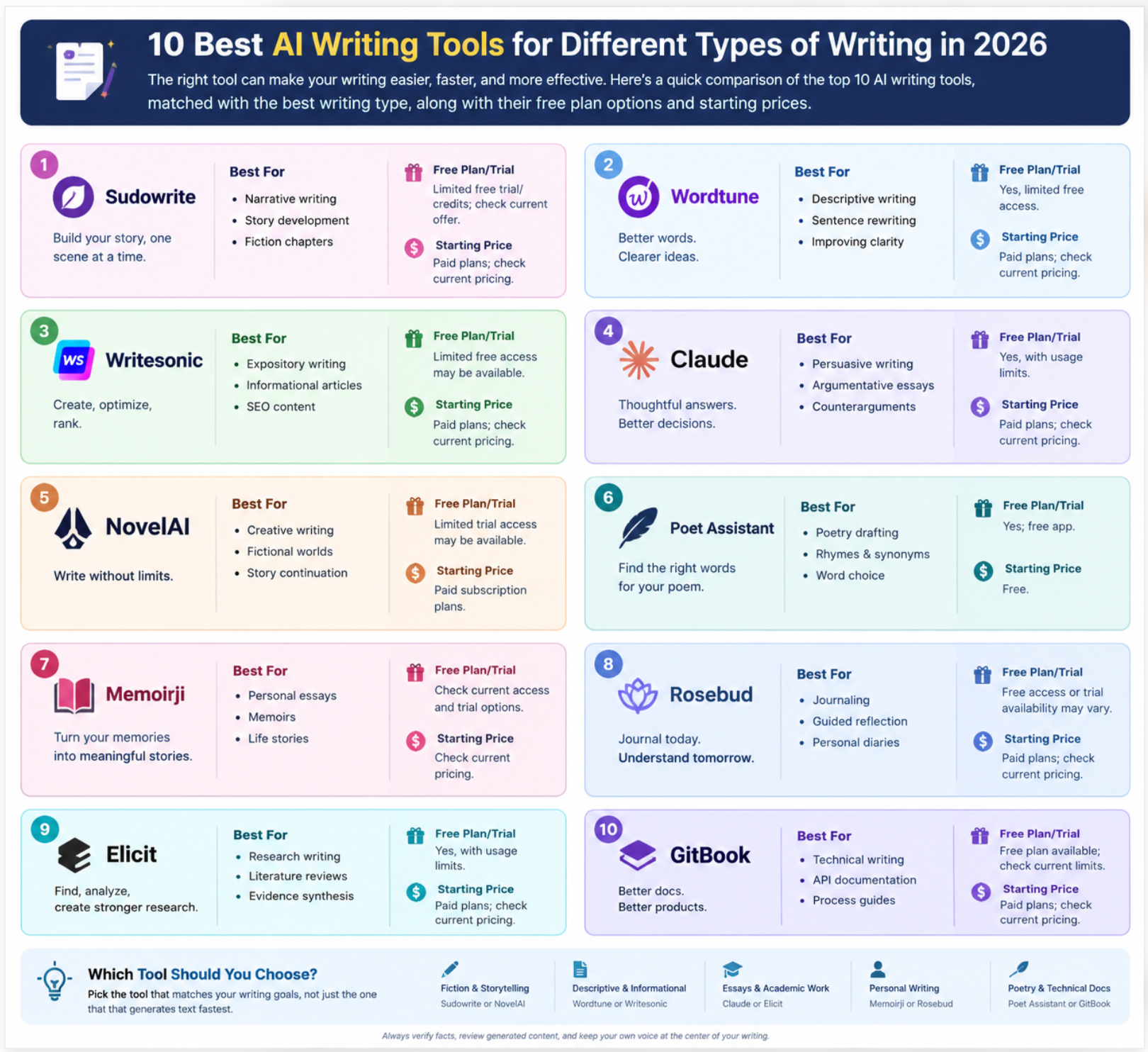
AI Writing Tools | Best For | Free Plan/Trial | Starting Price |
Sudowrite | Narrative writing, story development, and fiction chapters | Limited free trial/credits; check current offer | Paid plans; check current pricing |
Wordtune | Descriptive writing, sentence rewriting, and improving clarity | Yes, limited free access | Paid plans; check current pricing |
Writesonic | Expository writing, informational articles, and SEO content | Limited free access may be available | Paid plans; check current pricing |
Claude | Persuasive writing, argumentative essays, and counterarguments | Yes, with usage limits | Paid plans; check current pricing |
NovelAI | Creative writing, fictional worlds, and story continuation | Limited trial access may be available | Paid subscription plans |
Poet Assistant | Poetry drafting support, rhymes, synonyms, and word choice | Yes; free app | Free |
Memoirji | Personal essays, memoirs, and life stories | Check current access and trial options | Check current pricing |
Rosebud | Journaling, guided reflection, and personal diaries | Free access or trial availability may vary | Paid plans; check current pricing |
Elicit | Research writing, literature reviews, and evidence synthesis | Yes, with usage limits | Paid plans; check current pricing |
GitBook | Technical writing, API documentation, and process guides | Free plan available; check current limits | Paid plans; check current pricing |
Pricing note: Subscription prices, free-plan limits, and trial offers can change by region and billing cycle. Verify current pricing on each tool's official website before publishing. Poet Assistant is included as a poetry-support tool, not a generative AI writer.
To select the best AI writing tools in 2026, we evaluated how well each tool handles different writing tasks, rather than judging it only on grammar correction or text generation. An AI tool that works well for an academic essay may not be equally effective for writing a short story, a full-length novel, an SEO blog, a business email, or a marketing campaign.
We assessed each tool across these specific writing capabilities:
- Writing types and formats: Whether the tool can produce essays, stories, novels, blog posts, SEO articles, research papers, emails, reports, scripts, product descriptions, and other content formats.
- Tone and voice control: How accurately it adapts writing to formal, professional, conversational, persuasive, academic, humorous, or emotional tones without making the content sound unnatural.
- Writing style customization: Whether users can control sentence length, vocabulary, complexity, reading level, point of view, narrative voice, paragraph structure, and level of detail.
- Idea development and outlining: How effectively the tool converts a topic, rough notes, or a basic prompt into a structured outline, storyline, argument, or content brief before drafting.
- Draft generation and expansion: Whether it can create complete first drafts, expand short notes into detailed paragraphs, develop arguments, write dialogue, build scenes, and maintain a logical flow between sections.
- Rewriting and editing: How well it improves awkward sentences, removes repetition, simplifies complex language, changes tone, shortens lengthy passages, and strengthens weak introductions or conclusions.
- Context and consistency: Whether it can follow detailed instructions across longer documents, maintain character details and plot continuity in fiction, preserve a consistent brand voice, and avoid contradicting earlier sections.
- Accuracy and originality checks: We considered whether the tool helps identify unsupported claims, preserves the intended meaning during rewriting, and supports fact-checking where required. AI-generated output still needs human verification; no tool should be assumed to guarantee factual accuracy or originality.
- Workflow, usability, and pricing: We compared the availability of free plans, document-length limits, revision controls, integrations, export options, and paid features that materially affect everyday writing.
Our final selection prioritizes AI writing tools that perform specific writing tasks well, from developing an essay argument or shaping a story to matching a brand's tone, producing SEO-focused articles, and refining a research paper. This makes the comparison more useful for identifying the right tool for your writing format, style, and level of editing required.
1. Sudowrite — Best for Narrative Writing
Best suited to: Short stories, novels, fiction chapters, character-driven narratives, and plot development.
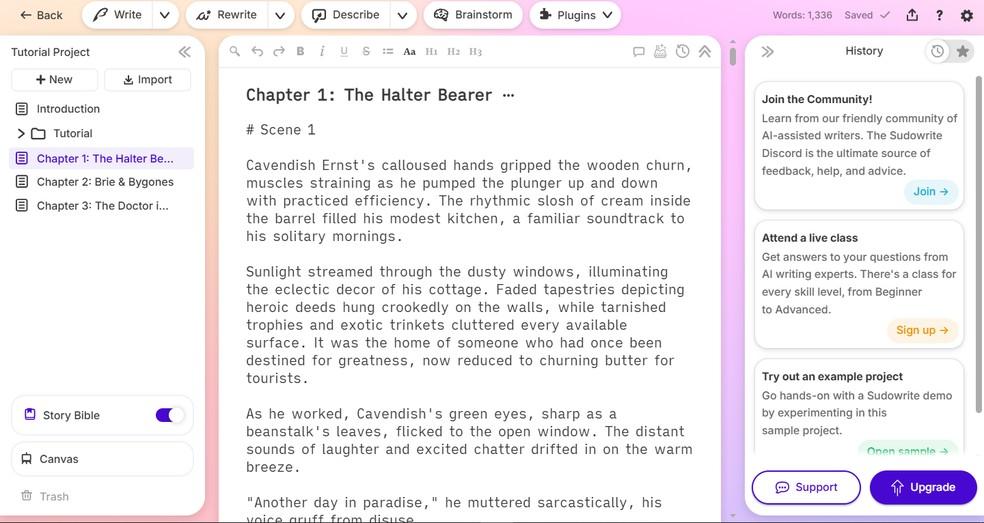
Narrative writing tells a story through characters, settings, events, conflict, and resolution. Unlike an informational article, a narrative needs a sequence of events that makes sense, believable character decisions, and a consistent point of view. Sudowrite is designed specifically for fiction writers who need help moving from an initial idea to an organized story and then into drafted scenes.
It is a strong choice among AI writing tools for fiction because its workflow is built around the structure of a story rather than just producing isolated paragraphs. Its Story Bible can hold core story details, while its writing tools can help develop scenes, expand moments, suggest sensory details, and rewrite passages.
Features that matter for narrative writing
- Story Bible for continuity
The Story Bible gives the writer a central place to maintain information about characters, settings, plot elements, and scenes. This is useful for a novel with multiple chapters, where a character's age, motivation, relationships, or history must remain consistent.
For example, if a character refuses to use magic because of a childhood accident, record that rule in the story reference material. You can then use it when drafting later scenes to reduce continuity errors. It is a reference aid, not a guarantee that every generated scene will obey every detail.
- Brainstorming for plot development
Sudowrite can help generate possibilities for plot twists, character names, conflicts, powers, and worldbuilding. This is useful when a writer has a basic premise but cannot determine what should happen next.
Rather than asking for a whole story immediately, request three possible developments and assess which one best fits the character's motivation. This preserves the writer's control over the narrative.
- First Draft and scene generation
Sudowrite's First Draft feature can generate extended scene prose from an outline or notes. Its Draft workflow also supports planning and generating scenes and chapters.
A practical workflow is to specify the scene's point of view, location, immediate objective, conflict, and ending. This gives the tool a much more useful brief than a prompt such as “write a fantasy story.”
- Describe and Rewrite
Describe suggests sensory details involving sight, sound, smell, touch, and taste. Rewrite helps refine existing prose, while Expand can develop a moment that currently feels too brief.
These functions are useful when a scene explains what happened but fails to make the reader experience it.
Practical example
Writing task: A suspense scene in which a detective enters an abandoned railway station during a storm.
Example prompt:
Write a 700-word suspense scene in third-person limited point of view. A detective enters an abandoned railway station at 11 p.m. to search for a missing witness. Use the flickering platform lights, rain hitting the metal roof, and an unexpected sound from the locked ticket office to build tension. The detective should find one clue but not identify the person responsible. Keep the dialogue restrained and end with a new question.
The writer can review the draft, use Describe to strengthen selected moments, and rewrite passages where the language or pacing feels wrong.
Pros and cons
Pros
- Designed around fiction and narrative development.
- Supports story planning, scene drafting, and prose refinement.
- Useful for maintaining reference information across longer projects.
- Helps develop sensory detail and overcome stalled scenes.
Cons
- Generated scenes may contain clichés or inconsistent character behaviour.
- A longer output is not automatically a coherent story.
- Writers still need to control pacing, point of view, dialogue, and plot logic.
Verdict: Sudowrite is a strong choice for AI story writer workflows, especially when a writer needs help with scenes, plot development, or a longer fiction project. It is best used as a collaborative drafting tool, not as a replacement for the author's narrative decisions.
2. Wordtune — Best for Descriptive Writing
Best suited to: Descriptive paragraphs, setting descriptions, product descriptions, character appearances, and polishing existing prose.
Descriptive writing helps readers visualize a person, place, object, event, or experience. Strong description uses specific details and carefully selected language instead of relying on generic adjectives such as “beautiful,” “amazing,” or “very old.”
Wordtune is primarily a rewriting and editing tool. Its value for descriptive writing lies in helping writers revise existing sentences, explore alternative wording, and adjust the length or tone of a passage. It should not be presented as a dedicated sensory-scene generator: the writer generally needs to provide the original description and decide which suggestions preserve the intended meaning.
Features that matter for descriptive writing
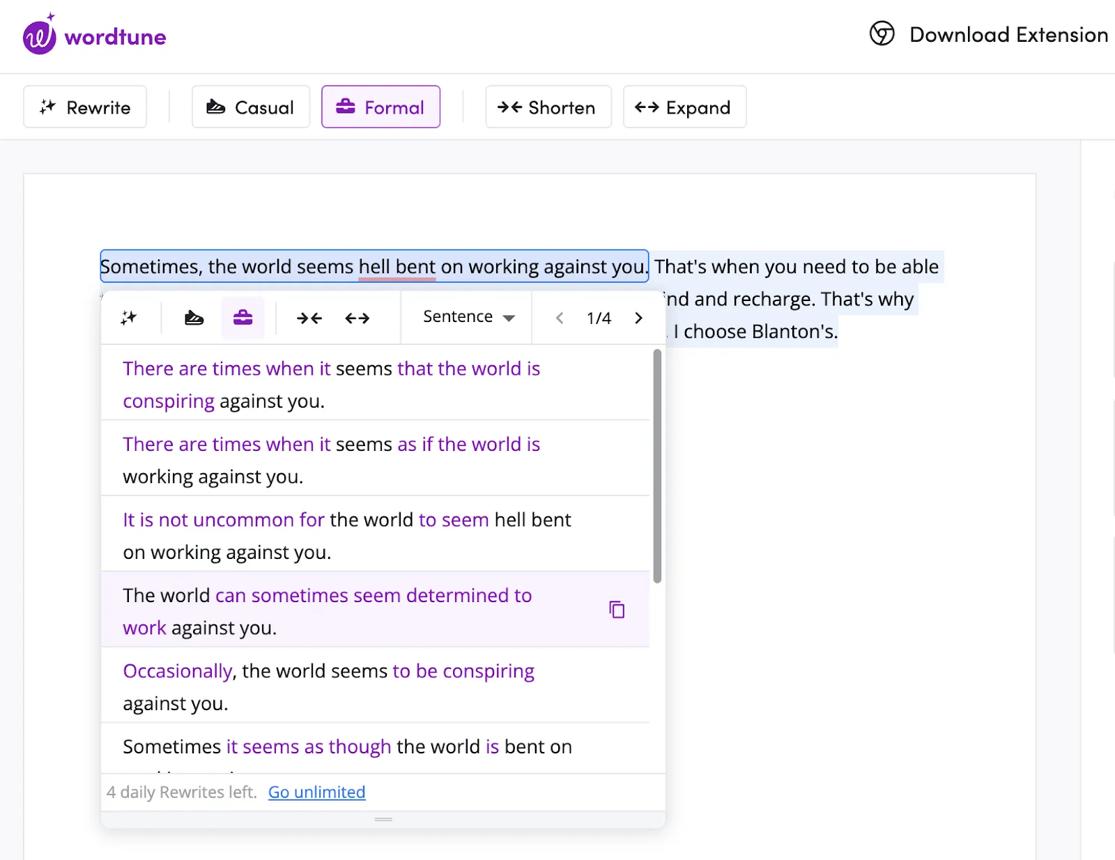
- Sentence and paragraph rewriting
Wordtune can offer alternative ways to express a sentence or passage. This is useful when a description communicates the basic information but sounds repetitive or imprecise.
For example, “The room was very dark and scary” tells the reader how the writer feels about the room. A revision might identify the details responsible for that feeling: a weak strip of light under the door, a stopped clock, and the smell of damp wood.
The writer should supply these details if they matter to the scene. Rewriting can improve expression, but it cannot reliably invent the exact observations the writer intended.
- Context-aware word choices
Alternative phrasing and contextual suggestions can help replace repeated words and make sentences more precise. The key is to choose a synonym that fits the context, not simply a more elaborate word.
“Cold” might be appropriate for a room, “icy” for a sharp sensation, and “unwelcoming” for the atmosphere. They are not interchangeable in every sentence.
- Length and tone adjustments
Wordtune offers rewriting options that can change how a passage is expressed, including making text more concise or expanding it. Tone options can also help a writer make a description more formal or conversational where supported.
These controls are useful when adapting a description for different purposes—for example, a literary scene versus a concise product listing.
Practical example
Writing task: Improve a description of an old house without changing its facts.
Original draft:
The house was old and dark. The windows were dirty. The garden looked bad, and the whole place felt strange.
Example prompt:
Rewrite this description in two versions: one atmospheric and suspenseful, and one concise and neutral. Preserve the facts that the house is old, the windows are dirty, and the garden is neglected. Do not add events, objects, smells, or sounds that are not in the original. Avoid overusing adjectives.
The writer can compare both versions and keep only the wording that supports the intended mood.
Pros and cons
Pros
- Useful for refining existing descriptive prose.
- Helps reduce repetition and explore alternative sentence structures.
- Tone and length changes can support different audiences.
- Works well as a revision step after the writer has chosen the details.
Cons
- It may polish a sentence without making the underlying description more vivid.
- Alternative wording can change the intended meaning.
- It is not a specialist fiction tool for constructing entire scenes from scratch.
Verdict: Wordtune is useful for writers who already have a description and want to improve its clarity, rhythm, or tone. For AI writing tools aimed at descriptive work, treat it as an editing partner: provide concrete observations first, then review every rewrite for meaning and specificity.
3. Writesonic — Best for Expository Writing
Best suited to: Explainer articles, educational blog posts, how-to guides, introductory topic overviews, and SEO-focused informational content.
Expository writing explains a topic so readers can understand how something works, why it matters, or how to complete a task. It generally prioritizes logical organization, clear definitions, examples, and evidence rather than storytelling or emotional persuasion.
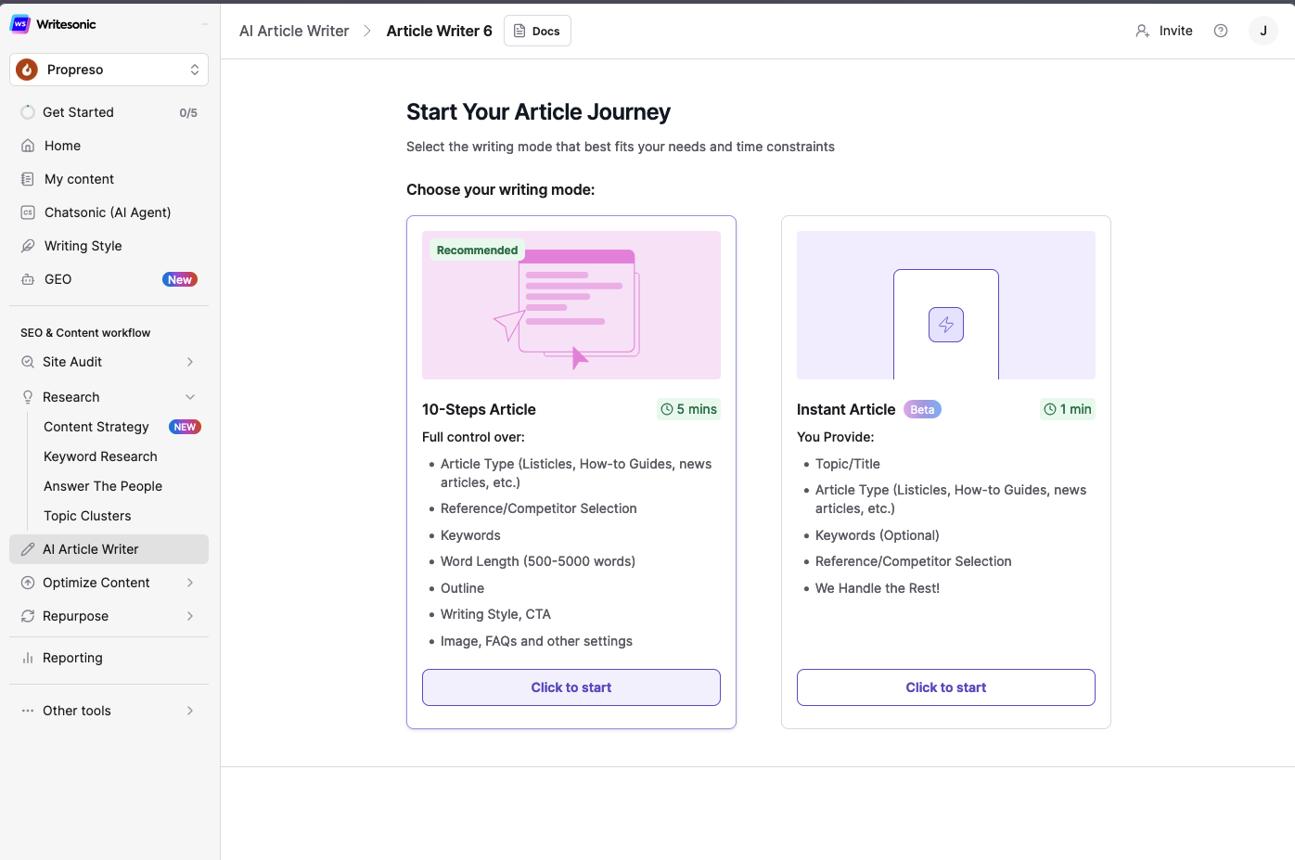
Writesonic is a useful option for expository content because its article-writing workflow can help develop structured drafts. Depending on the product and plan, its capabilities include article generation, SEO-oriented workflows, content editing, and features for incorporating source material or citations. These features should be checked against the current plan before relying on them.
Features that matter for expository writing
- Turning a topic into a structured explanation
An expository article should not be a collection of loosely related paragraphs. It needs a clear sequence: define the subject, explain its parts or process, provide an example, address relevant limitations, and summarize the main point.
For a topic such as “How solar panels generate electricity,” a useful outline would cover photovoltaic cells, conversion of sunlight into electrical energy, the role of an inverter, and the difference between direct-current and alternating-current output.
Writesonic can help turn that brief into a draft, but the writer should specify the reader's knowledge level and the exact scope of the explanation.
- SEO-oriented article drafting
Writesonic includes tools for article creation and SEO-related content workflows.
This can be useful for best AI tools for content writing workflows where an explainer article needs a logical heading structure and search-intent coverage. However, including keywords or generating headings does not automatically make an article technically accurate or competitive in search results.
- Drafting FAQs and supporting sections
An informational article often needs supporting material such as examples, frequently asked questions, definitions, and step-by-step instructions. A writer can request these sections separately to keep the output focused.
For technical topics, ask the tool to distinguish established facts from assumptions and to flag claims that need a source. Then verify those claims against primary documentation or reputable references.
Practical example
Writing task: Explain how two-factor authentication works to small-business website owners.
Example prompt:
Draft an 1,000-word expository article explaining how two-factor authentication works for small-business website owners. Organize it into: definition, how the login process works, SMS versus authenticator apps versus security keys, setup steps, recovery risks, and a short example. Explain technical terms when first used. Do not invent statistics or claim that any method is completely secure. Mark claims that need verification.
This prompt defines the audience, structure, technical scope, and factual boundaries—making the draft easier to review.
Pros and cons
Pros
- Useful for producing structured first drafts and informational articles.
- Can support SEO-oriented content planning and editing.
- Helps develop explanations, FAQs, and how-to sections.
- Suitable for writers producing repeatable content formats.
Cons
- Generated explanations may oversimplify technical topics.
- Sources, citations, and statistics require independent verification.
- A well-formatted article may still lack depth or original analysis.
- SEO features and limits can vary by subscription.
Verdict: Writesonic is a practical option for expository articles, explainers, and AI content writing tools workflows. It is most useful when the writer supplies a precise outline and reviews technical claims before publication.
4. Claude — Best for Persuasive and Argumentative Writing
Best suited to: Argumentative essays, opinion pieces, policy arguments, proposals, debate preparation, and persuasive business writing.
Persuasive writing attempts to convince an audience to accept a position or take an action. Argumentative writing usually makes the reasoning more explicit: it presents a claim, supports it with evidence, considers opposing views, and responds to counterarguments.
Claude can help writers develop these components, test the strength of an argument, and revise a draft for a specific audience. Its usefulness depends on the quality of the brief and the evidence supplied. It should not be treated as proof that an argument is correct simply because the output sounds confident.
Features that matter for persuasive writing
- Claim-and-evidence structure
A strong argument connects a claim to supporting reasons and evidence. Claude can help separate the central claim from secondary points and identify places where a paragraph makes an assertion without explaining why it should be accepted.
For example, a claim that “remote work improves productivity” is incomplete unless the writer defines productivity, identifies the relevant workers or circumstances, and provides evidence that supports the conclusion.
- Counterargument development
A persuasive piece becomes more credible when it addresses a serious opposing position rather than dismissing it. Ask Claude to identify the strongest reasonable objection, explain why someone might hold it, and draft a fair response.
This is especially useful for AI tools for writing essays, debate briefs, and policy writing, where anticipating objections is part of the task.
- Audience and tone adaptation
The same argument may need different framing for a school essay, a company proposal, or a public opinion article. Claude can help adjust the level of formality, technical detail, and emphasis without necessarily changing the core position.
Writers should explicitly instruct it not to alter the conclusion or invent evidence while revising.
- Critique before rewriting
Instead of asking for an immediate rewrite, ask Claude to evaluate the argument first. It can identify unsupported assumptions, repeated points, unclear transitions, and gaps between evidence and conclusion. This two-step workflow gives the writer more control than accepting a complete replacement draft.
Practical example
Writing task: Argue that universities should provide students with practical AI literacy training.
Example prompt:
Help me develop an argumentative essay on whether universities should teach practical AI literacy. First, state a precise thesis. Then list three supporting arguments, the evidence each would require, two strong counterarguments, and possible rebuttals. Do not invent studies, statistics, or quotations. After the outline, identify which claims need reliable sources before I draft the essay.
The output becomes a planning document that the writer can research and develop—not a substitute for evidence.
Pros and cons
Pros
- Useful for outlining claims, reasons, counterarguments, and rebuttals.
- Can critique logic before rewriting a draft.
- Adapts explanations to different audiences.
- Works with user-provided notes, documents, and evidence.
Cons
- It can produce plausible but unsupported claims if not constrained.
- It may make a weak argument sound more polished without making it stronger.
- Evidence must be checked independently, particularly for academic or policy work.
- The writer must retain responsibility for the final position and reasoning.
Verdict: Claude is a strong general-purpose assistant for persuasive and argumentative writing when the goal is to structure reasoning, examine objections, and revise a position. Among AI writing tools for essays, it works best when evidence is supplied or independently researched and the model is asked to flag gaps rather than fill them with invented facts.
5. NovelAI — Best for Creative Writing
Best suited to: Fantasy, science fiction, alternate realities, interactive fiction, fan fiction, and imaginative worldbuilding.
Creative writing is broader than narrative writing. It may include a conventional story, but it also involves inventing unusual settings, fictional rules, original characters, speculative concepts, and unexpected combinations of ideas. NovelAI is designed for AI-assisted storytelling, allowing writers to continue prose, revise generations, and manage information about the fictional world.
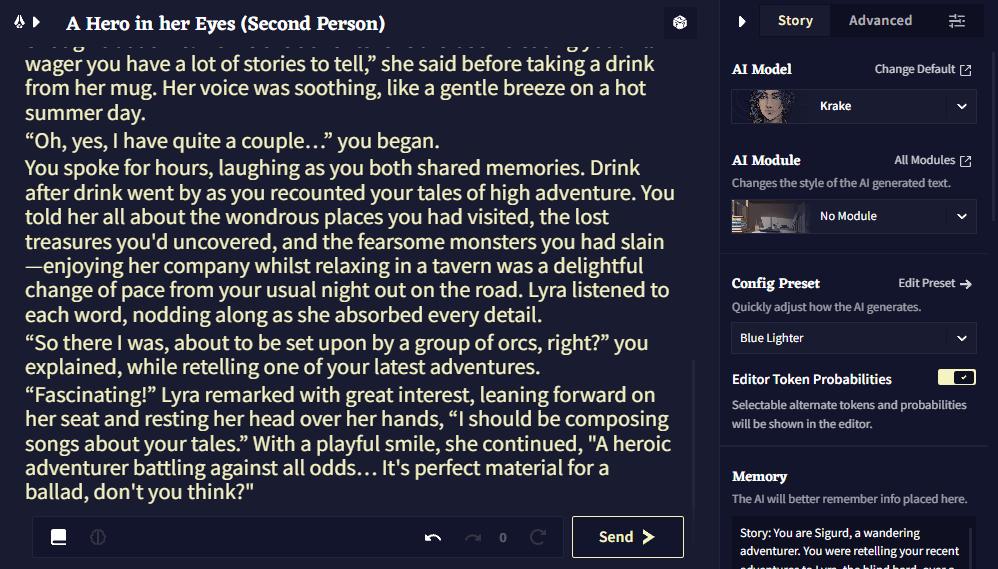
Its editor supports generation history, retrying an output, and generating text from a selected point. Story settings include model selection, memory, author's notes, and lorebook access.
Features that matter for creative writing
- Interactive story continuation
NovelAI lets you write an opening passage and prompt the model to continue it. This makes it useful when you already know the atmosphere or premise but want to explore different ways a scene could develop.
For example, you might write the first paragraph of a science-fiction story and ask the model to continue with a discovery that changes the protagonist's understanding of their mission. The writer can then retry the generation or edit the result rather than accepting the first version.
- Memory and Author's Note
The Memory field can hold broader information about the setting, characters, companions, and events. Author's Note can provide more immediate direction about what the next passage should emphasize. These settings influence the context available to the model; they do not guarantee perfect continuity.
A practical setup could specify that a city has no electricity, a protagonist cannot lie, or a fictional species communicates through sound. Keeping these rules accessible makes it easier to continue a story without repeatedly explaining the entire premise.
- Lorebook for worldbuilding
NovelAI's Lorebook stores information about characters, locations, objects, and factions. Entries can be activated by keywords in the recent story context, making relevant worldbuilding details available during generation.
This is particularly useful for AI tools for writing novels 2026, where a story may contain invented histories, magical systems, locations, or recurring characters. A writer can keep a character's background separate from the actual chapter prose.
- Generation history and revision control
NovelAI saves inputs and generations in an editing history, enabling writers to retry, undo, redo, and select an earlier point from which to continue.
This helps when one continuation introduces a good idea but another has better dialogue. Writers can compare alternatives and combine the strongest elements manually.
Practical example
Writing task: Develop a fantasy setting in which memories are used as currency.
Example prompt:
Continue this fantasy scene in which a young archivist discovers that a merchant has sold the memory of her brother's face. Establish how memory-trading works through the dialogue and the physical environment. Do not explain the entire magic system in one paragraph. Keep the archivist suspicious, avoid resolving the mystery, and end the scene with a decision that creates a new problem.
Before generating, the writer could add a Lorebook entry explaining the rules of memory-trading and use Memory to record the protagonist's key relationships.
Pros and cons
Pros
- Designed for ongoing fictional text generation.
- Memory and Lorebook support complex fictional settings.
- Generation history helps writers compare and revisit alternatives.
- Useful for exploring genre conventions and unusual premises.
Cons
- Generated prose may repeat phrases, tropes, or ideas.
- Context limits mean not every detail can always influence a generation.
- The writer must check continuity, originality, pacing, and character motivation.
- It may require experimentation with settings to produce the desired style.
Verdict: NovelAI is a strong option for creative writing AI tools when the task involves fiction generation and worldbuilding. It is particularly useful for writers who want to explore alternative directions while keeping control of the story's rules and final prose.
6. Poet Assistant — Best for Poetry
Best suited to: Poetry drafting, rhyme selection, vocabulary exploration, checking word choice, and reading poems aloud.
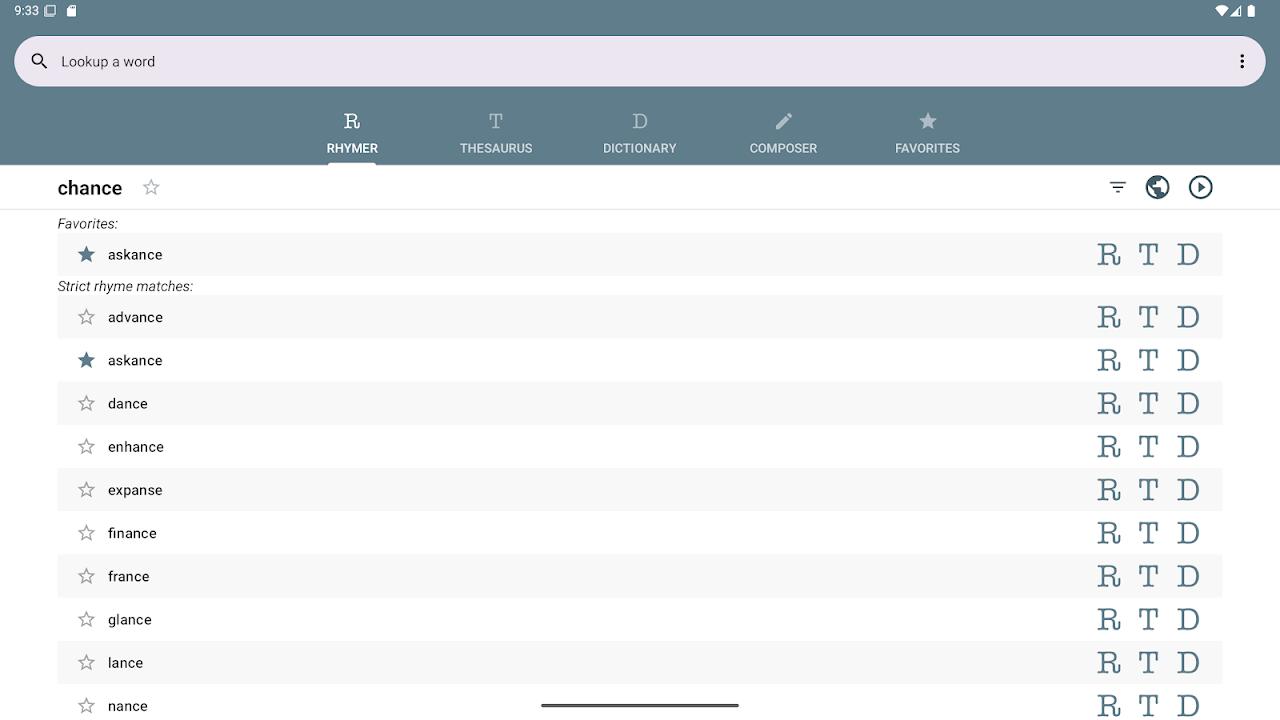
Poetry depends on more than grammatical sentences. Word sounds, rhythm, line breaks, imagery, repetition, and the relationship between meaning and form all affect how a poem works. Poet Assistant helps with some of these practical writing tasks through its rhyming dictionary, thesaurus, dictionary, poem editor, and text-to-speech playback. Students comparing tools for different writing tasks can explore more AI writing tools for students to find options for essay drafting, rewriting, grammar improvement, and research-based assignments.
Features that matter for poetry
- Rhyming dictionary
When a poet has a line ending in a word such as “light,” a rhyming dictionary can help find possible endings. The challenge is not just to find a rhyme, but to choose one that fits the poem's meaning, rhythm, and emotional tone.
For instance, “night,” “flight,” and “sight” may all rhyme with “light,” but each suggests a different direction. The poet needs to decide which word supports the idea rather than allowing the rhyme to dictate an awkward sentence.
- Thesaurus for more precise language
A thesaurus helps explore alternatives when a word is too general or repeated too often. If a poem uses “sad” several times, the writer might investigate words that express different shades of emotion, such as grief, longing, regret, or loneliness.
These words are not exact substitutes. Each has its own emotional implications, so the poet should consider meaning before replacing the original.
- Dictionary and poem editor
The built-in dictionary can help clarify meanings, while the poem editor provides a place to write and review the text. The app also displays word and character counts.
This is useful when experimenting with short forms, repeated refrains, or a poem with a strict word limit.
- Read-aloud playback
Poet Assistant can use the device's text-to-speech engine to read the poem aloud.
Listening can reveal clumsy phrasing, accidental repetition, and lines that are difficult to say naturally. Text-to-speech does not judge poetic quality, but it gives the writer another way to review the sound of a line.
Practical example
Writing task: Draft a short poem about leaving home for the first time.
Example workflow:
- Write four to eight lines describing a specific memory, such as a train platform or an empty bedroom.
- Highlight words that feel vague or repetitive.
- Use the thesaurus to explore more precise alternatives.
- Check possible rhymes for line endings without forcing every line to rhyme.
- Read the poem aloud and revise any line that sounds unnatural.
Example writing brief:
Write an eight-line free-verse poem about leaving home for the first time. Use one concrete object to represent memory and avoid obvious phrases such as “spreading my wings” or “a new chapter.” Keep the language restrained and end with an image rather than an explanation.
This brief can guide the writer's own draft or be used with a separate generative AI tool. Poet Assistant itself supports the revision process rather than generating the poem.
Pros and cons
Pros
- Free and offline according to its official app listing.
- Provides rhyming, dictionary, and thesaurus tools in one place.
- Text-to-speech helps writers review the sound of their work.
- The app listing states that writing is stored locally unless the user chooses to export or share it.
Cons
- It does not generate poems using AI.
- The listed dictionary tools support English, not every language.
- Rhyme suggestions cannot assess metaphor, emotional depth, or poetic originality.
- Writers seeking automatic poem generation will need another tool.
Verdict: Poet Assistant is a useful companion for people who write poetry themselves and need help with sound, vocabulary, and revision. If the article specifically promises generative AI writing tools, clearly label Poet Assistant as a poetry-support tool rather than an AI generator.
7. Memoirji — Best for Personal Essays and Memoirs
Best suited to: Personal essays, life stories, family histories, autobiographical writing, and preserving personal memories.
Personal essays and memoirs use real experiences to communicate a person's perspective, a meaningful event, or a lesson learned over time. The challenge is often not a lack of experiences, but knowing which memories to include, how to organize them, and how to turn spoken recollections into readable prose without losing the writer's own voice.
Memoirji focuses on helping people create memoirs from personal recollections, including voice or text contributions through its guided process. Its stated approach is to enhance the writing while preserving the individual's voice.
Features that matter for personal essays and memoirs
- Guided recollection
A memoir often begins with a memory that is vivid but incomplete: the first day at a new school, a family move, an important conversation, or a difficult decision. Guided questions can help a writer recall the people involved, the sequence of events, and why the experience still matters.
This is different from asking an AI to invent a life story. The factual material must come from the person who experienced it.
- Voice and text as source material
Memoirji's described workflow lets users contribute stories through voice or text and turn those recollections into more organized narrative writing.
This can be helpful for people who find speaking easier than starting with a blank page. A spoken recollection may contain repetition, unfinished sentences, and side notes; editing can make it more readable while preserving the original perspective.
- Turning memories into a coherent narrative
A personal essay needs more than a timeline. It often connects an experience to a change in understanding. A writer might begin with a childhood memory, describe what happened, and conclude by explaining how the event looks different in adulthood.
The tool can help organize material, but the writer should decide which events are important and what the experience means. AI-generated transitions should never be allowed to create false certainty about what happened.
- Preserving personal details responsibly
Names, dates, relationships, quotations, and sensitive family information should be checked before publication. A writer should also decide whether other people should be anonymized and review the service's current privacy terms before submitting personal stories.
Practical example
Writing task: Turn a recollection about a grandparent teaching a family recipe into a short memoir passage.
Example prompt or interview brief:
Help me shape my memory into a 700-word personal essay. The event is my grandmother teaching me to make a family recipe when I was twelve. Ask me questions about the kitchen, what she said, what I did wrong, and what I understand about the experience now. Do not invent dialogue, smells, events, or family details. Mark anything that needs clarification instead of filling in gaps.
The writer can then review the draft against their actual recollection and correct any details that have been altered or inferred.
Pros and cons
Pros
- Focuses on autobiographical storytelling rather than generic article generation.
- Guided recollection can help writers overcome the blank-page problem.
- Voice and text inputs suit different ways of recording memories.
- Can help turn scattered experiences into a readable narrative.
Cons
- Personal facts and quoted dialogue still need verification.
- AI polishing may change the emotional emphasis or voice of a memory.
- Sensitive stories require careful privacy decisions.
- Writers should confirm current export, editing, and data-handling options before committing a large memoir.
Verdict: Memoirji is worth considering for people who want to turn personal recollections into essays or a longer life story. Among AI writing tools, it serves a specific purpose: helping organize the writer's own memories, rather than inventing a fictional biography.
8. Rosebud — Best for Journals and Diaries
Best suited to: Daily journaling, guided reflection, personal goal tracking, habit reflection, and recording emotional experiences.
Journals and diaries are usually written for the writer rather than an external audience. They may record what happened during the day, capture reactions to an event, track progress toward a goal, or explore a recurring thought. The most useful tool for this type of writing should make regular entries easier without turning private reflection into a polished essay every time.
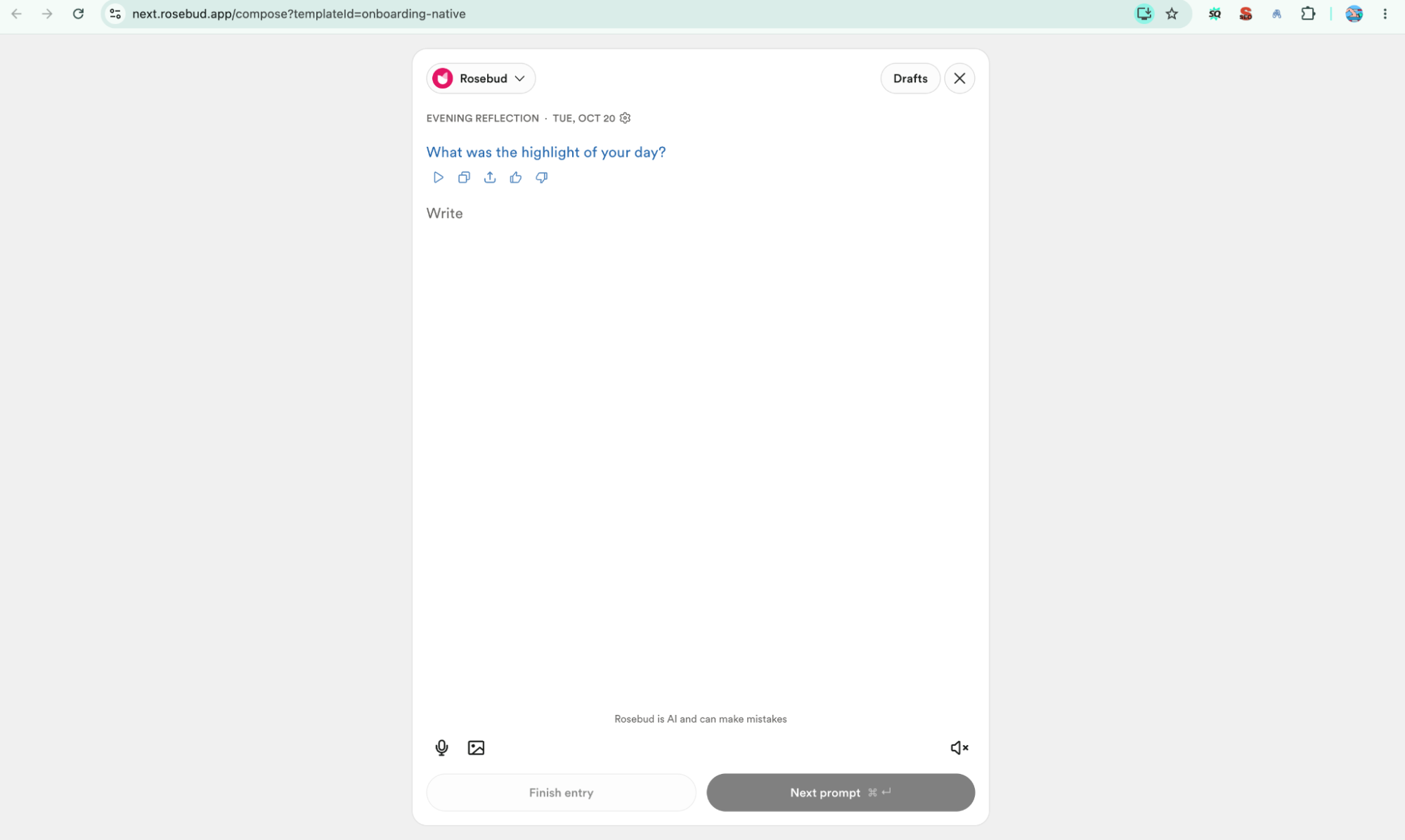
Rosebud is an AI-assisted journaling service built around guided reflection and reviewing patterns across entries. Its weekly reports can summarize writing activity, recurring themes, and mood trends. These are reflective summaries generated from journal content, not clinical assessments.
Features that matter for journaling
- Guided prompts when you do not know what to write
A blank journal page can make it difficult to start. A prompt such as “What took up most of your attention today?” or “What would you handle differently next time?” provides a specific entry point.
Rosebud's guided journaling approach can help writers move from a vague feeling to a more concrete reflection. For instance, instead of writing “Today was stressful,” the writer might describe the event, the response it triggered, and what they need to do next.
- Reflecting on recurring patterns
Rosebud's weekly reports can highlight recurring themes and provide a summary of entries and writing activity.
This may help a user notice that a particular type of task repeatedly causes frustration or that certain routines appear in entries associated with better days. Such patterns are prompts for personal reflection, not proof of cause and effect.
- Voice journaling
Rosebud's official materials describe voice journaling support in multiple languages.
Voice input can be convenient when a user wants to record a thought immediately rather than type a full entry. The user should still review any transcribed or summarized content to ensure that important details and intended meanings have not been lost.
- Connecting reflection with goals
A journal entry can end with a small action: prepare for a difficult conversation, schedule a break, or revisit an unfinished task. Rosebud's stated capabilities include goal setting and habit tracking.
This gives a journal a practical purpose without requiring every entry to have a formal conclusion.
Practical example
Writing task: Reflect on a difficult workday and identify one action for tomorrow.
Example prompt:
Help me reflect on today's workday without judging me or assuming what I feel. Ask me one question at a time about what happened, what was within my control, what was outside my control, and what I learned. At the end, summarize my own observations and suggest one small action I could consider tomorrow. Do not diagnose me or present your interpretation as a fact.
This approach keeps the reflection grounded in the user's own experience rather than encouraging the tool to impose a narrative.
Pros and cons
Pros
- Designed for journaling and personal reflection.
- Guided prompts can help maintain a regular writing habit.
- Weekly summaries can surface recurring topics and patterns.
- Voice-based input can make recording experiences more convenient.
Cons
- AI summaries may overlook context or misinterpret an entry.
- A detected pattern does not prove a cause or diagnosis.
- Private entries can contain highly sensitive information, so privacy settings and data policies matter.
- The service may be more than necessary for users who simply want an offline diary.
Verdict: Rosebud is a relevant choice for AI writing assistant tools focused on personal journaling rather than publishing. It is most useful when prompts and periodic reflection help the user write consistently; the entries themselves should remain personal and under the writer's control.
9. Elicit — Best for Research and Academic Writing
Best suited to: Literature reviews, research summaries, evidence comparison, academic background research, and preparing source-backed outlines.
Research and academic writing depend on evidence. A strong paper requires more than fluent paragraphs: the writer must identify relevant studies, understand their methods and limitations, compare findings, and cite sources accurately. Students who need additional support with literature reviews, source discovery, and research organization can also explore AI tools for students for academic research before drafting their final paper.
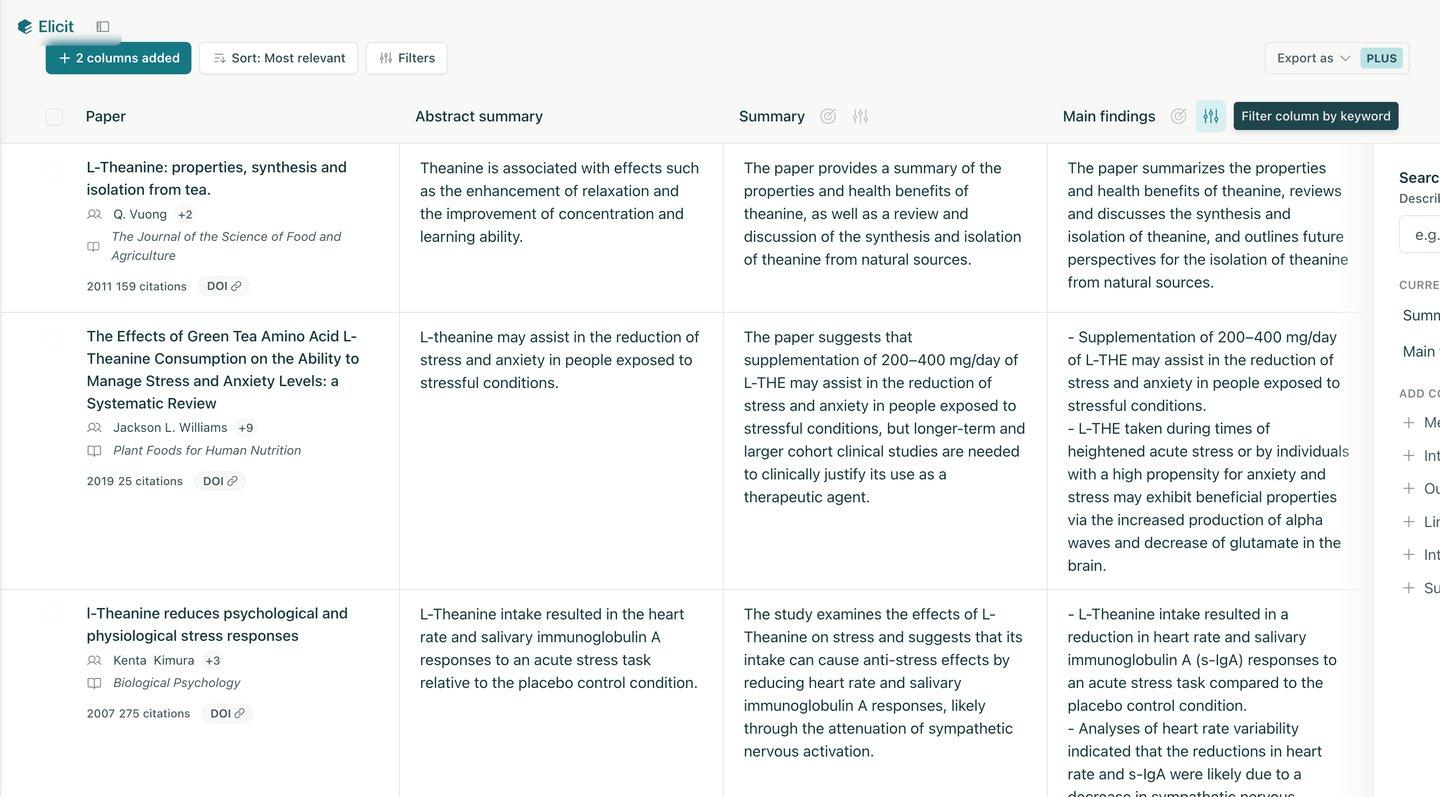
Elicit is a research assistant rather than a general-purpose essay generator. Its workflows support literature searches, paper screening, information extraction, and synthesis. Its report workflow can link claims to specific passages from source papers, helping researchers inspect the evidence behind a summary.
Features that matter for academic writing
- Research-question-based literature search
Start with a specific research question rather than a broad subject. For example, “Does spaced retrieval practice improve retention in undergraduate biology students?” is more useful than “AI in education.”
Elicit can help identify relevant papers and organize the search around the question. Its systematic-review workflow supports searching, screening, and extraction across a research corpus.
The researcher still needs to judge whether the papers fit the population, intervention, outcome, and date range of the assignment.
- Paper screening
A search can return papers that mention the topic but do not answer the research question. Screening helps separate relevant studies from those that only appear relevant based on their titles or abstracts.
Elicit supports screening against criteria and recording decisions in its systematic-review workflow.
For an academic review, define the inclusion and exclusion criteria before reviewing results. For example, decide whether to include randomized studies only, which age group matters, and which publication years are acceptable.
- Data extraction into a comparison table
When several studies address the same question, reading and comparing them one by one can be time-consuming. Elicit can extract information into structured fields, with source support for the extracted material.
A useful table might include author and year, sample size, research design, intervention, measured outcome, key result, and limitations. The writer should check these fields against the original paper, particularly when numerical results or methodological details affect the conclusion.
- Evidence synthesis and source-linked claims
Elicit Reports can synthesize findings across papers and provide sentence-level links to the supporting source material.
This is valuable when drafting a literature review because the writer needs to distinguish between findings that agree, findings that conflict, and questions that remain unanswered. A synthesis should not merely list papers; it should explain how the studies relate to one another.
- Support for systematic review workflows
For larger reviews, Elicit's workflow includes search, title-and-abstract screening, full-text extraction, and synthesis.
This can help organize the process, but a systematic review still requires a documented methodology, transparent criteria, careful human decisions, and checks for missed or misclassified studies.
Practical example
Writing task: Prepare a literature review on spaced repetition and student retention.
Example prompt:
Find research studies that examine whether spaced retrieval practice improves retention among undergraduate students. Prioritize empirical studies and clearly distinguish them from reviews or opinion pieces. Build a table with the population, sample size, study design, intervention, retention measure, main finding, and limitations. Link each extracted claim to the original paper. Flag missing information rather than estimating it. Then summarize areas of agreement and disagreement without claiming causation unless the study design supports it.
This creates a research map that can be used to plan the literature review. The student must still read the relevant studies, verify the citations, and write the final analysis in accordance with institutional rules.
Pros and cons
Pros
- Designed for research discovery and evidence synthesis.
- Helps organize paper screening and structured data extraction.
- Source-linked claims make it easier to inspect supporting passages.
- Useful for comparing study methods and results.
Cons
- A search may miss relevant papers or include unsuitable studies.
- Extracted information can still be incomplete or incorrect.
- Abstract-only information may not support a claim that requires full-text evidence.
- It does not replace critical appraisal, original analysis, or citation checking.
Verdict: Elicit is one of the most relevant AI tools for academic writing 2026 when the difficult part is locating and synthesizing research evidence. Use it to build a verifiable research foundation—not to produce an unchecked essay or bypass the reading and reasoning required for academic work.
10. GitBook — Best for Technical and Process Writing
Best suited to: Product documentation, API guides, standard operating procedures (SOPs), developer guides, troubleshooting articles, and internal knowledge bases.
Technical writing explains how a system works or how a task must be completed. Unlike creative writing, it prioritizes precision, repeatability, correct terminology, and a structure readers can navigate. If a procedure contains the wrong command or omits a prerequisite, a clear writing style will not make the instructions safe or correct.
GitBook is a documentation platform rather than simply a text generator. It provides a block-based editor, Markdown support, collaboration, version history, and Git Sync with GitHub or GitLab. This makes it relevant to teams that need to create and maintain technical content alongside software development.
Features that matter for technical writing
- Structured documentation with a visual editor
GitBook's block-based editor lets writers structure technical pages with headings, lists, code blocks, and other documentation elements. Markdown is supported in the editor and through Git Sync.
This matters when a document needs to separate prerequisites, instructions, expected output, troubleshooting, and related information. A consistent structure helps readers find the step they need instead of searching through a long, unstructured page.
- Git Sync for documentation-as-code
Git Sync connects GitBook with GitHub or GitLab, allowing developers to work in a repository while other contributors use the visual editor. Changes can be reviewed through familiar Git workflows, including branches, reviews, and merges.
This is especially useful for API documentation or developer guides that change with the code. The workflow helps keep documentation and source-controlled files aligned, although the team still needs a release process to ensure that published instructions match the actual product version.
- Version history and review
GitBook supports version history and collaborative editing.
For technical documentation, versioning matters because an updated API parameter, installation command, or process step can make older instructions incorrect. Reviewing changes helps teams identify what changed and restore earlier content when needed.
- Reusable content and maintenance
Reusable content helps teams maintain consistent information across documentation.
For example, if several guides share the same authentication prerequisites, a team can maintain that information consistently rather than rewriting it differently on each page. Writers should still ensure that reusable sections apply to the specific version and context of each guide.
- AI-assisted documentation workflows
GitBook describes AI-native documentation capabilities and AI-powered translations, alongside its editor and Git-based workflows.
These capabilities can assist documentation work, but technical accuracy still depends on authoritative inputs such as product specifications, code, API schemas, and verified test results.
Practical example
Writing task: Document how a developer configures an API key for a sample application.
Example prompt or documentation brief:
Create a technical setup guide for configuring an API key in a sample application. Organize it into purpose, prerequisites, configuration steps, environment-variable example, verification, troubleshooting, and security notes. Use placeholders for secrets; never include a real API key. Do not invent commands or configuration names. Mark any step that needs confirmation from the current source code or official API specification. Include the expected result after each verification step.
The writer can build the page in GitBook, include code blocks and warnings, and ask a developer to verify the commands against the actual application.
Pros and cons
Pros
- Designed for publishing and maintaining technical documentation.
- Supports Markdown, collaborative editing, and version history.
- Git Sync connects documentation workflows with GitHub and GitLab.
- Useful for API references, SOPs, and developer-facing guides.
Cons
- It is a documentation platform, not a universal AI text generator.
- Incorrect technical input can still lead to incorrect documentation.
- Git-based workflows may require setup and familiarity with reviews and merges.
- Teams must manage version compatibility and verify commands before publication.
Verdict: GitBook is a strong choice for technical writing when the goal is to create, publish, review, and maintain structured documentation. It is especially valuable for teams that treat documentation as part of the product and keep it aligned with code and release changes.
The right choice depends on whether you need to generate a draft, improve existing prose, work with research evidence, or maintain structured documentation.
Your main writing requirement | Recommended tool | Why |
Write a story with scenes and character development | Sudowrite | Story planning, scene drafting, and sensory details |
Improve an existing description | Wordtune | Sentence and paragraph rewriting |
Draft an informational article | Writesonic | Structured article drafting and SEO-oriented workflows |
Build a reasoned argument | Claude | Claims, counterarguments, and logical critique |
Explore fictional worlds | NovelAI | Story continuation, memory, and Lorebook |
Refine rhyme and word choice in poems | Poet Assistant | Offline rhymes, definitions, synonyms, and playback |
Turn real experiences into a memoir | Memoirji | Guided recollection and narrative organization |
Maintain a personal journal | Rosebud | Reflection prompts and weekly summaries |
Find and synthesize academic evidence | Elicit | Literature search, extraction, and source-linked synthesis |
Publish and maintain technical documentation | GitBook | Markdown, version history, collaboration, and Git Sync |
Conclusion
There is no single tool that is best for every kind of writing. AI writing tools are most useful when their capabilities match the actual task: fiction writers need control over characters and scenes, academic writers need verifiable evidence, and technical writers need accurate, maintainable instructions.
For AI writing tools for fiction, Sudowrite and NovelAI are strong options for different parts of the creative process. Wordtune is more appropriate for improving existing descriptive prose, while Writesonic can help structure informational articles. Claude can support argument development, Elicit can organize research evidence, and GitBook is designed for documentation workflows. Poet Assistant, Memoirji, and Rosebud address more specialized needs involving poetry, personal memories, and journaling.
Before selecting any of the best AI writing tools in 2026, test the tool with a real writing task, review its limitations, and check its current pricing and privacy terms. Use AI to support your judgment—not to replace fact-checking, original thinking, or your own voice.
Read More Blogs On: