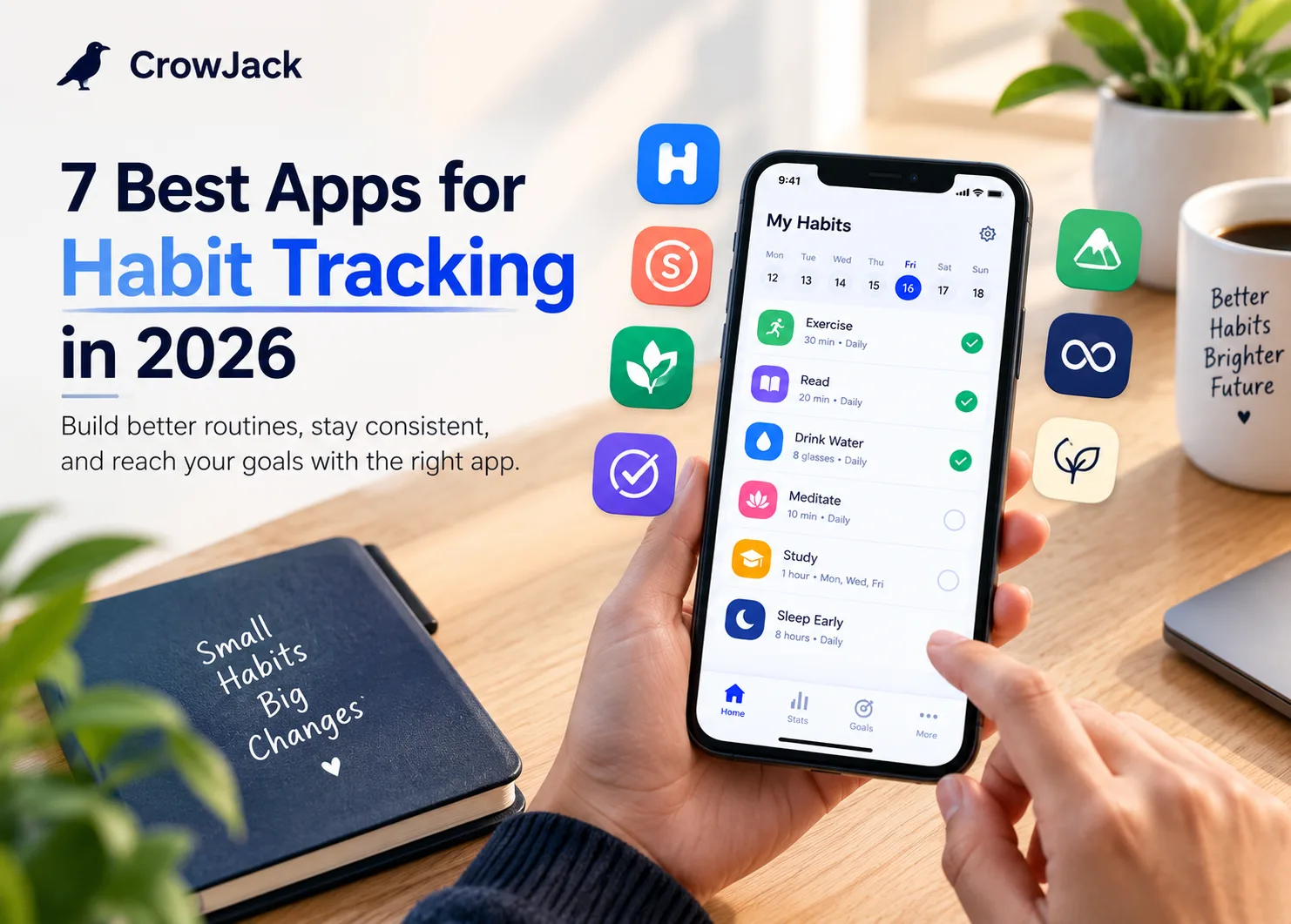
James Clear’s Atomic Habits popularized a simple idea: small actions, repeated consistently, can create remarkable changes over time. But knowing what habit you want to build is usually not the difficult part. The real challenge is remembering to do it, giving it enough priority on a busy day, and starting again when you inevitably miss a few days.
That challenge feels even more relevant in 2026. Our phones have become part of almost everything we do—from work and study to entertainment, communication, shopping, and fitness. For Gen Z and other digital-first users, the same device that can remind you to exercise or meditate can also keep you scrolling for another hour. Notifications, short-form content, endless feeds, and constantly changing priorities can easily push healthy habits to the bottom of the list.
Think about how a typical day works. You may plan to read for 20 minutes, go for a walk, drink more water, study, journal, or sleep on time. Then a meeting runs late, a deadline appears, or you start scrolling “for five minutes.” By the end of the day, the habit you wanted to prioritize never happened. Starting again tomorrow sounds easy, but repeating that cycle is exactly where many good intentions fall apart.
This is where habit tracking becomes useful. A habit tracker turns an intention into something you can see and act on. Instead of depending completely on motivation or memory, you can set reminders, record daily progress, see your consistency, and understand where your routine is breaking down. Some apps even use rewards and gamification to make repetition more engaging, while others focus on goals, routines, analytics, or keeping things as simple as possible.
The bigger question in 2026 is not whether you can find a habit tracker. There are plenty of them. The question is which one will you actually keep using? Android and iOS users have different choices, Apple users can take advantage of Apple Watch and Health integrations, and some apps work across mobile, desktop, and web. Others are completely free and private, while some rely on subscriptions or one-time purchases. Even the way apps motivate you varies, from streaks and reminders to rewards, structured routines, and gamification.
In this guide, we compare seven of the best apps for habit tracking in 2026 based on what matters after the initial download. We look at everyday usability, habit scheduling, reminders, streaks, progress reports, goal setting, routines, rewards, gamification, privacy, offline support, Android and iOS compatibility, smartwatch support, free-plan limitations, and pricing.
Because starting a habit is easy. Making it a priority, maintaining it over time, getting useful feedback on your progress, and getting back on track without the guilt when you miss a day, that is the part that really matters. A good habit tracker should do more than record whether you completed a task. It should help you understand your consistency, show how you are progressing, remind you at the right moment, and give you meaningful feedback when your routine starts slipping. The best apps also make missed days feel like information rather than failure, helping you restart instead of abandoning the habit altogether. That ongoing feedback loop, track, understand, adjust, and continue, is what separates a basic checklist from a genuinely useful habit-building app. That is why, in this guide, we pay particular attention to how each app helps users maintain habits long after the initial motivation fades.
What Is a Habit Tracker?
A habit tracker is a tool that helps you record and monitor behaviors you want to repeat consistently. That could be something as simple as drinking enough water each day or reading before bed, or something more structured such as exercising three times a week or following a morning routine.
The idea has been around long before smartphones. A paper calendar with a checkmark for every completed habit is essentially a basic habit tracker. Digital apps take that same concept and add features such as reminders, streak counters, progress charts, flexible schedules, goals, routines, and automatic tracking.
At its simplest, habit tracking follows four steps:
Choose a habit → set a schedule → record your progress → review and adjust.
The difference between today's habit tracking apps is what they add around those four steps.
One app may focus almost entirely on maintaining streaks. Another may use games, rewards, and challenges to keep you motivated. A different app may be designed around structured morning and evening routines, while another provides detailed statistics to help you identify patterns in your behavior.
What Can You Track With a Habit Tracker?
During our research and conversations with people who actively use habit-tracking apps, we found that certain habits come up repeatedly. These are some of the most common habits people choose to track::
- Exercise and workouts
- Walking and daily steps
- Reading books
- Meditation
- Journaling
- Drinking water
- Getting enough sleep
- Studying
- Practicing a language
- Playing an instrument
- Skincare
- Morning and evening routines
- Limiting social media
- Spending habits
- Personal development activities
- Healthy eating
- Time spent on hobbies
Some apps are designed for simple yes-or-no habits, while others let you record numbers, durations, repetitions, or specific targets. This distinction becomes important when you're comparing apps for different types of habits.
For example, “meditate today” can be tracked with a simple completion button. But “meditate for 20 minutes, five days a week” requires more flexible scheduling and measurement.
Habit Tracker vs. Daily Activity Tracker
A daily activity tracker generally records what you do, often using automatically collected information such as steps, workouts, sleep, or other health measurements.
A habit tracker is more intentional. You choose the behavior you want to build and decide how frequently you want to perform it.
For example:
Activity tracking:
“Did I walk 8,000 steps today?”
Habit tracking:
“Walk for 30 minutes every weekday.”
The distinction becomes less obvious when a habit tracker connects with services such as Apple Health or other health platforms. In that case, an app may automatically verify certain activities rather than asking you to manually record every completion.
Our Data-Driven Approach
To make this list more than a subjective ranking, we compared each app using measurable signals such as public download counts, user ratings, review volume, platform availability, pricing, feature depth, recent updates, and user feedback.
- Downloads: Loop Habit Tracker and Habitica each have 5M+ Google Play downloads, while Routinery has 1M+ downloads.
- Ratings: Loop Habit Tracker and Habitica are rated 4.7/5 on Google Play, while Routinery holds a 4.5/5 rating.
- Reviews: Loop has 63K+ reviews, Habitica has 75K+, and Routinery has 18K+ reviews, providing a broad user-feedback base.
- User feedback: We considered recurring feedback around usability, reminders, bugs, subscriptions, syncing, and overall satisfaction rather than relying only on advertised features.
- Platforms: We compared support across Android, iOS, web, desktop, Apple Watch, and Wear OS to assess accessibility and cross-device usability.
- Pricing: We compared free features, subscription costs, one-time payment options, and the value offered by premium plans.
- Features: We evaluated reminders, analytics, streaks, routines, goal setting, journaling, automation, and gamification to identify each app’s strongest use case.
- 2026 relevance: Recent updates, current app-store performance, privacy, offline support, and feature improvements were considered to determine which apps remain strong choices in 2026.
This approach balances popularity, user satisfaction, features, value, and practical usability rather than ranking the apps on a single metric.. We also considered whether an app works across iOS, Android, web, and smartwatches, how much functionality is available for free, offline support, privacy, gamification, analytics, reminders, and the quality of recent user feedback. This combination helps balance popularity with practical performance, usability, value, and long-term usefulness in 2026.
Are Habit Tracking Apps Worth Using?
They can be, but an app isn't what creates the habit.
A tracker provides visibility and structure. Reminders can reduce the chance of forgetting, progress reports can show whether you're improving, and streaks or rewards can provide an extra reason to keep going. As more digital tools automate repetitive tasks, AI automation is also becoming part of how people manage everyday workflows. But if an app takes too much effort to update, overwhelms you with notifications, or makes every missed day feel like a failure, it can become another task instead of a useful tool.
That's why the best habit tracking apps aren't necessarily the ones with the longest feature lists. The better choice is usually the app that makes it easy to record your behavior, understand your progress, and return to your routine when life inevitably gets in the way.
How We Chose the Best Habit Tracking Apps
A habit tracker can look great in an app store but still become frustrating after a few days. For this 2026 guide, we focused on what matters during everyday use, especially for phone-first users who want to build habits without adding another complicated task to their day.
We evaluated each app based on the following practical factors.
1. How Quickly Can You Add and Complete a Habit?
We checked how quickly users can create, schedule, complete, edit, and undo habits. We also considered widgets, notifications, and smartwatch check-ins where available. A good habit tracker should make daily tracking feel effortless rather than turning a five-second action into a multi-step task.
2. Can It Handle Different Types of Habits?
We tested whether apps support daily, weekly, specific-day, quantity-based, duration-based, avoidance, and multiple-times-per-day habits. We also looked at routines and whether schedules can be changed without disrupting existing progress.
3. How Flexible Are the Reminders?
We looked beyond basic notifications to see whether apps offer custom times, multiple reminders, different schedules, snoozing, rescheduling, completion directly from notifications, and routine-based reminders. Flexible reminders matter when your work, study, or personal schedule changes throughout the week.
4. What Happens When You Miss a Day?
Missing a day is normal, so we checked options such as skip days, rest days, pauses, grace periods, streak freezes, and corrections. Reviewing what happened, identifying the reason, and deciding what to do differently next time is a form of self-introspection that can help you return to the routine without unnecessary guilt. We also considered whether apps help users restart without unnecessary guilt instead of making one missed day feel like total failure.
5. Are the Statistics Actually Useful?
We compared completion rates, streaks, calendars, weekly and monthly performance, missed days, targets, and long-term trends. The goal was to see whether an app's statistics actually help users understand their consistency and identify habits that need more attention.
6. Can Habits Connect to Larger Goals?
We checked whether users can connect everyday actions with bigger objectives through targets, milestones, deadlines, or goal progress. This matters for people who want their daily habits to contribute to broader goals such as fitness, reading, learning, productivity, or personal development.
7. Can You Build Complete Routines?
Some users need more than individual habit checklists. We looked for morning and evening routines, habit stacking, ordered tasks, timed steps, and guided sequences. This is particularly useful when several actions need to happen together rather than being tracked as separate habits.
8. Does It Reduce Manual Tracking?
We checked integrations with Apple Health, Google Health Connect, fitness trackers, calendars, productivity tools, and smartwatches where supported. Automatic tracking can reduce daily effort and make an app more practical for people who already use connected devices and services.
9. What Does the Free Version Actually Give You?
We examined the real free experience, including habit limits, reminders, statistics, history, widgets, synchronization, integrations, customization, exports, and advertisements. This helps distinguish a genuinely useful free habit tracker app from an app that simply offers a free download.
10. What Are You Paying For?
We compared monthly and annual subscriptions, lifetime purchases, free trials, family options, and premium features. We also considered long-term value because a recurring subscription can cost considerably more than a one-time purchase over several years.
11. How Well Does It Work Across Devices and Operating Systems?
Since users in 2026 often switch between phones, tablets, computers, and wearables, we checked support for Android, iOS, iPadOS, macOS, Windows, web browsers, Apple Watch, and Wear OS where available. We also considered whether progress syncs reliably across supported devices.
12. Does It Keep You Motivated?
Tracking alone does not work for everyone. We considered motivation features such as streaks, rewards, points, levels, challenges, badges, social accountability, and gamification. These features can make repetitive daily tracking more engaging, particularly for users who respond better to visible progress or rewards.
13. Does It Help You Prioritize Habits?
In 2026, attention is constantly competing with notifications, social media, entertainment, work, and other digital distractions. We considered whether apps help users focus on important habits through reminders, routines, priorities, goals, or simple interfaces rather than adding more digital noise.
14. What Happens When You Want to Start Again?
A missed habit should not mean abandoning the entire system. We considered how easily users can restart, adjust schedules, recover progress, or continue after breaking a streak. The best habit tracking apps should encourage consistency without creating unnecessary pressure or guilt.
Comparison Table: 7 Best Apps for Habit Tracking in 2026
Feature availability and pricing can vary by platform and plan, so the article should verify these details against each app's current official listing before publication.
App | Best For | Platforms | Free/Paid |
Habitify | Best overall habit tracking | iOS, Android, Web | Free + Premium |
Streaks | Apple users | iOS, Apple Watch, Mac | Paid |
Loop Habit Tracker | Free Android tracking | Android | Free |
Habitica | Gamified habit tracking | iOS, Android, Web | Free + Premium |
Way of Life | Habit analytics & journaling | iOS, Android | Free + Premium |
Routinery | Routines & timed habits | iOS, Android | Free + Premium |
Strides | Flexible goal tracking | iOS | Free + Premium |
1. Habitify — Best Overall Habit Tracking App
Quick Overview
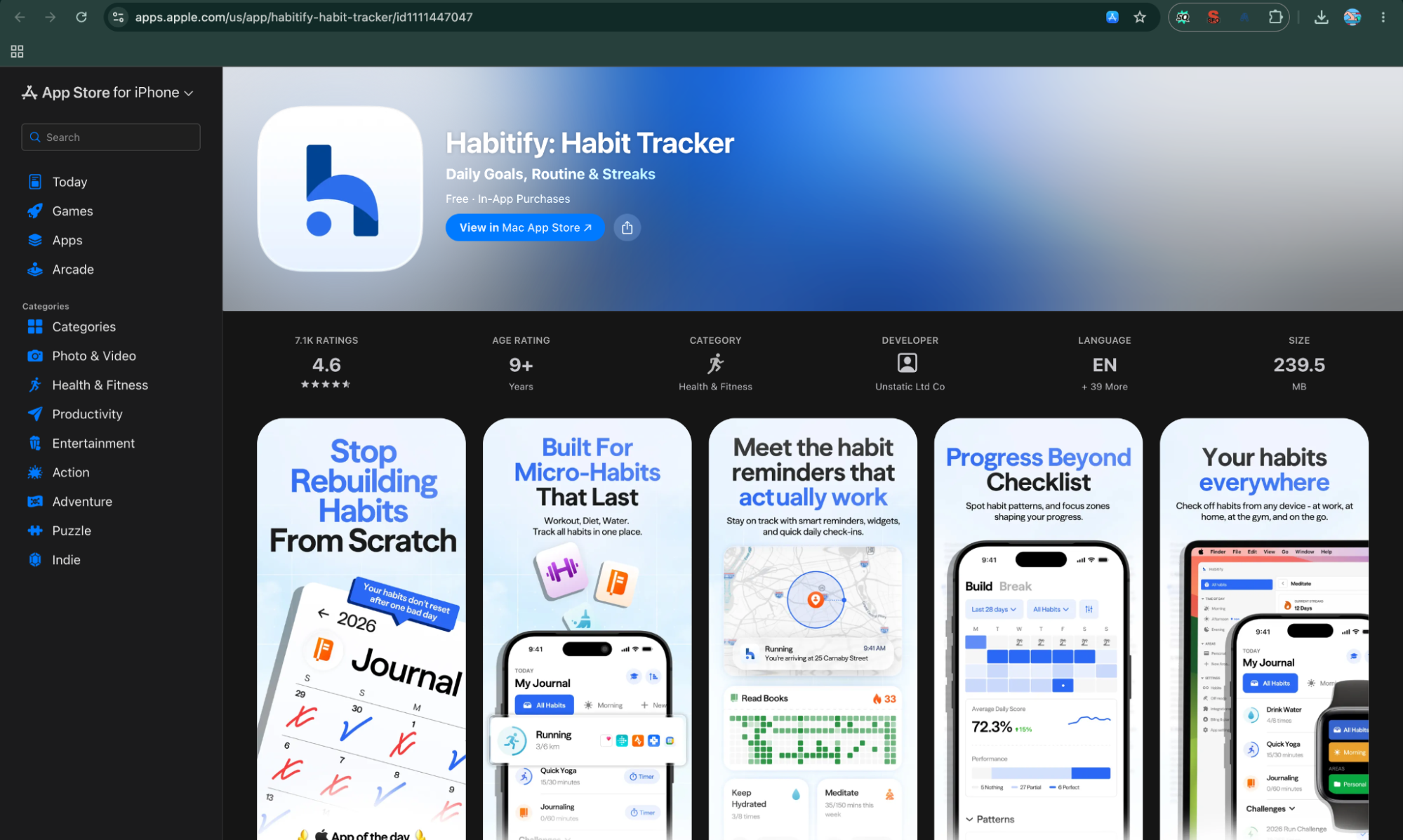
Habitify is a strong all-round habit tracker app for people who want more than a simple checklist. It combines daily habit tracking with flexible schedules, reminders, progress insights, integrations, and support across phones, computers, browsers, and smartwatches.
Habitify at a Glance
Feature | Details |
Best for | Overall habit tracking and cross-platform users |
Overall rating | 4.5/5 |
Platforms | iOS, Android, macOS, Windows, Web, watchOS, Wear OS |
Free plan | Yes — up to 3 habits |
Starting price | $2.49/month when billed annually |
Payment model | Subscription + lifetime option |
Web app | Yes |
Apple Watch / Wear OS | Yes / Yes |
Offline support | Available, with syncing when connected |
Account required? | Yes |
Best standout feature | Flexible scheduling and cross-platform tracking |
Biggest limitation | Free plan is limited to three habits |
1. Best for
Best for: People looking for an all-round habit tracking app that combines simple daily check-ins with more advanced scheduling and progress tracking.
Habitify is particularly useful if you have several habits to track rather than just one or two. You can use it for exercise, reading, meditation, studying, hydration, sleep, journaling, and other recurring activities.
It also works well as a daily routine app because you can organize different habits around your schedule instead of treating every activity as an identical daily task.
For example, you might track meditation every morning, strength training three times a week, reading five days a week, and a weekly financial review. That flexibility makes Habitify a good fit for people whose routines don't follow a simple seven-days-a-week pattern.
2. Overall rating
Overall rating: 4.5/5
We give Habitify 4.5 out of 5 because it provides a good balance between simplicity and functionality.
The basic experience is easy enough for someone new to habit tracking, while advanced users get flexible schedules, reminders, analytics, integrations, and multi-device support.
Habitify is not necessarily the best choice for every type of user. Someone looking for a completely free, minimalist simple habit tracker may find Loop Habit Tracker more suitable, while someone who wants heavy gamification may prefer Habitica.
But as an all-purpose best habit tracker app, Habitify covers a particularly wide range of use cases.
Platforms: iOS, Android, macOS, Windows, Web, watchOS, and Wear OS.
Platform availability is one of Habitify's biggest advantages. Unlike some habit tracking apps that are tied closely to one operating system, Habitify lets users access their habits across mobile, desktop, browser, and smartwatch platforms.
This is especially useful if you work on a laptop during the day but use your phone or smartwatch to complete habits.
For someone searching specifically for best habit tracking apps for iPhone or best habit tracking apps Android, Habitify is worth considering because it supports both major mobile ecosystems.
4. Free plan
Free plan: Yes, but limited.
Habitify offers a free version that allows users to track up to three habits. That makes the free tier useful for testing the app or maintaining a small number of high-priority habits.
For example, you could start with three habits such as walking, reading, and meditation and see whether you actually enjoy using the app before paying.
However, people searching for the best free habit tracker app should pay attention to this limitation. If you want to monitor ten or fifteen habits at the same time, the free plan may not be sufficient.
5. Starting price
Starting price: $29.99 per year, equivalent to about $2.49 per month when billed annually.
Habitify's current pricing makes the annual plan its lower-cost recurring option when calculated monthly. It also offers a lifetime purchase option.
Pricing can change by country, platform, taxes, promotions, and app-store billing, so readers should check the current price shown for their region before subscribing.
This is particularly important for users comparing free habit tracker apps with premium options. A tracker that costs only a few dollars per month can become a meaningful long-term expense if you use it for several years.
6. Subscription or one-time payment?
Payment model: Both subscription and one-time payment options are available.
Habitify offers a subscription option as well as a lifetime purchase. That gives users a choice between paying periodically and making a single larger payment.
The lifetime option can be attractive if you already know you'll use the app for years. On the other hand, the subscription model makes it easier to try premium features without making a large upfront commitment.
When comparing best habit tracking apps, this is worth considering because the cheapest monthly price isn't necessarily the cheapest long-term option.
7. Web app
Web app: Yes.
Habitify has a web version in addition to its mobile and desktop applications. A web app can be surprisingly useful for habit tracking because it allows you to review your progress or update your habits while working on a computer. You don't have to keep switching between your phone and laptop.
For people searching for a habit tracker website, habit tracker online, or online habit tracker, Habitify is one of the more complete options because the web experience is part of a broader cross-platform system.
8. Apple Watch / Wear OS
Apple Watch: Yes
Wear OS: Yes
Habitify supports both Apple Watch and Wear OS, giving smartwatch users another way to interact with their habits.
This can reduce the friction of tracking small daily actions. Instead of opening your phone every time you complete a habit, you can use your supported watch for relevant tracking actions.
For people who already use wearable devices as part of their health or productivity routine, smartwatch support can make a habit tracker more convenient to use consistently.
9. Offline support
Offline support: Habitify supports working with your data when a connection is unavailable, with synchronization taking place when connectivity returns.
This matters because a habit tracker app should ideally not become unusable simply because you're travelling, underground, or temporarily without internet access.
However, offline functionality can vary by platform and feature. Users who specifically require a completely offline-first tracker should verify which functions remain available without an internet connection before relying on the app.
10. Account required?
Account required: Yes.
Habitify uses an account-based system, which supports synchronization between its different platforms.
This is useful if you want the same daily habit tracker available on your phone, computer, browser, and smartwatch. Your progress can remain connected rather than being restricted to one device.
The downside is that users who prefer a local-only free habit tracker app with no account or cloud synchronization may find Habitify less appealing.
11. Best standout feature
Standout feature: Flexible habit scheduling combined with cross-platform tracking and progress insights.
Many basic apps to track habits focus almost entirely on one question: Did you complete today's habit?
Habitify goes further by allowing users to build different types of schedules and review their consistency over time. This makes it useful for habits that don't happen every day or that require measurable targets.
Its broader ecosystem of reminders, analytics, integrations, desktop access, web access, and smartwatch support is what makes it stand out.
In other words, Habitify isn't trying to be just a digital checkbox. It is designed to become a central place for managing and reviewing your habits.
12. Habitify — Features That Keep You Consistent
- Habit-Building & Social Feedback : Habitify has one of the stronger social feedback systems on this list. Its Challenges let users compete through leaderboards, points, medals, team streaks, and shared progress. This can make achievements feel more rewarding because users can celebrate milestones and stay accountable with others.
- Achievements & Rewards: Habitify offers strong achievement-oriented motivation through milestones, medals, points, leaderboards, team streaks, and challenges. Its Circles also let people see shared progress and encourage one another. This gives users both a personal reason to continue and a social reason to show up consistently.
- Challenges & Competition: Habitify's Challenges add a competitive layer to everyday habit tracking. Users can participate in challenges, compete on leaderboards, earn points and rankings, and work toward shared goals. This can make routine habits feel more engaging and give users an extra reason to stay consistent.
- Team Streaks & Social Accountability: Habitify's team streaks encourage users to build habits alongside others. Shared goals and progress can create a sense of accountability, while seeing teammates maintain their routines can provide an additional push to keep going. This makes habit tracking feel less like an individual task and more like a shared activity.
- Skip Days & Progress Flexibility: Habitify's limited skip-day feature gives users some flexibility when they cannot complete a habit. Instead of letting an occasional missed day completely derail a routine, users can use skip days strategically and return to their habits without feeling that their entire progress has been lost.
Habitify has become more engaging in 2026 through its Challenge system. Users can join or create habit challenges, compete on leaderboards, earn Gold, Silver, and Bronze rankings, maintain team streaks, and use limited skip days. Milestone celebrations also recognize progress toward specific targets.
This gives Habitify more motivational depth than a basic checklist while still keeping everyday tracking relatively straightforward.
Why Habitify Is a Strong Choice in 2026
Habitify fits the way people increasingly manage their lives across multiple devices. In 2026, it supports iOS, Android, macOS, Windows, web, Apple Watch, and Wear OS, while recent updates have improved its progress dashboard, cross-platform organization, health integrations, and automation. It also introduced an official ChatGPT app integration in 2026.
For users who want one habit tracking app that connects phone, computer, smartwatch, health data, and increasingly AI-assisted workflows, Habitify is a particularly strong all-round choice for 2026.
Biggest limitation
Biggest limitation: The free plan is limited to three habits, while some advanced functionality requires a paid plan.
This can become restrictive quickly.
Someone starting with three simple habits may have no problem with the free version. But once you start adding exercise, reading, meditation, water intake, sleep, studying, journaling, and other habits to track, three slots aren't enough.
Habitify can also feel more feature-heavy than a minimalist tracker. If you only want a straightforward checkbox and don't care about analytics, integrations, or cross-platform access, a simpler habit tracker may be a better fit.
Pros
- Cross-platform
- Wearables
- Flexible
- Reminders
- Analytics
- Streaks
- Challenges
- Rankings
- Rewards
- Teams
- Circles
- Integrations
- AI
- Offline
- Lifetime
Cons
- Limited
- Paid
- Complex
- Account
- Variations
- Costly
- Gamified
Final Verdict
Habitify earns its place among the best apps for habit tracking because it offers a well-rounded combination of flexible scheduling, reminders, analytics, integrations, and broad platform support.
It is particularly suitable for people who want their habit tracker to grow with their routine. If your priority is completely free habit tracking with a minimalist interface, however, Loop Habit Tracker is likely to be a better alternative.
2. Streaks — Best Habit Tracker for Apple Users
Quick Overview
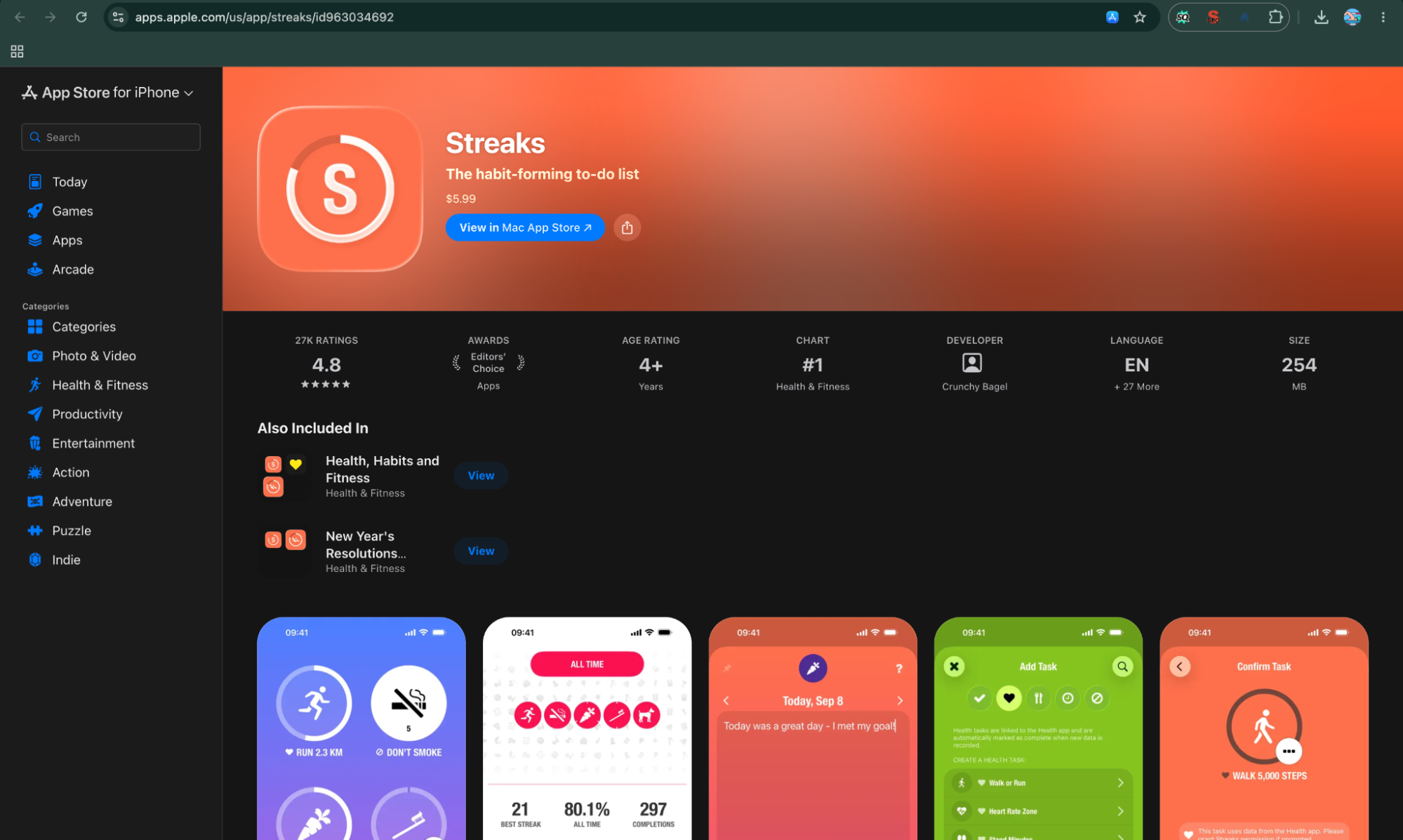
Streaks takes a deliberately simple approach to habit tracking: choose the habits you want to build, complete them consistently, and keep your streak going. Rather than trying to become an all-in-one productivity platform, it focuses on making daily habit tracking quick and highly visible.
That simplicity, combined with deep integration with Apple's ecosystem, makes Streaks one of the strongest choices for iPhone, iPad, Mac, and Apple Watch users.
Streaks at a Glance
Feature | Details |
Best for | Apple users who want a simple, polished habit tracker |
Overall rating | 4.8/5 |
Platforms | iPhone, iPad, Mac, Apple Watch, Apple Vision |
Free plan | No |
Starting price | ₹599 one-time purchase in the India App Store |
Payment model | One-time purchase |
Web app | No |
Apple Watch / Wear OS | Yes / No |
Offline support | Yes for core tracking; iCloud sync requires connectivity |
Account required? | No separate Streaks account; iCloud is used for syncing |
Best standout feature | Deep Apple ecosystem and Health integration |
Biggest limitation | Apple-only ecosystem |
1. Best for
Best for: Apple users looking for a polished, simple habit tracker app that works naturally across their Apple devices.
Streaks is particularly good if your main devices are an iPhone, iPad, Mac, and Apple Watch. Instead of making you manage a complicated productivity system, it keeps the focus on completing your habits and maintaining consistency.
You can track up to 24 tasks, create positive or negative habits, set timed tasks, add notes, and connect certain habits with Apple's Health app.
That makes it suitable for everyday habits to track such as exercising, drinking water, reading, meditating, brushing your teeth, taking medication, or reducing an unwanted behavior.
For someone searching for the best habit tracking apps for iPhone, Streaks is one of the clearest options to consider.
2. Overall rating
Overall rating: 4.8/5
Streaks currently has a 4.8-star rating on Apple's App Store, based on thousands of ratings in the US listing. The India listing also currently shows a 4.8 rating.
We rate it 4.8/5 because the app does a very good job of keeping habit tracking focused. The interface doesn't overwhelm you with unnecessary productivity features, and the Apple ecosystem integration makes everyday tracking convenient.
Its score isn't a perfect 5 because its biggest strength is also its biggest weakness: it is designed primarily for Apple users.
Platforms: iPhone, iPad, Mac, Apple Watch, and Apple Vision.
Streaks is built specifically around Apple's ecosystem. The current App Store listing supports iPhone, iPad, Mac, Apple Watch, and Apple Vision.
There is no Android version, so Android users looking for the best habit tracker app for Android will need to look elsewhere.
This platform limitation is important because Streaks isn't trying to be a universal cross-platform habit tracking app. Its strength is providing a consistent experience across Apple's devices.
4. Free plan
Free plan: No.
The original Streaks by Crunchy Bagel is a paid app rather than a traditional free habit tracker app. The current India App Store listing shows the app at ₹599.
This can actually be an advantage for people who dislike subscription-heavy apps. You pay for the app rather than having to maintain another monthly subscription simply to keep using your daily habit tracker.
However, it does mean Streaks isn't the right choice if your main search is for the best free habit tracker app.
5. Starting price
Starting price: ₹599 in the India App Store.
The current Indian App Store listing shows Streaks at ₹599, while the US App Store lists it at $5.99.
Because this is a one-time purchase rather than a monthly subscription, the effective long-term cost can be attractive compared with subscription-based habit tracking apps.
App Store pricing can change by region and over time, so the current store price should be checked before publishing or purchasing.
6. Subscription or one-time payment?
Payment model: One-time purchase.
This is one of Streaks' biggest selling points.
Unlike many modern habit tracking apps that use monthly or annual subscriptions, the original Streaks app uses a one-time purchase model. Once you buy the app, you don't have to keep paying a recurring subscription just to continue using its core functionality.
For users who plan to use a habit tracker for several years, this can make Streaks considerably more appealing from a long-term cost perspective.
7. Web app
Web app: No.
Streaks doesn't offer a dedicated web app.
That's not necessarily a problem if you live entirely inside Apple's ecosystem, because the app is available on iPhone, iPad, Mac, and Apple Watch.
However, users who specifically want an online habit tracker they can open from any browser won't find that option here.
This is one area where cross-platform services such as Habitify have an advantage.
8. Apple Watch / Wear OS
Apple Watch: Yes
Wear OS: No
Apple Watch integration is one of Streaks' strongest features. You can track habits directly from your wrist, which makes completing small daily tasks much more convenient. The current App Store listing specifically supports Apple Watch.
There is no Wear OS version because Streaks is an Apple-focused product.
For Apple users, this isn't really a disadvantage. In fact, it is part of what makes Streaks stand out among best habit tracking apps for iPhone.
9. Offline support
Offline support: Yes for core habit tracking, with iCloud synchronization when connectivity is available.
Streaks is designed as a native Apple application, so you can continue recording habits without needing a browser connection for every check-in.
Your tasks can then synchronize across supported Apple devices through iCloud. The App Store listing specifically states that tasks sync across devices using iCloud.
This makes Streaks useful for everyday situations where you don't have an internet connection but still want to record your daily habits.
10. Account required?
Account required: No separate Streaks account.
Streaks does not require you to create a separate Streaks username or account just to use the app.
For synchronization between Apple devices, however, the app relies on Apple's iCloud ecosystem. The App Store listing confirms that tasks sync between devices through iCloud.
That makes the setup relatively straightforward for people who already use Apple devices and an Apple account.
11. Best standout feature
Standout feature: Apple ecosystem integration combined with simple streak-based tracking.
The biggest reason to choose Streaks isn't simply that it can mark a habit as complete. Many apps to track habits can do that.
Its advantage is how naturally the tracking fits into Apple's ecosystem.
Streaks can automatically recognize certain activities linked to Apple Health, send reminders, support timed tasks, record daily notes, create negative habits, and provide Apple Watch access.
For example, instead of manually recording every health-related activity, supported Health integrations can allow Streaks to recognize when you've completed certain tasks.
That reduces the amount of manual daily tracking you need to do.
12. Streaks — Features That Keep You Consistent
- Custom Habit Goals: Streaks lets users create habits around their own schedules and goals, making it possible to track activities that don't necessarily need to happen every day.
- Habit Streaks: The app's core streak system makes consecutive progress highly visible, giving users a simple reason to continue their routine.
- Apple Health Integration: Compatible habits can be connected with Apple Health, allowing certain activities to be tracked automatically instead of requiring manual check-ins.
- Habit-Building & Social Feedback: Streaks focuses more on personal motivation than public sharing. Completing streaks and seeing progress build over time provides positive feedback, while Apple Health integration can automatically record certain achievements. However, it does not offer the same social challenges or public achievement-sharing features found in more community-focused apps.
- Achievements & Rewards: Streaks does not use a traditional badge, points, or rewards system. Its main achievement is building and maintaining streaks, with progress displayed clearly as tasks are completed repeatedly. This makes reaching a long streak feel like an accomplishment, although there is less emphasis on publicly sharing achievements or competing with others.
Streaks — Gamification & Motivation
Streaks uses a lighter form of gamification. Its main motivational system is built around maintaining streaks, completing tasks consistently, visual progress, and seeing your habits remain active over time. It does not use an RPG-style reward system like Habitica.
That simplicity is intentional. Instead of distracting users with points, characters, or virtual rewards, Streaks makes the satisfaction of maintaining consistency the main reward.
Why Streaks Is a Strong Choice in 2026
In 2026, Streaks remains particularly relevant for users who are deeply invested in Apple's ecosystem. Its strength is not having the largest feature list; it is providing a focused habit experience across iPhone, iPad, Mac, and Apple Watch.
For Apple users who already rely on Health, Watch, and other Apple services, having habit tracking integrated into the same ecosystem reduces friction. That matters in a phone-first world where the best habit tracker is often the one that takes the least effort to use every day.
Biggest limitation
Biggest limitation: It is limited to Apple's ecosystem.
This is the most important drawback to understand before buying Streaks.
If you use an iPhone and Mac, its ecosystem approach is a major advantage. But if you have an Android phone, Windows PC, or Wear OS smartwatch, Streaks won't give you the same experience.
There is also no dedicated web app, which makes it less suitable for people who want a habit tracker online that can be accessed from any device.
So while Streaks is an excellent choice for Apple users, it isn't a strong universal recommendation for everyone.
Pros
- Excellent Apple ecosystem integration
- Apple Watch support
- One-time purchase rather than a subscription
- Clean and focused interface
- Supports up to 24 tasks
- Apple Health integration
- Supports positive and negative habits
- Timed habits are available
- iCloud synchronization
Cons
- No Android app
- No Wear OS support
- No dedicated web app
- No free version
- Less suitable for users outside the Apple ecosystem
Final Verdict
Streaks is one of the best habit tracking apps for Apple users who want simplicity without a recurring subscription. Its combination of streak tracking, Apple Health integration, Apple Watch support, reminders, timed tasks, and iCloud synchronization makes it particularly convenient for people already invested in Apple's ecosystem.
3. Loop Habit Tracker — Best Free Habit Tracker for Android
Quick Overview
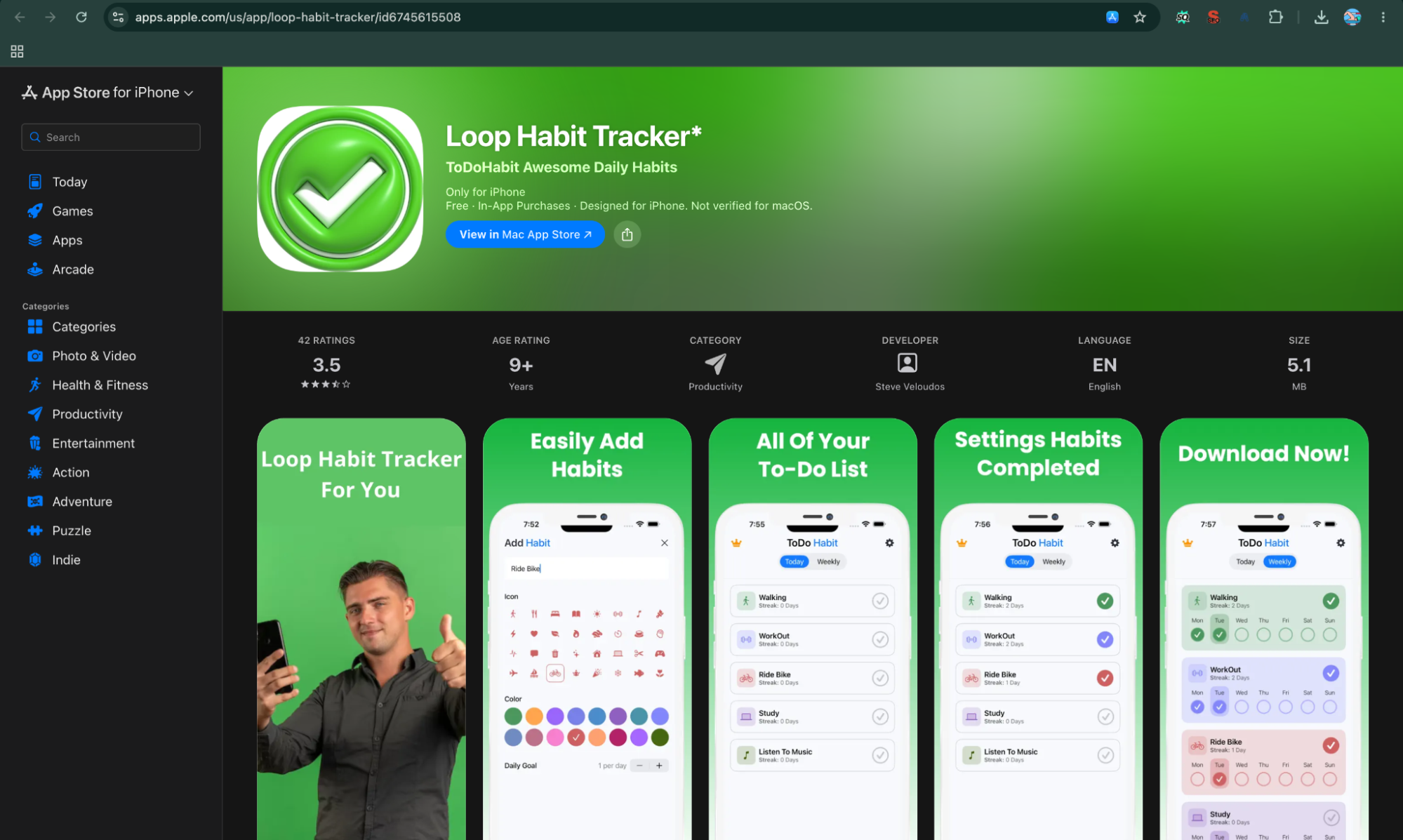
Loop Habit Tracker is one of the strongest choices for anyone who wants a free habit tracker without subscriptions, advertisements, account registration, or cloud dependence. Its design is intentionally simple, but it still provides flexible schedules, reminders, widgets, detailed statistics, habit scores, and data export.
Unlike many modern habit tracking apps that push users toward premium plans, Loop keeps its core experience free and open source. That makes it particularly attractive to Android users who want a straightforward daily habit tracker without ongoing costs.
Loop Habit Tracker at a Glance
Feature | Details |
Best for | Free, private habit tracking on Android |
Overall rating | 4.7/5 |
Platforms | Android |
Free plan | Yes — completely free |
Starting price | Free |
Payment model | No subscription or paid plan |
Web app | No |
Apple Watch / Wear OS | No dedicated smartwatch apps |
Offline support | Yes |
Account required? | No |
Best standout feature | Free, open-source and privacy-focused tracking |
Biggest limitation | Android-focused with no web or iOS app |
1. Best for
Best for: Android users looking for the best free habit tracker app with strong privacy and no subscription.
Loop is particularly good if you don't want your habit tracker to become another monthly expense. The app is completely free, ad-free, open source, and doesn't require an online account. Your habit data stays on your phone.
It's also a good option for people who prefer a simple habit tracker rather than an app packed with coaching, social features, AI, or gamification.
You can use Loop for common habits to track such as:
- Exercise
- Reading
- Meditation
- Drinking water
- Studying
- Journaling
- Sleep routines
- Walking
- Limiting unwanted habits
The app can handle more complicated schedules too. You can set habits for specific frequencies, such as three times per week, every other day, or once every two weeks.
2. Overall rating
Overall rating: 4.7/5
Loop currently has a 4.7-star rating on Google Play, with more than 60,000 reviews and more than 5 million downloads listed on its current Play Store page.
We rate Loop 4.7/5 because it does the fundamentals extremely well. It is fast, uncomplicated, private, and doesn't put basic habit tracking behind a paywall.
Its rating would be slightly higher if it offered broader platform support. Someone using an iPhone, Mac, or web browser will need to consider another habit tracking app.
Platforms: Android.
Loop Habit Tracker is primarily an Android application. It is available through Google Play and supports Android phones and compatible Android devices. The current listing also identifies phone, Chromebook, and tablet compatibility.
There isn't an official iOS, macOS, Windows, or browser version comparable to the cross-platform experience offered by Habitify.
That makes Loop an excellent habit tracker app for Android, but not a universal choice for people who use several operating systems.
4. Free plan
Free plan: Yes — completely free.
This is arguably Loop's biggest selling point.
Loop doesn't operate like a typical freemium app where you can create a few habits and then have to subscribe for unlimited tracking. The core app is completely free and ad-free.
For anyone searching for the best free habit tracker app or best free habit tracking apps, this makes Loop particularly compelling.
You don't have to decide which habits are important enough to fit into a limited free tier. You can simply create the habits you actually want to track.
5. Starting price
Starting price: $0.
Loop Habit Tracker is free to use. There is no premium subscription required to unlock the core habit-tracking experience.
That gives it a major advantage over subscription-based habit apps when you're thinking about long-term ownership. If you use the app for three or five years, the cost remains zero.
For readers specifically searching for a free habit tracker app no subscription, Loop is one of the clearest options in this list.
6. Subscription or one-time payment?
Payment model: Neither.
Loop doesn't use a subscription or one-time paid upgrade for its core application. It is open source and free to use.
This is an important difference from apps such as Streaks, which use a one-time purchase, and Habitify, which offers premium subscription and lifetime options.
If avoiding recurring payments is one of your main requirements when choosing among habit tracking apps, Loop has a significant advantage.
7. Web app
Web app: No.
Loop is designed primarily as a local Android application rather than a browser-based habit tracker online.
That means you won't get the same experience of opening your habits from any computer through a website. If you're someone who wants to update your daily habit tracker from a laptop at work and your phone at home, a cross-platform service such as Habitify may be more convenient.
For someone who does almost everything from an Android phone, however, the lack of a web app may not matter at all.
8. Apple Watch / Wear OS
Apple Watch: No dedicated app
Wear OS: No dedicated app
Loop doesn't currently position itself as a smartwatch-focused habit tracker. Its primary tracking experience happens directly on Android phones and compatible Android devices.
That means users who want to check habits directly from an Apple Watch or Wear OS smartwatch should consider an alternative with dedicated wearable support.
For Android users who don't use a smartwatch for habit tracking, this limitation is unlikely to be important.
9. Offline support
Offline support: Yes.
Offline functionality is one of Loop's strongest advantages. The official Google Play listing explicitly says that Loop works without an internet connection.
This also connects directly to its privacy model: your habit information stays on your phone rather than depending on an online account or cloud service.
For people looking for an offline habit tracker, this is a major benefit. You can continue recording your daily habits while travelling or whenever you don't have an internet connection.
10. Account required?
Account required: No.
Loop does not require online account registration. The developer states that your habit data never leaves your phone and that neither the developer nor third parties have access to it.
This makes Loop particularly attractive for privacy-conscious users.
It also removes one common source of friction when starting a new habit tracker app: you can install the app and begin creating habits without first creating an account, verifying an email address, or handing over personal information.
11. Best standout feature
Standout feature: Free, open-source, private, offline habit tracking with useful statistics.
Loop's biggest strength isn't one flashy feature. It's the combination of several things that are increasingly difficult to find together:
free + no ads + open source + offline + no account + detailed tracking.
The app provides a habit score in addition to traditional streaks. Its formula considers repeated behavior over time, meaning a few missed days after a long streak don't simply erase all of your progress.
Loop also provides detailed charts and statistics, flexible schedules, reminders, widgets, and data export to CSV or SQLite.
This makes it more capable than its minimalist interface initially suggests.
12. Loop Habit Tracker — Features That Keep You Consistent
- Simple Habit Tracking: Loop focuses on the fundamentals, allowing users to create habits and track completion without unnecessary complexity.
- Flexible Schedules: Users can create habits with different frequencies, making the app suitable for routines that don't need to happen every day.
- Habit-Building & Social Feedback: Loop keeps habit-building highly personal. Its streaks, habit scores, charts, and progress history provide continuous feedback that can encourage users to maintain consistency. However, it has no built-in social leaderboard, community challenges, or public achievement-sharing system, making it better suited to private self-tracking.
- Achievements & Rewards: Loop keeps achievements simple and personal. Users can build streaks, improve habit scores, and view long-term progress through charts and statistics. There are no traditional badges, points, prizes, or social leaderboards, so the achievement comes from seeing measurable improvement and maintaining consistency over time.
Loop Habit Tracker — Gamification & Motivation
Loop does not rely on traditional gamification such as virtual characters, rewards, leaderboards, or challenges. Instead, it uses streaks, habit scores, charts, and visible progress to provide motivation.
Why Loop Is a Strong Choice in 2026
Loop's biggest advantage in 2026 is that it goes against the growing complexity of many digital productivity apps. It remains free, open source, ad-free, offline-friendly, and account-free while providing useful statistics and flexible scheduling.
For Android users who are increasingly conscious of subscriptions, privacy, and digital clutter, that combination is highly relevant. If you want a habit tracker that simply works without turning habit building into another social or gamified platform, Loop remains one of the strongest choices.
Biggest limitation
Biggest limitation: Its platform support is narrow.
Loop is an excellent choice if you're an Android user, but it becomes less useful if your daily workflow involves iOS, macOS, Windows, or a browser.
There's also no dedicated web app for accessing the same habit dashboard from another computer.
So while Loop may be one of the best free habit tracker apps for Android, it isn't the best choice for someone who needs seamless cross-device synchronization across different ecosystems.
Pros
- Completely free
- No subscription
- No advertisements
- Open source
- Works offline
- No account required
- Privacy-focused
- Flexible habit schedules
- Detailed charts and statistics
- Habit-strength scoring
- Home-screen widgets
- CSV and SQLite data export
Cons
- Android-focused
- No dedicated iOS app
- No web app
- No dedicated Apple Watch or Wear OS app
- Less suitable for users wanting coaching, AI, social features, or gamification
Final Verdict
Loop Habit Tracker is the best free habit tracker for Android users who value simplicity, privacy, and long-term affordability.
It doesn't try to compete with feature-heavy productivity platforms. Instead, it focuses on doing the fundamentals of habit tracking extremely well: create a habit, choose a realistic schedule, get a reminder, mark it complete, and understand your progress.
If your priority is a free habit tracker app with no subscription, no account, no ads, and offline support, Loop is difficult to beat. If you need iPhone, web, smartwatch, or cross-platform access, however, Habitify or another multi-platform option will make more sense.
4. Habitica — Best Habit Tracker for Gamification
Quick Overview
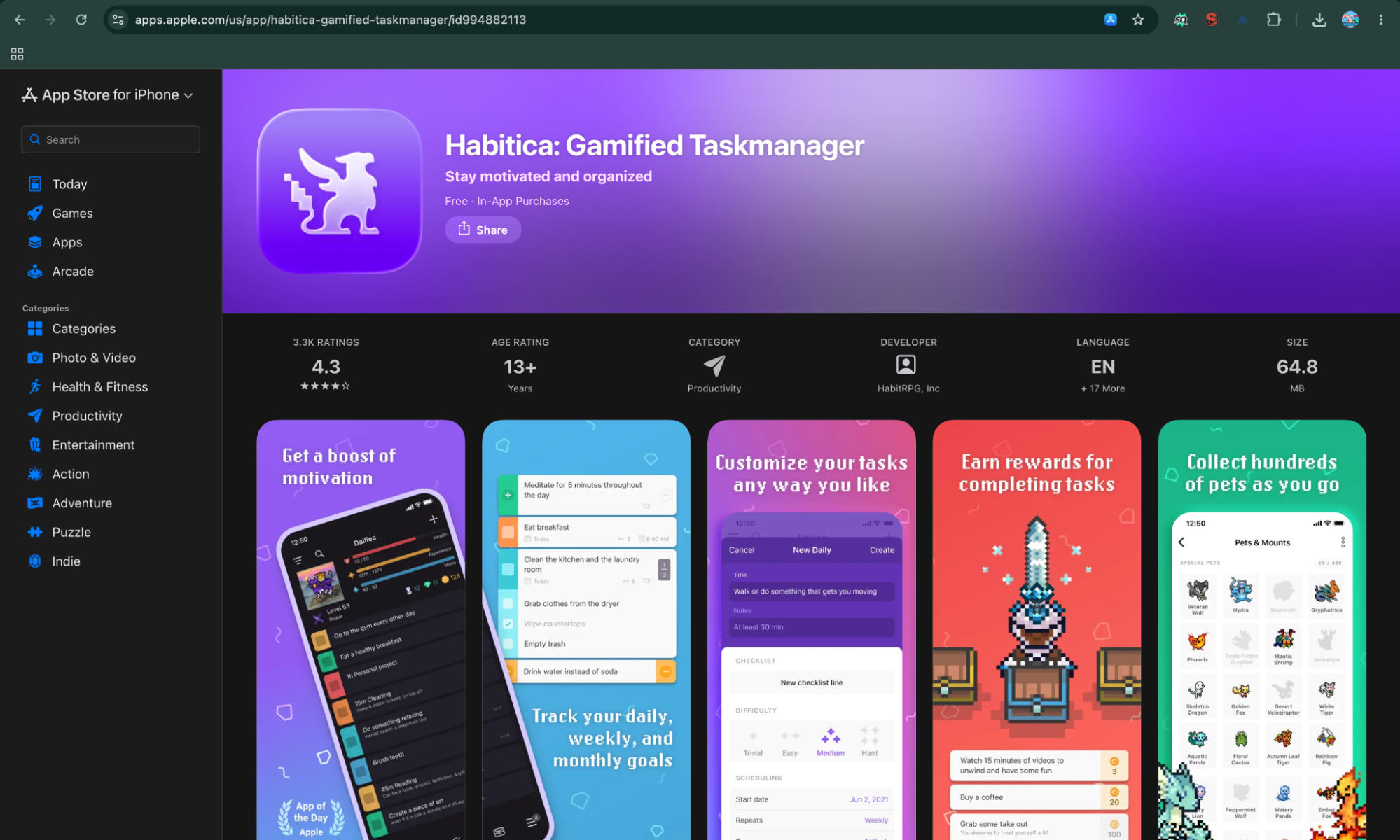
Habitica takes a completely different approach from most habit tracking apps. Instead of simply showing streaks, checkmarks, and progress charts, it turns your daily habits and tasks into a role-playing game. You create an avatar, complete real-life habits and tasks, earn experience and gold, unlock equipment and pets, and can even team up with other users to complete quests.
That makes Habitica particularly interesting for people who find traditional habit trackers too repetitive. The app supports habits, recurring daily tasks, one-time to-dos, reminders, streaks, rewards, challenges, parties, and social accountability. It is available on Android, iOS, and the web, with a Wear OS companion for Android users.
Habitica at a Glance
Feature | Details |
Best for | Gamified habit tracking and accountability |
Overall rating | 4.5/5 editorial rating |
Platforms | Android, iOS, iPadOS, Apple Vision, Web, Wear OS |
Free plan | Yes |
Starting price | Free; optional subscription from $4.99/month |
Payment model | Free + optional subscription and in-app purchases |
Web app | Yes |
Apple Watch / Wear OS | No dedicated Apple Watch app / Yes, Wear OS |
Offline support | Limited; designed around account-based syncing |
Account required? | Yes |
Best standout feature | RPG-style rewards, leveling and social accountability |
Biggest limitation | More complex and game-heavy than a simple habit tracker |
1. Best for
Habitica is best for people who need motivation rather than just measurement.
Most habit tracking apps ask you to complete a habit and then show you a streak. Habitica adds a reward system around that action. Completing a habit, daily task, or to-do can earn experience and gold, helping your character level up and unlock virtual items. You can also join parties, participate in challenges, and fight monsters with other users.
This makes it a strong choice for users who enjoy games, challenges, collecting rewards, or external accountability.
It can also work well for habits to track that feel boring in isolation, such as exercising, reading, studying, cleaning, drinking water, or completing work tasks.
2. Overall rating
For this comparison, we rate Habitica 4.5/5.
Its biggest strength is that gamification is not simply an extra feature. It is built into the core tracking experience. The app currently has a 4.7-star rating on Google Play from more than 75,000 reviews, while its U.S. iOS listing shows around 4.2 stars from more than 3,000 ratings.
The difference between platforms is worth noting, but overall Habitica remains one of the more distinctive habit tracking apps available.
Habitica is available across Android, iOS, iPadOS, Apple Vision, the web, and Wear OS.
The official website describes both mobile apps and a web interface, while the Google Play listing currently supports Android phones, watches, Chromebooks, and tablets.
The cross-platform approach is useful if you want to update habits from your phone during the day and manage a larger task list from a computer later.
However, the experience is not identical across every platform, so users looking for a highly polished, platform-specific interface may prefer something like Streaks on Apple devices.
4. Free plan
Habitica is genuinely usable as a free habit tracker app.
You can create habits, daily tasks, and to-dos, customize your character, earn experience and gold, participate in the game's social features, and use the core habit-building system without paying. The company explicitly states that Habitica can be fully enjoyed for free.
There are optional subscriptions and purchases for users who want to support the project or access additional items and benefits.
That makes Habitica one of the stronger choices if your priority is finding a best free habit tracker app that offers more than simple checkboxes.
5. Starting price
The starting price is $0, because the core app is free.
Optional subscriptions currently start at $4.99 per month on the U.S. App Store, with longer subscription periods available. Indian App Store pricing currently shows options including ₹389 for one month and ₹3,699 for a 12-month subscription, although prices can vary by platform and region.
There are also optional in-game purchases such as Gems and other items.
For someone simply looking for a habit tracker app free of mandatory payments, you can use Habitica without subscribing.
6. Subscription or one-time payment?
Habitica uses a free + optional subscription + in-app purchase model.
The subscription is not required to use the fundamental habit tracking system. Current U.S. pricing lists monthly, three-month, six-month, and annual subscription options, with the annual plan listed at $47.99.
This is different from Streaks, which uses a one-time purchase, and Loop Habit Tracker, which is completely free.
The advantage is that you can try Habitica extensively before spending anything. The disadvantage is that the pricing structure can feel more complicated because the app also has its own in-game economy.
7. Web app
Yes.
Habitica has a full web interface, making it one of the more flexible online habit tracker options in this list. The official website specifically describes managing habits, daily goals, and to-dos through its web interface as well as mobile apps.
This is particularly useful if your habits are connected to work or studying. You can update your daily tracking from a computer instead of constantly switching to your phone.
For people who want a habit tracker website alongside a mobile app, Habitica is one of the stronger choices.
8. Apple Watch / Wear OS
Habitica currently has Wear OS support, allowing Android smartwatch users to access tasks and check off habits and daily activities from the watch. Current Habitica translation resources also maintain a dedicated Wear OS project.
However, there is no equivalent dedicated Apple Watch experience listed for the iOS version.
So:
- Apple Watch: No dedicated app
- Wear OS: Yes
If smartwatch tracking is important to you, Android users get the more complete option here.
9. Offline support
Habitica is not the best choice if your primary requirement is a fully offline habit tracker.
Unlike Loop Habit Tracker, which is specifically designed around local, offline-first tracking, Habitica is built around an account and synchronized data. Its biggest strength is being able to access your tasks and character across devices rather than keeping everything entirely local.
For normal daily use, this means Habitica is better suited to users who have regular internet access and want their progress synchronized.
If offline functionality is your deciding factor, Loop Habit Tracker is the better alternative.
10. Account required?
Yes.
Habitica is built around a user account because your character, tasks, progress, social interactions, and other game data need to synchronize between devices.
The service supports account authentication methods including email/password as well as Google and Apple sign-in.
This is an important difference from Loop Habit Tracker, where you can use the app without creating an online account.
For privacy-conscious users, Habitica does state that tasks are private and that it does not sell personal data to third parties, although its App Store privacy disclosure indicates that some information may be collected and linked to users.
11. Best standout feature
Its RPG-style gamification system.
This is the reason to choose Habitica over a conventional habit tracker.
Instead of simply checking off “Read for 30 minutes,” you are completing an action that contributes to your character's progress. Successful actions can give you experience, gold, equipment, pets, and other rewards. You can also create custom rewards and use social features for accountability.
The system also supports:
- Habits that can be completed multiple times
- Recurring daily tasks
- One-time to-dos
- Streak counters
- Reminders
- Custom rewards
- Challenges
- Parties
- Guilds
- Quests
- Character progression
That makes Habitica more than a daily habit tracker. It is essentially a gamified productivity system built around habits.
12. Habitica — Features That Keep You Consistent
- RPG-Style Habit Tracking: Habitica turns everyday habits and tasks into an RPG experience, making routine activities feel more like part of a game.
- Character Progression: Completing habits and tasks helps users develop their characters, giving everyday progress a visible in-game consequence.
- Habit-Building & Social Feedback: Habitica turns habit-building into a social game. Users can join parties, complete quests, earn rewards, develop their characters, and interact with other users. This creates an external motivation loop where completing a real-world habit can benefit both the user's character and their group, making consistency feel more engaging.
- Achievements & Rewards: Habitica is the strongest app here for tangible rewards. Completing habits can earn XP and Gold, while users can unlock gear, pets, quests, and other game elements. It also has achievements and social features, turning everyday progress into an ongoing reward system rather than simply marking a habit as complete.
Habitica — Gamification & Motivation
Gamification is the foundation of Habitica rather than an optional feature. Completing habits, daily tasks, and to-dos can earn experience and gold, while users can unlock equipment and pets, complete quests, join parties, participate in challenges, and work toward rewards.
This makes Habitica particularly useful for people who lose motivation when traditional habit trackers become repetitive. The app turns everyday actions into progress within an RPG-style system.
Why Habitica Is a Strong Choice in 2026
In 2026, when phones compete constantly for attention through games, social media, short-form video, and notifications, Habitica takes an interesting approach: it uses game mechanics to redirect some of that motivation toward real-world tasks.
Its combination of mobile apps, web access, social accountability, rewards, and gamification makes it particularly suitable for users who need more than reminders. Instead of simply telling you to build a habit, Habitica gives you an immediate reason to come back and complete it.
Biggest limitation
The biggest limitation is complexity.
If all you want is a simple screen where you tap a checkbox after completing your morning workout, Habitica can feel like too much.
You have an avatar, experience points, gold, equipment, pets, quests, parties, challenges, guilds, rewards, and multiple task categories. That depth is precisely what makes Habitica attractive to some users, but it can also become another system you have to manage.
The iOS App Store reviews reflect this trade-off: users praise the motivation and RPG approach, while some reviews describe the interface as difficult to navigate.
So before choosing it, ask yourself one simple question:
Do I want my habit tracker to feel like a game?
If yes, Habitica is one of the best options available. If no, a simpler habit tracking app such as Loop Habit Tracker or Streaks will probably feel better.
Pros
- Excellent gamification
- Core habit tracking is free
- Supports habits, daily tasks and to-dos
- Strong social accountability
- Web interface available
- Android, iOS and Wear OS support
- Flexible recurring tasks
- Rewards make repetitive tracking more engaging
- Open-source project
- Good for users who struggle with motivation
Cons
- More complicated than a simple habit tracker
- Requires an account
- Not ideal for offline-first tracking
- No dedicated Apple Watch app
- Game mechanics may distract from the actual habit
- Subscription and in-app purchases can make the pricing structure feel complex
Final Verdict
Habitica earns its place among the best apps for habit tracking in 2026 because it solves a problem that many conventional trackers overlook: motivation.
If checking a box every day quickly becomes boring, Habitica gives that action a purpose. Your habits contribute to a character, rewards, quests, and even group progress. That makes it particularly effective for people who enjoy games or need external motivation to stay consistent.
However, it is not the best simple habit tracker. Users who want privacy-first offline tracking should look at Loop Habit Tracker, while Apple users wanting a polished minimalist experience may prefer Streaks.
Best for: Gamification, motivation, accountability, and users who want habit tracking to feel more like a game than a spreadsheet.
5. Way of Life — Best Habit Tracker for Analytics and Journaling
Quick Overview
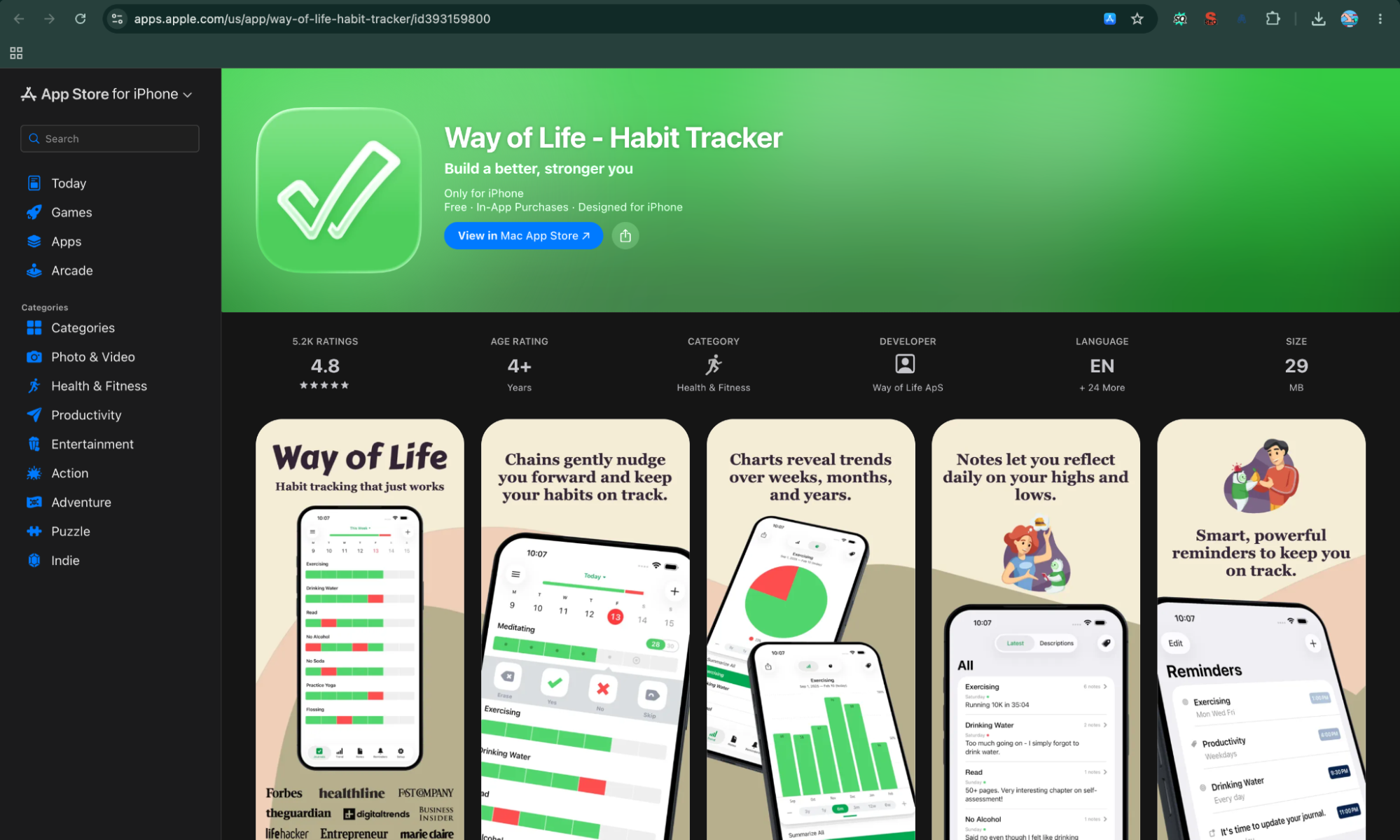
Way of Life is a habit tracker built around a simple idea: track your behavior quickly, then use the data to understand your patterns.
Instead of trying to turn habit building into a game or a large productivity system, Way of Life focuses on fast daily check-ins, color-coded tracking, reminders, notes, and long-term charts. It supports both good habits and bad habits, so you can track something you want to start as well as something you want to reduce or stop.
Its strongest feature is the way it turns daily entries into visual trends. Over time, the charts can help you see whether you're actually exercising regularly, eating less junk food, sleeping better, or maintaining another habit you want to change. The developer describes the app as requiring only a few seconds of daily tracking.
Way of Life at a Glance
Feature | Details |
Best for | Habit analytics, journaling, and understanding behavior patterns |
Overall rating | 4.5/5 editorial rating |
Platforms | Android, iPhone, iPad, Mac, Apple Vision |
Free plan | Yes, with limits |
Starting price | Free; premium pricing varies by platform and region |
Payment model | Free + optional premium/in-app purchases |
Web app | No dedicated web app |
Apple Watch / Wear OS | No dedicated smartwatch app listed |
Offline support | Yes for core tracking; cloud backup is supported as a premium feature |
Account required? | No separate Way of Life account is required for basic use |
Best standout feature | Detailed trend charts combined with notes and color-coded tracking |
Biggest limitation | Platform/data-transfer limitations and a more traditional interface |
1. Best for
Way of Life is best for people who want to understand why their habits succeed or fail, rather than simply maintaining a streak.
The app lets you create both positive and negative habits. For example, you could track:
- Exercise
- Reading
- Meditation
- Drinking enough water
- Eating fast food
- Sleeping on time
- Spending too much time on social media
- Smoking
- Skipping workouts
- Studying
The color-coded system makes each day's result immediately visible, while longer-term charts help reveal patterns that are difficult to notice from individual checkmarks. The official website specifically highlights tracking good and bad habits and reviewing trends across weeks, months, and years.
That makes Way of Life particularly useful for users searching for a habit tracker journal rather than just a basic checklist.
2. Overall rating
For this comparison, we rate Way of Life 4.5/5. The app currently has a 4.7-star rating on the Indian App Store and a 4.8-star rating on the U.S. App Store, although its Android rating is considerably lower at around 3.6 stars.
The difference between iOS and Android ratings is important. Way of Life appears to have a particularly strong following among Apple users, while the Android experience has received more mixed feedback.
Our rating therefore reflects the overall feature set rather than simply averaging the store ratings.
Way of Life is available on Android and Apple's ecosystem. The current Google Play listing supports Android phones and tablets, while the App Store listing supports iPhone, iPad, Mac with Apple silicon, and Apple Vision.
One important limitation is that the Android and iOS versions don't provide completely interchangeable data. The developer's support page explicitly says that the two data formats are not currently interchangeable, although the team can help with manual conversion.
So while Way of Life is available on both major mobile platforms, it is not the strongest choice for someone who frequently switches between Android and Apple devices.
4. Free plan
Way of Life can be downloaded and used for free, but the free version is intentionally limited.
The premium version unlocks features such as unlimited items, backup, and additional functionality. The App Store listing identifies unlimited items, cloud backup, data export, and other features as requiring premium.
The free version is therefore useful for testing the system or maintaining a smaller set of habits, but people who want to track many habits over the long term will likely need premium.
That makes it a reasonable free habit tracker app to try, but not one of the strongest choices if your priority is unlimited free tracking.
5. Starting price
The starting price is $0, because Way of Life is free to download.
Premium pricing varies depending on the store, country, and purchase option. For example, the current U.S. App Store listing shows a $4.99 premium purchase alongside higher-priced premium options, while the Indian App Store lists premium purchases starting around ₹499, with other premium options also available.
The Google Play listing also uses in-app purchases rather than presenting a single universal price.
Because of these regional differences, it is better to check the price shown in your own app store before treating any particular figure as the standard global price.
6. Subscription or one-time payment?
Way of Life uses a free + premium/in-app purchase model. It is not structured like many modern habit tracker apps that rely primarily on recurring monthly subscriptions. The current store listings show premium purchases at different price points, and the developer's support documentation refers to restoring a premium purchase.
That is a useful distinction for people searching for a habit tracker app with no subscription.
However, because the store listings contain multiple premium purchase options, you should check the exact offer presented on your device before assuming that every feature is covered by one universal lifetime payment.
7. Web app
No dedicated web app is currently listed. Way of Life is primarily a mobile application, with support for Android and Apple's platforms rather than a browser-based habit tracker.
That is one of its biggest differences from Habitica. If you want a habit tracker online that you can open from any computer, Habitica is the better choice.
Way of Life instead focuses on making the daily mobile check-in extremely fast. Its official website emphasizes that recording your routines can take only a few seconds each day.
For a habit tracker, that low-friction approach makes sense: the less effort required to record a habit, the less likely you are to stop tracking it.
8. Apple Watch / Wear OS
Way of Life does not currently list a dedicated Apple Watch or Wear OS app among its supported platforms.
The current App Store compatibility information lists iPhone, iPad, Mac, and Apple Vision, while Google Play lists Android phones and tablets.
This matters if you want to check off habits directly from your wrist.
For smartwatch-focused tracking, Habitify or Routinery is a stronger option. Way of Life is better suited to users who are comfortable completing their daily tracking from their phone.
9. Offline support
Way of Life is designed around local daily tracking, while cloud backup is an optional premium feature.
The Android listing specifically advertises backup to supported cloud storage as a premium feature and also offers data export in CSV or JSON formats.
This makes it more flexible than a tracker that locks your information entirely into its own cloud service.
However, users should distinguish between offline tracking and cloud synchronization. You can record habits without treating the app as a continuously synchronized multi-device service, but cloud backup is a separate feature.
For users who care about keeping their own records, the ability to export the data is a significant advantage.
10. Account required?
No separate Way of Life account is required for basic habit tracking.
This is one of the appealing aspects of the app for people who don't want to create another online productivity account simply to track a few daily habits.
The app can store your tracking information locally, while premium users can use backup options and export their data. The developer also provides a purchase-restore process tied to the account used by the device's app store rather than requiring a separate Way of Life social account.
That makes Way of Life relatively straightforward for users who prefer a personal, self-contained habit tracking experience.
11. Best standout feature
Its combination of color-coded tracking, journaling, and long-term trend analysis.
This is where Way of Life separates itself from many simpler habit tracker apps.
Each habit can be represented using a color-coded system, allowing you to quickly see good and bad days. You can then examine charts showing how your behavior changes over longer periods. The app also includes a diary/note feature, allowing you to record what happened around a particular habit.
That creates a useful feedback loop:
Track → record what happened → review the pattern → adjust the habit.
For example, suppose you're trying to exercise four times a week. Instead of seeing only a streak, you can look at your historical pattern and add notes about why you skipped particular days.
The app also has a useful Skip function. If a habit doesn't need to be completed on a particular day, you can mark the day as skipped so it doesn't negatively affect your trend statistics.
That is a small feature, but it makes the tracking model much more realistic than a system where every missed day is automatically treated as failure.
12. Way of Life — Features That Keep You Consistent
- Habit Journaling: Way of Life combines habit tracking with journaling, allowing users to record additional context alongside their daily behavior.
- Habit Chains: Visual chains make successful consecutive days easy to recognize and can encourage users to keep their progress going.
- Habit-Building & Social Feedback: Way of Life relies primarily on personal feedback rather than social motivation. Its color-coded habit chains, trend charts, diary entries, and progress history help users see whether their behavior is improving. It does not focus on public achievement sharing, leaderboards, or community challenges, which keeps the experience private and reflective.
- Achievements & Rewards: Way of Life does not focus on badges, points, or game-style rewards. Instead, users get achievement-like feedback through habit chains, color-coded progress, trend charts, and long-term statistics. This works well for people who find visible improvement motivating but do not want their habit tracker to feel like a game.
Way of Life — Gamification & Motivation
Way of Life uses minimal gamification compared with Habitica or challenge-based apps. Its motivation comes mainly from color-coded progress, streaks, charts, reminders, and seeing long-term patterns.
The app is more focused on awareness than rewards. You can track positive and negative habits, add notes about what triggered a behavior, and review trends over weeks, months, or years.
Why Way of Life Is a Strong Choice in 2026
Way of Life remains relevant in 2026 because not everyone wants another highly stimulating productivity app. For users trying to reduce distractions or understand their behavior, its quick check-ins and visual feedback can be more useful than points, badges, or social competition.
Its ability to track both habits you want to build and behaviors you want to reduce also makes it useful in a year when digital wellness and intentional technology use are increasingly important.
Biggest limitation
The biggest limitation is that Way of Life feels more traditional and platform-separated than newer habit tracking apps.
The app has a strong core concept, but it doesn't try to provide everything in one system. You won't find the extensive gamification of Habitica, the broad cross-platform synchronization of Habitify, or the completely free offline approach of Loop Habit Tracker.
The Android and iOS versions also have different data formats that are not currently interchangeable, according to the developer.
The Android version's current store rating of around 3.6 stars compared with roughly 4.7–4.8 stars on the iOS App Store also suggests that the experience isn't equally strong across platforms.
So Way of Life is best when you choose it for its tracking and analytics philosophy, rather than expecting it to be the most feature-rich habit app on every device.
Pros
- Very fast daily check-ins
- Excellent visual trend tracking
- Supports both good and bad habits
- Useful diary/note feature
- Color-coded habit system
- Flexible reminders
- Skip days don't have to damage trend statistics
- Data export available
- Cloud backup available with premium
- No separate account required for basic use
- Available on both Android and Apple platforms
Cons
- Free version has limitations
- No dedicated web app
- No dedicated Apple Watch or Wear OS app listed
- Android and iOS data formats aren't currently interchangeable
- Android ratings are significantly lower than iOS ratings
- Less gamified than Habitica
- Less suitable for users wanting an all-in-one productivity system
Final Verdict
Way of Life is one of the best habit tracking apps for people who want to understand their behavior, not just maintain a streak.
Its color-coded system makes daily tracking quick, while charts and notes give you a better picture of what is actually happening over weeks and months. The ability to track both positive and negative habits also makes it useful for changing behaviors rather than simply adding new routines.
It isn't the best option for everyone. If you want a completely free Android habit tracker, Loop Habit Tracker is stronger. If you want gamification, Habitica is more engaging. And if you need a highly connected cross-platform system, Habitify is a better fit.
But if your priority is analytics, journaling, and seeing the bigger picture behind your daily habits, Way of Life deserves its place among the best apps for habit tracking in 2026.
Best for: Habit analytics, behavior patterns, journaling, and users who want to understand why their habits succeed or fail.
6. Routinery — Best Habit Tracker for Timed Routines and Daily Schedules
Quick Overview
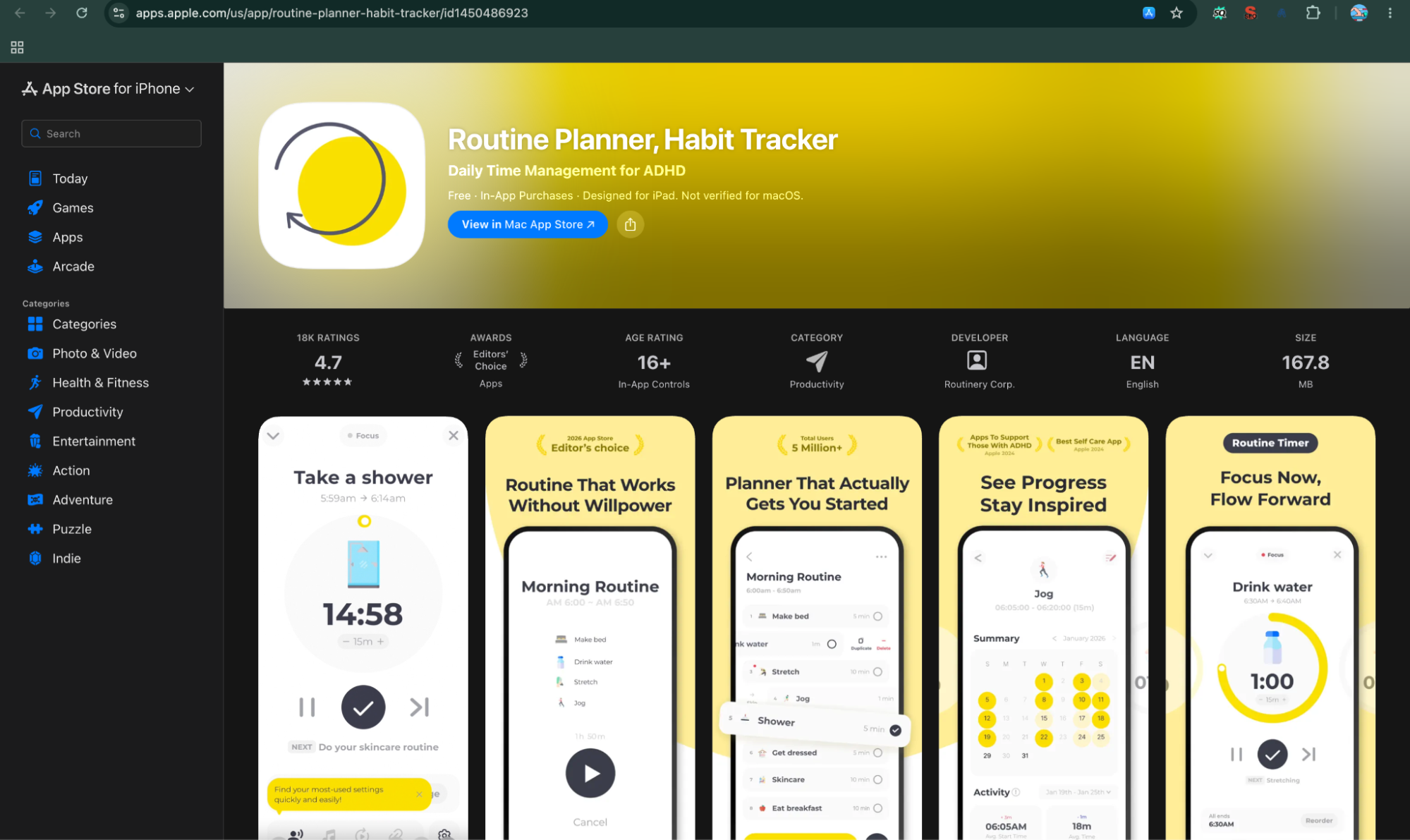
Routinery is less about simply checking whether you completed a habit and more about helping you actually move through the routine that contains that habit.
Instead of creating a habit such as “Exercise” and receiving one reminder, you can build a complete sequence such as Wake up → Drink water → Brush teeth → Get dressed → Stretch → Exercise → Shower. Each step can have its own timer, reminder, and duration.
That makes Routinery particularly useful for people who struggle with starting tasks, staying on schedule, or moving from one activity to the next. The current Google Play listing describes it as a routine planner, habit tracker, reminder app, and timer designed around focus challenges, while the App Store listing highlights voice-guided timers and notifications.
Routinery at a Glance
Feature | Details |
Best for | Timed routines, structured schedules, and staying on task |
Overall rating | 4.6/5 editorial rating |
Platforms | Android, iPhone, iPad, Mac, Apple Vision, Apple Watch |
Free plan | Yes, with limits |
Starting price | Free; premium from around $5/month |
Payment model | Free + subscription |
Web app | No full traditional web app |
Apple Watch / Wear OS | Yes / Yes |
Offline support | Core routine tracking can work with limited connectivity, but cloud features require connection |
Account required? | Account recommended for syncing and cloud features |
Best standout feature | Step-by-step timed routines with reminders |
Biggest limitation | Can feel restrictive if you only want simple habit check-ins |
1. Best for
Routinery is best for people who need structure around their habits, rather than another simple checklist.
A traditional habit tracker might remind you to meditate at 7:00 AM. Routinery can take that further by building an entire morning routine around it.
For example:
7:00 — Wake up
↓
7:05 — Drink water
↓
7:10 — Brush teeth
↓
7:15 — Shower
↓
7:30 — Meditation
↓
7:40 — Get dressed
↓
7:50 — Breakfast
Each activity can have its own duration and reminder.
This approach is especially useful for people who frequently lose track of time, have difficulty starting tasks, or find that one missed step causes their entire routine to fall apart.
The current Google Play listing specifically positions Routinery around structured routines, reminders, timers, time management, and focus challenges.
It also makes Routinery particularly interesting for people searching for best habit tracking apps for ADHD, although the app should be viewed as a productivity tool rather than a medical treatment.
2. Overall rating
For this comparison, we rate Routinery 4.6/5. The current Google Play listing shows approximately 4.5 stars from more than 18,000 reviews, while the Indian App Store listing shows 4.6 stars from 341 ratings.
The app has also received strong visibility from Apple, with its current App Store listing highlighting its recognition as a 2026 App of the Day and its use by more than five million people worldwide.
The rating is high because Routinery solves a problem that many habit tracker apps don't: knowing what to do is often easier than actually getting started and moving through the task.
Routinery has broad device support.
The current App Store listing supports:
- iPhone
- iPad
- Mac with Apple silicon
- Apple Vision
- Apple Watch
The Android version is available through Google Play and currently has more than one million downloads.
Routinery also supports Wear OS, giving Android smartwatch users a way to interact with their routines from their wrist.
This makes it more versatile than Apple-only apps such as Streaks.
However, Routinery's strength is not necessarily having the same experience everywhere. Its real value comes from the routine engine, timers, and reminders.
4. Free plan
Routinery has a free version, allowing users to try the core concept before paying for premium features.
The free experience gives you access to the basic routine-building approach, but premium unlocks additional routines and advanced features. Routinery's own materials describe the product as free to start with optional Pro features.
This makes it useful for someone who wants to test whether timed routines actually improve their daily schedule.
However, users who want to build numerous routines or use the more advanced customization options will likely run into the premium limits fairly quickly.
So it is a free habit tracker app for trying the system, rather than one of the most generous unlimited free habit trackers on this list.
5. Starting price
The starting price is $0, because Routinery can be downloaded and started without paying.
Premium pricing varies by platform and country. The current U.S. App Store listing shows $5 per month and $36 per year among its premium options, while the Indian App Store lists options such as ₹280 per month and ₹2,049 per year.
Because App Store and Google Play prices can differ by region, the exact amount shown on your device may not match these figures.
For this article, the important distinction is that Routinery uses a recurring premium model, rather than a one-time purchase.
6. Subscription or one-time payment?
Routinery primarily uses a subscription model. Current store listings show monthly, yearly, and other subscription periods. The U.S. App Store, for example, lists premium plans including $5 monthly and $36 annually.
The advantage is that you can start with the free version and upgrade only if the routine system proves useful.
The downside is that the long-term cost is higher than a one-time habit tracker such as Streaks.
This is something to consider if you are comparing the best habit tracking apps for long-term use. A $36 annual subscription may be reasonable if Routinery genuinely helps you follow your schedule, but unnecessary if you only want basic daily checkboxes.
7. Web app
Routinery does not currently offer a traditional full-featured web app in the same way that Habitica does.
Its primary experience is built around mobile devices and connected wearable platforms.
That isn't necessarily a problem for its intended use. Routinery is designed around doing the routine in real time, so a phone or smartwatch is arguably a better interface than a browser.
However, if you regularly plan habits from a desktop computer, the lack of a full web dashboard can be a disadvantage.
For an online habit tracker that you can manage from almost any browser, Habitica is a better choice.
For actually following a morning, evening, study, or workout routine, Routinery's mobile-first approach makes more sense.
8. Apple Watch / Wear OS
Routinery is one of the stronger options in this list for smartwatch users.
The current App Store listing explicitly supports Apple Watch, requiring watchOS 9.6 or later.
The Android version also supports Wear OS, giving users on both major smartwatch ecosystems access to their routines.
This is useful because Routinery's entire concept revolves around timely prompts. A reminder appearing on your wrist can be less distracting than constantly checking your phone.
The watch experience is therefore more meaningful here than it would be in a simple streak tracker.
Apple Watch: Yes
Wear OS: Yes
9. Offline support
Routinery is not positioned as an offline-first habit tracker in the same way as Loop Habit Tracker.
The core routine experience is designed to run on your device, but features involving account synchronization, cloud data, and connected services require an internet connection.
This distinction matters because Routinery is primarily a routine execution tool rather than a local-only tracker.
If your priority is:
No account + no internet + completely local data → Loop Habit Tracker is the stronger choice.
If your priority is:
Timers + reminders + structured routines + smartwatch support → Routinery is much more compelling.
So while you shouldn't choose Routinery specifically for offline functionality, occasional connectivity issues don't undermine its primary routine-timing purpose.
10. Account required?
Routinery uses an account-based system for features such as synchronization and connected services.
This is different from a local tracker such as Loop Habit Tracker, where you can use the app without creating an online account.
The account approach makes more sense for Routinery because your routines, settings, and progress may need to follow you across supported devices.
However, this also means Routinery is not the best choice for someone whose top priority is privacy-first, account-free habit tracking.
Users should also note that Routinery's current App Store privacy disclosure says the app may collect information such as contact information, identifiers, usage data, diagnostics, and other data, although the listing says these categories are not linked to the user's identity.
11. Best standout feature
Step-by-step timed routines.
This is the feature that makes Routinery different from most habit tracking apps.
Instead of saying:
“I need to exercise today.”
You can create:
6:30 — Change clothes — 5 minutes
6:35 — Warm up — 10 minutes
6:45 — Workout — 30 minutes
7:15 — Cool down — 10 minutes
7:25 — Shower — 10 minutes
The app can then guide you through each stage.
Its current Google Play listing describes each step of a routine running on a timer, while the App Store listing highlights voice-guided timers and notifications.
Routinery also includes:
- Smart reminders
- Routine timers
- Progress tracking
- Streaks
- Habit tracking
- To-do planning
- Focus/Pomodoro-style routines
- Hundreds of task icons
- Location, time, and day-based planning
- Widgets
- Watch support
That makes it closer to a daily routine app than a conventional streak tracker.
12. Routinery — Features That Keep You Consistent
- Timed Routines: Routinery lets users assign specific amounts of time to activities, making it useful for structured morning, evening, study, workout, or productivity routines.
- Step-by-Step Guidance: The app guides users through each activity in sequence, reducing the need to remember what they should do next.
- Habit-Building & Social Feedback: Routinery encourages consistency through routine completion, progress tracking, streaks, reminders, and step-by-step feedback. The emphasis is on helping users complete a routine in the moment rather than publicly showcasing achievements. It is therefore more useful for building a repeatable daily routine than for social accountability.
- Achievements & Rewards: Routinery focuses more on successful routine completion and consistency than formal achievements. Completing a routine and maintaining progress can provide motivation, but it does not have the same extensive badge, reward, or social-achievement system as Habitica or Habitify. Its strength is making the act of completing a routine feel structured and measurable.
Routinery — Gamification & Motivation
Routinery uses a lighter motivational approach based on routines, timers, progress, reminders, and streaks rather than an RPG-style reward system.
Its motivation comes from completing one step and moving to the next. That can make a long routine feel more manageable because users focus on the immediate action instead of the entire task list.
Why Routinery Is a Strong Choice in 2026
Routinery is particularly relevant in 2026 because attention and time management have become major challenges for phone-first users. Notifications, social media, work messages, and constant digital distractions can make it difficult to transition between tasks.
Rather than simply reminding you that something needs to happen, Routinery helps guide you through the sequence. Its timed routines, reminders, Apple Watch and Wear OS support make it especially useful for morning routines, study sessions, workouts, and other structured activities.
Biggest limitation
The biggest limitation is that Routinery can feel too structured for simple habits.
Suppose you only want to track:
- Drink water
- Read
- Exercise
- Meditate
A basic habit tracker can handle that with four checkboxes.
Routinery is designed to do more. It wants you to define routines, timings, steps, reminders, and sequences.
That is excellent if you need structure, but unnecessary if you simply want to record whether you completed a daily habit.
There are also some current user complaints about subscription prompts and limitations around certain reminder behaviors. For example, a recent Google Play review specifically criticized the inability to create some reminders outside routines and the prominence of subscription prompts.
So the app's biggest strength—its structured routine system—is also its biggest potential weakness.
Pros
- Excellent step-by-step routine system
- Timers for individual activities
- Strong reminders
- Apple Watch support
- Wear OS support
- Android and iOS availability
- Useful for morning and evening routines
- Good for people who lose track of time
- Supports Pomodoro-style routines
- Progress and streak tracking
- Large selection of task icons
- Particularly useful for structured daily schedules
Cons
- More complex than a simple habit tracker
- Premium subscription required for more advanced use
- No full traditional web app
- Not the best offline-first option
- Requires an account for connected features
- Some users may find the reminders too intrusive
- Less suitable for simple checkbox-style habit tracking
Final Verdict
Routinery earns its place among the best apps for habit tracking in 2026 because it addresses the part of habit building that most trackers ignore: execution.
Knowing that you should exercise, study, meditate, or get ready for work isn't always the problem. The problem is starting, staying on schedule, and moving from one task to the next.
Routinery solves that by turning a collection of habits into a timed routine that guides you step by step.
It is particularly useful for morning routines, evening routines, study schedules, workouts, self-care, and anyone who regularly loses track of time.
However, if you simply want a minimalist daily habit tracker, Routinery may feel unnecessarily structured. Loop Habit Tracker is better for simple free tracking, Habitica is better for gamification, and Habitify is better for a broader cross-platform habit management system.
Best for: Timed routines, structured schedules, reminders, time management, and people who need help turning intentions into consistent actions.
7. Strides — Best Habit Tracker for Flexible Goals and Advanced Tracking
Quick Overview
Strides is designed for people who want their habit tracker to do more than count streaks.
Instead of forcing every goal into the same daily yes-or-no format, Strides gives you four different tracker types: Habit, Target, Average, and Project. That means you can track something as simple as “Meditate every day,” but you can also track measurable goals such as saving money, reaching a specific weight, completing a project, or maintaining an average over a particular period.
The app combines these trackers with reminders, calendars, streaks, success rates, pace lines, progress reports, tags, and a daily goals view. That makes it one of the more flexible choices in this list for people who want to connect everyday habits with larger goals.
Strides at a Glance
Feature | Details |
Best for | Flexible goal tracking, SMART goals, and advanced progress tracking |
Overall rating | 4.7/5 on the India App Store |
Platforms | iPhone, iPad, Mac, Apple Watch, Android |
Free plan | Yes — up to 3 goals/habits |
Starting price | Free; Plus pricing varies by region |
Payment model | Free + monthly/annual subscription; lifetime option available |
Web app | No traditional web app |
Apple Watch / Wear OS | Apple Watch: Yes / Wear OS: No dedicated app |
Offline support | Yes for local tracking; cloud sync is optional |
Account required? | No for basic Apple-device use; Google sign-in is used for optional Android cloud backup |
Best standout feature | Four tracker types for habits, targets, averages, and projects |
Biggest limitation | Best features are behind Plus and the experience is strongest within the Apple ecosystem |
1. Best for
Strides is best for users who want to track habits and measurable goals in the same place.
A conventional habit tracker is usually built around one question:
Did you complete the habit today?
Strides can ask much more.
For example:
- Did I meditate today?
- How many workouts have I completed this month?
- Am I saving enough money to reach my target?
- How many books do I need to read this year?
- How much time am I spending on a particular activity?
- Am I completing a project at the pace required?
- Is my average performance improving?
The four tracker types make this possible:
Habit: Track good or bad habits with yes/no logging.
Target: Work toward a specific numerical goal by a certain date.
Average: Track an average over a selected period.
Project: Track milestones, percentages, and checklists toward a larger project.
That flexibility is why Strides works particularly well for users looking for best habit tracking apps for goal setting in 2026.
2. Overall rating
For this comparison, we rate Strides 4.6/5. The current India App Store listing gives Strides 4.7 stars from 810 ratings.
The rating reflects the app's unusually broad tracking system. Strides isn't limited to simple streaks, and its progress reports provide a deeper view of how you're doing across different goals.
The official website also emphasizes charts, success rates, streaks, calendars, progress bars, and pace tracking as core parts of the experience.
The slight deduction in our editorial rating comes mainly from its pricing structure and the fact that many of its strongest features are reserved for Plus.
Strides is available on iPhone, iPad, Mac, and Apple Watch, according to its current App Store listing.
The developer's current privacy documentation also references Android support and explains that Android users can keep their data locally on the phone or optionally enable cloud backup through Google sign-in.
That makes Strides more broadly available than older descriptions of the app might suggest.
However, the Apple ecosystem remains the most clearly documented experience. The current App Store listing supports iPhone, iPad, Mac, Apple Vision, and Apple Watch, while the official help documentation specifically discusses iCloud sync between Apple devices.
4. Free plan
Strides has a useful free plan, but it comes with an important limit. You can track your top three goals and habits for free forever. The developer explicitly describes this as a permanent free tier rather than a short trial.
That is enough if you want to track three high-priority habits, such as:
- Exercise
- Read
- Meditate
But if you want to build a larger dashboard covering health, finances, productivity, relationships, learning, and other areas of life, you'll quickly reach the three-tracker limit.
The free version is therefore useful for testing Strides, but the app becomes considerably more powerful with Plus.
5. Starting price
The starting price is $0, because Strides can be used indefinitely with its three-tracker free plan.
Premium pricing varies by country and purchase option. The current Indian App Store listing shows several Strides Plus purchase options, including ₹299, ₹499, ₹1,499, ₹1,999, ₹3,999, ₹9,900, and ₹14,900 depending on the plan or purchase type.
Because multiple subscription and lifetime options are currently listed, there isn't one single price that accurately represents every user.
The important distinction is:
Free: Three trackers
Plus: Unlimited trackers and premium features
6. Subscription or one-time payment?
Strides offers both subscription and one-time payment options.
The current privacy policy confirms that Strides Plus is available as a monthly or annual subscription, while the company also occasionally offers a lifetime plan as a one-time payment.
This is a significant advantage for people who don't want to commit to an endless subscription.
The subscription unlocks premium features such as unlimited goals and habits, syncing, backups, progress reports, tags and filters, data export, notes, and privacy features.
So Strides gives you three ways to use it:
- Free: Three goals/habits
- Subscription: Full premium access while active
- Lifetime: One-time payment when offered
Compared with subscription-only habit tracker apps, that flexibility is a positive.
7. Web app
No traditional full-featured web app is currently listed. Strides is primarily a mobile and desktop-device application rather than a browser-first online habit tracker.
Its current App Store listing supports Mac alongside iPhone, iPad, and Apple Watch, which gives Apple users a desktop experience without requiring a browser.
For someone who wants to open a habit tracker website from any computer, this is a limitation.
However, Mac support makes the absence of a browser app less significant for Apple users who already work within the Apple ecosystem.
8. Apple Watch / Wear OS
Apple Watch: Yes.
The current App Store listing explicitly supports Apple Watch and requires watchOS 8 or later.
The developer also states that Strides Plus can sync between iPhone, iPad, Apple Watch, and Mac.
Wear OS: There is no dedicated Wear OS version documented in the current official materials.
This makes Strides a much stronger choice for Apple Watch owners than Android smartwatch users.
For people who like checking off a habit without taking their phone out of their pocket, Apple Watch support is a useful part of the overall experience.
9. Offline support
Strides can keep data locally on supported devices.
The developer's current privacy policy says that Apple users can use Strides without providing information to the company because data is stored on the user's device and in their iCloud account when syncing is used. For Android, the default is local phone storage, with Google-backed cloud backup available as an optional feature.
That means basic tracking doesn't depend on constantly sending your habit data to Strides' own servers.
However, sync and backup are different from offline tracking. If you want your information synchronized across devices, the relevant cloud service needs connectivity.
This gives Strides a reasonable balance between local data storage and optional cloud backup.
10. Account required?
For basic Apple-device use, no separate Strides account is required.
The privacy policy says Apple users can use the app with data stored on their devices and in iCloud without Strides collecting personal account information.
On Android, the developer says the default is local storage on the phone. If you choose to enable cloud backup, Google sign-in is used to upload and synchronize the data.
This is a useful approach for privacy-conscious users because you're not forced to create a traditional Strides account simply to start tracking.
Strides also states that it does not sell data to other companies or advertisers.
11. Best standout feature
Four flexible tracker types.
This is what makes Strides different from most of the other apps in this comparison.
Most habit tracker apps are designed primarily around recurring behaviors. Strides lets you combine those habits with measurable targets and larger projects.
For example, you could create:
Habit: Meditate every day.
Target: Save ₹1,00,000 by December.
Average: Exercise an average of four times per week.
Project: Complete a website redesign using milestones.
The official Strides website explains these four tracker types and adds pace lines, progress bars, streaks, success rates, calendars, and line charts.
The pace feature is particularly useful for long-term goals. Instead of only telling you how much you've completed, Strides can show whether you're ahead of or behind the pace needed to reach your target.
Its Daily Goals view also filters trackers to show what needs to be logged right now, reducing the need to manually search through a large list.
That makes Strides one of the stronger best habit tracking apps for goal setting rather than just another streak counter.
12. Strides — Features That Keep You Consistent
- Flexible Goal Tracking: Strides supports different types of goals rather than limiting users to simple yes-or-no habit tracking.
- Multiple Tracker Types: Users can choose tracking formats based on what they are trying to accomplish, making the app suitable for measurable goals as well as recurring habits.
- Habit-Building & Social Feedback: Strides provides motivational feedback through streaks, success rates, progress charts, goal milestones, and congratulations when goals or streaks are completed. It also supports accountability partners and progress sharing, giving users a way to involve others in their goals. This makes achievement feedback more tangible without turning the app into a full game.
- Achievements & Rewards: Strides provides achievement-style feedback through streaks, success rates, goal milestones, progress charts, and congratulations when goals or streaks are reached. It also supports accountability and progress sharing, so users can turn milestones into something they can discuss or celebrate with others. Its approach is motivational rather than game-based.
Strides — Gamification & Motivation
Strides does not use heavy game mechanics such as avatars, virtual currencies, or RPG rewards. Instead, it uses streaks, success rates, progress bars, pace lines, charts, milestone-style feedback, and congratulations to keep users motivated.
Its Daily Goals feature also creates a sense of short-term progress by showing what needs to be completed now. Strides specifically highlights streaks, success rates, progress reports, and congratulations for achieving goals and reaching streaks.
Why Strides Is a Strong Choice in 2026
Strides is especially relevant in 2026 because people increasingly want their habit tracker to connect daily behavior with measurable goals rather than simply count streaks.
Its four tracker types, Habit, Target, Average, and Project, allow users to track everything from recurring habits to long-term objectives. Pace lines and progress reports then show whether they are actually moving toward the desired outcome. For users who want one place to manage habits, measurable goals, projects, and personal progress, Strides offers more flexibility than a conventional habit tracker.
Biggest limitation
The biggest limitation is the free-plan restriction and premium dependency.
Three trackers are enough for someone who wants a minimalist setup, but serious users may want considerably more.
Imagine tracking:
- Exercise
- Reading
- Meditation
- Sleep
- Water
- Savings
- Weight
- Study
- Journaling
- Screen time
You would reach the free limit almost immediately.
The most useful advanced features—including unlimited trackers, sync, backups, progress reports, tags and filters, data export, notes, and privacy lock—are part of Strides Plus.
There is also a learning curve compared with simple habit tracker apps. Four tracker types and multiple goal-setting options provide flexibility, but they can initially feel like more than you need.
So if your goal is simply:
“I want to tap a checkbox every time I complete my habit.”
Strides may be overkill.
If your goal is:
“I want one system for habits, measurable goals, projects, and long-term progress.”
Then the complexity becomes an advantage.
Pros
- Four different tracker types
- Excellent for measurable goals
- Supports good and bad habits
- SMART goal-setting tools
- Strong charts and progress reports
- Pace tracking shows whether you're on schedule
- Flexible reminders
- Daily Goals view
- Apple Watch support
- Mac support
- Free plan available permanently
- Lifetime purchase option available at times
- Optional cloud backup
- Data export available with Plus
- No ads in the core experience
Cons
- Free plan limited to three goals/habits
- Many advanced features require Plus
- No traditional web app
- No dedicated Wear OS app documented
- Can feel more complicated than a simple habit tracker
- Best documented experience remains within Apple's ecosystem
- Premium pricing has multiple options and can be confusing
Final Verdict
Strides is one of the strongest choices in this list for people who have moved beyond basic habit tracking and want to connect everyday behaviors with larger goals.
Its biggest advantage is flexibility. You can track a simple daily habit, a numerical target, an average, or a multi-step project without needing separate apps. Its pace lines, progress reports, reminders, calendars, and Daily Goals view then turn that information into something you can actually use.
The three-tracker free plan is enough to test the app, but users with many habits to track will probably need Strides Plus. Apple users also get the strongest combination of device support, including Apple Watch, iPhone, iPad, and Mac.
If you want the best habit tracker app for flexible goals, detailed progress tracking, and combining habits with bigger objectives, Strides is an excellent choice.
Best for: Flexible goal tracking, SMART goals, measurable targets, progress reports, and users who want their habit tracker to manage more than simple daily streaks.
Conclusion: Which Habit Tracker Should You Choose?
Building better habits is less about finding the most feature-packed app and more about finding a system you can actually stick with. The best apps for habit tracking make it easier to stay consistent, understand your progress, and turn small daily actions into routines that last.
A good habit tracker should fit naturally into your day rather than becoming another task to manage. Whether you want to build a daily habit, improve your routine, stay accountable, or simply see how consistently you are following through, the right habit tracking app can make the process much easier.
The best habit tracker app is ultimately the one that matches your goals, devices, budget, and tracking style. Some people need simple check-ins, while others benefit from reminders, detailed statistics, goal tracking, or more structured routines. If you are looking for a free habit tracker app, there are also strong options that let you get started without committing to a subscription.
The key is to start small. Choose a few meaningful habits, track them consistently, and use your progress to make gradual improvements. Over time, those simple daily checkmarks can become a practical system for self-improvement and long-term consistency.
With so many habit tracking apps available in 2026, you do not need to track everything. You just need an app that removes friction, keeps you motivated, and helps you keep showing up.
Read more blogs on