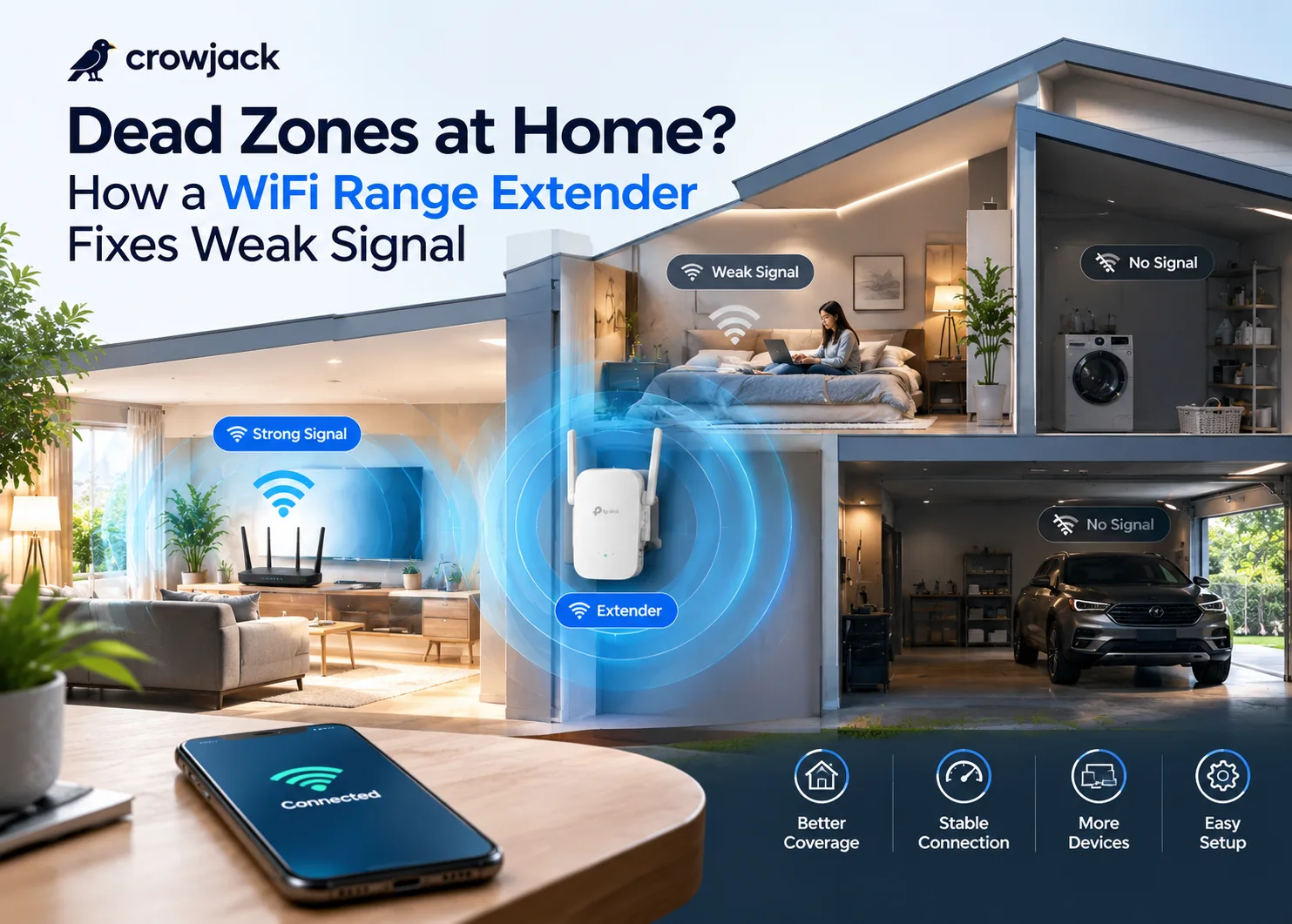
If the Wi-Fi works perfectly in the living room, drops to one bar in the second bedroom, and disappears entirely once you step into the laundry area or the garage, that means you're dealing with a dead zone, and it's more common in Filipino homes than most people realize.
One reason for this stems from the nature of construction itself: concrete and hollow-block walls, which are what are commonly seen in homes and condominiums in the Philippines, are much less friendly to wireless signals compared to the dry wall that is used in many other places.
Filipino households today have several phones, laptops, smart TVs, and smart home appliances, allowing up to 12 to 15 gadgets to connect to the Wi-Fi network simultaneously, and an ordinary router that is overloaded by such a number of devices does not have enough signal strength to pass through walls and floors.
Faster internet from your ISP won't fix any of this, since the issue was never bandwidth; it's distance and obstruction, which is the problem a Wi-Fi range extender is built to solve.
Why Dead Zones Happen in the First Place
A router broadcasts Wi-Fi in a roughly circular pattern from wherever it's plugged in, and that signal weakens the farther it travels, especially once it has to pass through obstacles. A few things make this worse in a typical Philippine home:
- Concrete and hollow-block walls: absorb and reflect wireless signal far more aggressively than the drywall common in other countries, which is why a router that performs fine in a single-room studio can struggle badly in a multi-room concrete house.
- Multi-story layouts: Signal has to pass through floors and ceilings to reach a second level, and it degrades noticeably with each barrier it crosses.
- Router placement: Most Filipino households place the router wherever the ISP technician happened to run the cable, often near the front door or a corner of the house, rather than somewhere central that would actually maximize coverage.
- Device density: A household with multiple phones, laptops, smart TVs, and gaming consoles all connecting to the same router splits available bandwidth further, making weak-signal areas feel even worse.
The result is the same complaint in almost every household: a strong signal near the router and a dead zone everywhere the walls start working against you.
What a Range Extender Actually Does
The Wi-Fi range extender receives the signal that is transmitted by your current router and then transmits that same signal again. Therefore, it helps you extend the range of your network by transmitting its signals into those areas that are not covered by the signal that comes from the router itself. You do not have to replace your current router or install new wiring, as all you need to do is plug the extender into an outlet.
Modern extenders go a step further than older repeater models. Mesh-enabled devices like TP-Link's OneMesh will connect to a corresponding router and provide a unified network instead of a distinct Wi-Fi name that would have to be switched on when moving from one room to another in your house.
The moment you have the right mesh network in place, your phone or laptop will automatically switch to the stronger signal when moving from the living room to the bedroom instead of clinging to an attenuated signal.
Extender vs. New Router vs. Mesh System
It's worth understanding when an extender is actually the right fix, since it isn't always the answer:
- A range extender can be considered cost-effective to deal with a particular dead zone, whether a separate office on the opposite end of the house, the garage, or a room on the second floor.
- Upgrading your router entirely makes more sense if your Wi-Fi is slow even in rooms close to the router, since that points to an outdated or underpowered router rather than a distance problem.
- In this case, the installation of a full mesh system, which includes multiple units, is justified by the additional costs since the system is created specifically to cover a house entirely instead of solving one weak area.
For most Filipino homes dealing with one or two problem rooms, which is the majority of cases, a single range extender solves the issue without the cost or complexity of replacing the whole network.
Where to Place Your Range Extender
Placement makes or breaks how well an extender performs, and it's the step most people get wrong:
- Position it roughly halfway between your router and the dead zone. The extender should be able to get a reliable signal from the router before it can broadcast a good one. If you place it too close to the dead spot and far away from the router, then you'll be just extending a poor signal.
- Avoid placing it inside a cabinet, behind a TV, or in an enclosed space. Extenders need open air to broadcast effectively, and boxing one in significantly reduces its range.
- Keep it far from any large appliance and wall if you can. The refrigerator, washing machine, and concrete columns have an impact on the signal strength.
- Utilize the signal indicator on your extender app during setup if your extender has one. Most modern TP-Link extenders have a signal strength indicator light that assists in finding the best location prior to permanently installing the extender. AI automation can also help simplify routine monitoring and management tasks in connected-home environments.
Choosing the Right Range Extender for Your Home
Not every household needs the same tier of extender. Here's a practical way to match one to your actual situation:
For a single dead zone in a small to mid-size home, a spare bedroom, a home office, or a laundry area just out of reach, the RE205 is an affordable dual-band extender that boosts and stabilizes signal into the areas your router can't reach on its own, with a 2.4 GHz band for everyday browsing and a 5 GHz band better suited to streaming.
For households that want a true mesh experience rather than a separate Wi-Fi network to switch between, the RE315 supports OneMesh connectivity with a compatible router, letting devices roam seamlessly from room to room without manually reconnecting, a smoother experience for anyone constantly moving between the living room and a home office.
For larger homes or households with heavier bandwidth needs, multiple people gaming, streaming in 4K, or working from home simultaneously, the RE650 offers a tri-band setup with a significantly wider coverage radius, designed specifically to handle more connected devices without the slowdown that budget extenders start to show under heavier household use.
Signs You Actually Need an Extender (Not Just a Router Restart)
Before buying anything, it's worth confirming the problem is genuinely about range rather than something else. Businesses managing connected devices can also explore how AI in Business is being used to improve technology-driven operations.
- Signal is strong near the router but consistently drops in specific rooms, a classic distance/obstruction issue.
- Restarting the router temporarily fixes the problem, but it returns within a day, usually still a coverage issue, not a hardware fault.
- The speed tests done in the room that is affected give a significant reduction as compared to when the speed test is done closer to the router, instead of having consistent slow speeds across the whole house, which would indicate your actua internet plan.
- Different members of the family have talked about "the Wi-Fi does not cover" that particular area, which is an indication that the problem is not incidental.
If you find these issues familiar, chances are the solution lies in your coverage, and that’s precisely what an extender does without you having to buy a costly plan from your ISP.
Final Thoughts
Home dead zones are based on physical separation, physical barriers, and the fact that the router was never situated in such a way that it could reach the whole house to begin with. Wi-Fi range extenders solve these problems for you fast and effectively, without having to do any kind of wiring or buy a new router.
It doesn’t matter if it’s a stubborn dead zone in your home office or the second story of your house that always fails to get a signal; putting the right range extender in the right place is normally enough to fix everything.
Read More Blogs
- Best AI Tools for Voice and Audio Consistency Across a Video
- 5 Best AI Video Editing Tools in 2026
- 5 Best HRMS Software in India: Features, Pricing & Comparison
- Top 8 AI Image Generator Tools in 2026
- 15 Best AI Video Generator Tools in 2026 (Free & Paid)