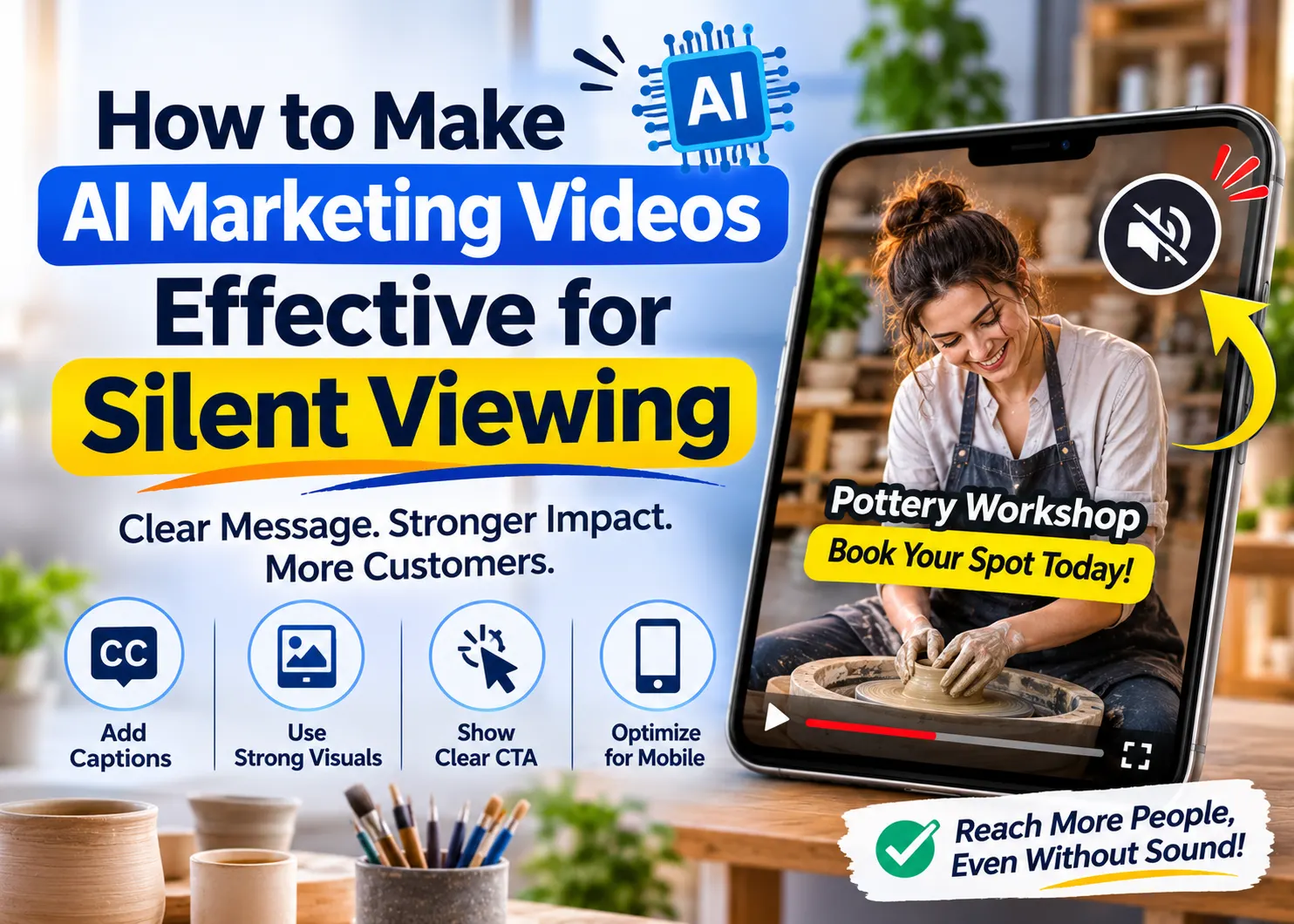
However, the best edit an artificial intelligence can give to a marketing video may be one made without any sound. Audio features like music and voice-overs help to create an impression of a complete video, while hiding the absence of offers, undefined target audience, or instructions for booking that are available only in the voice-over. Silence helps to spot the holes in the marketing video before the customer has to cope with them.
In the case of small businesses, the approach is quite simple – the customer needs to understand the offer and what he or she needs to do without listening to the audio part of the video. It does not exclude good audio in any way.
Give the invitation a visible shape
Think of a situation where there is a pottery studio running a beginners’ class. The clay shot moving on the wheel reveals the theme of the story. However, it does not reveal the nature of the business. The business may be selling the finished bowls, offering training classes, or even inviting people to have their first class experience. Some introduction is necessary here.
“Make your first pottery bowl” gives the movement a purpose. Follow it with the practical detail that matters to this particular offer, such as “Beginner workshop, Saturday afternoon.” The final screen can explain the booking route. Those lines are sample copy, so the studio would replace them with its verified schedule and actual instructions.
Write that short sequence before choosing more footage. Each line should earn its screen time by answering a customer’s question. If a phrase only repeats the mood of the pictures, there may be room to replace it with something useful, such as whether materials are included.
The pictures carry information too.
A shot of an instructor helping a participant supports the idea of a taught class. A row of finished ceramics might suggest a shop. Select the scene that explains the invitation, and use genuine studio footage when the viewer needs to recognize the venue, teaching setup or work they can expect to make.
This is also where generation can serve a limited, clear purpose. An abstract movement of earthy colours could introduce the workshop’s visual theme without pretending to document a real class. The Animx AI Video Generator product page describes starting from text or an image, choosing a model and downloading an MP4. That makes it a possible source of a supporting clip to bring into an editor.
Review any generated clip for what it implies about the business. Keep imagined settings clearly illustrative; use genuine footage for a recognizable venue or demonstration.
A useful prompt for that supporting scene would describe the movement and composition: muted clay colours moving slowly, with a calm area for a headline. The headline itself belongs in the edit.
This lets the studio correct a date or replace a booking instruction without asking a generated scene to reproduce the lettering.
Let captions and headlines do different jobs
A headline explains why the viewer should care. Captions give access to what the soundtrack communicates. Treating both as the same text can leave the screen crowded while still omitting information.
W3C’s media accessibility guidance describes captions as synchronized text for speech and the relevant sounds needed to understand the content. A promotional line such as “Try pottery this weekend” cannot stand in for the instructor saying that beginners are welcome and materials are provided. If those words are spoken, the captions need to convey them accurately.
In the case of the studio video, have the headline present the offer, with the narration providing additional information. Both should be brief enough to coexist. If there is competition between the two elements, then make a choice and adjust accordingly. It does not make sense to shrink everything to fit, especially when the invitation cannot be read anymore.
Automated captions are just that – a good place to start. YouTube itself recommends that the creator verifies the captions since automatic speech recognition can sometimes get the wrong interpretation of the words, even under conditions such as different accents or ambient sound. The most important thing to watch for is the studio name and date.
Then inspect the timing and line breaks. The University of Minnesota’s caption-editing guidance, updated in February 2026, recommends breaking lines at sensible pauses and keeping the text aligned with the audio. Apply that principle to the whole thought: splitting “no experience required” across successive caption screens can briefly leave the viewer with an incomplete message.
Sound can matter beyond speech. AI video generation tools can help small businesses create supporting visuals for a campaign, provided the generated footage is reviewed and does not misrepresent the actual product, service or venue.
If an off-screen timer signals that an activity has ended, that cue may need a caption too. A music description should serve understanding rather than fill every quiet moment with text. Follow the actual soundtrack and the purpose of the video.
Plan the caption format for the destination. Captions burned into the picture remain visible as part of the video; closed captions are a separate layer the viewer can turn on or off where the platform supports them. Keep an editable caption source so corrections remain possible. If the voiceover changes during approval, revise its captions in the same pass. Otherwise, an accurate transcript of an earlier cut can accompany a different final soundtrack. Keep the approved script with the edit so the person making that correction has the right reference. Preview the combination to catch duplicate captions or overlapping text.
Check readability against the moving background, especially when pale clay, bright windows or a passing hand changes what sits behind the words. A plain background panel may help. Place captions where they leave the important demonstration visible, then preview the video with the destination’s controls showing.
Ask a viewer what the video actually promises
Watch the full export on your mobile device without the audio. Read it normally and don’t stop to save the vanishing date. The caption that seemed to fit fine on the editing screen may now be competing with the visuals on the smaller one.
Hand the export over to someone who hasn’t seen the script. See what they understand from the clip – what’s being offered, who it’s for, and how it’s booked. This will tell you much more about the export than if you just ask if it looks nice. It may show that the studio sells bowls if the class remains unclear on the screen.
Work out the misunderstanding. The opening could perhaps have mentioned the class earlier, the ending could have provided a more distinct call-to-action, the line could have been too fast for the viewer to catch. Not all of these issues can be solved by a new sequence generated from scratch.
Check the closing frame against the booking page as well. If the invitation promises a beginner session but the destination opens on a general shop catalogue, a clear video still leaves the customer searching. Point the instruction to the right place and confirm that its wording matches the available action. For a workshop, explain any essential condition before asking for a booking, such as whether the advertised session includes the firing of the finished piece. Use the business’s confirmed terms rather than assumptions about how pottery classes usually work.
Keep your accessibility check of comprehension separate from your more comprehensive accessibility check. The W3C makes a distinction between captions, description of important visual information, and transcription since people require different methods of accessing media. Making your video comprehensible when it is silent doesn’t take care of all needs. Maintain any important narration for the content. Just as AI-generated written content needs a careful review before publishing, automatically generated video captions should be checked for accuracy, timing and context before the final export is approved.
For the pottery studio, the final decision is modest and observable. A new viewer can name the beginner workshop, understand its practical invitation and find the booking route. Leave the video on its final frame long enough for that next action to be read.
Read More Blogs On: