Ask a safety manager at a mid-size carrier how they track training completion today, and the honest answer is usually a shared drive and a spreadsheet. That arrangement holds together until a medical card lapses on a driver nobody was watching, because the only reminder ever set lived in one person's Outlook calendar.
A logistics LMS is the software that closes that gap. It delivers training to drivers, dock crews, dispatchers, and warehouse staff, and it keeps the completion record that proves the training happened. The problem is that most learning platforms were built for office employees with a laptop and a company email address, and the logistics workforce has neither.
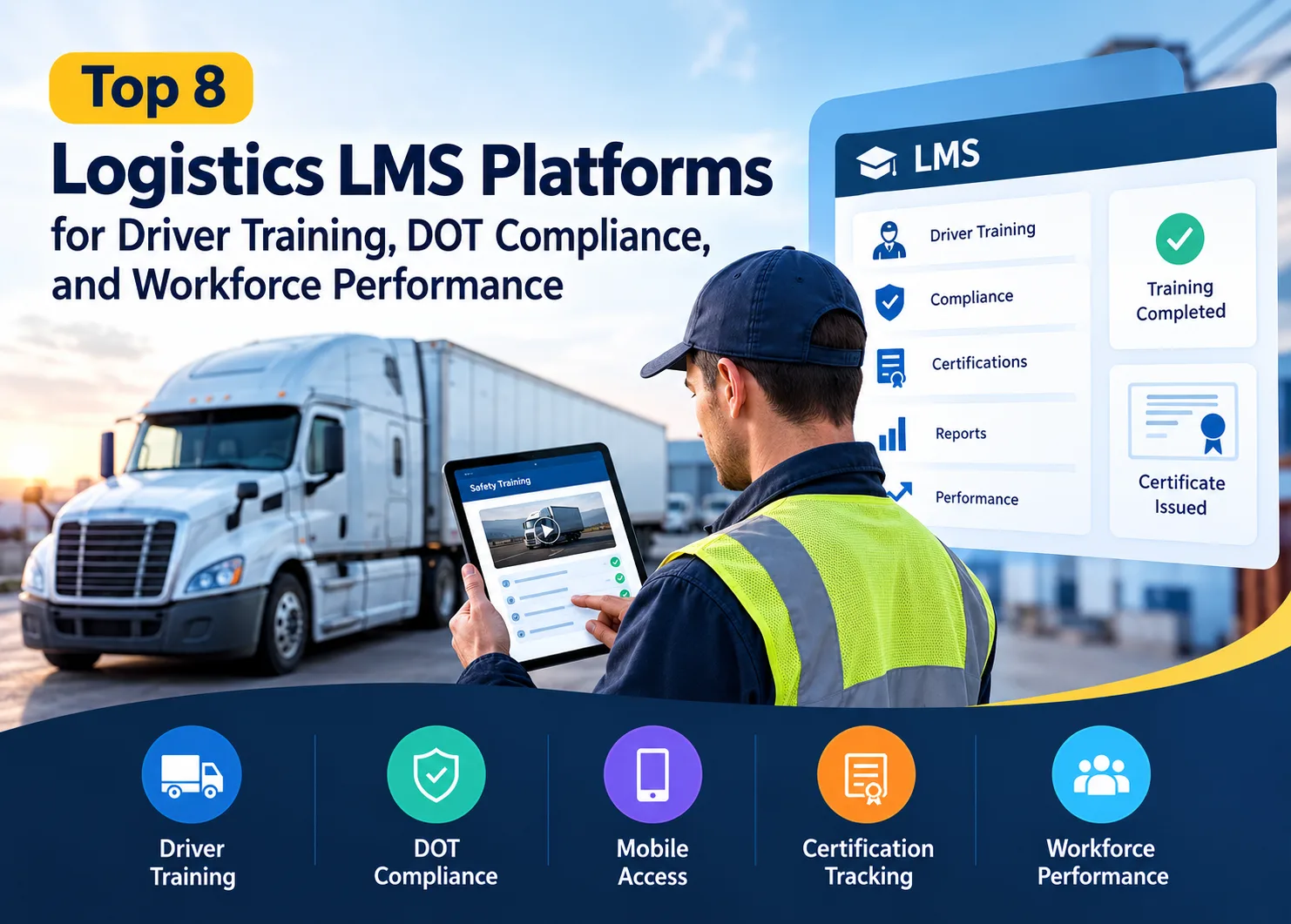
We compared eight platforms that logistics and transportation companies actually shortlist, using the same field set for each one: what it is best at, its features, a public review score, real pricing, and one thing it does badly. Five of them come from the transportation and safety side of the market. Three are general enterprise systems that fleets buy anyway.
What Separates a Logistics LMS From a Generic Corporate LMS?
A logistics LMS is a learning management system configured for a dispersed, mostly non-desk workforce operating under transport regulation. The distinction is not marketing. It shows up in four concrete places.
Content. A transportation-native platform arrives with a course library covering hours of service, cargo securement, defensive driving, hazmat, forklift operation, and Clearinghouse awareness. A general LMS arrives empty. You either build that content, buy it from a third party, or upload SCORM packages you licensed elsewhere.
Record retention. Generic systems record that a course was completed. Transport regulators want to see who completed what, when, and with which certificate attached, held for a defined period and produced on request.
Entry-Level Driver Training. ELDT is the federal requirement covering new CDL applicants, upgrades from Class B to Class A, and first-time school bus, passenger and hazmat endorsements. Training has to come from a provider on the FMCSA Training Provider Registry, and the rules are not retroactive: FMCSA states that individuals issued a CDL or an S, P, or H endorsement before February 7, 2022, are not required to complete training for it. Worth checking before you assume it is covered, because most LMS vendors are not registered providers and never claim to be.
Delivery. Drivers are not sitting at a desk at 9 am. They are at a fuel island, in a yard, or waiting on a dock. Training that assumes a browser session on a corporate laptop does not get completed, and the completion rate is the whole point.
One more thing the category glosses over. Plenty of fleets buy a safety management app first, the kind that handles inspections, hazard analysis, and digital forms, and only discover afterwards that it does not do training at all. Those tools and a logistics LMS solve adjacent problems, not the same one.
The Compliance Records A Logistics LMS Has To Hold
This is the part buyers underestimate. A driver training LMS is a records system that happens to also play videos.
Driver Qualification Files. The DQF is the folder a DOT auditor asks for first. It holds the CDL, the medical examiner's certificate, the application for employment, the motor vehicle record, the annual review of driving record, and road test certification. The individual documents expire on different clocks, which is why manual tracking fails at scale rather than at the start.
Supervisor reasonable-suspicion training. Anyone designated to supervise drivers has a training requirement of their own, and the number is set out in the regulation itself: at least 60 minutes of training on alcohol misuse, plus at least an additional 60 minutes on controlled substances use. Recurrent training is not required, so this is a one-time record you have to be able to find years later.
Hazmat endorsements and recurrent training. Hazmat employees need training on a recurring cycle, with function-specific and security awareness components. The LMS has to re-enroll them automatically rather than wait for someone to notice.
Forklift and powered industrial truck certification. The warehouse half of a logistics operation runs on a separate certification clock from the road half. Buyers who evaluate only the driver side end up running two systems.
Audit-ready logs. Time-stamped, exportable, tied to a named person. Maintaining these records is also part of a multi-layered risk management strategy, particularly when compliance failures can create operational and financial exposure. If your platform can show a completion percentage but cannot produce a per-employee certificate with a date on it, it will not survive an audit or a plaintiff's discovery request.
Multi-site operations add a wrinkle. Terminals often run their own local safety practices, so the record format has to be consistent across sites even when the training schedule is not.
Offline And Low-Signal Training For Drivers On The Road
Every vendor in this category claims mobile learning. Very few support genuine offline completion, and the difference matters more than the marketing suggests.
True offline means the course downloads to the device, the driver completes it in a dead zone, and the completion syncs when signal returns. Most platforms are web applications in a mobile wrapper. They render beautifully on a phone, and they need a connection to record anything.
If your drivers run long-haul lanes through rural corridors, ask the question directly and ask for it in writing. If your operation is regional and drivers return to a terminal daily, the offline gap is close to irrelevant, and paying extra for it is a waste.
There is a third route that is quietly becoming the default. In-cab tablets, the ones already mounted for electronic logging and dispatch, are increasingly capable of running third-party applications. Where that works, the training sits on a screen the driver already uses every shift, which removes the download-an-app problem entirely. Worth asking any vendor whether their app runs on the tablet platform your fleet already has, because the answer changes your completion rate more than any feature on the comparison sheet.
Microlearning helps here too. Five- to eight-minute modules get finished at a dock or during a mandated break. Forty-minute courses do not.
Managing Training Across Multiple Terminals
Multi-terminal management means sub-portals: each terminal or region gets its own admin who can assign training, chase completions, and pull reports for their own people, while corporate keeps a master view across all sites.
Without it, one of two things happens. Either head office administers everything and terminal managers have no visibility into their own crews, or every terminal gets full admin rights, and your permission model becomes a liability.
What to check:
- Can a terminal admin see only their own roster, or everyone's?
- Can training be assigned by role and location together, so a Chicago yard jockey and a Dallas linehaul driver get different curricula automatically?
- Can corporate run a single completion report across all terminals without exporting eight spreadsheets and joining them by hand? This kind of centralized reporting is also where AI in business can support better data analysis and operational decision-making.
- Does adding a terminal require a vendor services engagement, or can your admin do it?
That last question is the one that separates platforms priced for the mid-market from platforms priced for enterprise.
Automated License And Certification Expiry Reminders
The mechanic is simple, and the value is disproportionate. The system holds an expiry date for every credential, and it warns somebody before the date arrives.
Standard practice is a 90, 60 and 30-day cascade: notify the employee, then the employee and their manager, then escalate to compliance. Better systems also auto-enroll the person in the renewal course at the first alert, so the reminder comes with the fix attached.
Credentials worth putting on the clock: CDL expiry, medical examiner's certificate, hazmat endorsement, TWIC card, forklift certification, first aid and CPR, and any state-specific license your operation touches. Add annual MVR review dates, because those are a recurring obligation rather than a credential, and they get forgotten more often than the licenses do.
Coverage is the part a reminder cascade never solves. Your dashboard can sit at 100% while the only hazmat-endorsed driver on the night shift is out for two weeks, because completion counts people who finished training, not people available to work tonight. So ask whether the platform can list every holder of a credential by site and shift, rather than only report completion against a target.
The other trigger worth wiring in is the incident. After something goes wrong on a dock or on the road, the corrective action is usually retraining, and the systems worth paying for let you assign that follow-through to named people and keep the resulting completion attached to the incident file rather than filed somewhere separate.
What We Checked, And What We Ignored
Vendor documentation and product pages came first, then the public review profiles on Capterra, G2, Software Advice and TrustRadius, read for recurring complaints rather than for headline scores. We also kept the comparison structured and easy to scan, following principles that help content perform well in generative AI search experiences. Every regulatory figure quoted here was verified against the source regulation instead of against vendor marketing.
Ignored: safety statistics supplied by the vendors themselves. Injury and cost figures circulate through this category's collateral with no traceable origin, and a number nobody can source is worse than no number at all.
Ranking weights transportation-specific capability over general LMS polish. A well-designed enterprise platform with no DOT content is a heavier project for a carrier than a plainer platform that ships with the course library already loaded.
1. iTacit
Best for: mixed frontline operations where drivers, dock crews and warehouse staff have no company email address.
The email-free wedge is the whole argument here, and for a mixed fleet it holds. Enrollment does not need a corporate email account, so drivers and warehouse staff share one system. The learning module sits inside a wider frontline app, and credential tracking spans terminals in one view.
Key features:
- Role- and location-based learning paths, assigned automatically
- Certification, license and expiry tracking with automated reminders
- Drag-and-drop authoring plus SCORM, AICC, Storyline and Captivate uploads
- Microlearning modules sized for a break, not a desk session
- Roughly 180 integrations, weighted toward HRIS, payroll, and single sign-on
Rating: 4.6 on Capterra across 42 reviews.
Pricing: nothing published. The vendor quotes a per-seat rate against four cumulative tiers once it has your headcount.
Not good for: training that has to be completed without a live connection. The completion record is written server-side, so a module attempted off-network does not save. Long-haul operations should test that in the demo. Reviewers also call the admin backend slow to learn.
2. Infinit-I Workforce Solutions
Best for: carriers that want a DOT and FMCSA course library on day one.
Open the catalog and the pitch explains itself. Driver safety, regulatory, and orientation content, already built and ready to assign, sitting alongside document management for driver files and a message-board layer for safety communication. Transportation-native, with no attempt to be anything else. Carriers usually buy it for the ready-made content, and accept a plainer interface as part of that trade.
Key features:
- Pre-built DOT and FMCSA driver safety course library
- Driver file and document management tied to training records
- Automated assignment and completion tracking by terminal
- Mobile and tablet access for drivers
- Free trial available before commitment
Rating: 4.0 on Capterra, though only across 3 reviews, so treat it as directional.
Pricing: subscription quoted per driver after a trial. No public list price.
Not good for: administrators who want control. Reviewers describe the platform as hard to use, say that basic tasks require vendor support, and call some of the video content dated. The small review base also makes the score hard to lean on.
3. J. J. Keller Training on Demand
Best for: operations that want the regulatory content from the people who publish the regulatory manuals.
J. Keller has been in transport compliance publishing for decades, and the training product inherits that depth. Two subscription tiers cover the full library at a flat rate rather than per course, with recordkeeping, reporting, a mobile app, classroom programs and VR modules included. The upper tier adds unlimited admin seats, learner-based pricing and API access.
Key features:
- Very broad safety and compliance library spanning transportation, hazmat, construction, HR, and healthcare
- Flat-rate subscription covering the whole catalog
- Recordkeeping and reporting built for audit production
- Mobile learning plus classroom and VR delivery formats
- API integration on the upper tier
Rating: 4.0 on Capterra for the related Safety Management Suite, across only 2 reviews. The Training on Demand profile itself carries no published reviews, so judge this one on content depth rather than crowd score.
Pricing: flat-rate subscription, two tiers, quoted by the vendor. Free trial available.
Not good for: buyers who want a modern LMS experience and deep configurability. It is a content business with a delivery platform attached, and the sparse public review record makes independent validation difficult. One reviewer of the safety suite reported promised features not working as expected.
4. Vector Solutions
Best for: multi-site industrial operations where warehouse and facility safety training matters as much as the roadside.
Vector Solutions sells an LMS with strong industrial and EHS content, and it is genuinely good at the thing it is built for: assigning role-based safety training across many locations and proving completion. Warehouses, distribution centers and maintenance shops are natural fits. The roadside is thinner.
Key features:
- Role-based training assignment with learning paths and competency assessments
- Certification tracking and compliance reporting across sites
- Real-time dashboards for multi-location visibility
- SCORM support and single sign-on
- Large industrial, EHS and public safety course libraries
Rating: 4.6 on Capterra across 35 reviews for Vector LMS for Industrial.
Pricing: quote-based, no free trial.
Not good for: a purpose-built DOT driver track. Vector's content depth sits in manufacturing, public safety, education and government rather than motor carrier compliance, so a fleet will supply or license the FMCSA-specific material separately. Reviewers also describe the admin side as having a steep learning curve and cumbersome workflows.
5. Tenstreet
Best for: carriers whose real bottleneck is the time between application and seat.
The origin story here is driver recruiting, and it shows in the best way for one specific problem. Applications, DOT employment verifications, onboarding paperwork and driver files all live in one place, with training built into the onboarding flow itself. If your churn problem is losing candidates during a two-week onboarding, this is the shortlist entry that addresses it.
Key features:
- Driver application intake and applicant tracking
- DOT-compliant employment verification workflows
- Digital onboarding paperwork and driver file management
- Safety module with training materials, videos, and quizzes
- Mobile app plus API and telematics integrations
Rating: 9.3 out of 10 on TrustRadius, from only 4 ratings.
Pricing: roughly $300 to $2,500 or more per month depending on power units and which modules you take, with implementation quoted separately in a $0 to $7,500 range.
Not good for: training the rest of your workforce. It is a driver system, so warehouse, dispatch, and office training sit outside its natural scope. Reviewers also flag that verifying past employers for leased drivers still involves manual chasing.
6. Absorb LMS
Best for: enterprise learning teams that want a polished general-purpose LMS and will supply their own transport content.
Buy this one for the learner experience, not for anything to do with trucks. The interface is genuinely good and the deployment base is large. Logistics companies choose it when the training program spans far more than drivers, when there is a real L&D function running it, and when compliance content is licensed from a specialist provider anyway.
Key features:
- Clean learner experience with strong mobile support
- Automated enrollment rules and certification management
- Extensive reporting and analytics
- SCORM, xAPI and AICC content support
- Broad HRIS and enterprise integrations
Rating: 4.6 on G2 across roughly 960 reviews.
Pricing: quote-based, scaled by learner count. Vendr's transaction data puts the median annual contract at $20,000, with recorded deals from $5,151 to $49,025 and implementation quoted separately from around $5,000 upward.
Not good for: anything DOT-specific out of the box. There is no FMCSA content, no driver qualification file structure and no transport-native reporting. Reviewers also cite limited customization and feature gaps relative to the price.
7. LearnUpon
Best for: fast rollouts and training multiple audiences from one system.
LearnUpon's reputation is speed. Implementations run quicker than most enterprise platforms, the admin interface is approachable, and the multi-portal model suits logistics groups that need to train employees, contract carriers, and customers with different content in each portal. That last capability is genuinely useful in a brokerage or 3PL structure.
Key features:
- Multiple branded portals from a single instance
- Quick implementation with a straightforward admin interface
- Automated enrollment, certification and re-certification workflows
- SCORM and xAPI support with AI-assisted course authoring
- Integrations with HRIS, Zoom, Teams and other business tools
Rating: 4.5 on G2 across roughly 254 reviews.
Pricing: quote-based across three tiers scaled by active users. Vendr records a median annual contract of $30,000 across 33 purchases, with deals ranging from $12,593 to $59,638.
Not good for: reporting depth and transport content. Reviewers repeatedly name reporting as the weak spot, describing it as unintuitive and hard to filter into specific data combinations, and there is no logistics-specific library.
8. Docebo
Best for: large enterprises standardizing training across many business units and geographies.
A 300-truck regional fleet should skip this one. A national carrier with a real L&D department and a multi-year platform strategy will get value from it. Multilingual, heavily configurable, with AI-assisted content tooling and an extended-enterprise model for training partners and suppliers. The heavyweight option here, and priced like it.
Key features:
- Extended enterprise portals for partners, suppliers and customers
- AI-assisted content creation and skills mapping
- Deep localization and multilingual delivery
- Advanced automation, certification and reporting
- Wide integration and API surface
Rating: 4.3 on G2 across 747 reviews.
Pricing: quote-based by tier and active users. Vendr records a median annual contract of $40,492 across 141 purchases, with deals ranging from $21,057 to $89,475 before implementation and add-on modules.
Not good for: cost-sensitive fleets and small admin teams. Reviewers cite a real learning curve and limited customization in places, and add-on modules and content libraries are priced on top of the platform. Like the other enterprise systems here, it brings no DOT content.
How To Choose A Logistics LMS For Your Fleet
Start from the failure you are actually trying to prevent, not from the feature list. The three failure modes are different purchases. If the failure is audit exposure, buy for records. Ask each vendor to produce a sample per-employee certificate export and a multi-terminal completion report during the demo, not after the contract. If they cannot do it live, that is your answer.
If the failure is completion rates, buy for delivery. The deciding questions are whether enrollment works without a company email address, whether the app runs on the device your drivers already carry or on the tablet already in the cab, and whether modules are short enough to finish during a break.
Teams whose failure is onboarding speed should look hardest at the systems that own the application and verification workflow, because shaving four days off time-to-seat is worth more than a better course catalog.
Then run the boring checks. Does the platform re-enroll people automatically before a credential expires, or does it just send an alert? Can a terminal admin do their job without calling head office? Does pricing scale by active user or by headcount, and what happens in your seasonal peak? What is the real implementation cost, quoted separately, in writing?
A short deployment checklist that survives contact with reality:
- Inventory every credential you track today and who currently owns each one
- Pick the two roles with the worst completion rates and pilot with them, not with your best terminal
- Import historical completion records before go-live, or your audit trail starts from zero
- Map integrations to your HRIS and payroll first, telematics second
- Set the reminder cascade before launch and agree who receives each escalation
- Agree what "done" looks like in reporting terms before the first course is assigned
iTacit is a frontline employee platform whose learning module was designed for staff who never receive a company email address. That is why it turns up on logistics LMS shortlists where drivers, dock crews, and warehouse staff have to sit inside one training record, with certification expiry tracking and terminal-level reporting part of the platform rather than a paid add-on. Weigh the connection requirement noted in its entry against how your lanes actually run.
Read More Blogs
.webp)