It is presented graphically. This helps you compare easily. Selecting the right DNS server can help us know how quickly our device resolves websites and online services. But how can we know if the current DNS server is really fast? Moreover, anyone would want to know which public DNS provider is suitable for the connection. Fastest DNS Test provides a collection of DNS tools. These help users answer such questions. Its main tool measures DNS response time. Its public DNS servers page lets users compare popular DNS providers. The site provides tools for finding the DNS servers a device uses and checking for DNS leaks while using a VPN. We are now going to review the Fastest DNS Test as a whole. We will be reviewing its working, its main features and its tools.
What is the Fastest DNS Test?
The Fastest DNS Test is a web based DNS speed test tool. It helps to measure how quickly DNS servers answer queries. DNS or Domain Name System, converts human readable domain names (like google.com) into IP addresses (8.8.8.8). Computers use this to connect to websites.
We will understand this with an example. When you type a website address into your browser, your device needs to find the IP address associated with it. It is required to do it before establishing the connection. So, the DNS speed test performs such lookups.
Fastest DNS Test enables users to compare DNS response times with multiple DNS providers. You don’t need to simply assume that the most famous DNS provider will be the fastest for your particular connection.
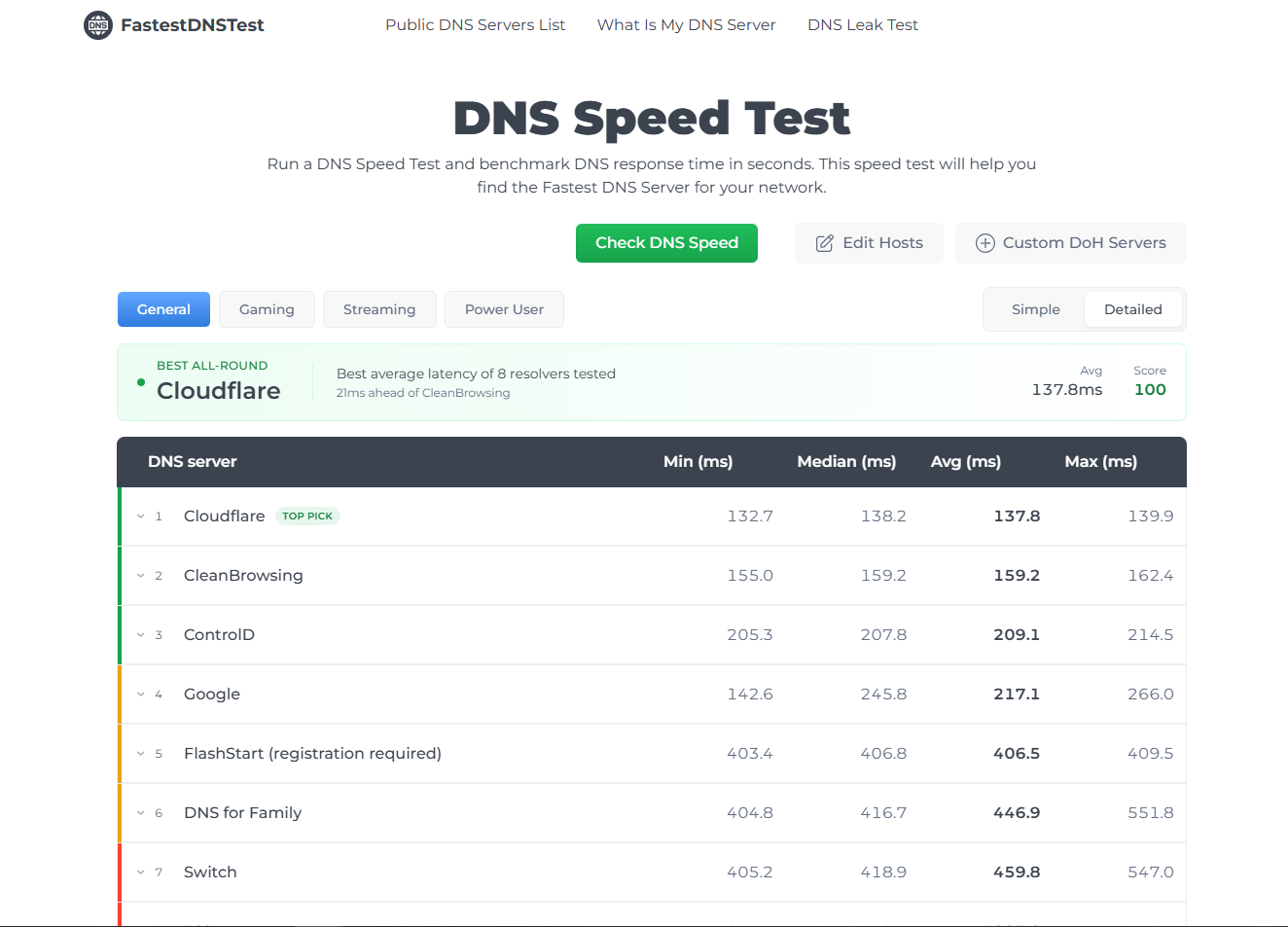
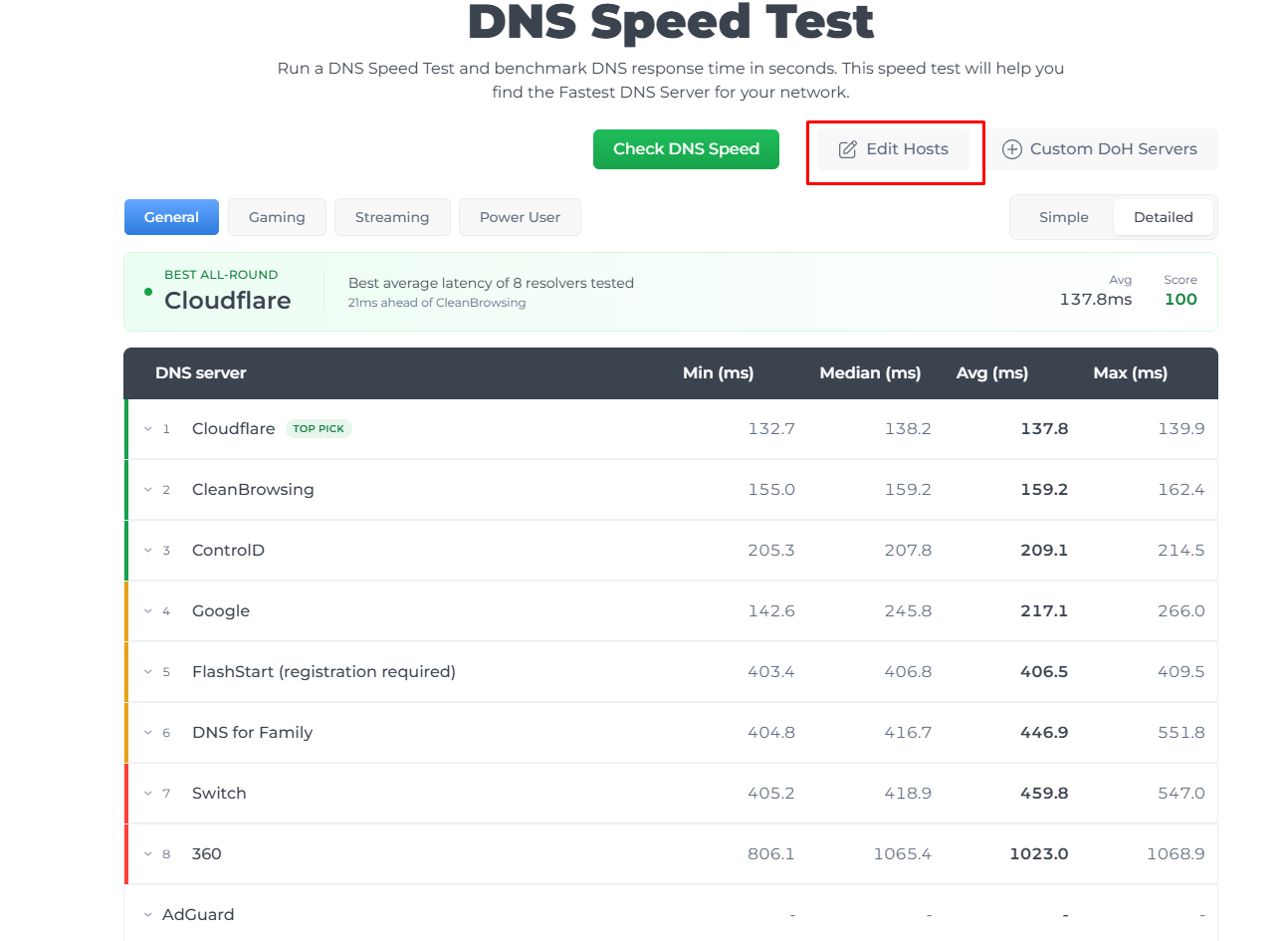
The fastest DNS test helps you to check the speed by clicking on “Check DNS Speed”.
It uses live DNS-over-HTTPS (DoH) queries directly from the browser. It also determines the response time of DNS requests. It also performs a warm-up before measuring connections. Moreover, it uses a five-second timeout for unavailable or very slow endpoints.
How Does the Fastest DNS Test Work?
The process is considerably straightforward. You simply need to go to the tool and start running the test. The tool sends DNS over HTTPS (DoH) queries to the DNS servers. It measures how long the requests take to receive a response.
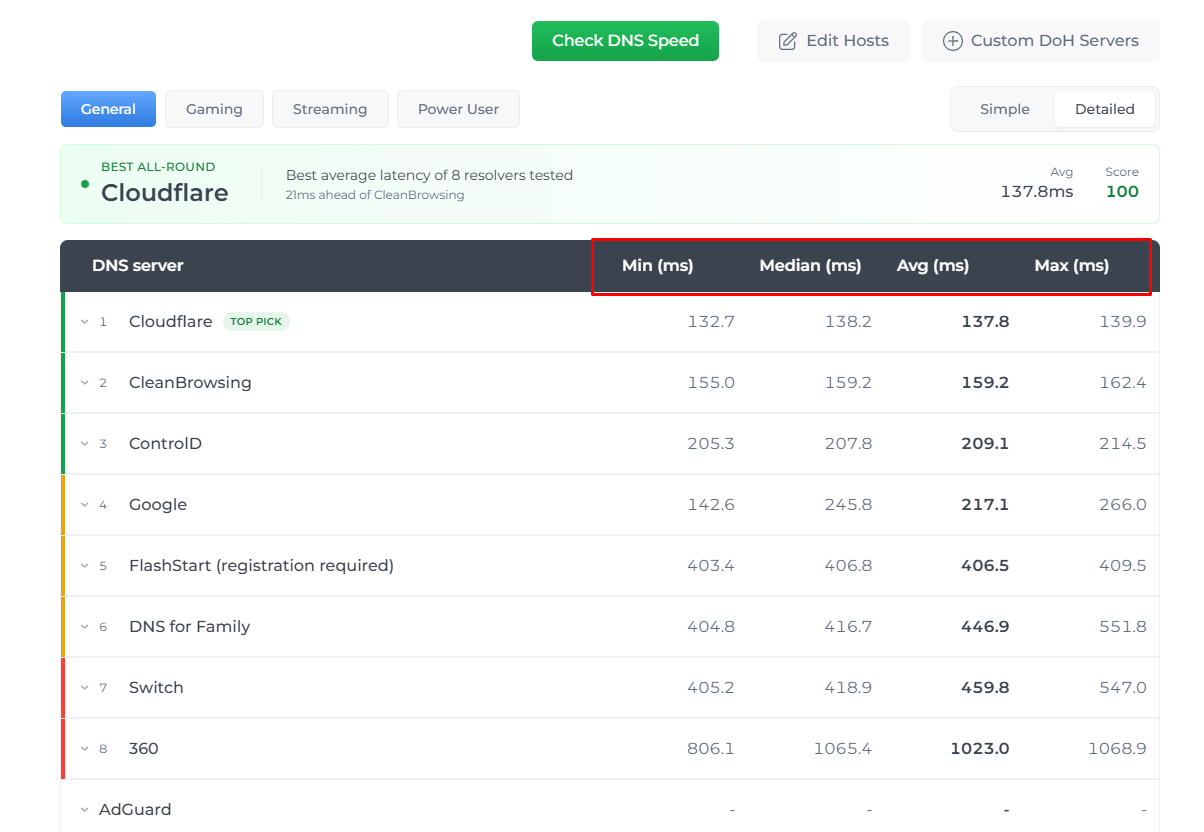
The tool tests various DNS providers at the same time. This allows you to compare their response times based on your current network conditions. The results include minimum, maximum and average response times.
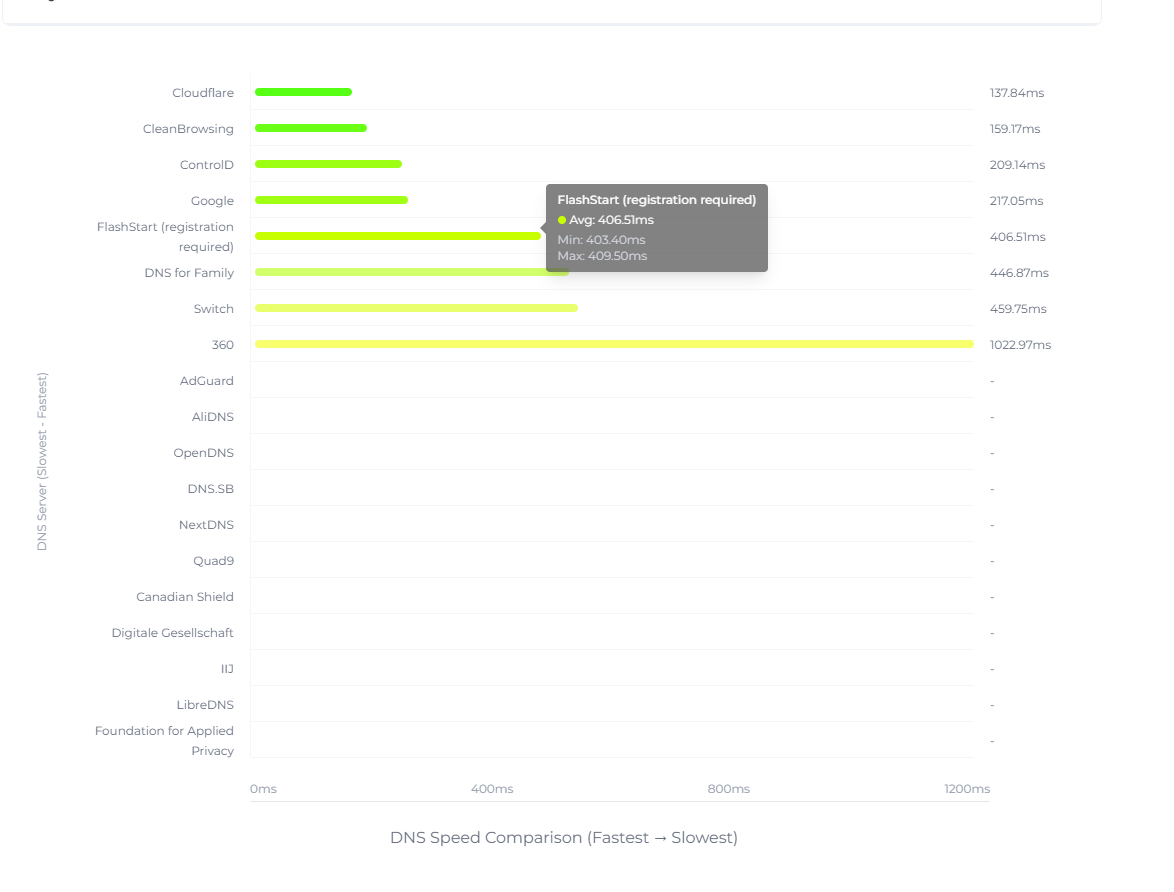
It is presented graphically. This helps you compare easily.
One of the significant features in this speed test tool is that you can add your known hostnames. This is especially helpful when troubleshooting a specific website, application or online service.
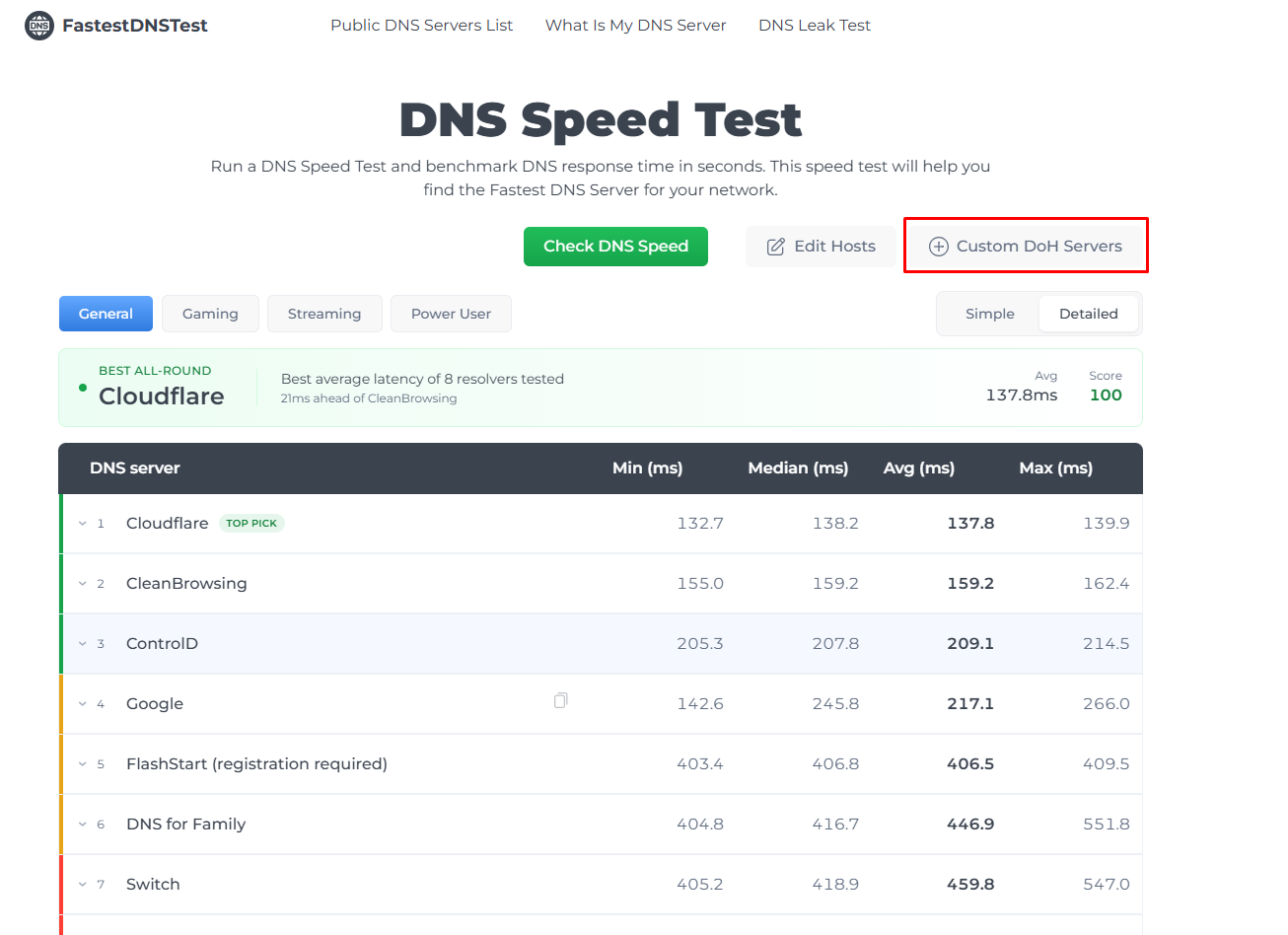
The tool also supports custom DoH servers. This means users can enter another DNS over HTTPS endpoint and include it in their comparison.
What Does the DNS Speed Result Actually Mean?
A lower DNS response time generally means that the tool answers the query more quickly.
For instance:
- DNS Server A: 18 ms
- DNS Server B: 35 ms
- DNS Server C: 72 ms
In this hypothetical example, Server A responded fastest for a specific test. However, you shouldn’t consider DNS speed with overall internet speed. A faster DNS lookup doesn’t automatically increase your download speed, Wi-Fi speed or gaming ping.
DNS mainly affects the time required to resolve a domain name. Once the domain is resolved, a connection is established. DNS response times vary according to certain factors. These factors include location, network conditions and server distance. Now let's move forward to reviewing other related DNS tools.
Public DNS Servers List
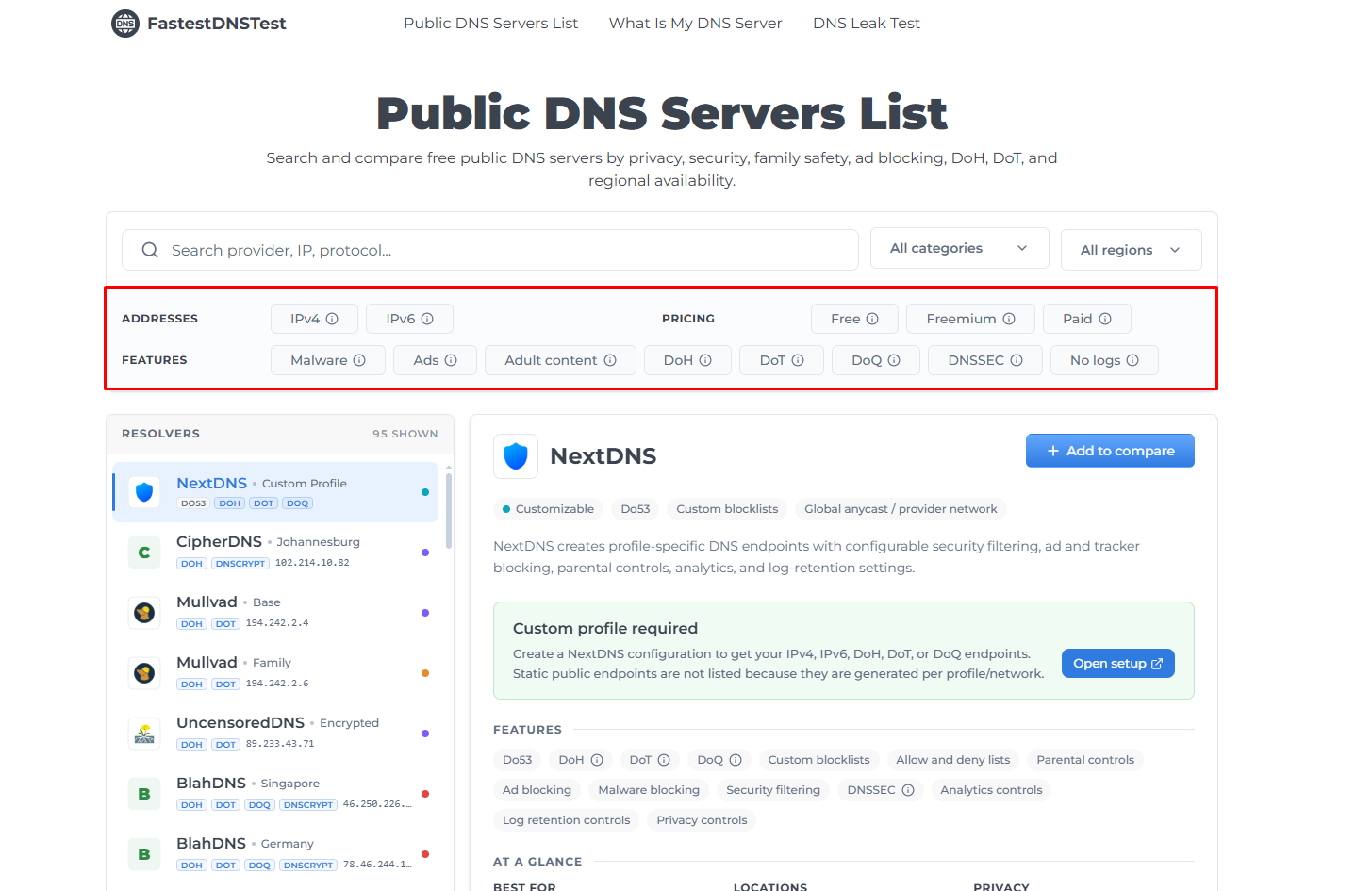
Instead of focusing solely on response time, this site provides information about different public DNS providers. This includes IP addresses and other related features. These features are privacy, security, family filtering, ad blocking, DNS over HTTPS, DNS over TLS and regional availability.
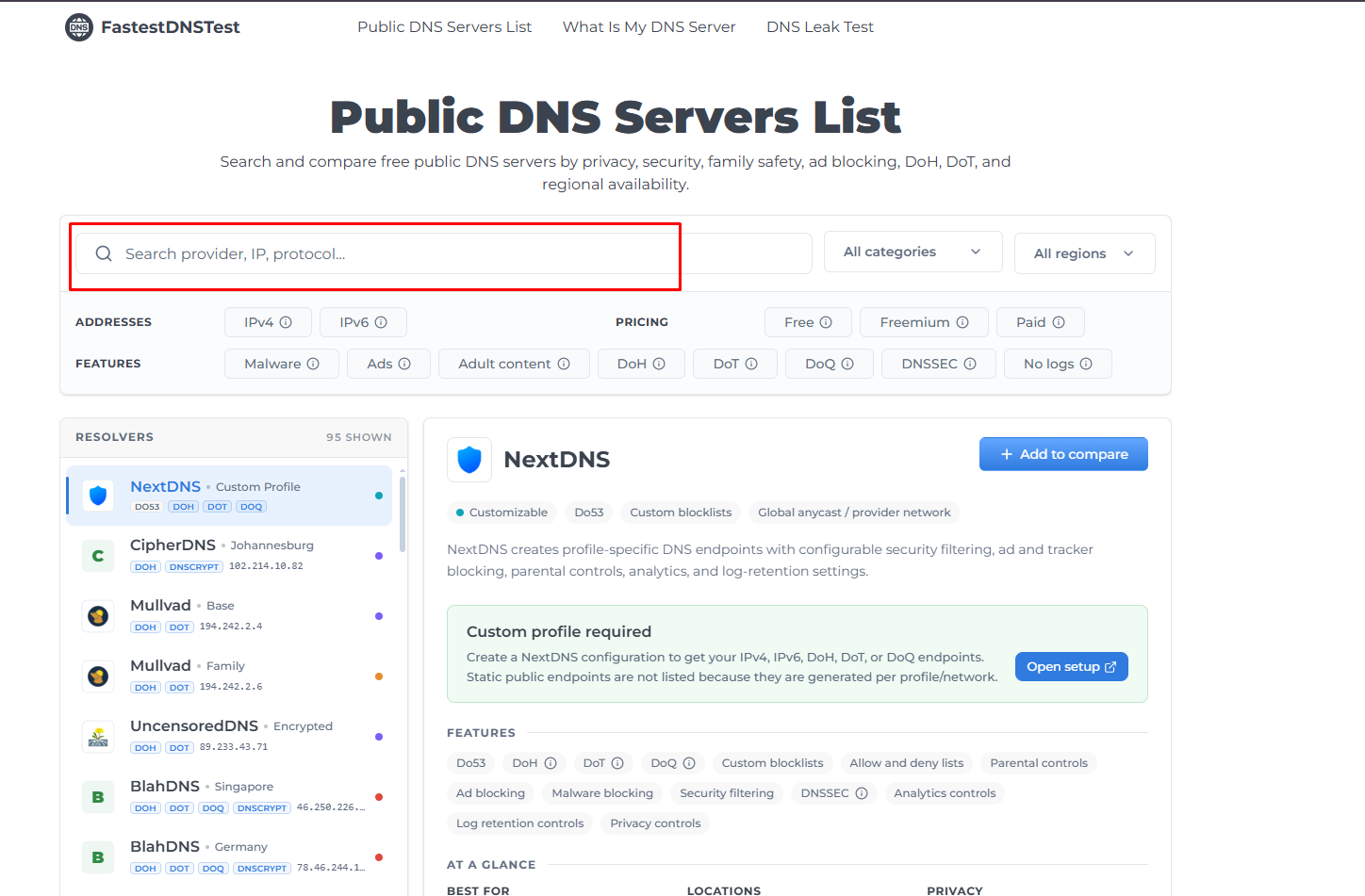
You can see multiple available providers on the page. But in case you want to search for a specific one, you can visit this page. In the search bar you can search for a provider or IP etc by entering it.
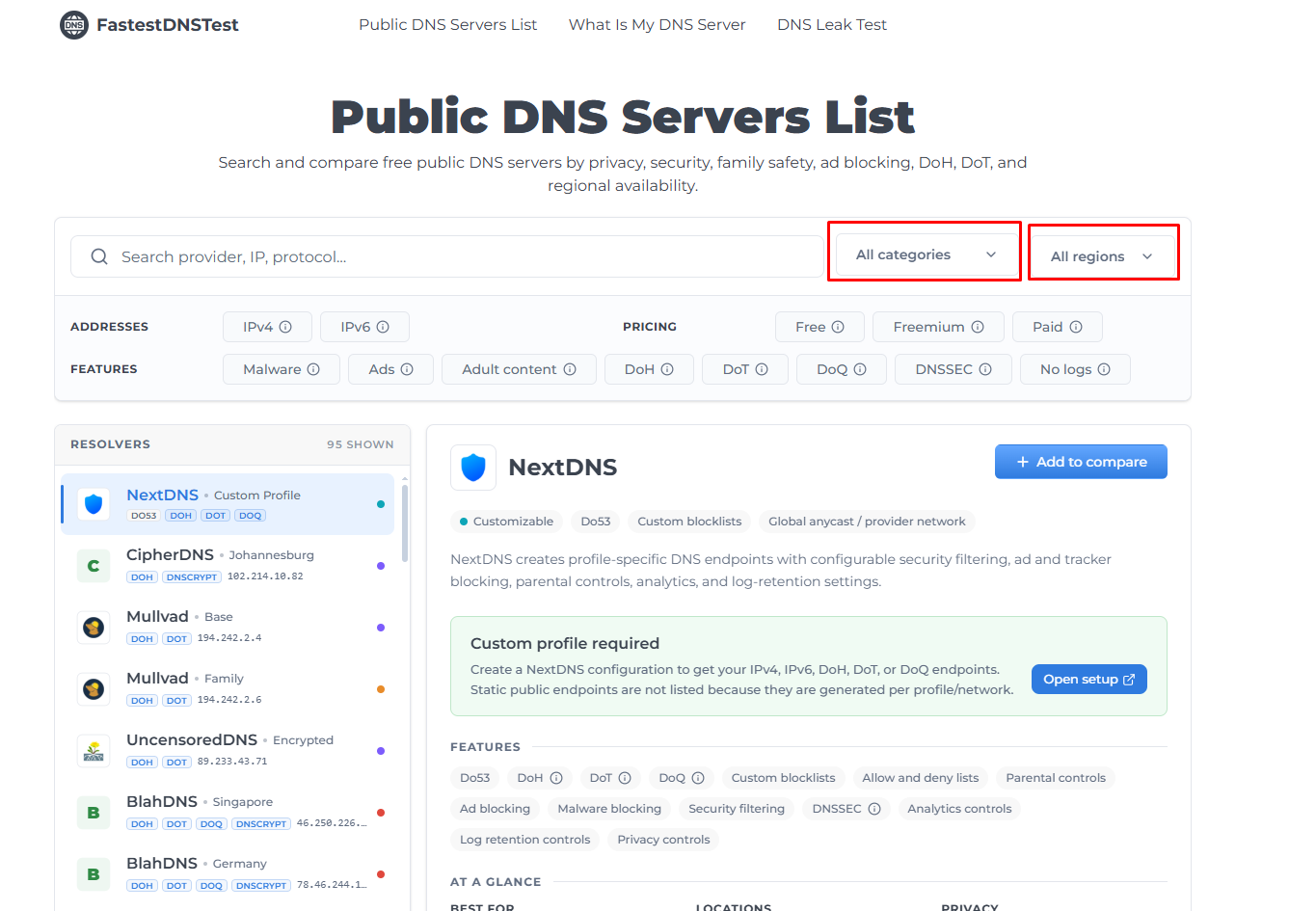
Moreover, you can also select your required category from the “All categories” option. Other than this, the “All regions” option helps you select the region in which you are searching for the provider.
In the section below, you can see that you are able to choose other options based on your requirements. You can select from the features, address and pricing options as well.
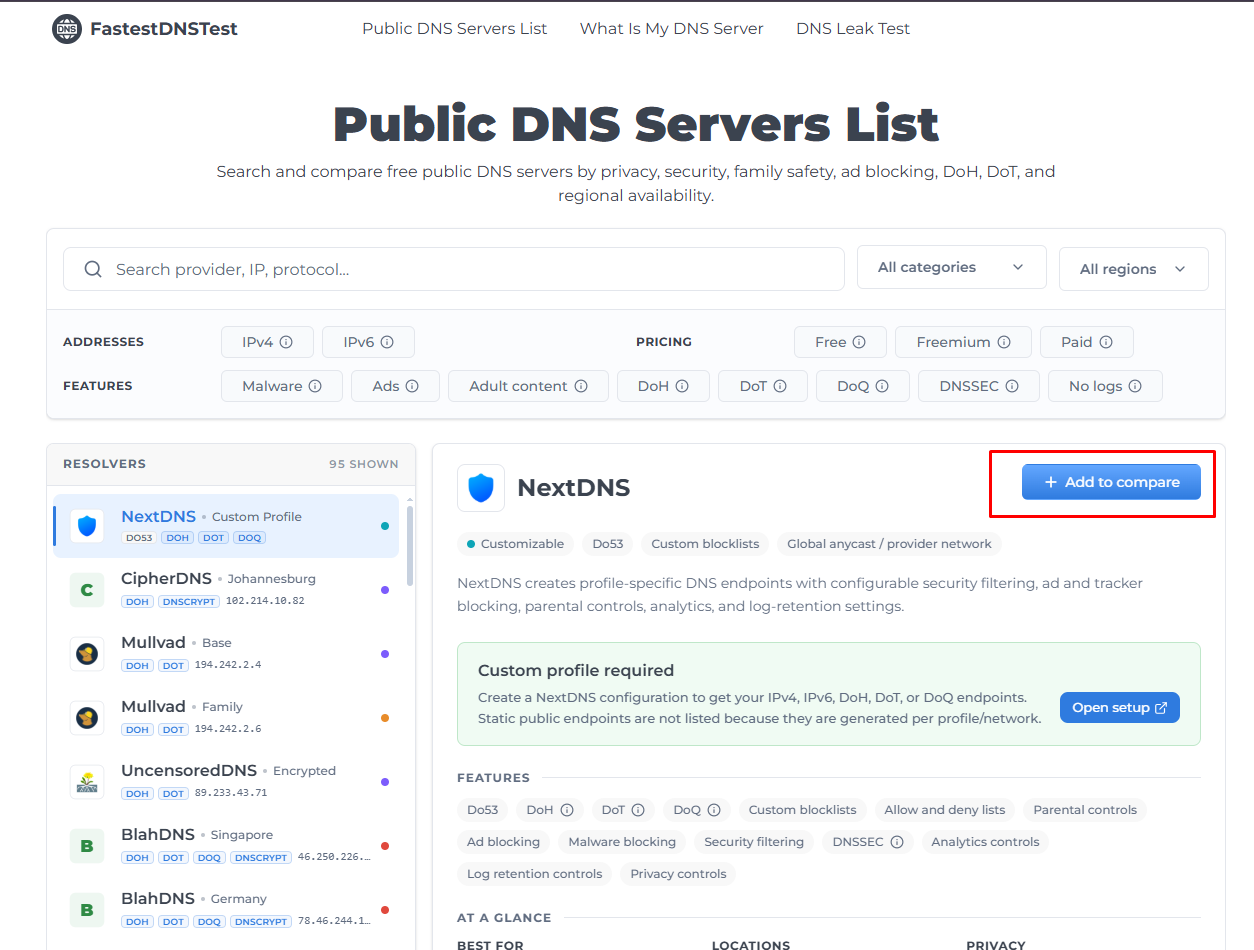
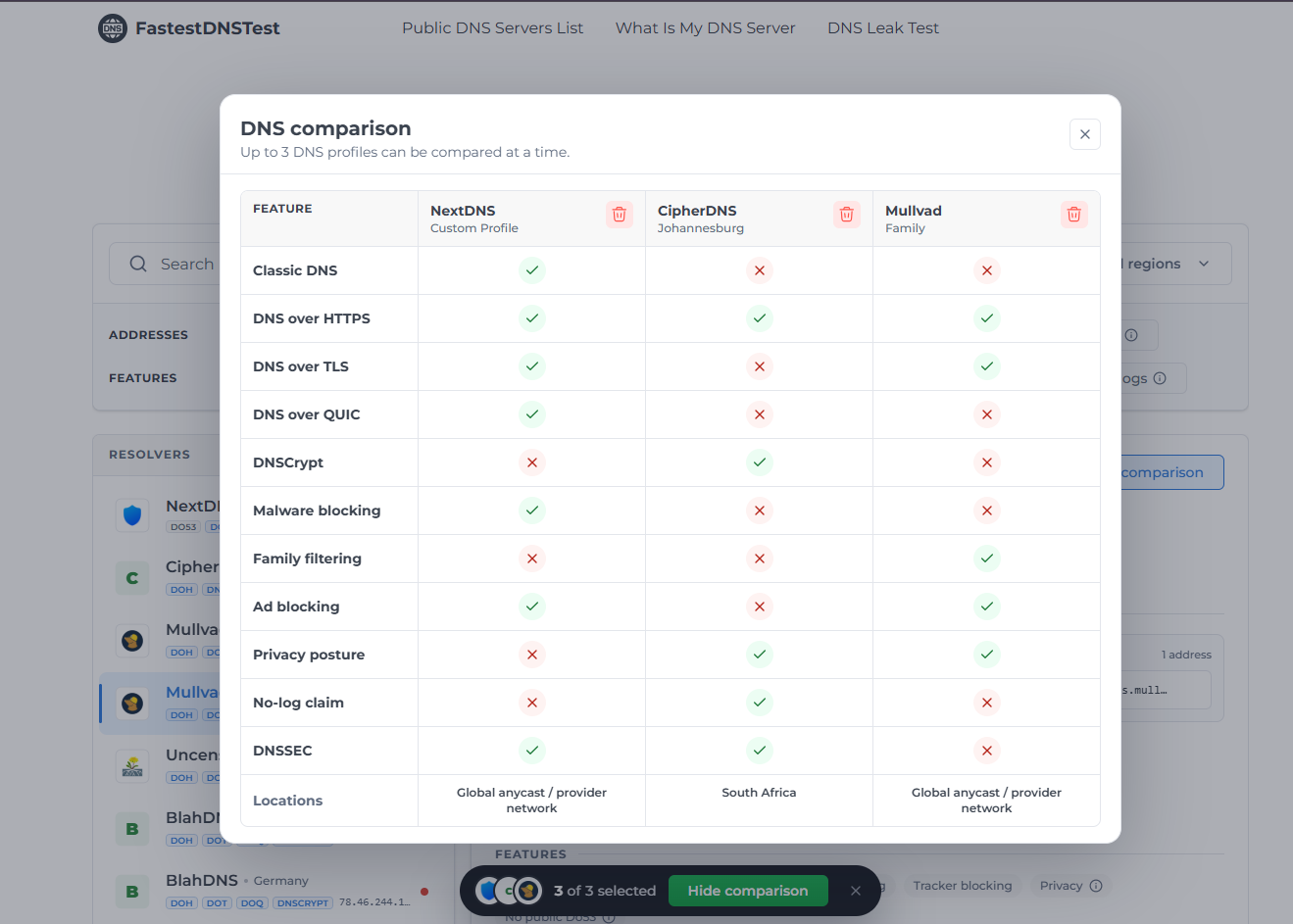
Furthermore, if you want to do a comparison between two providers. You can do that without any difficulty as well.
You just need to click on “Add to compare” and choose different providers that you need to compare. The “Show comparison” option will appear afterwards. When you click on that, this tool will show you the exact comparison between various tools.
What is My DNS Server?
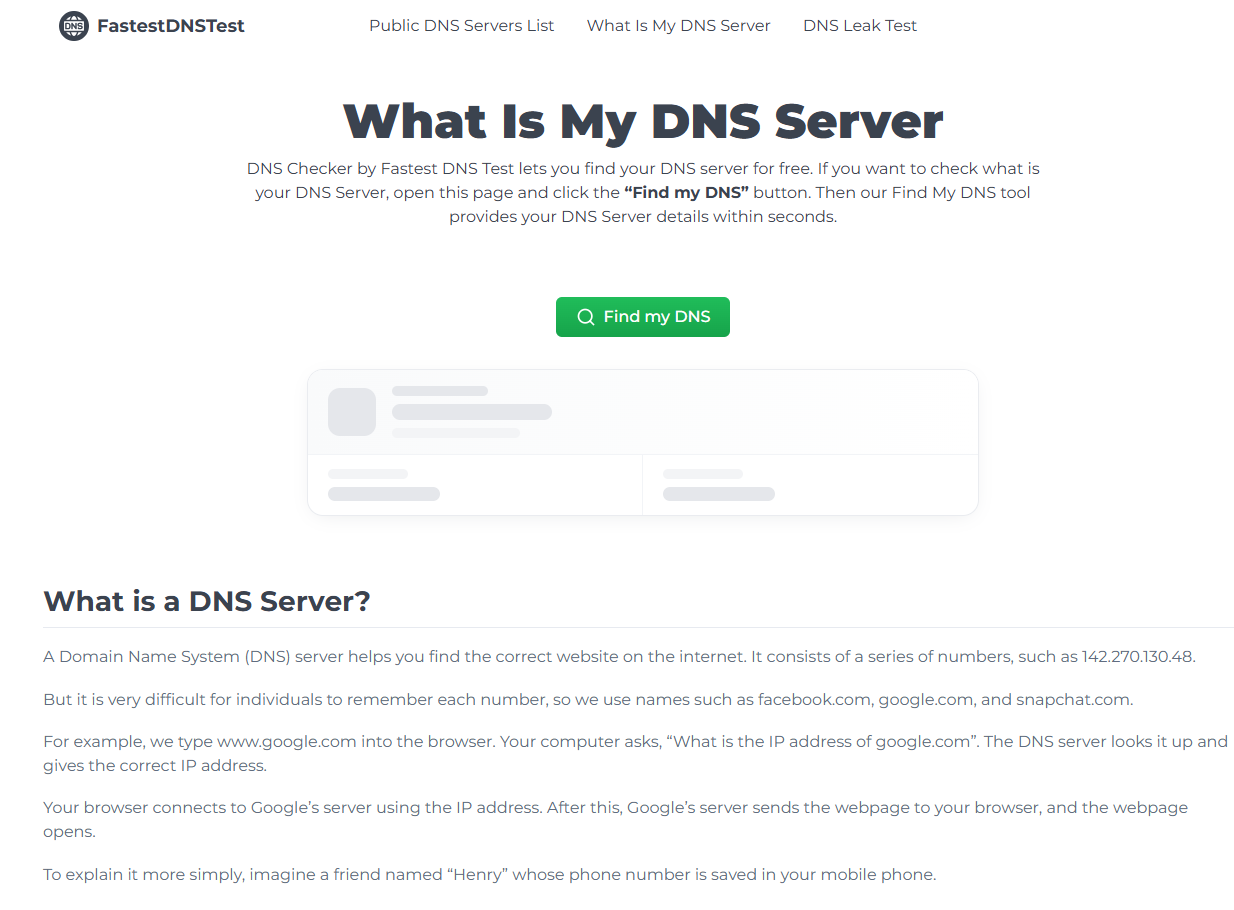
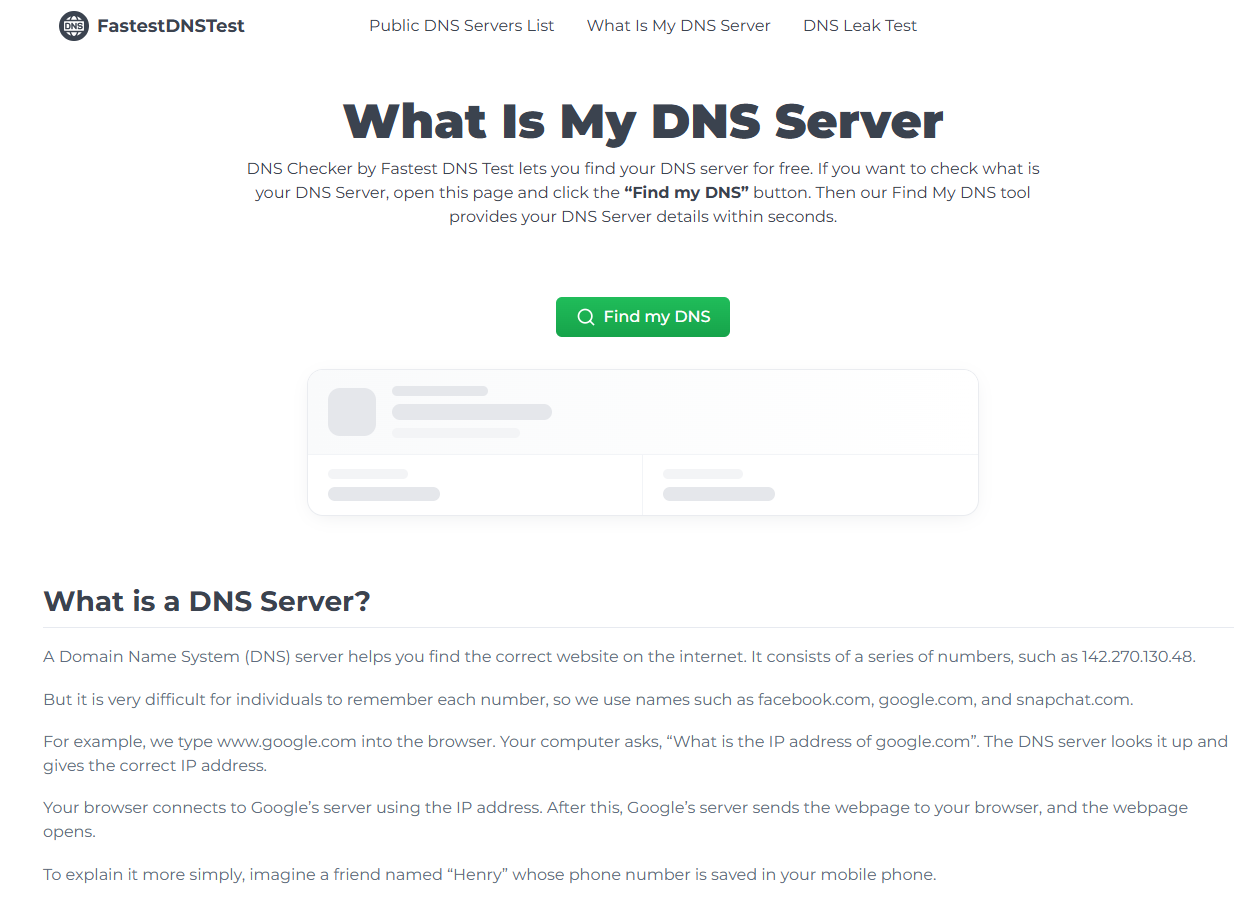
The fastest DNS Test site provides the tool for finding out the DNS server your device is using. The tool provides a simple “Find my DNS” option. This helps you to identify your DNS server details.
This is helpful because many users don’t know which DNS provider their internet connection is actually using. For example, your device may be set to automatically obtain its DNS settings from the router. While your router receives DNS information from your ISP. When you go to this tool, you will see a “Find my DNS” option.
Click on “Find My DNS”. The tool will start checking your DNS.
You can see this in the screenshot. The tool is giving the DNS provider name along with the IP and location.
DNS Leak Test
DNS leak test is generally for VPN users who want to know if the DNS requests are going through the required resolver or not. A DNS leak occurs when someone is connected to a VPN but the ISP or other resolver can still see the DNS requests. We recommend first running the test without a VPN and noting the results. You can then connect to your VPN and run the test again. We follow the same steps to check for DNS leaks.
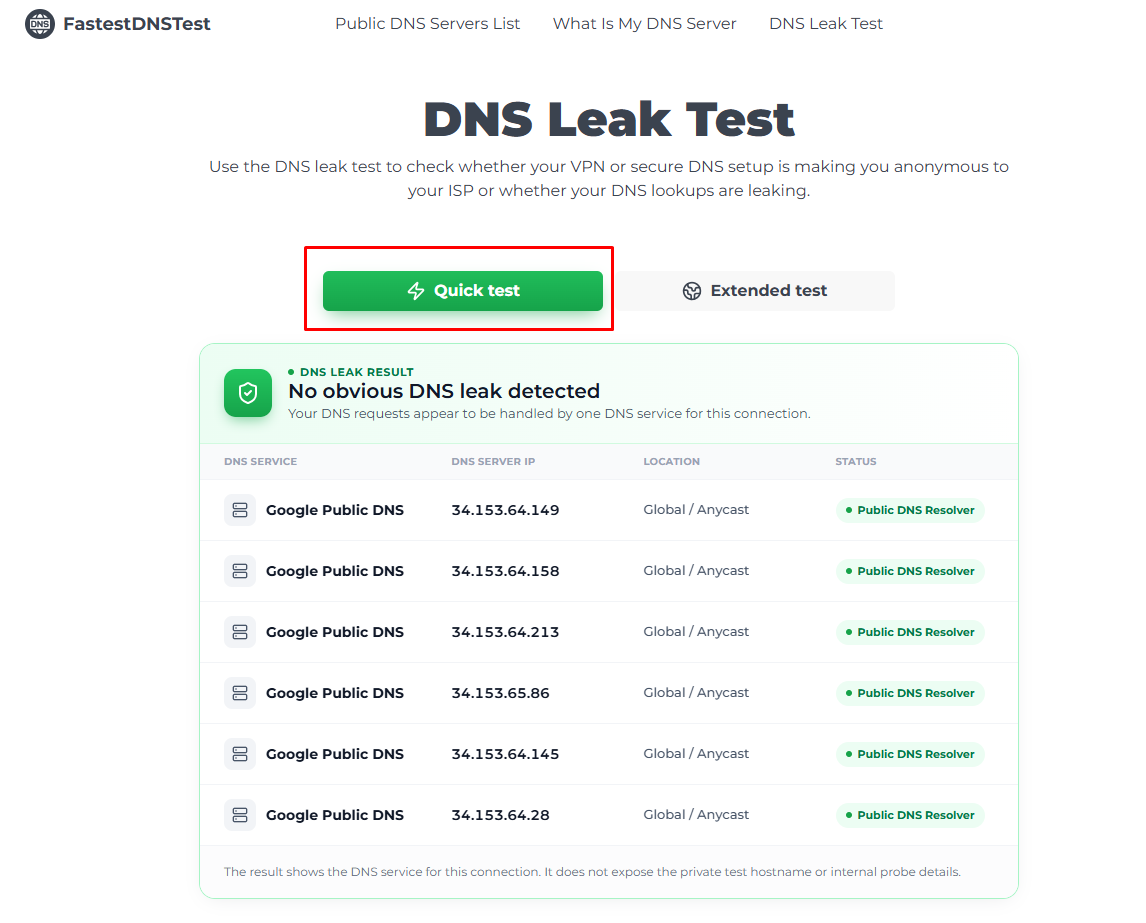
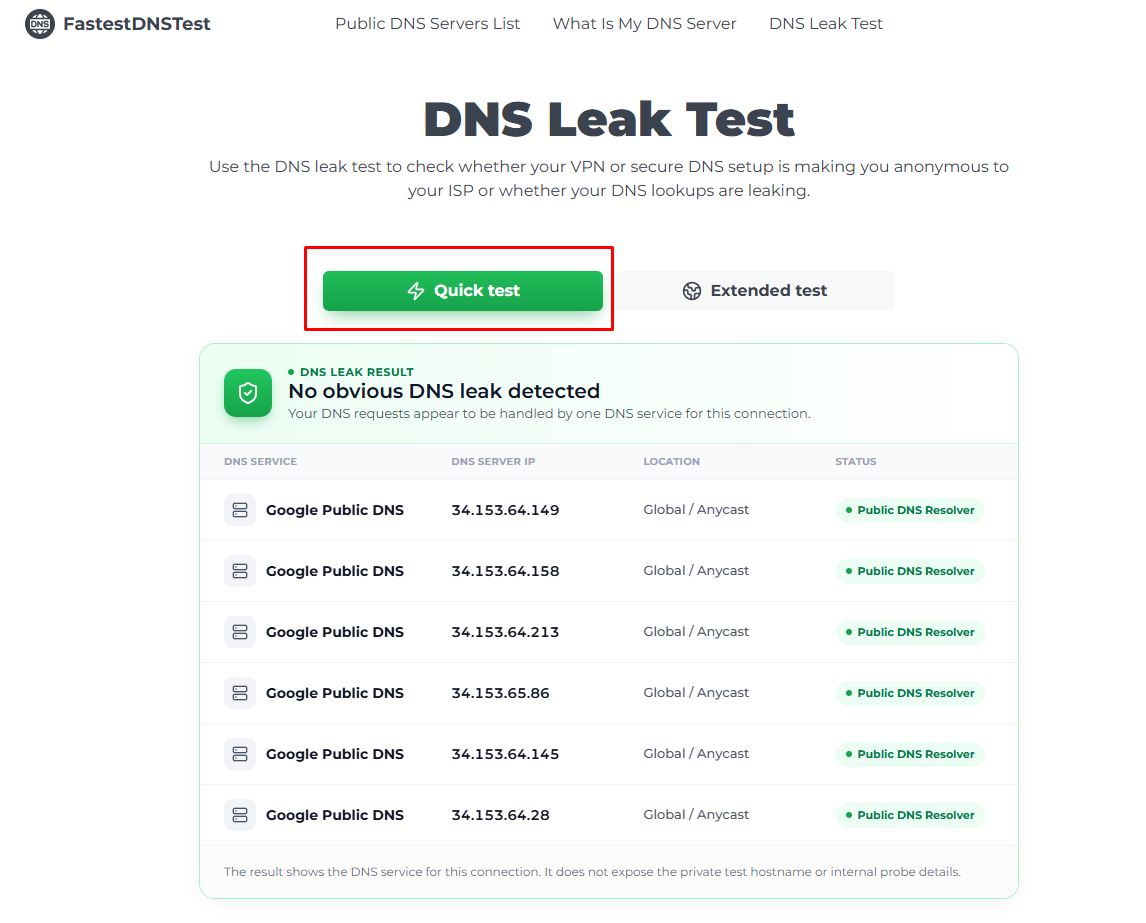
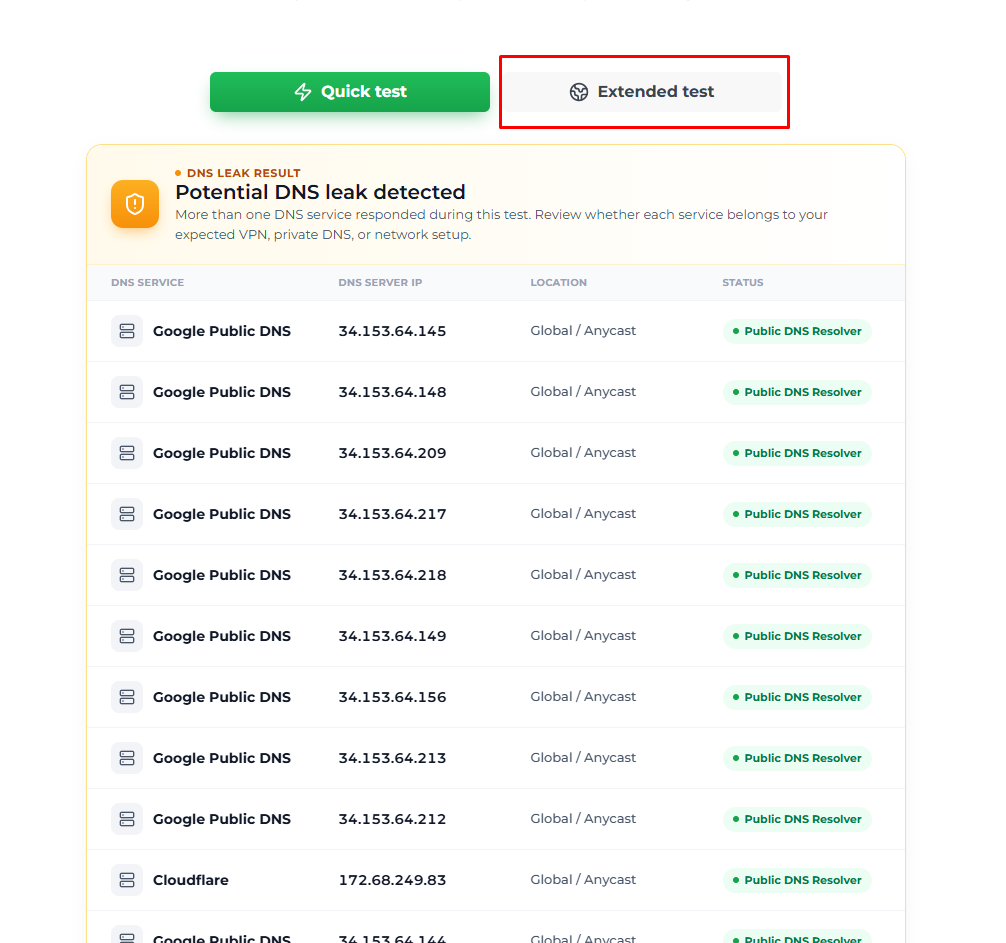
The main goal is to compare the previously identified DNS servers with the VPN connection. When you visit the page, you will see “Quick Test” and “Extended Test” options.
When you click on Quick Test, it uses a smaller set of DNS queries to quickly identify which DNS servers are handling your requests. It's useful for a basic check and takes less time.
When you click on an extended test, it sends a larger and more varied set of DNS queries. It reveals additional DNS resolvers that may not appear during a quick test. It provides a more comprehensive view of your DNS configuration.
If the tool sees any DNS leak, it will quickly identify it. The tool will tell you whether a DNS Leak is occurring or not. You can see it in the above image.
Fastest DNS Test Review: Pros and Cons
We have reviewed the entire Fastest DNS Test Tool. Now we will provide you a quick check by letting you know about its pros and cons.
Pros
- Simple browser-based interface
- No software installation
- Supports DNS-over-HTTPS testing
- Allows custom hostnames
- Supports custom DoH servers
- Tests multiple DNS providers
- Provides minimum, maximum and average measurements
- Free to use
Cons
- Results can vary depending on your network and location
- DNS speed is only one component of overall internet performance
- A fast tool doesn’t necessarily provide the best privacy or security features for every user
- The tool does not automatically change your device's DNS settings
The last point is important. Fastest DNS Test is a testing and comparison tool. It is not a DNS configuration utility. If you want to switch DNS providers. You should change the DNS settings on your device or router yourself.
Conclusion
The DNS speed test provides an easy way to compare DNS response times. It includes useful tools like custom hosts, custom DoH servers, bulk testing and graphical statistics. The Public DNS Servers List works together with the speed test.
It provides DNS addresses and information about features such as security, filtering, privacy, DoH and DoT. The “What is my DNS Server” tool is useful for users who want to identify the DNS resolver of their connection. The DNS Leak Test focuses on checking whether DNS requests are escaping the expected VPN or secure DNS path.
In short, the fastest DNS Test is most useful when you want to test several providers from your own network. You need to consider privacy and security features alongside response time. Then decide whether changing DNS actually provides a meaningful improvement for your particular setup.