Choosing the right email marketing software in 2026 means looking beyond templates and send limits. We compared 13 leading platforms including Brevo, MailerLite, Mailchimp, HubSpot, ActiveCampaign, Klaviyo and more—to see how they handle campaign creation, automation, segmentation, lead capture, reporting, AI features and pricing. This guide helps small businesses find the platform that best fits their workflow, budget and growth plans.
Why Small Businesses Need Email Marketing Software in 2026
Email is no longer just a channel for occasional newsletters. Small businesses are using it to nurture leads, follow up automatically, recover missed sales, re-engage customers and keep communication moving without managing every message manually.
Email Marketing Software Trends in 2026
- 75% of marketers plan to maintain or increase their investment in email marketing in 2026.
- 41% of small businesses expect email marketing to be one of their most valuable marketing channels this year.
- 58% of marketing teams send emails weekly or several times per week.
- 40% of small businesses are using AI and automation to become more cost-efficient and reduce workload.
As email becomes more frequent and more connected to the customer journey, the workload behind it grows too. Modern email marketing tools help manage that complexity by combining campaign creation, subscriber management, segmentation, automated workflows, analytics and increasingly AI-assisted tasks in one platform.
The challenge is choosing the right one. Some email marketing software is built for simple newsletters, while other platforms specialize in advanced automation, CRM, ecommerce or multichannel marketing. Free plans, contact limits and pricing models also vary considerably.
So rather than comparing tools by feature count alone, we evaluated 12 of the best email marketing tools for small businesses around the jobs that matter most in practice — from building campaigns and automations to segmentation, AI, free-plan limits, specialist use cases and the cost of growing your list.
Email Marketing Software Comparison: Free Plans, Best Use Cases and Overall Fit
There is no single email marketing platform that is best for every small business. The table below shows where each of the 13 platforms fits before the detailed walkthroughs.
Tool | Best for | Free-plan snapshot | Our overall fit |
EmailWish | Shopify and WooCommerce stores that want done-for-you ecommerce automation | 1,000 email credits/month; 100 contacts | 4.4/5 |
Brevo | Balanced small-business email + automation + contact management | 300 email sends/day | 4.5/5 |
MailerLite | Simplicity, forms and landing pages | 250 active subscribers; 2,500 emails/30 days | 4.4/5 |
Mailchimp | Familiar campaign workflow and broad integrations | 250 contacts; 500 sends/month | 4.0/5 |
HubSpot | Email tightly connected to CRM and sales | 2,000 marketing email sends/month | 4.2/5 |
Zoho Campaigns | Affordable email marketing inside the Zoho ecosystem | 2,000 contacts; 6,000 emails/month | 4.0/5 |
ActiveCampaign | Advanced behavioral automation and segmentation | 14-day trial; no permanent free plan | 4.5/5 |
Omnisend | Ecommerce email automation for small and mid-size stores | 250 contacts; 500 emails/month | 4.5/5 |
Klaviyo | Data-driven ecommerce personalization and lifecycle flows | 250 active profiles; 500 emails/month | 4.6/5 |
GetResponse | Funnels, webinars and all-in-one conversion workflows | 500 contacts; 2,500 newsletters/month on Free | 4.3/5 |
Constant Contact | Local businesses, nonprofits and event marketing | 30-day trial; no permanent free plan | 4.1/5 |
Kit | Creators, sequences, recommendations and audience growth | Up to 10,000 subscribers; unlimited sends | 4.3/5 |
beehiiv | Newsletter-first growth, referrals and monetization | Up to 2,500 subscribers; unlimited sends | 4.4/5 |
Quick picks: Brevo for the strongest all-round balance; MailerLite for simplicity; Mailchimp for a familiar campaign-first workflow; HubSpot for CRM-connected marketing; Zoho Campaigns for value inside Zoho; ActiveCampaign for advanced automation; Omnisend for ecommerce small businesses; Klaviyo for data-driven ecommerce personalization; GetResponse for funnels and webinars; Constant Contact for local businesses and events; Kit for creators; and beehiiv for newsletter growth and monetization.
How We Tested and Compared Email Marketing Software
To make this comparison useful, we evaluated each platform around the same core tasks a small business is likely to perform. Rather than ranking tools by the length of their feature lists, we focused on how well those features support real email marketing workflows.
- Campaign creation: Campaign setup, template selection, editing, personalization, desktop/mobile preview, test sending and scheduling.
- Automation: The same benchmark flow: signup → welcome email → wait → follow-up → click/no-click branch; we compared triggers, delays, conditions, branching, setup complexity and plan restrictions.
- Segmentation: How easily each platform could create and reuse audiences from subscriber information and engagement behavior.
- AI features: Consistent prompts for subject-line/campaign assistance, plus whether AI helped with automation, segmentation or optimization beyond copy generation.
- Free-plan usefulness: Subscriber/send limits, automation access, branding, forms, analytics, AI and other restrictions that affect practical use.
- Cost as you grow: How costs and feature access change as subscriber numbers, sending frequency and automation requirements increase.
We also considered ease of use, integrations, reporting, workflow clarity and the amount of manual work required to complete common marketing tasks. Where live account access was available, we used actual product screens. Where a specific screen could not be captured directly, we used clearly identified illustrative workflow reconstructions based on the platform’s current interface, official documentation and available plan information.
Benchmark reminder: All 12 tools are compared around the same GlowLeaf Skincare scenario — a weekend promotional campaign for existing subscribers plus a new-subscriber welcome flow. For tools with a strong specialist use case, we added a second test such as ecommerce personalization, advanced branching, event marketing, creator growth or newsletter monetization.
5 things to check before you pay: Sending limits can matter more than contact storage; free trials can expose paid-only features; automation limits are often step- or plan-based; domain authentication affects deliverability; and the cheapest starting price is rarely the full cost once your list and workflow complexity grow.
Let's see these tools and know about them:
1. EmailWish Review - Best for Shopify and WooCommerce Email Automation
EmailWish takes a different approach to email marketing than traditional all-purpose platforms. Instead of expecting merchants to build every automation from scratch, it provides pre-configured flows designed around common ecommerce journeys, including welcome emails, abandoned carts, post-purchase follow-ups, review requests, upsells and win-back campaigns.
The platform brings the flows, emails, triggers, delays, conditions and targeting controls together under one dashboard. This makes EmailWish particularly relevant for Shopify email marketing and WooCommerce stores that want to launch automated email campaigns without spending significant time designing every workflow from the ground up.
EmailWish Email Marketing Software: At a Glance
| Best for | Shopify and WooCommerce merchants looking for ready-to-use ecommerce email automation |
| Platform support | Shopify and WooCommerce |
| Automation | Pre-built ecommerce flows with triggers, delays, conditions and email sequences |
| Main strength | Ready-made automation combined with detailed customer targeting |
| Key flows | Welcome, abandoned cart, post-purchase, reviews, upsells and win-back |
| Customization | Merchants can customize flows and connect relevant products |
| Less ideal for | Businesses looking for a general-purpose email platform outside ecommerce |
What stood out: EmailWish reduces the amount of setup required to get ecommerce automation running. Rather than starting with a blank automation canvas, merchants can select a relevant customer journey and activate a flow that already includes the core emails, triggers, timing and conditions.
EmailWish Email Marketing Software Walkthrough
We approached EmailWish from the perspective of an ecommerce merchant setting up automated customer communication. The workflow below focuses on how quickly a store can move from installation to selecting a flow, refining its audience and putting automation into operation.
EmailWish Installation and Getting Started
The first step is straightforward: merchants install EmailWish through the Shopify App Store or add it to their WooCommerce store as a plugin. Once connected, the platform becomes the central workspace for creating and managing ecommerce email automation.
The setup is designed around the store rather than requiring merchants to manually construct their customer journeys before they can start experimenting with automation.
Screenshot 1 — EmailWish Dashboard
EmailWish Pre-Built Flows and Ecommerce Automation
EmailWish's main differentiator is its collection of tailored ecommerce flows. Instead of creating each workflow step by step, merchants can choose from common customer journeys such as welcome sequences, abandoned-cart recovery, post-purchase follow-ups, review requests, upsells and win-back campaigns.
This approach can shorten the distance between installing an email platform and activating a useful automated campaign.
Screenshot 2 — EmailWish Flow Library
EmailWish Flow Setup, Triggers and Conditions
Once a flow is selected, the platform provides the underlying automation logic rather than leaving the merchant to build every component manually. Flows can include emails, triggers, delays and conditions that determine how customers move through the sequence.
Merchants can then adjust the workflow according to their brand requirements or connect specific products where relevant. This gives businesses a starting point that is already structured while still leaving room for customization.
Screenshot 3 — Flow Configuration
EmailWish Email Content and Product Connections
Because EmailWish is designed specifically around ecommerce use cases, the email workflow can be connected to the products and customer actions that drive the campaign.
For example, an abandoned-cart flow can focus on shoppers who added products but did not complete their purchase, while an upsell flow can be built around customers who have already purchased. Product connections help make these messages more relevant than generic broadcast emails.
Screenshot 4 — Email Editor / Product Connection
EmailWish Customer Targeting and Segmentation
Targeting is another area where EmailWish stands out. Merchants can apply detailed customer conditions and targeting rules to determine who should enter a particular flow and when they should receive specific messages.
This is important because ecommerce automation is rarely about sending the same sequence to every subscriber. A store may want different messaging for new customers, previous purchasers, abandoned-cart shoppers or customers who have become inactive.
EmailWish's targeting controls are designed to give merchants more detailed control over these customer conditions than they may find in some larger competing platforms, including platforms such as Klaviyo.
Screenshot 5 — Customer Targeting Conditions
EmailWish Automation and Hands-Off Follow-Up
After the flow, emails, targeting rules and conditions are configured, merchants can activate the automation. From that point, EmailWish handles the workflow automatically according to customer actions and the rules established in the flow.
That makes the platform particularly useful for repetitive ecommerce communication. Instead of manually identifying customers and sending follow-ups, merchants can create the logic once and allow the system to respond to qualifying customer behavior.
Screenshot 6 — Active Automation
EmailWish Ecommerce Automation: What to Consider
The biggest advantage of EmailWish is also the reason merchants may want to evaluate it differently from a general-purpose email marketing platform. Its value comes from ecommerce-specific automation rather than simply providing another newsletter editor.
The pre-built flows can reduce setup time, while detailed targeting gives merchants control over which customers enter each journey. However, businesses should still evaluate whether the available integrations, customization options, reporting and pricing fit the complexity of their store before committing to the platform.
Quick tip: Start with one high-value flow, such as abandoned-cart recovery or post-purchase follow-up, before activating multiple automations at once. This makes it easier to check triggers, targeting and timing before expanding automation across the entire customer journey.
EmailWish Pros and Cons
| Pros | Cons |
| Ready-made ecommerce flows reduce setup time | More focused on ecommerce than general email marketing |
| Supports Shopify and WooCommerce stores | Businesses with highly unusual workflows may need more customization |
| Covers key journeys such as abandoned carts and post-purchase follow-ups | Broader marketing needs may require additional tools |
| Detailed customer targeting and conditions | Merchants should evaluate available integrations and reporting for their specific stack |
| Flows include triggers, delays and automation logic | May offer more functionality than a store needs if it only sends occasional newsletters |
EmailWish Review: Our Verdict
Verdict: EmailWish is built around a straightforward proposition: make ecommerce email automation easier to launch and manage without requiring merchants to build every workflow from scratch. Its ready-made flows, product-focused automation and detailed customer targeting make it particularly relevant for Shopify and WooCommerce stores that want to automate key customer journeys while retaining control over who receives each message.
2. Brevo Review - Best Overall Email Marketing Software for Small Businesses
Brevo earns the overall spot because it covers more of a small-business customer journey than a basic newsletter tool. Campaigns, subscriber management, automation, CRM activity, transactional messaging and broader customer communication can sit inside the same platform without immediately feeling like an enterprise suite.
Brevo Email Marketing Software: At a Glance
Best for | Small and growing businesses that want campaigns, automation and contact management in one platform |
Free plan | Useful for testing; 300 email sends per day |
Automation on Free | Up to 2,000 contacts |
AI | Aura |
Main strength | Broad all-in-one workflow without enterprise complexity |
Less ideal for | Teams that only need a bare-bones newsletter sender |
What stood out: Brevo was the most consistently strong across the workflows we evaluated. It did not win every category, but campaign creation, segmentation, automation and contact management worked together with fewer major compromises than the other small-business-focused options.
Brevo Email Marketing Software Walkthrough
We used the same weekend skincare promotion and welcome-flow benchmark so the interface differences are easier to compare. The screenshots below focus only on the workflow moments that materially affected our evaluation.
Screenshot 1 — Dashboard
Real test-account dashboard showing Brevo’s broader CRM, Marketing, Automations and Analytics workspace. |
Brevo Campaign Setup, Lists and Audience Targeting
This pair shows how quickly the platform gets from campaign basics to a targeted audience. We looked for obvious sender controls, reusable audience logic and exclusions that do not require rebuilding the list for every send.
Screenshot 2 — Create Campaign
Capture the campaign creation screen with campaign name, sender and subject setup. |
Screenshot 3 — Recipient Selection
Capture the list/segment selection screen used for our test audience. |
Brevo Email Builder, Templates and Preview
The editor and preview screens reveal more than a template count. We focused on how much friction there is in arranging content, adding personalization, checking mobile behavior and sending a test before launch.
Screenshot 4 — Template Library
Capture the template gallery and the option to start from scratch.
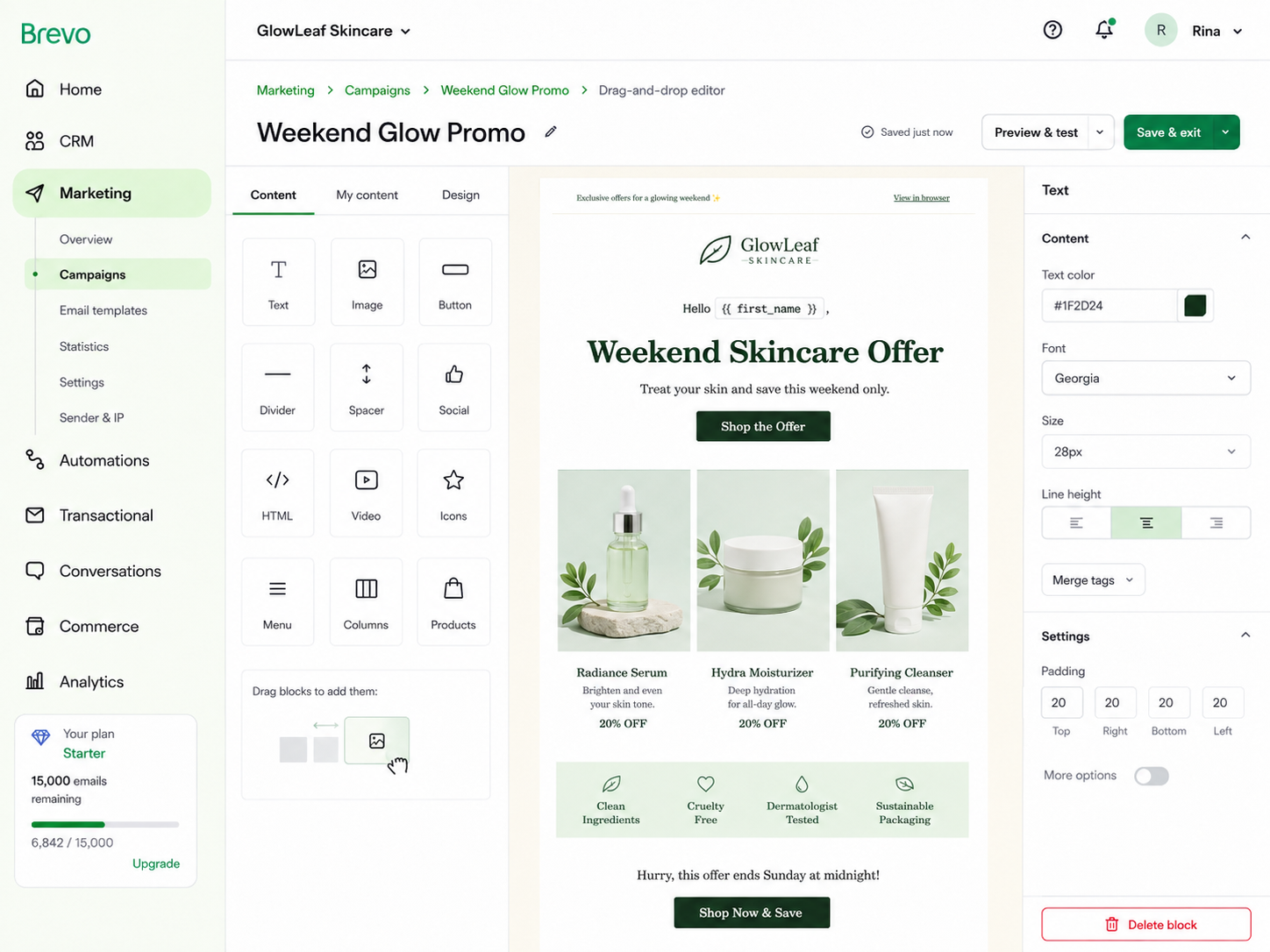 Screenshot 5 — Drag-and-Drop Editor Screenshot 5 — Drag-and-Drop EditorCapture the editor while the skincare offer email is being built. Include visible content blocks and design controls. |
Screenshot 6 — Preview and Test Send
Capture desktop/mobile preview and the test-send option before scheduling. |
Audience management matters after the first campaign. We compared how easily engagement rules can be reused and how directly a new signup can enter the same database, group or segment used by campaigns and automations.
Screenshot 7 — Contact Dashboard / Contact Record
Capture CRM → Contacts, ideally with a contact detail page showing quick actions or associated sales information. |
Screenshot 8 — Segment Builder
Capture the segment conditions and the resulting audience count. |
Screenshot 9 — Signup Form Builder
Capture the form editor, fields and success/confirmation settings. |
Brevo Email Automation, Autoresponders and Reporting
The automation and reporting screens show whether the platform can reduce repetitive follow-up and turn campaign activity into a useful next decision. Plan restrictions matter here because the most impressive workflow is not useful if it sits above the tier a small business would actually buy.
Screenshot 10 — Automation Start Screen
Capture Automations → Create automation and the trigger-selection step. |
Screenshot 11 — Google Analytics Tracking |
Screenshot 12 — Profile Update Form |
Screenshot 13 — Profile Update Form |
Screenshot 14 — Test List |
Screenshot 15 — Default Campaign Settings |
Brevo Pricing, Free Plan and Email Limits
Brevo’s Free plan is genuinely useful for hands-on testing, but the 300-email daily cap becomes the practical constraint quickly. The important pricing question is therefore not only how many contacts you can store, but how often you need to communicate with them and which automation/reporting features require a paid tier.
Quick tip: Authenticate the sending domain before judging campaign performance, build a reusable internal test list, and treat open rate as only one engagement signal. If you only send a simple monthly newsletter, Brevo’s broader CRM and communication features may be more platform than you need.
Brevo Pros and Cons
Pros - Strong balance of campaigns, automation and audience management
- Broader CRM/communication workflow without enterprise-level setup
- Dynamic segmentation can feed campaigns and automations
- Useful expansion path into transactional and customer communication
| Cons - 300-email daily Free-plan limit becomes restrictive quickly
- Some useful features require Marketing or Sales upgrades
- Can feel broader than necessary for newsletter-only teams
|
Brevo Review: Our Verdict
Verdict: For most small or growing businesses in this comparison, Brevo offers the strongest balance between usability, automation depth, audience control and room to expand. It is our best all-round starting point when email needs to become part of a broader customer workflow.
3. MailerLite Review - Best Simple Email Marketing Software for Beginners and Lead Capture
MailerLite is built around a narrower job than Brevo: grow an audience, send campaigns, automate follow-up and capture leads without requiring a full sales CRM. That focus is its appeal, especially for creators, solopreneurs and lean teams.
MailerLite Email Marketing Software: At a Glance
Best for | Small businesses and creators that want campaigns, automation, forms and landing pages without a complicated workspace |
Free plan | Up to 250 active subscribers |
Email sends on Free | 2,500 every 30 days |
Automation on Free | 3 active automations; 5 steps per automation |
Main strength | Clean campaign workflow plus strong lead-capture tools |
Less ideal for | Teams needing a sales CRM/pipeline or a much larger free list |
What stood out: MailerLite had the cleanest path from subscriber capture to campaign creation. Forms, landing pages, groups, segments and the email editor feel like parts of one audience-building workflow rather than separate modules.
MailerLite Email Marketing Software Walkthrough
We used the same weekend skincare promotion and welcome-flow benchmark so the interface differences are easier to compare. The screenshots below focus only on the workflow moments that materially affected our evaluation.
Screenshot 1 — MailerLite Dashboard Source/verification: Current workflow checked against MailerLite dashboard/help documentation. |
MailerLite Campaign Setup, Lists and Audience Targeting
This pair shows how quickly the platform gets from campaign basics to a targeted audience. We looked for obvious sender controls, reusable audience logic and exclusions that do not require rebuilding the list for every send.
Screenshot 2 — Campaign Setup Source/verification: Campaign flow verified against MailerLite’s current campaign-creation help. |
Screenshot 3 — Recipient Selection
Source/verification: Groups/segments behavior verified against MailerLite help. |
MailerLite Email Builder, Templates and Preview
The editor and preview screens reveal more than a template count. We focused on how much friction there is in arranging content, adding personalization, checking mobile behavior and sending a test before launch.
Screenshot 4 — Template Gallery Source/verification: Editor and template availability verified against MailerLite pricing/help. |
Screenshot 5 — Drag-and-Drop Editor Source/verification: Drag & drop workflow verified against MailerLite editor documentation. |
Screenshot 6 — Desktop/Mobile Preview and Test Email Source/verification: Preview/test controls verified against MailerLite editor and test-email help. |
Audience management matters after the first campaign. We compared how easily engagement rules can be reused and how directly a new signup can enter the same database, group or segment used by campaigns and automations.
Screenshot 7 — Subscribers / Groups Source/verification: Groups definition verified against MailerLite help. |
Screenshot 8 — Dynamic Segment Builder Source/verification: Dynamic-segment behavior verified against MailerLite help. |
Screenshot 9 — Signup Form Builder Source/verification: Form/custom-field workflow verified against MailerLite help. |
Screenshot 10 — Landing Page Builder Source/verification: Landing-page availability and group assignment verified against MailerLite help. |
MailerLite Email Automation, Autoresponders and Reporting
The automation and reporting screens show whether the platform can reduce repetitive follow-up and turn campaign activity into a useful next decision. Plan restrictions matter here because the most impressive workflow is not useful if it sits above the tier a small business would actually buy.
Screenshot 11 — Automation Start / Templates Source/verification: Automation creation/templates verified against MailerLite help. |
Screenshot 12 — Completed Welcome Automation Source/verification: Delay, condition and action behavior verified against MailerLite automation documentation. |
Screenshot 13 — AI Subject Line Generator Source/verification: AI subject-line availability and Free-plan credit limits verified against MailerLite help/pricing. |
Screenshot 14 — Campaign Report and Click Map Source/verification: Campaign reporting and click-map availability verified against MailerLite official help/pricing. |
Screenshot 15 — Plan and Billing / Pricing Source/verification: MailerLite official pricing page. |
Screenshot 16 — Domain Authentication Source/verification: Domain-authentication workflow verified against MailerLite help updated June 2026. |
Screenshot 17 — Group Management Source/verification: Groups/segments behavior verified against MailerLite help. |
Screenshot 18 — A/B Campaign Setup Source/verification: A/B campaign support verified against MailerLite help/pricing. |
Screenshot 19 — Smart Sending / Auto Resend Source/verification: Smart sending and auto-resend availability verified against MailerLite pricing/help. |
Screenshot 20 — Subscriber Preference Center Source/verification: Preference center is included on paid plans according to MailerLite pricing. |
MailerLite Pricing, Free Plan and Email Limits
MailerLite’s permanent Free plan now supports up to 250 active subscribers and 2,500 emails every 30 days. That is broad enough to test the product properly, but the audience ceiling is small. New accounts also receive a premium trial, so reviewers must distinguish trial-only controls from the permanent Free plan.
Quick tip: Use Groups for manual organization and Segments for dynamic rules. Check the plan badge during the premium trial, and test the full automation benchmark before assuming a workflow will remain available after downgrade.
MailerLite Pros and Cons
Pros - Easiest interface in the comparison
- Strong forms and landing pages for lead capture
- Good drag-and-drop editor with clear preview/test flow
- Groups and dynamic segments are easy to understand
| Cons - Free plan is limited to 250 active subscribers
- Free automations are capped at 5 steps
- No built-in sales CRM/pipeline
- Trial features can make Free look more generous than it is
|
MailerLite Review: Our Verdict
Verdict: MailerLite is the best fit when simplicity matters more than CRM depth. For a small team that primarily needs to capture subscribers, build polished campaigns and automate straightforward follow-up, it has the least friction of the five tools.
Mailchimp remains one of the most established names in email marketing. Its value in 2026 is not simply that it can send newsletters, but that it combines a familiar campaign workflow with audience tools, automation flows, forms, landing pages, testing, analytics and a very broad integration ecosystem.
Best for | Small and growing businesses that want a mature email platform with strong integrations and testing |
Free plan | Up to 250 contacts; 500 sends/month; 250-send daily limit |
Automation on Free | One-click automated welcome email; multi-step flows require paid plans |
Audience organization | Audiences, tags, groups and dynamic segments |
Main strength | Mature campaign workflow and broad integrations |
Less ideal for | Businesses wanting a generous free tier or simple low-cost scaling |
What stood out: Mailchimp felt strongest at traditional email-marketing jobs: campaign creation, templates, audience organization and reporting. The trade-off became more visible once we moved into deeper automation and pricing as the list grows.
Mailchimp Email Marketing Software Walkthrough
We used the same weekend skincare promotion and welcome-flow benchmark so the interface differences are easier to compare. The screenshots below focus only on the workflow moments that materially affected our evaluation.
Screenshot 1 — Mailchimp Marketing Dashboard Screenshot note: Illustrative workflow reconstruction using dummy account data; current workflow and plan limits verified against Mailchimp documentation. |
Mailchimp Campaign Setup, Lists and Audience Targeting
This pair shows how quickly the platform gets from campaign basics to a targeted audience. We looked for obvious sender controls, reusable audience logic and exclusions that do not require rebuilding the list for every send.
Screenshot 2 — Campaign Setup Screenshot note: Illustrative workflow reconstruction using dummy account data; current workflow and plan limits verified against Mailchimp documentation. |
Screenshot 3 — Recipient Selection Screenshot note: Illustrative workflow reconstruction using dummy account data; current workflow and plan limits verified against Mailchimp documentation. |
Mailchimp Email Builder, Templates and Preview
The editor and preview screens reveal more than a template count. We focused on how much friction there is in arranging content, adding personalization, checking mobile behavior and sending a test before launch.
Screenshot 4 — Template Gallery Screenshot note: Illustrative workflow reconstruction using dummy account data; current workflow and plan limits verified against Mailchimp documentation. |
Screenshot 5 — Drag-and-Drop Email Builder Screenshot note: Illustrative workflow reconstruction using dummy account data; current workflow and plan limits verified against Mailchimp documentation. |
Screenshot 6 — Desktop/Mobile Preview and Test Send Screenshot note: Illustrative workflow reconstruction using dummy account data; current workflow and plan limits verified against Mailchimp documentation. |
Audience management matters after the first campaign. We compared how easily engagement rules can be reused and how directly a new signup can enter the same database, group or segment used by campaigns and automations.
Screenshot 7 — Audience Dashboard / Contact Record Screenshot note: Illustrative workflow reconstruction using dummy account data; current workflow and plan limits verified against Mailchimp documentation. |
Screenshot 8 — Dynamic Segment Builder Screenshot note: Illustrative workflow reconstruction using dummy account data; current workflow and plan limits verified against Mailchimp documentation. |
Screenshot 9 — Tags and Groups Screenshot note: Illustrative workflow reconstruction using dummy account data; current workflow and plan limits verified against Mailchimp documentation. |
Screenshot 10 — Signup Form Builder Screenshot note: Illustrative workflow reconstruction using dummy account data; current workflow and plan limits verified against Mailchimp documentation. |
Screenshot 11 — Landing Page Builder Screenshot note: Illustrative workflow reconstruction using dummy account data; current workflow and plan limits verified against Mailchimp documentation. |
Mailchimp Email Automation, Autoresponders and Reporting
The automation and reporting screens show whether the platform can reduce repetitive follow-up and turn campaign activity into a useful next decision. Plan restrictions matter here because the most impressive workflow is not useful if it sits above the tier a small business would actually buy.
Screenshot 12 — Automation Start / Trigger Selection Screenshot note: Illustrative workflow reconstruction using dummy account data; current workflow and plan limits verified against Mailchimp documentation. |
Screenshot 13 — Completed Welcome Automation Flow Screenshot note: Illustrative workflow reconstruction using dummy account data; current workflow and plan limits verified against Mailchimp documentation. |
Screenshot 14 — Write with AI — Prompt and Result Screenshot note: Illustrative workflow reconstruction using dummy account data; current workflow and plan limits verified against Mailchimp documentation. |
Screenshot 15 — Campaign Report Overview Screenshot note: Illustrative workflow reconstruction using dummy account data; current workflow and plan limits verified against Mailchimp documentation. |
Screenshot 16 — Click Map Screenshot note: Illustrative workflow reconstruction using dummy account data; current workflow and plan limits verified against Mailchimp documentation. |
Screenshot 17 — Pricing / Marketing Plans Screenshot note: Illustrative workflow reconstruction using dummy account data; current workflow and plan limits verified against Mailchimp documentation. |
Screenshot 18 — A/B Test Setup Screenshot note: Illustrative workflow reconstruction using dummy account data; current workflow and plan limits verified against Mailchimp documentation. |
Screenshot 19 — Domain Authentication Status Screenshot note: Illustrative workflow reconstruction using dummy account data; current workflow and plan limits verified against Mailchimp documentation. |
Screenshot 20 — Bot Filtering / Reporting Settings Screenshot note: Illustrative workflow reconstruction using dummy account data; current workflow and plan limits verified against Mailchimp documentation. |
Mailchimp Pricing, Free Plan and Email Limits
Mailchimp’s Free plan is now relatively tight, especially compared with the size of the platform’s feature set. Contact-based pricing and plan-dependent send allowances mean a business should model its expected list growth before choosing Mailchimp only because the first campaign feels familiar.
Quick tip: Keep one clean primary audience where possible, use tags/groups deliberately, and check how contact counting affects billing before importing duplicate or inactive contacts. Test automation requirements early because multi-step journeys are where paid-plan differences become more important.
Mailchimp Pros and Cons
Pros - Familiar campaign-building experience
- Broad integration ecosystem
- Strong audience organization and reporting
- Templates and testing tools suit regular campaign teams
| Cons - Free tier is restrictive
- Contact-based pricing can become harder to predict as you scale
- Deeper automation sits behind paid plans
- Audience structure can create avoidable billing complexity
|
Mailchimp Review: Our Verdict
Verdict: Mailchimp remains a practical choice for businesses that value a familiar, campaign-first workflow and broad integrations. It is less compelling when the main priority is a generous free plan or the lowest-cost path to increasingly complex automation.
HubSpot is fundamentally different from a newsletter-first email tool. Marketing email sits on top of HubSpot’s Smart CRM, so campaign activity can connect to contact records, lifecycle stages, sales follow-up, forms, landing pages, reporting and — on higher tiers — full workflow automation.
HubSpot Email Marketing Software: At a Glance
Best for | Businesses that want email tied to CRM, lead management and sales follow-up |
Email sends on Free | 2,000 marketing email sends per calendar month |
Contacts on Free | Up to 1,000 contacts |
Automation on Free | 1 automated action; Starter supports up to 10 |
Full workflows | Marketing Hub Professional/Enterprise |
Main strength | CRM context around every marketing contact |
What stood out: HubSpot was the clear leader for CRM-connected automation, segmentation and reporting. The reason to choose it is not the email editor alone; it is the context around every contact and the ability to connect marketing activity to lifecycle stages, sales work and revenue.
HubSpot Email Marketing Software Walkthrough
We used the same weekend skincare promotion and welcome-flow benchmark so the interface differences are easier to compare. The screenshots below focus only on the workflow moments that materially affected our evaluation.
Screenshot 1 — Marketing Dashboard The dashboard makes HubSpot’s main difference visible immediately: email performance, CRM activity and follow-up tasks can sit in the same workspace. |
HubSpot Campaign Setup, Lists and Audience Targeting
This pair shows how quickly the platform gets from campaign basics to a targeted audience. We looked for obvious sender controls, reusable audience logic and exclusions that do not require rebuilding the list for every send.
Screenshot 2 — Marketing Email Setup HubSpot separates campaign basics such as sender, subject and preview text before we move deeper into audience and design. |
Screenshot 3 — Recipient / Segment Selection Recipients can be built from CRM segments and exclusions, which becomes especially useful when behavior, lifecycle stage and purchase status already live in HubSpot. |
HubSpot Email Builder, Templates and Preview
The editor and preview screens reveal more than a template count. We focused on how much friction there is in arranging content, adding personalization, checking mobile behavior and sending a test before launch.
Screenshot 4 — Template Gallery The template stage tests whether HubSpot can move a small team from campaign setup to a usable layout without requiring custom development. |
Screenshot 5 — Drag-and-Drop Email Editor The useful question is not how many modules HubSpot exposes, but whether the editor turns CRM-aware personalization into a polished email without adding friction. |
Screenshot 6 — Preview and Test Send A real campaign test includes desktop/mobile review and a test send before scheduling — not just design and publish. |
Audience management matters after the first campaign. We compared how easily engagement rules can be reused and how directly a new signup can enter the same database, group or segment used by campaigns and automations.
Screenshot 7 — Contacts Dashboard The contact index makes lifecycle stage and marketing-contact status visible alongside subscriber data — context that newsletter-first tools often keep much lighter. |
Screenshot 8 — Active Segment Builder Active segments update automatically as records begin or stop matching behavioral and property rules, so the same audience can feed future sends without manual rebuilding. |
Screenshot 9 — Signup Form Builder The form test shows how a new subscriber enters the CRM and whether the account will treat that record as a marketing contact for future campaign use. |
Screenshot 10 — Landing Page Builder The landing-page test checks whether HubSpot can capture a lead and attach the resulting form data to the same CRM used for email and sales follow-up. |
HubSpot Email Automation, Autoresponders and Reporting
The automation and reporting screens show whether the platform can reduce repetitive follow-up and turn campaign activity into a useful next decision. Plan restrictions matter here because the most impressive workflow is not useful if it sits above the tier a small business would actually buy.
Screenshot 11 — Automation Start / Plan Reality The automation start screen should stop us from giving the Free plan credit for a workflow builder that actually belongs to higher Marketing Hub tiers. |
Screenshot 12 — Completed Welcome Workflow The Professional benchmark shows the depth HubSpot adds once full workflows are available: enrollment triggers, delays, marketing emails and if/then branching in the same customer record system. |
Screenshot 13 — Breeze AI Subject-Line Prompt and Result HubSpot documents Breeze subject-line and preview-text generation across plans; the useful test is whether its suggestions are better than a generic copy generator because they sit inside the actual campaign workflow. |
Screenshot 14 — Campaign Report / Email Performance The campaign report answers the immediate email question — what was delivered, opened or clicked — before the CRM helps answer what those contacts did next. |
Screenshot 15 — Click Performance / Top Links Link-level reporting makes the next design decision clearer by showing which offers and content blocks actually attracted interaction. |
Screenshot 16 — Marketing Hub Pricing Pricing should be read together with included marketing contacts, email-send multipliers, seat counts and onboarding — not as a single monthly headline number. |
Screenshot 17 — Usage and Limits The Free-plan test should watch email volume, CRM contact count and active-segment limits together; each can become the practical constraint at a different stage. |
Screenshot 18 — Sending-Domain Authentication
Authenticate the email-sending domain before judging deliverability. Sending setup can matter more than another template or AI feature. |
Screenshot 19 — Marketing vs Non-Marketing Contacts Only marketing contacts count toward the paid marketing-contact tier and can be targeted with HubSpot marketing email and ads, so contact status is both a workflow decision and a billing decision. |
Screenshot 20 — Lifecycle Stages Lifecycle stages connect email engagement to the broader funnel, which is one of the clearest reasons to choose HubSpot instead of a simpler email-only platform. |
HubSpot Pricing, Free Plan and Email Limits
HubSpot’s free tools are useful, but the deepest automation capability should not be judged from Professional workflow screenshots if you plan to stay on Free or Starter. The cost curve becomes materially steeper once advanced workflows, larger marketing-contact tiers and additional seats are required.
Quick tip: Before choosing HubSpot, decide whether you will actually use lifecycle stages, CRM properties, sales follow-up and attribution. If those connections matter, the higher complexity can be justified; if you only need newsletters, the platform is likely to be more expensive and complex than necessary.
HubSpot Pros and Cons
Pros - Best CRM and lifecycle context in the comparison
- Deepest automation and segmentation on higher tiers
- Strong reporting when marketing and sales data need to connect
- Forms and landing pages feed the same customer record
| Cons - Steeper learning curve
- Advanced workflows require higher plans
- Pricing rises sharply as needs expand
- Overkill for simple newsletter-only use
|
HubSpot Review: Our Verdict
Verdict: HubSpot is the strongest option when email is only one part of a larger lead-generation and sales process. For businesses that genuinely need CRM-connected marketing, it offers depth the email-first tools cannot match; for newsletter-only teams, simpler tools are usually better value.
6. Zoho Campaigns Review - Best Affordable Email Marketing Software for Zoho Users
Zoho Campaigns is an email- and SMS-focused marketing platform rather than a full CRM. Its strongest argument is value: a generous Free plan, low-cost paid tiers, progressively deeper automation and tight integration with Zoho CRM and the wider Zoho ecosystem.
Zoho Campaigns Email Marketing Software: At a Glance
Best for | Small businesses and Zoho CRM users that want affordable email marketing and automation |
Free plan | Up to 2,000 contacts, 6,000 emails/month and 5 users |
Automation on Free | No automated workflows |
Paid automation | Standard adds basic workflows; Professional adds advanced workflows/branching |
Main strength | Low-cost paid tiers and strong Zoho ecosystem integration |
Less ideal for | Teams needing advanced branching on Free/entry plans |
What stood out: Zoho Campaigns stood out on value and ecosystem fit. The Free allowance is generous, while paid tiers add increasingly capable segmentation and automation without jumping immediately to enterprise-level pricing. The trade-off is that advanced workflow branching is not part of the Free plan.
Zoho Campaigns Email Marketing Software Walkthrough
We used the same weekend skincare promotion and welcome-flow benchmark so the interface differences are easier to compare. The screenshots below focus only on the workflow moments that materially affected our evaluation.
Screenshot 1 — Zoho Campaigns Dashboard Screenshot note: Illustrative Zoho Campaigns UI reconstruction using dummy GlowLeaf Skincare data; feature and plan boundaries were checked against current Zoho documentation. |
Zoho Campaigns Campaign Setup, Lists and Audience Targeting
This pair shows how quickly the platform gets from campaign basics to a targeted audience. We looked for obvious sender controls, reusable audience logic and exclusions that do not require rebuilding the list for every send.
Screenshot 2 — Create Campaign Screenshot note: Illustrative Zoho Campaigns UI reconstruction using dummy GlowLeaf Skincare data; feature and plan boundaries were checked against current Zoho documentation. |
Screenshot 3 — Recipient Selection Screenshot note: Illustrative Zoho Campaigns UI reconstruction using dummy GlowLeaf Skincare data; feature and plan boundaries were checked against current Zoho documentation. |
Zoho Campaigns Email Builder, Templates and Preview
The editor and preview screens reveal more than a template count. We focused on how much friction there is in arranging content, adding personalization, checking mobile behavior and sending a test before launch.
Screenshot 4 — Template Library Screenshot note: Illustrative Zoho Campaigns UI reconstruction using dummy GlowLeaf Skincare data; feature and plan boundaries were checked against current Zoho documentation. |
Screenshot 5 — Drag-and-Drop Template Editor Screenshot note: Illustrative Zoho Campaigns UI reconstruction using dummy GlowLeaf Skincare data; feature and plan boundaries were checked against current Zoho documentation. |
Screenshot 6 — Preview and Test Send Screenshot note: Illustrative Zoho Campaigns UI reconstruction using dummy GlowLeaf Skincare data; feature and plan boundaries were checked against current Zoho documentation. |
Audience management matters after the first campaign. We compared how easily engagement rules can be reused and how directly a new signup can enter the same database, group or segment used by campaigns and automations.
Screenshot 7 — Contacts / Mailing Lists Screenshot note: Illustrative Zoho Campaigns UI reconstruction using dummy GlowLeaf Skincare data; feature and plan boundaries were checked against current Zoho documentation. |
Screenshot 8 — Advanced Segment Builder Screenshot note: Illustrative Zoho Campaigns UI reconstruction using dummy GlowLeaf Skincare data; feature and plan boundaries were checked against current Zoho documentation. |
Screenshot 9 — Signup Form Builder Screenshot note: Illustrative Zoho Campaigns UI reconstruction using dummy GlowLeaf Skincare data; feature and plan boundaries were checked against current Zoho documentation. |
Zoho Campaigns Email Automation, Autoresponders and Reporting
The automation and reporting screens show whether the platform can reduce repetitive follow-up and turn campaign activity into a useful next decision. Plan restrictions matter here because the most impressive workflow is not useful if it sits above the tier a small business would actually buy.
Screenshot 10 — Automation Start — Basic Workflow Screenshot note: Illustrative Zoho Campaigns UI reconstruction using dummy GlowLeaf Skincare data; feature and plan boundaries were checked against current Zoho documentation. |
Screenshot 11 — Completed Welcome Automation — Professional Screenshot note: Illustrative Zoho Campaigns UI reconstruction using dummy GlowLeaf Skincare data; feature and plan boundaries were checked against current Zoho documentation. |
Screenshot 12 — Zia Writing Assistant Screenshot note: Illustrative Zoho Campaigns UI reconstruction using dummy GlowLeaf Skincare data; feature and plan boundaries were checked against current Zoho documentation. |
Screenshot 13 — Campaign Report / Analytics Screenshot note: Illustrative Zoho Campaigns UI reconstruction using dummy GlowLeaf Skincare data; feature and plan boundaries were checked against current Zoho documentation. |
Screenshot 14 — Pricing / Subscription Options Screenshot note: Illustrative Zoho Campaigns UI reconstruction using dummy GlowLeaf Skincare data; feature and plan boundaries were checked against current Zoho documentation. |
Screenshot 15 — Domain Authentication Status Screenshot note: Illustrative Zoho Campaigns UI reconstruction using dummy GlowLeaf Skincare data; feature and plan boundaries were checked against current Zoho documentation. |
Screenshot 16 — A/B Test Setup Screenshot note: Illustrative Zoho Campaigns UI reconstruction using dummy GlowLeaf Skincare data; feature and plan boundaries were checked against current Zoho documentation. |
Screenshot 17 — Recipient Time Zone / Optimal Open Time Screenshot note: Illustrative Zoho Campaigns UI reconstruction using dummy GlowLeaf Skincare data; feature and plan boundaries were checked against current Zoho documentation. |
Screenshot 18 — Topic Management Screenshot note: Illustrative Zoho Campaigns UI reconstruction using dummy GlowLeaf Skincare data; feature and plan boundaries were checked against current Zoho documentation. |
Screenshot 19 — Zoho CRM Sync Screenshot note: Illustrative Zoho Campaigns UI reconstruction using dummy GlowLeaf Skincare data; feature and plan boundaries were checked against current Zoho documentation. |
Screenshot 20 — Subscription and Auto-Upgrade Screenshot note: Illustrative Zoho Campaigns UI reconstruction using dummy GlowLeaf Skincare data; feature and plan boundaries were checked against current Zoho documentation. |
Zoho Campaigns Pricing, Free Plan and Email Limits
The biggest Free-plan limitation is automation, not list size: Forever Free can store 2,000 contacts and send 6,000 emails per month, but automated workflows require a paid tier. Teams should also watch trial access so Professional-only controls are not mistaken for permanent Free functionality.
Quick tip: If you already use Zoho CRM, test native synchronization before comparing Campaigns as a standalone sender. Use Topics as a preference layer in addition to lists/segments, and confirm which workflow components belong to Standard versus Professional before designing a complex journey.
Zoho Campaigns Pros and Cons
Pros - Strong value for small businesses
- Generous free contact/send allowance
- Good segmentation and campaign tooling
- Particularly useful with Zoho CRM and other Zoho apps
| Cons - No automated workflows on Free
- Advanced branching requires Professional
- Less compelling as a standalone choice if you do not use Zoho
- Broader multichannel orchestration is outside its main focus
|
Zoho Campaigns Review: Our Verdict
Verdict: Zoho Campaigns is the value pick for businesses already invested in Zoho or looking for affordable campaign tools with a generous Free allowance. Its strongest case is ecosystem fit; as a standalone email tool, Brevo and MailerLite are easier general recommendations.
7. ActiveCampaign Review - Best Email Marketing Automation Software
ActiveCampaign belongs in this comparison because automation is not an add-on to the product; it is the center of the platform. Small businesses can combine email, contact data, site behavior, CRM activity and branching logic into workflows that are significantly deeper than a basic welcome series.
That power comes with more setup than MailerLite or Brevo. The important question is whether your business will actually use behavior-based journeys, multiple triggers and conditional paths often enough to justify the extra complexity.
ActiveCampaign Email Marketing Automation: At a Glance
Category | Details |
Best for | Small and growing businesses that need sophisticated behavioral automation |
Free access | No permanent Free plan; 14-day trial |
Entry pricing | Starter from $15/month for 1,000 contacts |
Automation | Starter is limited to 5 actions/triggers per automation; Plus removes that ceiling |
AI | Active Intelligence, AI Campaign Builder, AI Automation Builder and suggested segments/actions |
Main strength | Deep branching, behavioral triggers and automation-first customer journeys |
Less ideal for | Newsletter-only teams that want the simplest possible workspace |
What stood out: ActiveCampaign gives small businesses a much higher automation ceiling than most newsletter-first tools. Its builder is designed around triggers, actions and logic, and current Active Intelligence features increasingly help marketers create or refine campaigns and segments rather than only generate copy. |
ActiveCampaign Email Marketing Software Walkthrough
We used the same GlowLeaf Skincare benchmark for comparability, then added one specialist workflow that reflects the reason this platform is on the expanded list. The screens below are illustrative reconstructions based on current product interfaces and official documentation; they are not presented as live-account captures.
ActiveCampaign Dashboard and Campaign Management
The first check is whether a marketer can find campaigns, contacts, automations and reporting without treating them as disconnected products. ActiveCampaign is broader than a pure newsletter tool, so the workspace makes more sense once you think in terms of customer journeys rather than single sends.
Screenshot 1 — Illustrative ActiveCampaign workspace using the GlowLeaf benchmark.
ActiveCampaign Email Campaign Builder
For the weekend promotion, we would still expect the usual sender, subject, editor, personalization and preview controls. The important distinction is what happens after the email: campaign engagement can immediately become an automation trigger or segmentation rule.
Screenshot 2 — Illustrative campaign editor showing the shared Weekend Glow benchmark.
ActiveCampaign Marketing Automation Workflow
Our standard welcome → wait → click/no-click flow is straightforward for an automation-led platform. The more useful test is how quickly the flow can branch by behavior and whether those rules remain understandable as the journey grows.
Screenshot 3 — Illustrative automation canvas with behavioral branching.
ActiveCampaign Behavioral Email Automation Test
We added a second test for ActiveCampaign: identify contacts who repeatedly viewed serum pages, engaged with recent email and had not purchased, then route them into a more targeted follow-up. This is closer to the reason a business would choose ActiveCampaign over a simpler sender.
Screenshot 4 — Illustrative behavioral segment and Active Intelligence recommendation.
ActiveCampaign Pricing and Plan Limits
ActiveCampaign has no permanent free plan. Starter is affordable, but its five-action automation limit can become the real boundary if your workflows are more complex than a short welcome series. Plus and Professional unlock substantially more automation, segmentation and optimization depth.
Screenshot 5 — Illustrative pricing comparison based on current public plan information.
ActiveCampaign Pricing, Plans and Free Trial
ActiveCampaign pricing starts at $15/month for fewer than 1,000 contacts. Current public comparisons list Plus at $49/month and Professional at $79/month for 1,000 contacts. Starter and Plus use a 10× contact email-send allowance, while Professional uses 12×. The 14-day trial exposes Professional-level features, so do not assume everything visible during trial remains on Starter.
Quick tip: Build the exact automation you expect to run every week before choosing a plan. Starter’s five-action ceiling can be enough for simple follow-up, but it is easy to design a realistic behavioral journey that needs Plus.
ActiveCampaign Pros and Cons
Pros | Cons |
• One of the deepest automation builders in the small-business market
• Strong behavioral triggers, segmentation and site/event tracking
• AI is moving beyond copy into campaign and workflow assistance
• Large integration ecosystem | • No permanent free plan
• Higher learning curve than newsletter-first tools
• Starter automation limit can force an early upgrade
• More platform than a simple monthly-newsletter sender needs |
ActiveCampaign Review: Our Verdict
Verdict: ActiveCampaign is our best pick for advanced small-business automation. Choose it when behavior-based journeys, branching and lifecycle follow-up are central to your marketing strategy; choose a simpler tool if most of your work is still one-off newsletters.
8. Omnisend Review - Best Ecommerce Email Marketing Software for Small Businesses
Omnisend is built around ecommerce behavior rather than generic contact lists. Campaigns, automations, product blocks, forms, segmentation and reporting are designed to understand what shoppers viewed, bought or abandoned.
That makes it a better fit for a Shopify-style store than for a service business that only needs newsletters. It also has an unusually practical Free plan because the core feature set remains available while sending and audience reach are capped.
Omnisend Ecommerce Email Marketing: At a Glance
Category | Details |
Best for | Small and mid-size ecommerce stores |
Free plan | 250 contacts reached; 500 emails/month |
Paid pricing | Standard from $16/month; Pro from $59/month before introductory discounts |
Automation | Core automation features available even on Free |
AI | Forms AI, Reports AI, dynamic content and personalized product recommendations |
Main strength | Ecommerce-aware automation without enterprise setup |
Less ideal for | Non-ecommerce businesses that do not need product or order data |
What stood out: Omnisend gives ecommerce businesses access to the same core marketing features on Free as paid users, then scales mainly through contact reach, send volume and Pro-only capabilities. That makes it easier to evaluate the real product before paying. |
Omnisend Email Marketing Software Walkthrough
We used the same GlowLeaf Skincare benchmark for comparability, then added one specialist workflow that reflects the reason this platform is on the expanded list. The screens below are illustrative reconstructions based on current product interfaces and official documentation; they are not presented as live-account captures.
Omnisend Dashboard and Ecommerce Store Integration
The useful question for an ecommerce platform is whether campaigns, automations and store activity feel connected. We used GlowLeaf as a small online skincare store so product interest and purchase behavior could influence targeting.
Screenshot 1 — Illustrative Omnisend dashboard for the GlowLeaf store.
Omnisend Ecommerce Email Campaign Builder
The same promotional email becomes more useful when product blocks can reflect a connected catalog. We looked for quick insertion of products, personalization and mobile-ready design rather than manually rebuilding every product card.
Screenshot 2 — Illustrative ecommerce campaign editor.
Omnisend Email Automation Workflow
The standard welcome flow works here, but ecommerce adds another decision: if a subscriber purchases, the promotion should stop and the contact should move into a post-purchase journey instead of receiving irrelevant reminders.
Screenshot 3 — Illustrative welcome flow with a purchase-aware branch.
Omnisend Product Personalization and Ecommerce Automation Test
Our specialist check combined product interest, recent browsing and purchase history. This is where Omnisend’s dynamic product content and ecommerce segmentation provide more value than a general-purpose email sender.
Screenshot 4 — Illustrative ecommerce personalization and segment rules.
Omnisend Free Plan Limits in Practice
The Free plan can reach up to 250 contacts and send 500 emails per month. Standard starts at $16/month, while Pro starts at $59/month. For new subscribers from May 4, 2026 onward, SMS is available on Pro as a separate volume-based add-on rather than on Free or Standard.
Screenshot 5 — Illustrative Omnisend Free, Standard and Pro plan comparison.
Omnisend Pricing, Plans and Free Email Marketing
Omnisend’s Free plan is useful for product evaluation because it includes the core feature set but limits monthly email sends to 500 and contact reach to 250. Standard starts at $16/month and typically provides email credits equal to 12× the contact count. Pro starts at $59/month with unlimited email under fair-use rules and access to SMS as a volume-priced add-on for new 2026 subscribers.
Quick tip: If you run an ecommerce store, evaluate Omnisend with real store data or a representative test catalog. Its main advantage is not the email editor; it is how product, browsing and order behavior can drive content and automation.
Omnisend Pros and Cons
Pros | Cons |
• Purpose-built ecommerce workflows
• Core features available on the Free plan
• Product-aware automation and personalization
• 24/7 support across plans | • Free sending volume is small
• SMS access changed in 2026 and now requires Pro for new subscribers
• Less compelling for service businesses
• Pricing grows with billable contacts |
Omnisend Review: Our Verdict
Verdict: Omnisend is our best recommendation for small ecommerce businesses that want serious automation without jumping straight to Klaviyo-level complexity. It keeps the ecommerce workflow approachable while still offering product-aware segmentation and automation.
Klaviyo is the most data-centric ecommerce platform in this expanded list. Its value increases when the account has rich profile, product, purchase and behavioral data that can be turned into segments, flows and personalized content.
That makes it powerful for growing ecommerce brands, but it also raises the bar for setup and data hygiene. A small store that only needs a welcome sequence and a few campaigns may not use enough of that depth to justify the complexity.
Klaviyo Ecommerce Email Marketing: At a Glance
Category | Details |
Best for | Growing ecommerce brands with rich customer and purchase data |
Free plan | Up to 250 active profiles and 500 emails/month |
Mobile messaging | $5 of mobile messages/month on Free; per-message pricing introduced in 2026 |
AI | Composer marketing agent with credit-based usage |
Data | Profiles, ecommerce events, segmentation and revenue attribution |
Main strength | Granular personalization built around customer behavior and purchase data |
Less ideal for | Very small lists that do not need advanced ecommerce segmentation |
What stood out: Klaviyo is strongest when email is treated as an output of customer data rather than a standalone channel. Its profiles, event history and segmentation can make the same campaign behave differently for a first-time shopper, a repeat buyer and a high-value customer. |
Klaviyo Email Marketing Software Walkthrough
We used the same GlowLeaf Skincare benchmark for comparability, then added one specialist workflow that reflects the reason this platform is on the expanded list. The screens below are illustrative reconstructions based on current product interfaces and official documentation; they are not presented as live-account captures.
Klaviyo Dashboard, Profiles and Ecommerce Data
We framed GlowLeaf as an ecommerce brand with product and order data, because a blank account would hide the reason Klaviyo is different. The key check is whether marketers can connect campaign performance with customer behavior rather than only opens and clicks.
Screenshot 1 — Illustrative Klaviyo dashboard for the GlowLeaf ecommerce benchmark.
Klaviyo Email Campaign Builder
Klaviyo still has to perform the basic campaign job well. We looked for drag-and-drop composition, product content, personalization and audience controls before moving into the deeper data layer.
Screenshot 2 — Illustrative Klaviyo campaign editor.
Klaviyo Email Marketing Automation Flow
The standard welcome flow is only the starting point. Klaviyo flows become more valuable when conditions use product interest, purchase history, value or engagement to alter who gets which message.
Screenshot 3 — Illustrative flow with a customer-profile data split.
Klaviyo Segmentation and Personalized Ecommerce Email Test
Our specialist test used a repeat customer profile with product views and lifetime value, then checked whether the segment and flow could suppress recent purchasers and personalize product recommendations. We also modeled how Composer might audit the setup rather than simply write subject lines.
Screenshot 4 — Illustrative customer profile and Composer audit workflow.
Klaviyo Free Plan Limits in Practice
Klaviyo’s Free plan supports 250 active profiles and 500 monthly emails, plus limited mobile messaging and initial Composer access. Paid email pricing scales by active profiles and sending needs, so the relevant cost is the tier your real list will occupy rather than a single headline price.
Screenshot 5 — Illustrative view of Klaviyo’s profile-based pricing logic and Composer add-on.
Klaviyo Pricing, Plans and Free Tier
The Free plan includes up to 250 active profiles, 500 email sends per month, $5 of mobile messages and built-in reporting. Klaviyo also provides 10,000 Composer credits for an initial 90-day access period; after that, Composer has its own credit-based paid plans. Mobile Messaging moved to per-message dollar-based pricing in July 2026. Paid email pricing should be modeled with the platform calculator because it depends on active profile count and messaging volume.
Quick tip: Before comparing Klaviyo on price alone, map the customer data you can actually feed it. If product, order and behavioral events are thin, you may be paying for segmentation depth you cannot use.
Klaviyo Pros and Cons
Pros | Cons |
• Excellent ecommerce segmentation and customer profiles
• Strong lifecycle flows and revenue attribution
• Rich integration ecosystem
• AI can audit and analyze marketing work, not only generate copy | • More complex than simpler small-business tools
• Pricing rises with active profiles and usage
• Free plan is limited to a small audience
• Requires clean ecommerce data to deliver its full value |
Klaviyo Review: Our Verdict
Verdict: Klaviyo is our pick for data-driven ecommerce personalization. It is stronger than Omnisend when a brand wants deeper customer-data logic and lifecycle segmentation, but Omnisend remains easier to recommend to a smaller store that values simplicity.
10. GetResponse Review - Best Email Marketing Software for Funnels and Webinars
GetResponse sits between a traditional email marketing platform and a broader conversion toolkit. Email, landing pages, automation, ecommerce features, conversion funnels and webinars can all be managed without stitching together as many separate products.
The trade-off is plan complexity. The feature that attracts you to GetResponse — advanced automation, funnels, webinars or creator monetization — may sit on a different tier from the basic email tools.
GetResponse Email Marketing Software: At a Glance
Category | Details |
Best for | Businesses that want email, funnels and conversion tools in one platform |
Free account | Up to 500 contacts and 2,500 newsletters/month after the premium trial |
Starter | $19/month for up to 1,000 subscribers; unlimited sends |
Marketer | $59/month; unlimited automation workflows, funnels and ecommerce tools |
Creator | $69/month; adds webinars, courses and premium newsletters |
Main strength | Combining email with landing pages, funnels and webinars |
Less ideal for | Teams that only need the simplest newsletter sender |
What stood out: GetResponse makes more sense when the marketing job has a clear conversion path — lead magnet, landing page, follow-up, sale or webinar — rather than when email is treated as an isolated channel. |
GetResponse Email Marketing Software Walkthrough
We used the same GlowLeaf Skincare benchmark for comparability, then added one specialist workflow that reflects the reason this platform is on the expanded list. The screens below are illustrative reconstructions based on current product interfaces and official documentation; they are not presented as live-account captures.
GetResponse Dashboard and Campaign Management
The general dashboard still needs to make routine campaigns easy to find. We used the same GlowLeaf promotion first so GetResponse could be compared with the other platforms before testing its funnel tools.
Screenshot 1 — Illustrative GetResponse workspace.
GetResponse Email Campaign Builder
The email editor covers the standard campaign job: subject, preheader, content, personalization and tracking. That matters because the broader funnel features should not make everyday newsletter work feel secondary.
Screenshot 2 — Illustrative GetResponse campaign editor.
GetResponse Marketing Automation Workflow
Starter includes one custom automation workflow, while Marketer unlocks unlimited automation. Our benchmark is therefore also a plan-boundary test: can the business run the welcome flow it needs without immediately upgrading?
Screenshot 3 — Illustrative automation flow for the standard benchmark.
GetResponse Conversion Funnel and Lead Generation Test
We then moved outside ordinary email and modeled a lead-generation funnel: traffic → landing page → signup → autoresponder → sales or webinar step. This is a meaningful differentiator because GetResponse can combine pages, email and conversion stages in one workflow.
Screenshot 4 — Illustrative GetResponse Conversion Funnel.
GetResponse Free Plan Limits in Practice
GetResponse has a Free account, but the first 14 days expose premium features. After the trial, Free users can keep up to 500 contacts and send up to 2,500 newsletters per month, while premium automation, funnels and webinars become restricted.
Screenshot 5 — Illustrative Starter, Marketer and Creator plan comparison.
GetResponse Pricing, Plans and Free Email Marketing
Current monthly pricing starts at $19 for Starter, $59 for Marketer and $69 for Creator at the entry list tier; annual billing lowers those equivalents. All paid plans offer unlimited email sends, but Starter only includes one automation workflow. Marketer adds unlimited automation, advanced segmentation, abandoned-cart recovery, funnels and ecommerce tools; Creator adds webinars and content-monetization features.
Quick tip: Choose GetResponse based on the non-email feature you will actually use. If funnels or webinars are central to acquisition, bundling them can simplify your stack; if not, a narrower email tool may be cheaper and easier.
GetResponse Pros and Cons
Pros | Cons |
• Strong all-in-one conversion toolkit
• Unlimited email sends on paid plans
• Funnels and landing pages are tightly connected to email
• Creator plan adds webinars and paid-content features | • Important capabilities are split across tiers
• Free account loses premium functionality after 14 days
• Broader interface than a newsletter-only team needs
• Exact cost scales with list size |
GetResponse Review: Our Verdict
Verdict: GetResponse is the best fit in this list for a small business that wants email, landing pages, funnels and webinars under one roof. Its value is strongest when those tools replace separate subscriptions rather than simply adding features you will not use.
Constant Contact remains relevant because many small businesses do not need the deepest automation platform; they need campaigns, contact management, social tools, forms and event promotion that staff can learn quickly.
Its event features are a useful differentiator for local businesses, associations and nonprofits that regularly promote workshops, fundraisers, classes or in-person programs.
Category | Details |
Best for | Local businesses, nonprofits and organizations that run events |
Free access | 30-day free trial; no permanent Free plan |
Lite | From $12/month |
Standard | From $35/month |
Premium | From $80/month |
Email send allowance | 10× contacts on Lite, 12× on Standard and 24× on Premium |
Main strength | Approachable email marketing plus event and local-business workflows |
What stood out: Constant Contact is less differentiated by automation depth and more by practical small-business operations. Event registration, payments, social posting and a large integration catalog can matter more to a local organization than sophisticated behavioral scoring. |
We used the same GlowLeaf Skincare benchmark for comparability, then added one specialist workflow that reflects the reason this platform is on the expanded list. The screens below are illustrative reconstructions based on current product interfaces and official documentation; they are not presented as live-account captures.
We used the same GlowLeaf promotional campaign first to check whether a non-specialist marketer could find contacts, campaigns and results quickly. Constant Contact’s positioning depends on lowering operational friction for small teams.
Screenshot 1 — Illustrative Constant Contact small-business dashboard.
The email workflow prioritizes drag-and-drop editing, templates and straightforward scheduling. This is not the most advanced editor in the comparison, but familiarity can matter for teams where several people share marketing responsibilities.
Screenshot 2 — Illustrative Constant Contact campaign editor.
The standard welcome sequence can be built, but deeper automation is a stronger reason to choose ActiveCampaign, HubSpot or Klaviyo. Here we focused on whether basic follow-up is easy enough for a small team to maintain.
Screenshot 3 — Illustrative welcome automation.
For the specialist test, GlowLeaf became a local skincare workshop. We modeled registration, confirmation, reminders and post-event follow-up because that is a practical job that many generic email tools handle less directly.
Screenshot 4 — Illustrative local event registration and follow-up workflow.
Constant Contact does not offer a permanent Free tier. Lite starts at $12/month, Standard at $35 and Premium at $80, with pricing increasing by contact tier. Monthly send allowances are also tied to plan and list size; overages are billed rather than simply blocked.
Screenshot 5 — Illustrative Lite, Standard and Premium plan comparison.
Constant Contact currently starts at $12/month for Lite, $35 for Standard and $80 for Premium before annual discounts. Send allowances are 10×, 12× and 24× the contact tier respectively, and overage fees are listed at $0.002 per additional email. The platform offers a 30-day trial rather than a permanent free plan.
Quick tip: If events are part of your marketing calendar, test the full registration → reminder → follow-up workflow before comparing Constant Contact only on email features. That operational convenience can outweigh a lower automation score.
Pros | Cons |
• Easy for general small-business marketing teams
• Built-in event registration and payment workflows
• 300+ integrations and social tools
• Live support included across plans | • No permanent free plan
• Automation depth trails specialist platforms
• Contact-based pricing rises as the list grows
• Overage fees add another cost variable |
Verdict: Constant Contact is the best fit here for a local business or nonprofit that values approachable email marketing and recurring event promotion. It is not our first choice for sophisticated lifecycle automation, but that is not the job it is strongest at.
12. Kit Review - Best Email Marketing Software for Creators and Bloggers
Kit is designed around creators rather than generic small-business departments. Broadcasts, sequences, forms, landing pages, tagging, digital products and the Creator Network all point toward one goal: build an owned audience and turn that audience into a sustainable creator business.
Its August 2026 Newsletter Plan makes the platform particularly competitive at the entry level because creators can manage up to 10,000 subscribers for free while still getting unlimited sends and a basic automation.
Kit Email Marketing for Creators: At a Glance
Category | Details |
Best for | Newsletter creators, coaches, podcasters, authors and audience-led businesses |
Free Newsletter Plan | Up to 10,000 active unique subscribers |
Email sends | Unlimited on the Newsletter Plan |
Automation on Free | 1 basic Visual Automation and 1 Email Sequence |
Growth | Creator Network Recommendations |
Paid plans | Creator adds unlimited automations and sequences; Pro adds deeper analytics and referral tools |
Main strength | Creator-specific growth, nurture and monetization workflow |
What stood out: Kit’s free-plan economics changed significantly in 2026. A creator can now grow to 10,000 subscribers without paying for basic sending, while still using forms, landing pages, recommendations and one automation sequence. The trade-off is that advanced automation and more flexible growth controls remain paid. |
Kit Email Marketing Software Walkthrough
We used the same GlowLeaf Skincare benchmark for comparability, then added one specialist workflow that reflects the reason this platform is on the expanded list. The screens below are illustrative reconstructions based on current product interfaces and official documentation; they are not presented as live-account captures.
Kit Creator Dashboard and Subscriber Management
The same GlowLeaf benchmark can be reframed as a creator-led skincare newsletter. Rather than a CRM-heavy dashboard, the practical check is whether publishing, audience growth and automated nurture feel connected.
Screenshot 1 — Illustrative Kit creator dashboard.
Kit Email Broadcast and Newsletter Editor
Kit’s email workflow is intentionally content-first. For our weekend promotion we still need personalization, clear calls to action and segmentation, but the experience should feel comfortable for someone who writes newsletters more often than they builds marketing campaigns.
Screenshot 2 — Illustrative Kit broadcast editor.
Kit Email Sequences and Visual Automation
The free Newsletter Plan includes one basic Visual Automation and one Email Sequence, which is enough to create a meaningful welcome journey. Growing creators who need multiple entry points, sequences or rules will need a paid plan.
Screenshot 3 — Illustrative Kit Visual Automation for the benchmark welcome flow.
Kit Creator Network and Newsletter Growth Test
Our specialist test focused on subscriber growth through Recommendations. This is where Kit differs from a standard ESP: creators can recommend one another, receive recommendations and route those new subscribers into broadcasts or automations.
Screenshot 4 — Illustrative Creator Network recommendation and growth view.
Kit Free Newsletter Plan Limits in Practice
The Newsletter Plan is free for up to 10,000 subscribers with unlimited sends, but one Kit-managed Recommendation slot is enabled. Current pricing shows Creator and Pro scaling by subscriber count; at 1,000 subscribers the annual-billing equivalents shown are about $33 and $66 per month.
Screenshot 5 — Illustrative Kit Newsletter, Creator and Pro comparison.
Kit Pricing, Plans and Free Email Marketing
Kit’s Newsletter Plan supports up to 10,000 active unique subscribers for free, with unlimited broadcasts, unlimited forms and landing pages, one basic Visual Automation and one Email Sequence. Creator adds unlimited automations and sequences; Pro adds deeper analytics, scoring and referral capabilities. Paid pricing scales with subscriber count, so model the tier you expect to reach.
Quick tip: If you are a creator, compare Kit’s free-plan automation limit with your actual nurture strategy. One strong welcome sequence can take you a long way; multiple products, funnels or audience paths will push you toward Creator.
Kit Pros and Cons
Pros | Cons |
• Exceptional free subscriber allowance for creators
• Unlimited email sends on the free Newsletter Plan
• Creator Network can contribute directly to audience growth
• Strong forms, sequences and creator monetization tools | • Advanced automation requires a paid plan
• Less CRM-oriented than HubSpot or ActiveCampaign
• One Kit-managed Recommendation slot on the free plan
• Not designed primarily for ecommerce lifecycle marketing |
Kit Review: Our Verdict
Verdict: Kit is our best creator-focused email platform. Its 2026 Newsletter Plan makes it especially hard to ignore for a new creator, while paid tiers provide a clear path into more sophisticated automation once the audience and business model mature.
13. beehiiv Review - Best Email Newsletter Software for Growth and Monetization
beehiiv is less of a traditional email marketing suite and more of a newsletter operating system. Publishing, website hosting, audience growth, referrals, recommendations, paid subscriptions and advertising are designed to live together.
That makes it compelling for media-style newsletters and creator-led publications, but less natural for a small business that needs CRM pipelines, sales handoffs or complex ecommerce lifecycle automation.
beehiiv Newsletter Software: At a Glance
Category | Details |
Best for | Newsletter-first businesses focused on growth and monetization |
Free Launch plan | Up to 2,500 subscribers |
Email sends | Unlimited on Launch |
Growth | Recommendation Network; referral program on paid plans |
Monetization | Ad Network, paid recommendations, subscriptions and digital products on paid tiers |
Paid plans | Scale and Max; exact price varies with subscriber tier |
Main strength | Publishing, growth and monetization in one newsletter-native platform |
What stood out: beehiiv’s strongest features are not conventional email-marketing features. The advantage is the native growth-and-monetization loop: publish → recommend → refer → monetize → analyze, without bolting a separate newsletter business stack onto a general ESP. |
beehiiv Newsletter Software Walkthrough
We used the same GlowLeaf Skincare benchmark for comparability, then added one specialist workflow that reflects the reason this platform is on the expanded list. The screens below are illustrative reconstructions based on current product interfaces and official documentation; they are not presented as live-account captures.
beehiiv Newsletter Dashboard and Audience Management
We treated GlowLeaf as a newsletter brand rather than a CRM-led company. The dashboard should make publishing, subscribers, growth and monetization visible without requiring a separate website or ad platform.
Screenshot 1 — Illustrative beehiiv newsletter dashboard.
beehiiv Email Newsletter Editor
The benchmark promotion becomes a post/newsletter rather than a traditional marketing campaign. We still check composition and calls to action, but the publishing model is closer to an editorial newsletter business.
Screenshot 2 — Illustrative beehiiv newsletter editor.
beehiiv Newsletter Automation Workflow
Email automations are available on paid tiers. The standard welcome flow can be built, but beehiiv’s real differentiation appears when automation connects with subscriber or referral activity.
Screenshot 3 — Illustrative beehiiv welcome automation with referral logic.
beehiiv Referral Program and Newsletter Monetization Test
Our specialist test used referral milestones and ad inventory. The referral program can reward subscribers for growth, while the Ad Network provides a marketplace of monetization opportunities — a very different value proposition from Brevo or Mailchimp.
Screenshot 4 — Illustrative referral-program and Ad Network workflow.
beehiiv Free Newsletter Plan Limits in Practice
Launch is free for up to 2,500 subscribers with unlimited sends. Scale and Max add automations and monetization features; pricing scales by subscriber tier. Current annual-billing examples start around $43/month for Scale and $96/month for Max at lower paid tiers.
Screenshot 5 — Illustrative beehiiv Launch, Scale and Max comparison.
beehiiv Pricing, Plans and Free Newsletter Software
beehiiv’s Launch plan is free for up to 2,500 subscribers and includes unlimited sends, a website, custom domains, analytics and the Recommendation Network. Paid Scale and Max plans add automations and deeper monetization. The current pricing page uses subscriber tiers, so exact cost changes as the list grows rather than staying at one flat headline rate.
Quick tip: beehiiv makes the most sense when the newsletter itself is a product or growth engine. If email is mainly a supporting channel for sales teams, CRM stages or ecommerce flows, another platform will fit better.
beehiiv Pros and Cons
Pros | Cons |
• Excellent newsletter publishing and growth stack
• Generous 2,500-subscriber free plan with unlimited sends
• Native referral and recommendation ecosystem
• Paid plans combine ads, subscriptions and digital products | • Advanced automations and monetization require paid tiers
• Less suited to sales-CRM workflows
• Not as deep for ecommerce lifecycle marketing as Klaviyo or Omnisend
• Subscriber-tier pricing rises as the publication grows |
beehiiv Review: Our Verdict
Verdict: beehiiv is our best newsletter-growth and monetization pick. Choose it when the newsletter is a core product, audience or media asset; choose Kit when creator nurture and sequences matter more, or a traditional ESP when email is only one channel in a broader customer journey.
Email Marketing Software Comparison: What Stood Out in Testing
After comparing the same core jobs across all 12 platforms, the differences became much clearer. Some tools were easier to use, some offered much deeper automation, while others stood out because of ecommerce data, CRM context, creator growth, events, funnels or newsletter monetization.
i How to read the scores: 5 = excellent, 4 = very good, 3 = capable but with noticeable limitations, 2 = limited, 1 = poor for this use case. These are editorial fit scores based on the standardized workflow and specialist-use review described in our methodology — not vendor-supplied ratings, deliverability lab results or fabricated live-account outcomes.
Tool | Ease | Builder | Automation | Segmentation | Lead capture | Reporting | Overall |
Brevo | 4.5/5 | 4.5/5 | 4.5/5 | 4.5/5 | 4.0/5 | 4.0/5 | 4.5/5 |
MailerLite | 5.0/5 | 4.5/5 | 4.0/5 | 4.0/5 | 5.0/5 | 4.0/5 | 4.4/5 |
Mailchimp | 4.0/5 | 4.5/5 | 3.5/5 | 4.0/5 | 4.0/5 | 4.0/5 | 4.0/5 |
HubSpot | 3.5/5 | 4.0/5 | 5.0/5 | 5.0/5 | 4.5/5 | 5.0/5 | 4.2/5 |
Zoho Campaigns | 3.5/5 | 4.0/5 | 4.0/5 | 4.5/5 | 3.5/5 | 4.0/5 | 4.0/5 |
ActiveCampaign | 3.5/5 | 4.0/5 | 5.0/5 | 5.0/5 | 4.0/5 | 4.5/5 | 4.5/5 |
Omnisend | 4.5/5 | 4.5/5 | 4.5/5 | 4.5/5 | 4.5/5 | 4.5/5 | 4.5/5 |
Klaviyo | 3.5/5 | 4.5/5 | 5.0/5 | 5.0/5 | 4.5/5 | 5.0/5 | 4.6/5 |
GetResponse | 4.0/5 | 4.5/5 | 4.5/5 | 4.5/5 | 4.5/5 | 4.0/5 | 4.3/5 |
Constant Contact | 4.5/5 | 4.0/5 | 3.5/5 | 3.5/5 | 4.0/5 | 4.0/5 | 4.1/5 |
Kit | 4.5/5 | 4.0/5 | 4.0/5 | 4.5/5 | 5.0/5 | 3.5/5 | 4.3/5 |
beehiiv | 4.5/5 | 4.5/5 | 3.5/5 | 4.0/5 | 4.5/5 | 4.5/5 | 4.4/5 |
Best Email Marketing Software by Use Case
Category | Our pick | Why |
Best overall balance | Brevo | Consistently strong across campaigns, automation, segmentation and contact management. |
Easiest to use | MailerLite | The cleanest route from subscriber capture to a finished campaign. |
Best familiar campaign workflow | Mailchimp | Mature campaign-building experience and broad integrations. |
Best CRM-connected marketing | HubSpot | The deepest connection between contacts, lifecycle data, sales and reporting. |
Best value in the Zoho ecosystem | Zoho Campaigns | Strong economics when connected with Zoho CRM and other Zoho apps. |
Best advanced automation | ActiveCampaign | The strongest automation-first workflow for small and growing businesses. |
Best for ecommerce small businesses | Omnisend | Ecommerce-aware campaigns and automations with an approachable workflow. |
Best for data-driven ecommerce | Klaviyo | The deepest use of customer, purchase and behavioral data for personalization. |
Best for funnels and webinars | GetResponse | Email, landing pages, conversion funnels and webinars in one platform. |
Best for local businesses and events | Constant Contact | Approachable campaigns plus built-in event registration and promotion. |
Best for creators | Kit | Creator-specific growth, sequences, recommendations and a generous free plan. |
Best for newsletter monetization | beehiiv | Native referral, recommendation, ad and paid-newsletter workflows. |
Think about fit, not just the highest score: A newsletter-only business does not need HubSpot-level CRM depth, just as a company managing a complex sales pipeline may outgrow a simpler email-first platform. The best choice is the platform whose strengths match the workflow you will actually use.
How to Choose the Best Email Marketing Software for Your Business
If you already know your main priority, this is the fastest way to narrow the shortlist without rereading every walkthrough.
Your main priority | Start with | Why |
Best all-round balance | Brevo | Strong campaigns, segmentation, automation and contact management without CRM-heavy setup. |
Simplest campaigns + forms | MailerLite | Low-friction subscriber capture and campaign workflow. |
Familiar email-marketing workflow | Mailchimp | Mature templates, audience tools and integrations. |
CRM, sales context and attribution | HubSpot | Best when email needs to connect to lifecycle stages and sales work. |
Existing Zoho stack | Zoho Campaigns | Strongest value when Campaigns is part of the Zoho ecosystem. |
Advanced behavioral automation | ActiveCampaign | Choose when branching, triggers and lifecycle journeys are core. |
Small ecommerce store | Omnisend | Product-aware automation with a comparatively approachable setup. |
Advanced ecommerce personalization | Klaviyo | Best when rich customer and purchase data drive targeting. |
Funnels, webinars and conversion journeys | GetResponse | Useful when email is one step in a broader conversion path. |
Local marketing and events | Constant Contact | Practical for workshops, fundraisers, classes and local campaigns. |
Creator audience growth | Kit | Sequences, recommendations and creator monetization with a generous free tier. |
Newsletter-first media business | beehiiv | Publishing, referrals, ads and paid-newsletter monetization in one stack. |
Quick rule: Choose around the workflow you will actually run every week, not the longest feature list. A 5/5 automation score adds little value if you only send a monthly newsletter, while a simple email-first tool can become limiting if every lead must move through a sales pipeline.
Email Marketing Software Pricing, Reviews and Official Resources
These are the vendor and industry resources used to verify current workflows, plan boundaries and the market context behind this comparison. Pricing and plan limits can change, so re-check the official pricing page before publishing or purchasing.
Brevo
- Official pricing page
- Brevo Help Center
- Segments and contacts documentation
MailerLite
- Official pricing page
- MailerLite Help Center
- Groups vs. segments documentation
Mailchimp
- Marketing pricing page
- Mailchimp Help Center
- Customer Journey and automation resources
HubSpot
- Official pricing page
- HubSpot Knowledge Base
- HubSpot marketing statistics
Zoho Campaigns
- Official pricing page
- Zoho Campaigns Help
- Zoho Campaigns product overview
ActiveCampaign
- Official pricing/plans
- Marketing automation overview
- Automation builder documentation
Omnisend
- Official pricing page
- 2026 pricing-plan documentation
- SMS pricing update documentation
Klaviyo
- Official pricing page
- Email marketing product page
- Composer credit documentation
GetResponse
- Official pricing page
- Conversion Funnel documentation
- Free-account limitations
- Official pricing page
- Email marketing product page
- 2026 pricing-change FAQ
Kit
- Official pricing page
- Newsletter Plan documentation
- Creator Network documentation
beehiiv
- Official pricing page
- Referral Program documentation
- Ad Network documentation
Industry research
- Litmus — State of Email
- Constant Contact — Small Business Hub
- Constant Contact — Small Business Now
Transparency note: The article combines live account evidence where available with clearly labeled illustrative UI reconstructions for workflows that could not be captured directly. The seven expanded reviews (ActiveCampaign, Omnisend, Klaviyo, GetResponse, Constant Contact, Kit and beehiiv) use current official documentation and plan information with illustrative GlowLeaf Skincare screens; we do not present reconstructed outcomes as live tests.
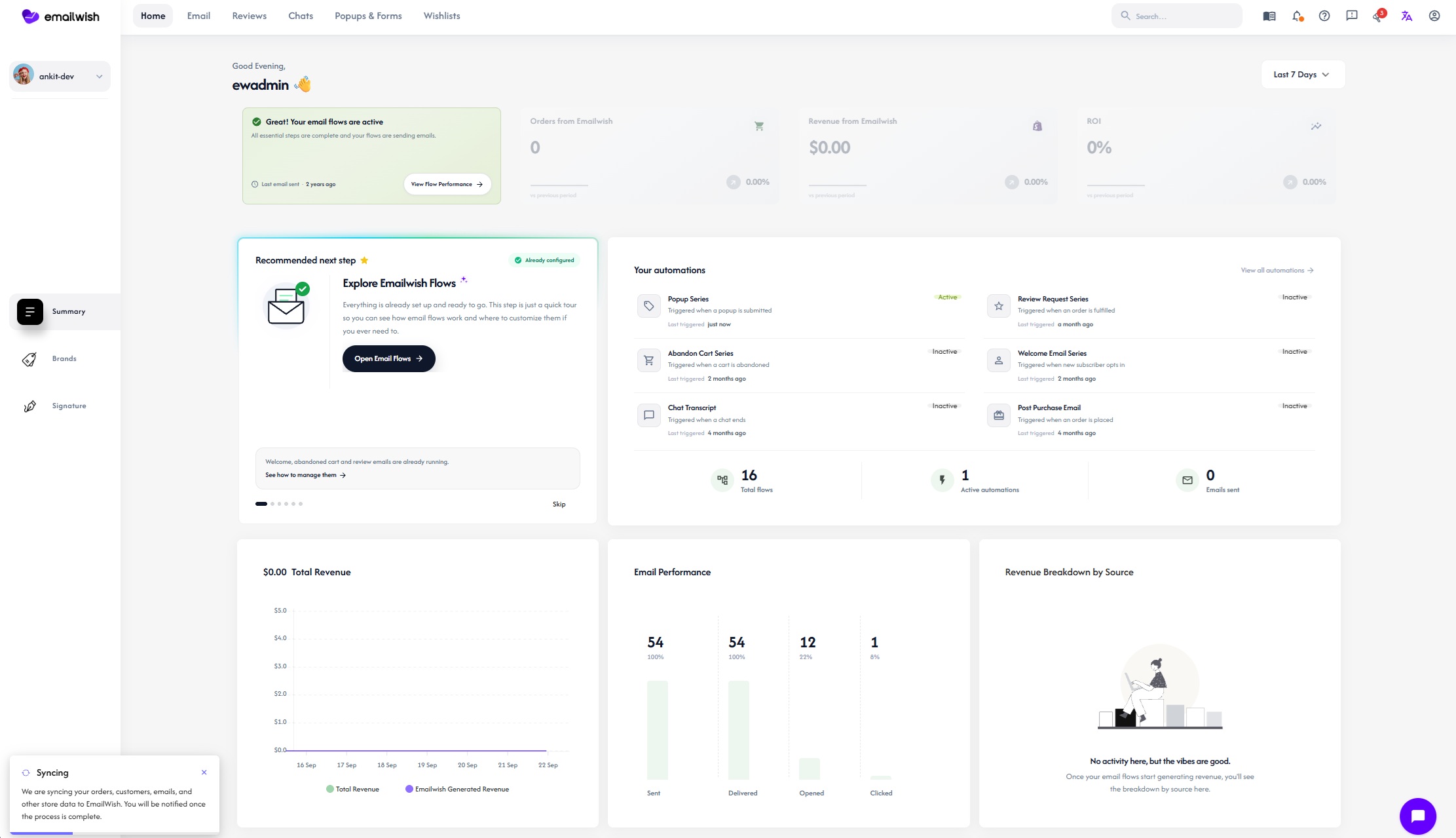
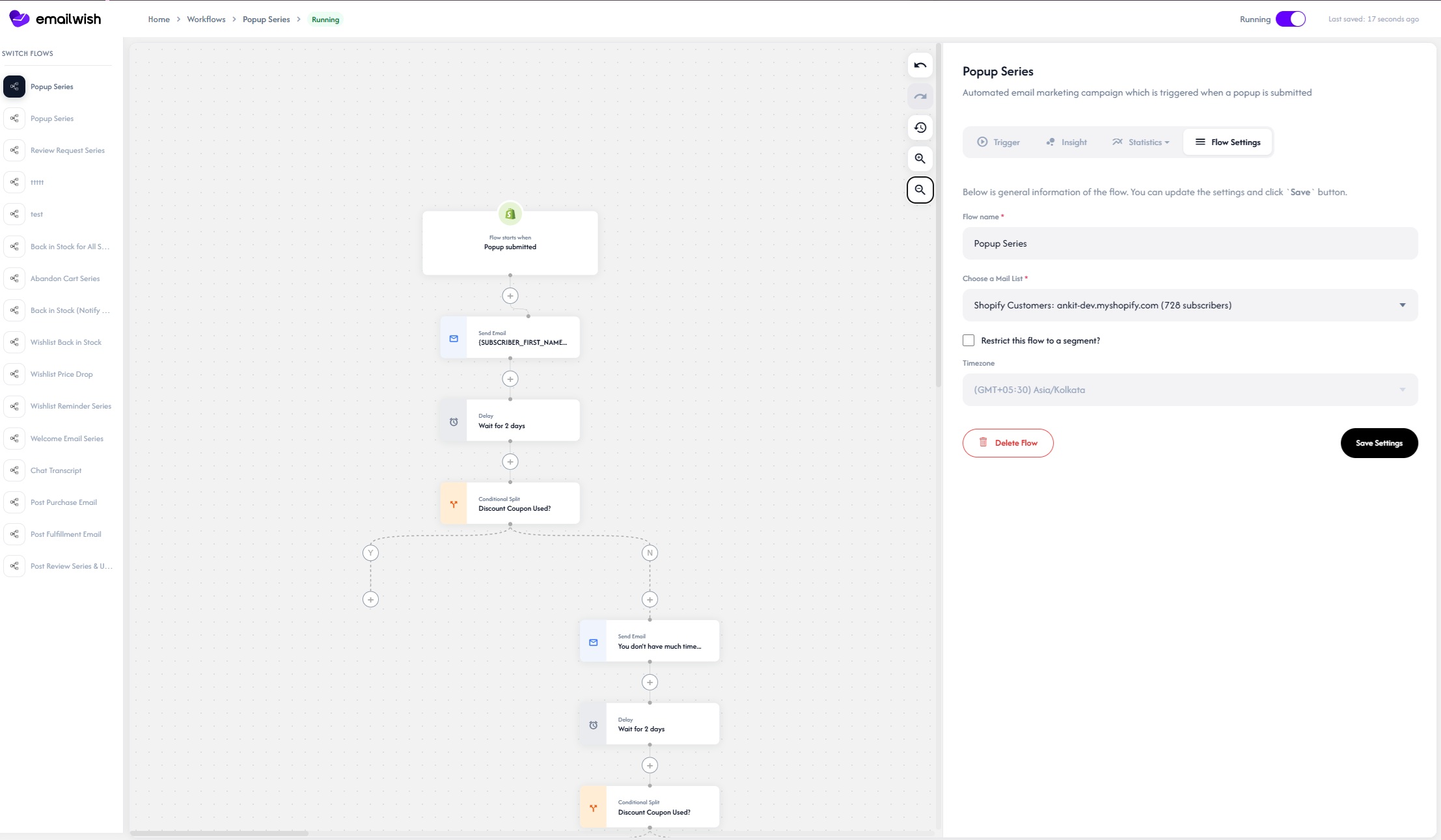
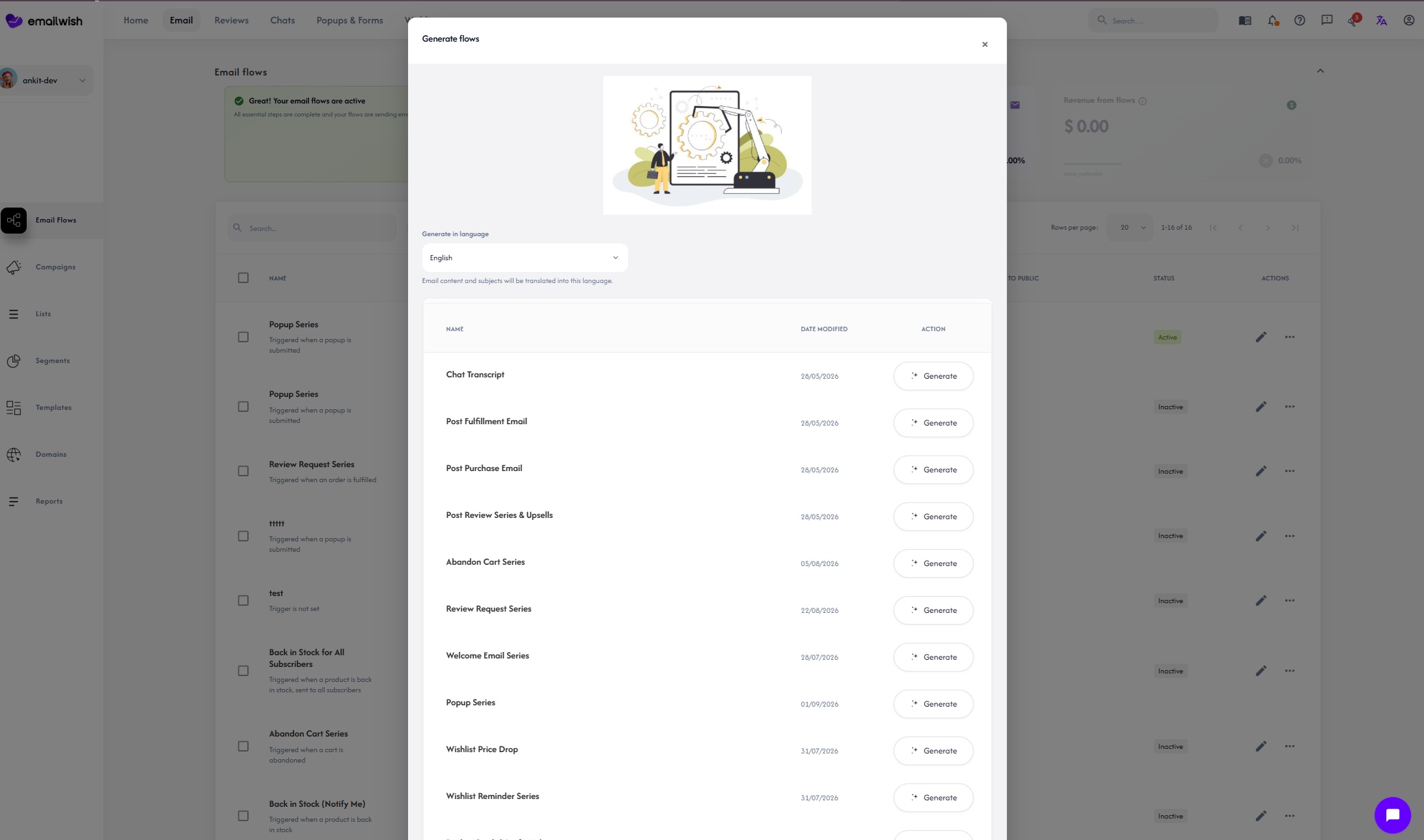
.png)
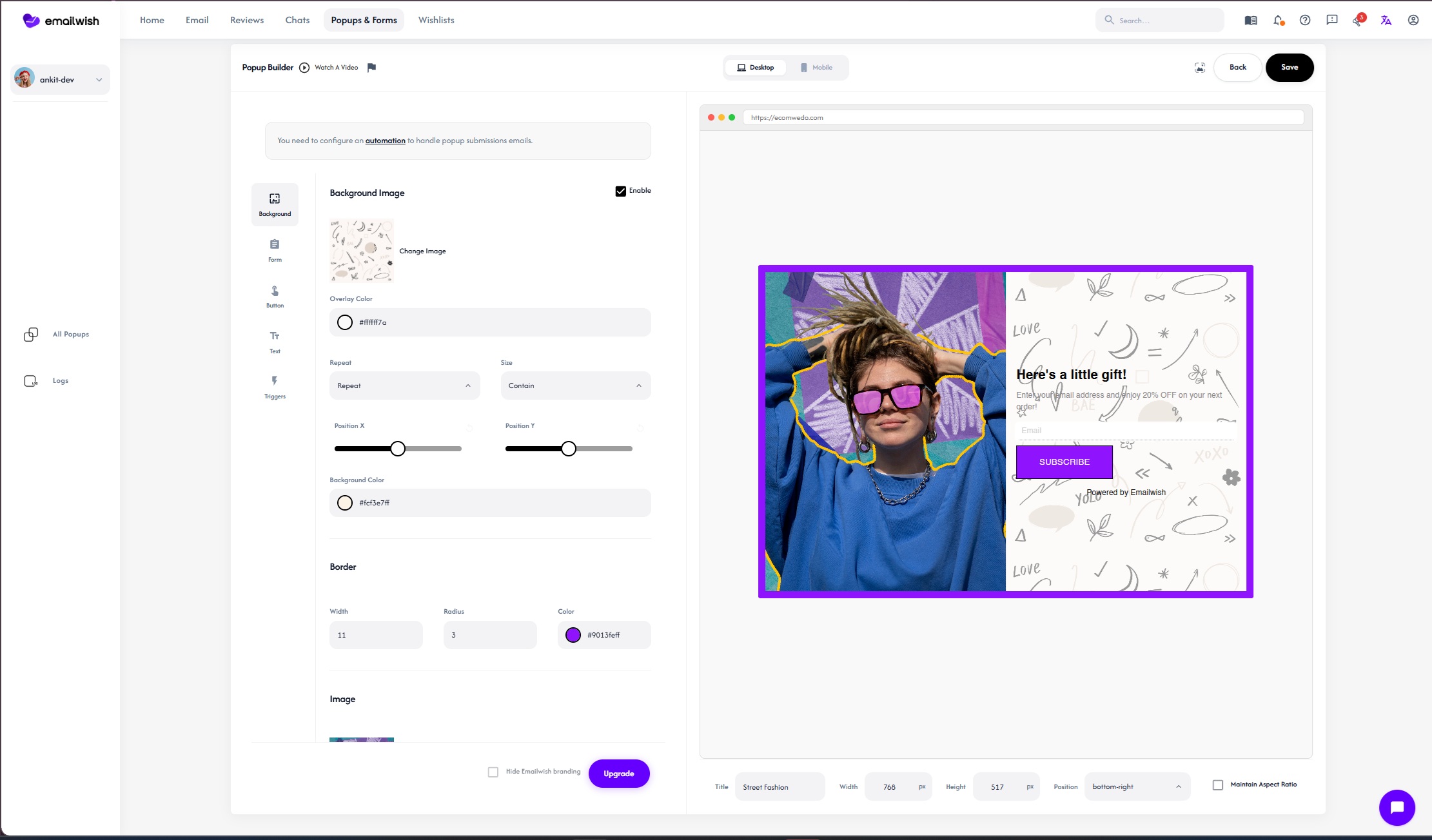
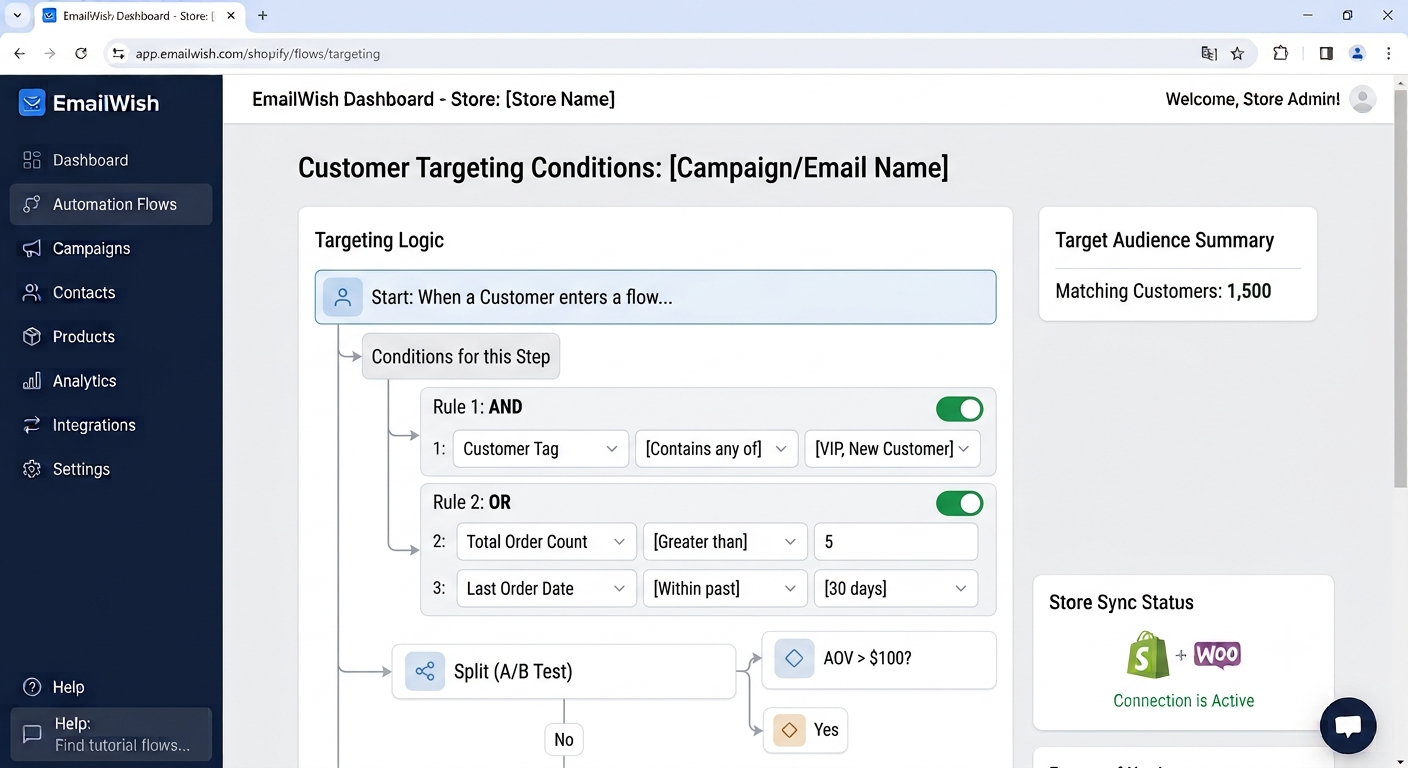
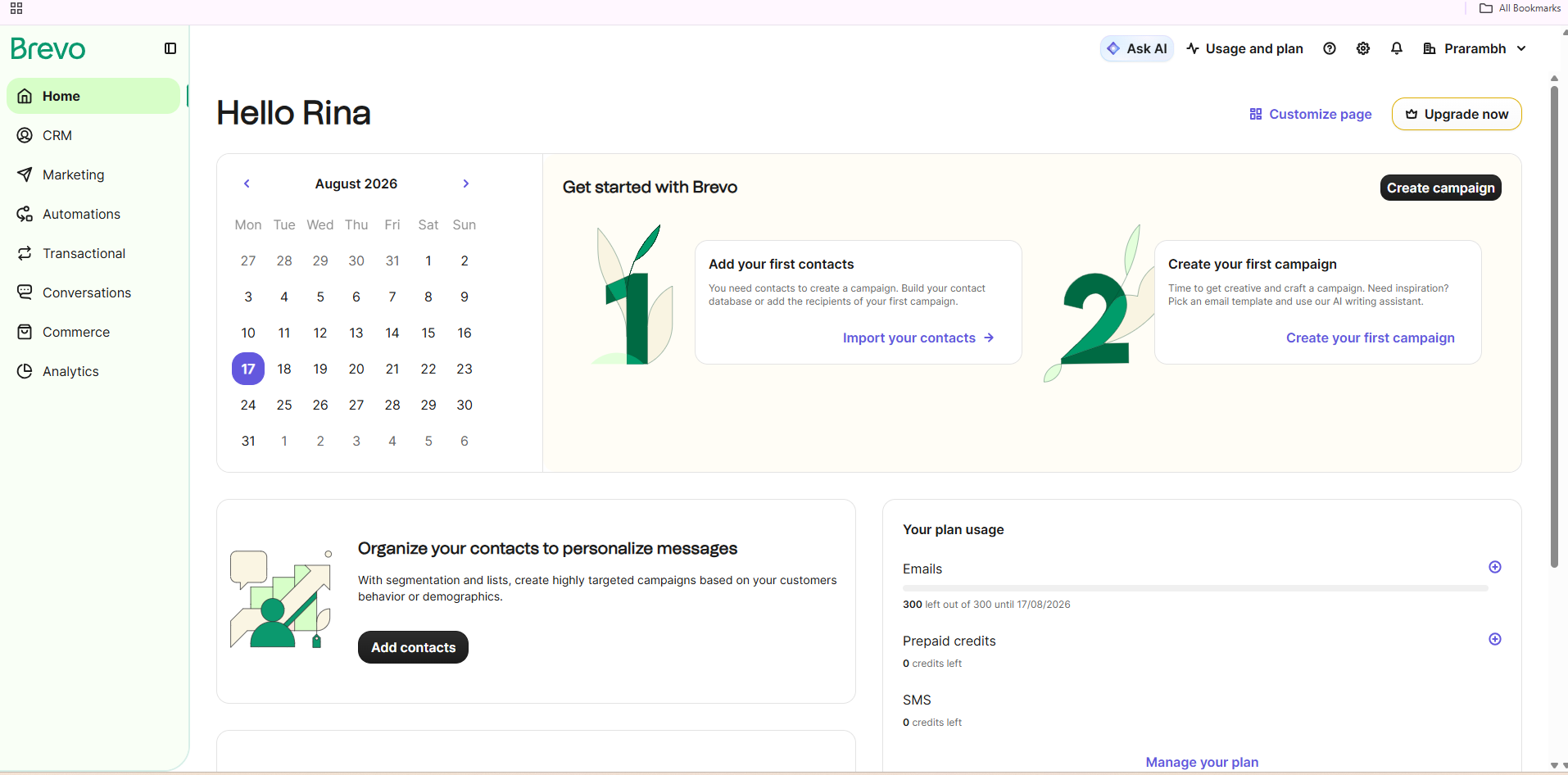
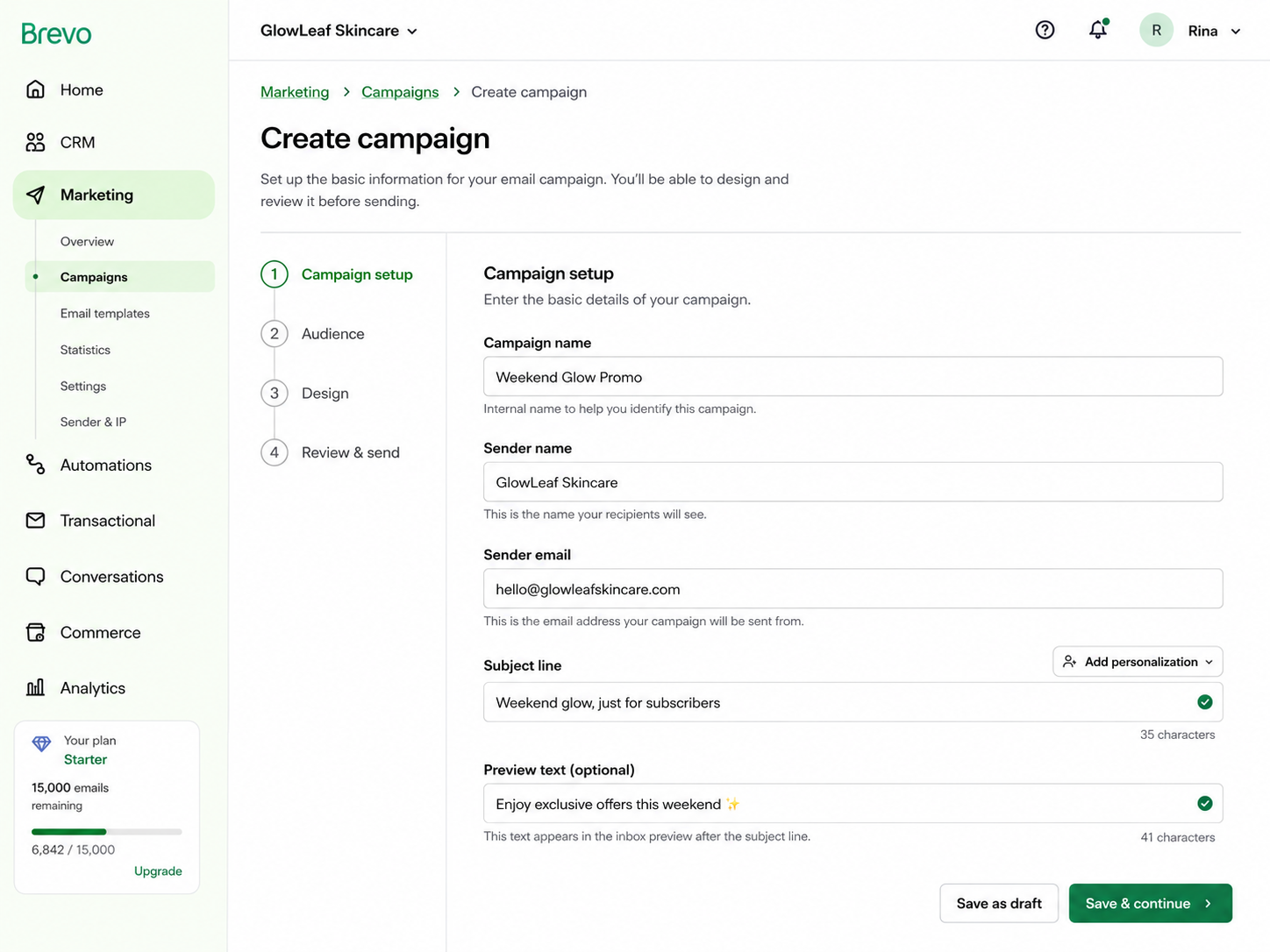
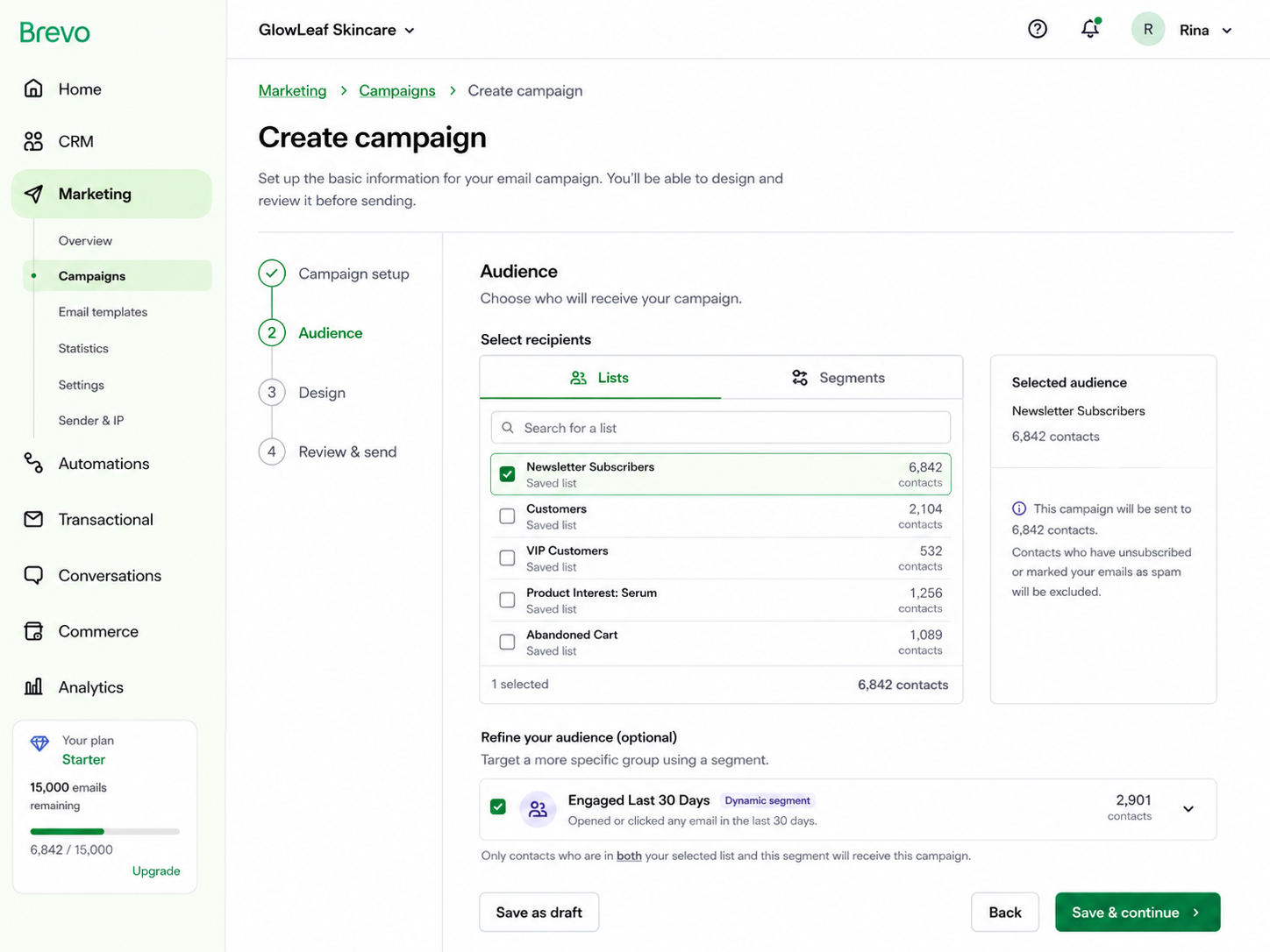
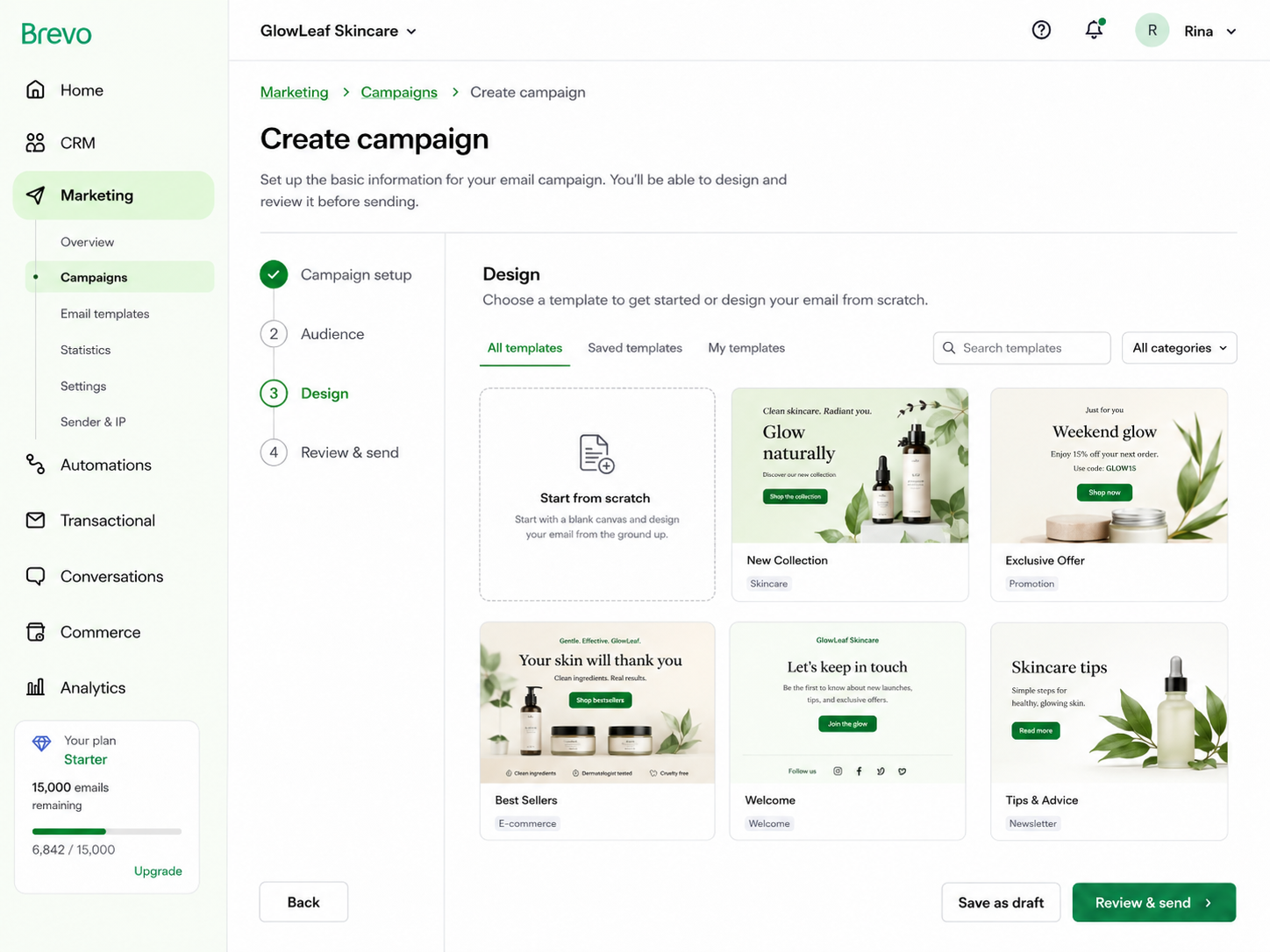
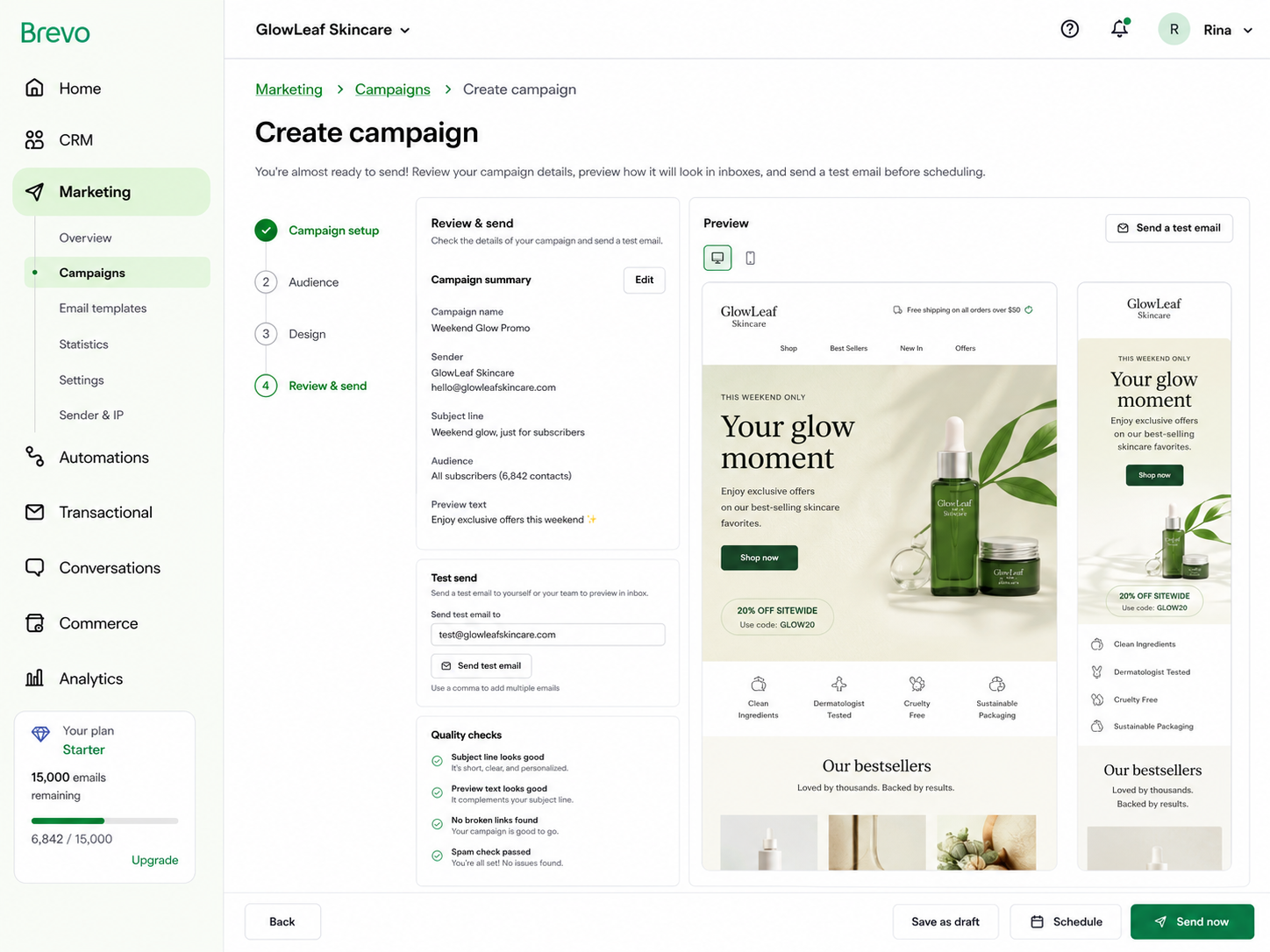
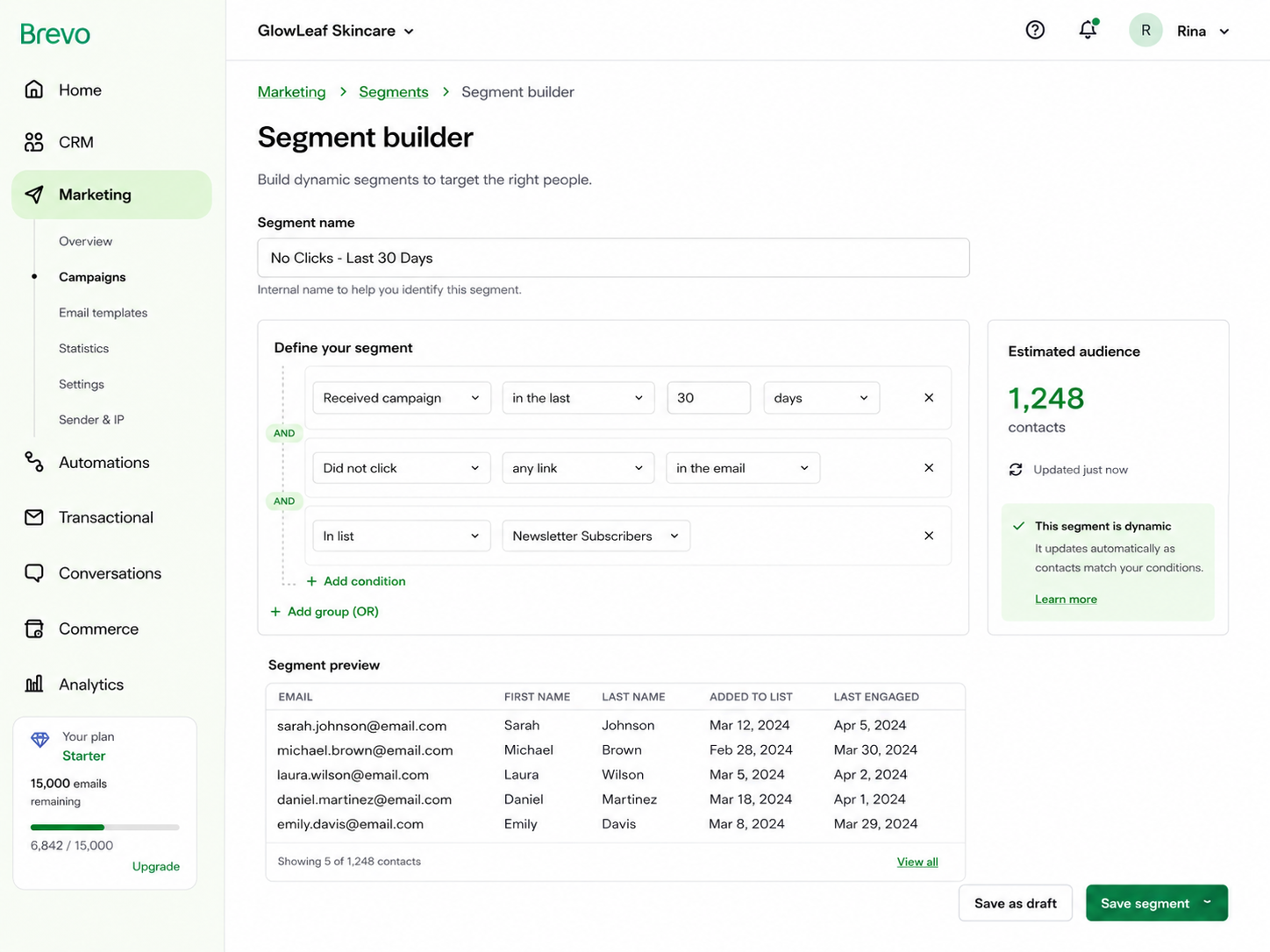
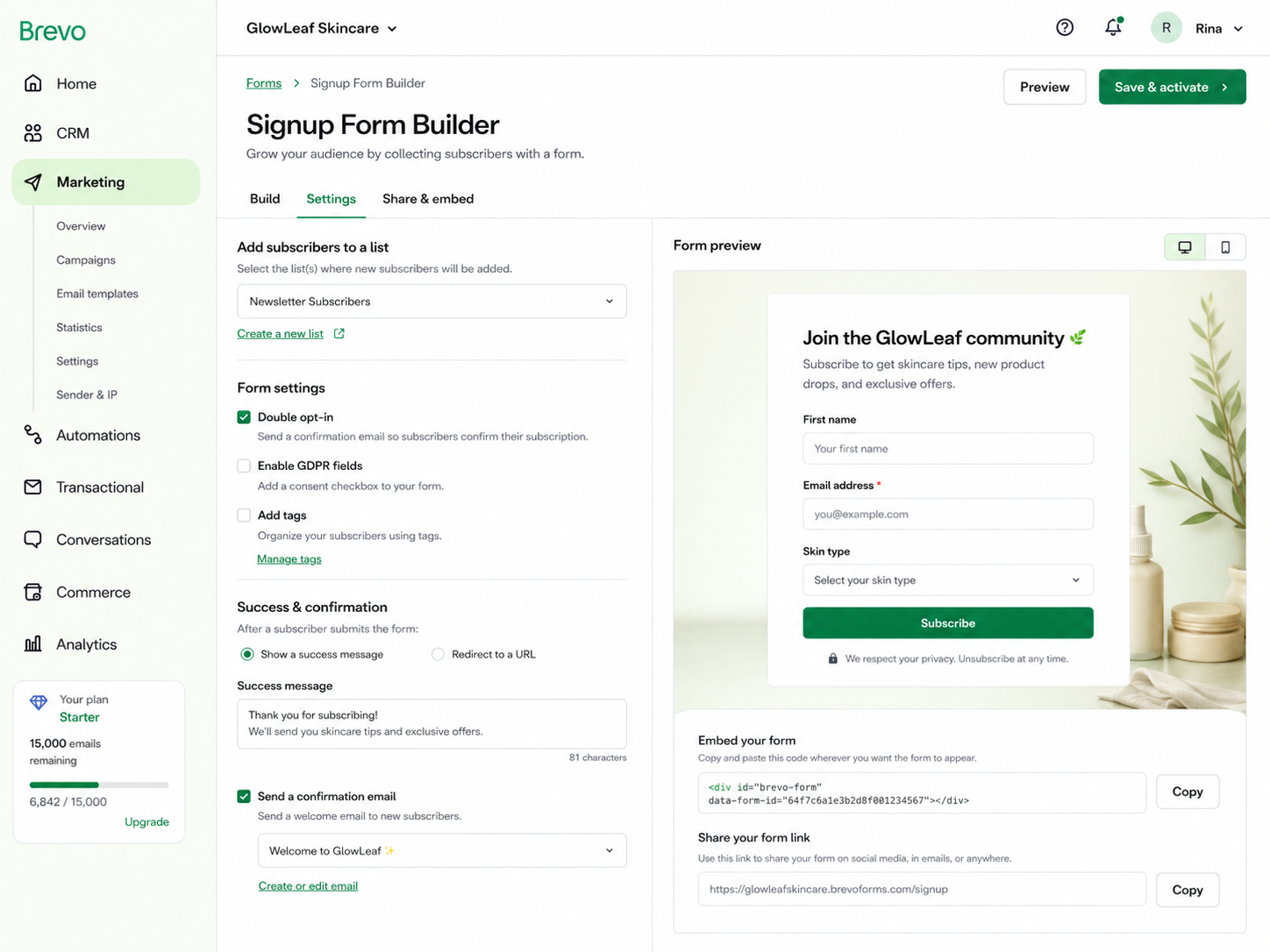
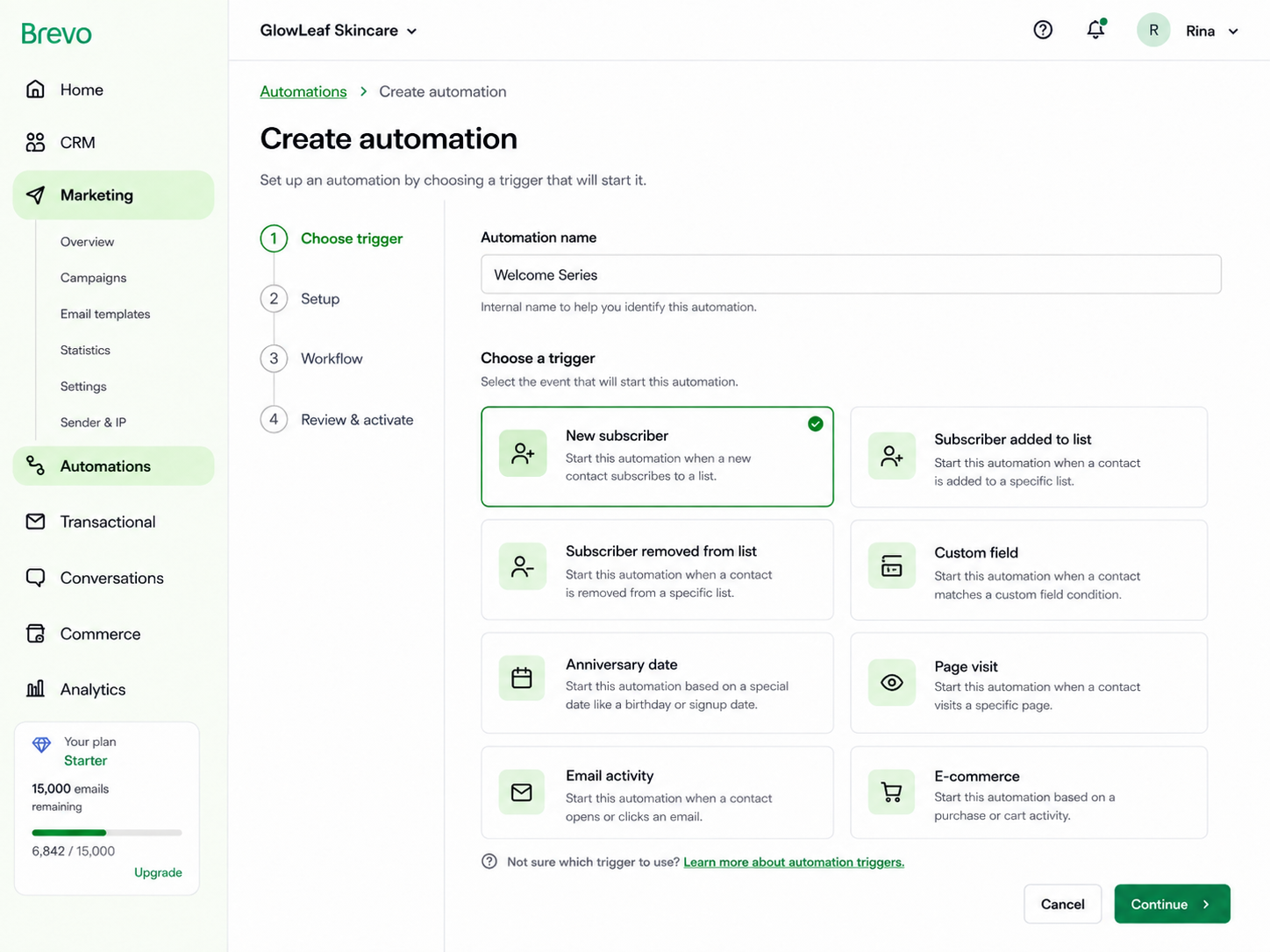
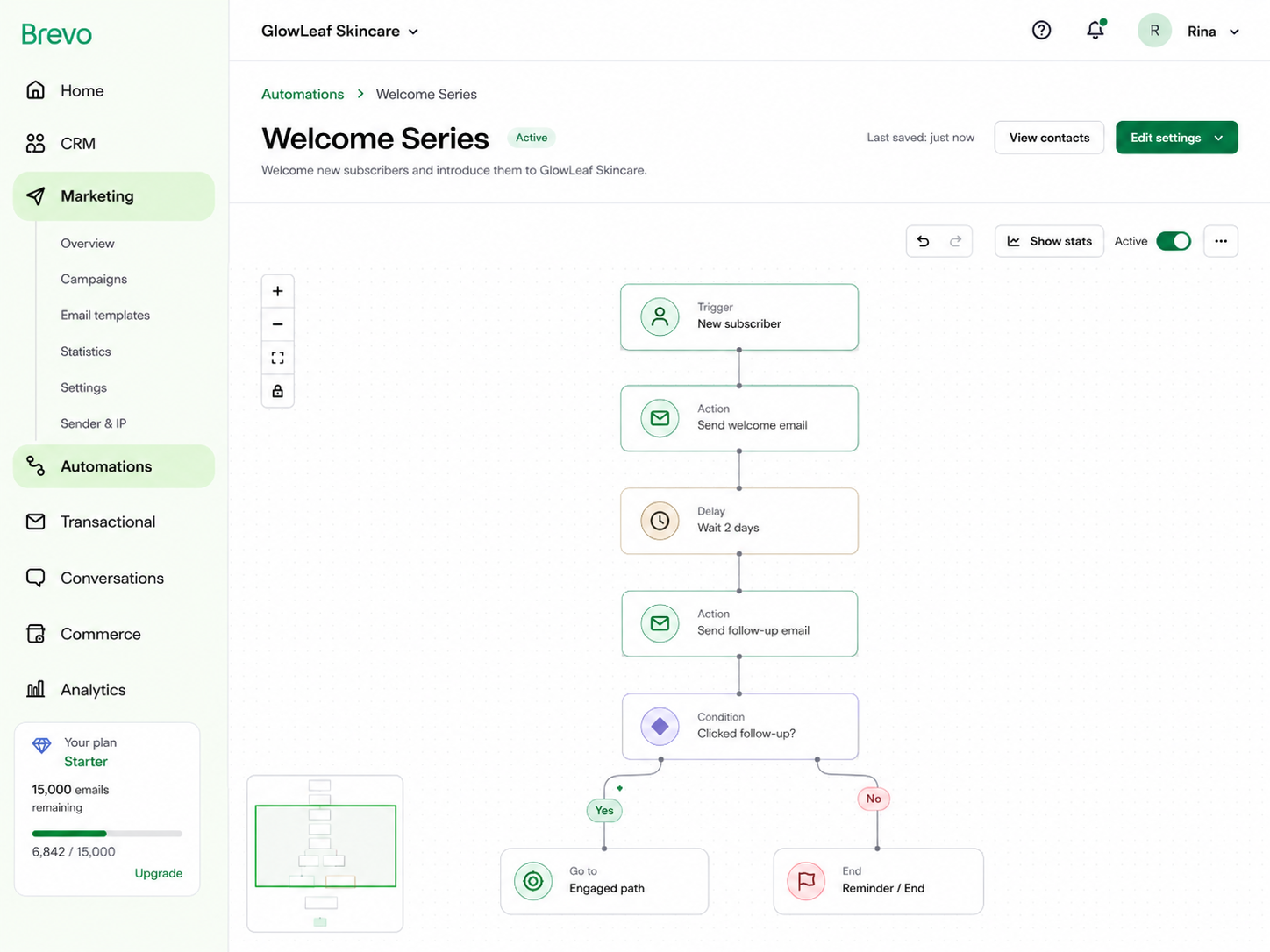
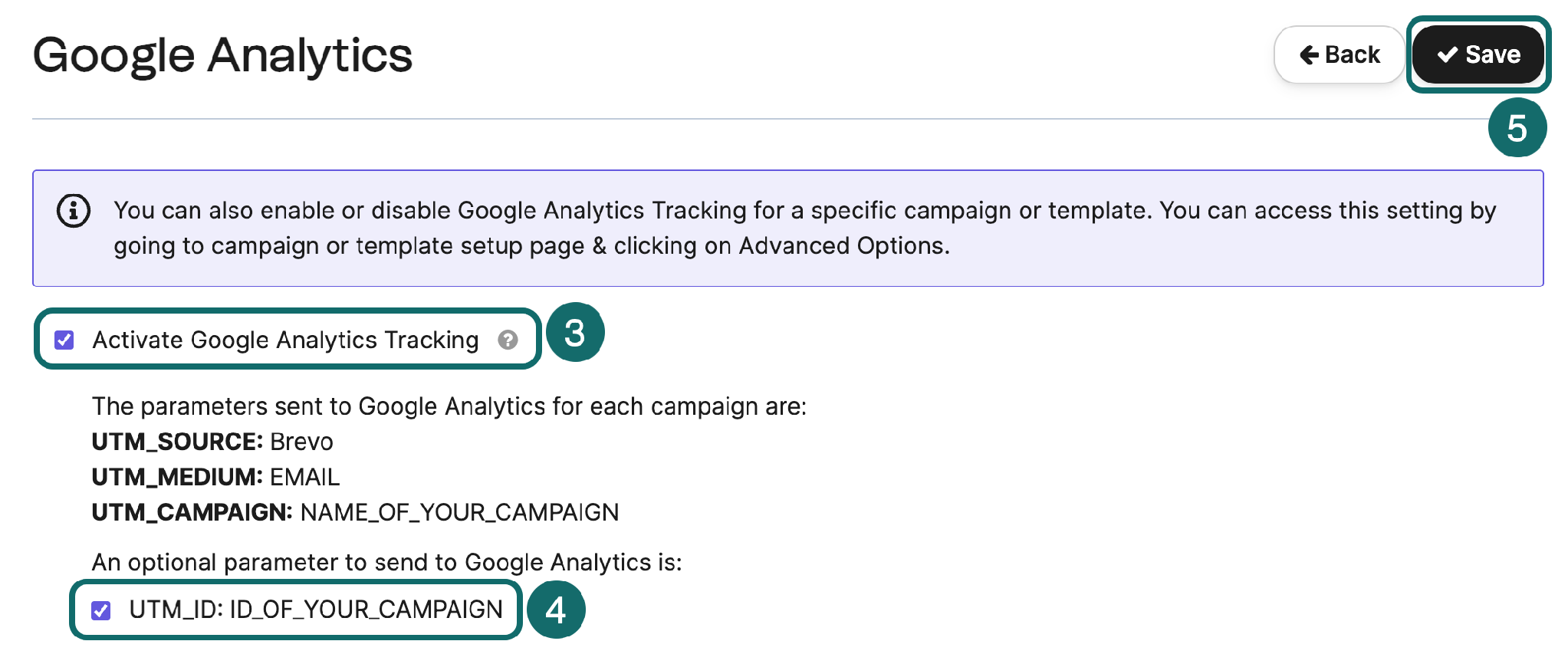
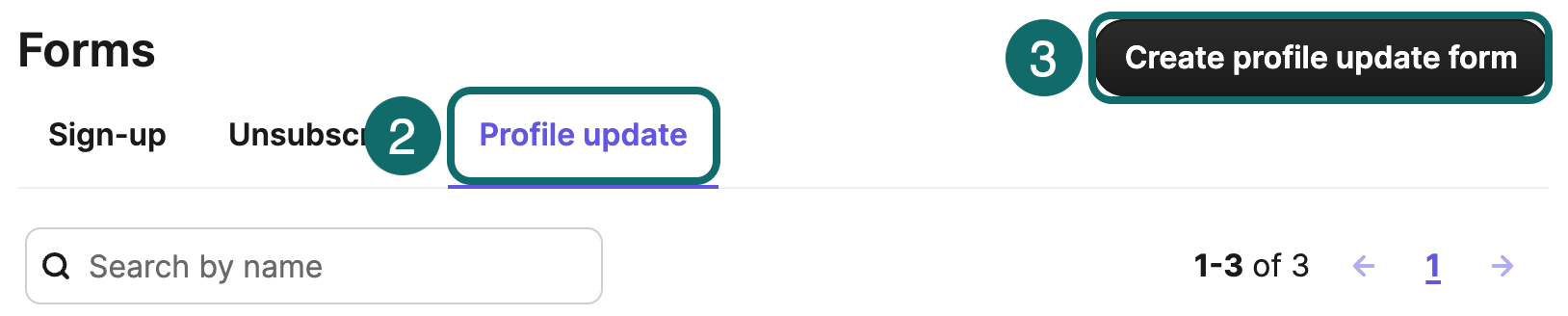
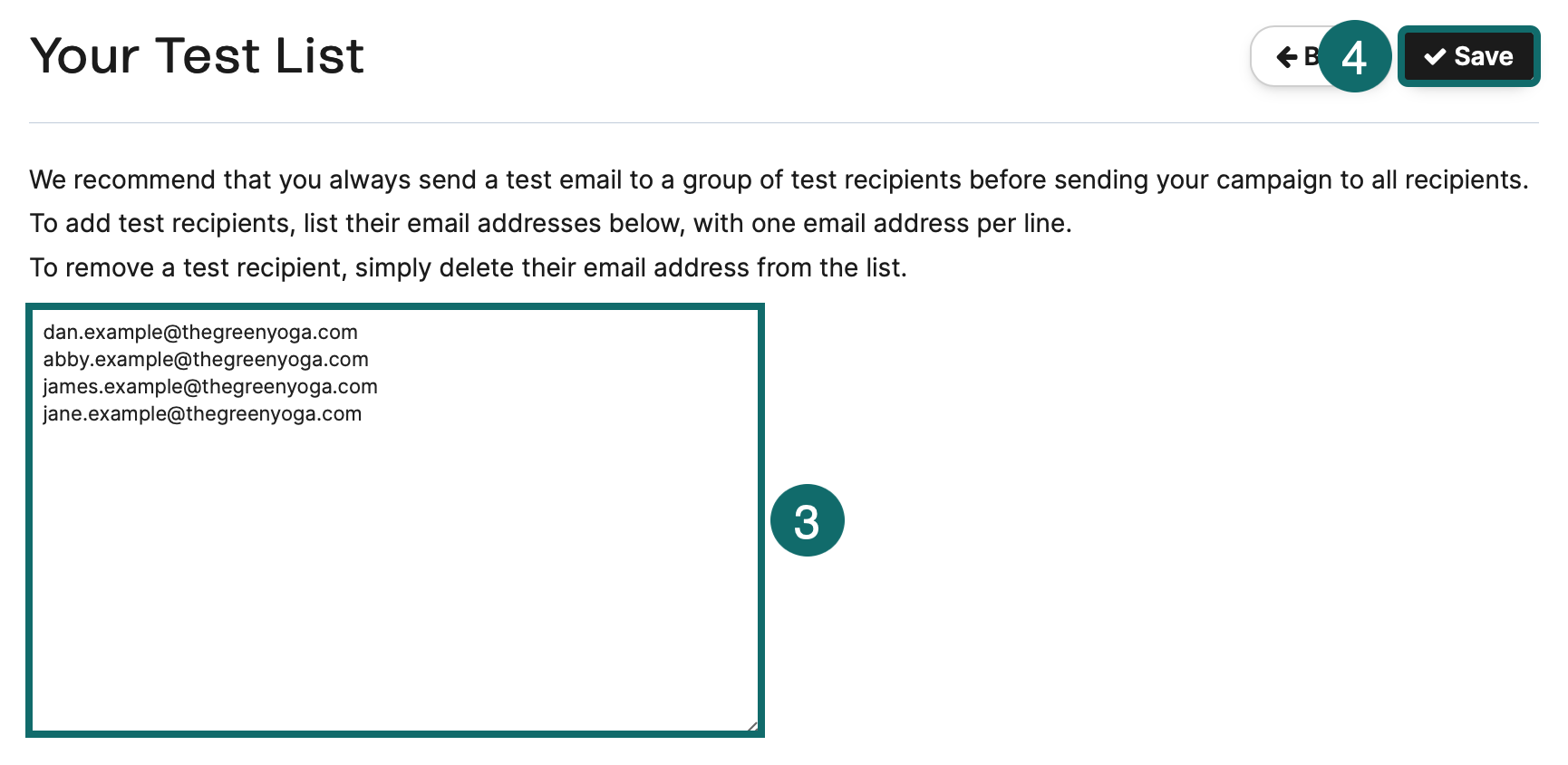
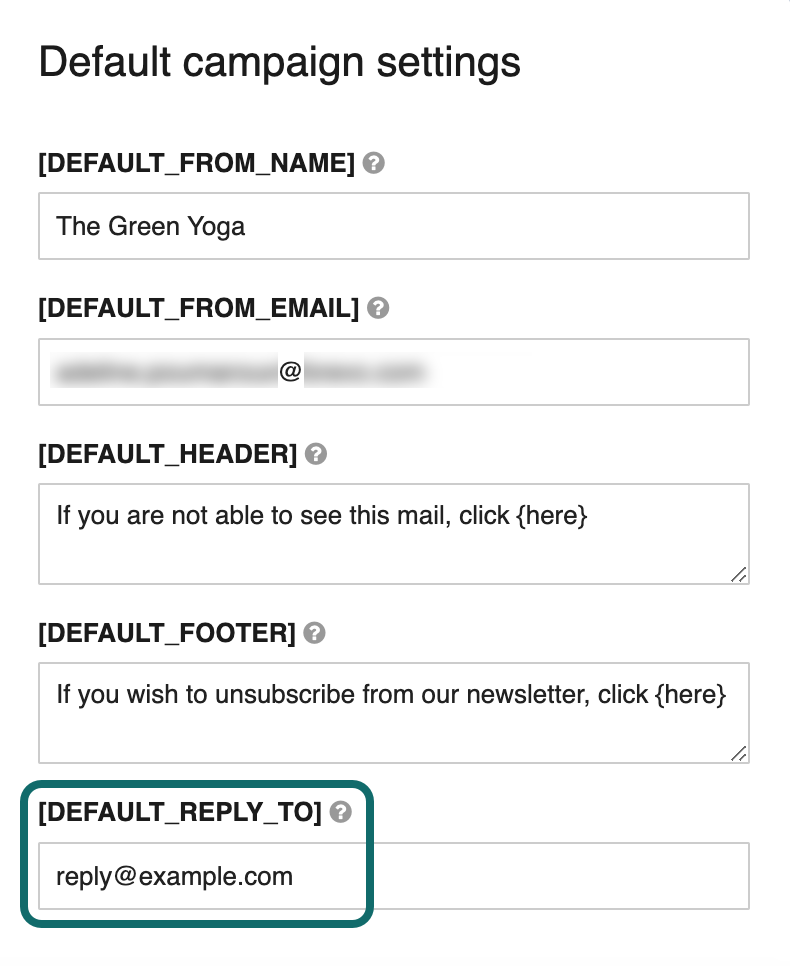
.png)
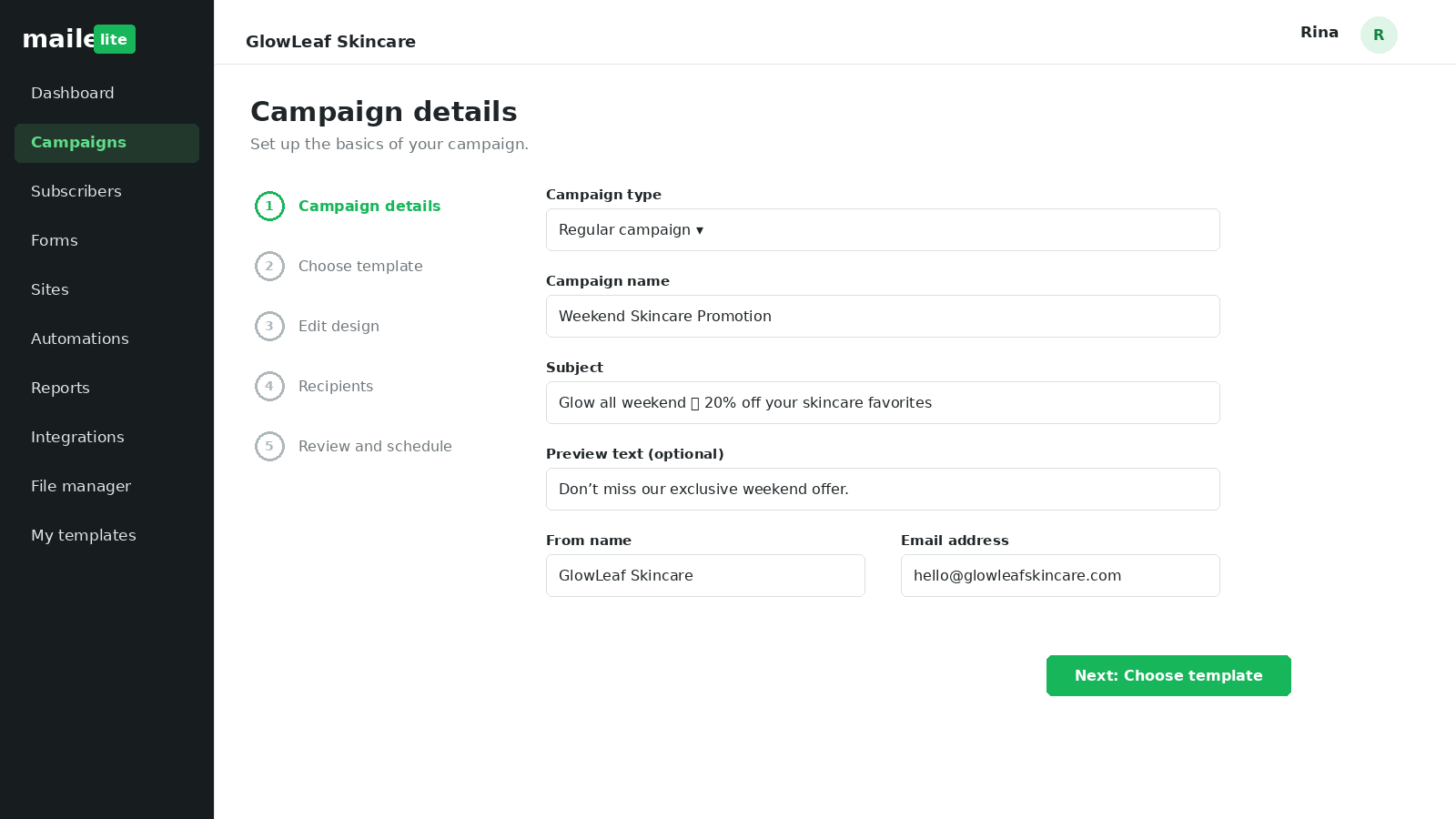
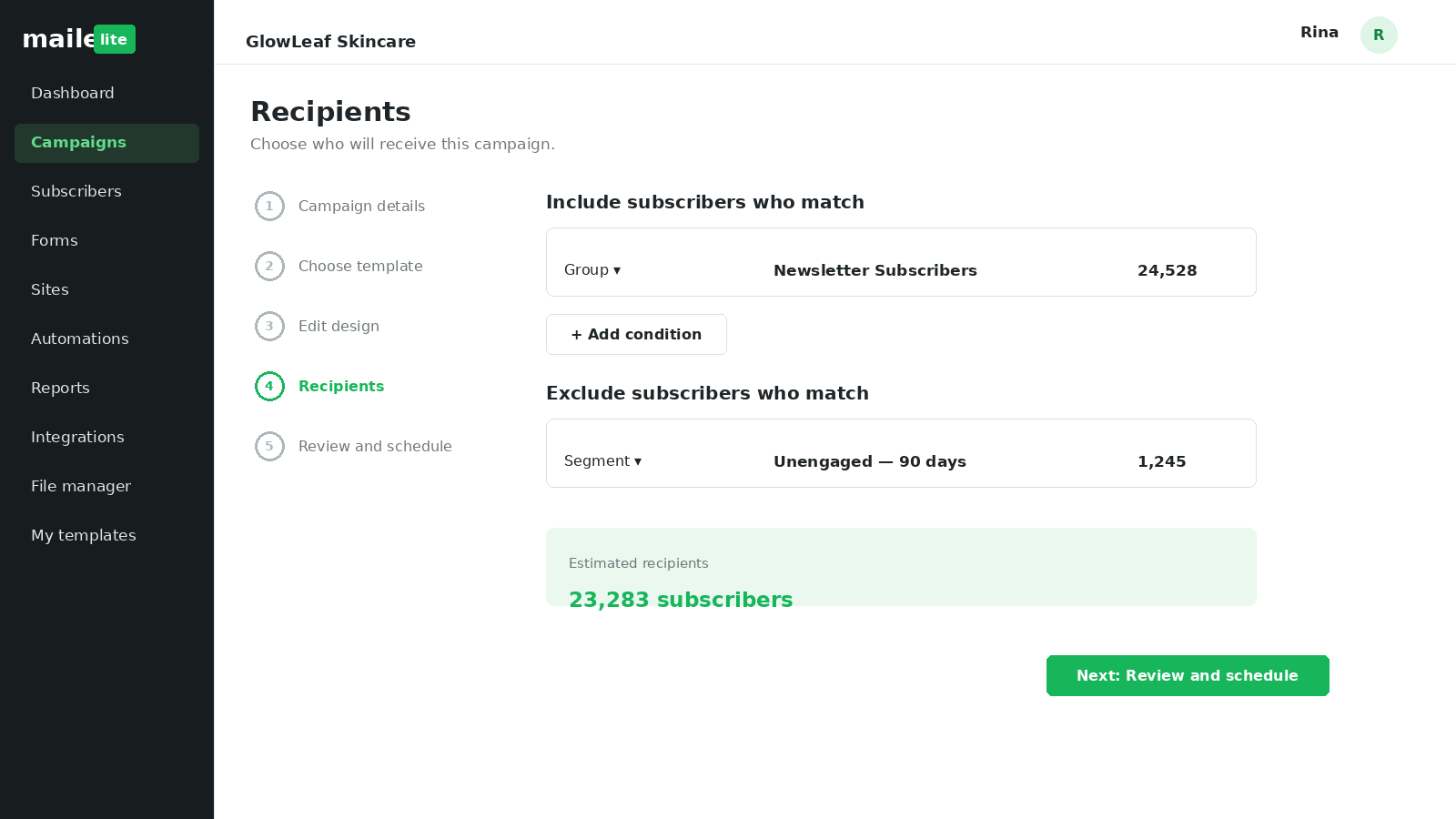
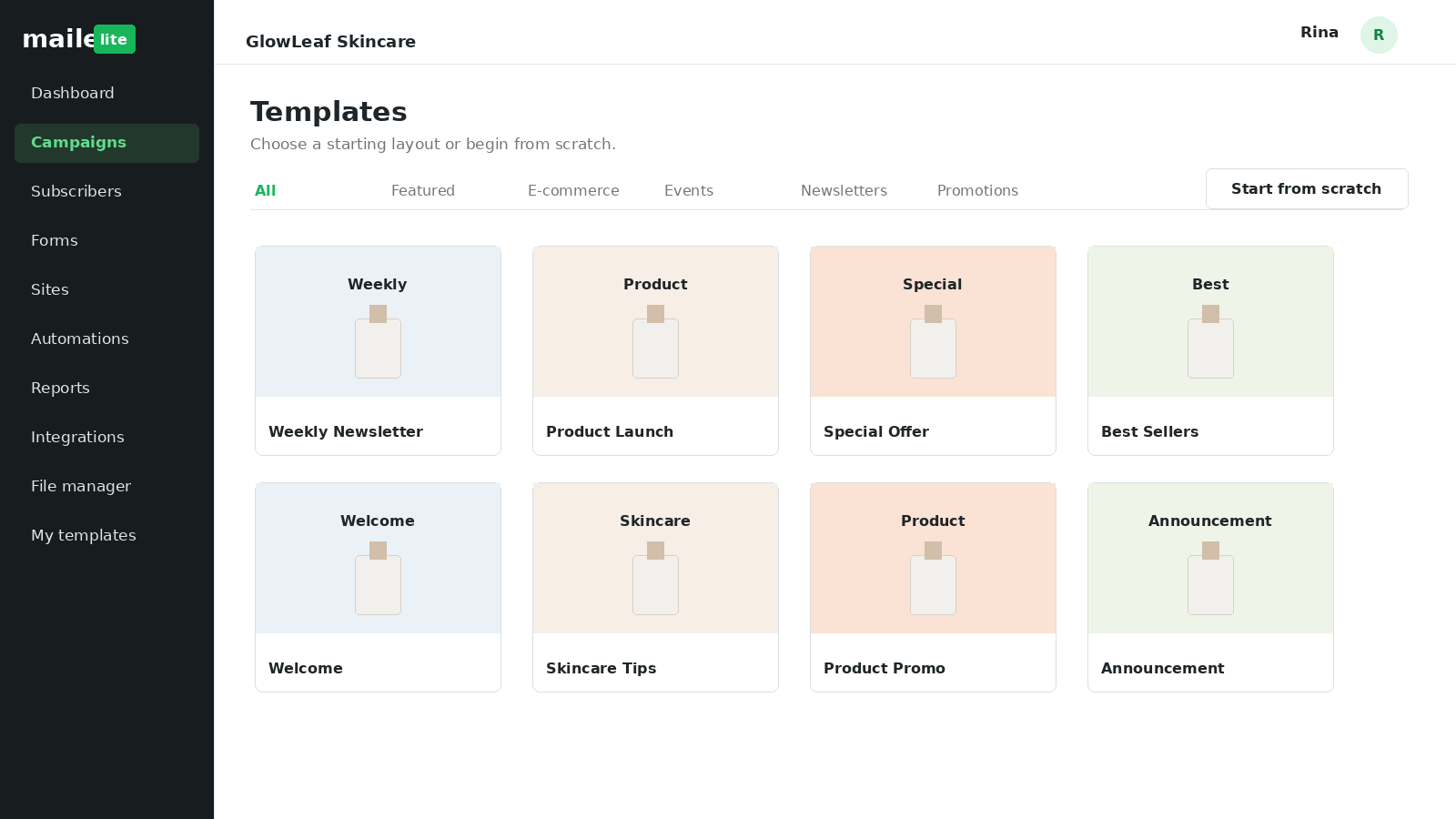
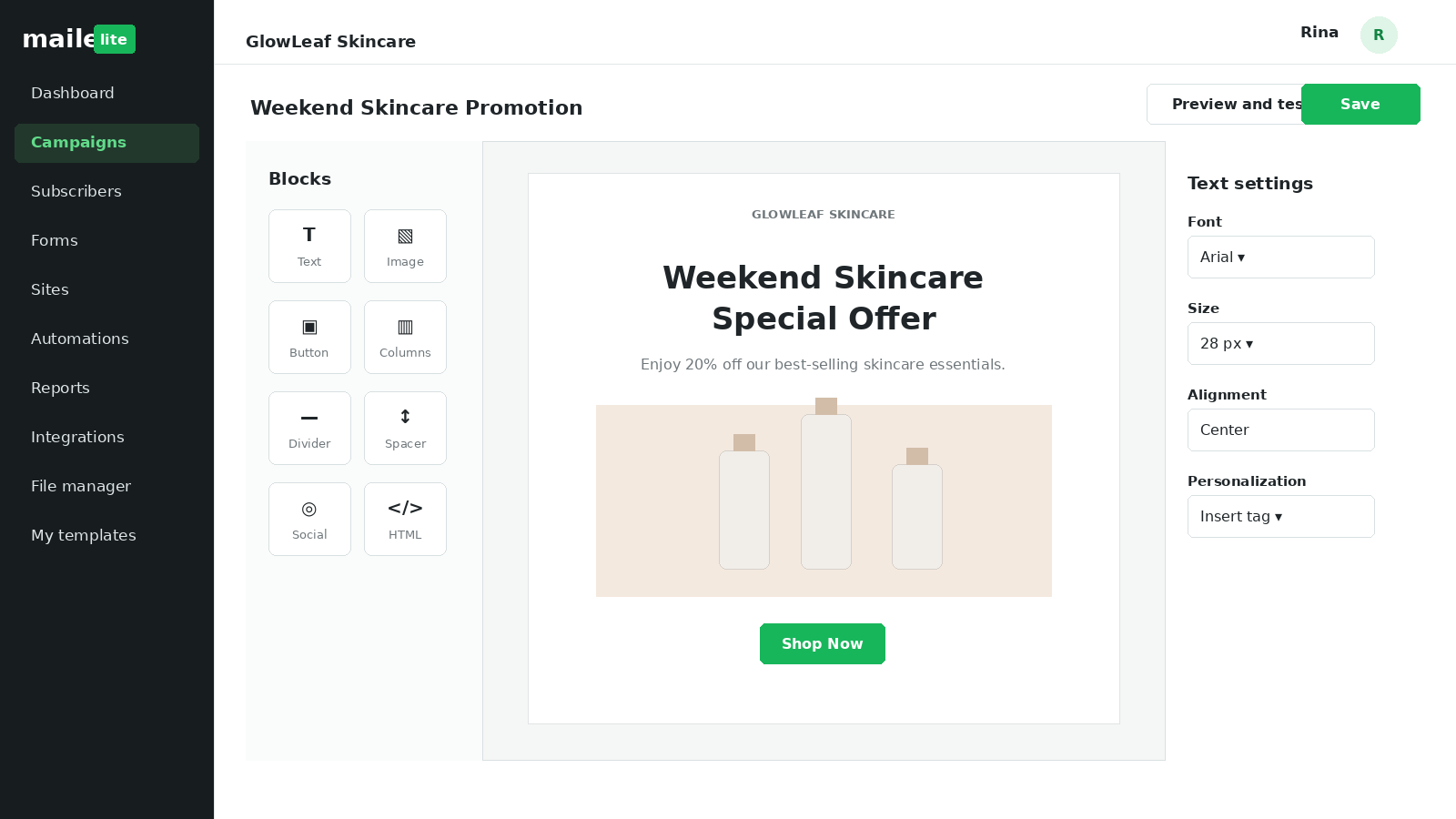
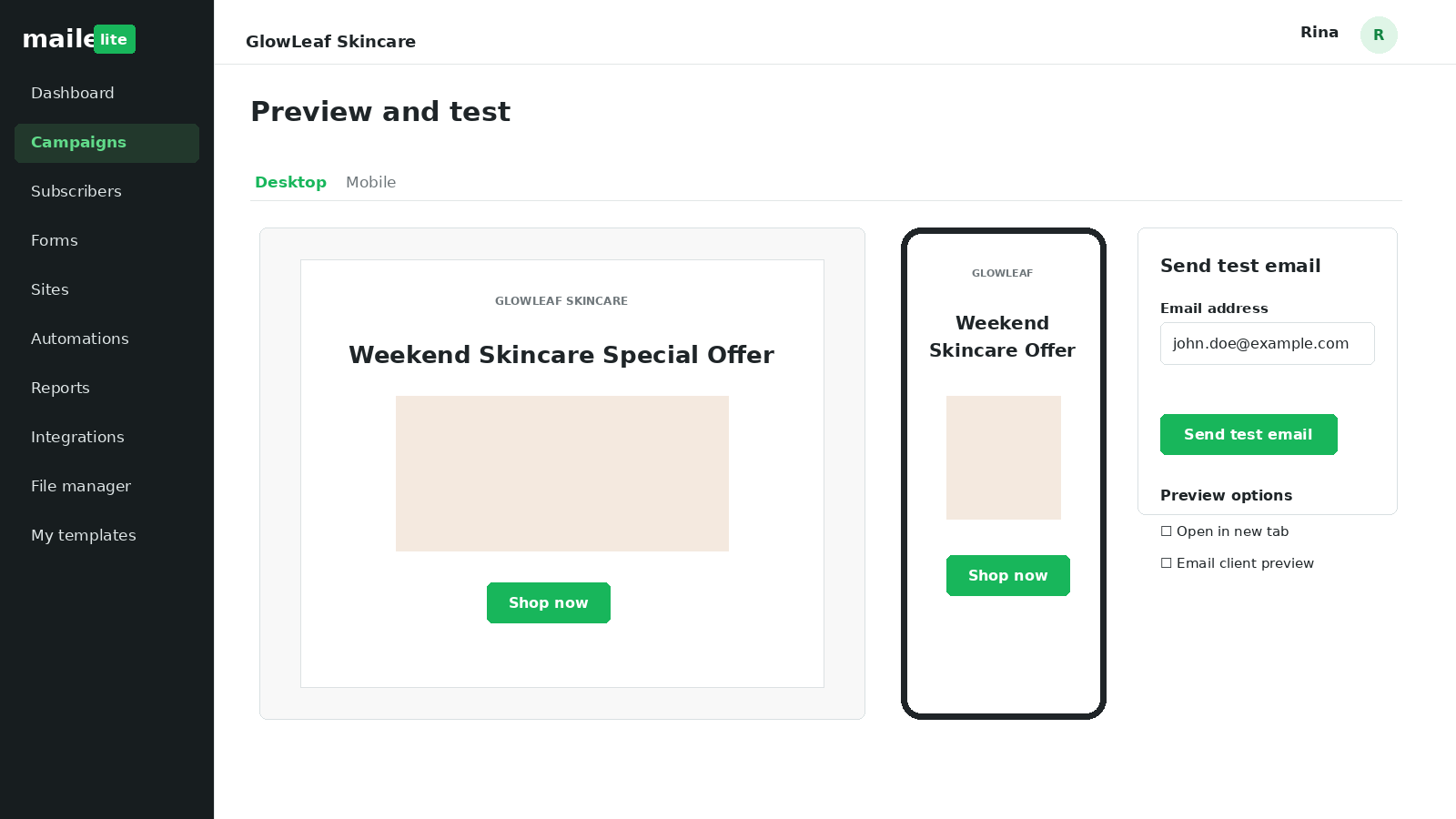
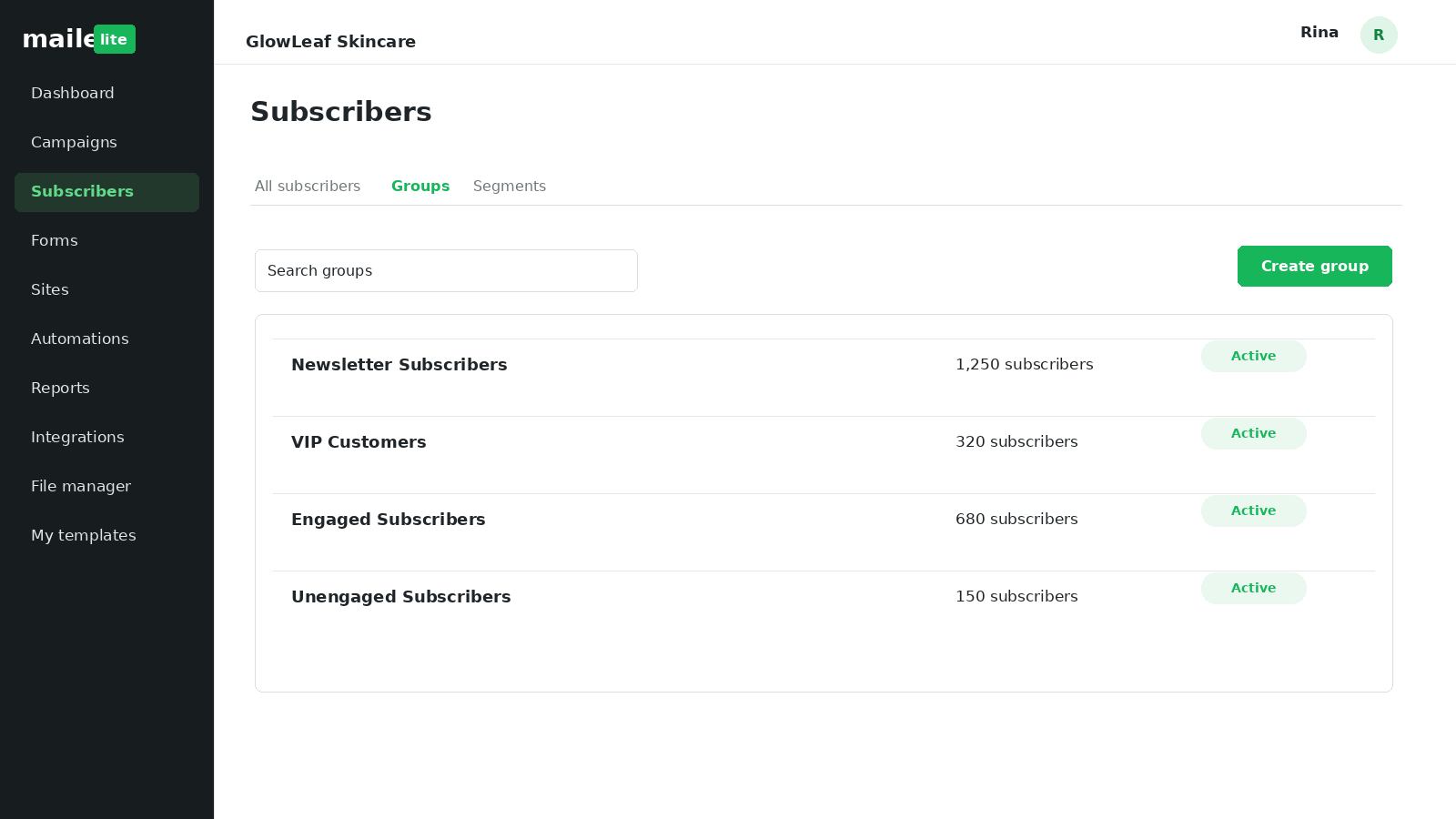
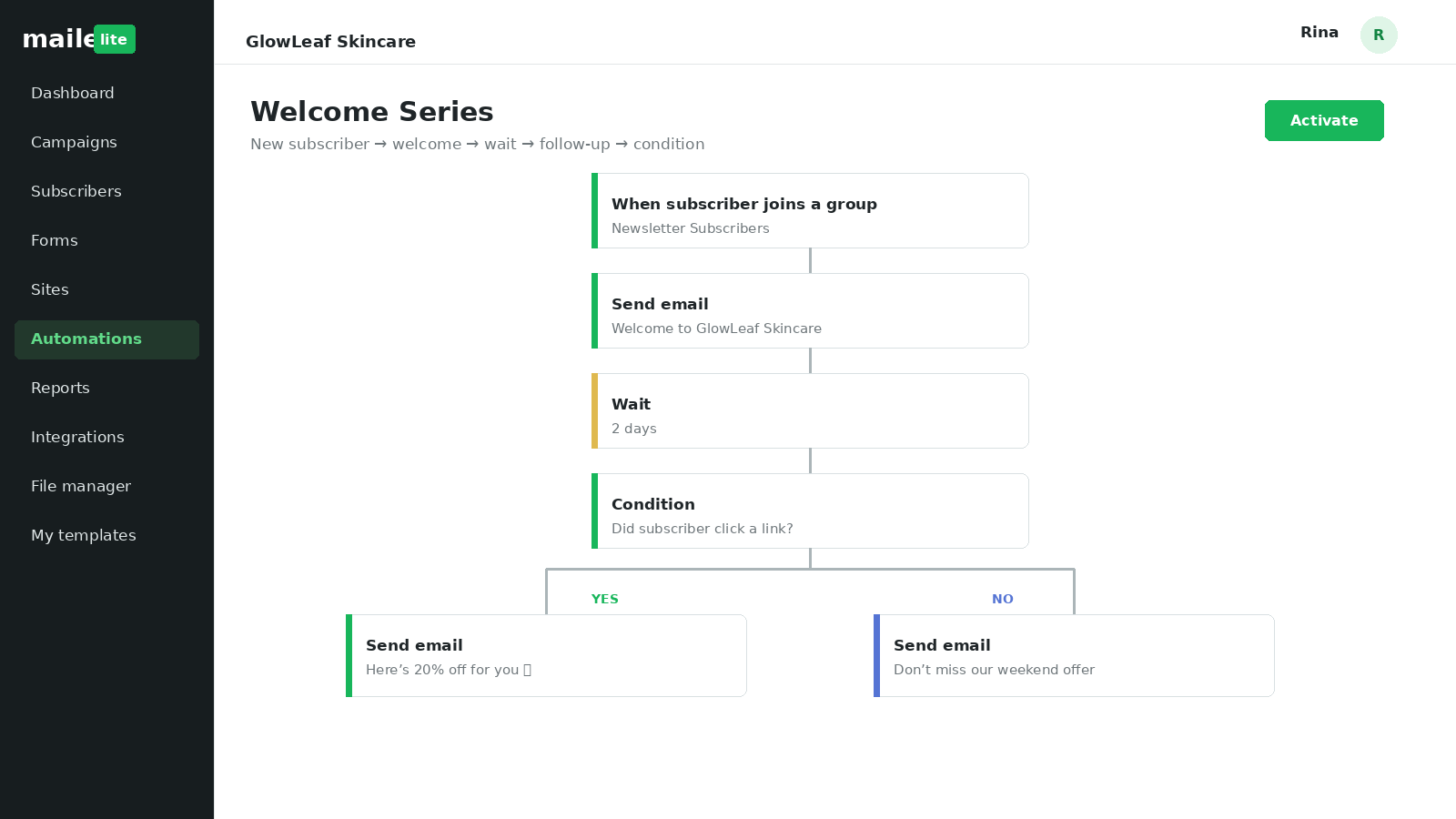
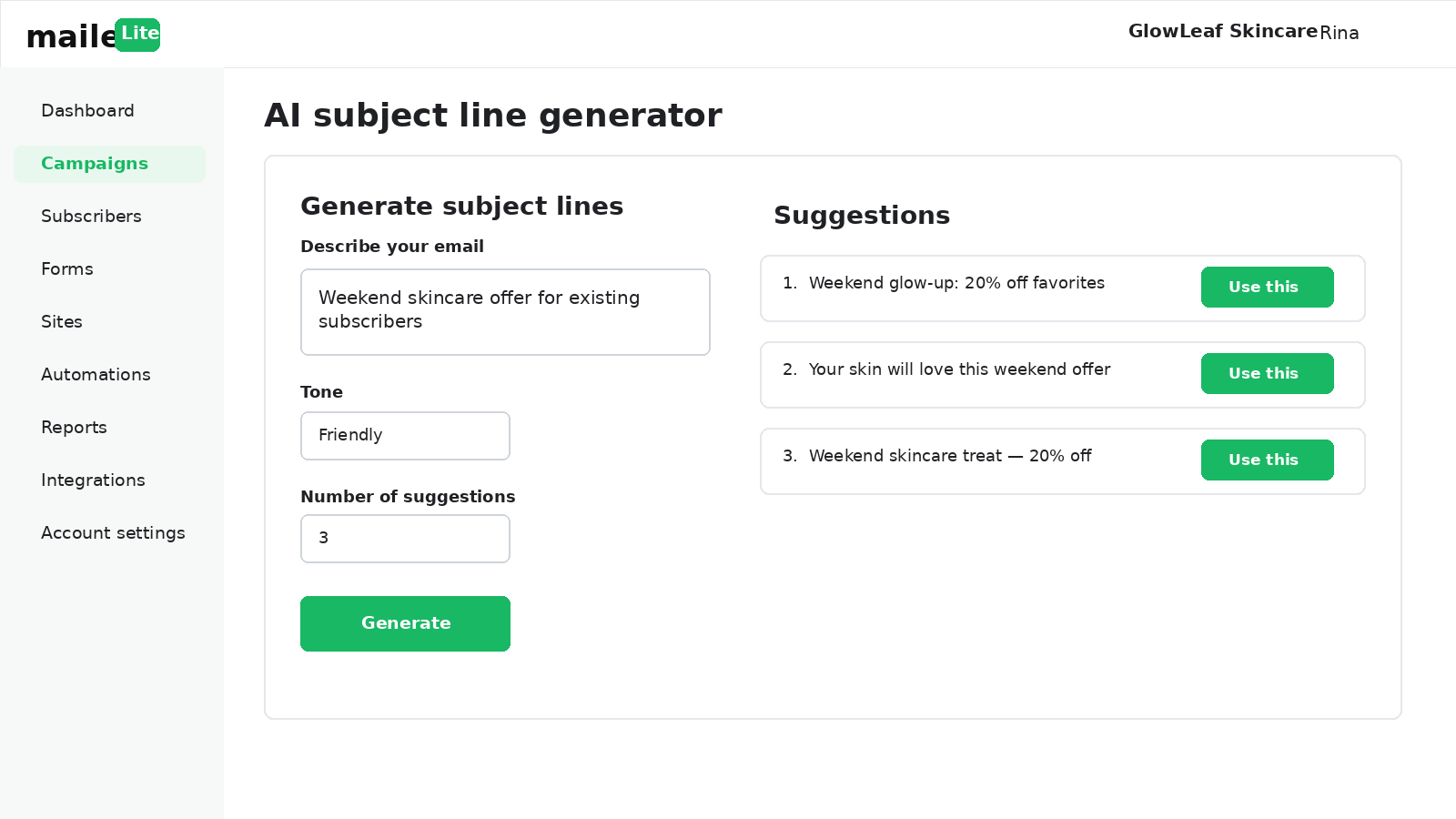
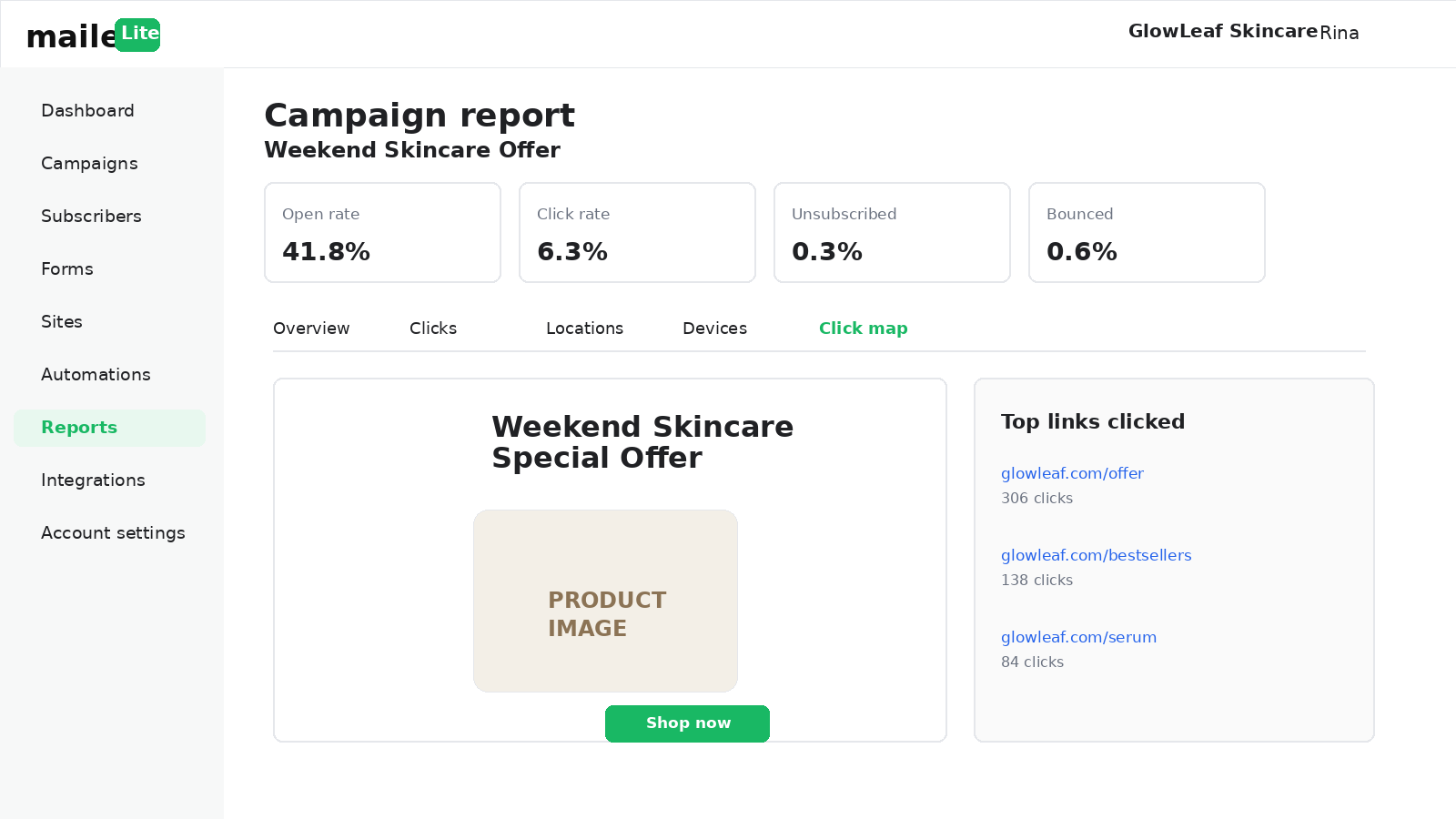
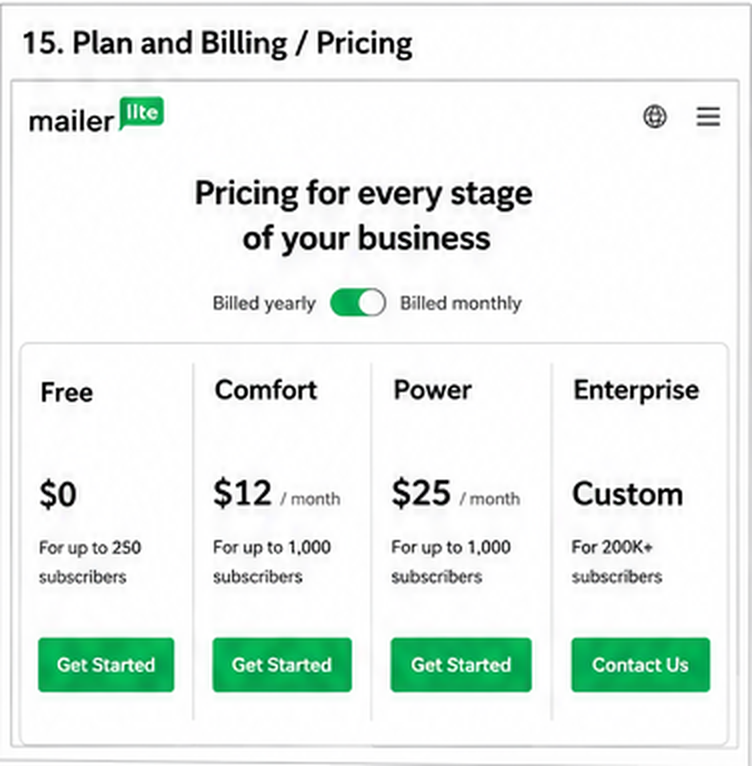
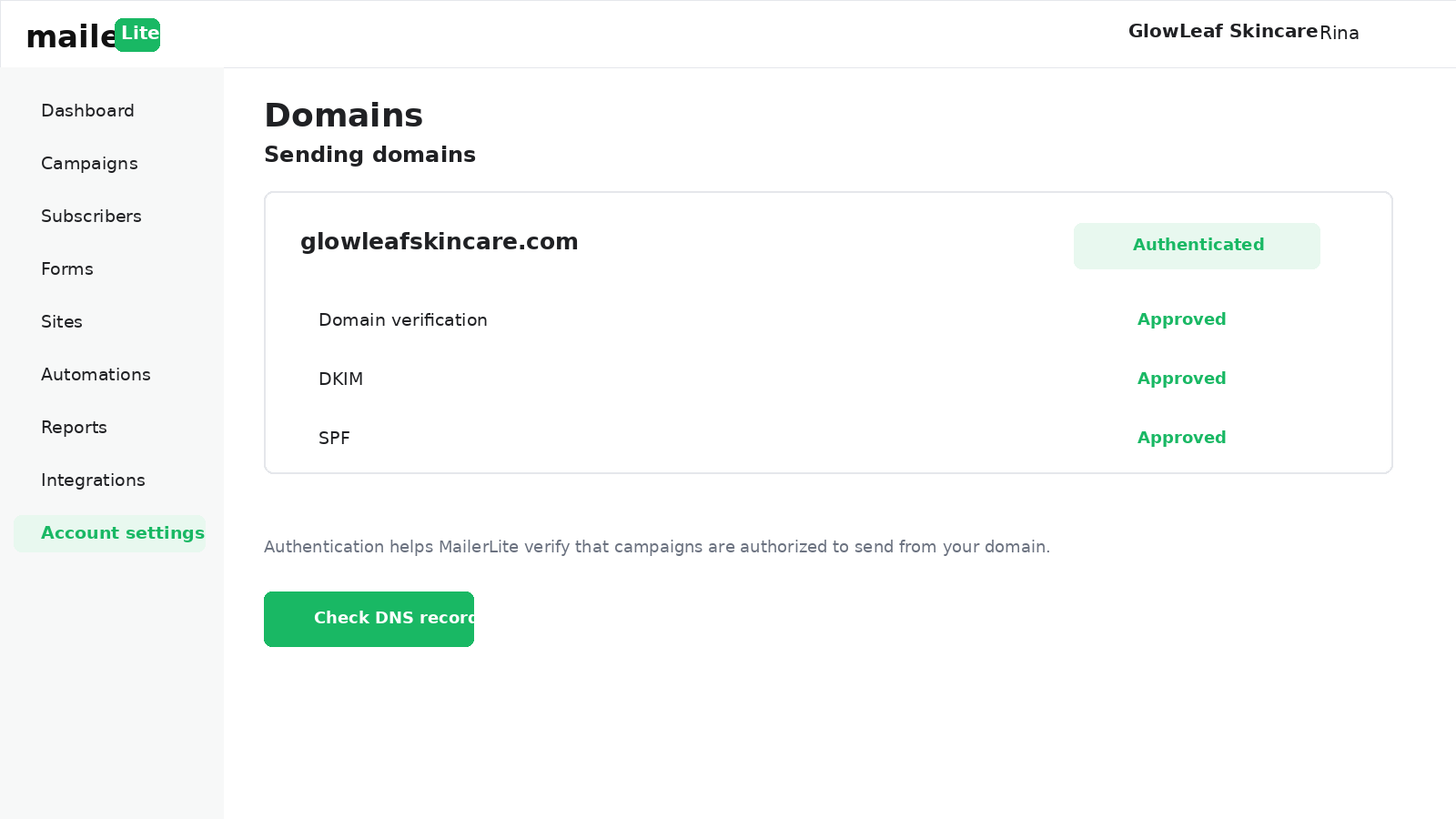
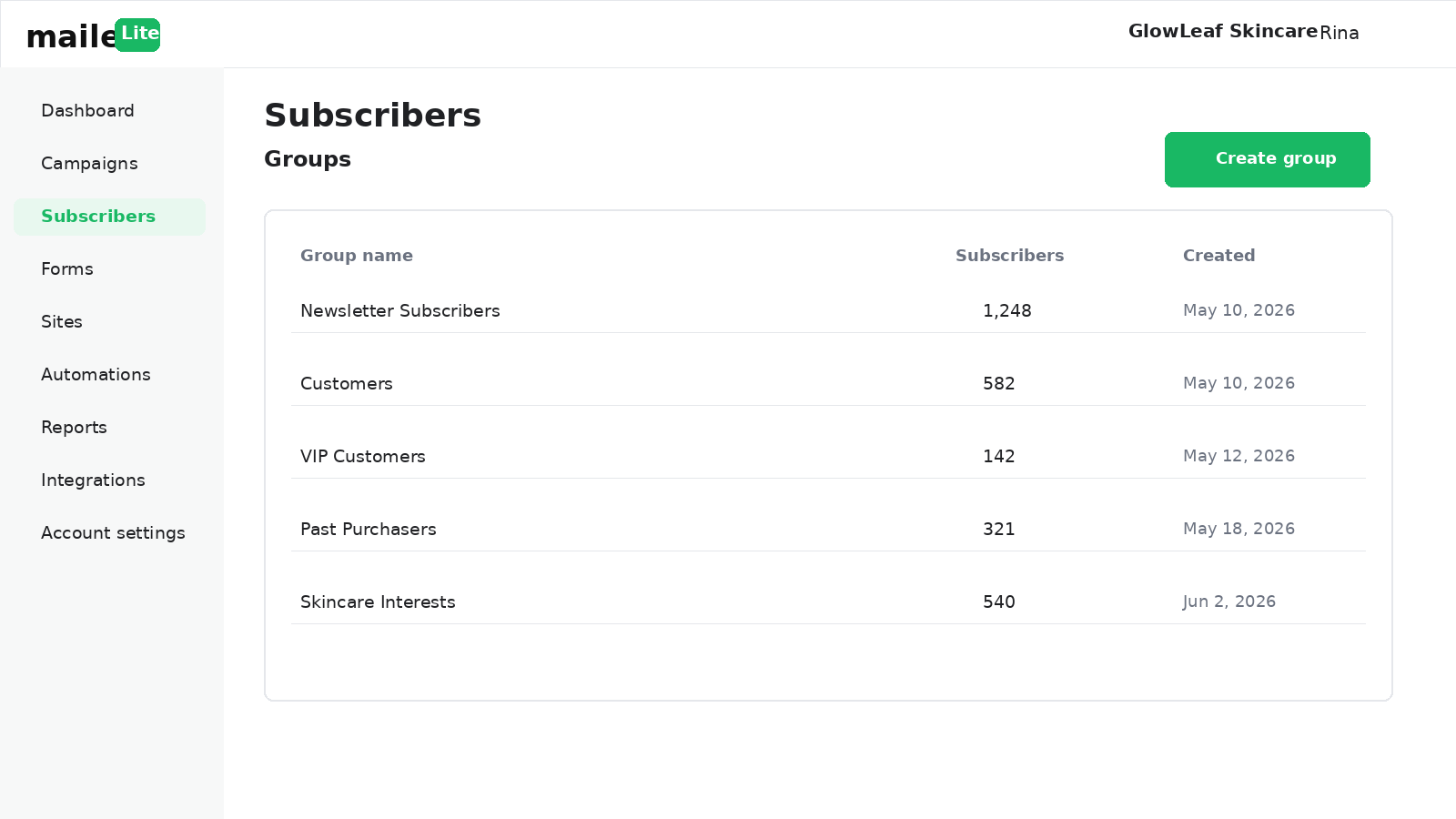
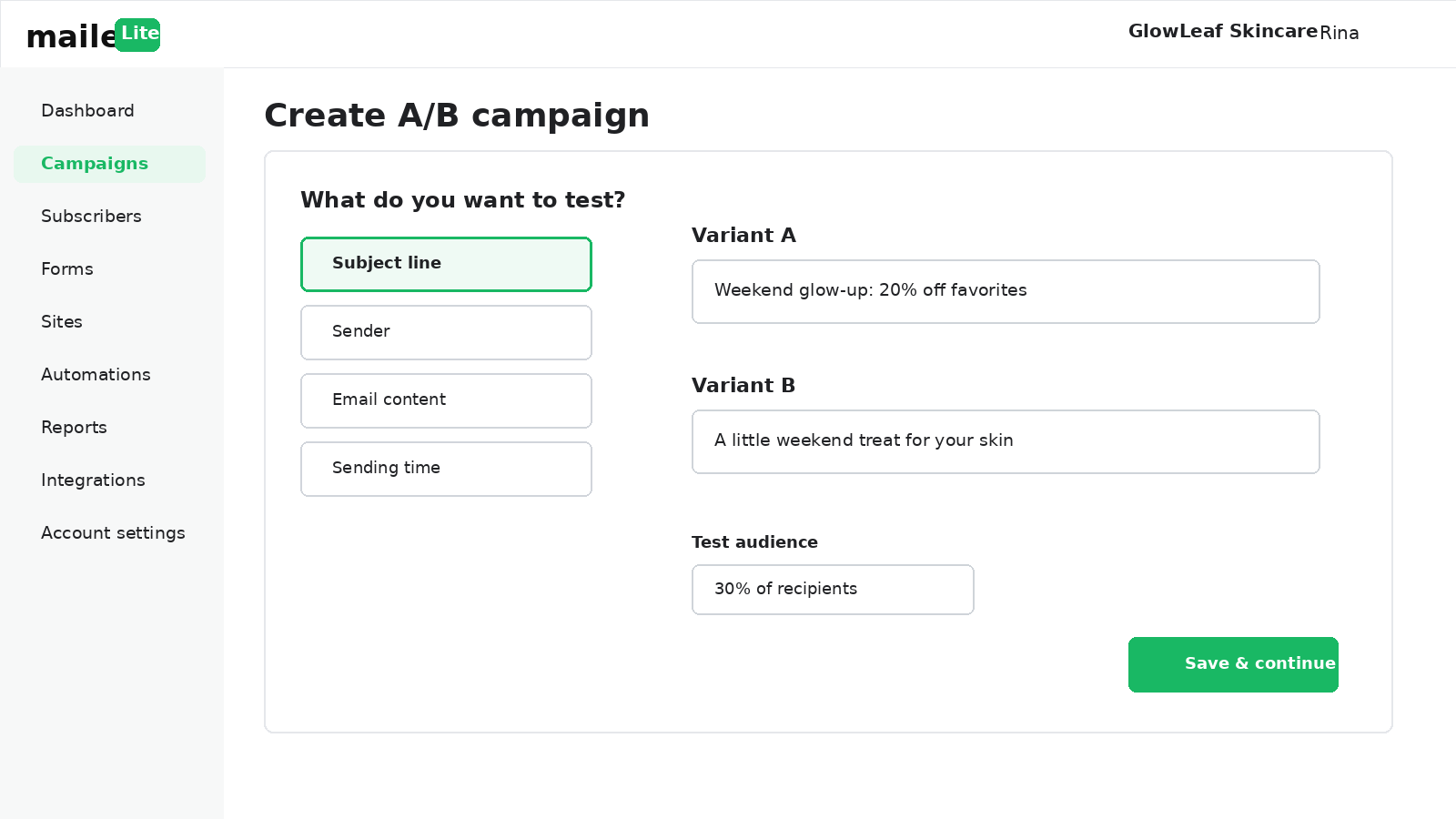
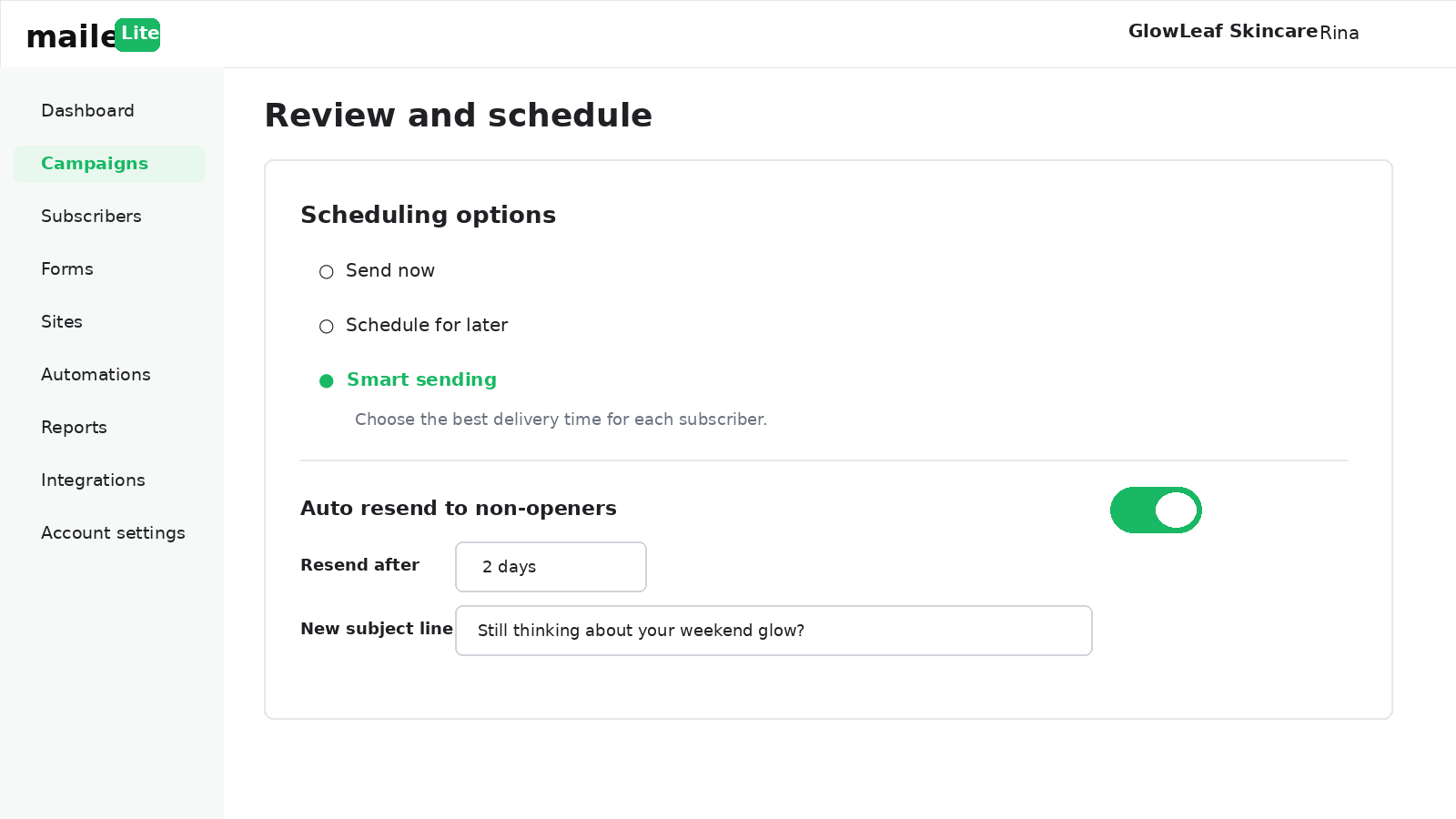
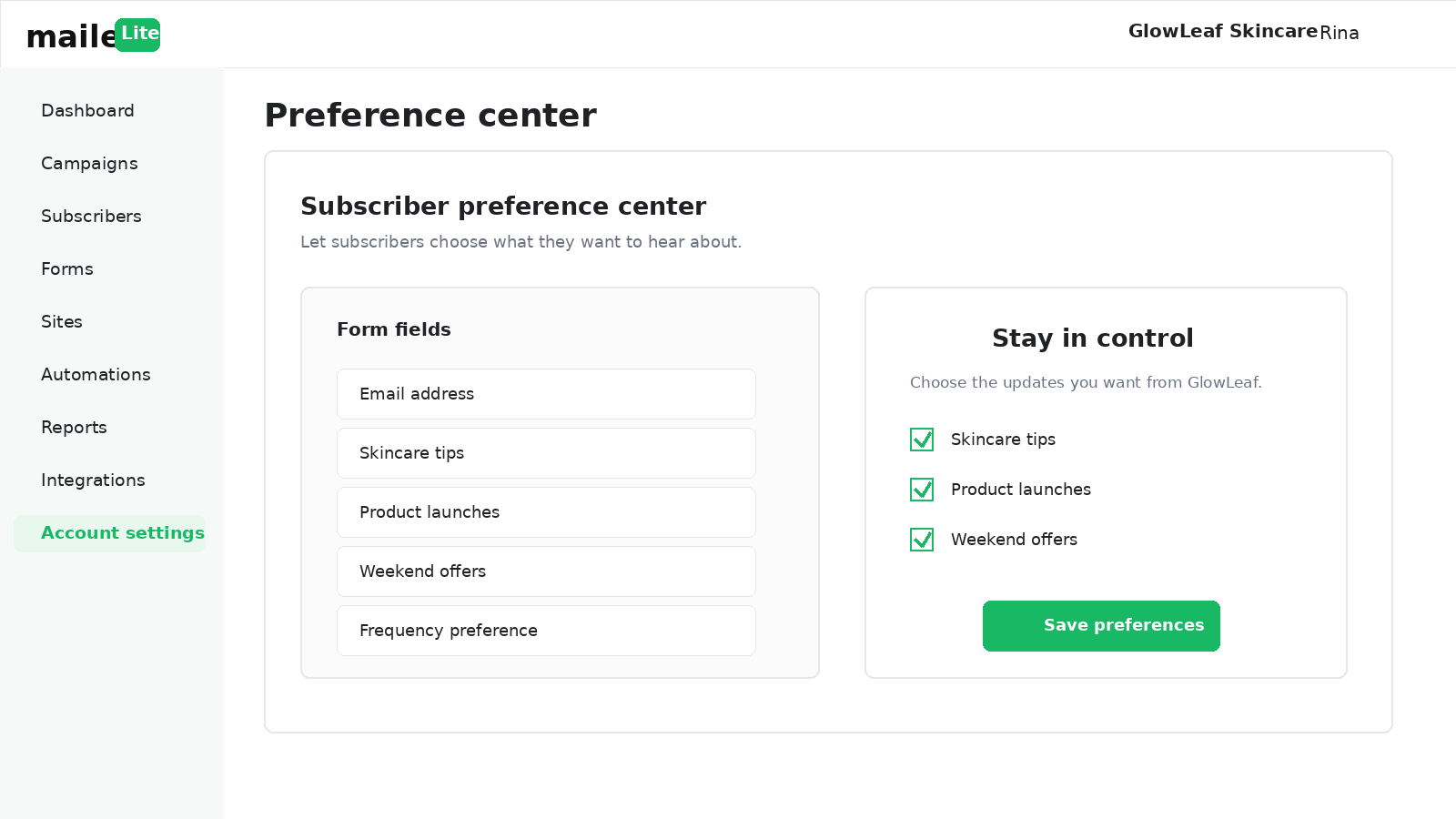
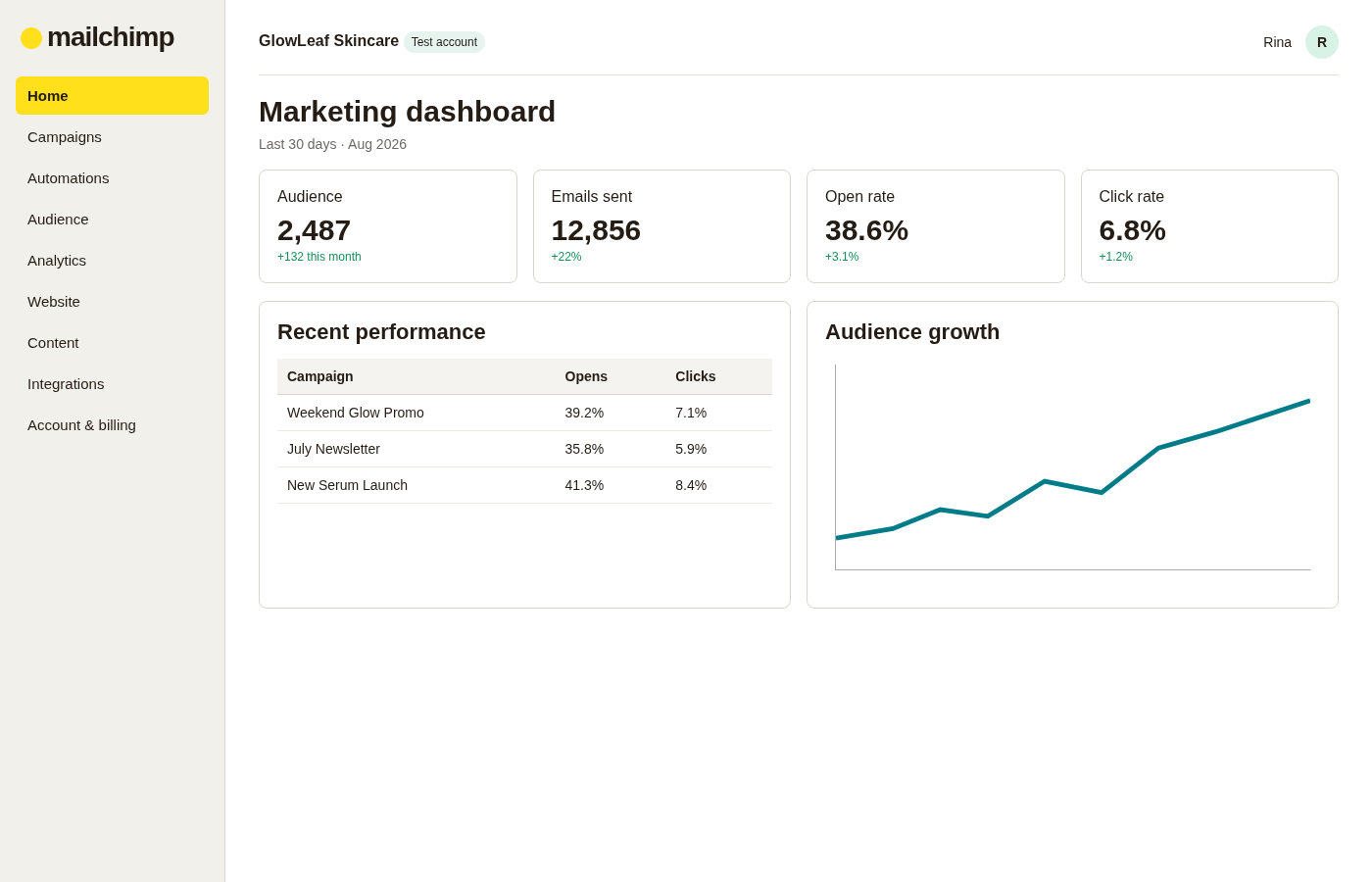
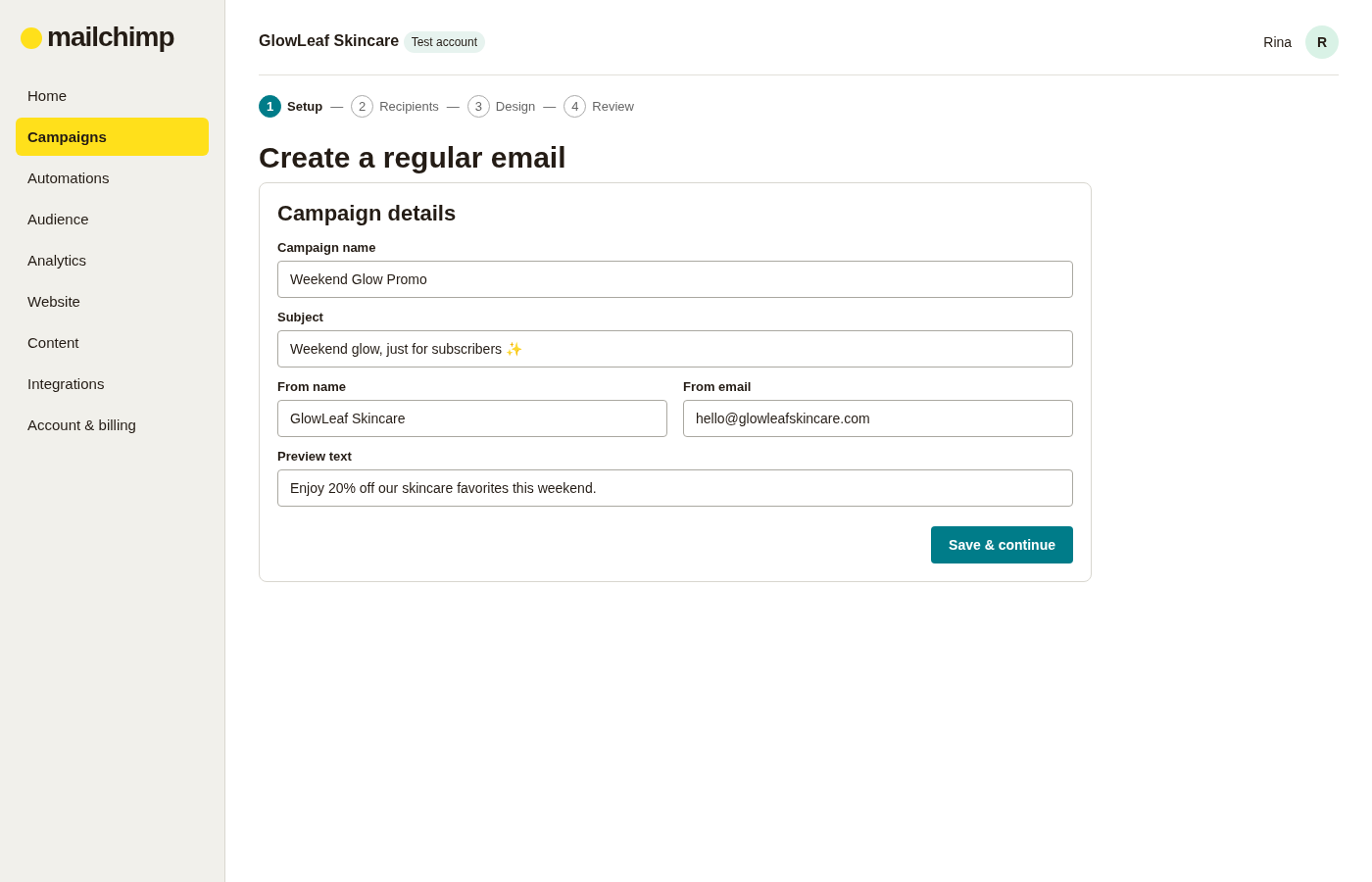
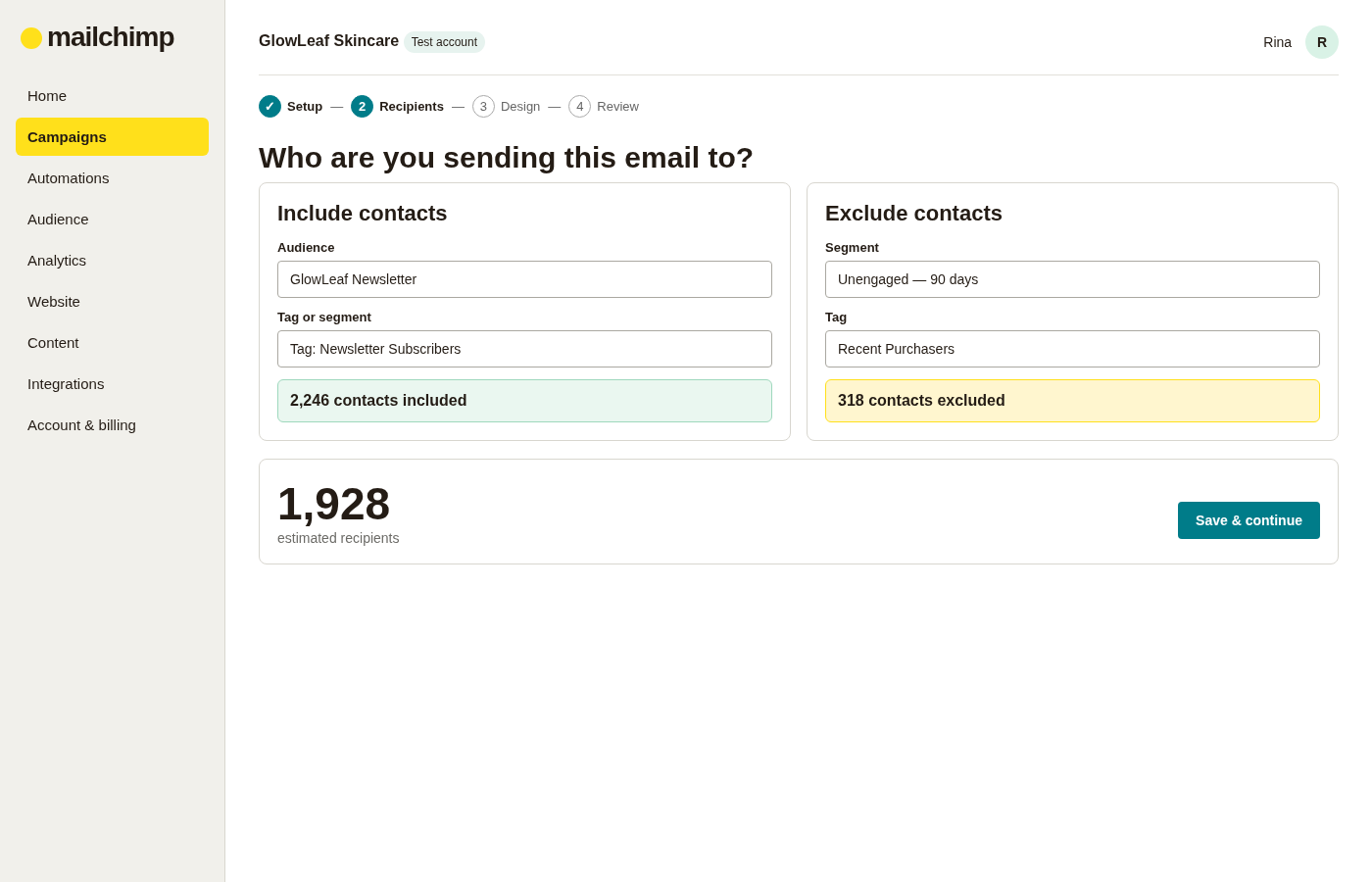
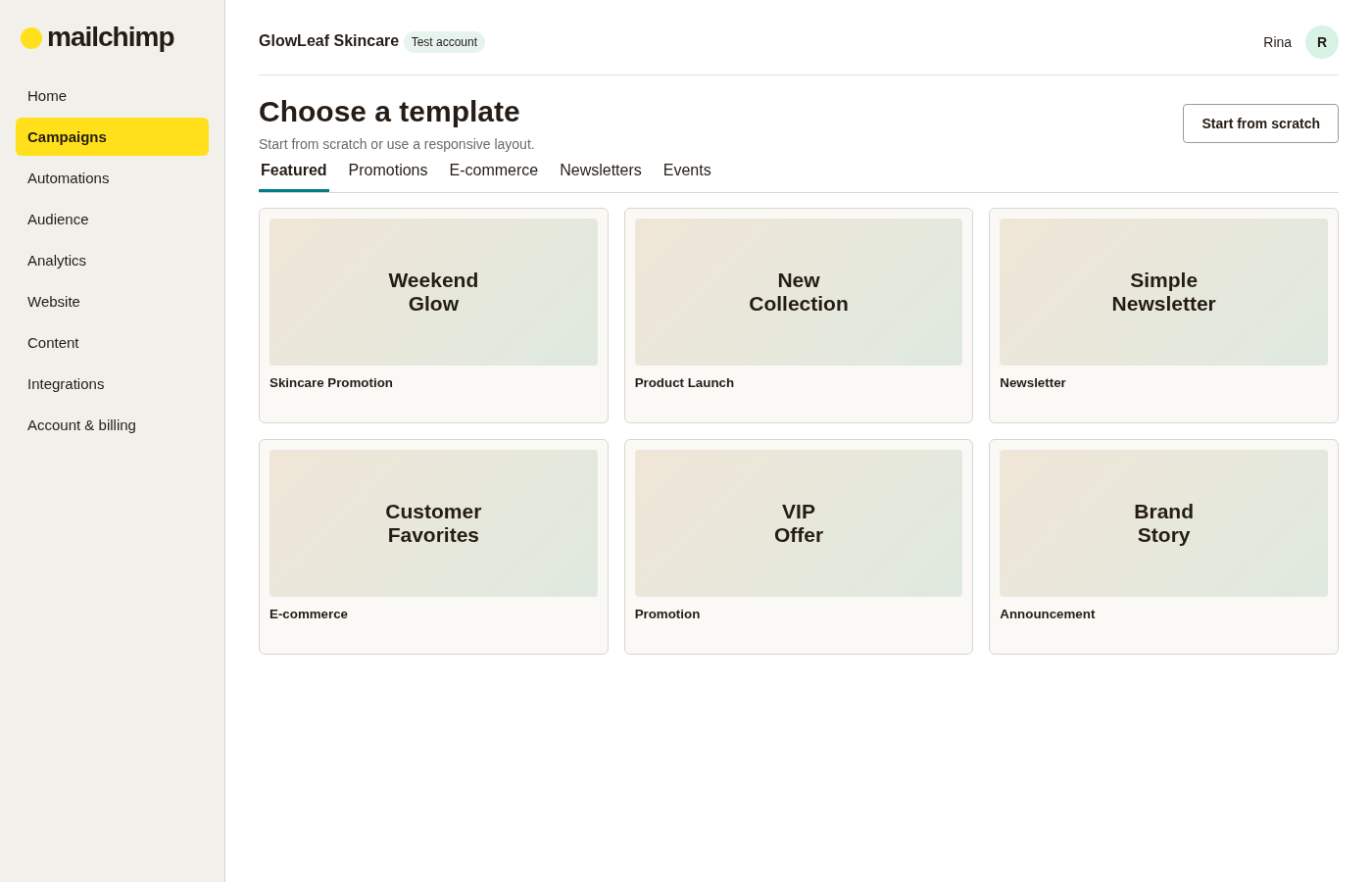
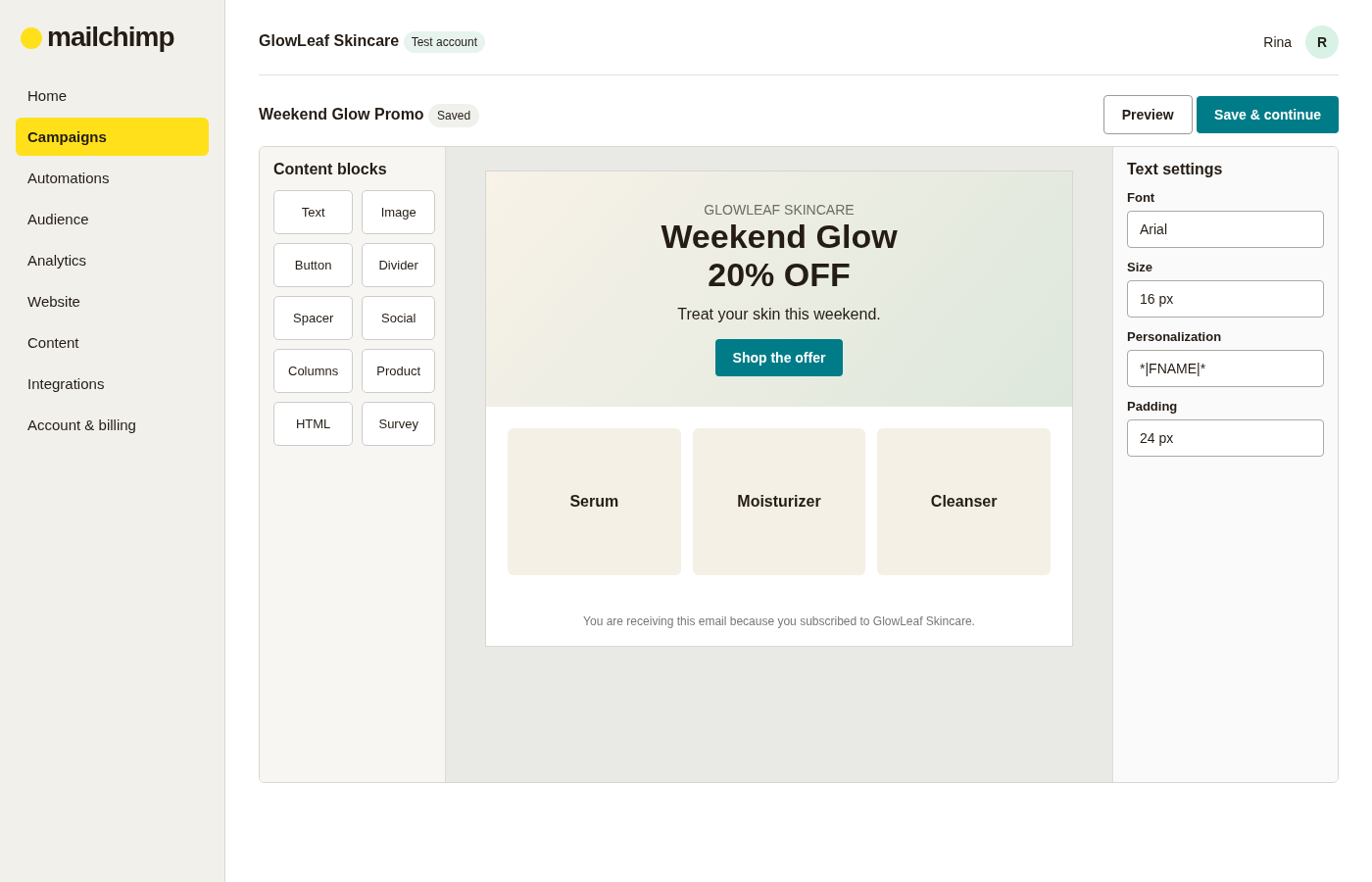
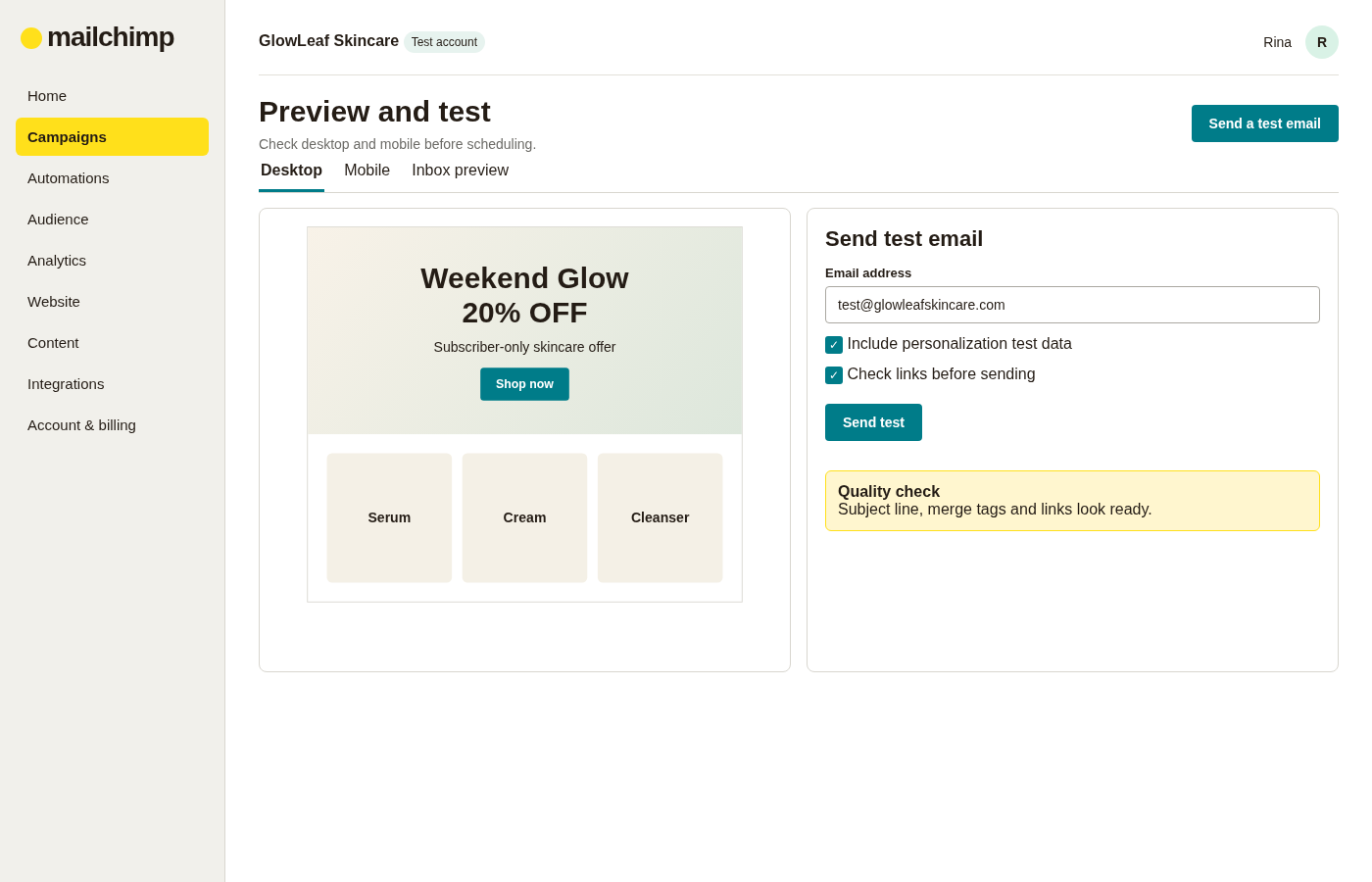
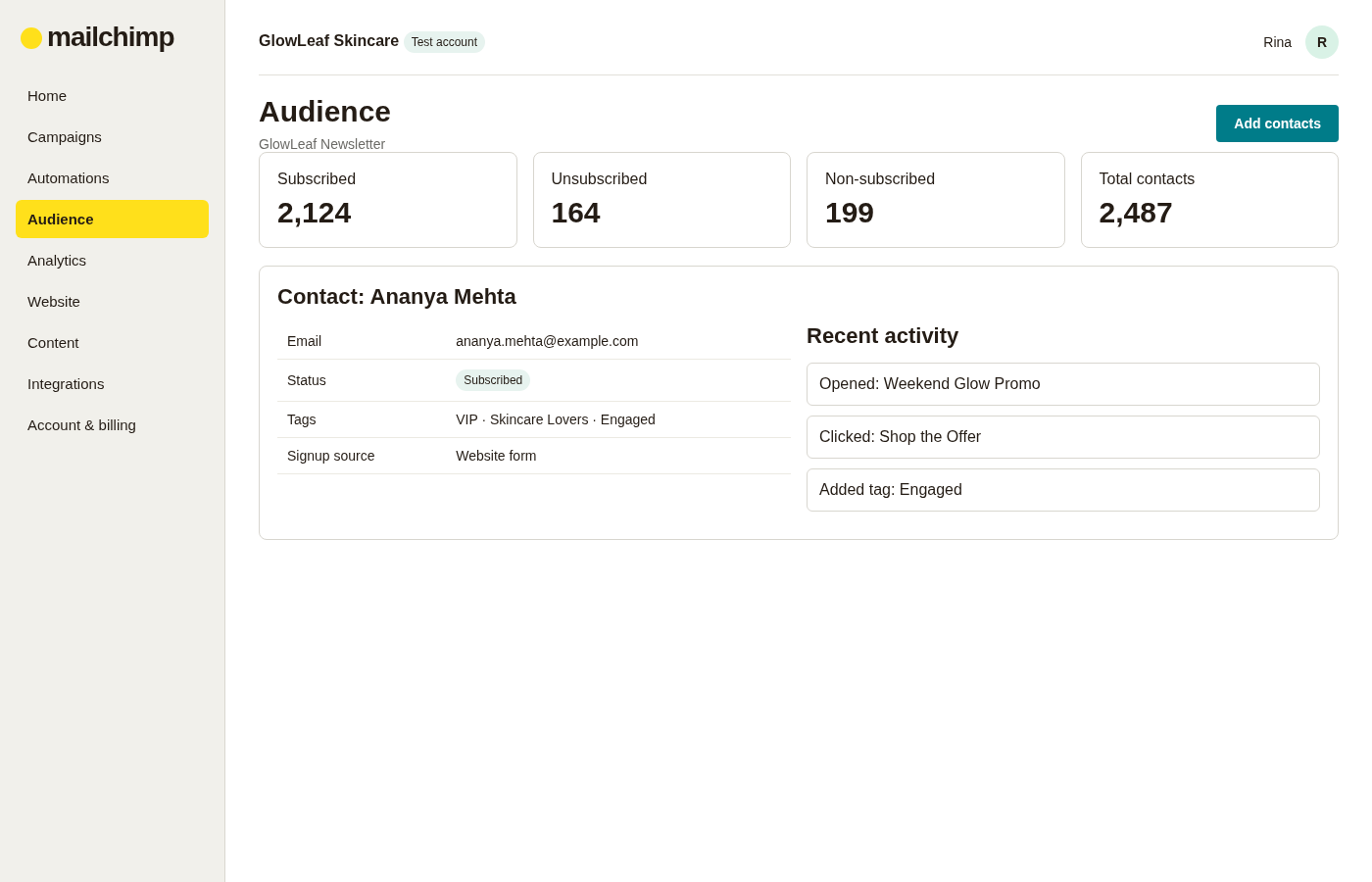
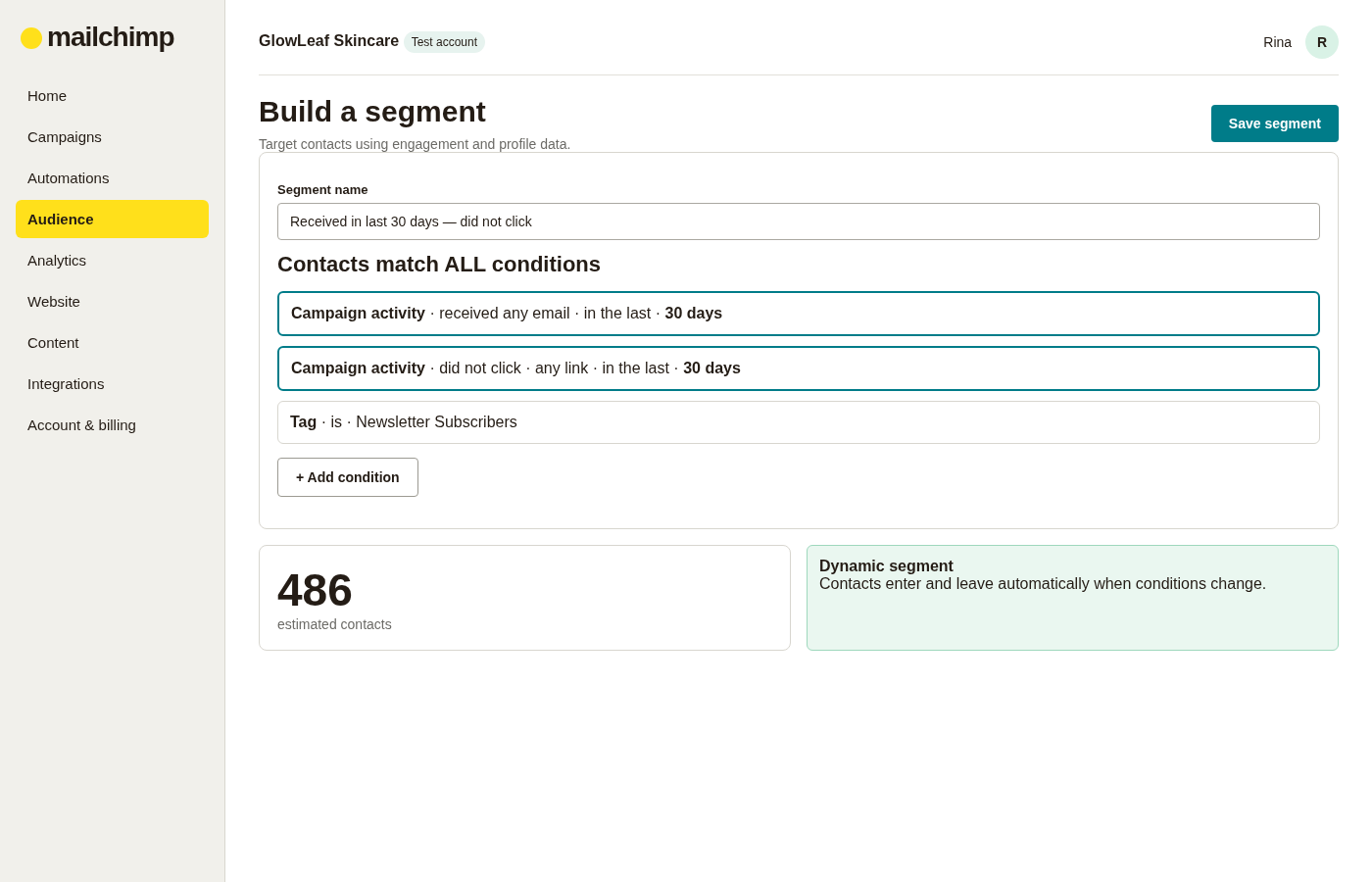
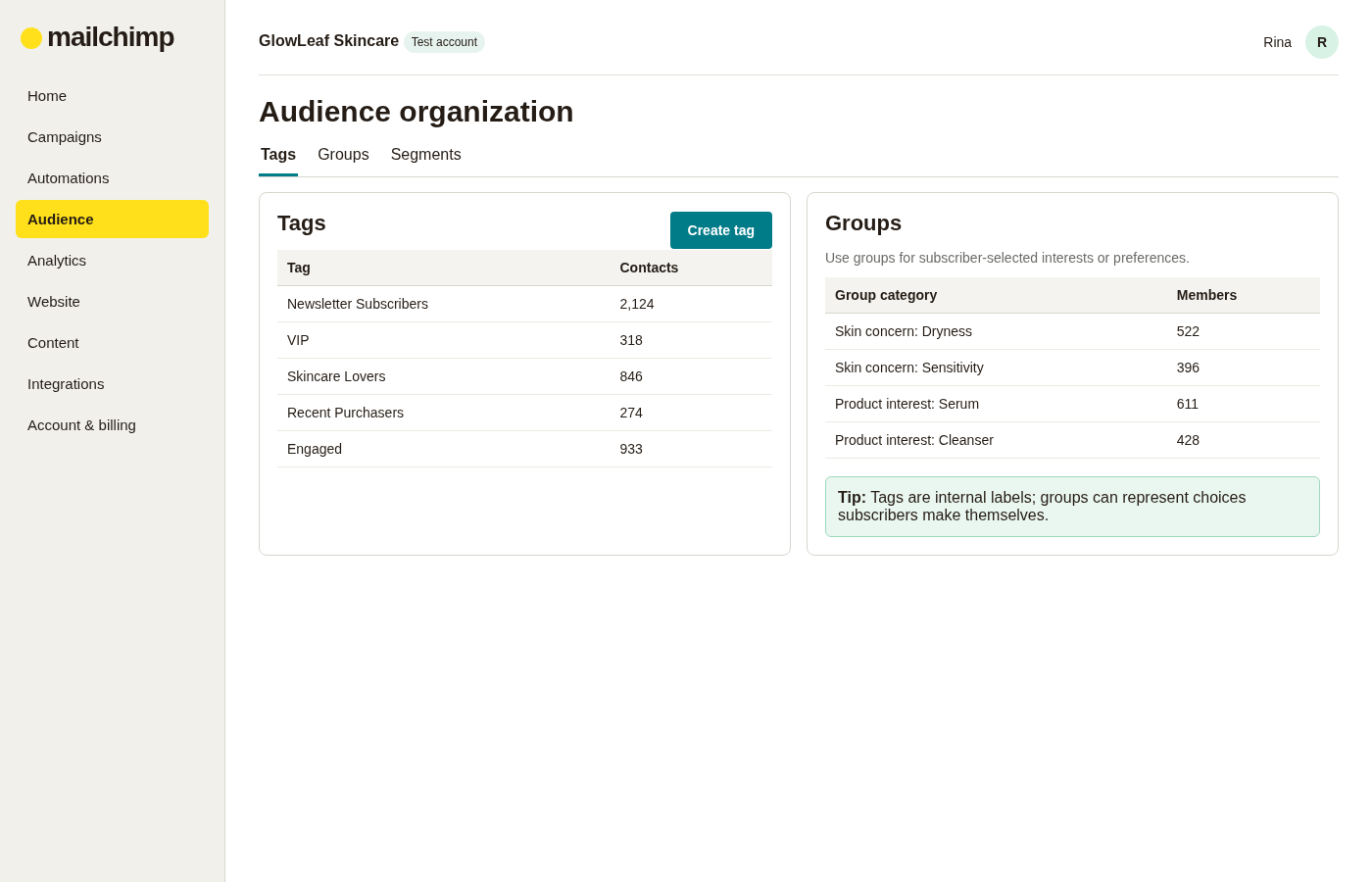
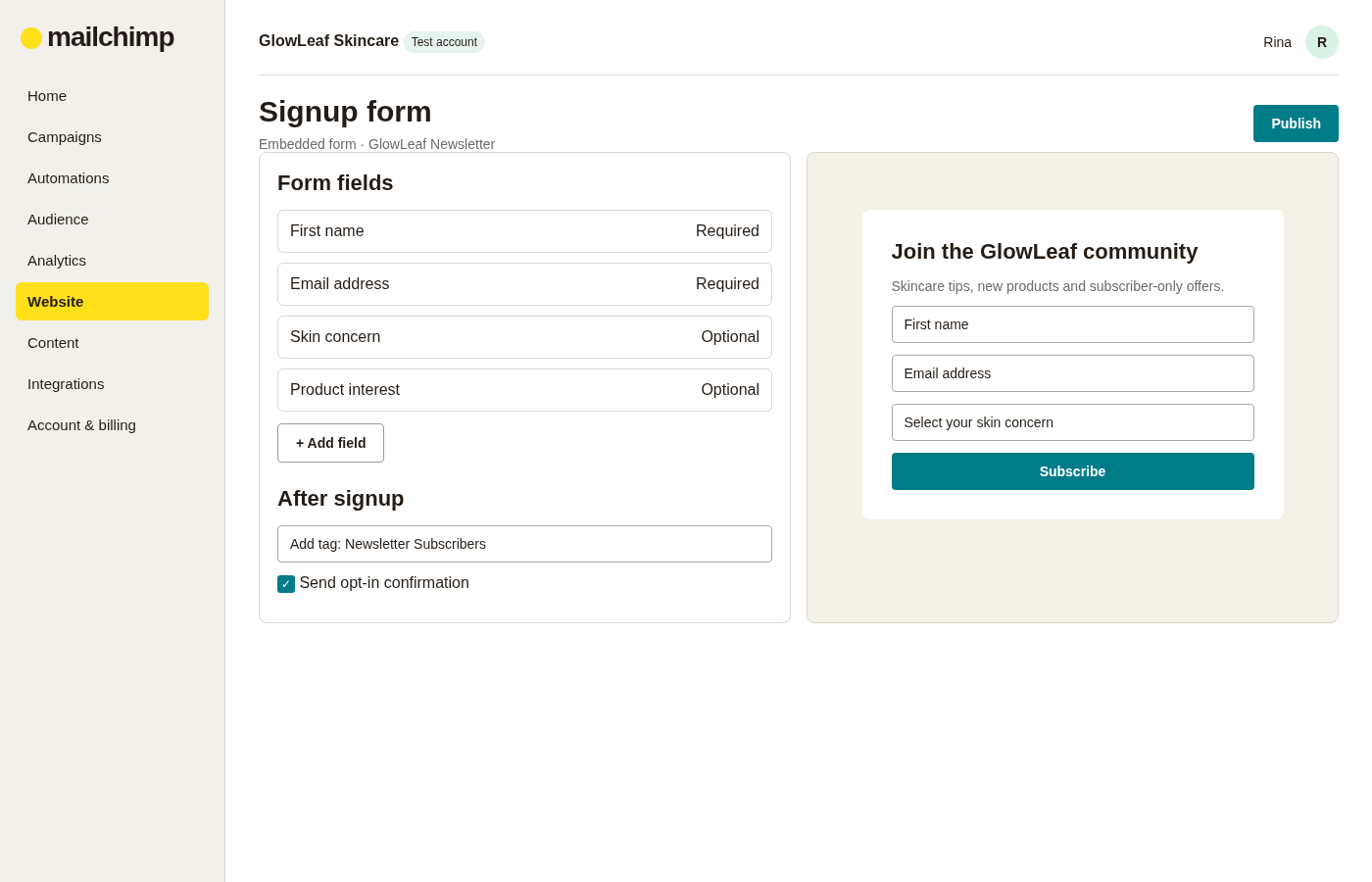
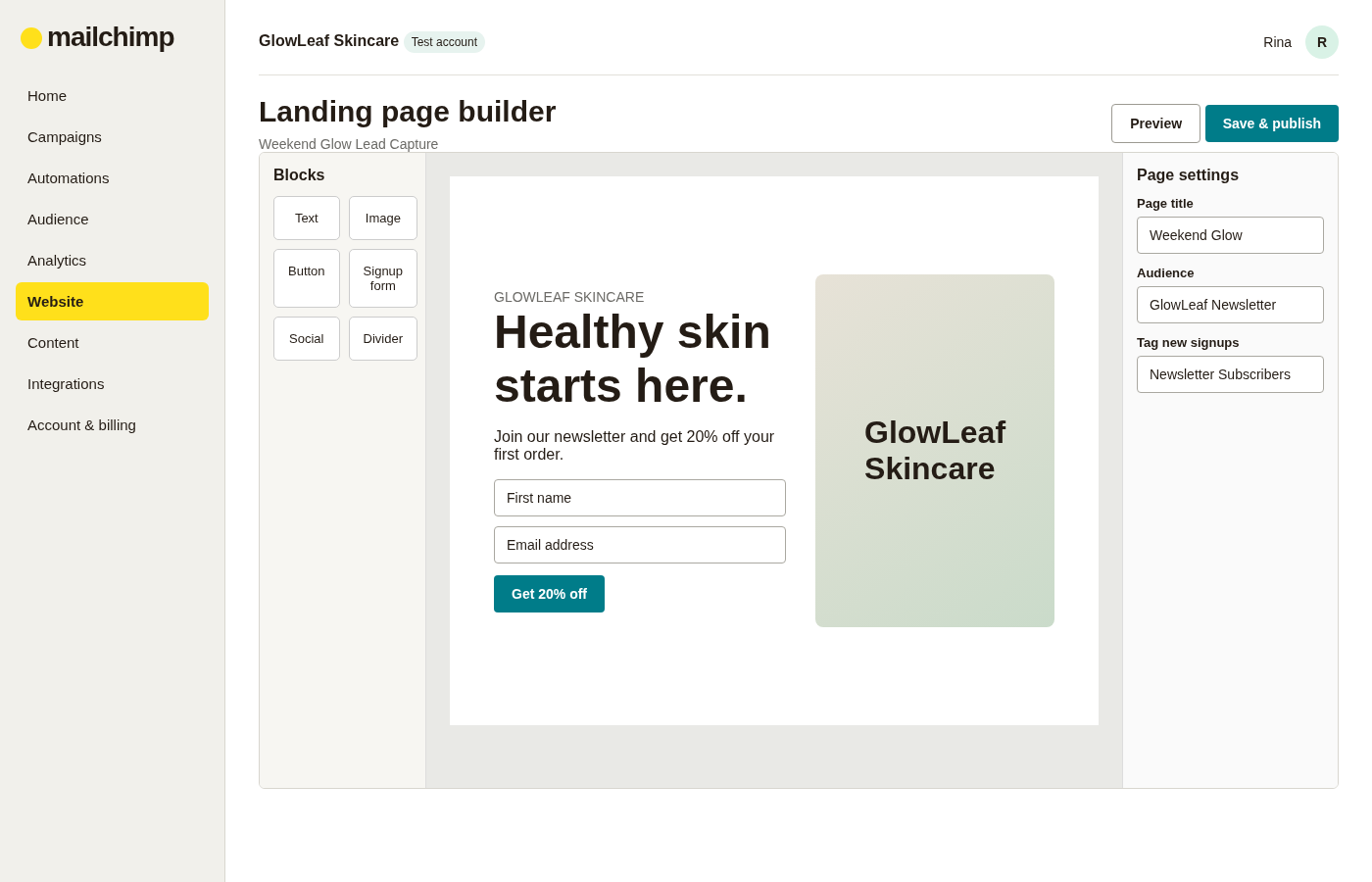
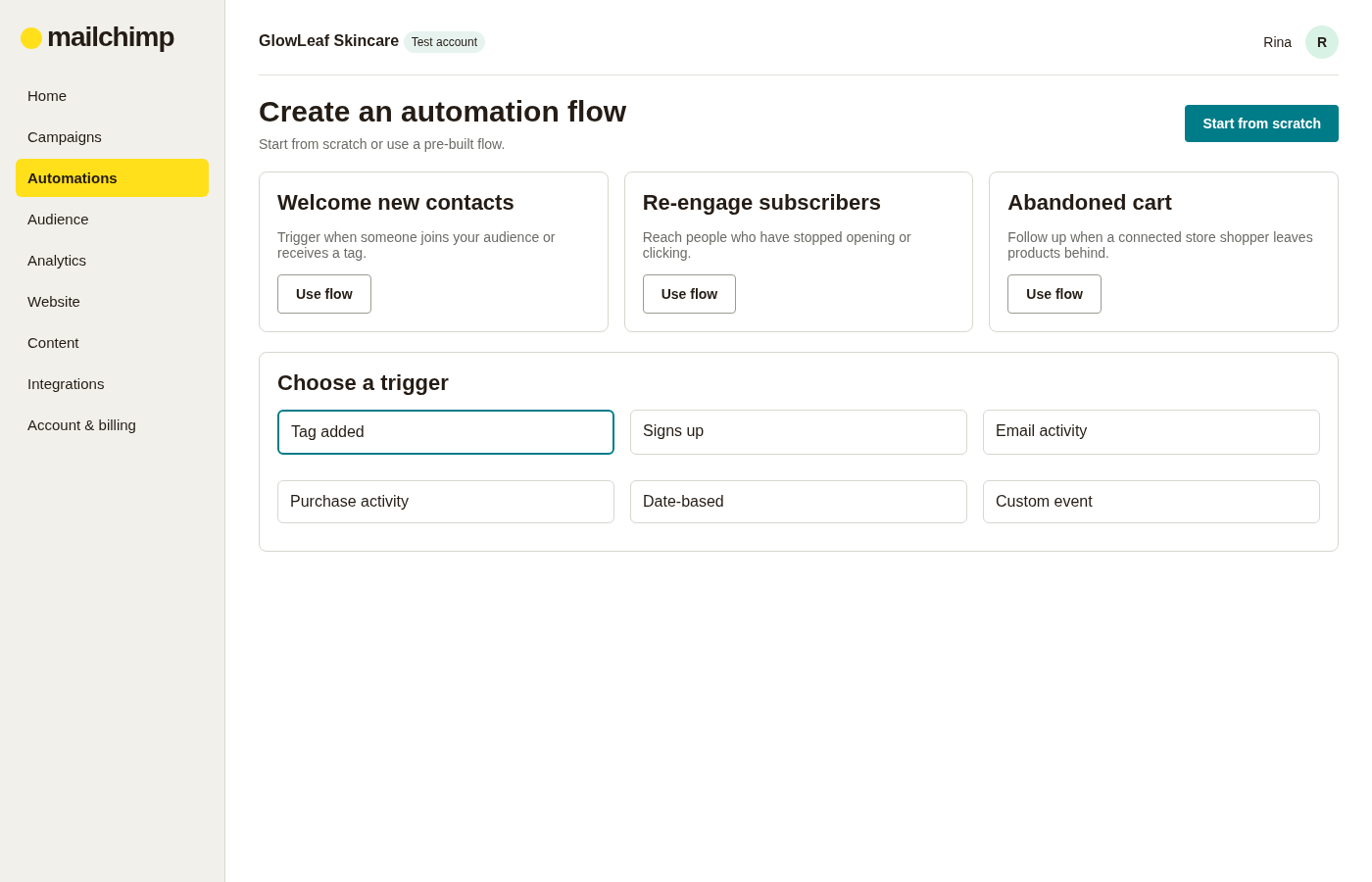
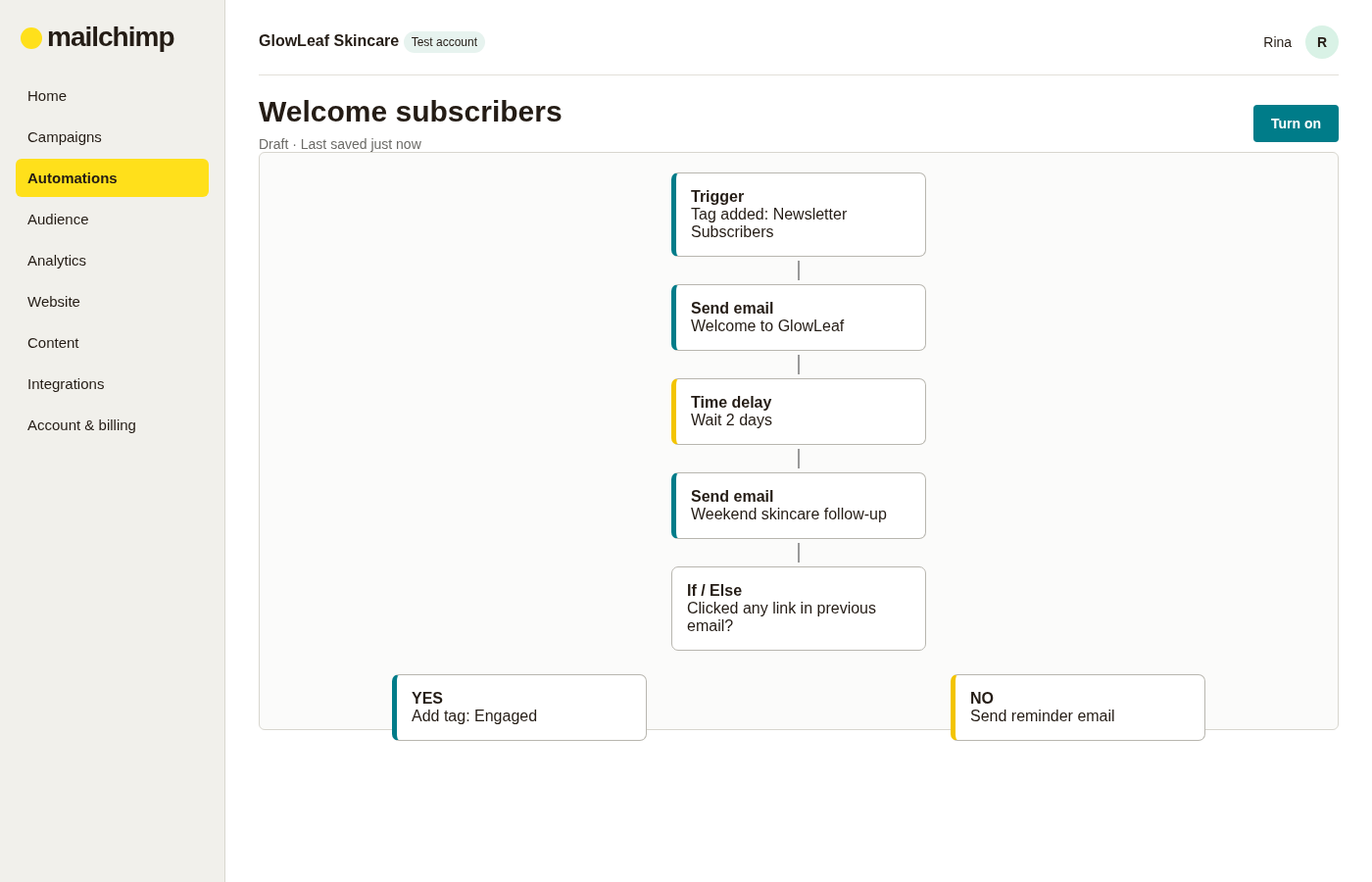
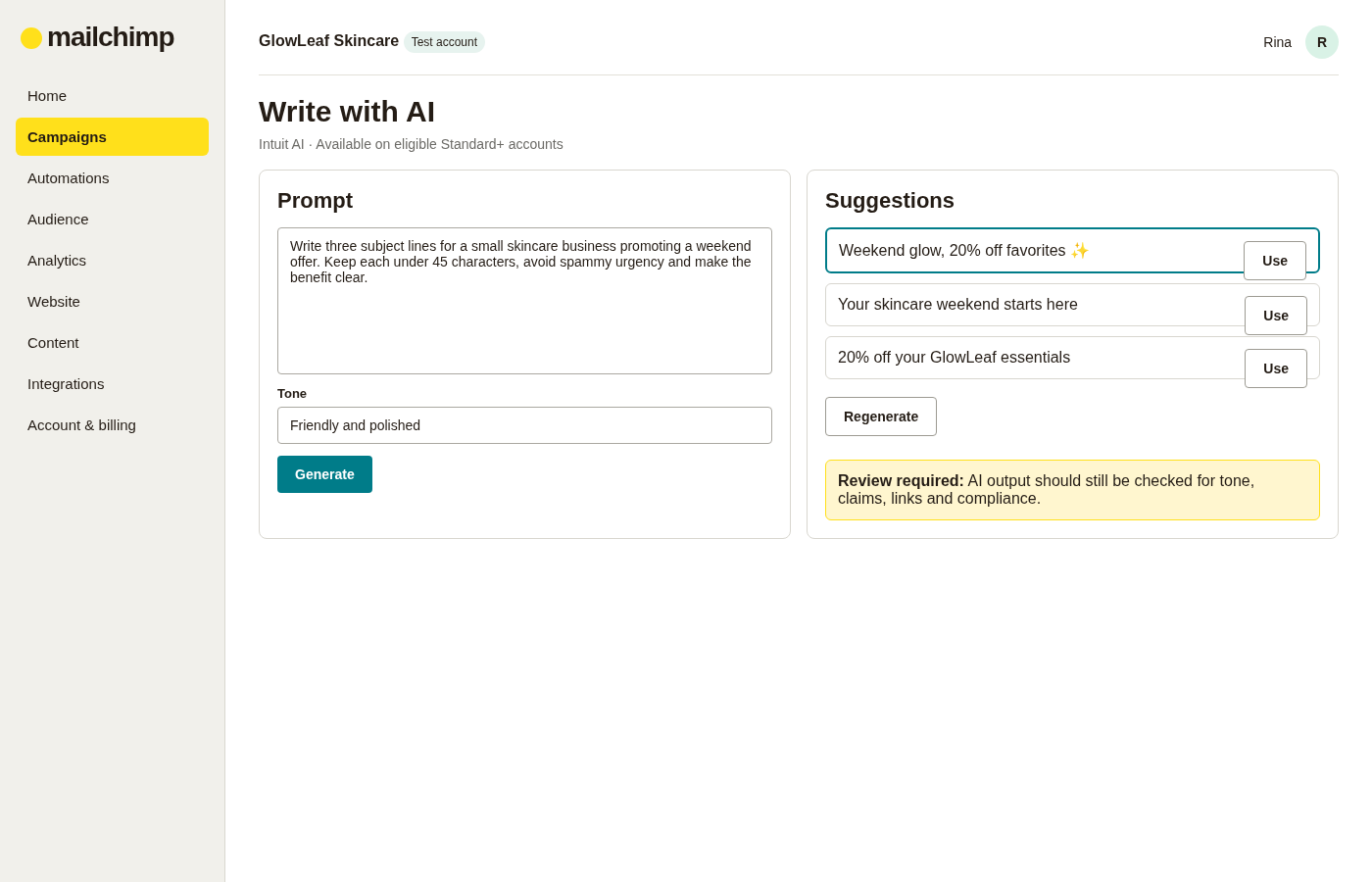
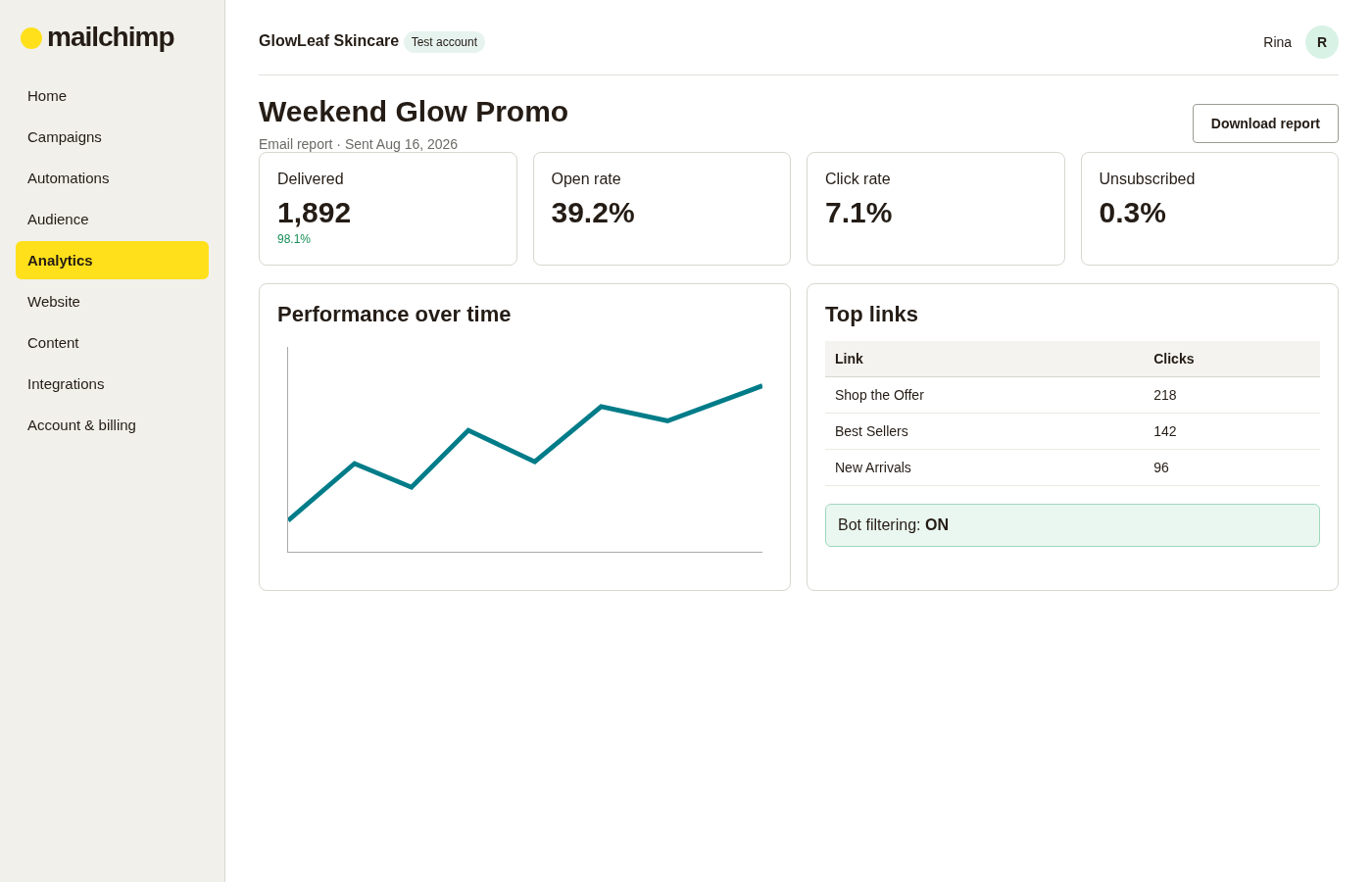
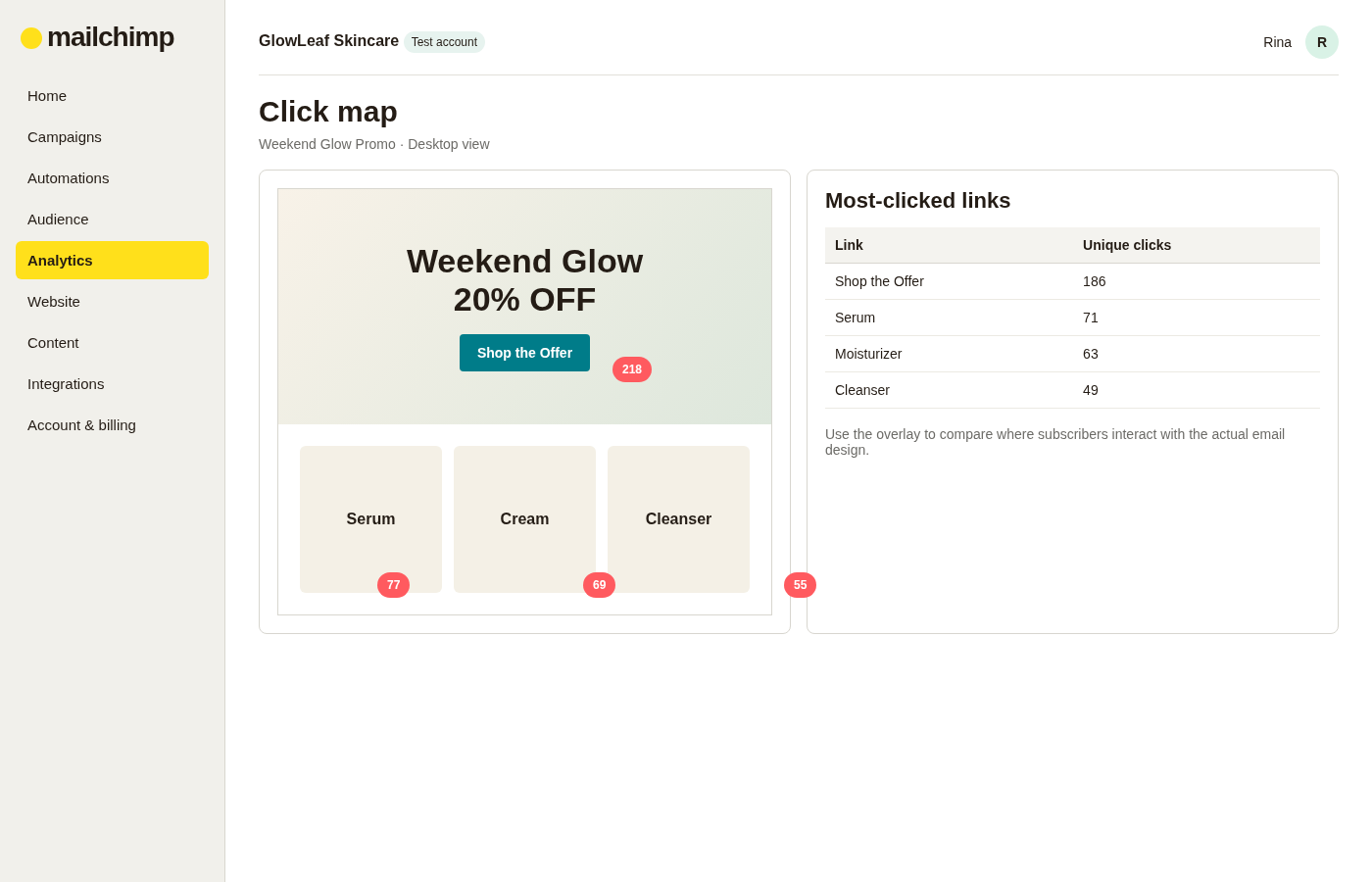
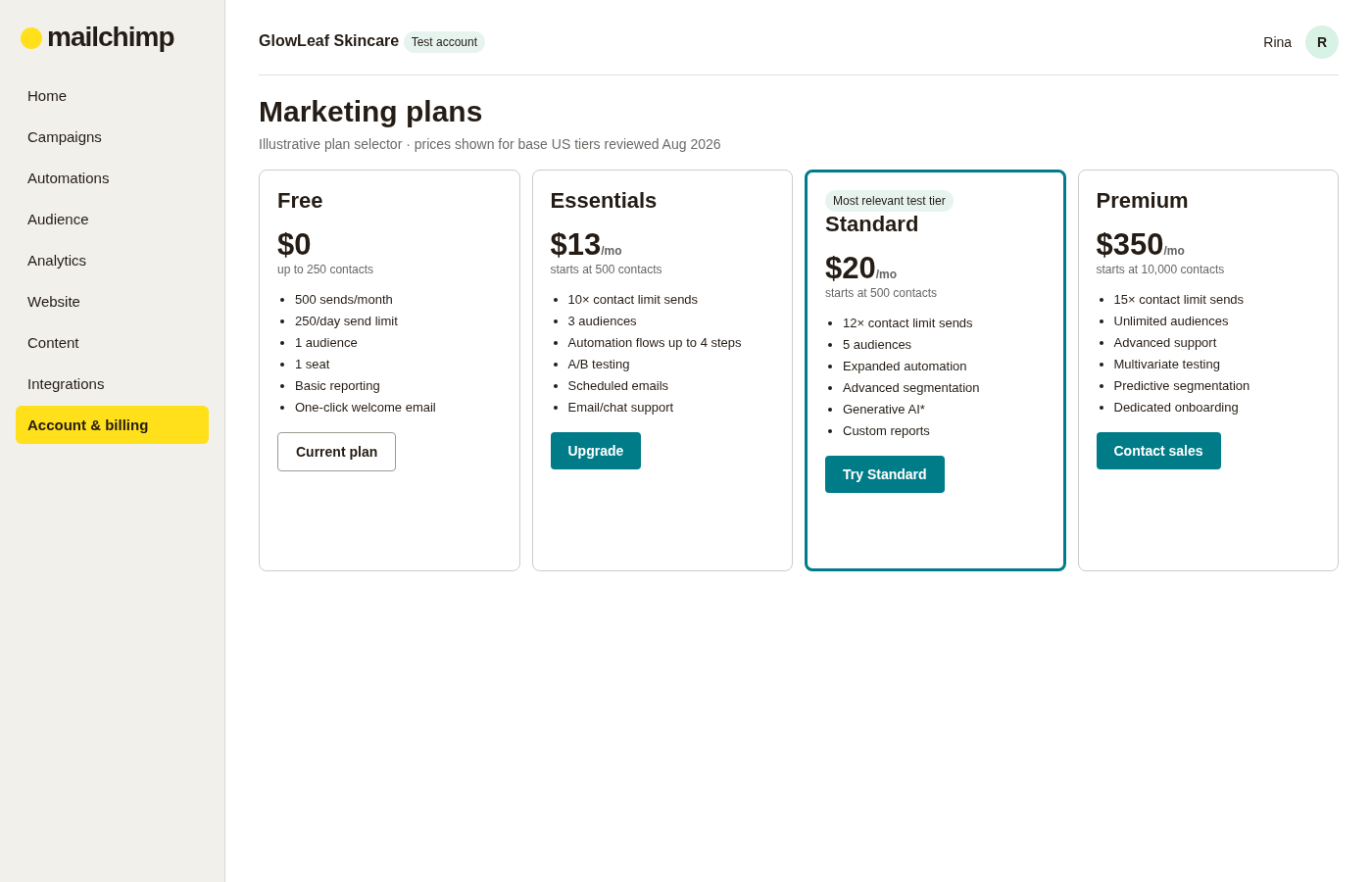
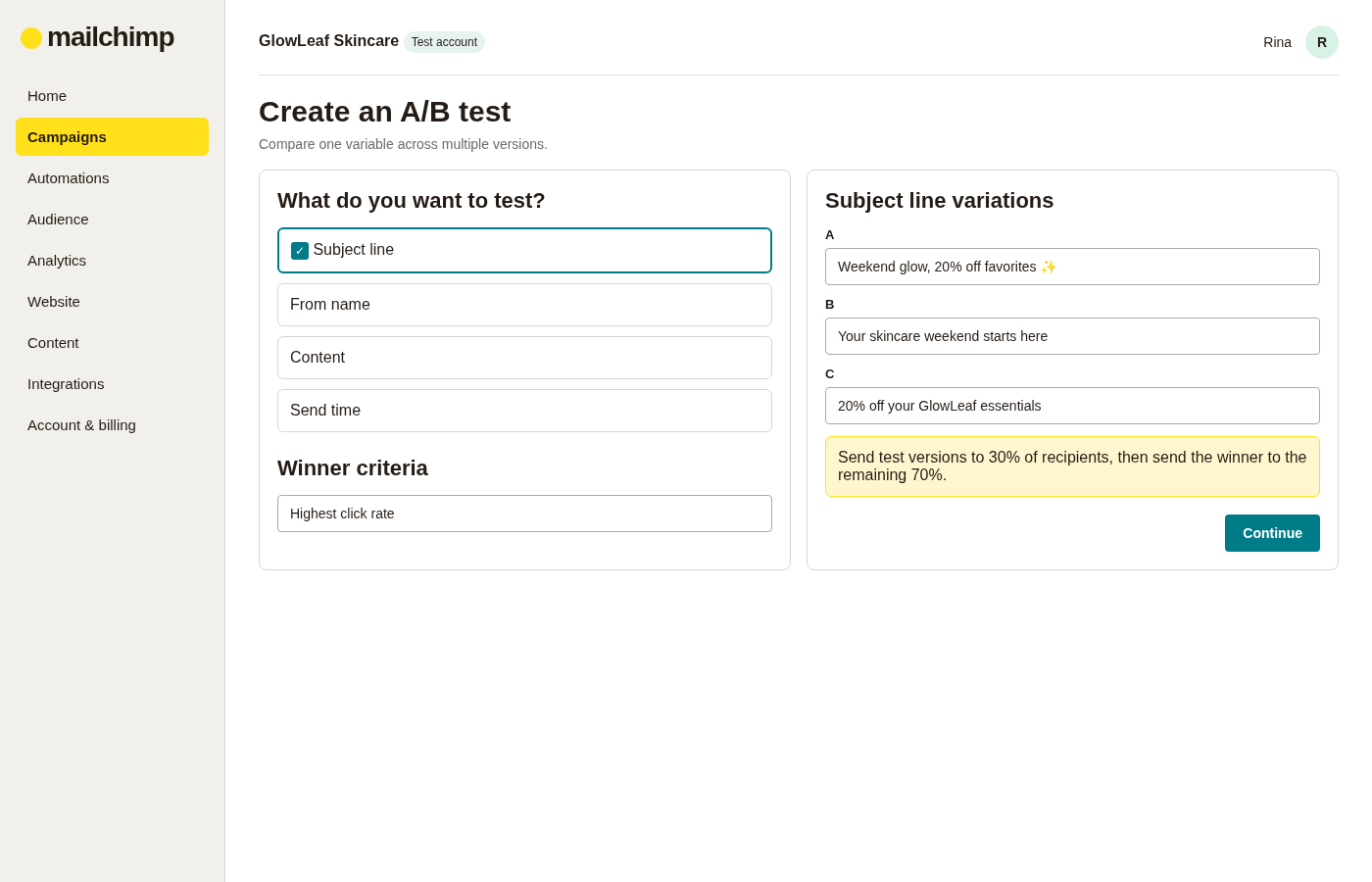
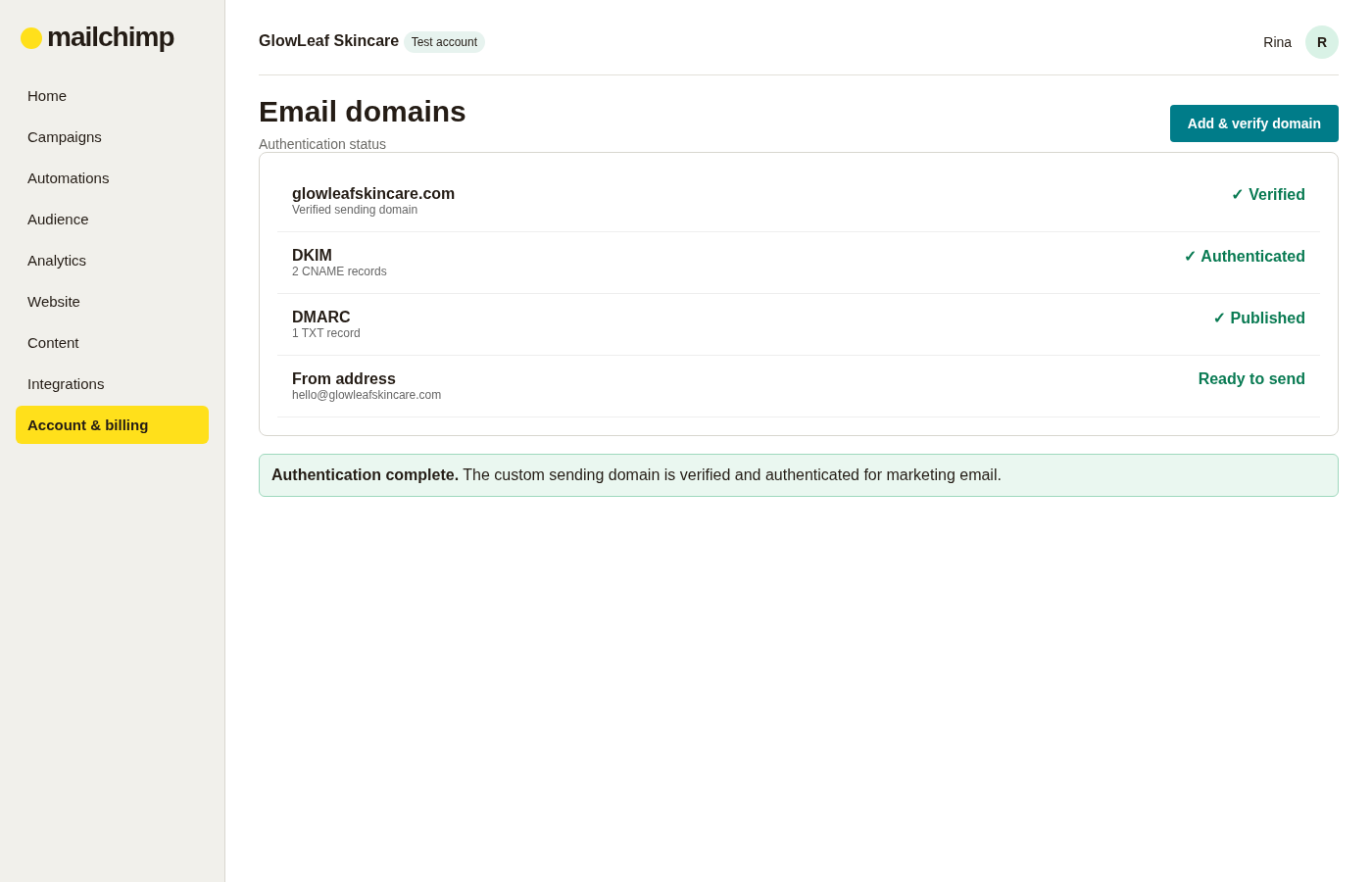
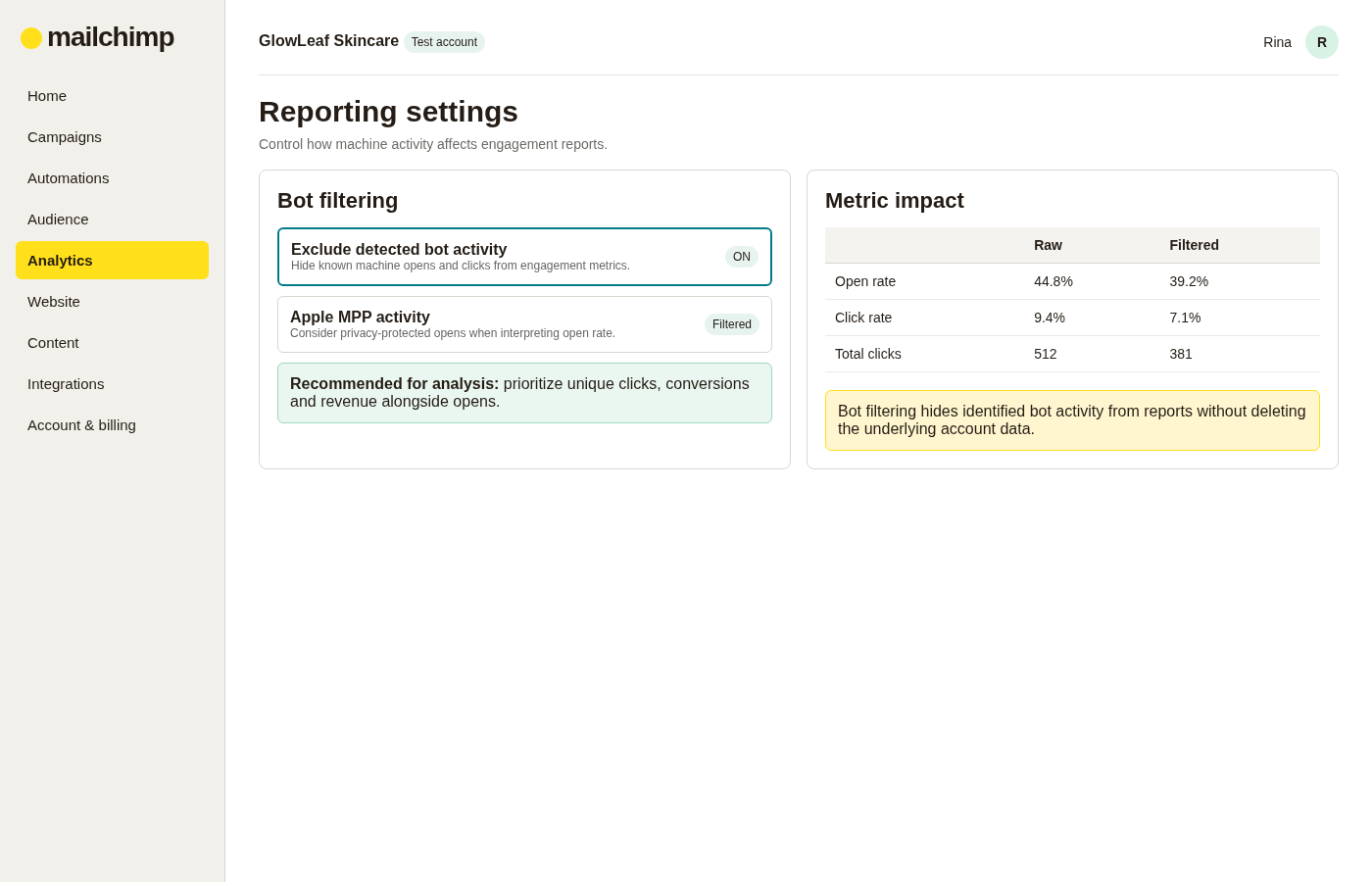
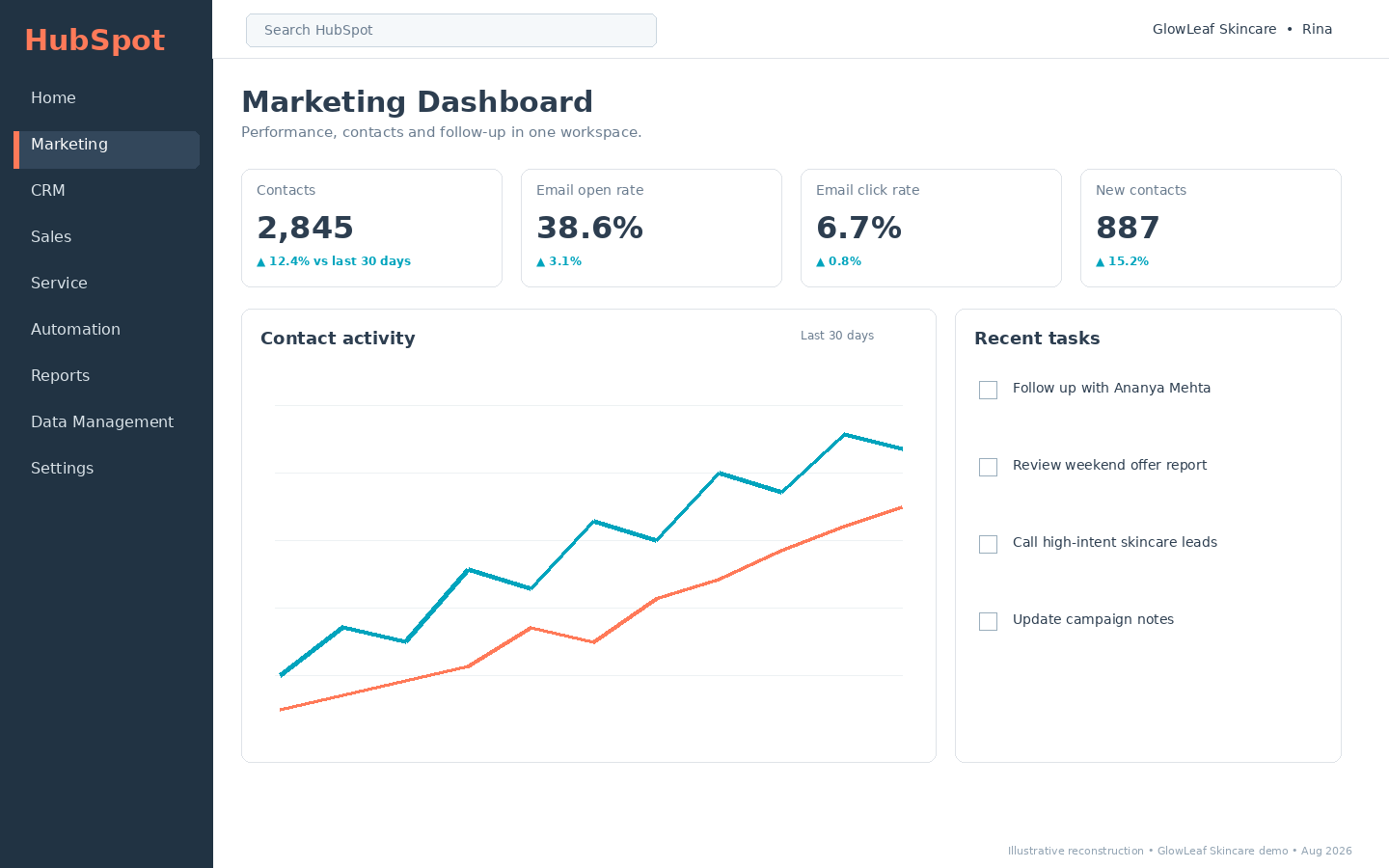
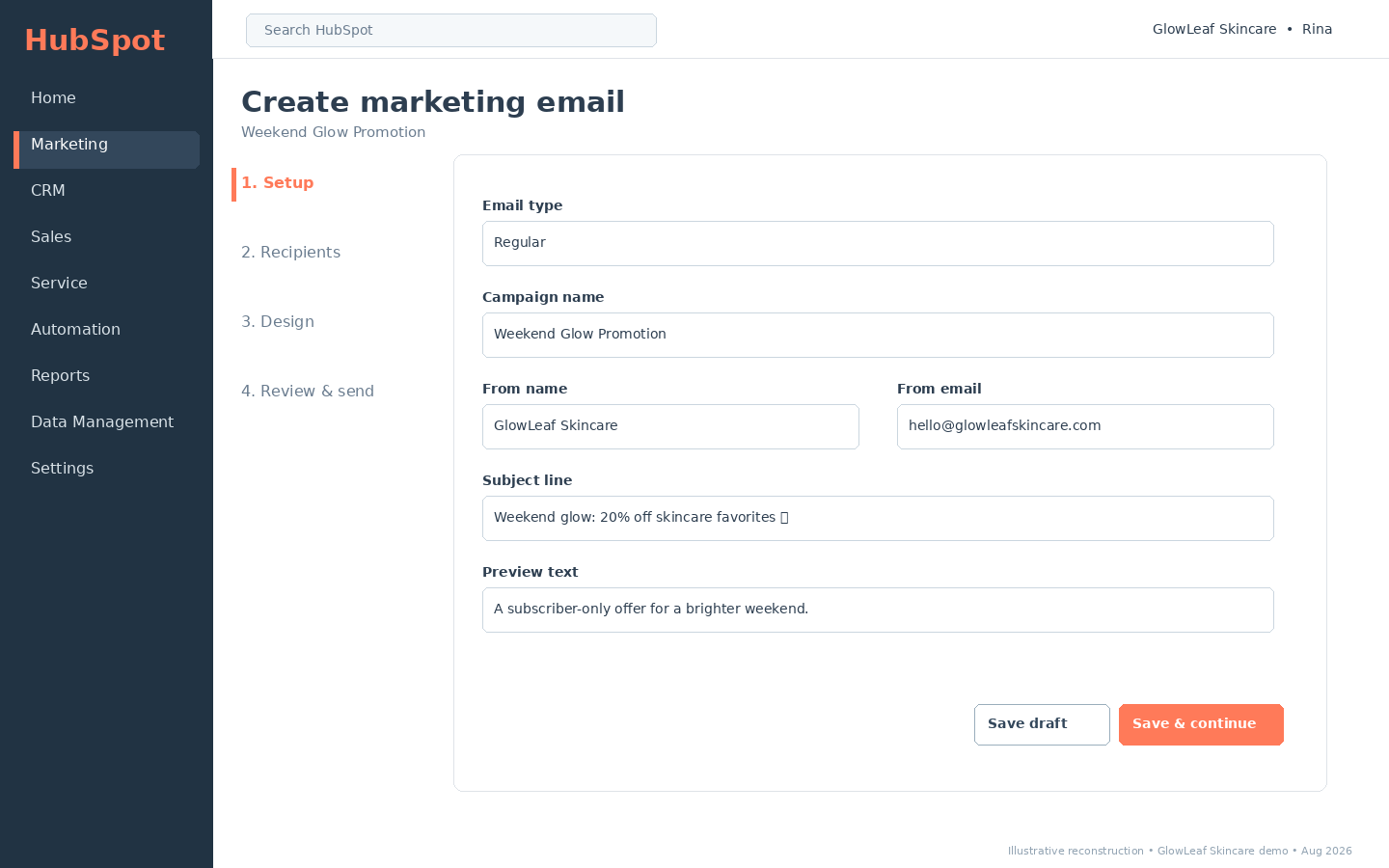
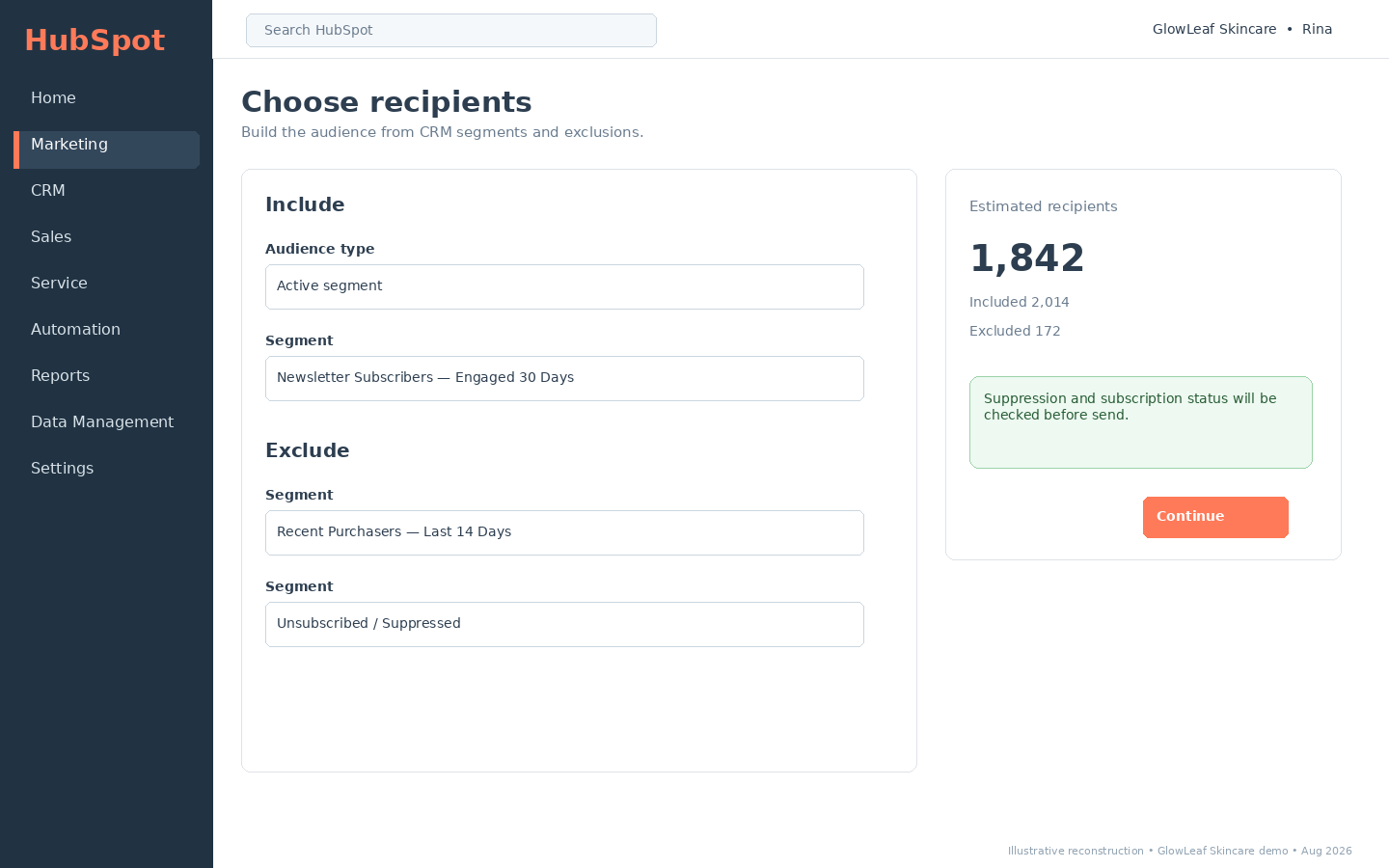
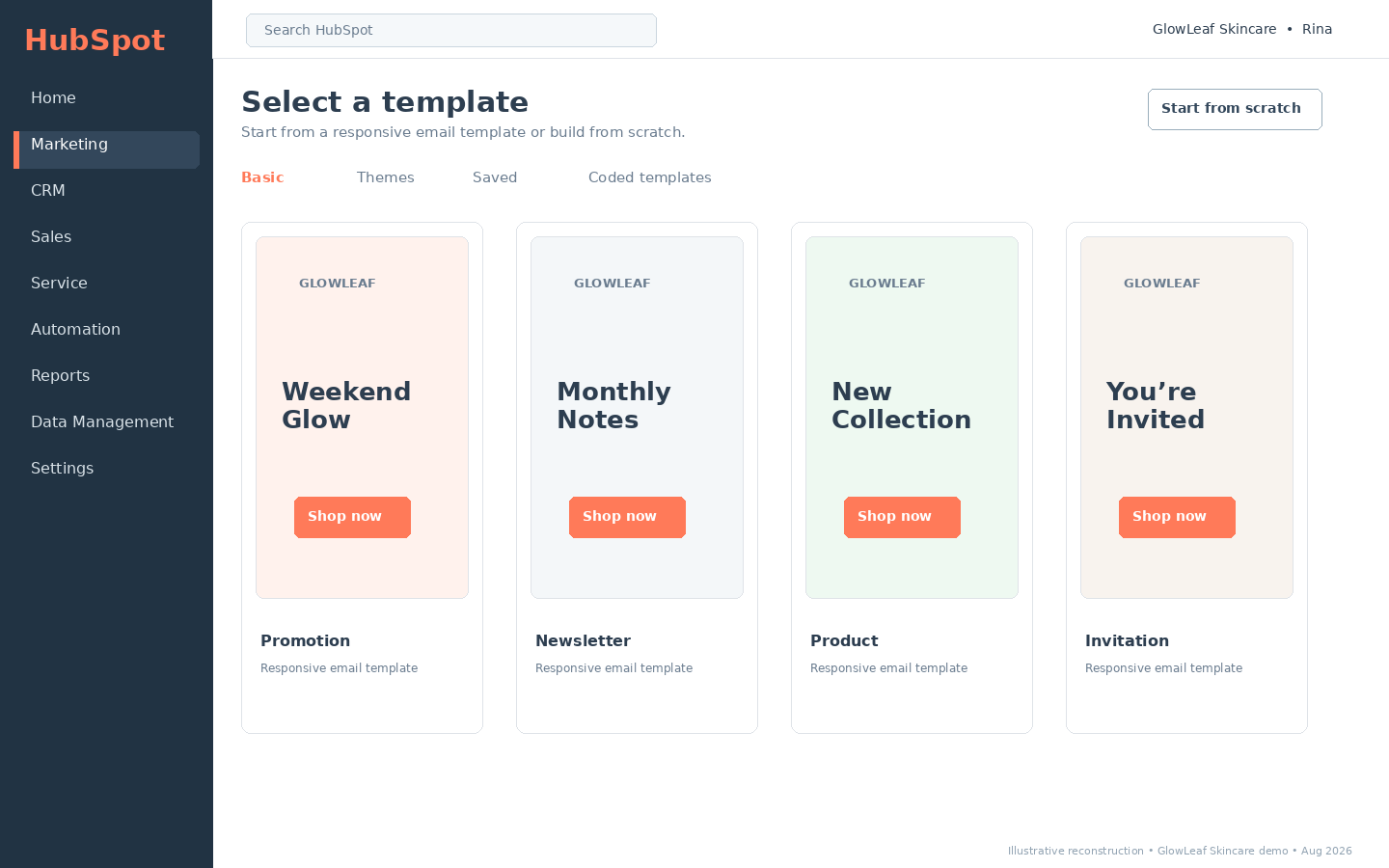
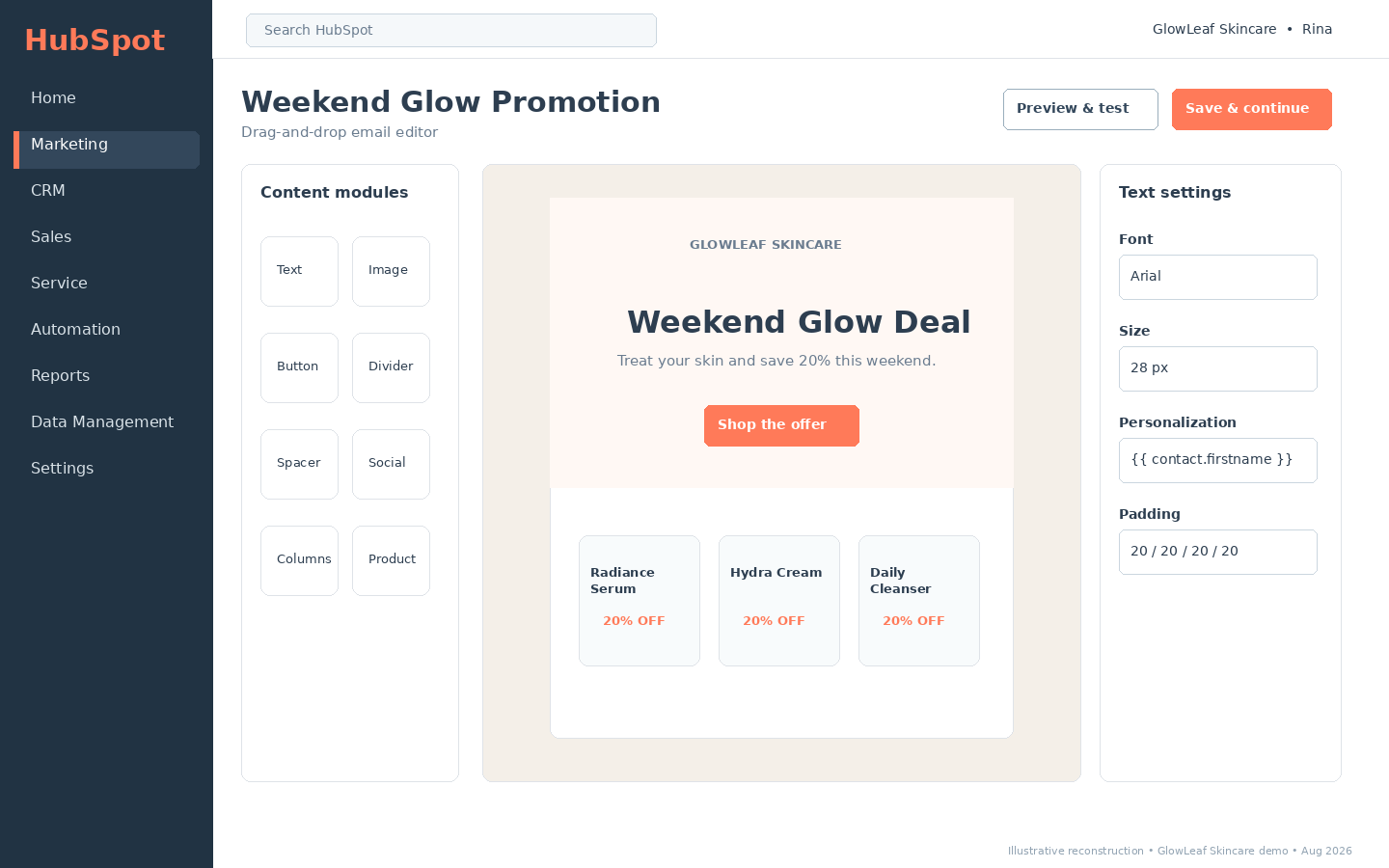
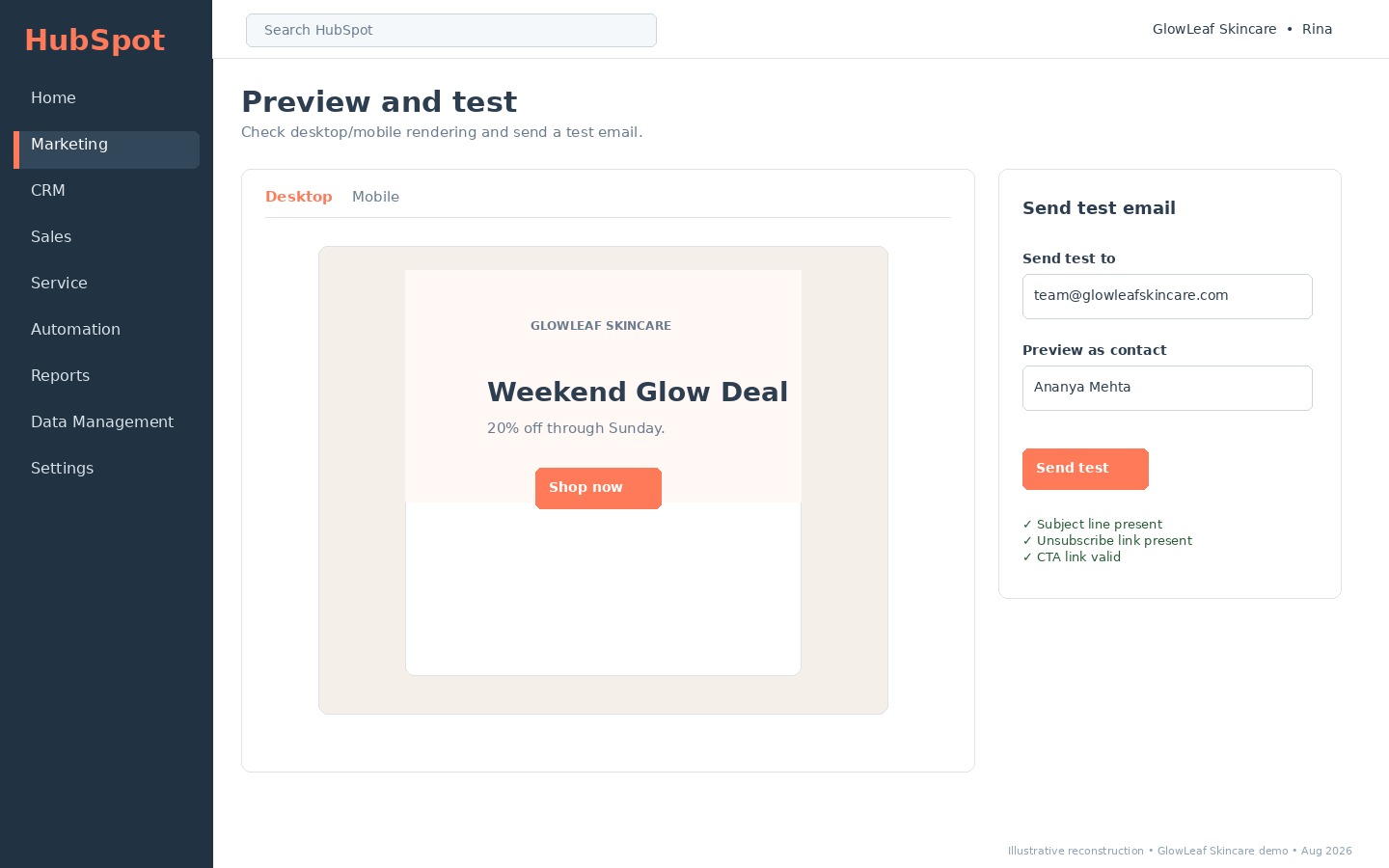
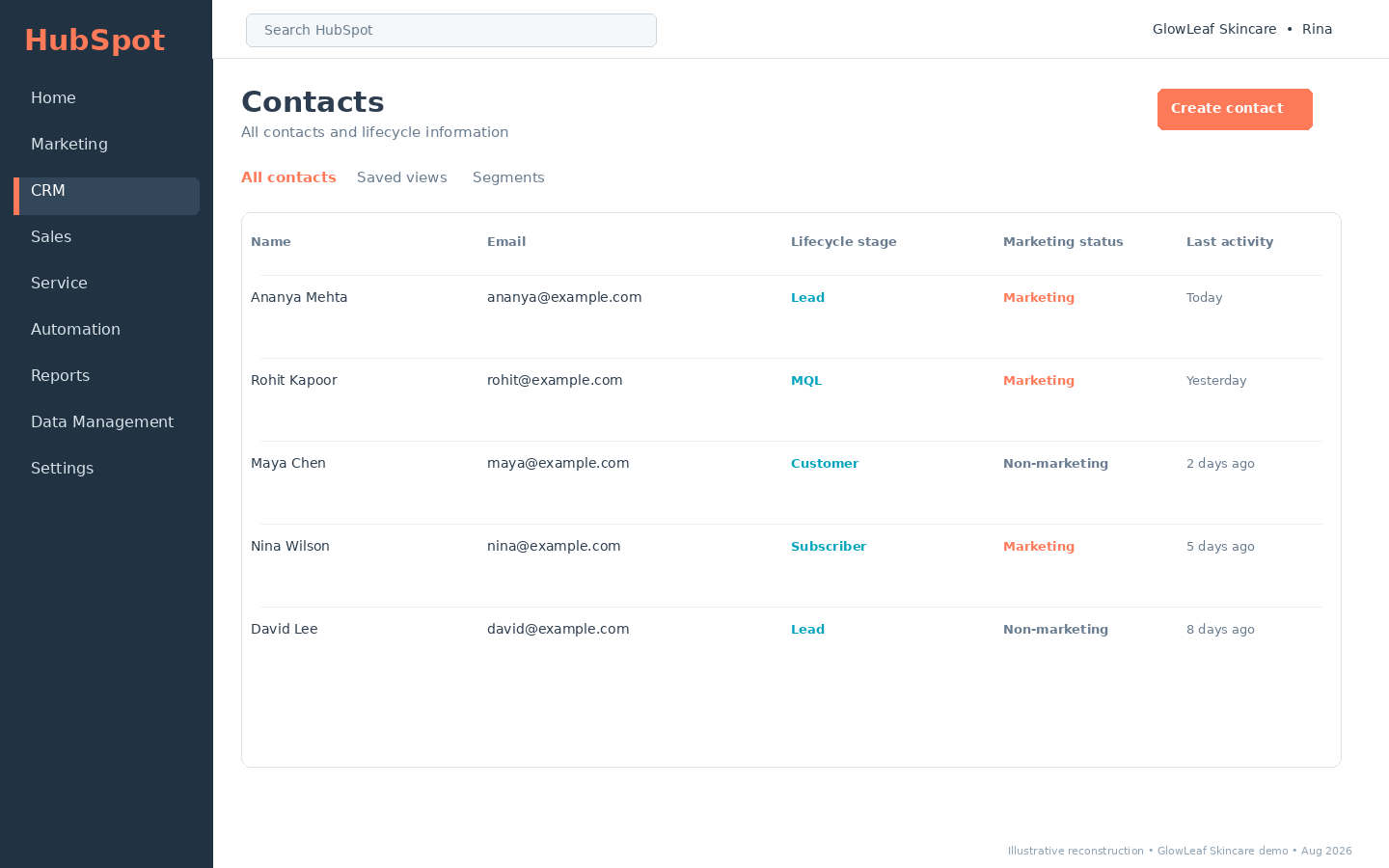
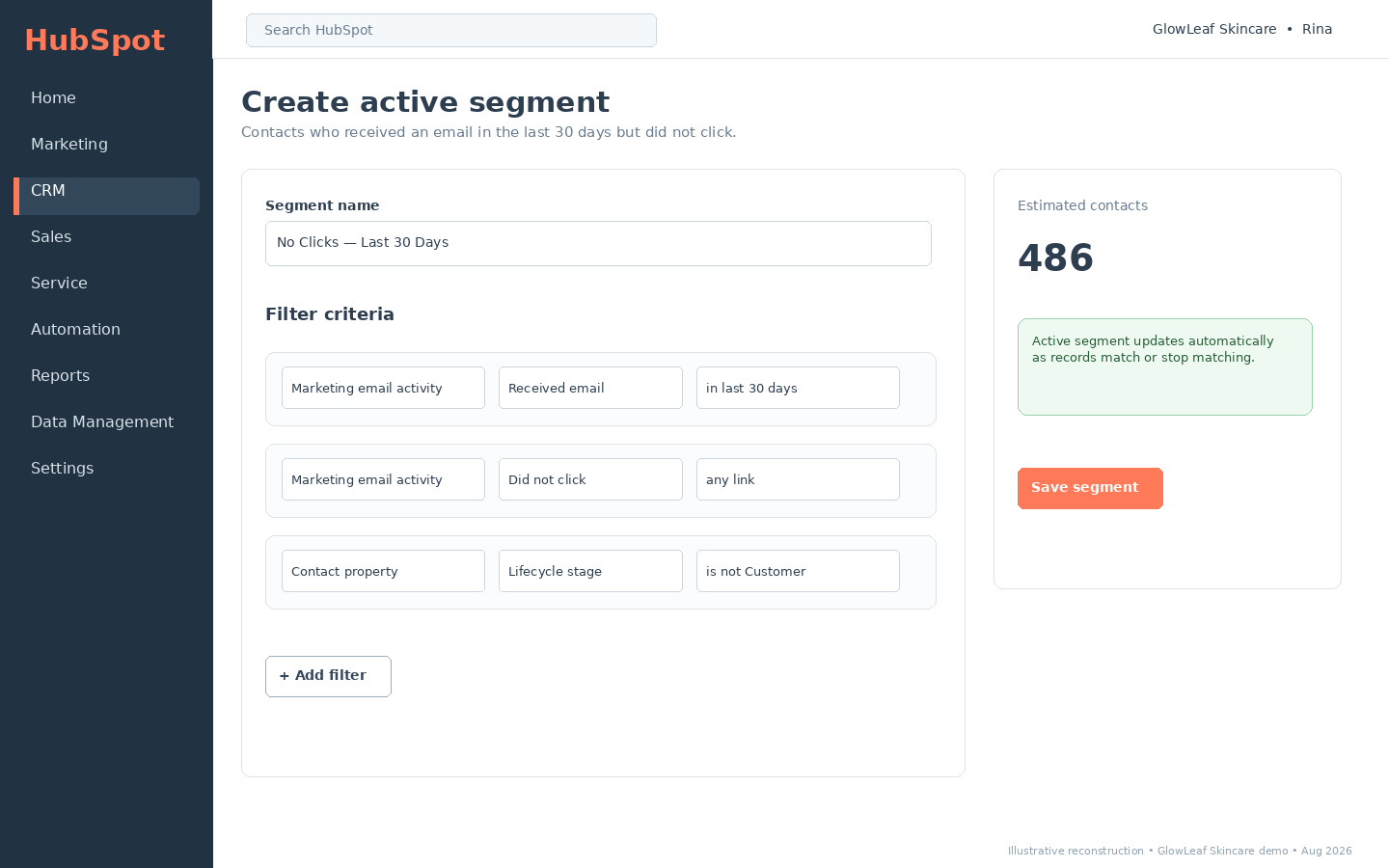
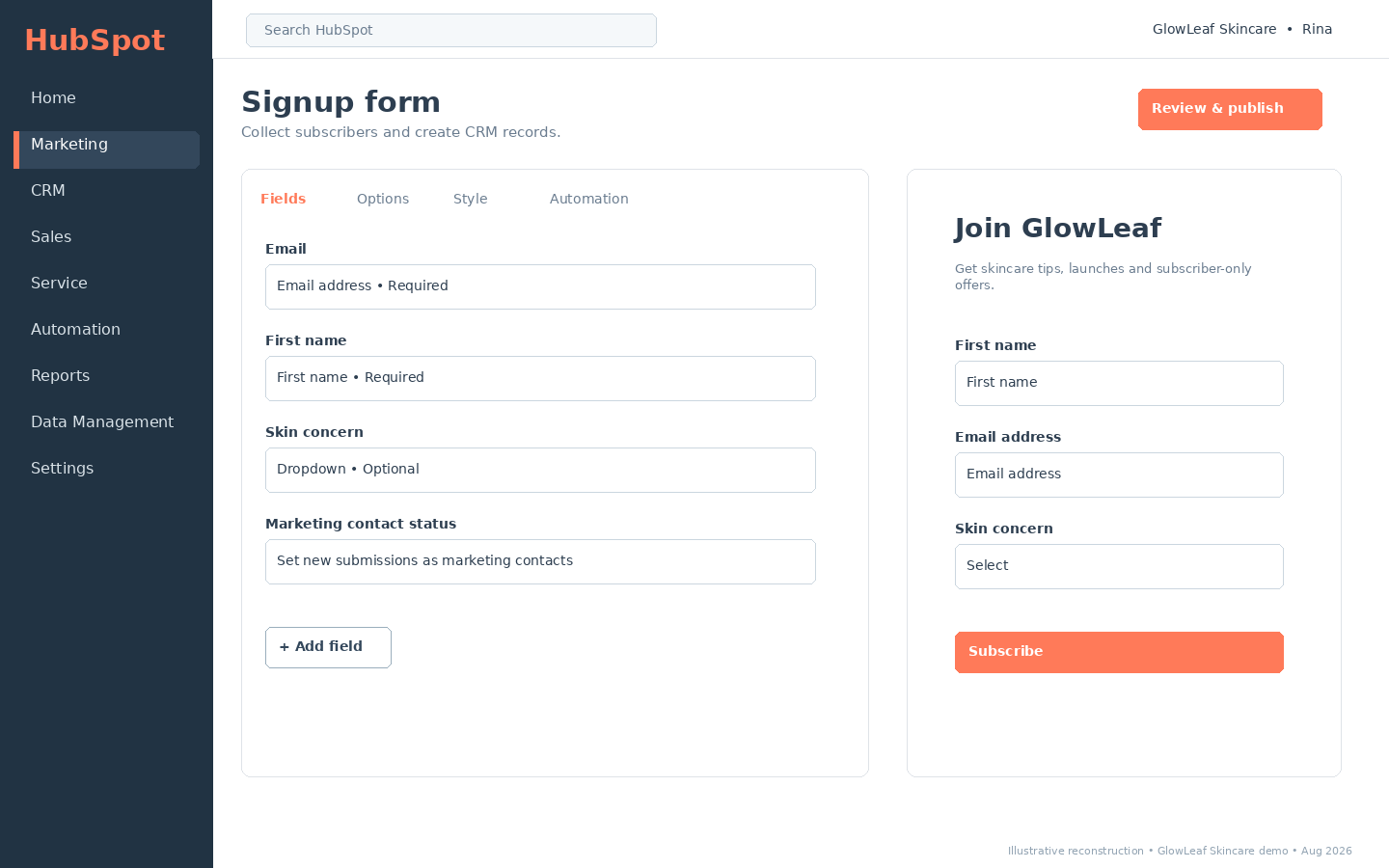
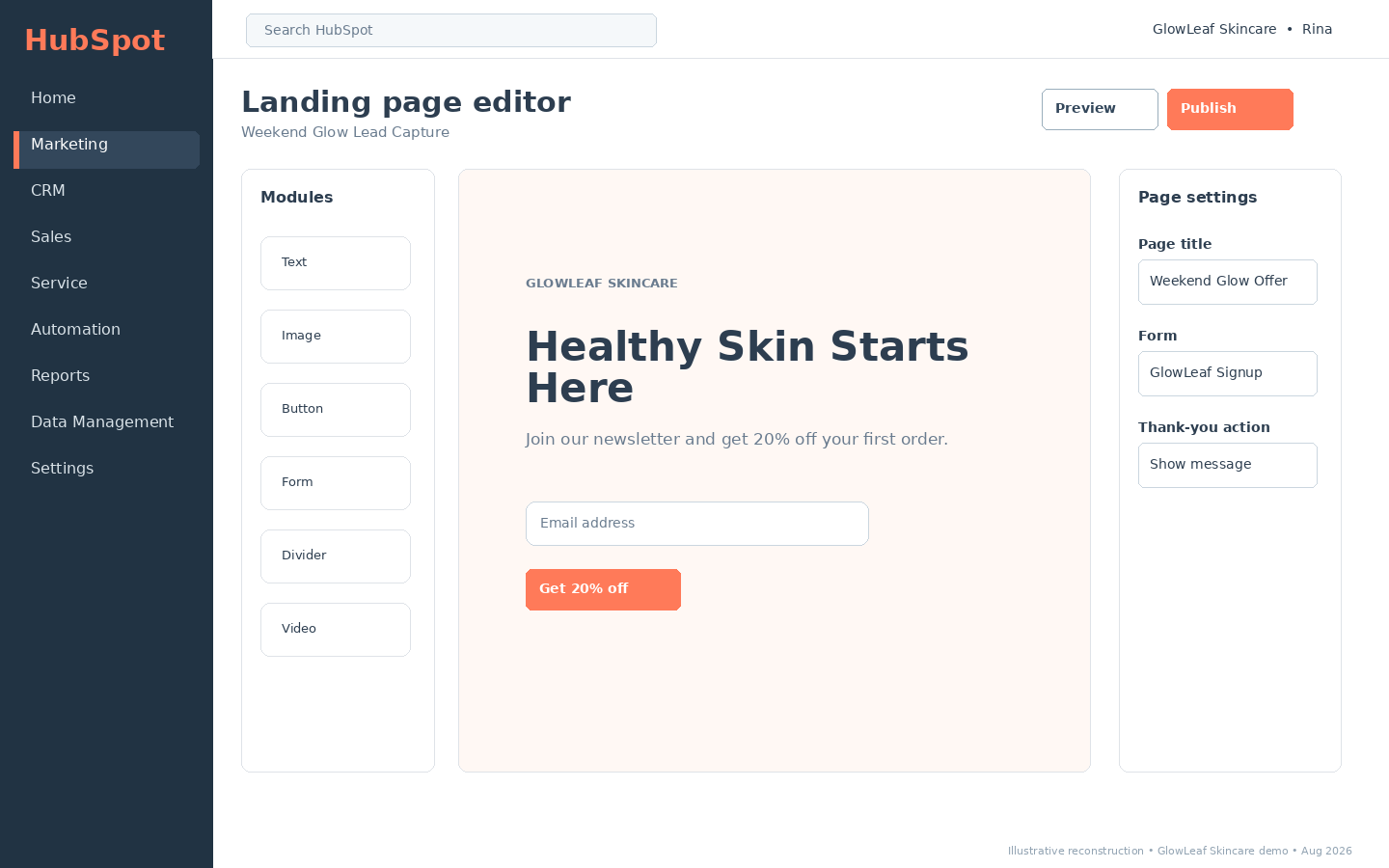
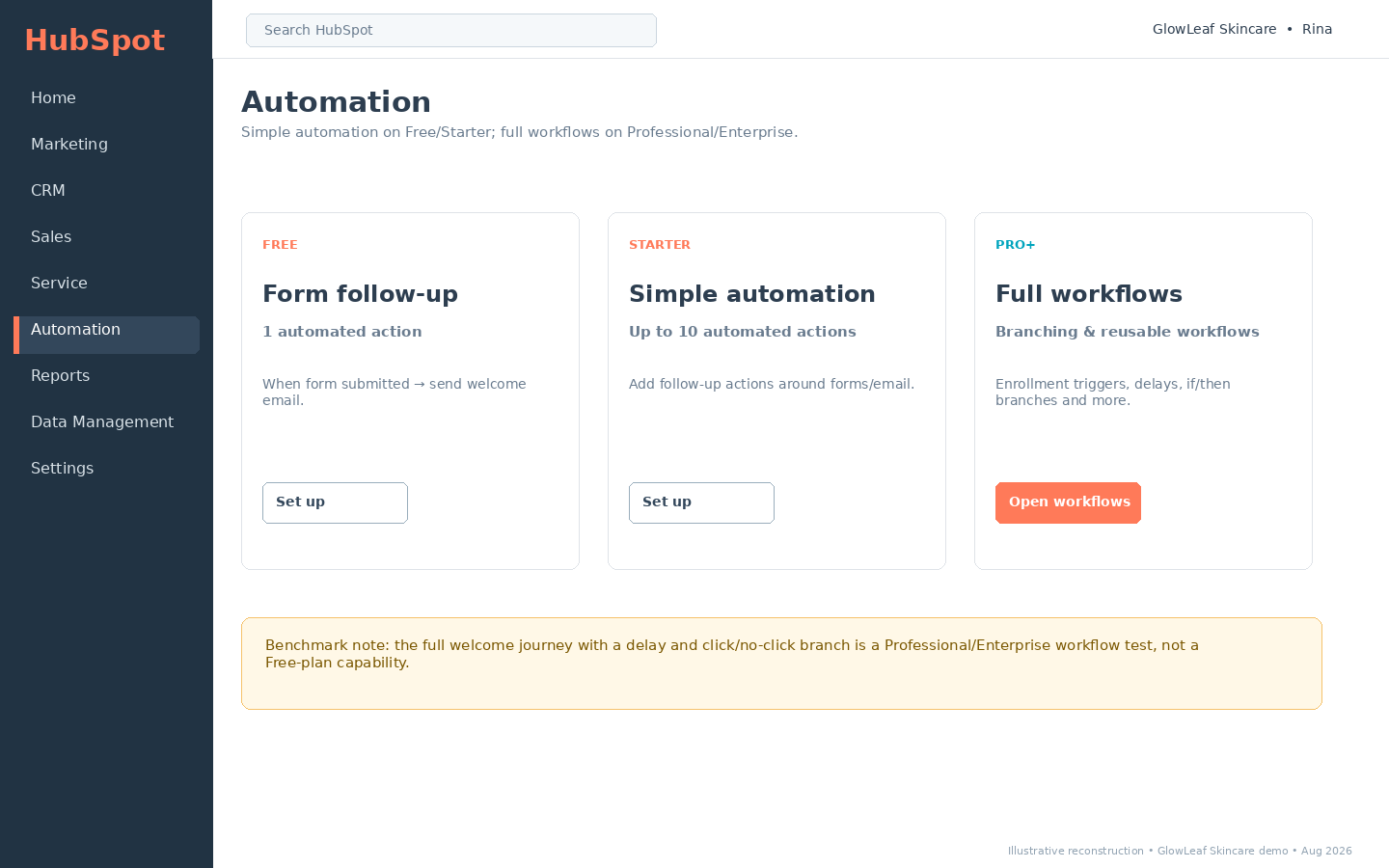
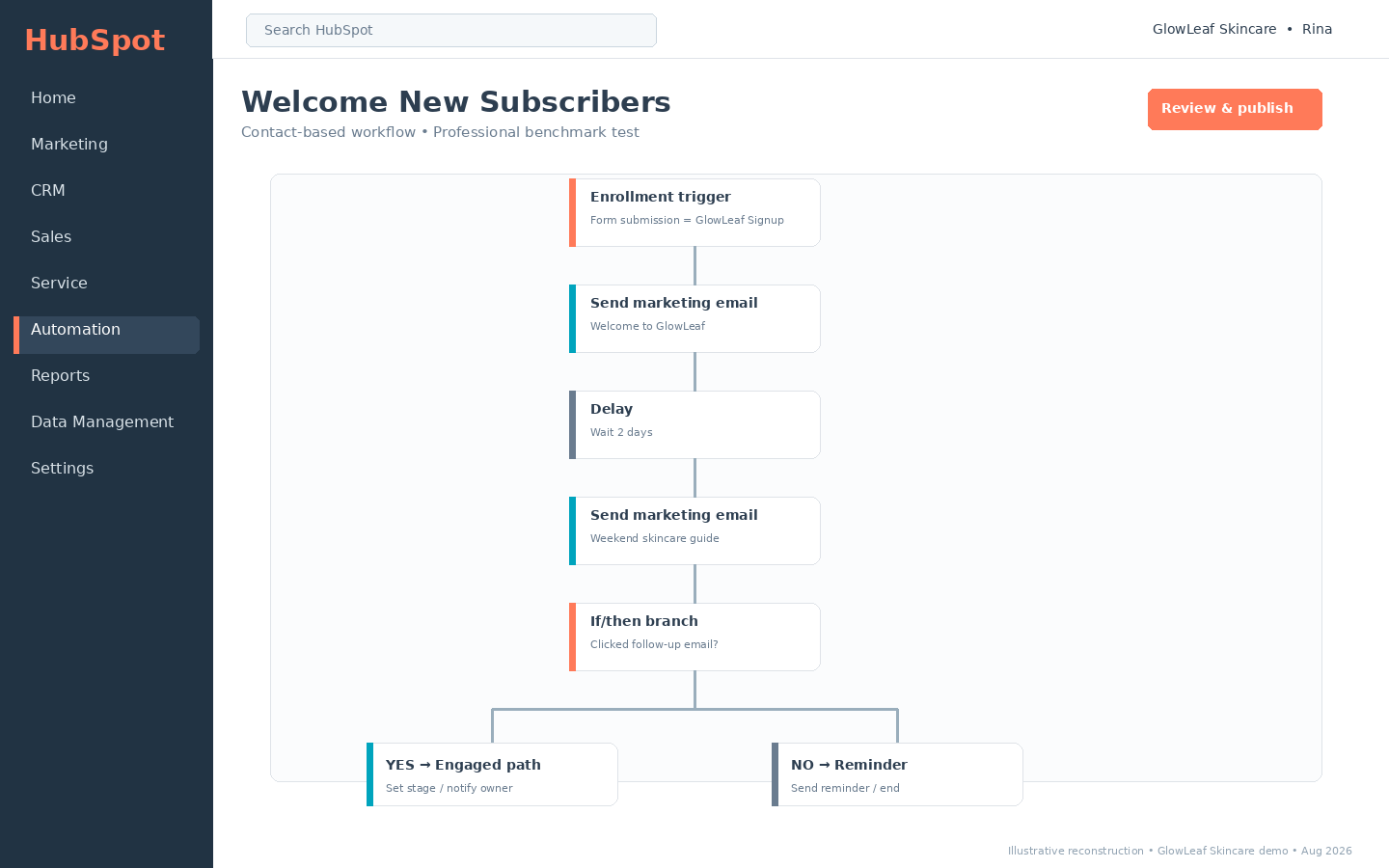
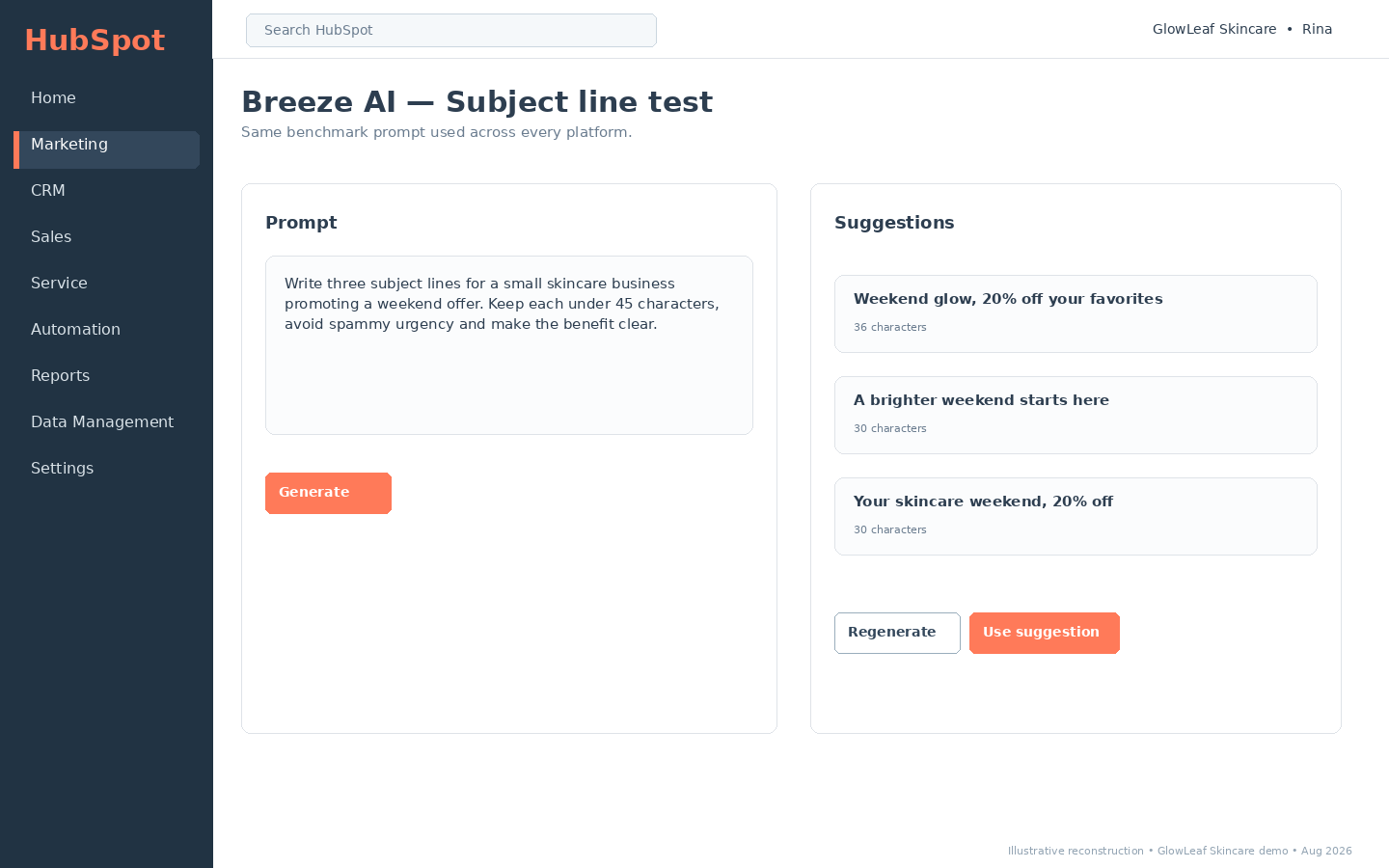
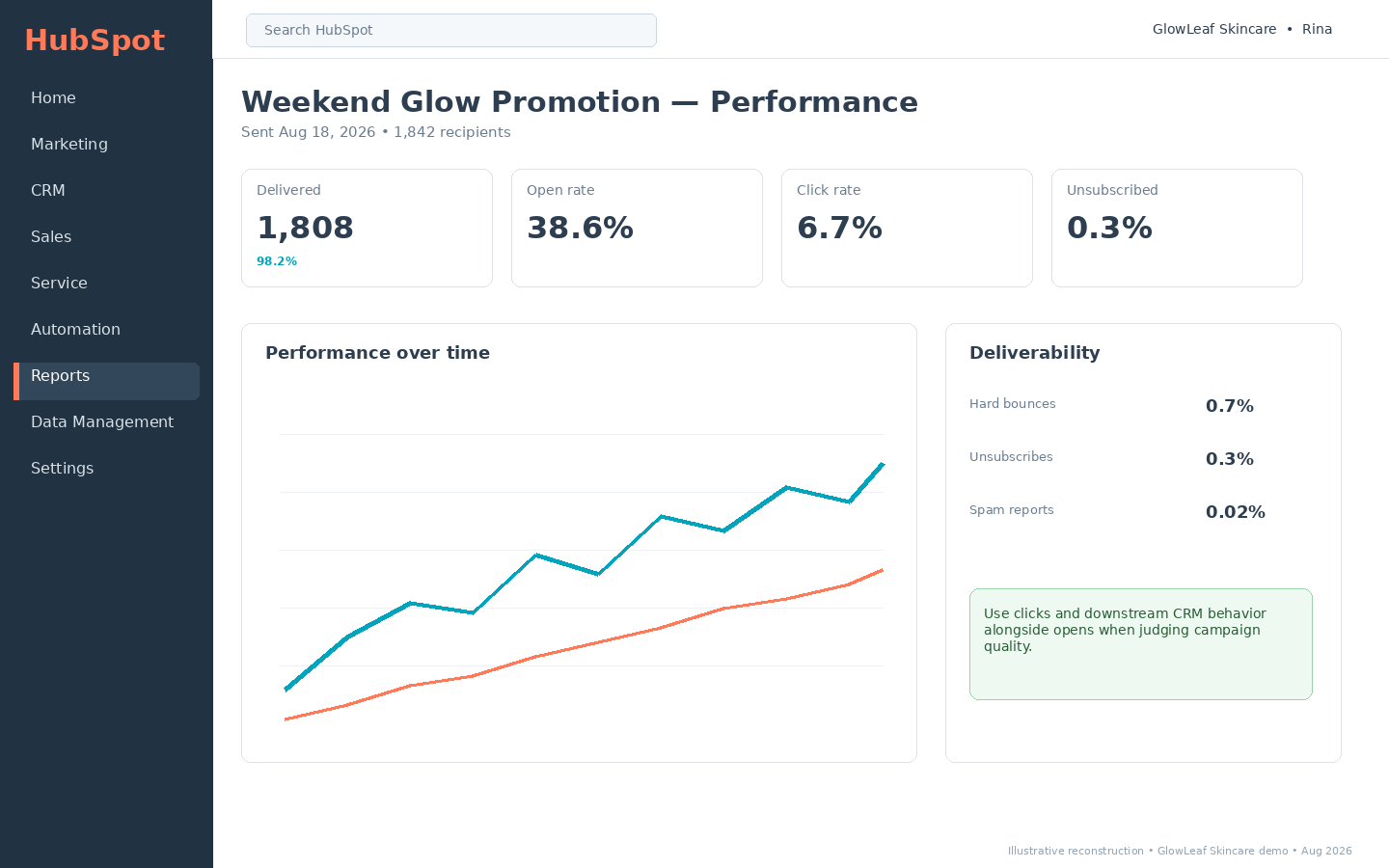
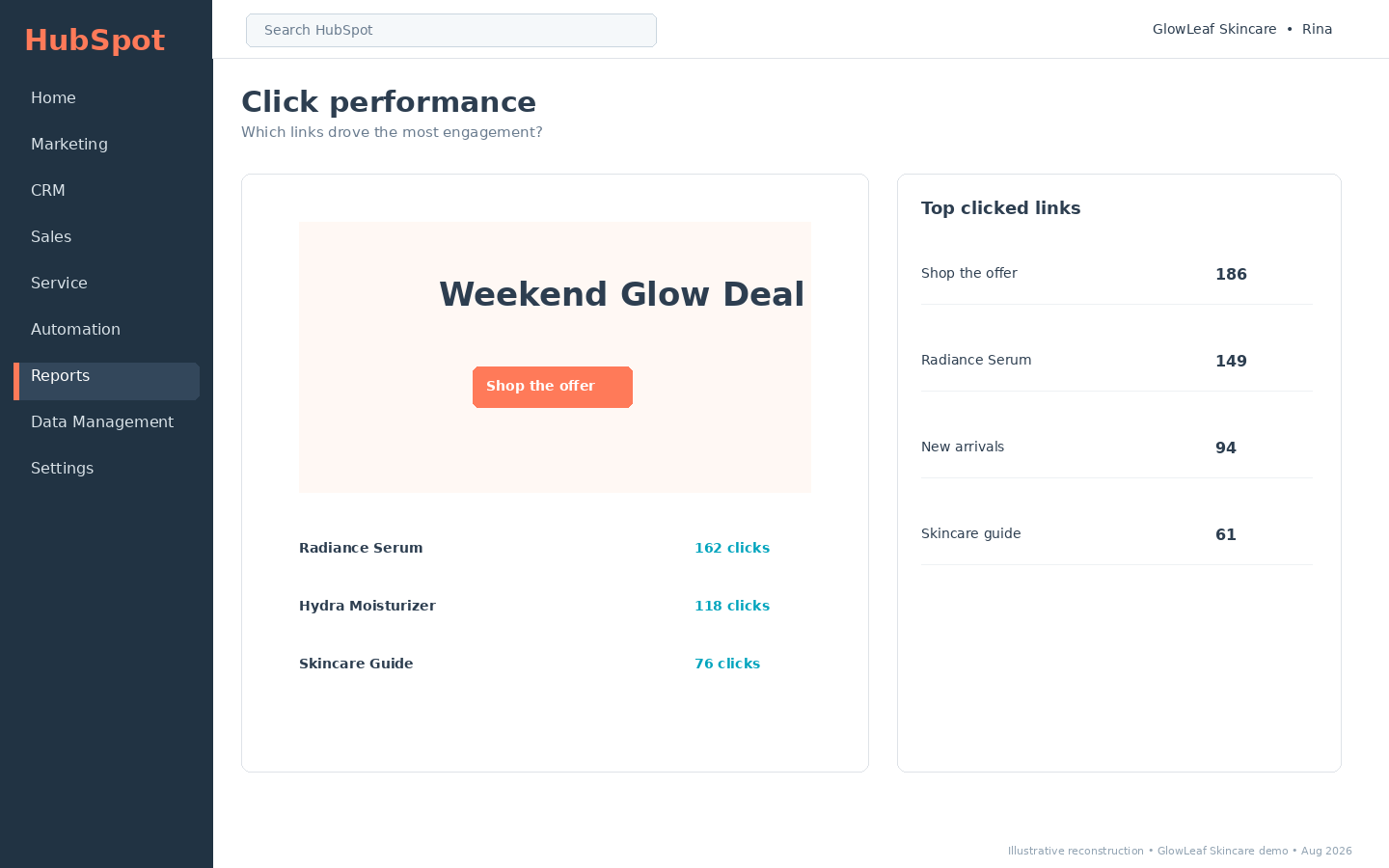
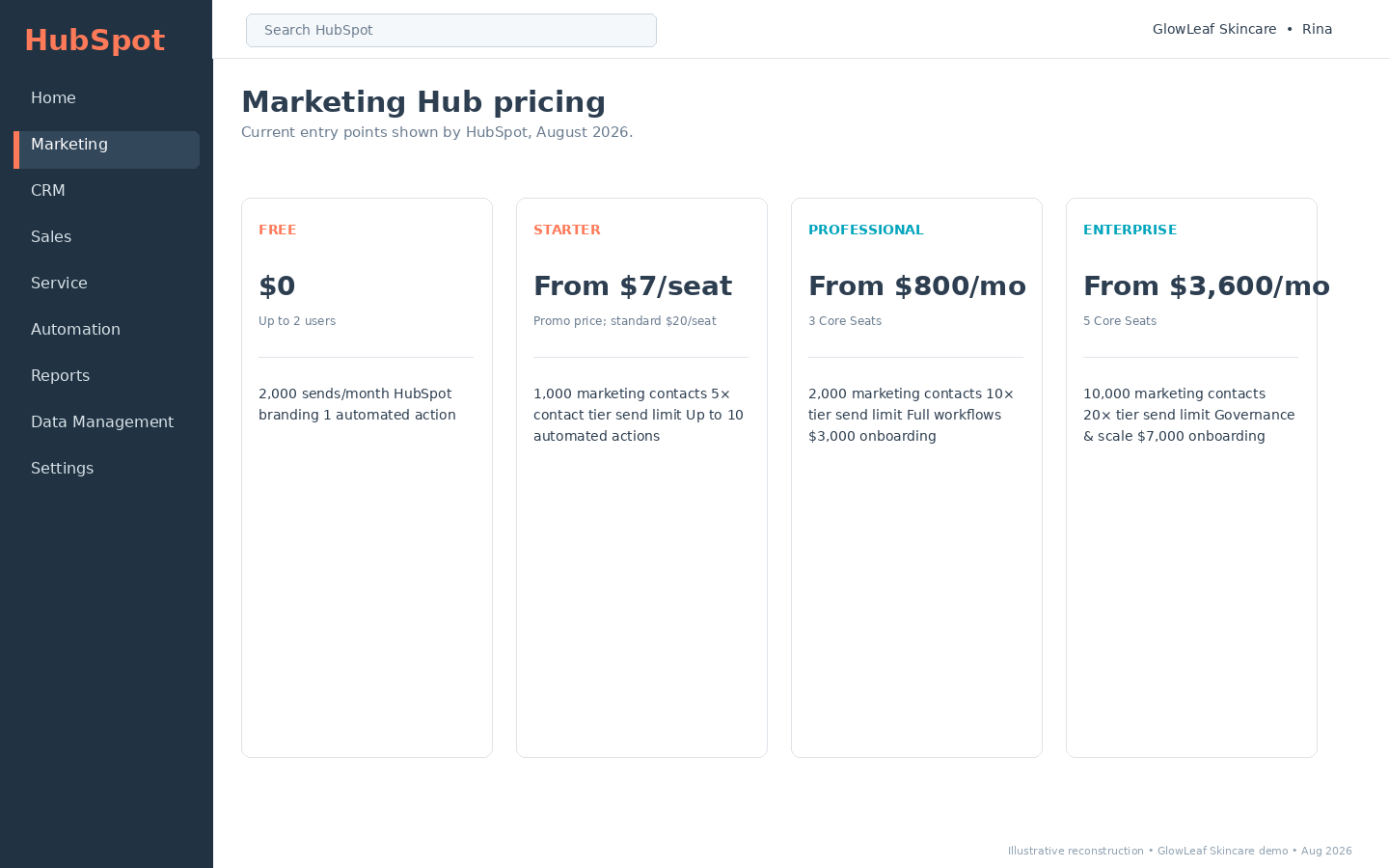
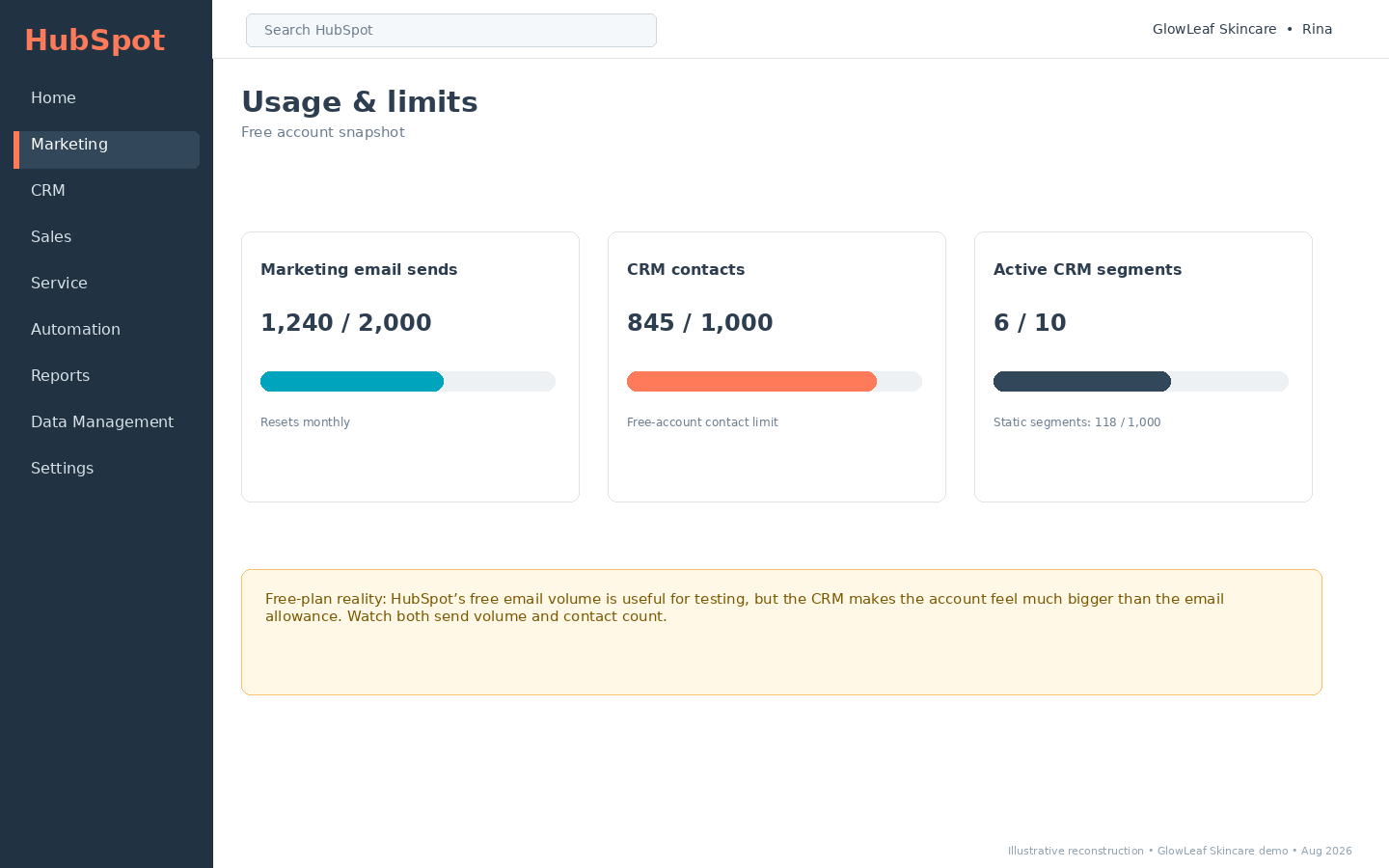
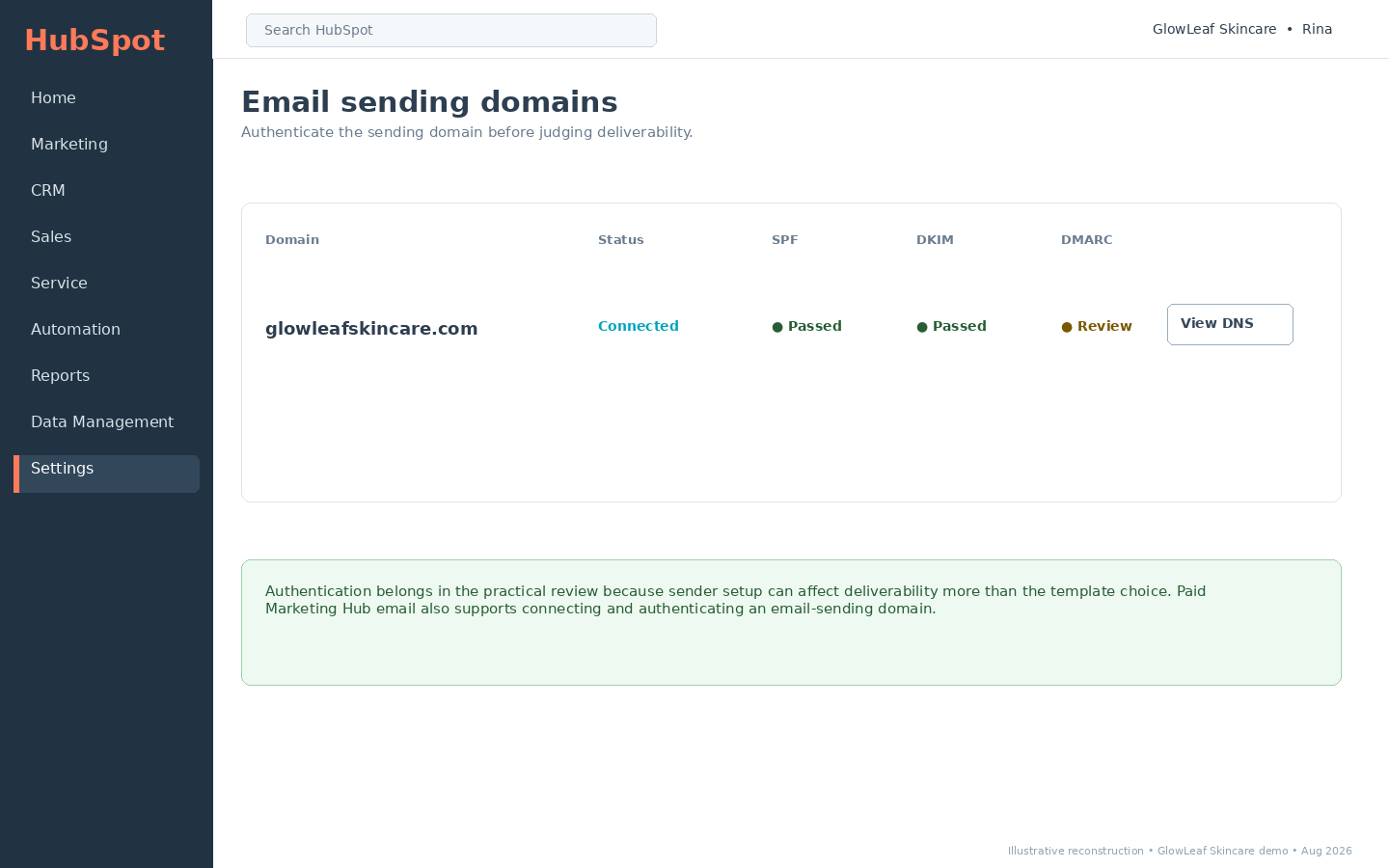
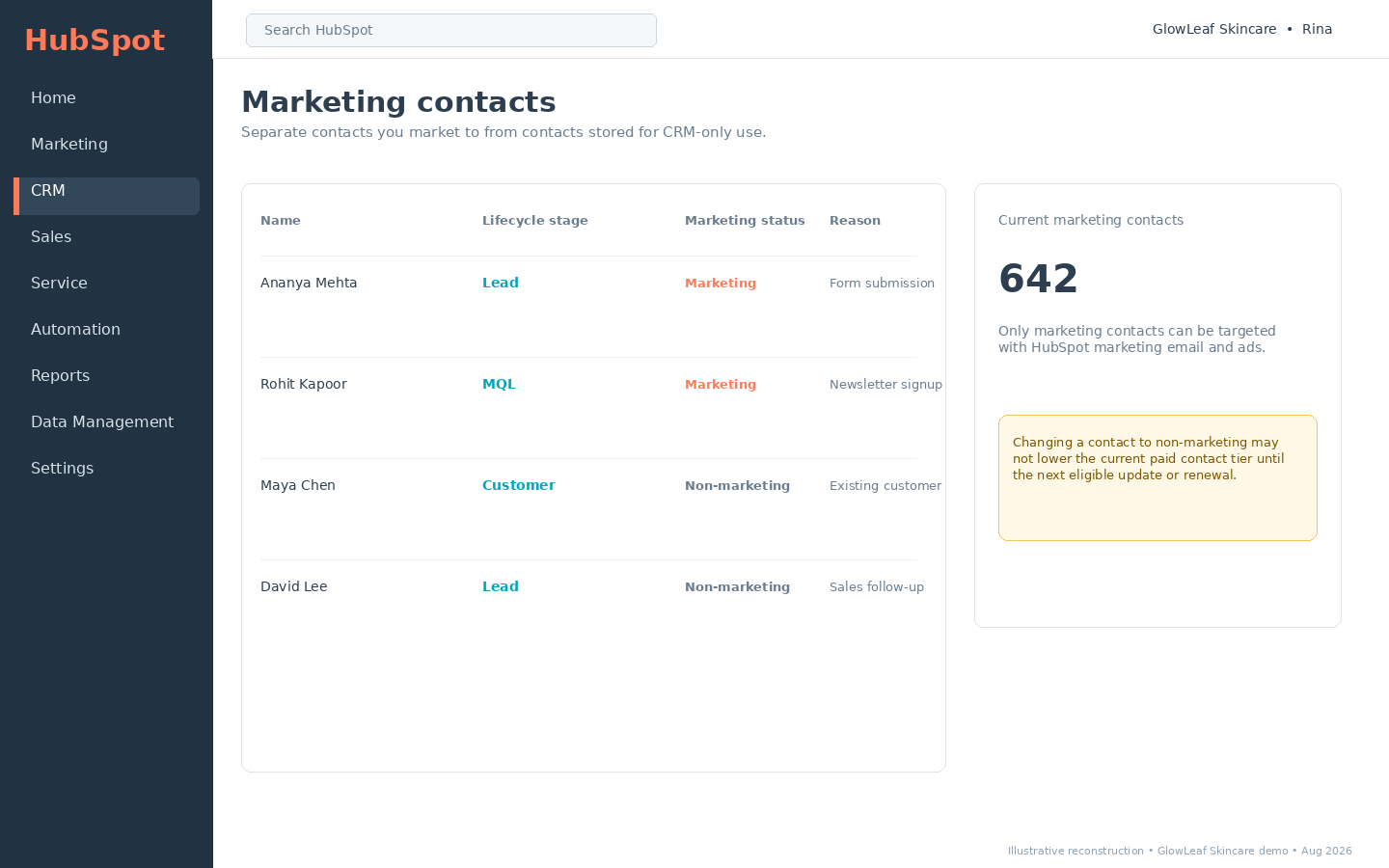
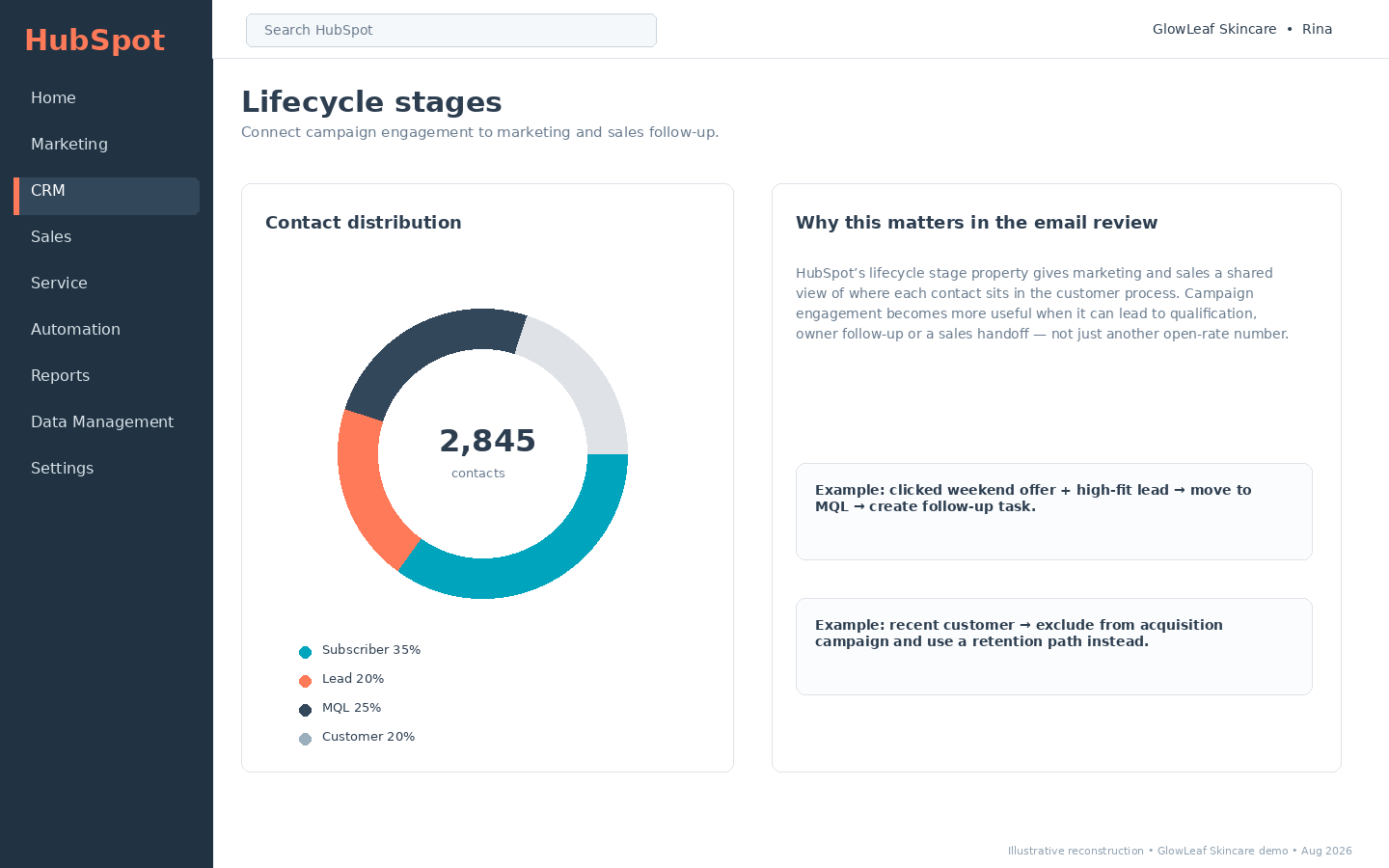
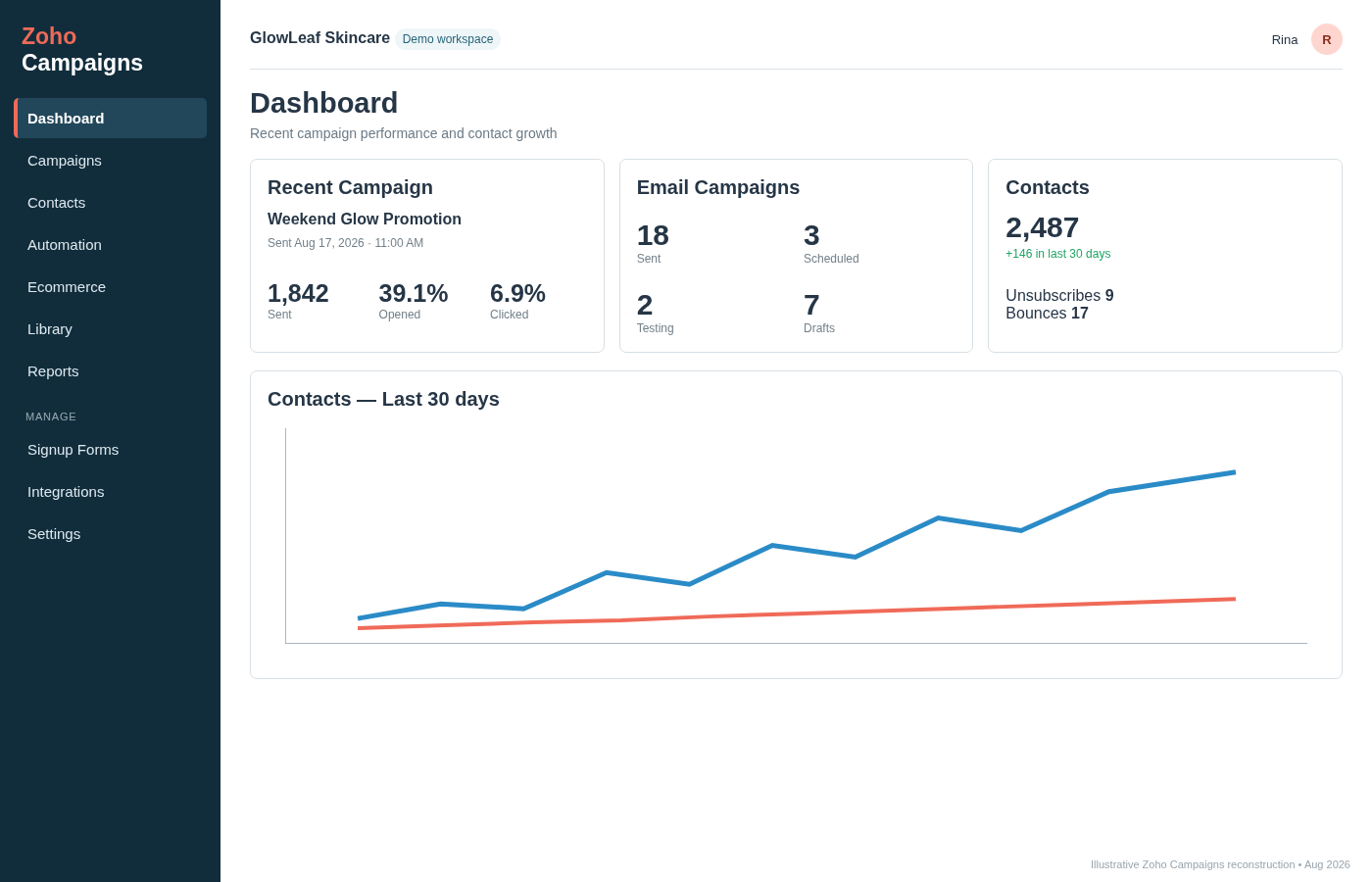
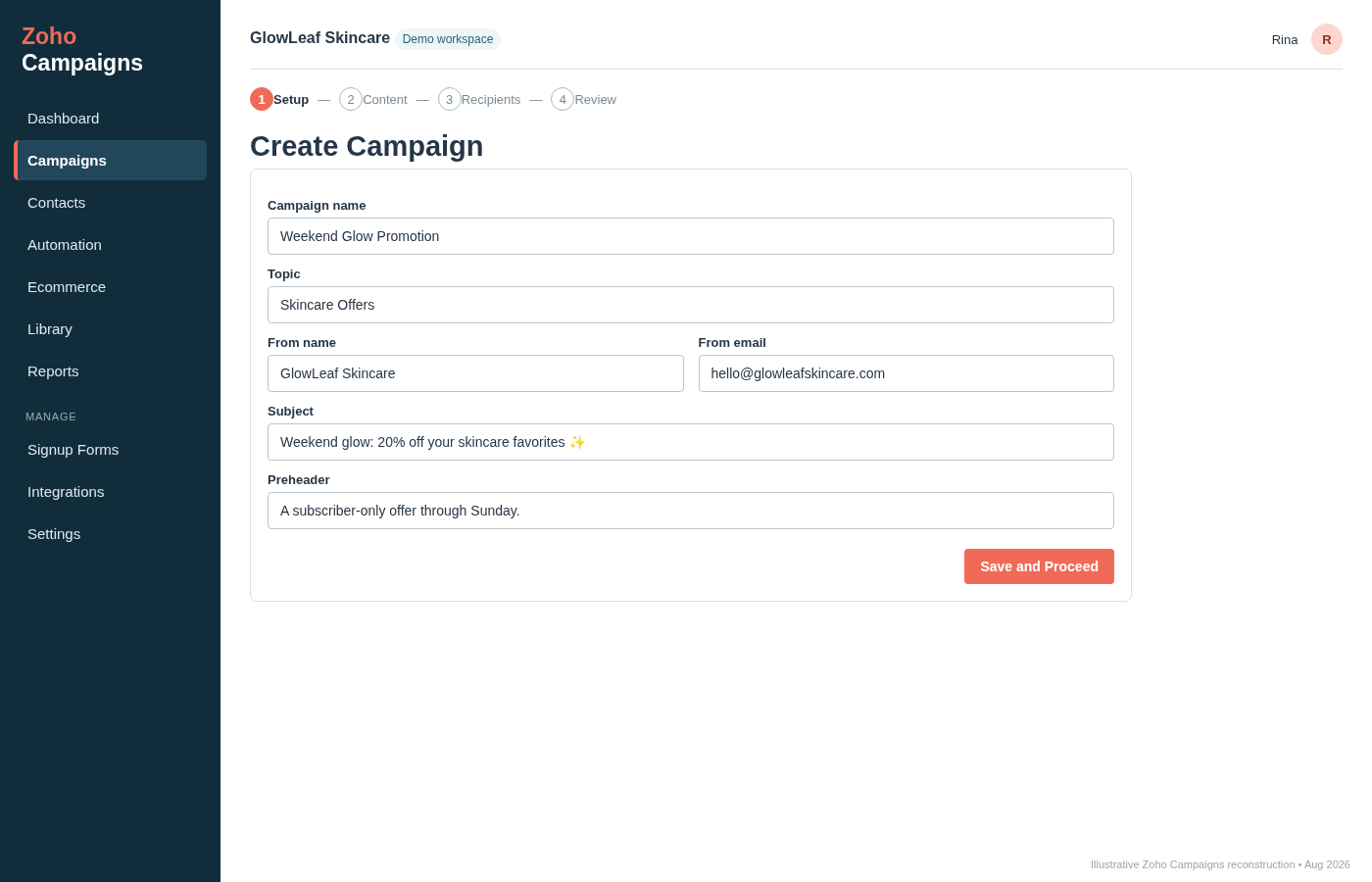
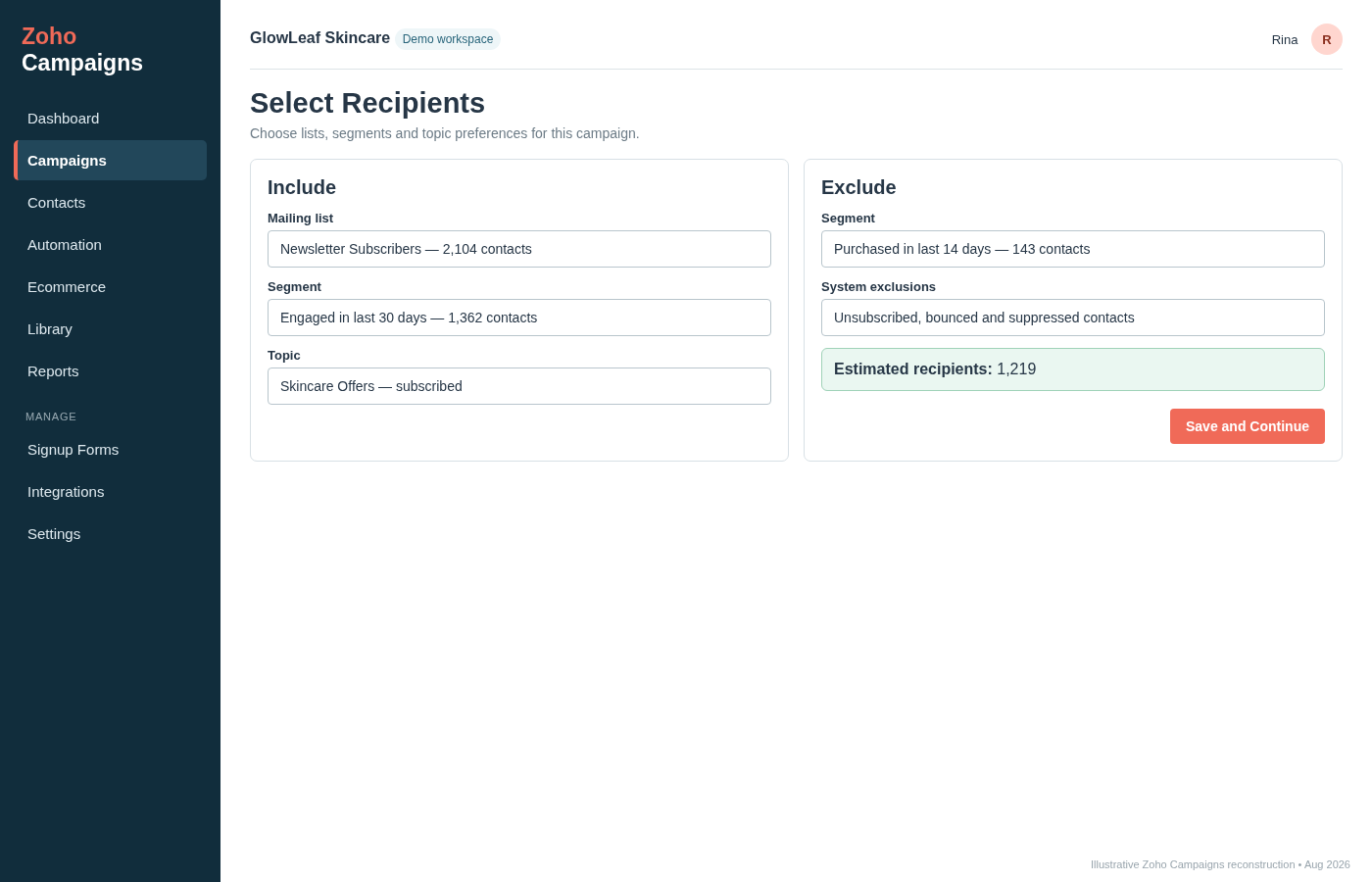
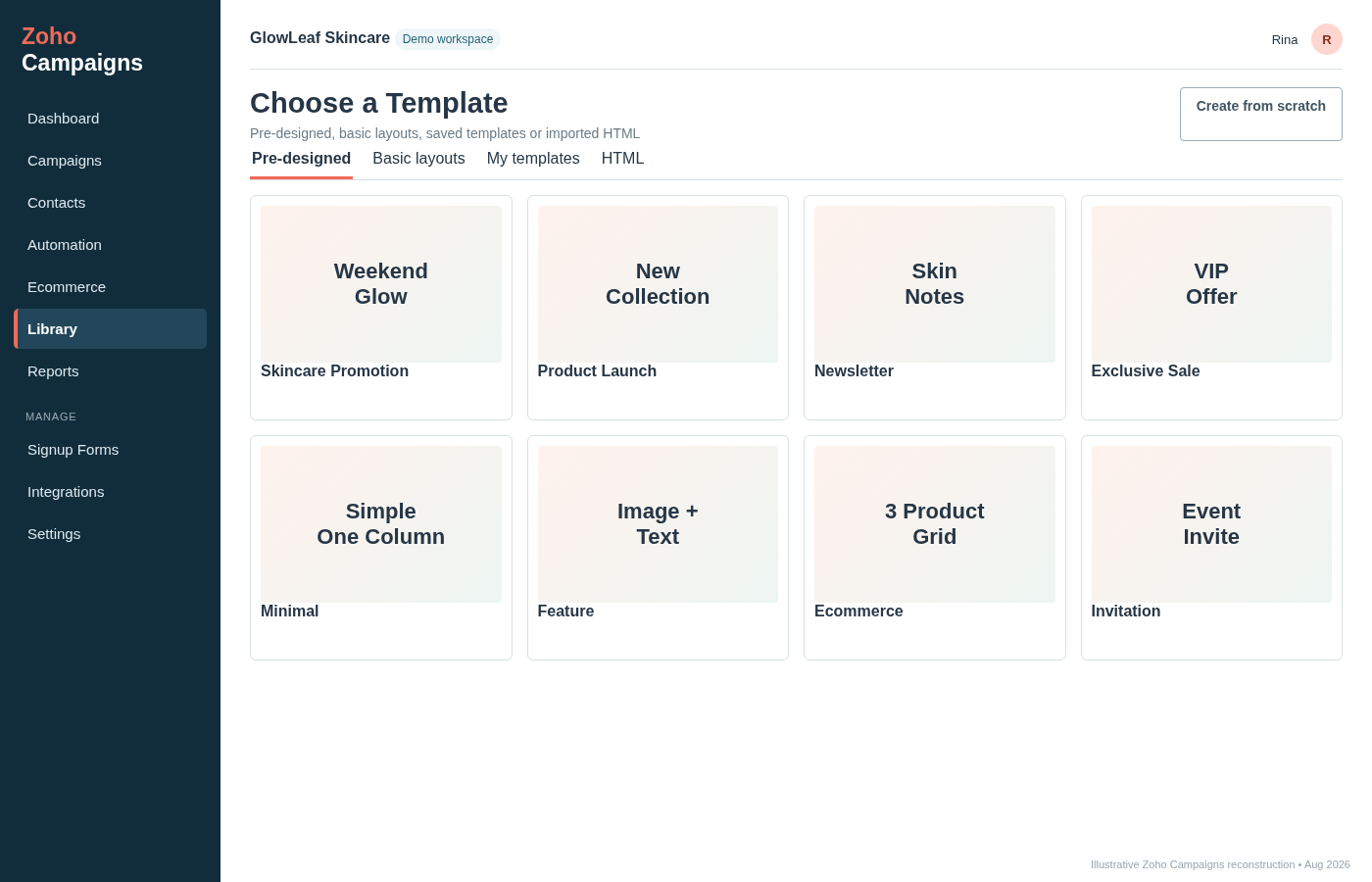
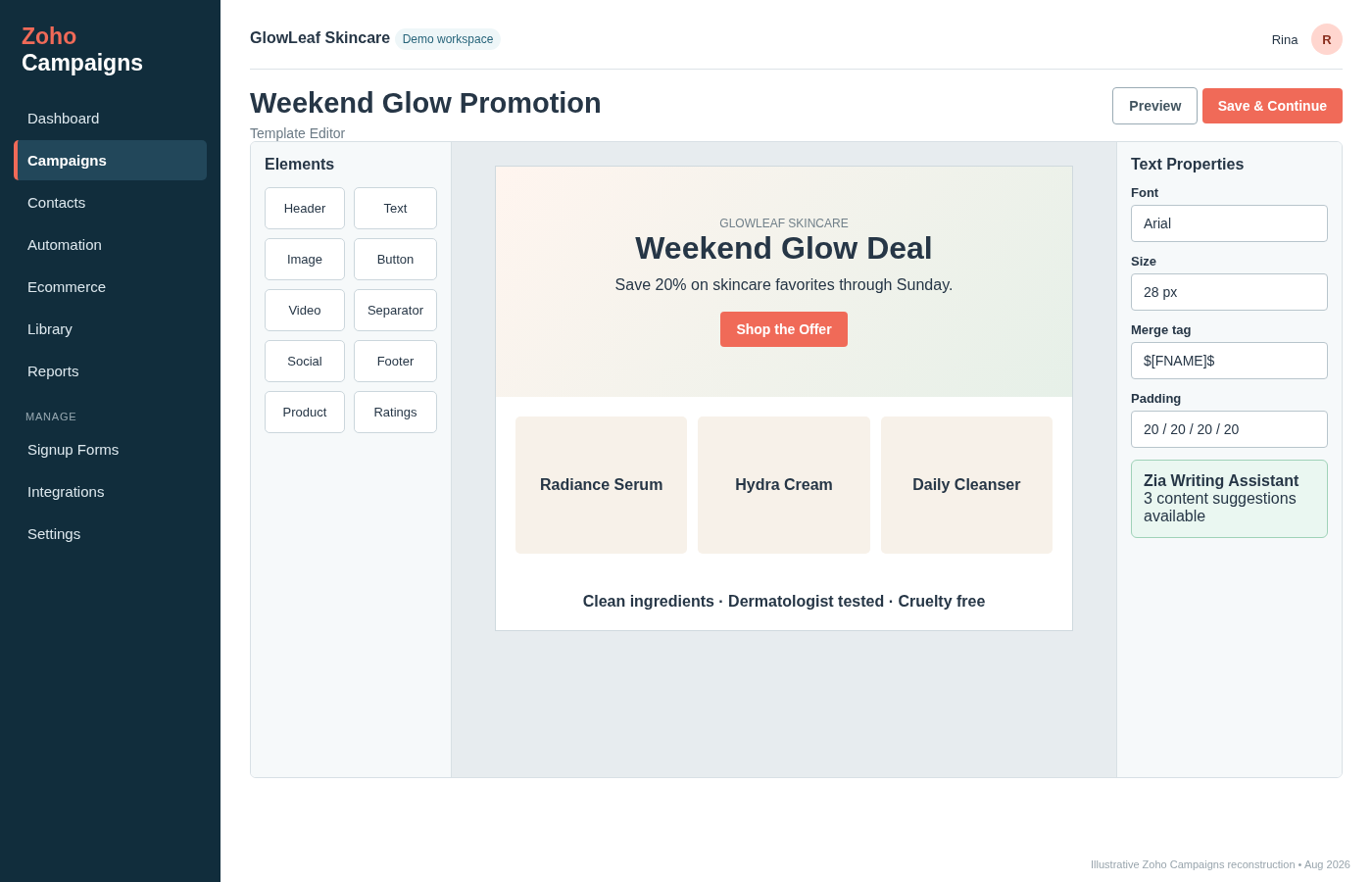
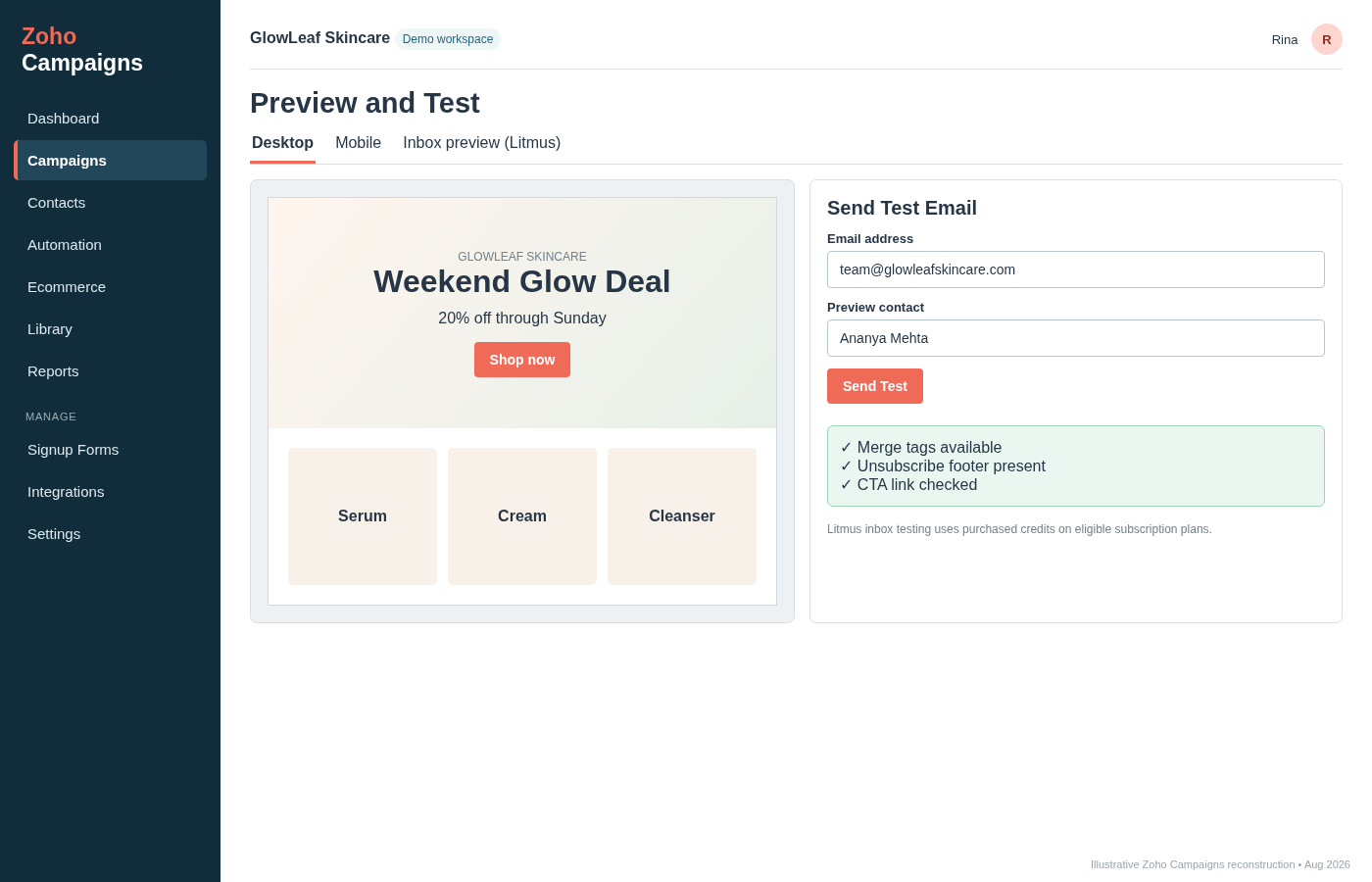
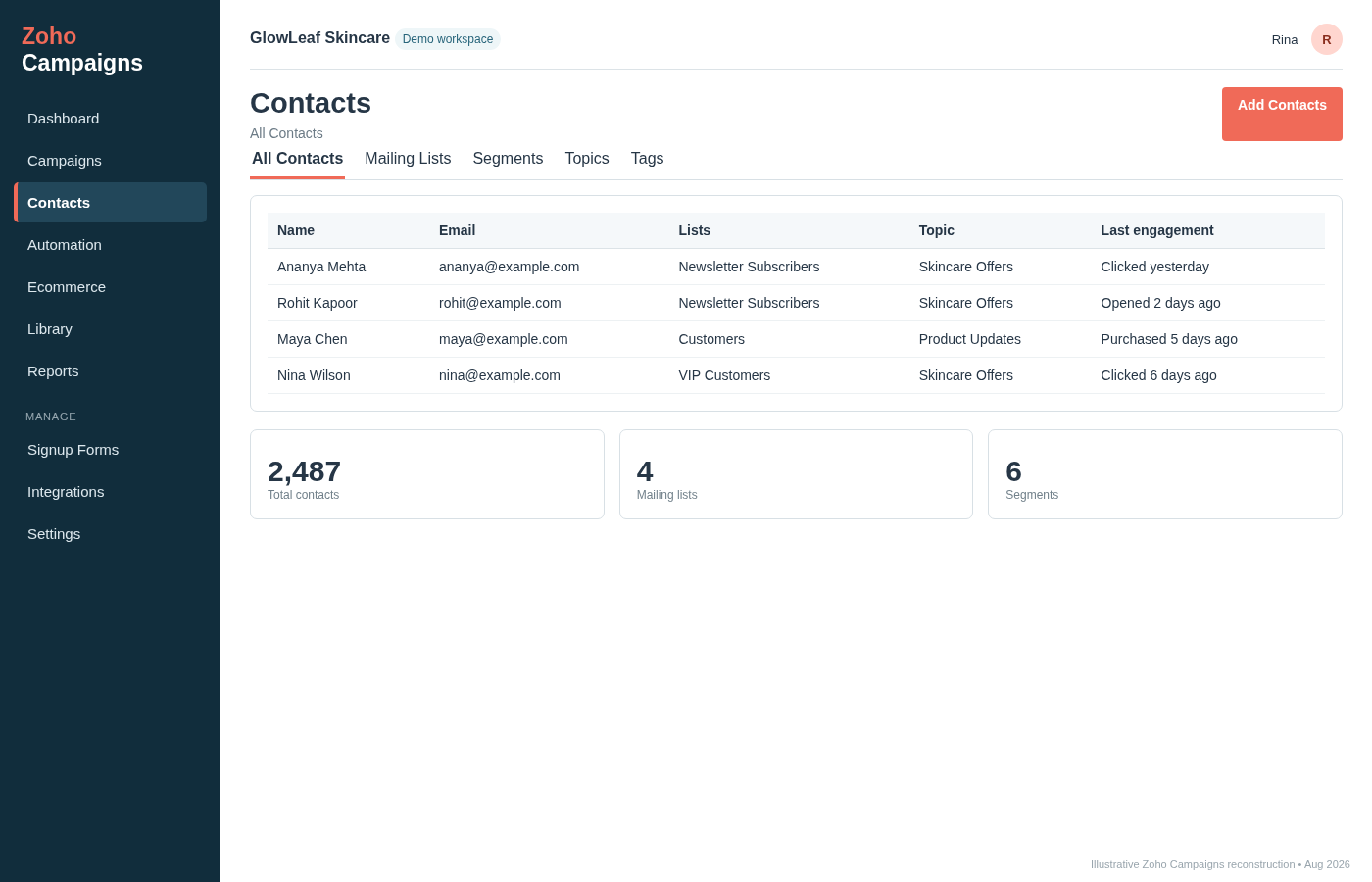
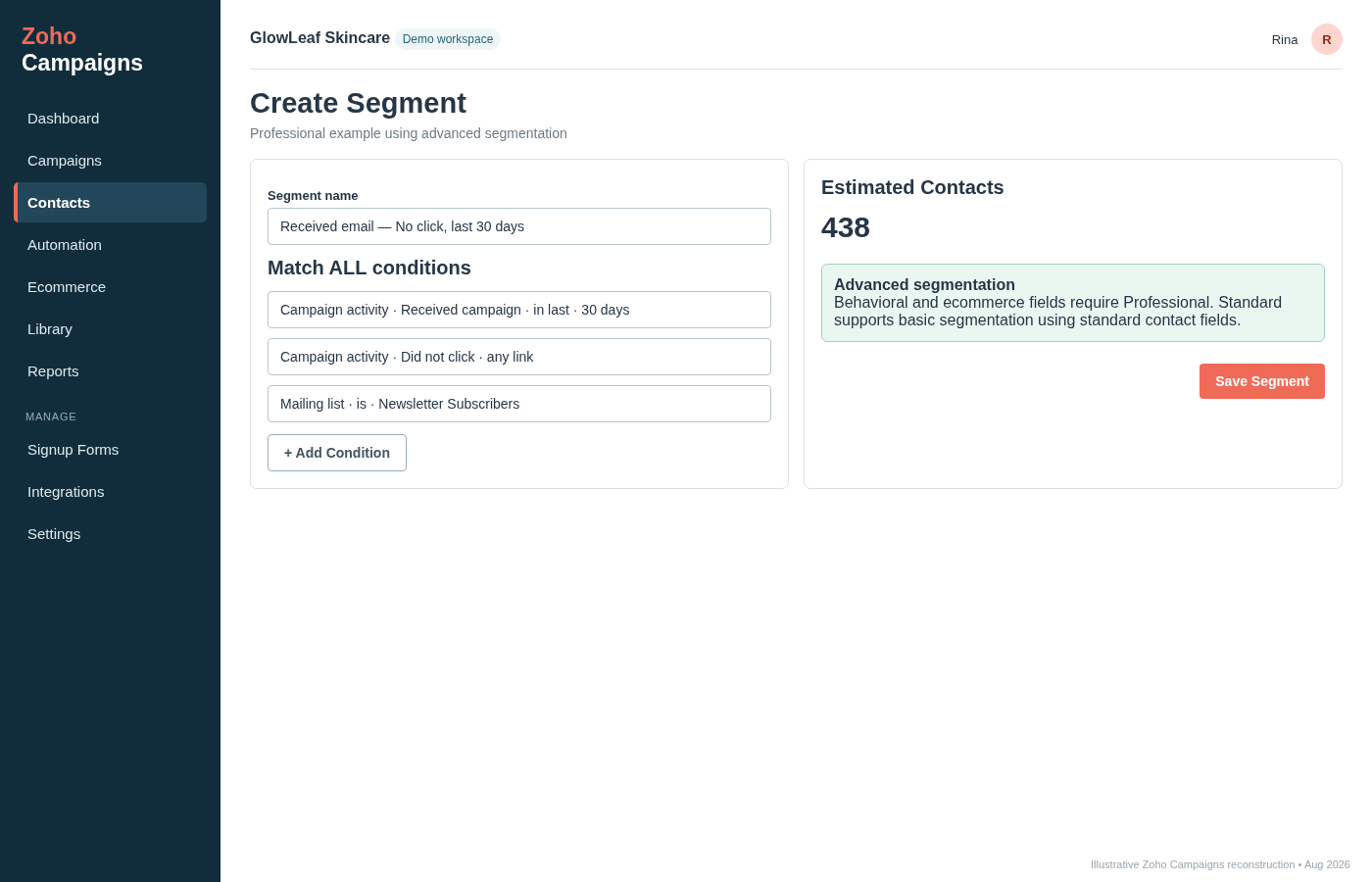
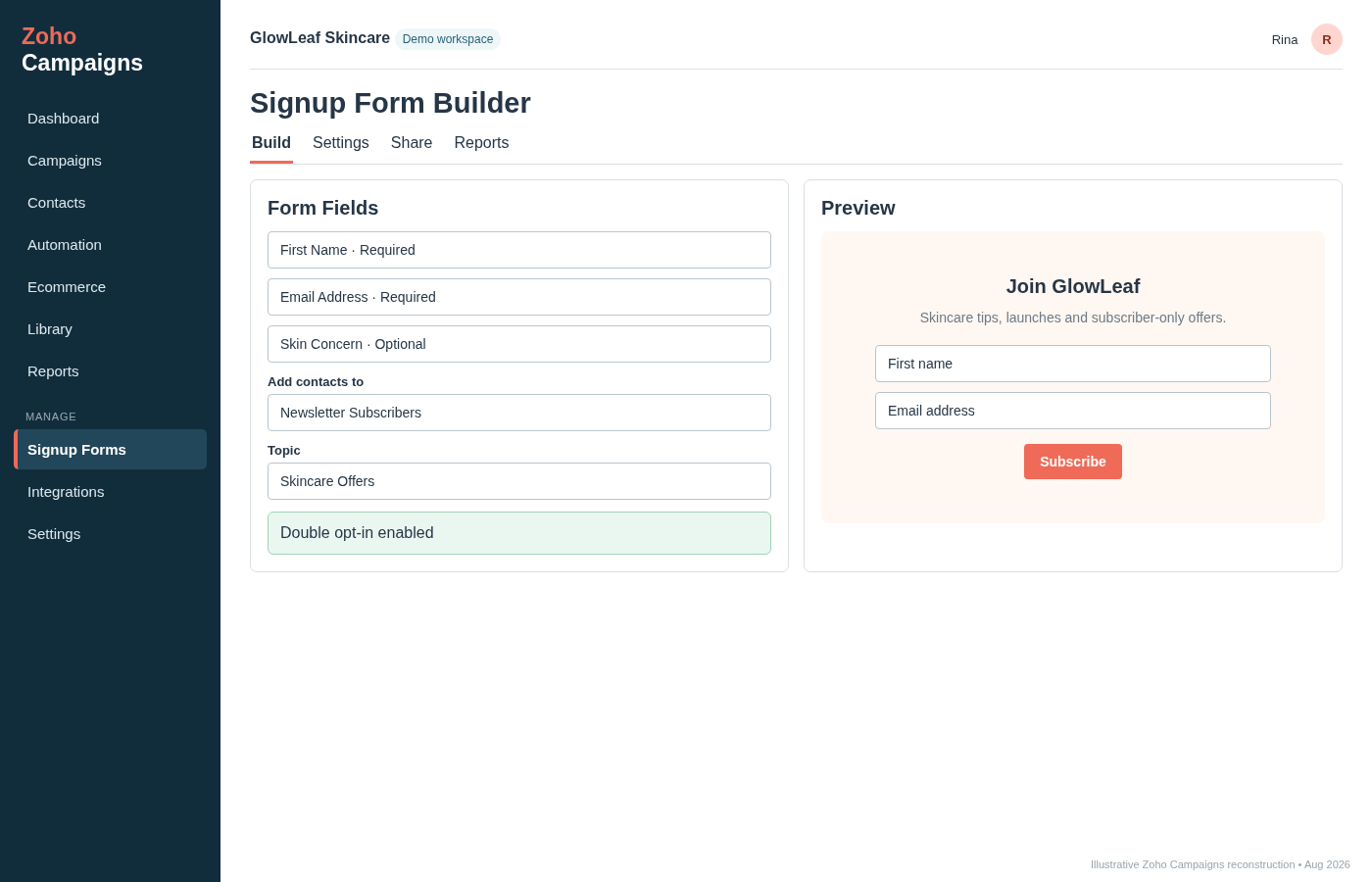
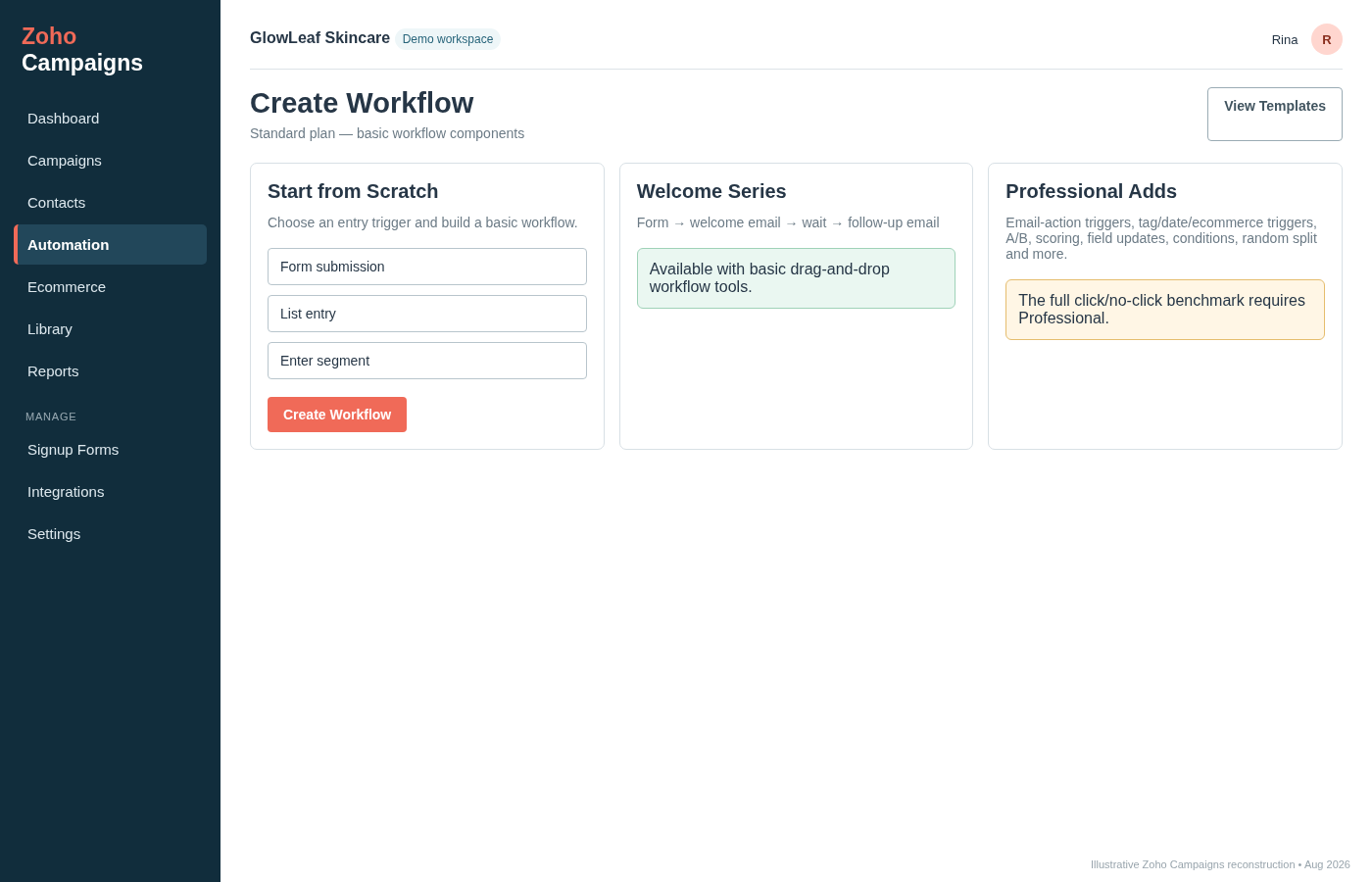
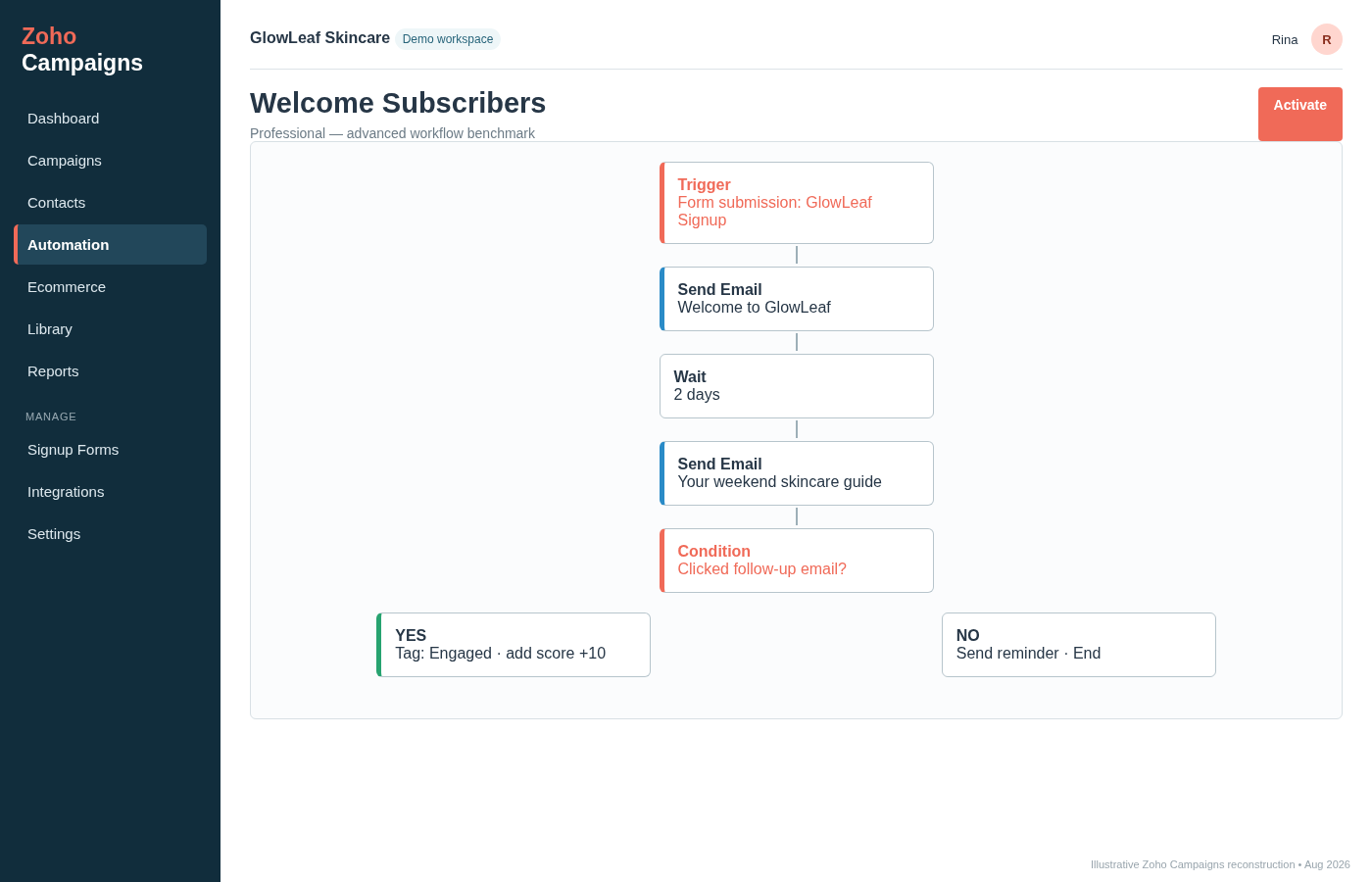
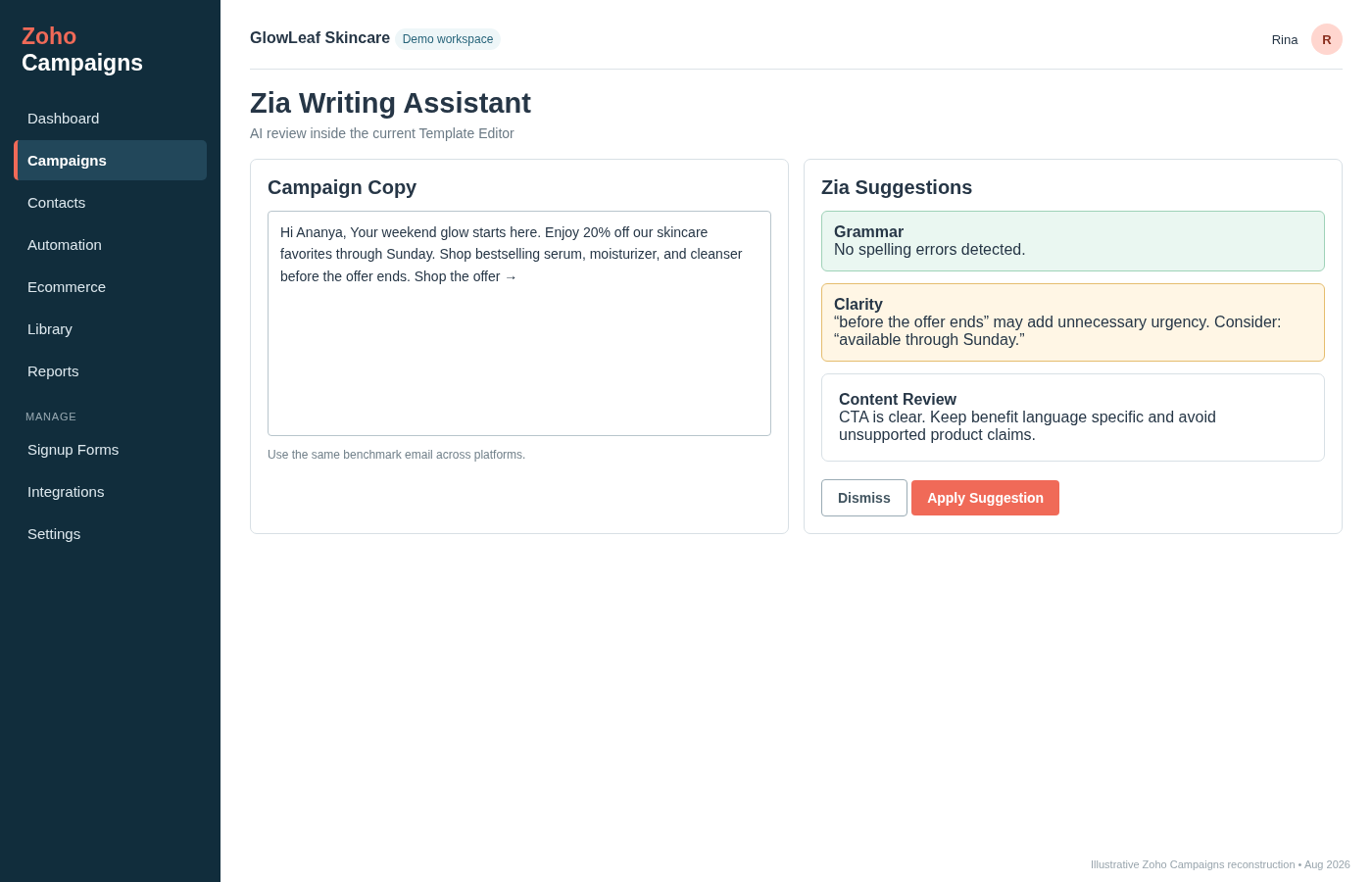
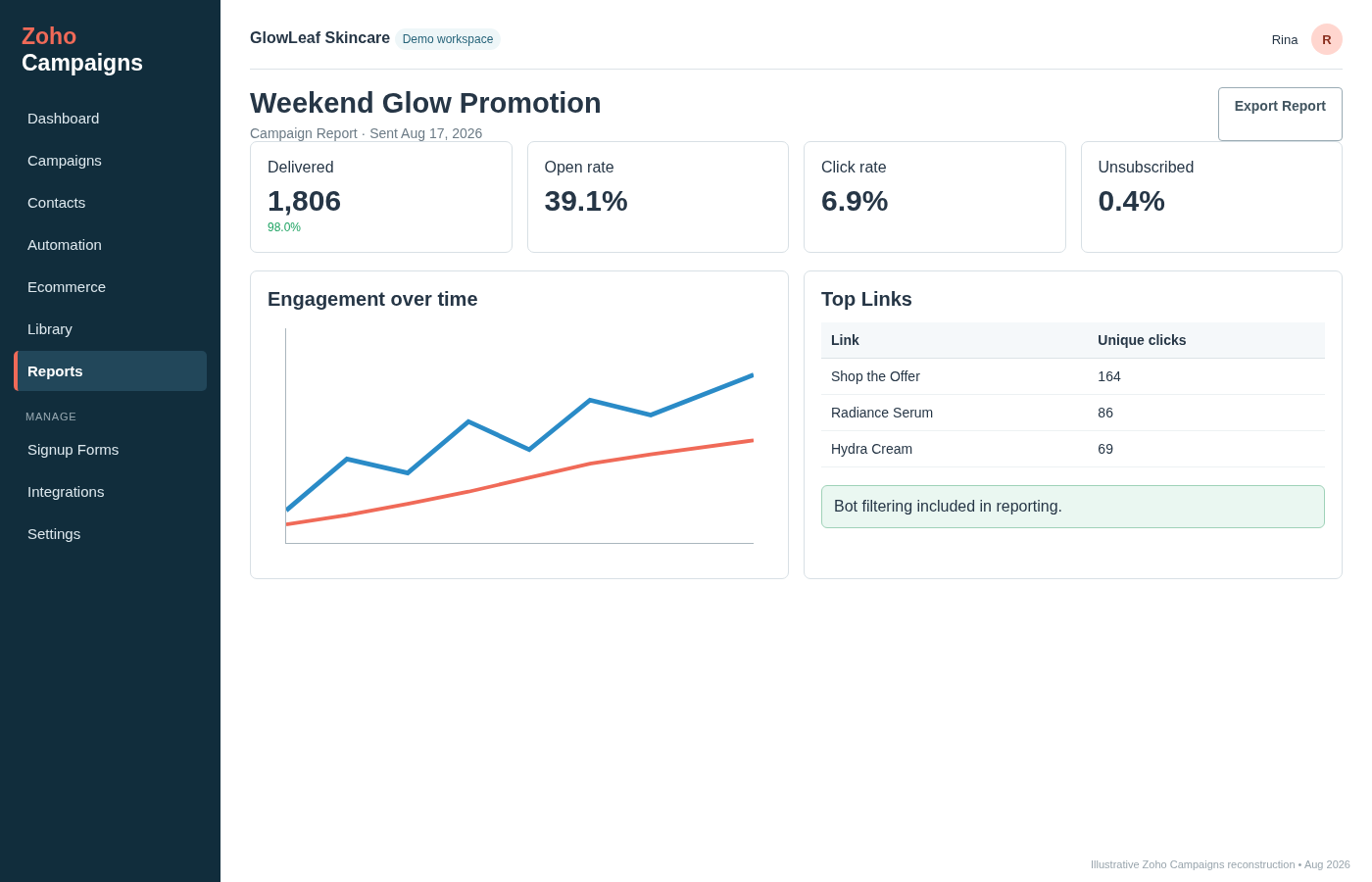
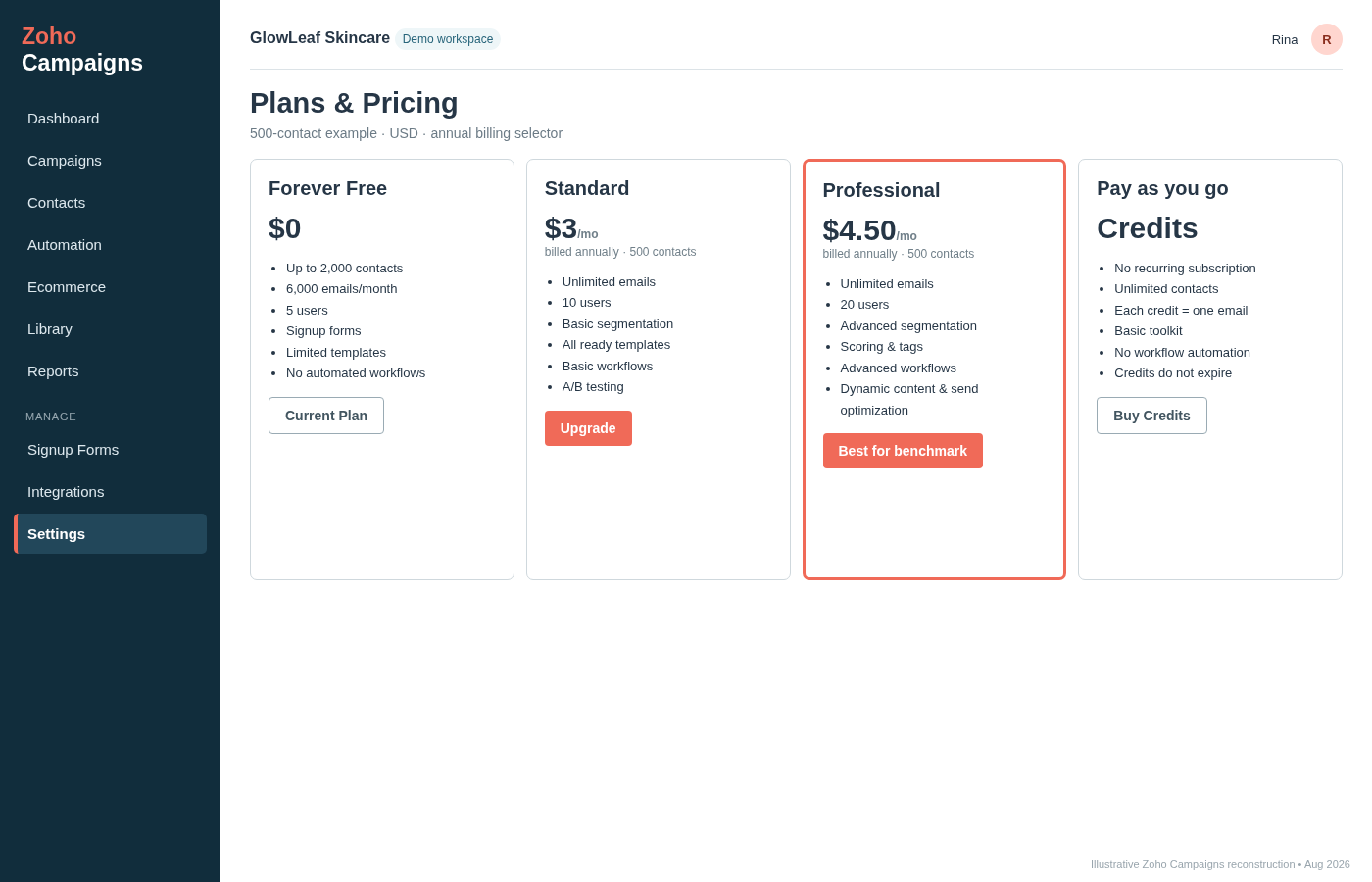
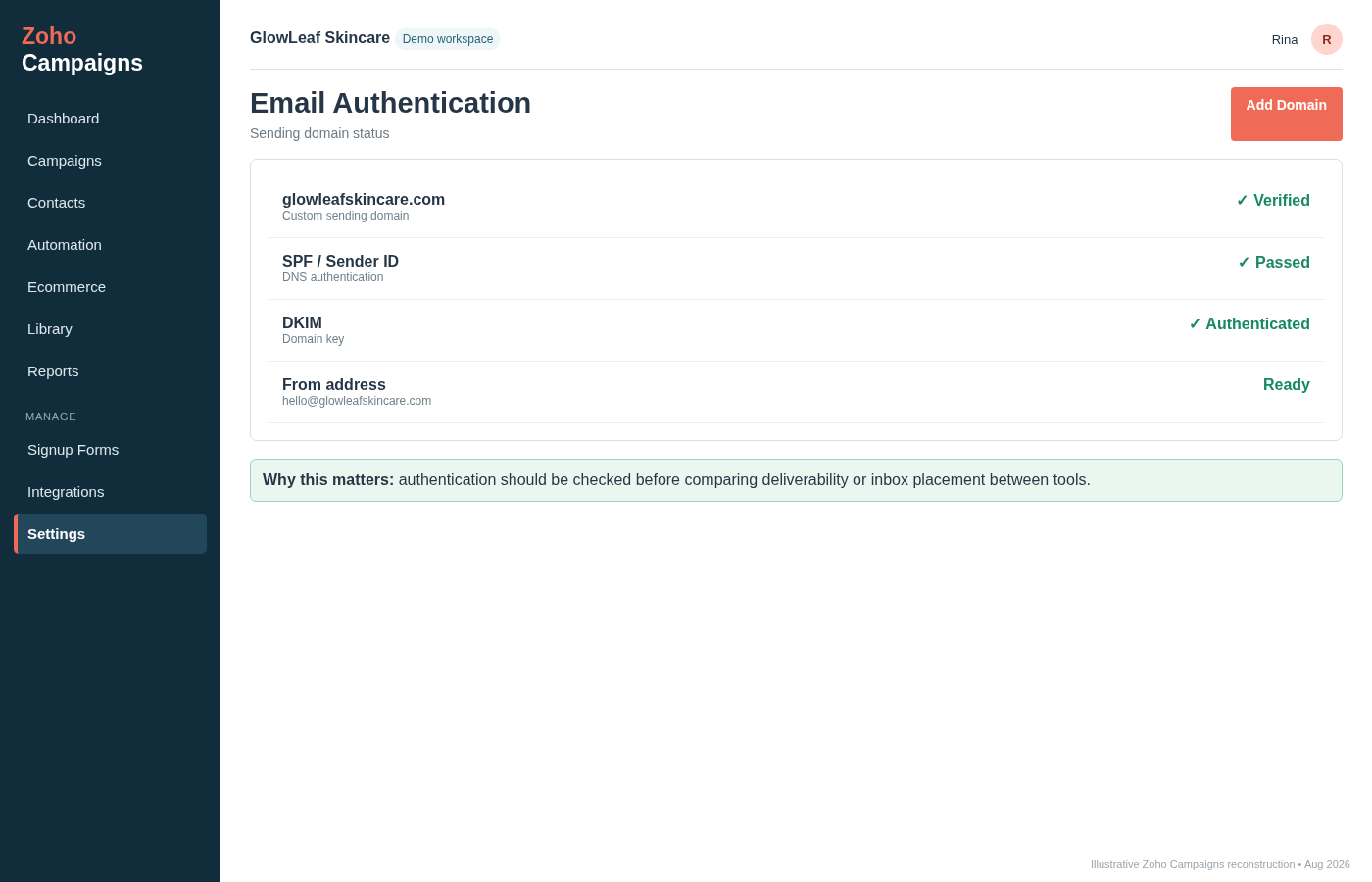
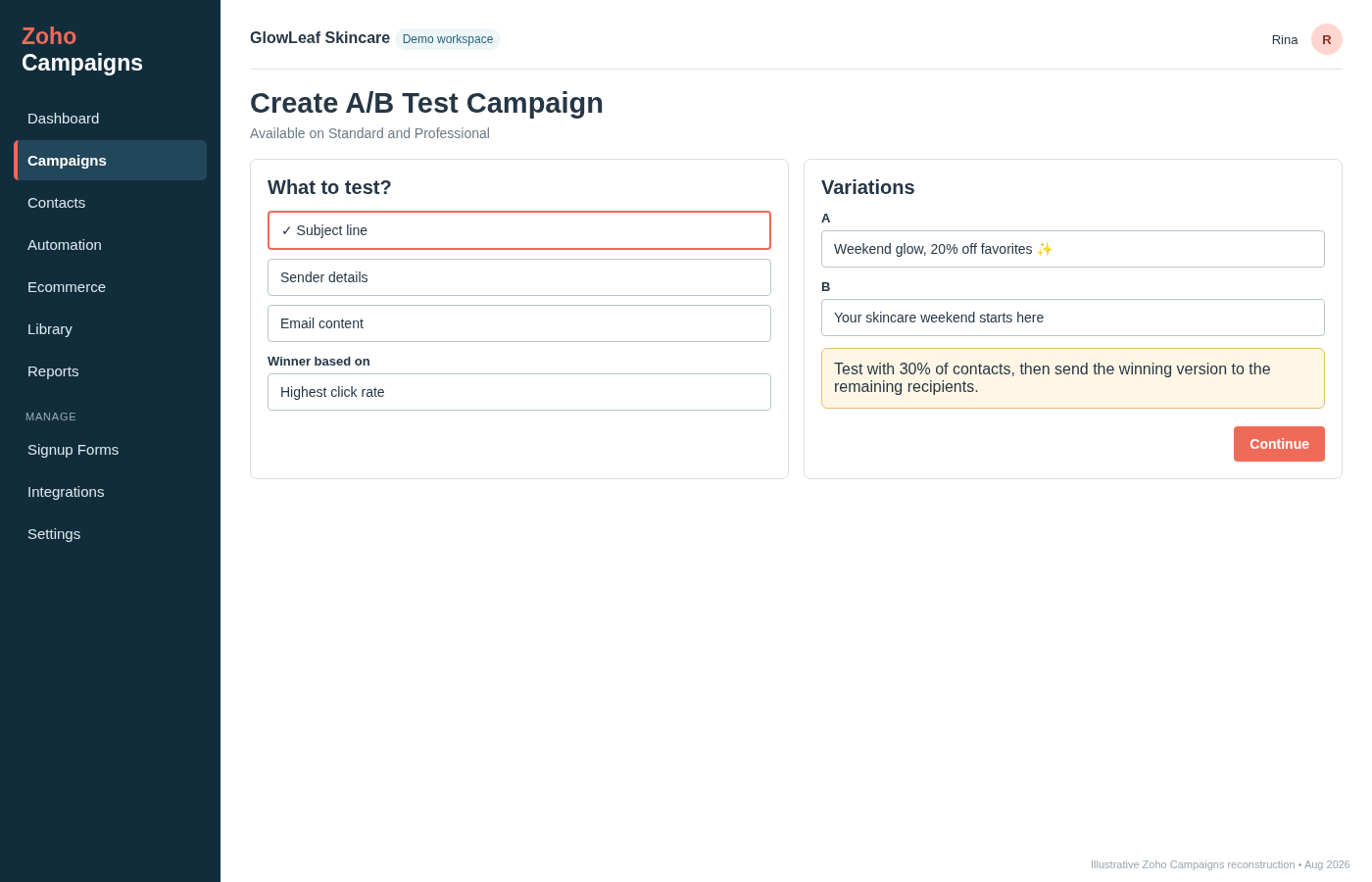
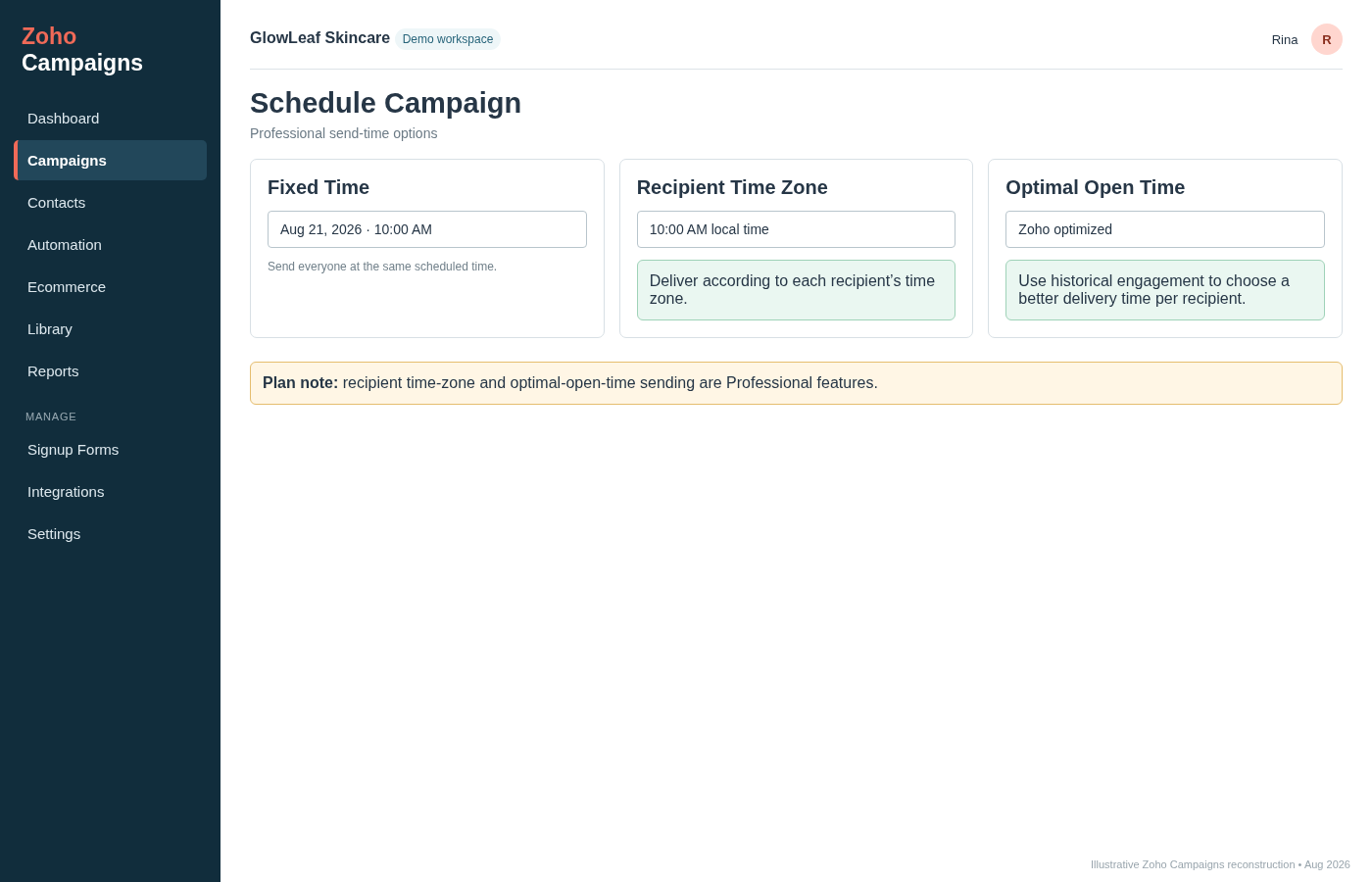
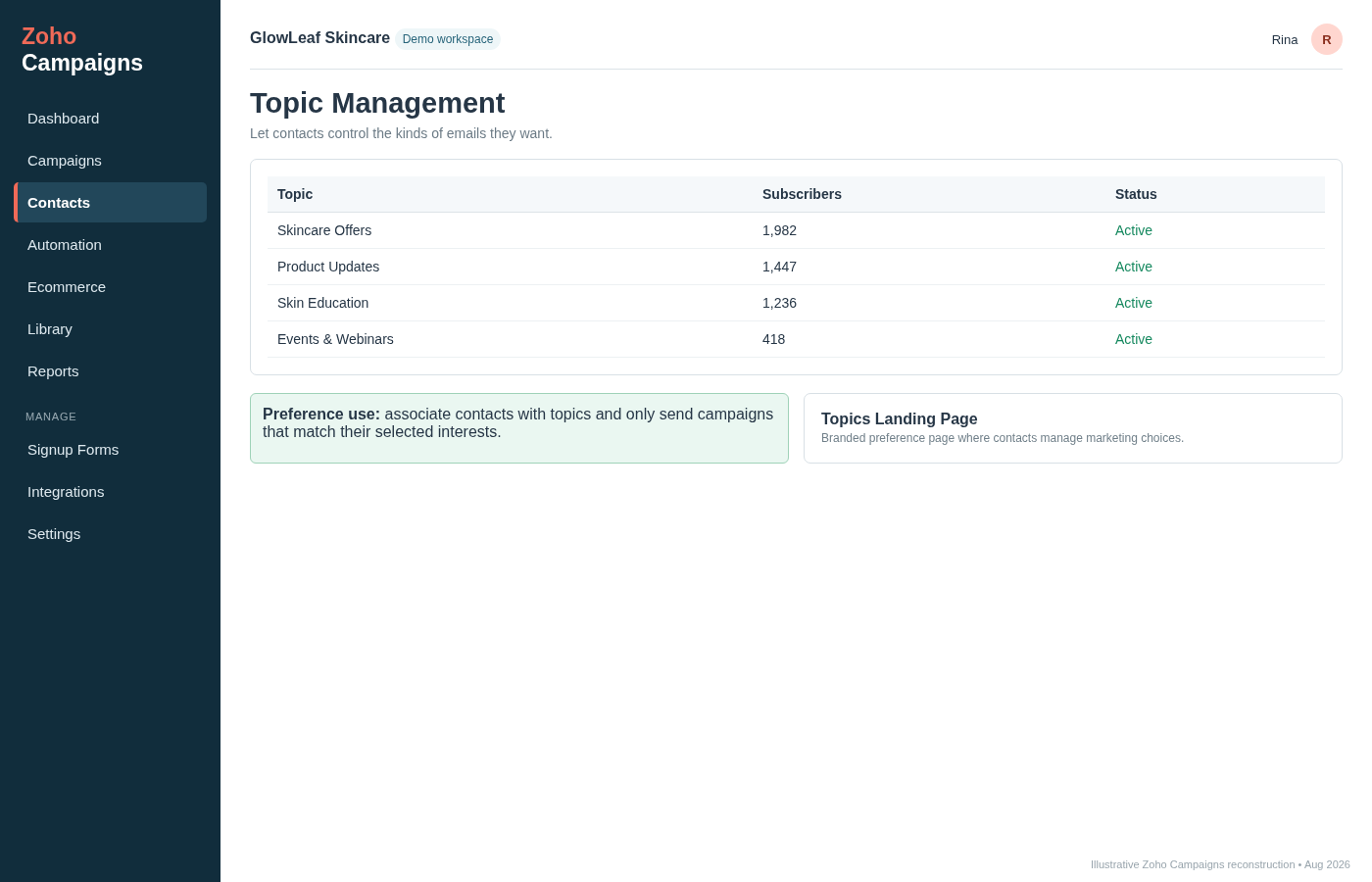
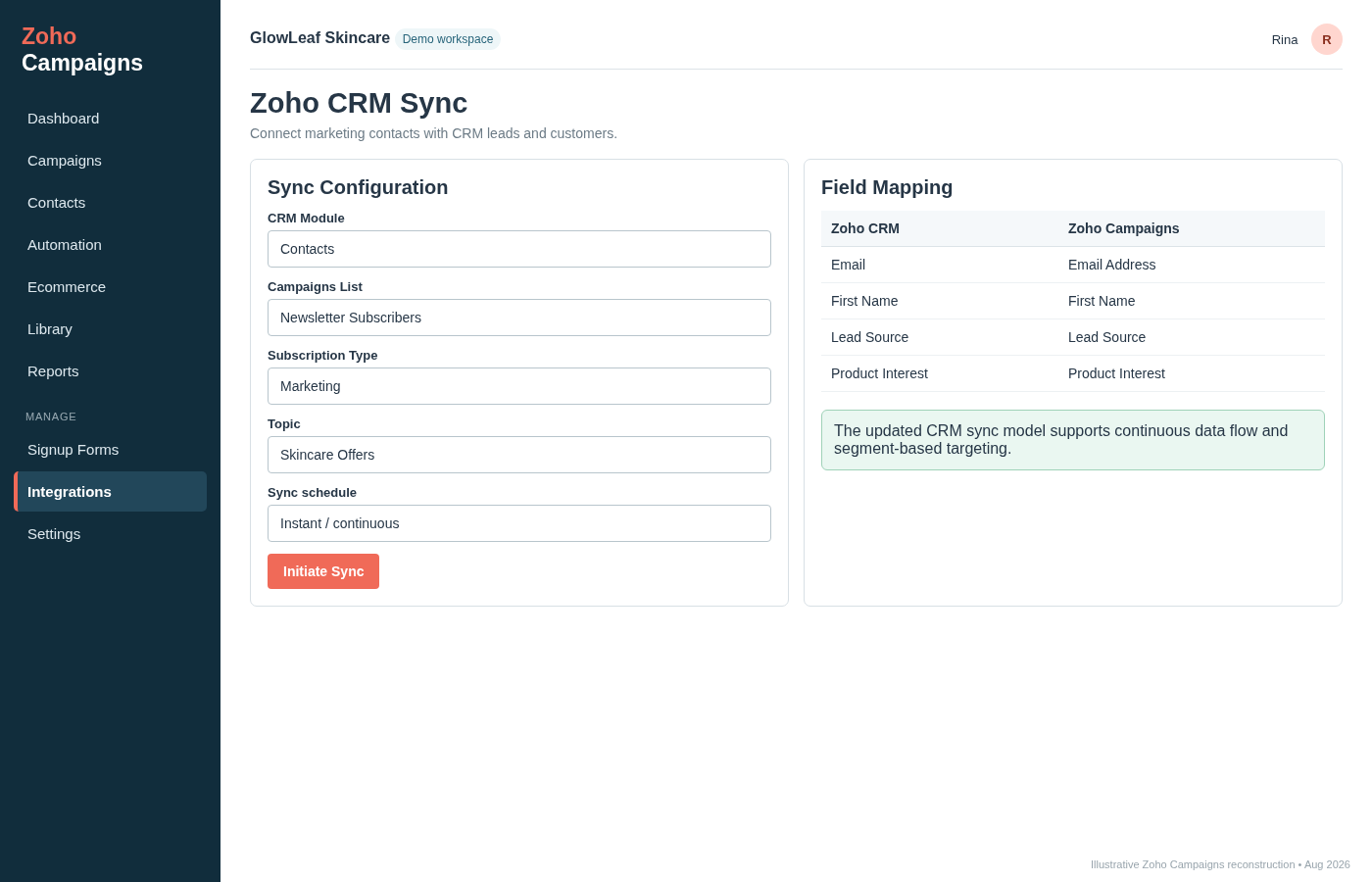
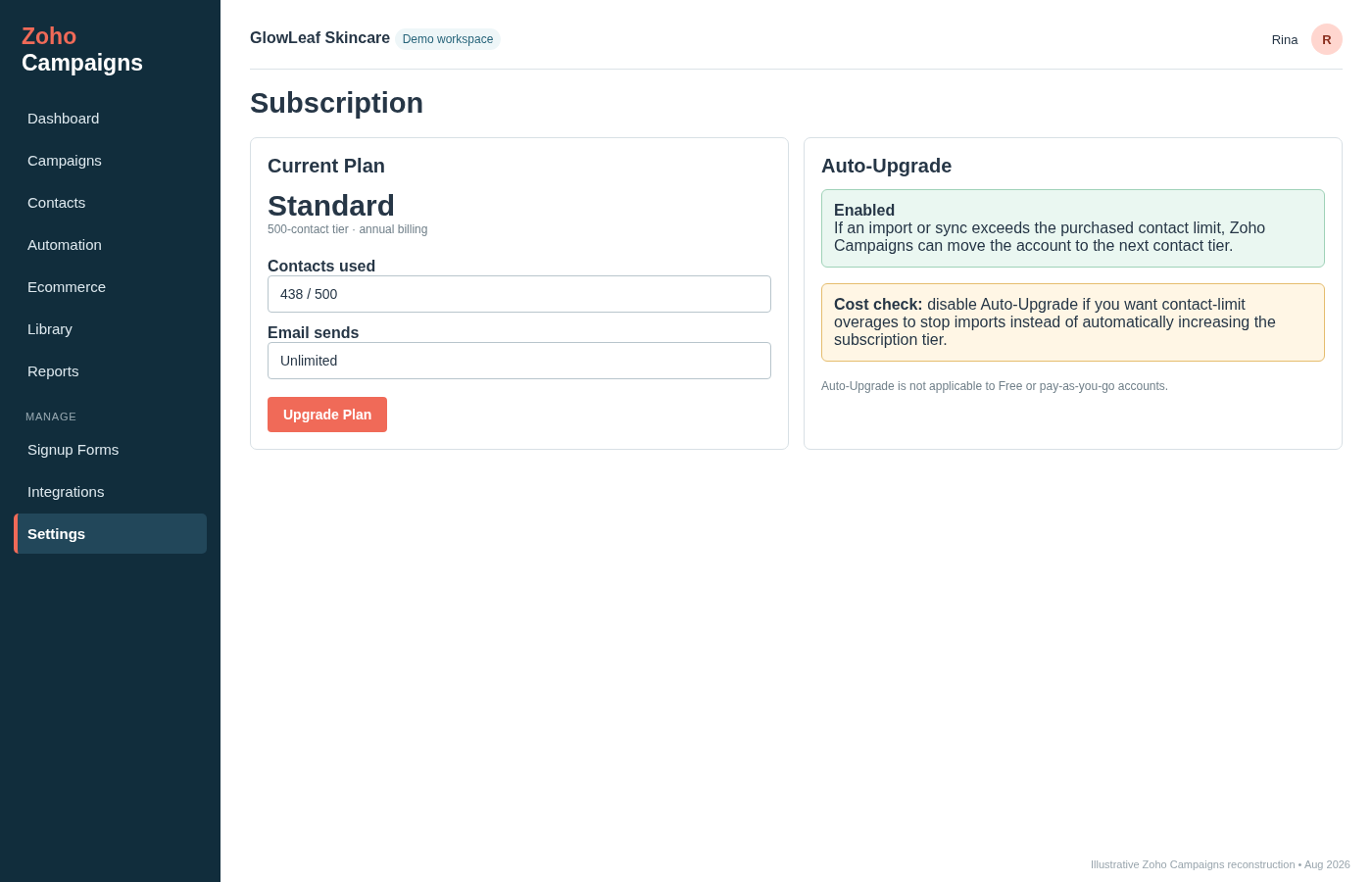
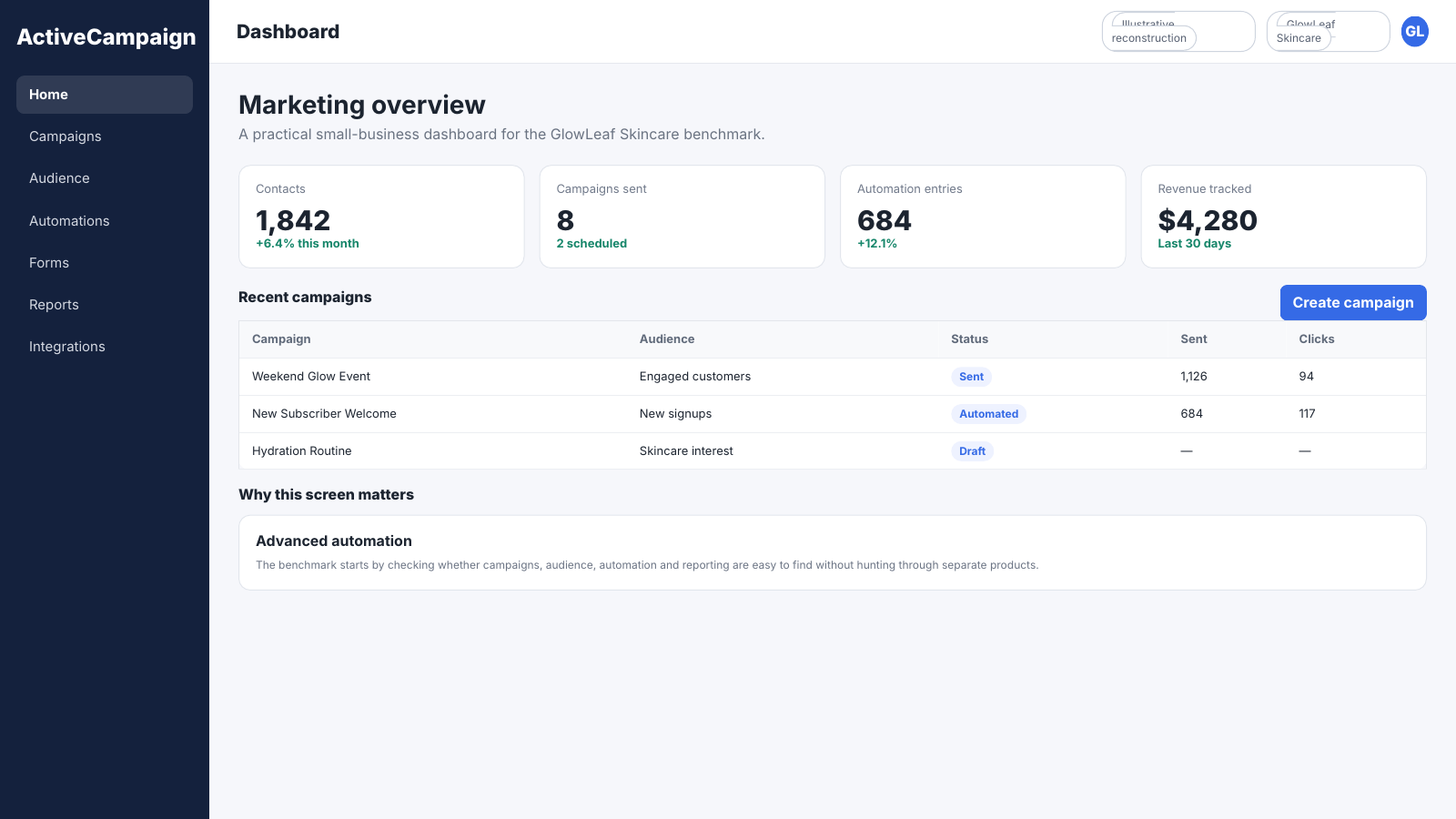
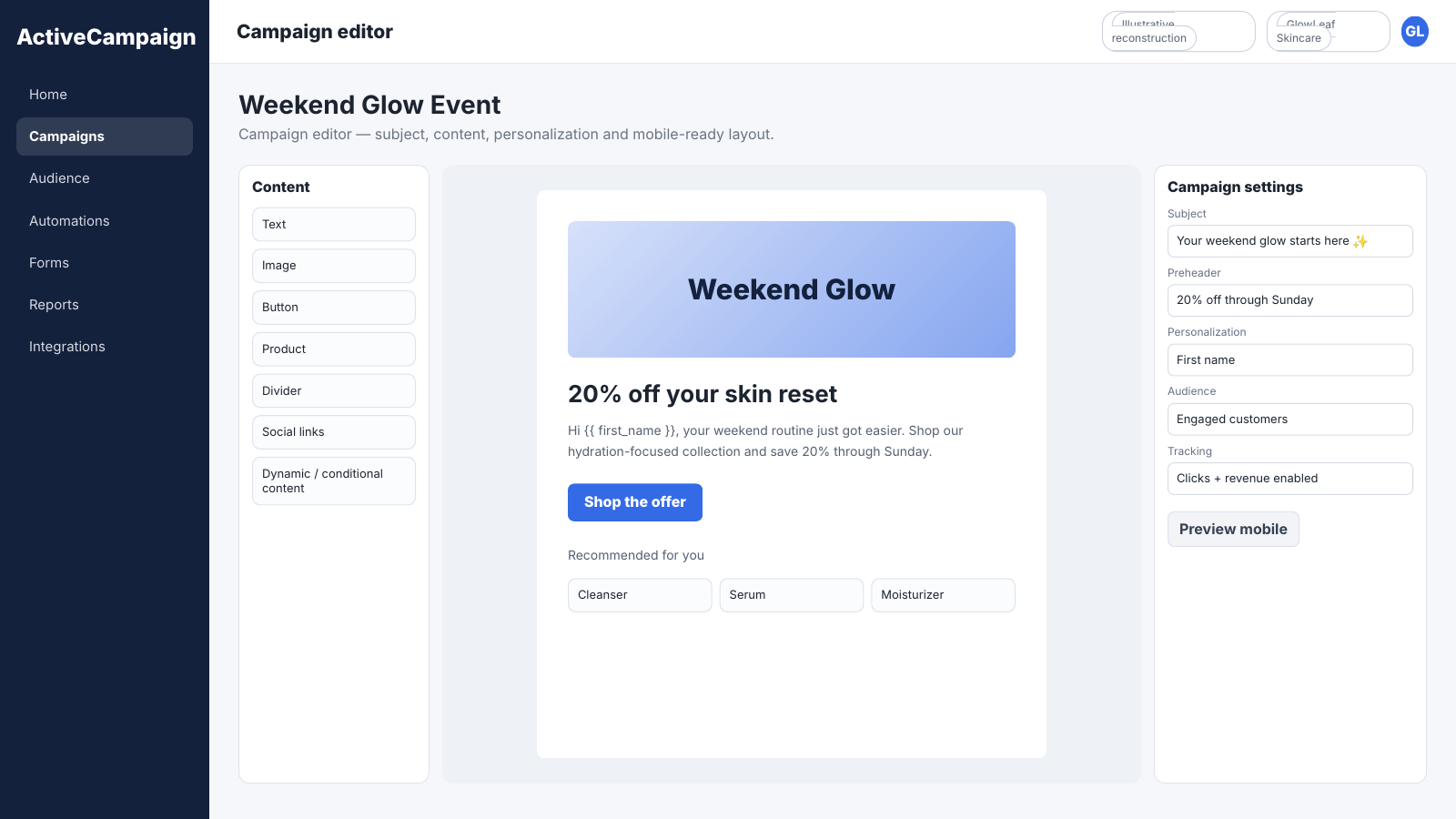
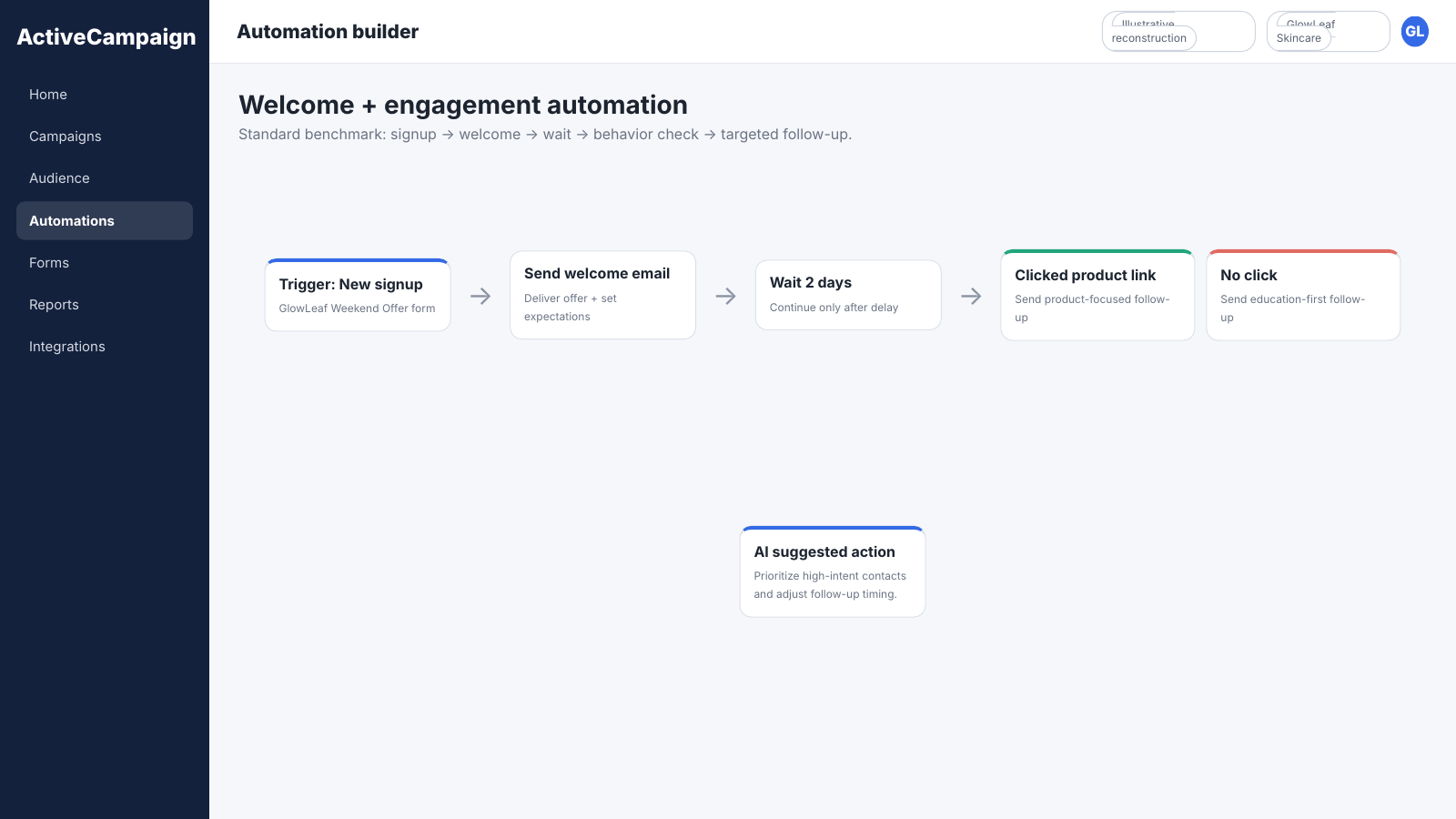
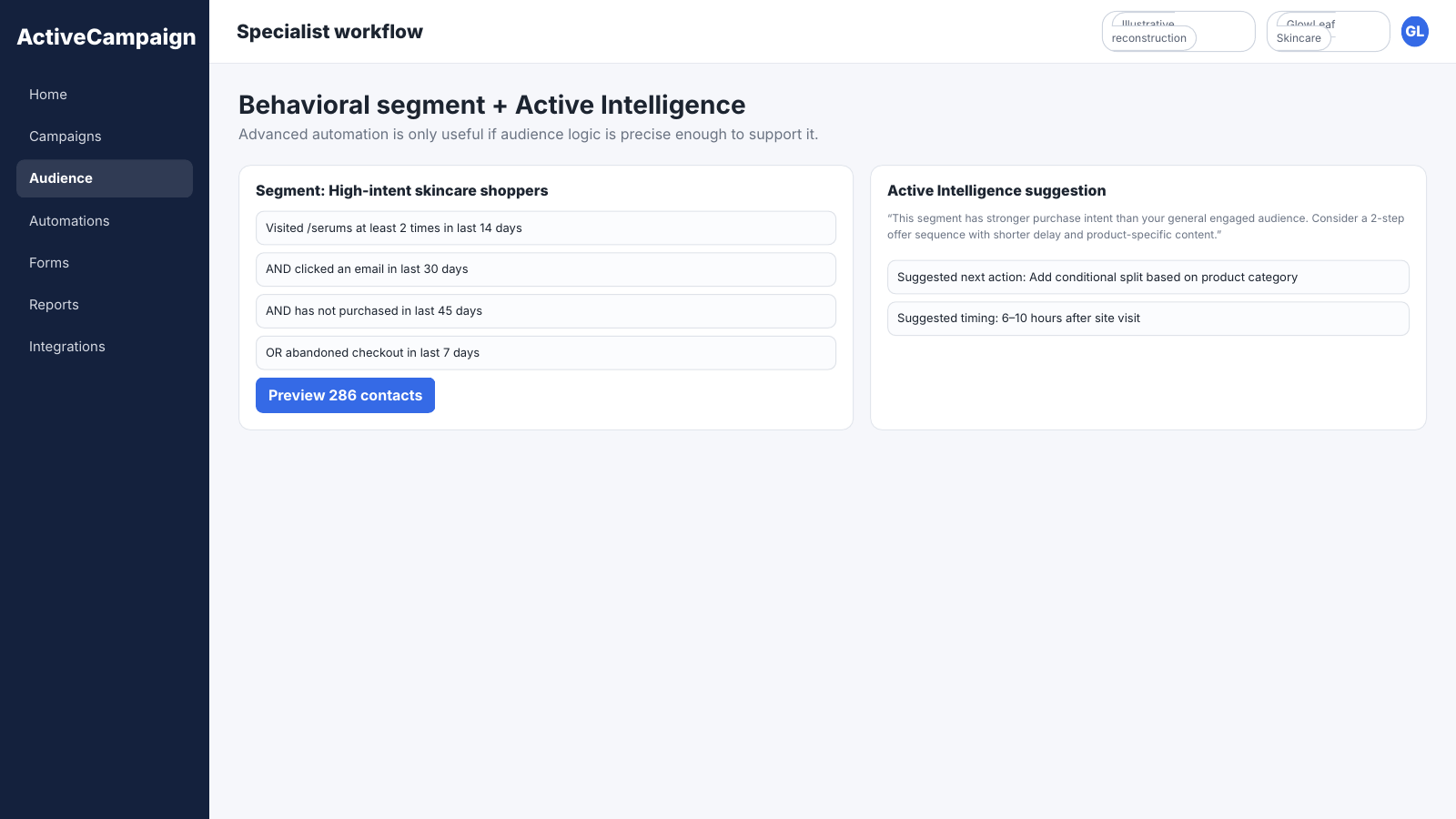
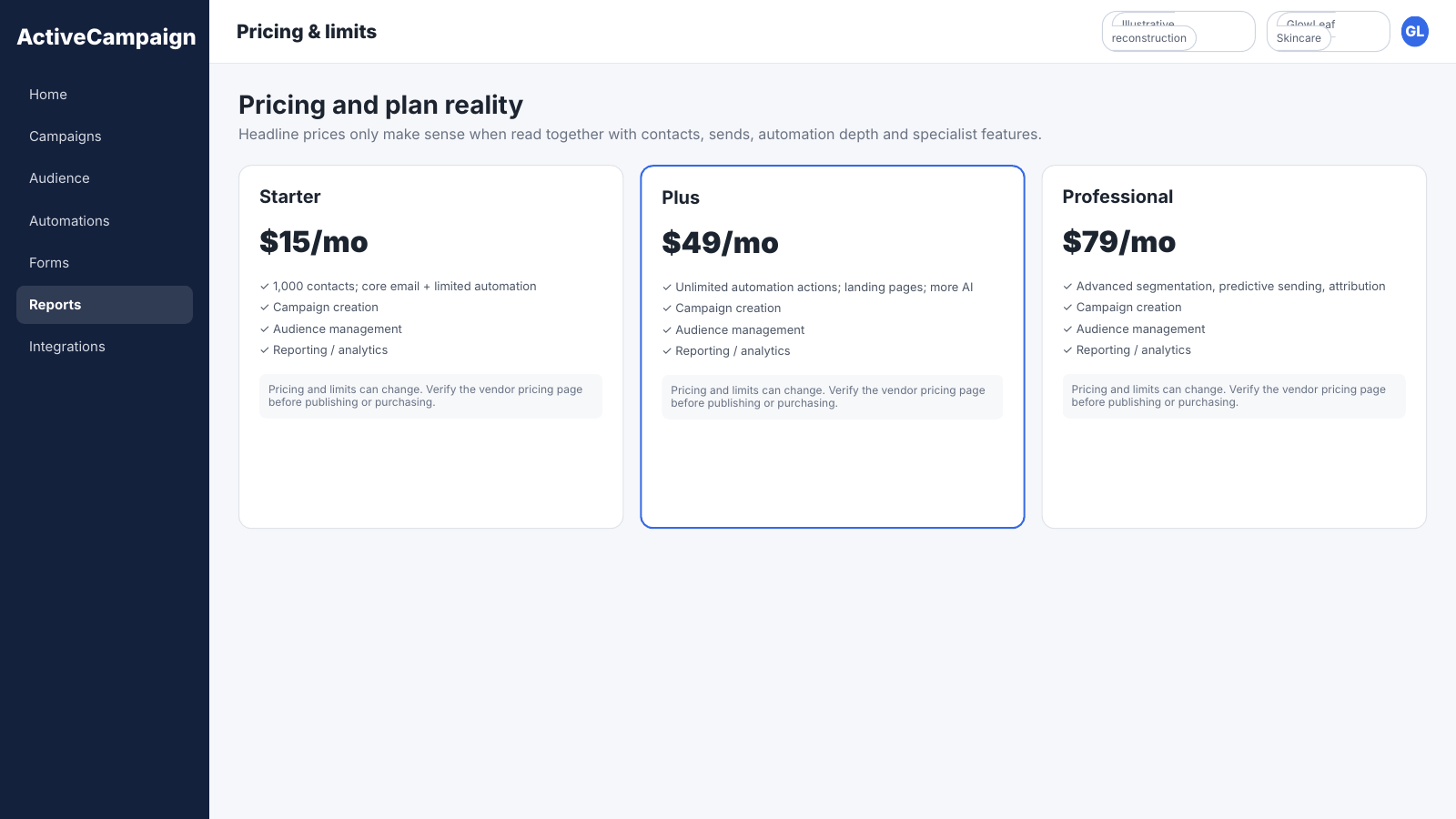
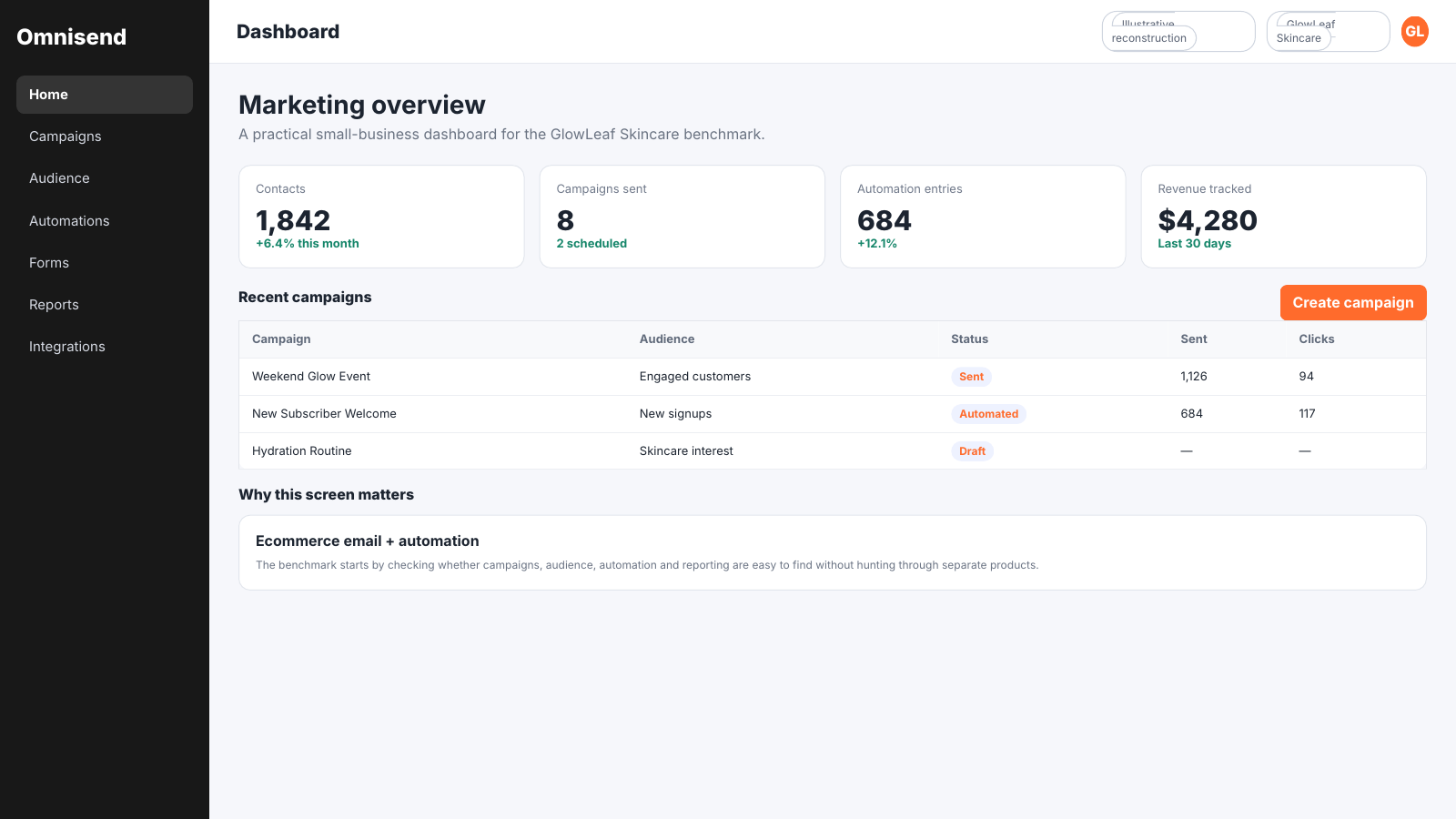
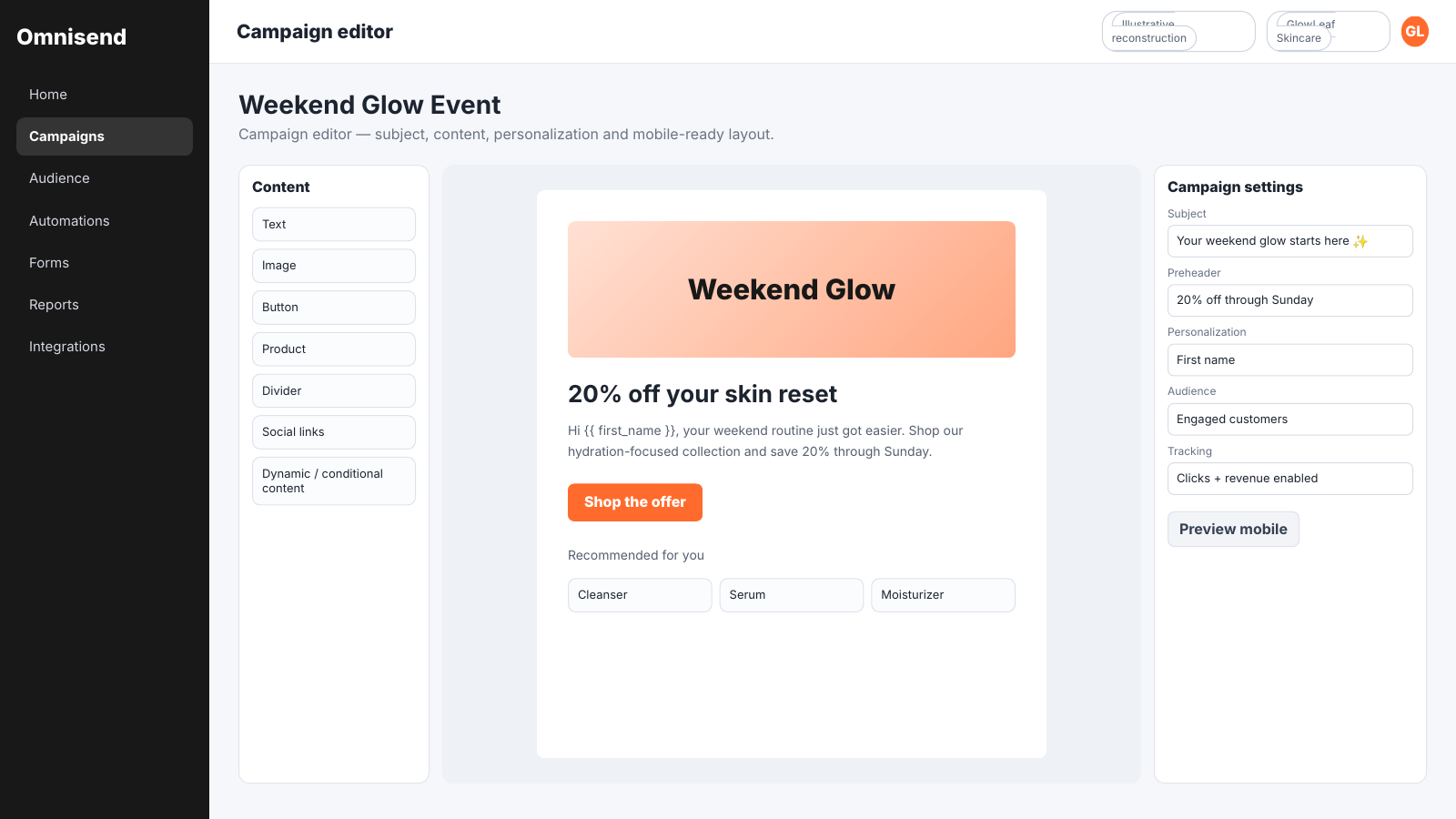
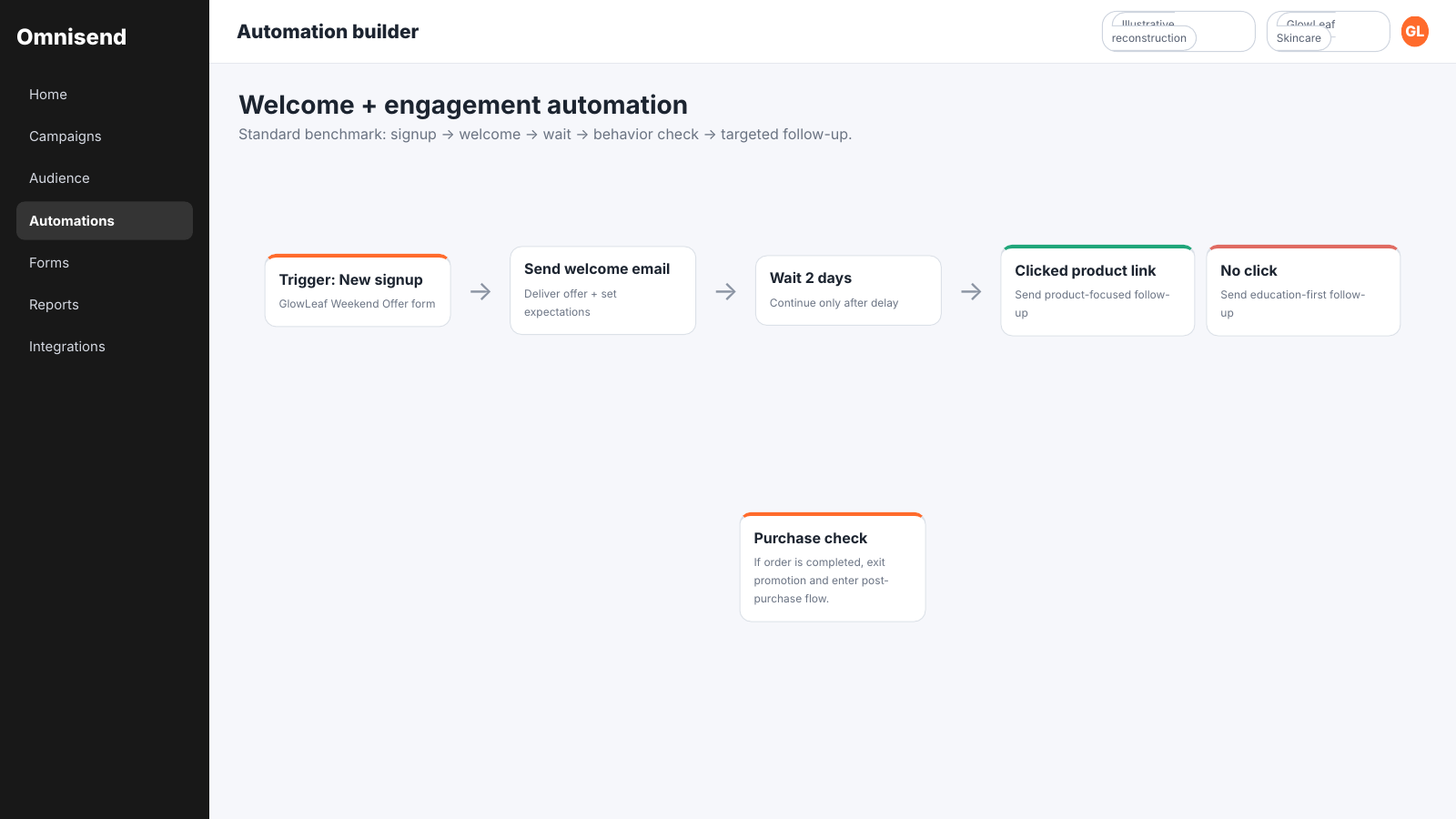
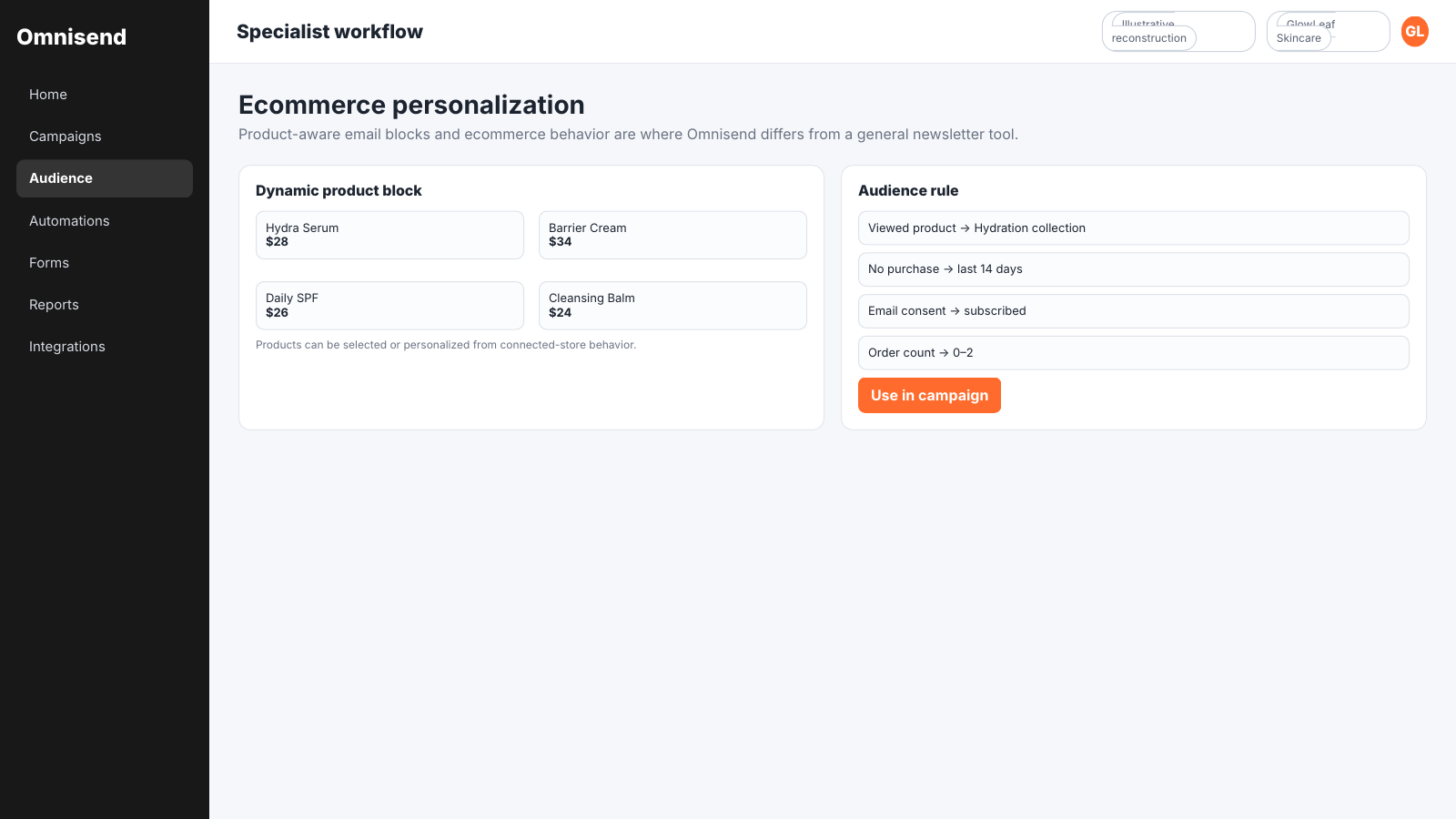
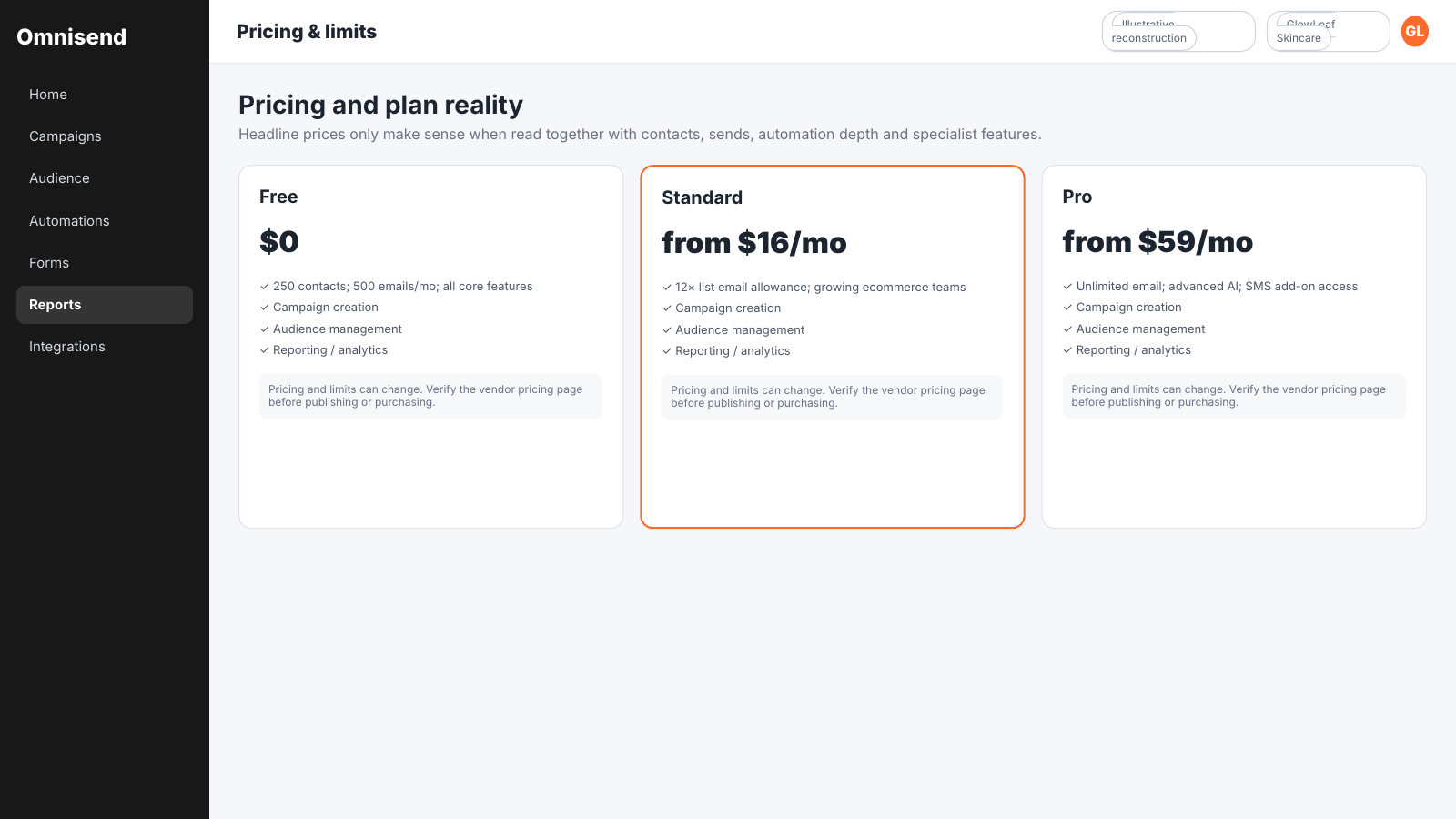
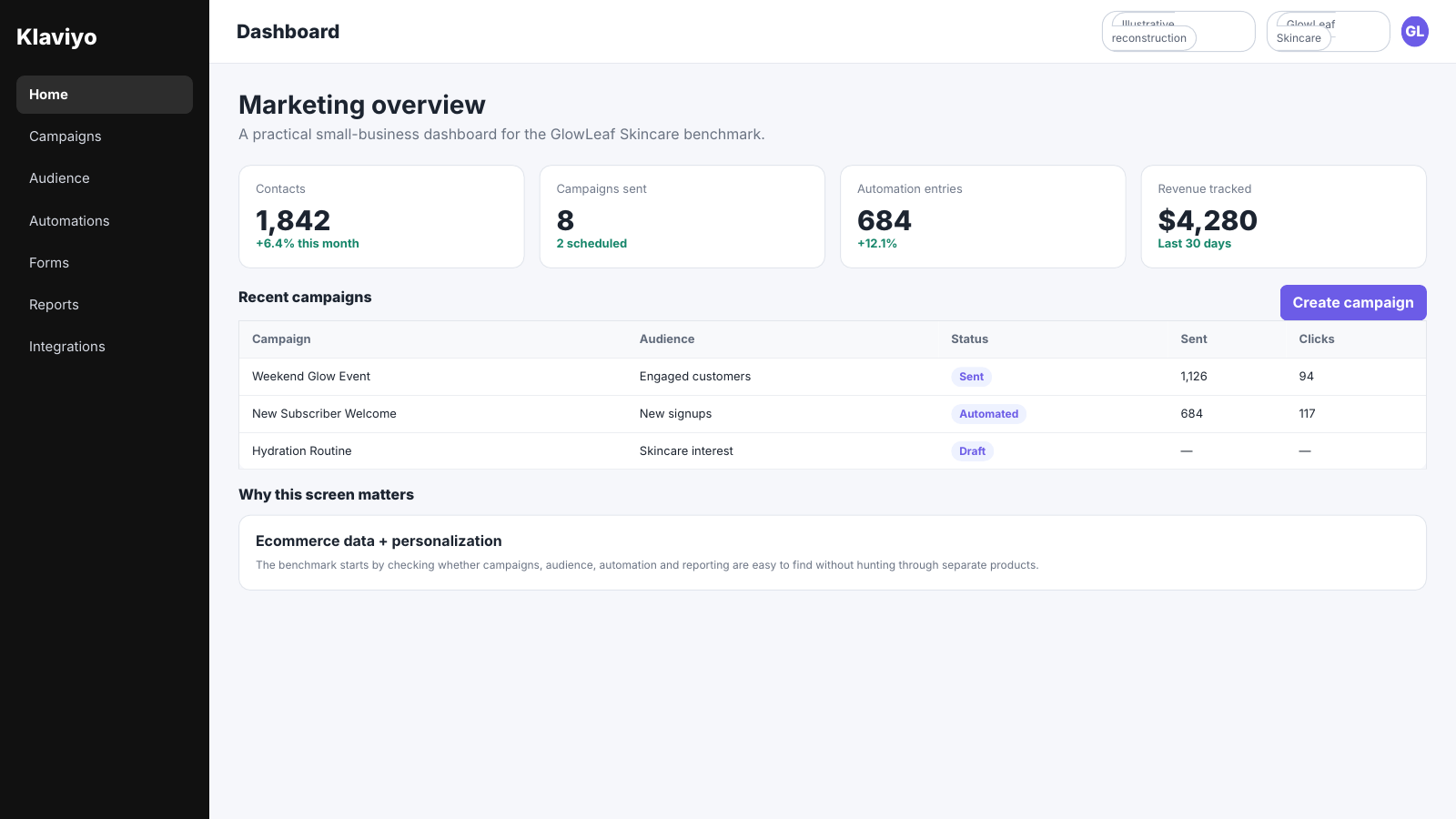
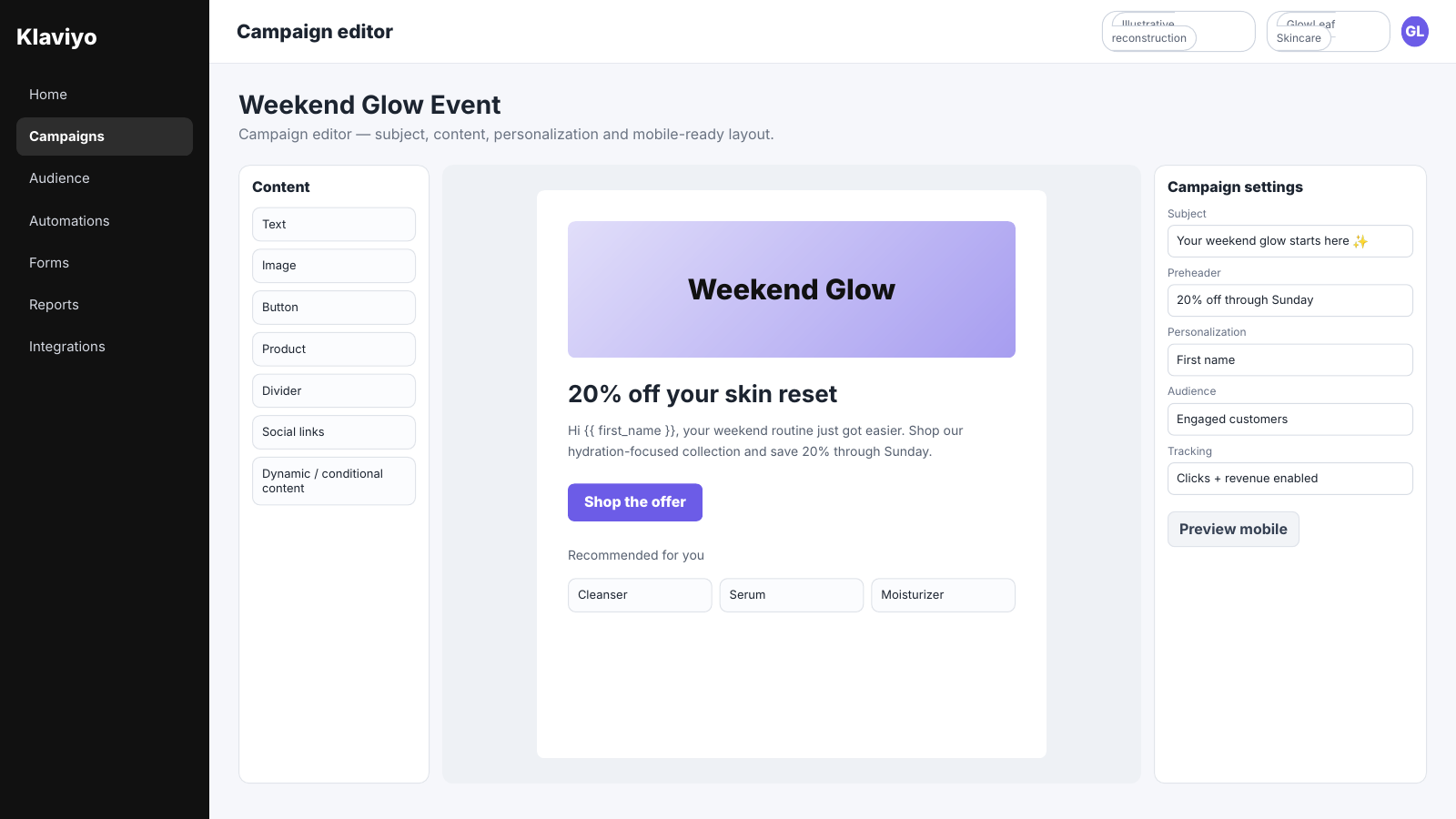
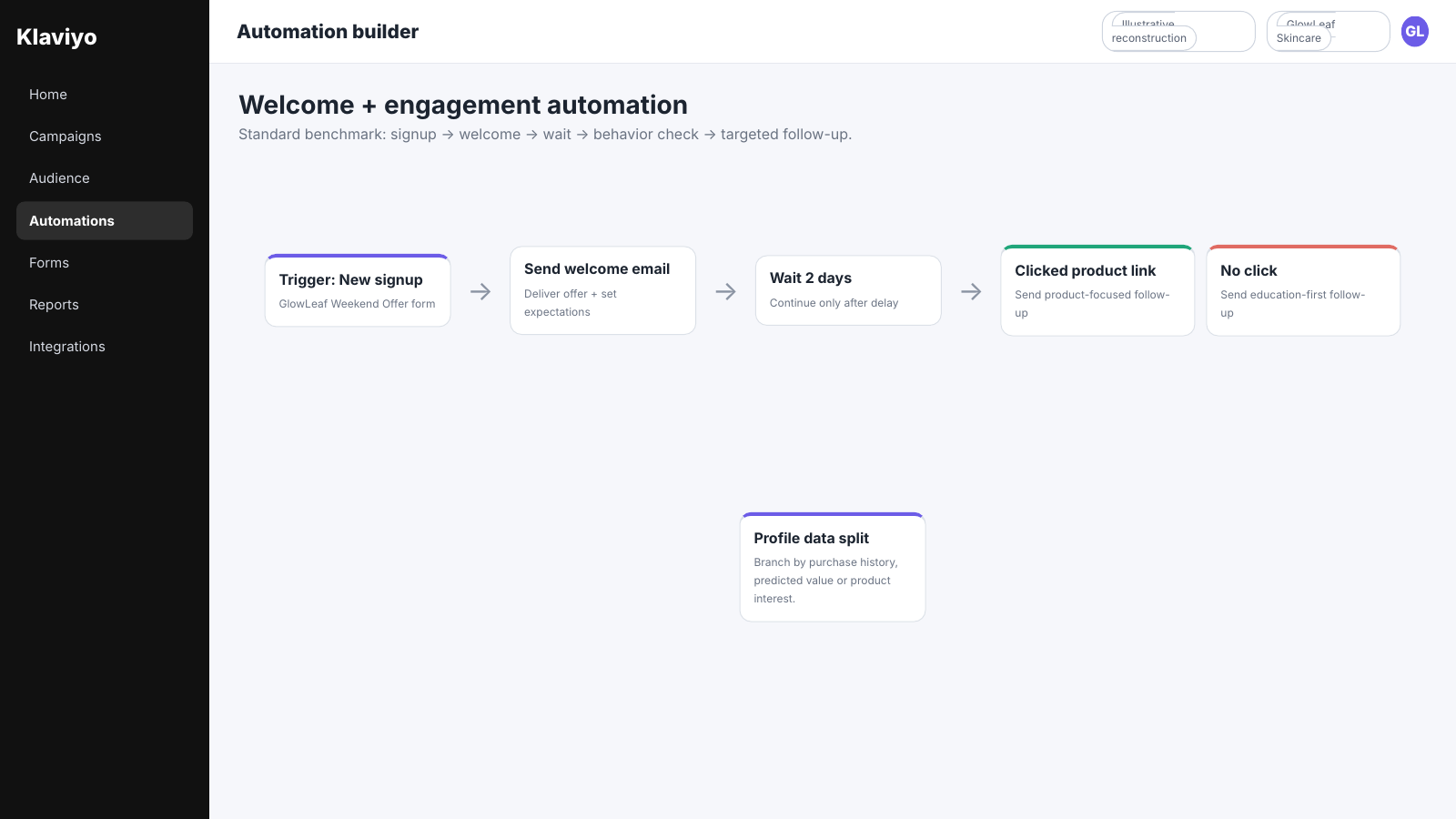
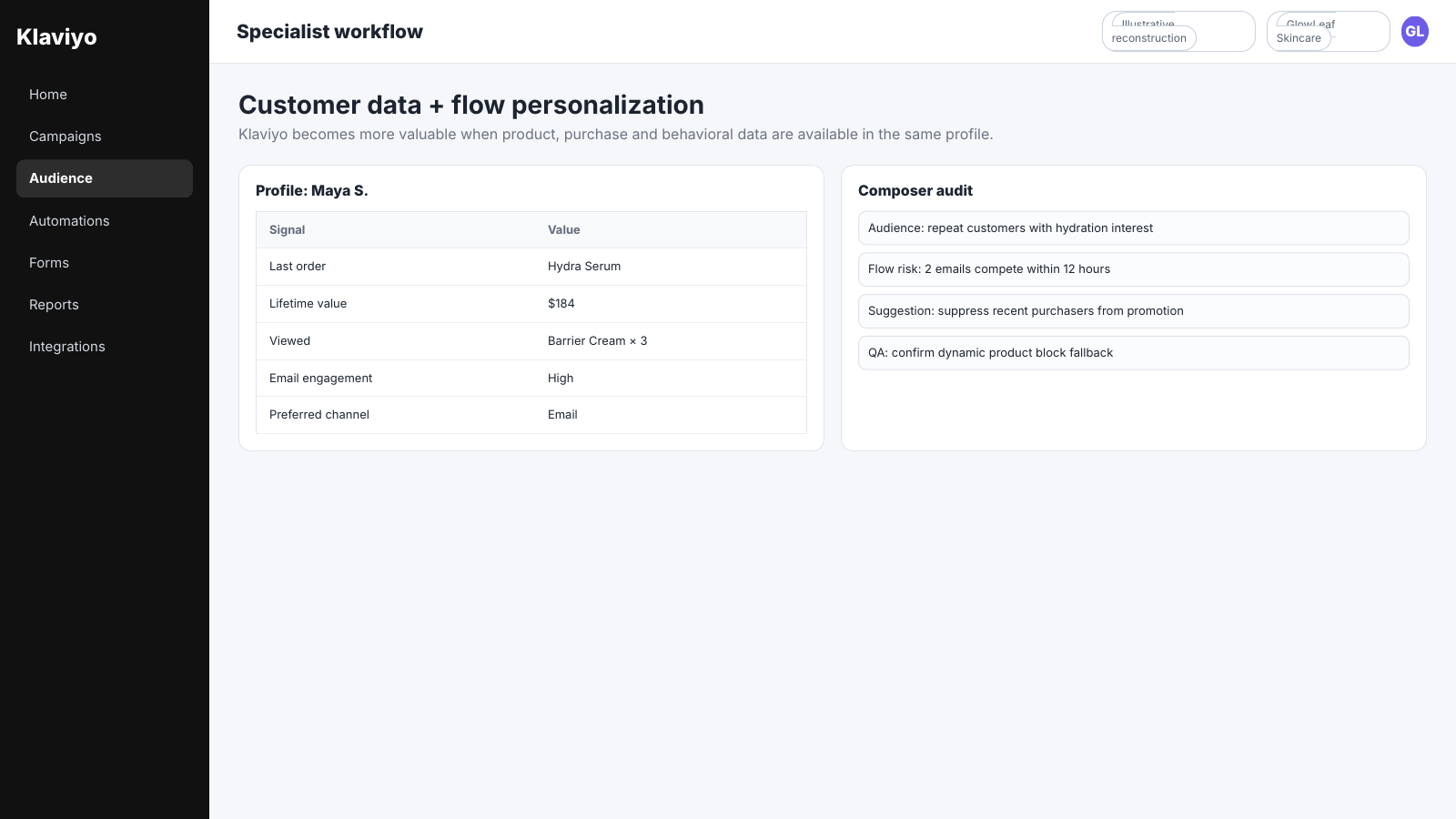
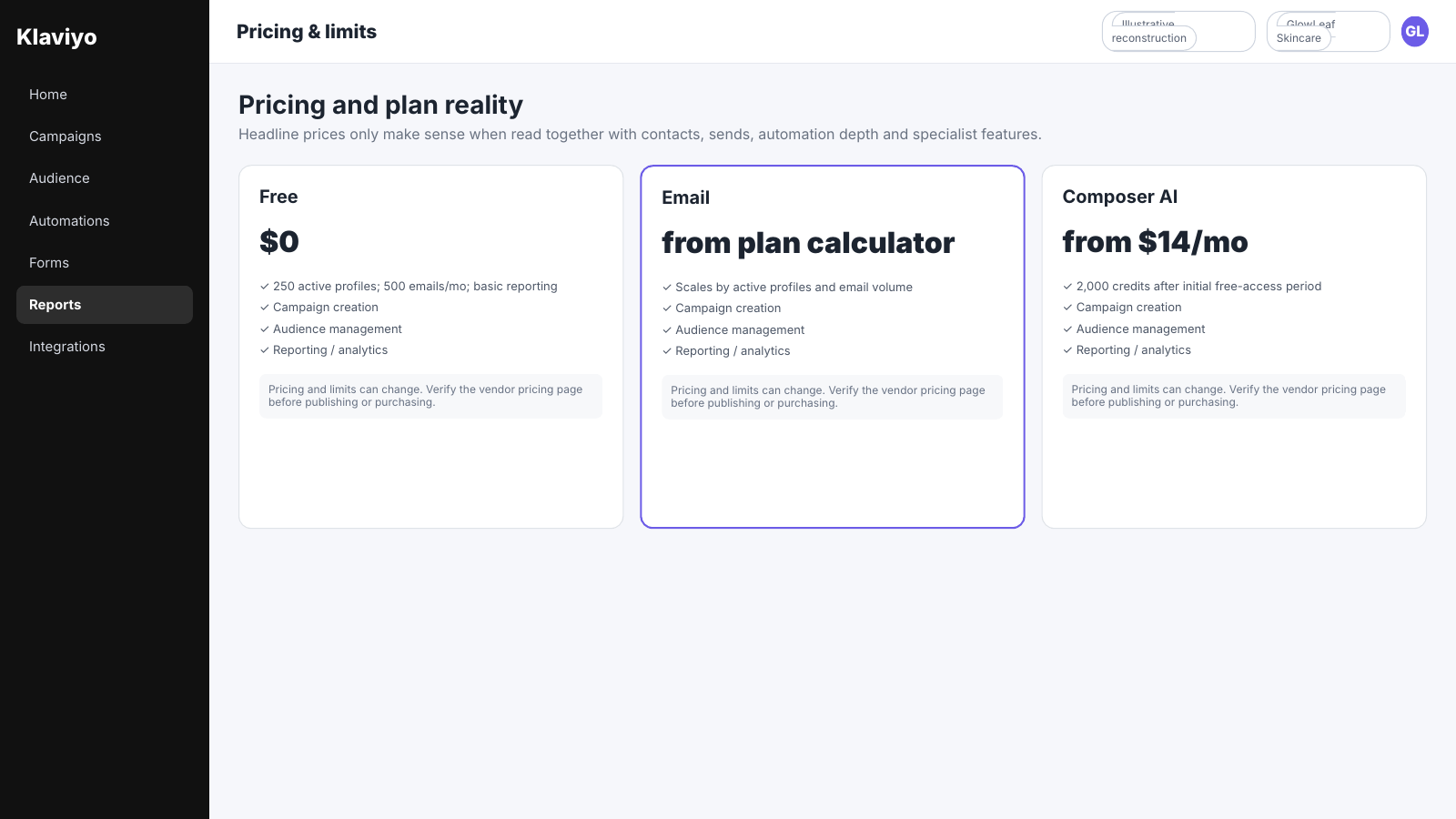
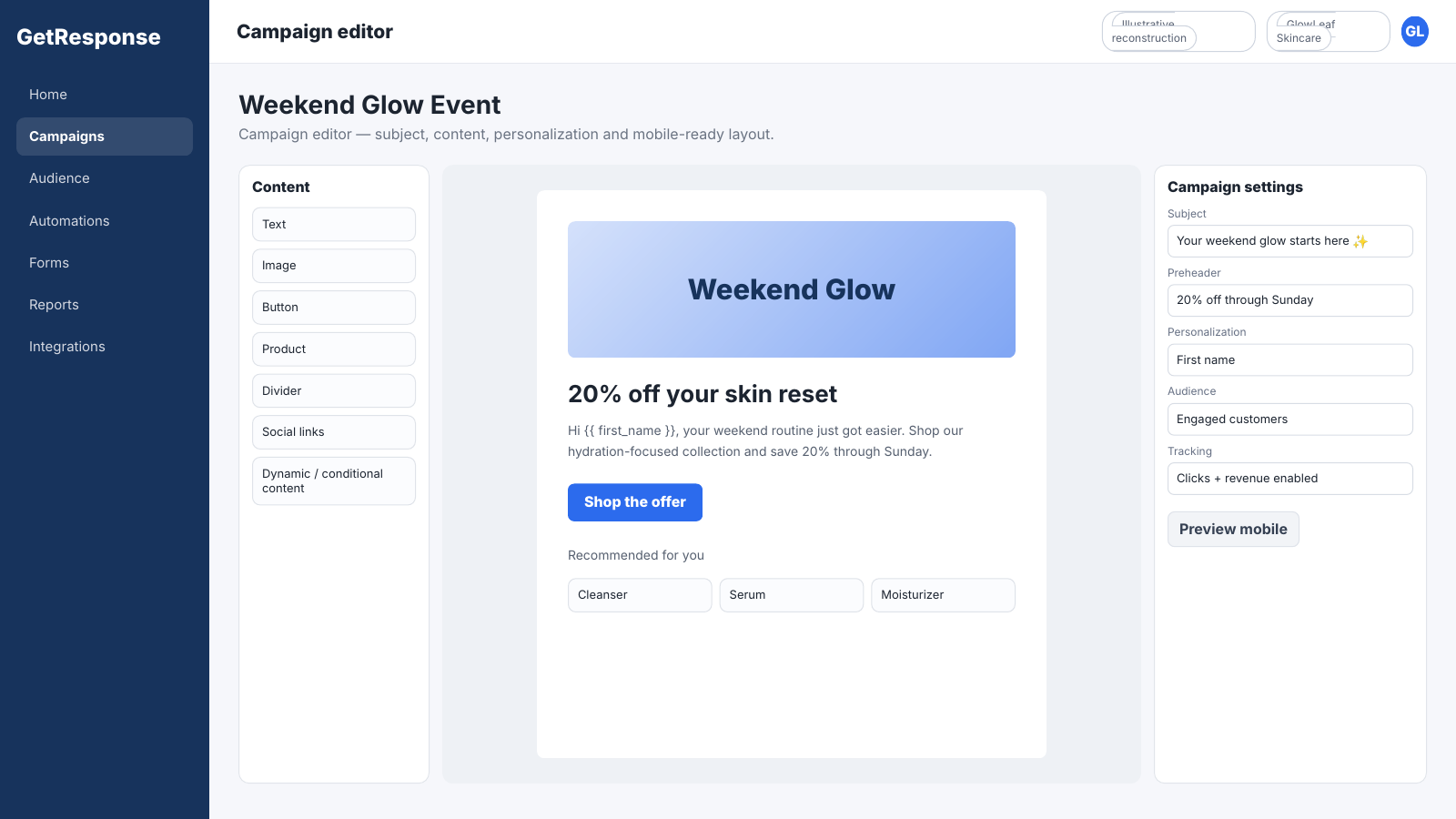
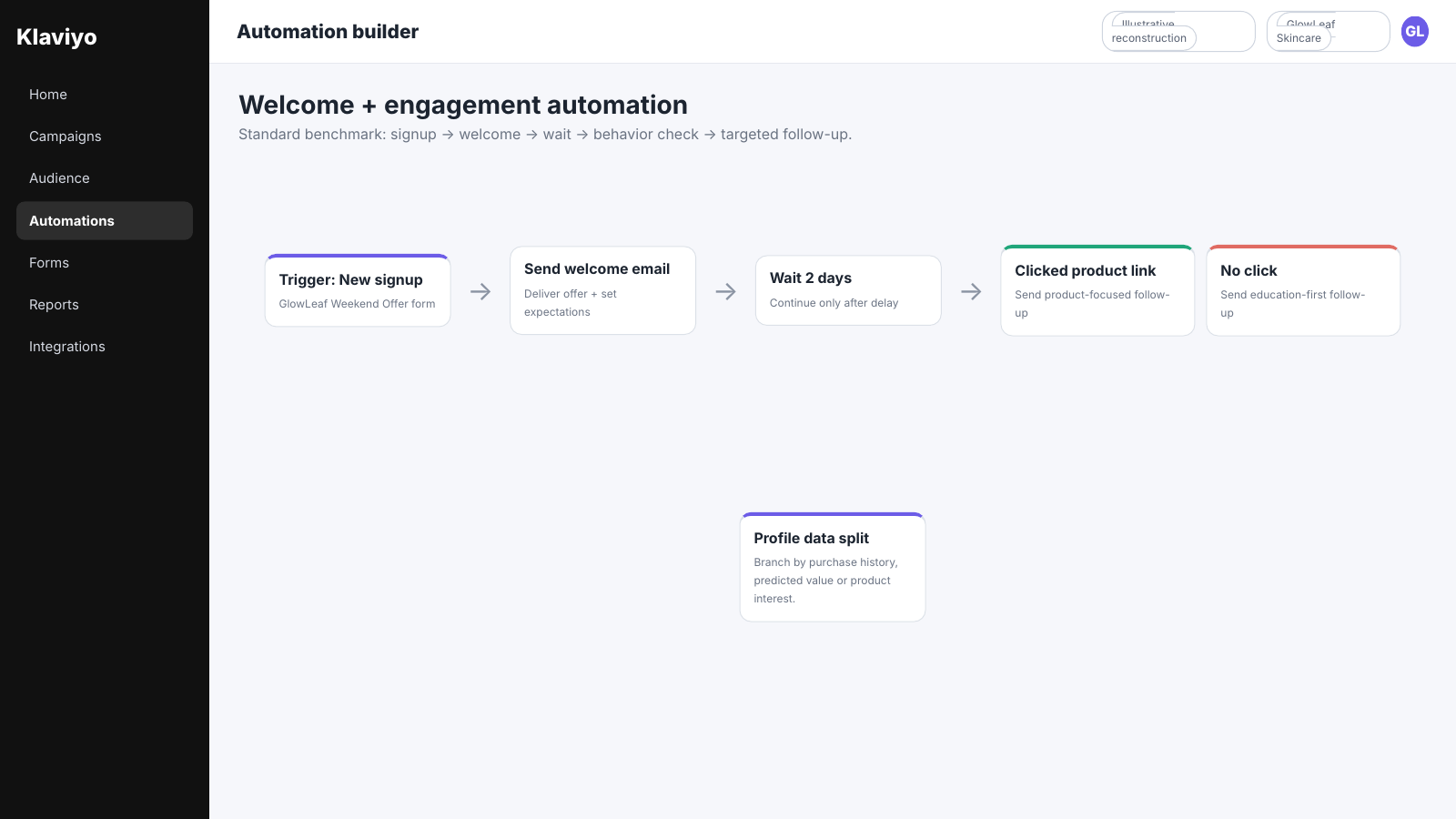
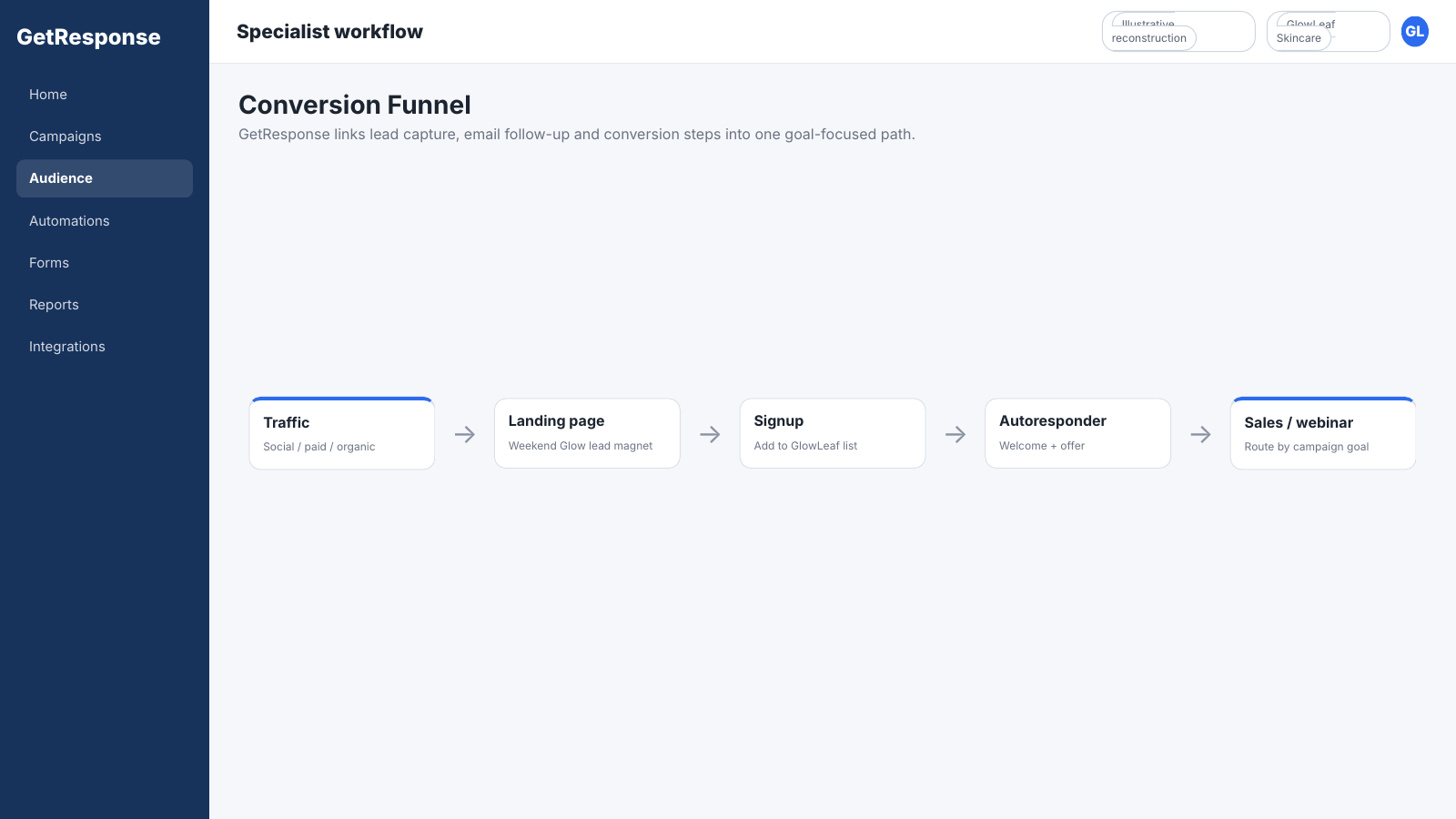
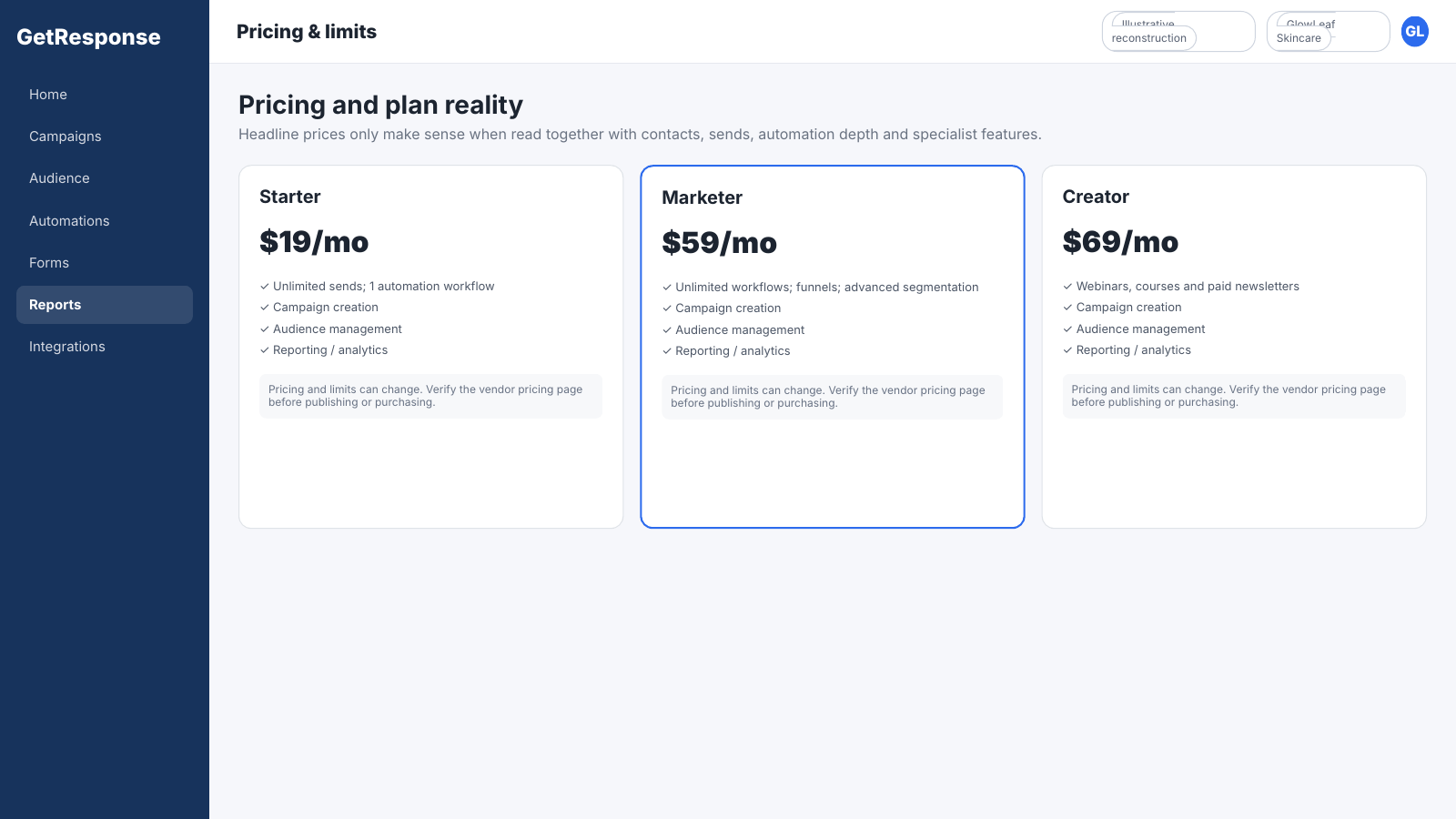
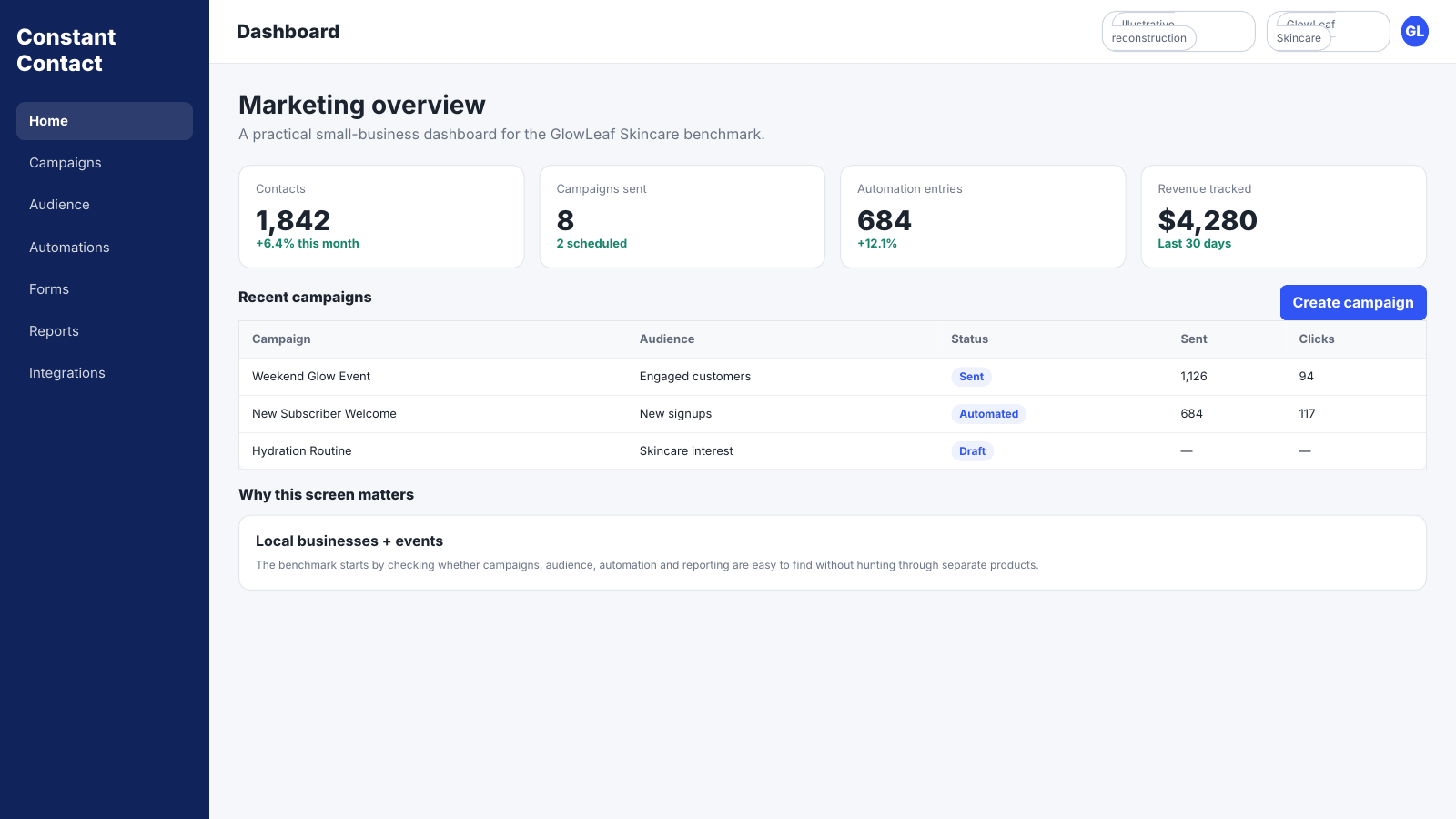
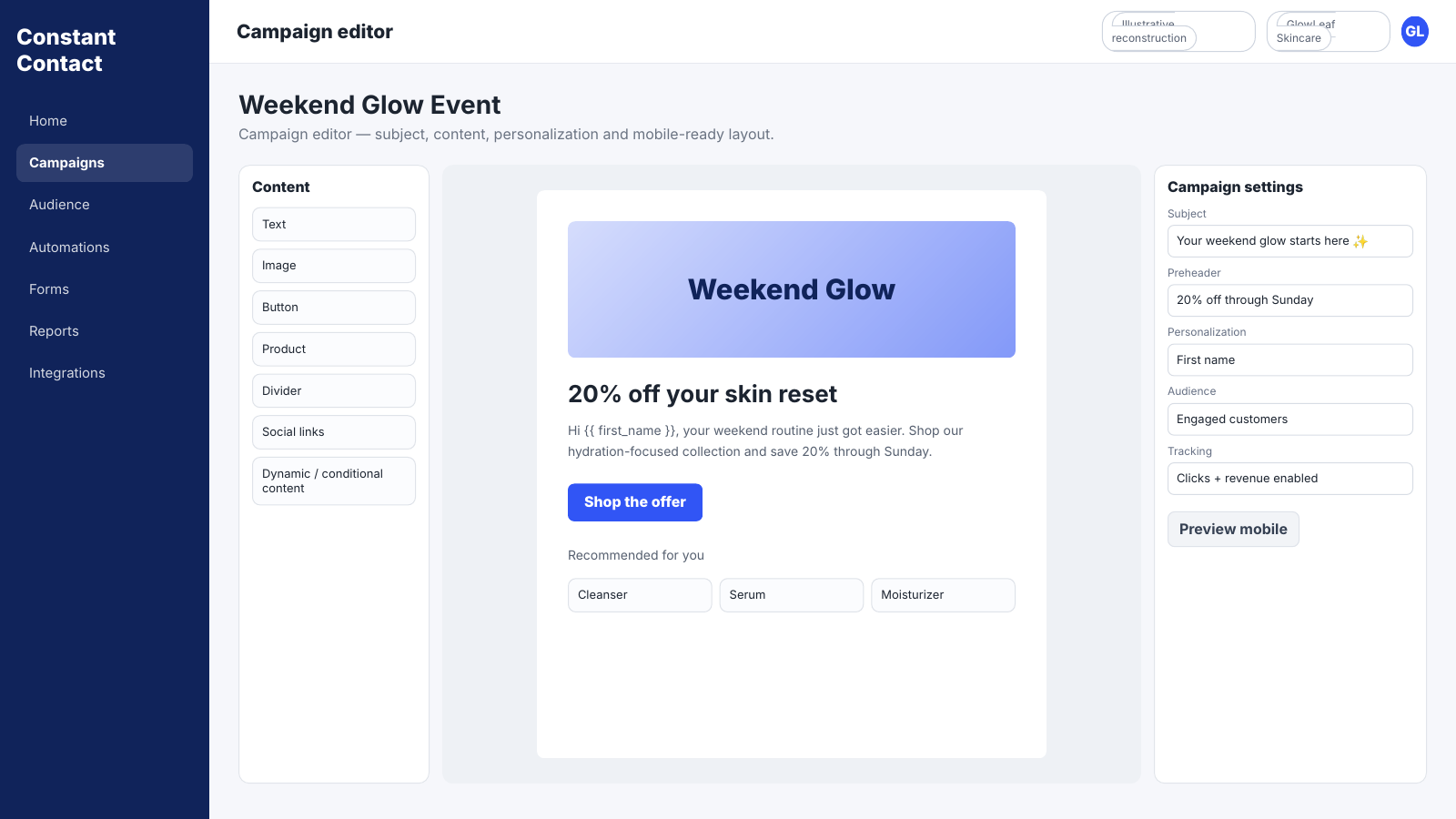
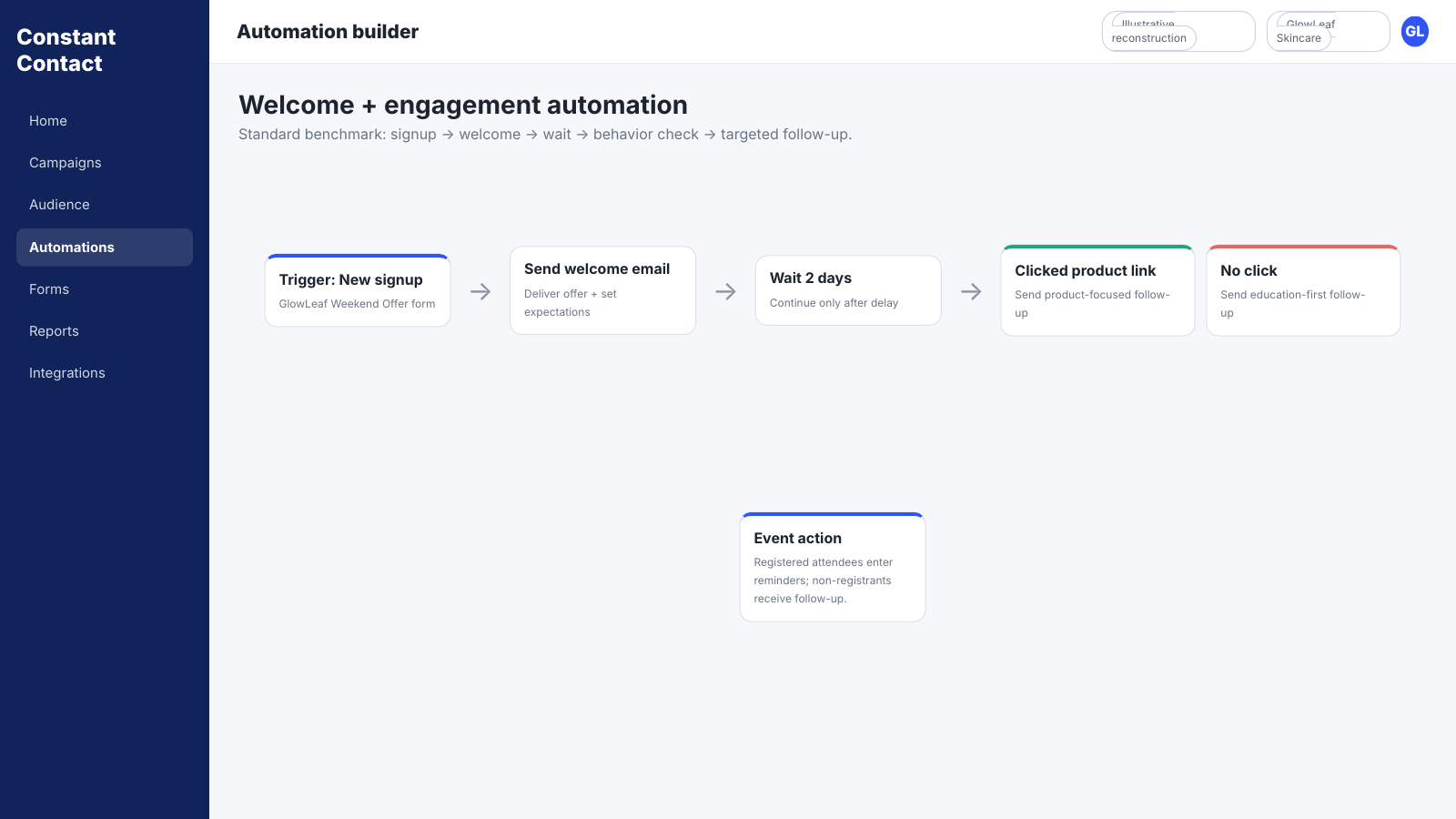
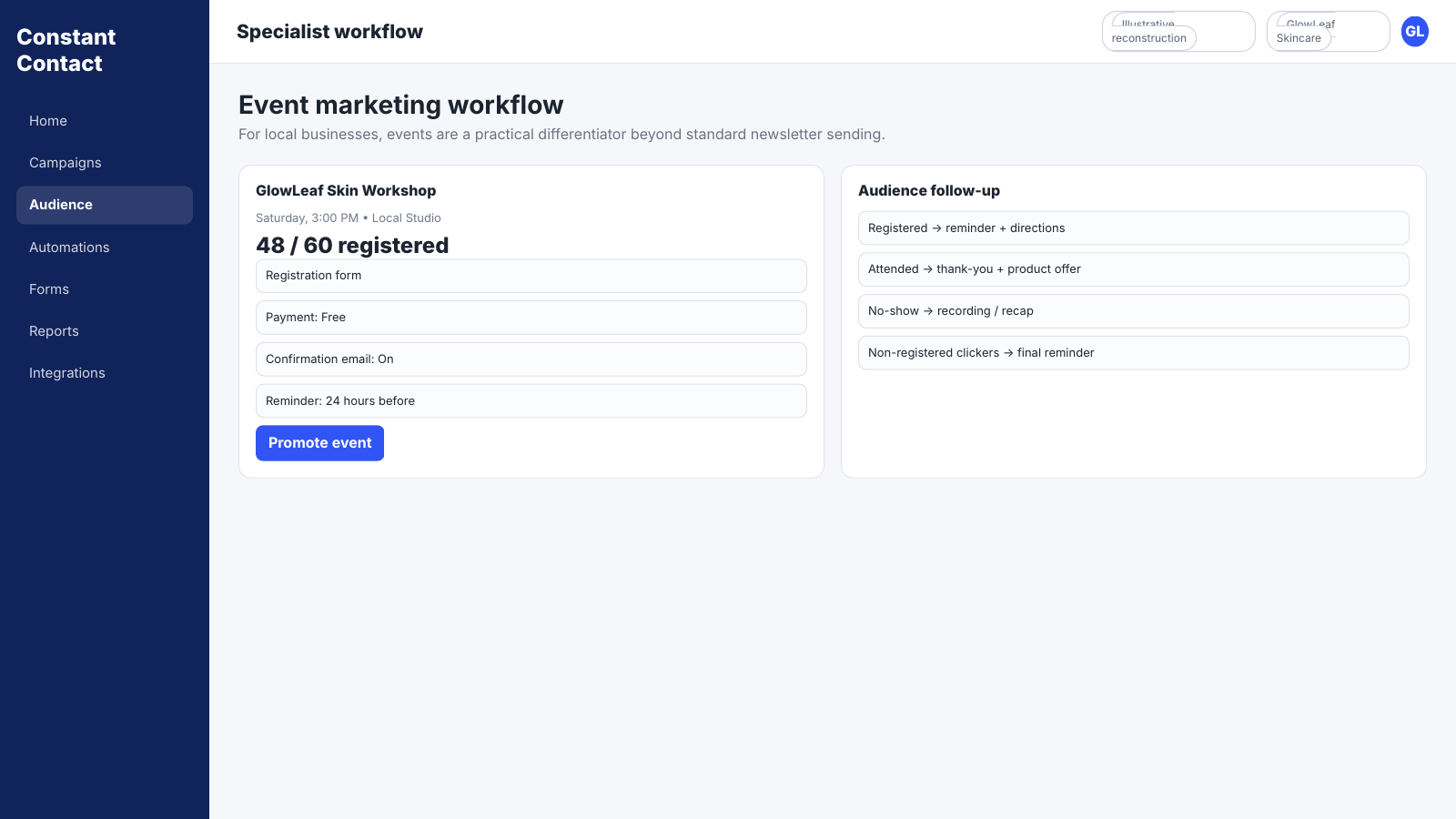
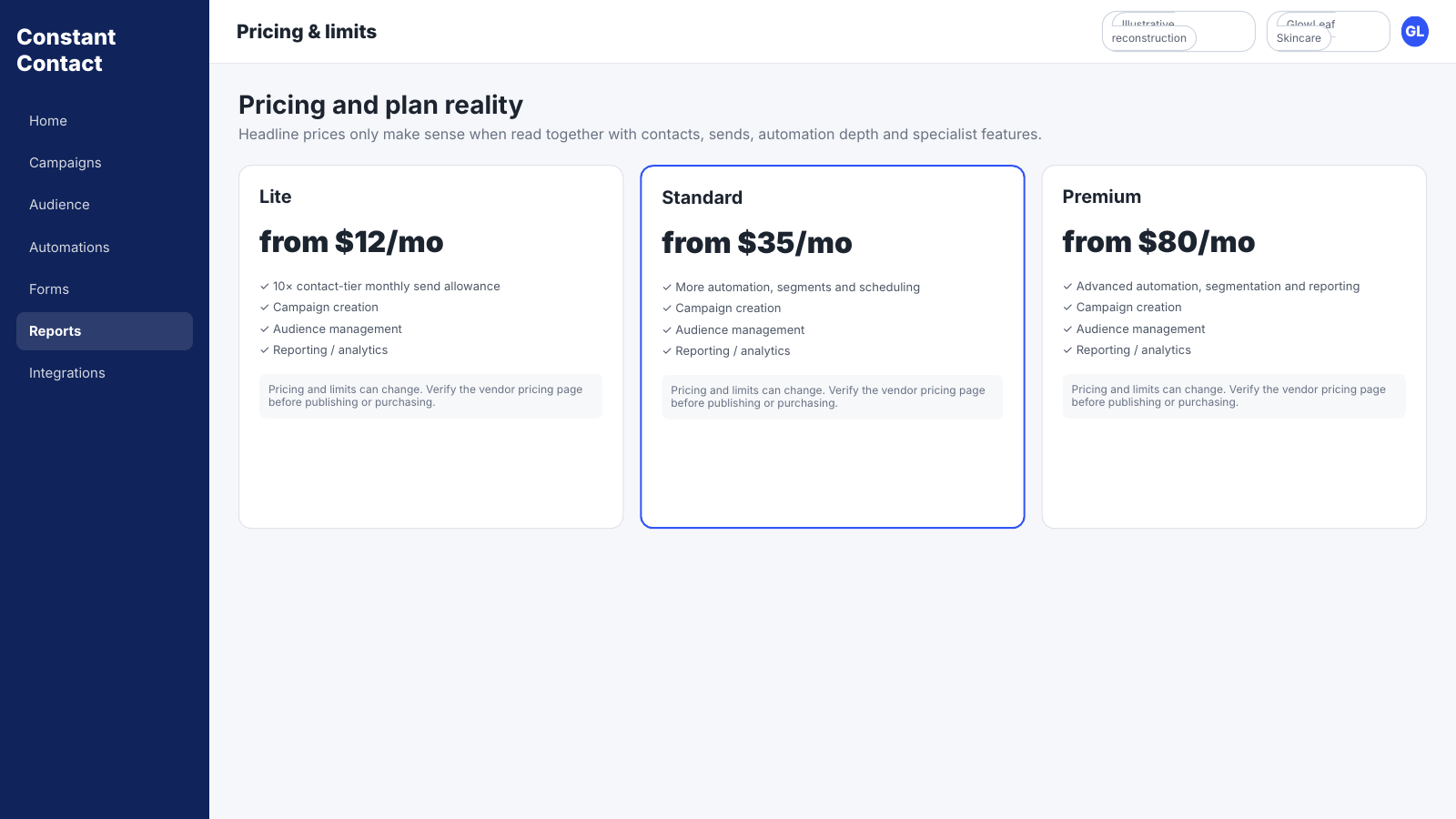
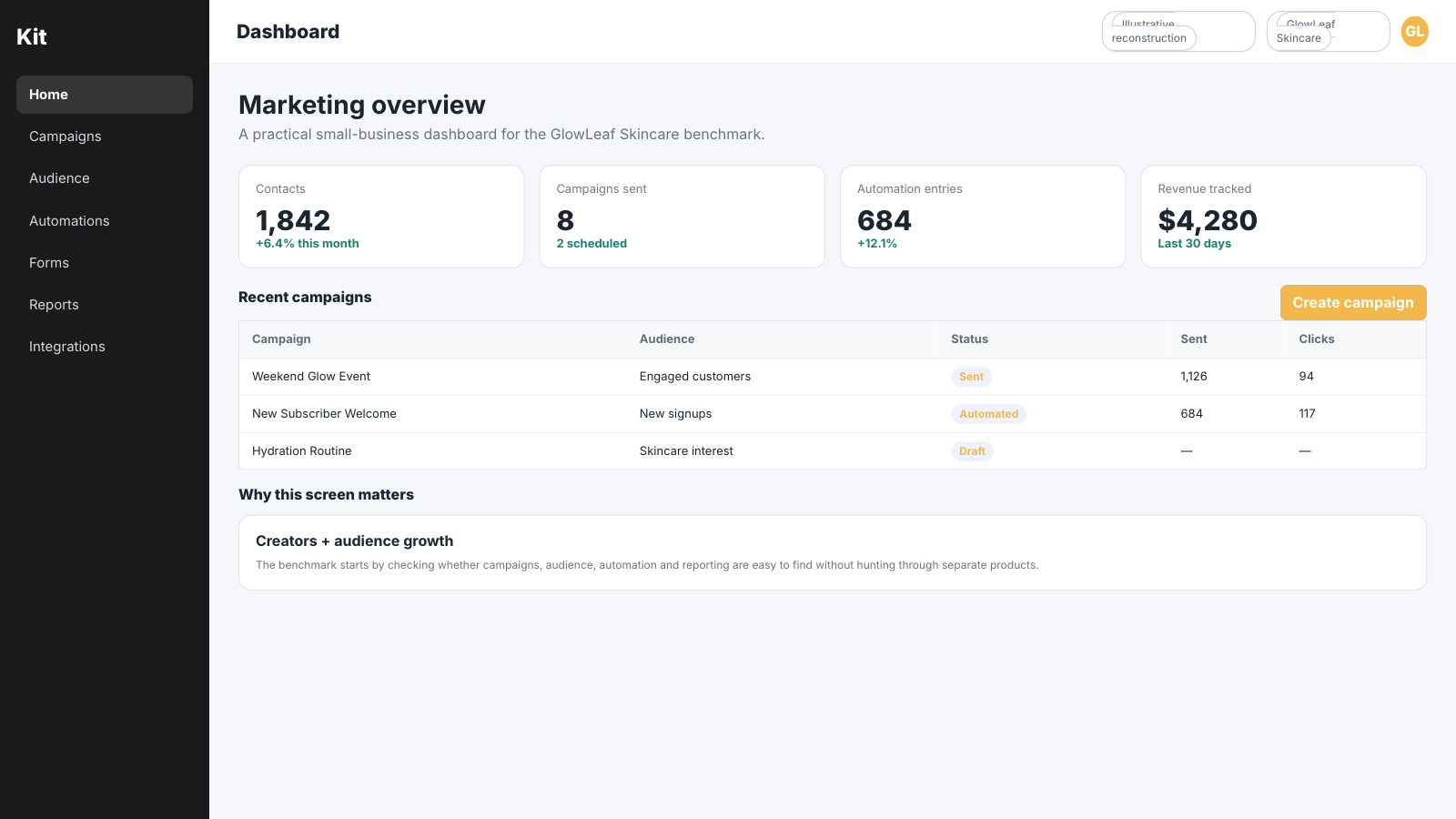
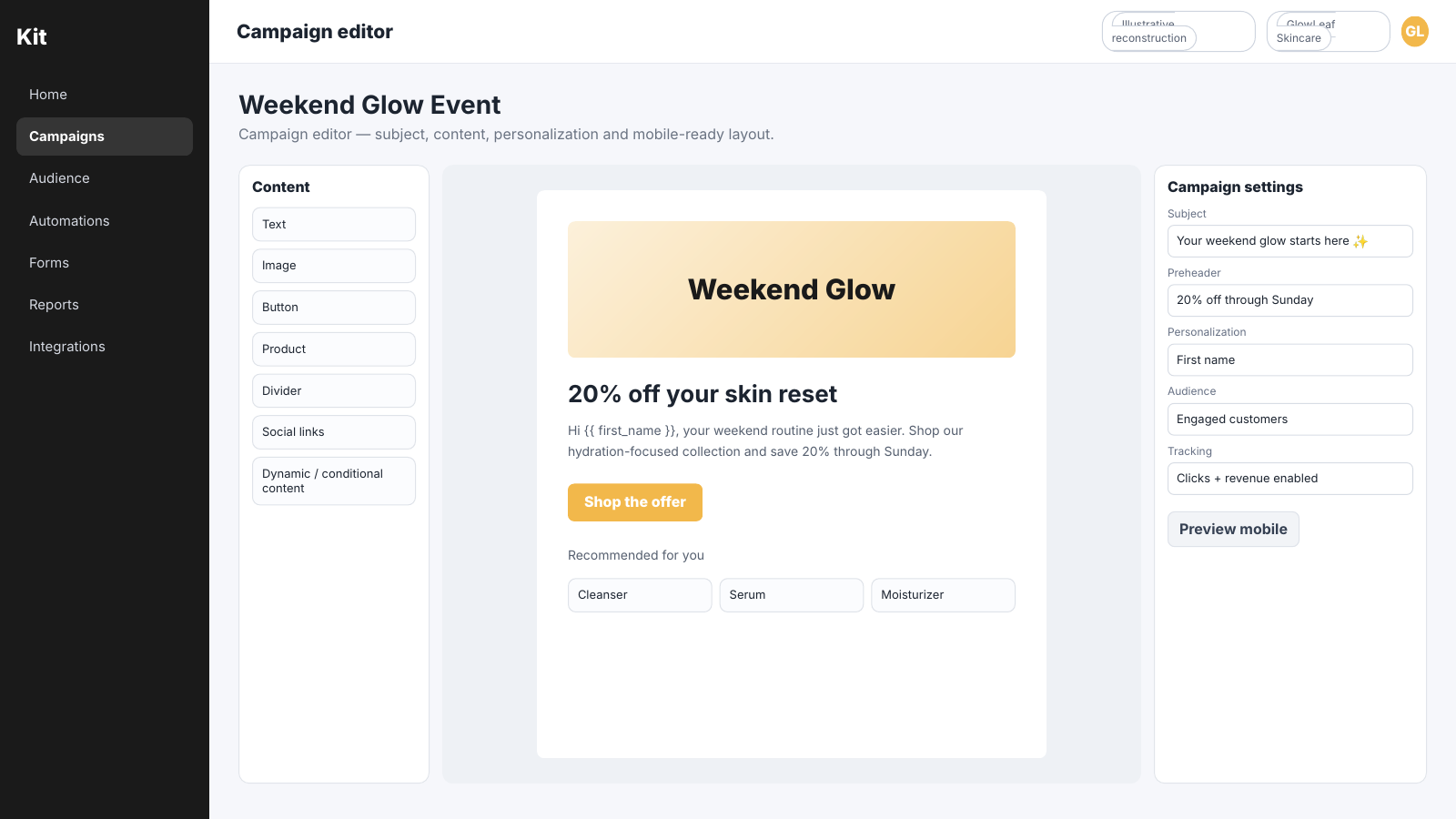
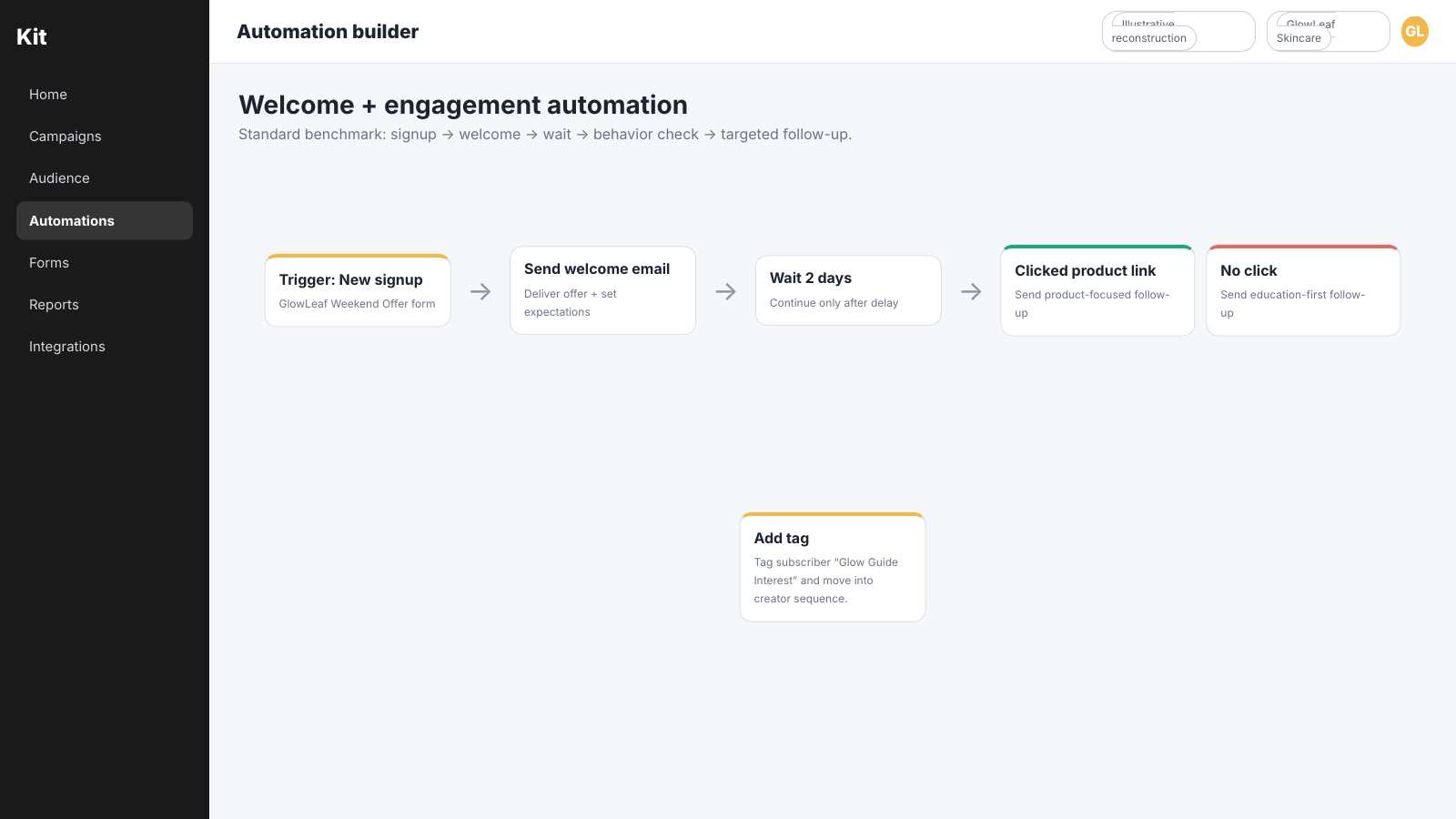
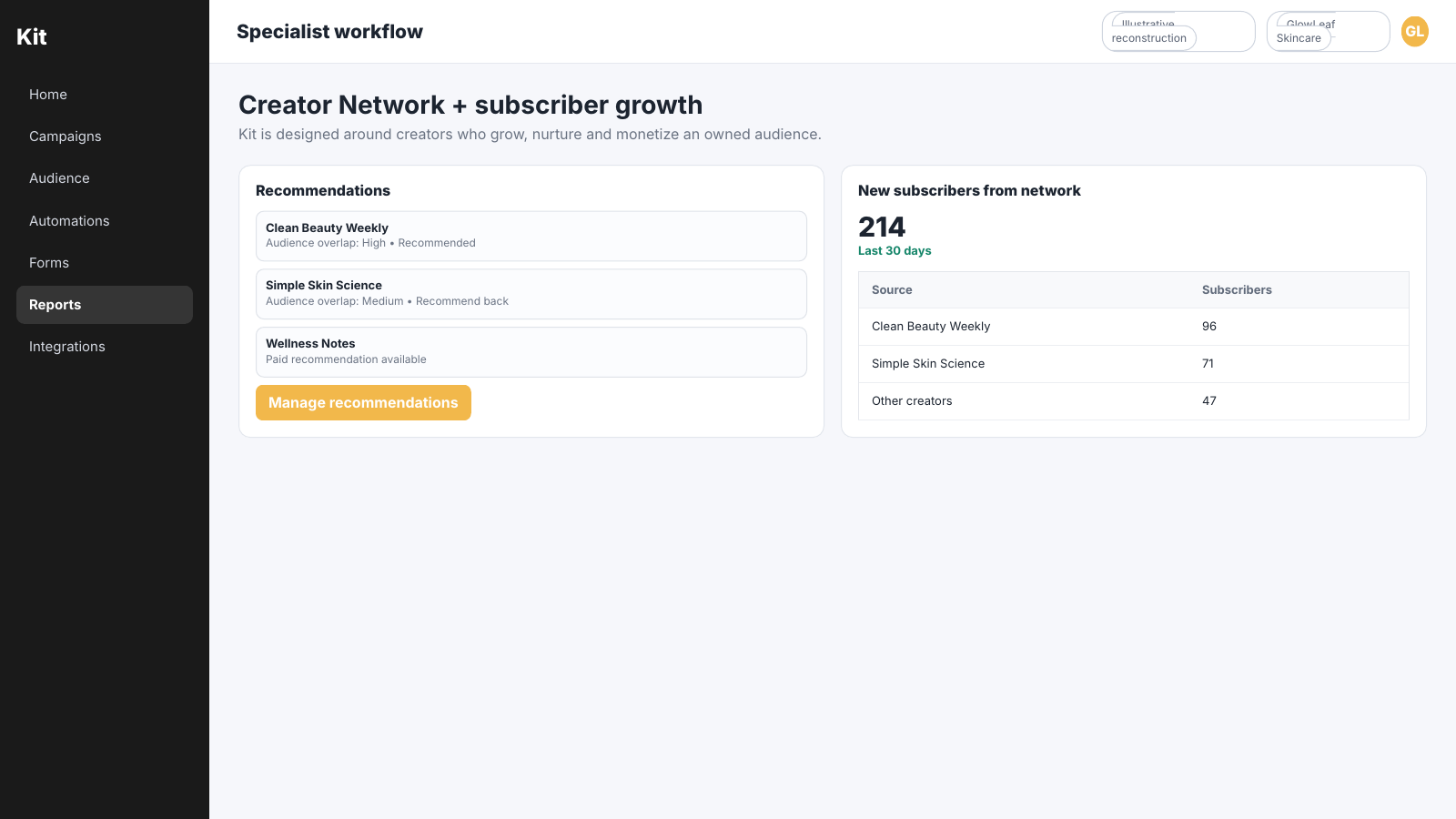
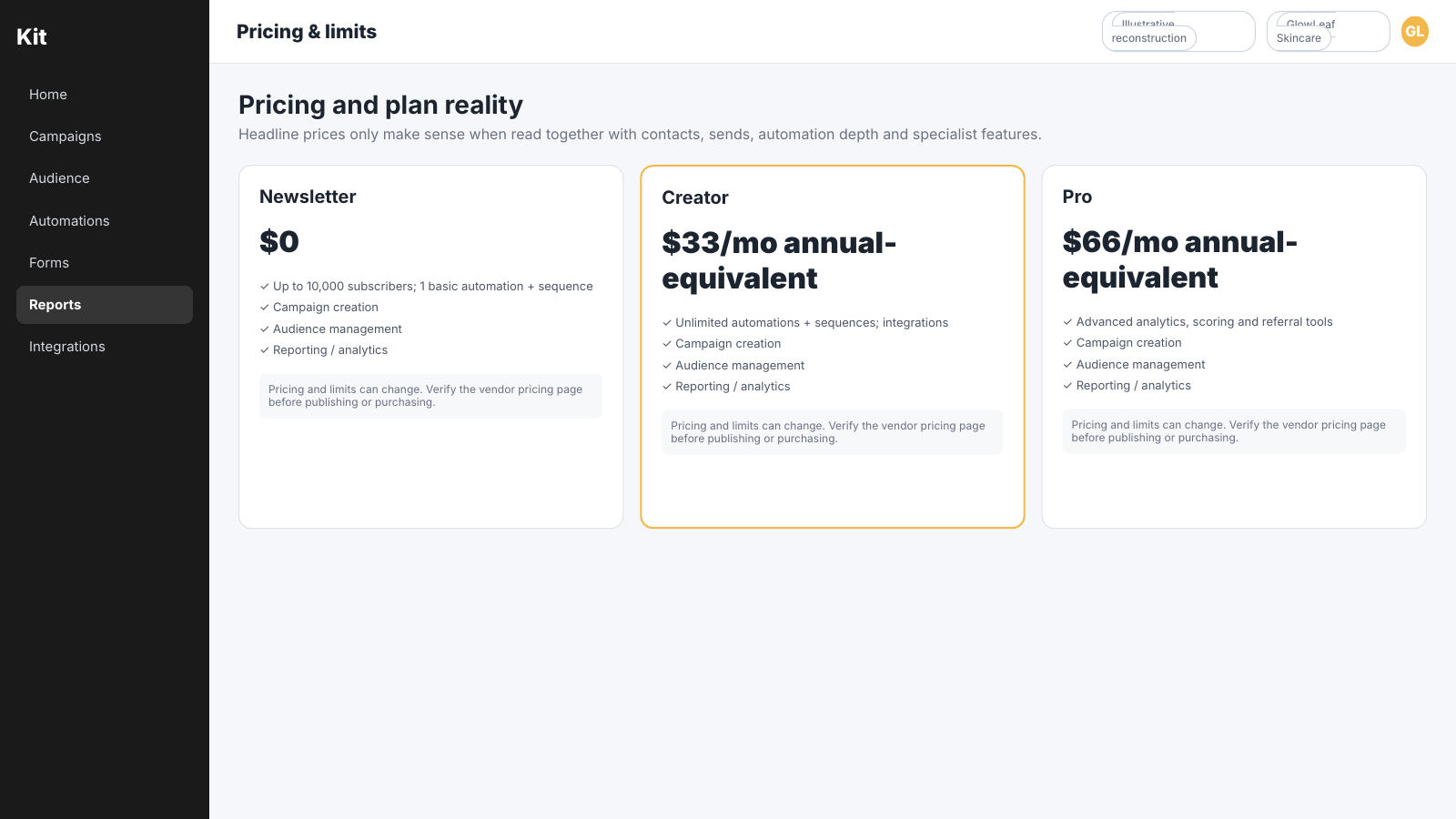
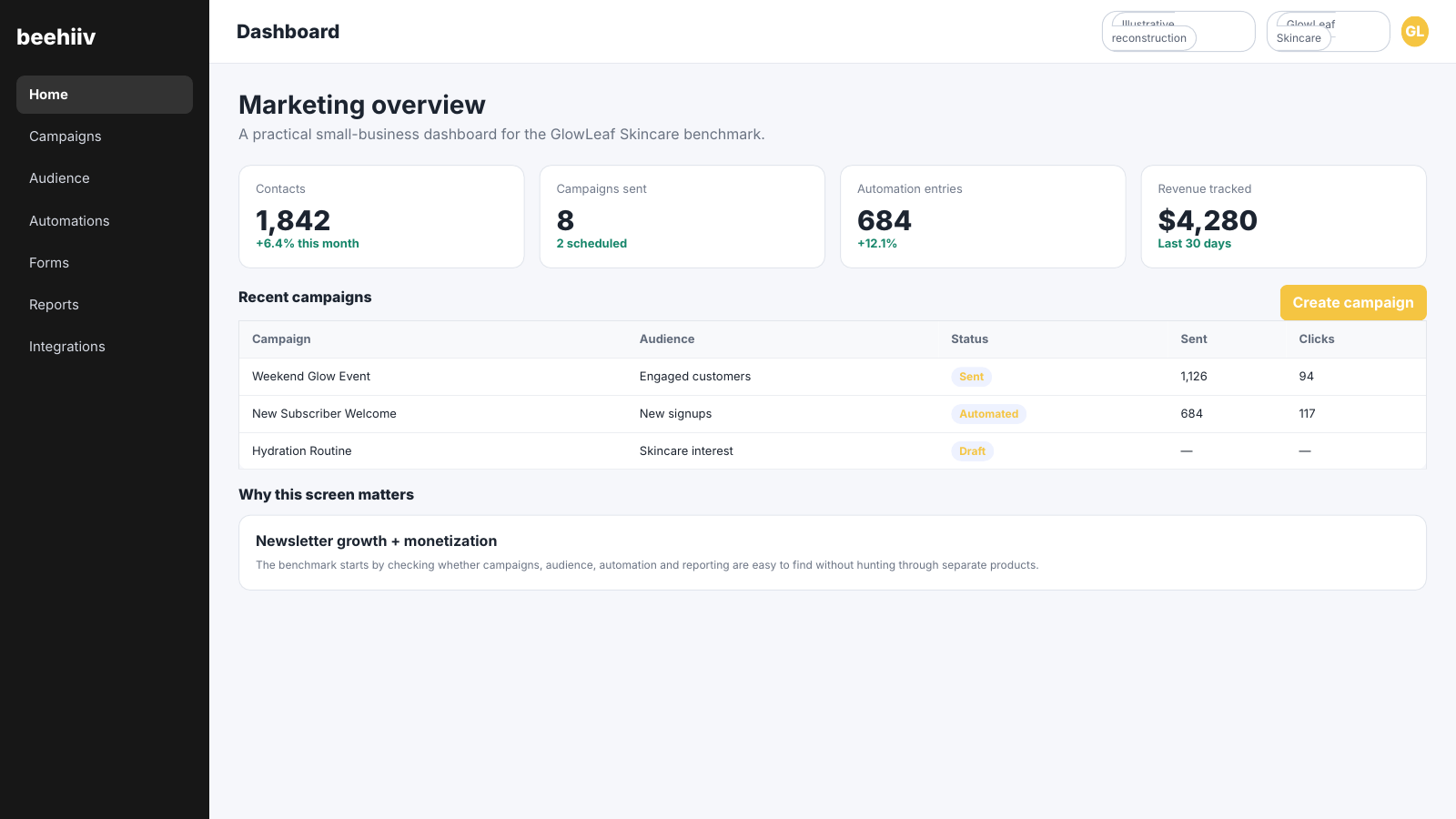
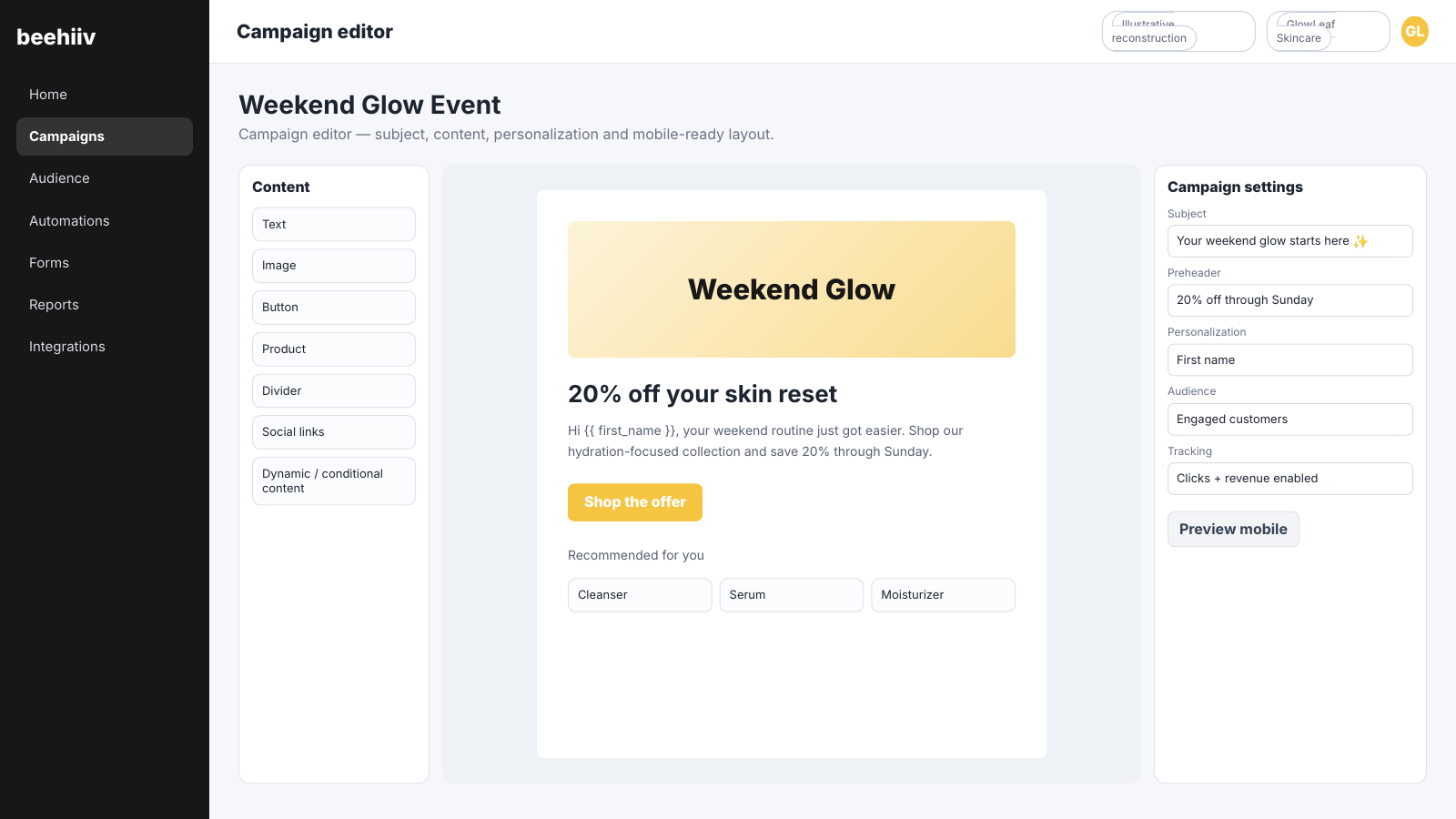
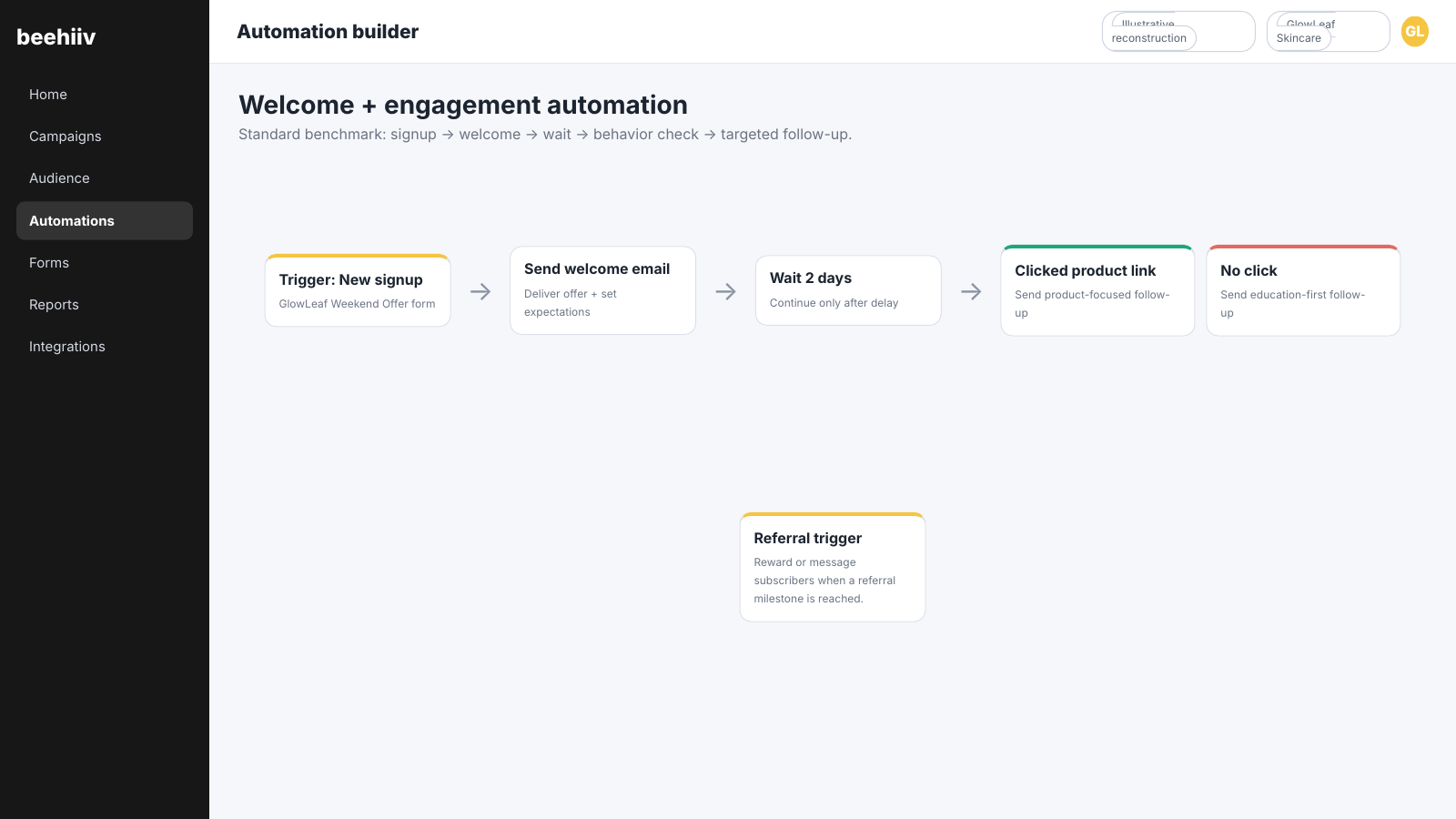
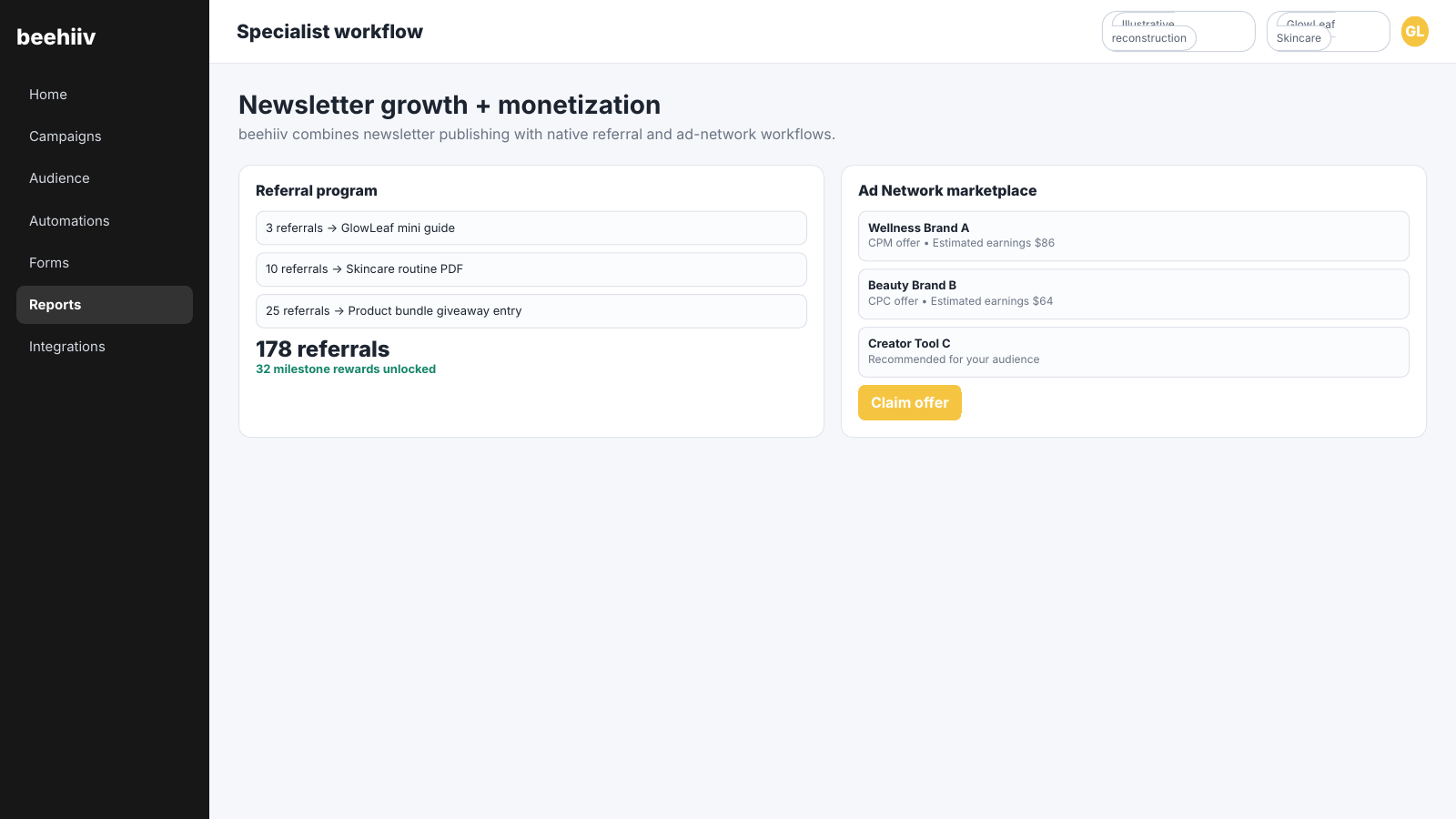
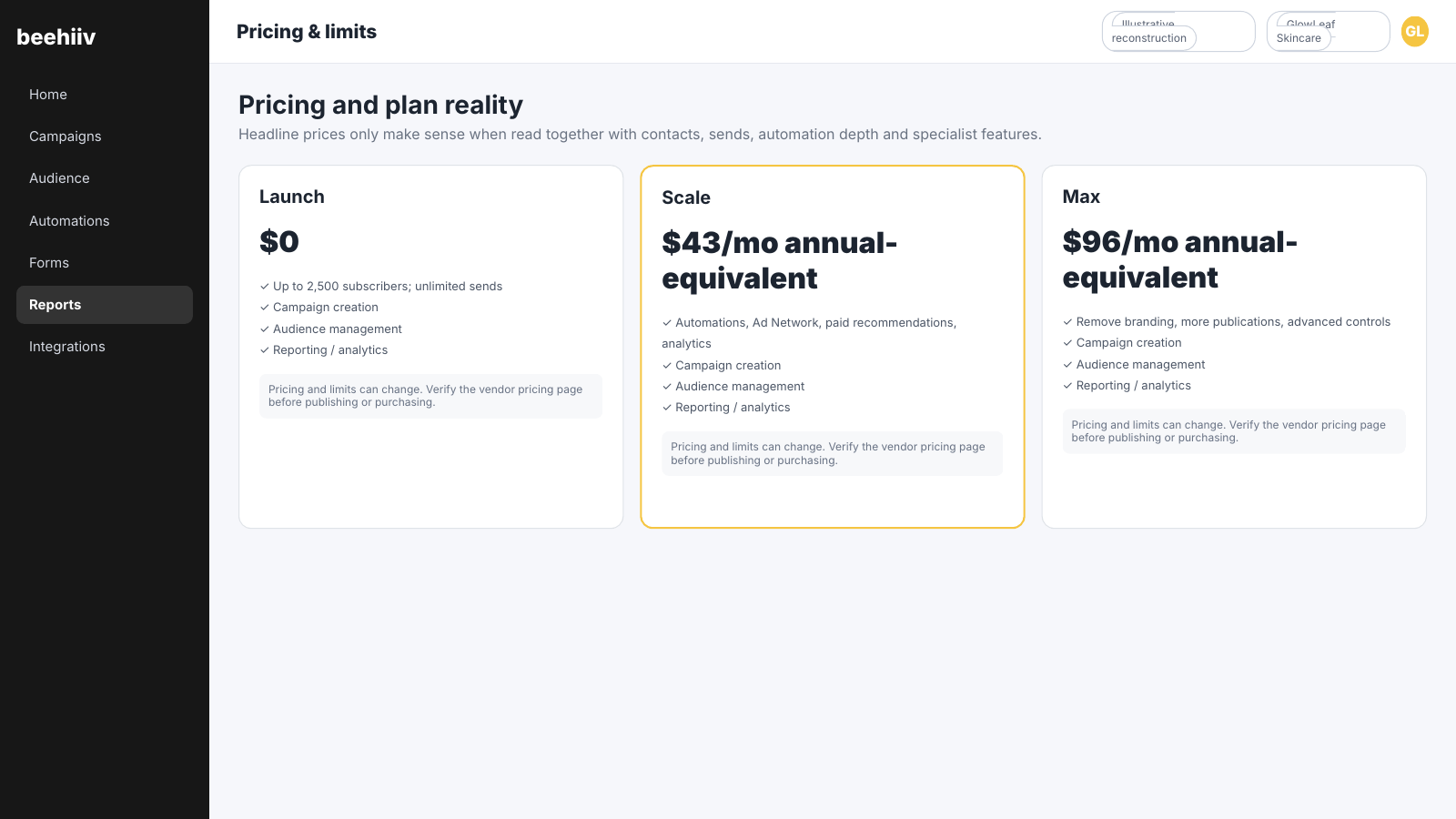
.webp)

.png)